Active threads
Showing topics posted in for the last 365 days.
- Past hour
-
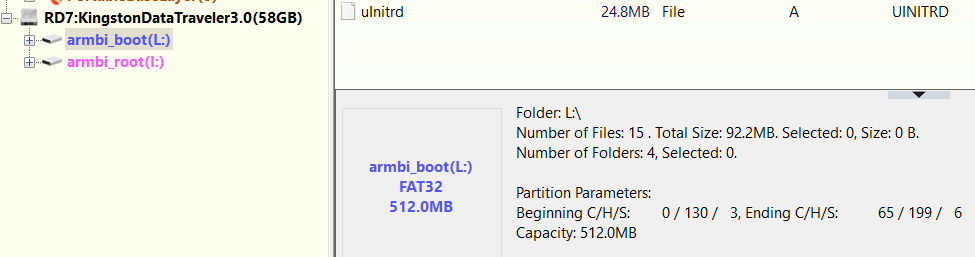
@Maurizio Finesso@John Taylor@SteeMan I've had success using USB stick instead of SD Card (see my post on 1st page), however now the BOOT Fat32 partition was hidden for some reason, I used DiskGenius to unhide it. I didn't test this on the tv box yet. This also goes against what is being said in this thread (that there are no more Fat32 paritions visible in Windows) from this thread:
-
I did a bisect. 3381d25b77fbf1ebaaa151a9f2be66fbf1ca3a1e is the first bad commit commit 3381d25b77fbf1ebaaa151a9f2be66fbf1ca3a1e Author: Ricardo Pardini <ricardo@pardini.net> Date: Sun Oct 12 19:57:32 2025 +0200 I try to build 6.18 kernel with config file linux-meson64-edge.config taken from "good" 6.17 kernel. but result was a "slow" kernel. Before I hope to find "bad" change in kernel config, now it's clear problem not there. I have no more ideas 😢
- Today
-
I downloaded 'Armbian_25.11.2_Odroidc2_trixie_current_6.12.58_minimal.img.xz', flashed it to sdcard, and it booted fine. As a sidenote unrelated to the issue at hand, my first try was with the sdcard on a device with emmc, and in this case the boot process stopped after block-local (?), and dropped to initramfs shell prompt.
-
Brillant, eselarm! I followed your suggestion to avoid USB-adapter issues and took my quite old laptop with a MCC/SD slot. Run fsck -fn /dev/mmcblk0p1 - no errors! As you suspected, the USB-adapter is at fault! I grabbed all SD-USB adapters I collected over the years and tried them. Different results, fsck without errors using few of them. My lesson lerned is: NEVER TRUST A USB-SD ADAPTER! The strange thing however is, that using this faulty adapter (14cd:1212 Super Top microSD card reader (SY-T18)) some images like Armbian_25.8.1_Rockpi-e_noble_current_6.12.41.img fsck'ed OK. I think all my adapters can cope w/o problems with simple, more or less sequntiell, reads/writes. It's what they do most of the time. I guess, when it comes to more complex I/O operations requested by fsck, some of them give out. What eselarm also suggested. Just for reference, the bad ones: 2 x 14cd:1212 Super Top microSD card reader (SY-T18) 5136:4678 Generic USB2.0 Device aaaa:8816 MXT microSD CardReader The OK ones: two with this inside: 090c:6200 Silicon Motion, Inc. - Taiwan (formerly Feiya Technology Corp.) microSD card reader and 14cd:127b Super Top SDXC Reader (very old, labeled hama) Thanks and regards, Chris
-

Gaming experience with Orange Pi 5 (RK3588) on Armbian
KhanhDTP replied to KhanhDTP's topic in Orange Pi 5
Armbian 25.8.2 Noble XFCE (BSD Kernel: 6.1.115) + PanVk - mesa 26.0 (https://launchpad.net/~ernstp/+archive/ubuntu/mesaaco) + box64 3.9 (https://ryanfortner.github.io/box64-debs/) + proton-10.0-3-amd64-wow64 (https://github.com/Kron4ek/Wine-Builds/releases/download/proton-10.0-3/wine-proton-10.0-3-amd64-wow64.tar.xz) + DXVK-stripped v2.6.2 >=60fps@1080p Yu-Gi-Oh LOTD Evolution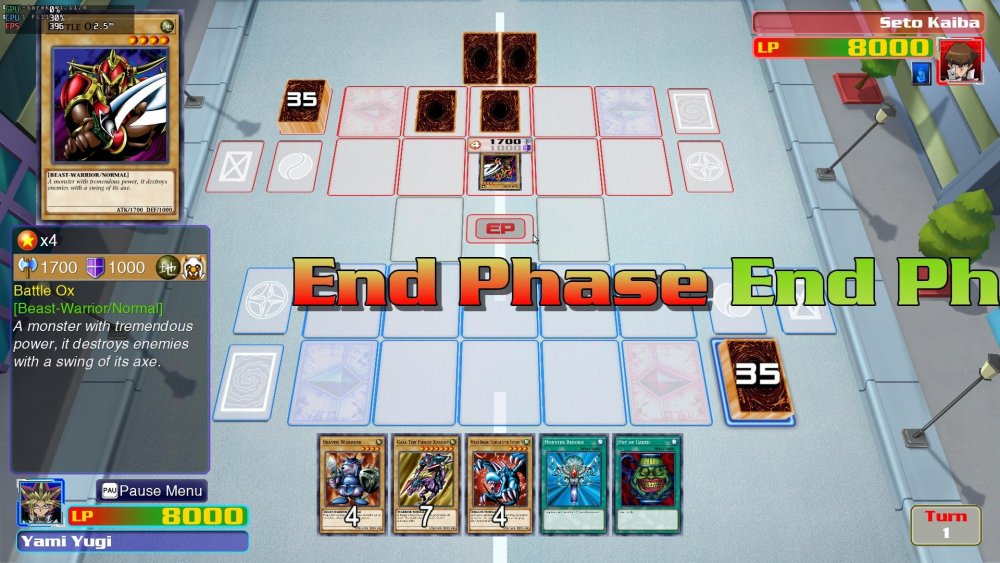
-

how to install armbian on mx10 f3 (tv stick)?
Nick A replied to Maxim Shell's topic in Allwinner CPU Boxes
@Maxim Shell Does it have a SD card slot? If not then it won't be easy to install Armbian. -
 Yes, you're right, I did a little Googling and clarified the specifications.
 -
@Gavin Munday Try these images. Extract them first before you write to the SD card. https://github.com/NickAlilovic/build/releases/tag/Radxa-a7a-v0.3
-
I now see that in your screenshot, a Windows filepath contains rk3588_sp... This Lyra has a rk3506B, that is a much different and only 32-bit SoC. So that seems not OK to me, so no surprise it does not work I think. But up to you to read documentation. And also I would not use Windows, the docs at luckfox assume Linux, so the commandline tool rkdeveloptool.\ I don't use Windows and also don't have this luckfox model, so cannot guess what is wrong actually.
-
I am not using that distro at the moment as its not fulfilling my purpose at the moment so still evaluating. Milk v has a small core for running arduino application and then Linux and arduino can talk, this lets real time task run on small core, which is what i want. That distro is using small core for Image signal processing, which i do not want.
-

Rupa X88 Pro 13 - RK3528 board with images
Joao Cordeiro replied to fedes_gl's topic in Rockchip CPU Boxes
@fedes_gl To list USB speeds, do You will get an output like: 480M is the important part, this is is usb2.0. for USB3.0 you will see 5G or 10G for 3.1 Also check your ethernet port speed with: (replace end0 with your ethernet device) And if im not mistaken, those are my 2 issues with this image: only usb2.0 and network speed of 100mbps. Making it similar to a 5 years old device.. Let me know if you found the same speeds. -

Boot partition not showing on windows after burn images to sdcard
2mg replied to hiemz alhuda's topic in Amlogic CPU Boxes
Maybe something isn't right... -
@Phi Hùng Nguyễn that link looks nothing like Armbian. You shouldn’t install it on your tv box. Try my build it's unofficial Armbian but I provided source code. So you know what you are installing on your tv box. You can build it yourself if you want to. https://github.com/NickAlilovic/build/releases/tag/20250306
- Yesterday
-

Driving the ili9488 LCD (4.0 inch cheap chinese clone)
robertoj replied to robertoj's topic in Allwinner sunxi
The waveshare clones may not work with panel-mipi-dbi, because these LCDs are not purely SPI. They have a SPI-to-parallel chip which allows the LCD panel to work in parallel mode. Maybe they will work, but I don't own any waveshare LCD. There's a driver inside the kernel for waveshare SPI LCDs (ILI9486_DRM or something like that), but I still haven't seen any example of anyone using it. -
Alright. Trust sacrificed. BTW, I am a 71yo real estate developer, which may explain my stupidity with coding, my not being able to ascertain streams of consciousness, nor plumb huge gaps in information. I would like to get some things done with the N2+, and the answer is Armbian is obviously not the way to do them. I have much bigger things to do than bit-twiddling. PS - NTPd doesn't fix time either.
-

20USD 4GRAM RK3528 host (cheap dq08 tvbox)
Hqnicolas replied to fensoft's topic in Rockchip CPU Boxes
Please STOP installing android Stock ROM's in this devices It's full of malware https://www.youtube.com/watch?v=1vpepaQ-VQQ There's no malware, but you need to review all the code before using it. We're talking about Linux, the code is there, review it, don't trust it. -

Amlogic S905X -- Cannot install Armbian to internal eMMC
DerDave replied to pochopsp's topic in Amlogic CPU Boxes
Hi pochopsp - I have the same issue on my Vontar X3. The frustrating thing is that it used in the past and now for some reason it doesn't detect the eMMC installation anymore. I haven't done a deep dive but probably (as the other participants in this thread suggest) it's only solvable with a new u-boot. Have you tried something out there? I guess if we get a new build running that new u-boot could be bundled with the releases to solve this issue for other users as well -
AFAIK this can mean the ROCK3C (and software running on it) failed on interpreting HDMI info from your specific HDMI monitor (too old, buggy, not according spec, strange timing, too new, maybe more). See things w.r.t. EDID. One can set a certain video= statement on the kernel cmdline, you need to read docs etc what the options are. Easier might be to use an newer kernel, rockchip64 edge kernel is 6.18.x, that one much better RK35xx support than the 6.12.x one in the image. See armbian-config for selecting edge/beta kernel. Or change sources.list yourself so that you can just do apt install linux-image-edge-rockchip64
-
 I expect 2x the figure: dmesg | grep PCIe pci 0004:41:00.0: 4.000 Gb/s available PCIe bandwidth, limited by 5.0 GT/s PCIe x1 link at 0004:40:00.0 (capable of 15.752 Gb/s with 8.0 GT/s PCIe x2 link) lspci -vv | grep LnkSta LnkSta: Speed 5GT/s (downgraded), Width x1 (downgraded)
 -
You can remove Xfce from an installation, via apt purge --autoremove options, may just by un-ticking it in tasksel, and systemctl set-default multi-user.target Done that kind of trick to get rid of RPi PiXel DE in the past when they had no -Lite images and/or I wanted to keep my rootfs while upgrading in-place to newer Debian main release. Same Actuallt recently for ROCK3A Armbian Bookworm cloned from NanoPi-R6C to Armbian Trixie just headless/CLI. My last run/config of a Armbian 25.11.1 image was with autologin root and doing 1st run config, the usual I know from Armbian. So the image you use is wrongly generated maybe, but the big question mark is what image? URL+sha256sum enables others to check/confirm without guessing and maybe picking a newer/different 'latest' image or so, else DIY.
-
Good that this is made default now for various boards. If a board/computer has no factory written bootloader, so only bootROM/maskROM, then this allows way more flexibility and also will get rid of endless topics and support issues that have their root cause in SD-card (failing, or worse fakes, fake brands, etc). As a scrub either done automatically or as support request on-demand/ad-hoc will tell. Also many operations can be done while the board/computer is kept running, no reboot needed. Like transferring rootfs OS from SD-card to NVME and many more great things. Like replacing an SD-card without reboot. Or rollback to know-good older snapshot after faulty update. I see I wrote some things about it here: https://forum.armbian.com/search/?q=CONFIG_CMD_BTRFS&quick=1 For boards/computers with factory written bootloader, so PCs with UEFI or BIOS or the strange Raspberries with their boot(EEP)ROM that need a 1st FAT, it is a different story. I figured out that for my computers that already use Btrfs for rootfs for years, even tiny/old RPi0/1, it is currently better alignment, so that I stick to heaving an extra boot partition still. It can be very small, I had defaulted to 40MiB some years ago for a single Linux OS VM (x86 or ARM), but just for some bootaa64.efi file that is already a lot. For RPi, 3MiB was enough, so you store only a bootcode.bin start* fixup* config.txt uboot.bin bootaa64.efi. But that extra boot partition is also easily very confusing, especially for RPi like methods where kernel+initramfs+DTB are copied. Also, I had Btrfs enabled U-Boot, an Ext4 bootpartition and Btrfs rootpartition while doing experiments (booting from Btrfs raid1 straight from U-Boot) on QEMU and AllwinnerH3. kernel+initramfs+DTB were accidentally read from Ext4 (/) instead of Btrfs (/boot) and more such confusion. So then I recompiled U-Boot without Ext4 (so only FAT,Btrfs), then fine. But generally I would keep Ext4 of course. With just 1 partition, then those issues are is avoided. Then simply 'U-Boot object' and 'rootfs object', where the latter can still be chosen Ext4. Btrfs U-Boot + rootfs also would make raw/flat images viable maybe. xz-compressed will certainly have smaller download file, but for full desktop variant images, there might be an overall advantage. If rootfs is written by Armbian build with let's say compress-force=zstd:9, only first MBR+bootloader sectors, the Btrfs metadata and some filesystem slack is not compressed. I think some statistics are needed first, maybe it is not worth the effort for mass-downloads also via torrents, mirrors, etc, but for own local builds I certainly see benefits. At least I force compress almost all newly written block-devices, so also a restore from backups. It can keep thin-provisioned volumes/images very small, also roughly halves the write-time for (slower/older) SD-cards.
-
HI. I had same issue. For all others that might hit same issue bellow are instructions: 1. Supply yourself with known good SD card. 2. Go to KickPi website, download an image supplied by them and write it to the card using dd or balena-etcher. 2.1 Make sure that you are able to boot the image from above. 3. If you are under widows it is good to have a Virtual Machine (I have Debian 13 running inside virtual box). If you are a Linux user, just skip this step 4. Clone Armbian build project git clone https://github.com/armbian/build 4.1. Build an image: cd build ./compile.sh build BOARD=kickpik2b BRANCH=current BUILD_DESKTOP=no BUILD_MINIMAL=yes KERNEL_CONFIGURE=yes RELEASE=trixie 4.2. Write the image to SD card from above. sudo dd if=output/images/Armbian-unofficial_25.11.0-trunk_Kickpik2b_trixie_current_6.12.58_minimal.img of=/dev/mmcblk0 bs=1M status=progress 5. Clone Debian Image builder git clone https://github.com/pyavitz/debian-image-builder cd debian-image-builder 5.1 Follow the instructions from Readme.md: ./install.sh make menu 5.2 In the menu adjust uboot version to 2025.7 5.2 Build the uboot make uboot board=kickpik2b-v2 6. Write Uboot to your sdcard sudo dd if=output/kickpik2b-v2/u-boot-sunxi-with-spl.bin of=/dev/mmcblk0 conv=fsync bs=1024 seek=8 7. Congratulations: Now you would have working board, but now WiFi or Ethernet.
-
Hello! Is there any progress? I need to grab raw CSI2 camera on kernel 6.12 but Armbian has no CSI2-ISP stack at all at this kernel. I try to port CSI2-phy, ISP and CIF drivers from 6.1, fix compile errors, add DTS bindings but have to lack yet (need to learn new v4l2 media framework).
- Last week
-
With the latest changes in Armbian and most importantly the update of u-boot to v2025.10 for Helios4, it is now possible to boot SATA and USB from u-boot flashed to SPI NOR flash, with the dip switch set to SPI boot mode. This even includes booting straight from u-boot to btrfs now.
-
Hello, I have the same issue. UART output: Trying a 2023 build to see if it starts, but looking online it looks like this is caused by a kernel build being incomplete and when it's wrong the device specific kernel files are smaller than usual. I noticed the 2023 image is about double the size. Same error on that, though channel 0 CS = 0 MR0=0x98 MR4=0x3 MR5=0xFF MR8=0x8 MR12=0x72 MR14=0x72 MR18=0x0 MR19=0xS = 1 MR0=0x18 MR4=0x3 MR5=0xFF MR8=0x8 MR12=0x72 MR14=0x72 MR18=0x0 MR19=0x0 R0=0x988 MR4=0x1 MR5=0xFF MR8=nel 1 training pass! change freng done channel 0, cs 1, advanced training done ng done ng done change freq to 856MHz 1ng done ng done ng done ng done ddr_set_rate to 416MHZ,Boot1 Release Time: May 29 2020 17:36:36, version: 1.26 CPUId =mmc: ERROR: SDHCI ERR:cmd:0x102,stat:0x18000 mmc: ERROR: Card dOR: SDHCI ERR:cmd:0x102,stat:0x1mmc: ERROR: SDHCI ERR:cmd:0x102,stat:0x18000 mmc: ERROR: Card did not respond to voltage select! SdmmcInit=2 1 mmc0:cmd5,20 SdmmcInit=0 0 BootCapSize=0 Us2000 , 0 StorageInit ok = 58036adLba = 2000 8fa0 NOTICE: BL31: v1.3(release):845ee93 NOTICE: BL31: Built : 15:INFO: plat_rockchip_pmu_init(1196): pd status 3e INFO: BLded by BL2 boot loader, Booting device without OPTEE initializatError initializing runtime service opteed_fast INFO: BL31: Pit to normal world INFO: Ent U-Boot 2022.04-armbian-2022.04-Se4b6-Pbcc6-Hc48d-V50f4-Bb703Model: Clockworkpi A06 DRAM: 3.9 GiB PMIC: RK808 Core: 215 devices, 18 uclasses, devicetree: separate MMC: mmc@fe320000: 1, mmc@fe330000: 0 Loading Environment from MMC..USB EHCI 1.00 Bus usb@fe3c0000: USB EHCI 1.00 scanning bus usb@3 USB Device(s) found scanning bus usb@fe3c0000 for devices... 1 USB Device(s) found scce Scanning mmc 1:1...s #0, OK Found U-Boot script /boot/boot.scr 3906 bytes read in 5 ms (762.7 K500000 Boot script loaded from 144 bytes read in 4 ms (35.2 KiB/s) 16738941 bytes read in 711 ms (22.5 MiB/s) 38343168 bytes read in 1625 ms (22.5 MiB/s) ip/rk3399clockw_qkpi-a06.dtb' 2825 bytes read in 12 ms (229.5 ## Loading init Ramdisk from Legacy Image at 06000000 ... ImOK ERROR: Did not find a cmdline Flattened Device Tree