Active threads
Showing topics posted in for the last 365 days.
- Past hour
-

OrangePi Zero LTS ili9341 TFT LCD (and later OrangePi Zero 3)
Jeffrey replied to robertoj's topic in Allwinner sunxi
At this point I've tried with and without adafruit,yx240qv29. I also have tried with X11 and Wayland. I am at the point where I am using Gemini to figure out what is wrong but not making much progress. I have found people with similar issues but no solutions. - Today
-
I've already tried both sudo apt update && sudo apt upgrade. I can't update because it says that the website linked "apt.armbian,com bionic release" doesn't have a release file. What commands would i specifically need to run to do what you said (Blacklisting kernel, seguenti (?)) Server, something i can ssh into to run some basic websites on nginx
-
Yes, that is the correct sequence of actions: 1. Build armbian minimal with panel-mipi-dbi kernel module 2. Use DTS so that the kernel links the GPIO, SPI to the panel-mipi-dbi kernel module 3. Use the bin file (originally provided by Kungfu pancake) <-mandatory, not optional 4. If you see console text successfully in the LCD during boot, you have successfully installed your LCD 5. Tell us here, for the next step in GUI installation The "greeter" is the graphical login screen. Labwc is the wayland-based compositor and window manager (I think).
-
 After further testing, I found that the error also happens after shutting down the system, even with a clean shutdown. I did a CLI shutdown on a unit that had been running for two days. When I tried to turn it back on, I ran into the black screen problem.
 -
Hi, I am posting this here to notify you about the serious networking performance issue on my Rockpi 4B board. Ever since I installed the Trixie release, the networking on the board has been poor/not working at all. I cannot even run an apt update If I try to connect via SSH, I get: root@rockpi:~# apt update 0% [Connected to github.armbian.com (185.199.110.153)] [Waiting for headers] [Waiting for headers]client_loop: send disconnect: Connection reset >ssh root@192.168.0.200 ssh_dispatch_run_fatal: Connection to 192.168.0.206 port 22: Connection timed out I don't know where to start / what to check here. When I turn on the board, it works barely at starting, very slowly before becoming unresponsive. Technical Details: Board: Rockpi 4B Armbian version: Armbian_community_26.2.0-trunk.44_Rockpi-4b_trixie_current_6.12.60_minimal Boot media: 250GB M.2 PCIE SSD Old Working: Armbian_community_25.2.0-trunk.195_Rockpi-4b_bookworm_current_6.6.66_minimal This issue started only after installing the Trixie images. The bookworm image works butter smooth and flawless. I am sorry if I am cross-posting this, but I couldn't find any known related issue on this board. Thanks in advance!
-
No clue if it will work. There are hundreds of different TV boxes. It is unlikely anyone here has that exact model So just try. The general rule as the instructions on this site indicate are to try different dtbs until you find one that works the best.
-
Unfortunately, my knowledge is completely lacking in this. I don't even know how to do it ( If you have some free time, could you please help me create a firmware with a patched U-Boot? I know it's a lot to ask. Forgive me. But I don't know what to do anymore. The manufacturer's Ubuntu 22 is a pain in the ass; I can't even run Docker on it, and so on. I can upload the manufacturer's U-Boot (Ubuntu 22), but if you need anything else, I'll share everything I have without any problems. uboot_22_ubuntu.7z
-
The connection is correct, the H3 (nano pi neo) output works for external sound i2s, but both the input and output need to be made on a newer board H5 ( Nano{iNeo2 ), the pinout is the same
-
 Thanks. I am figuring thing up, like fixing a cycle dependency and adding traces to my lcd driver module. But I can compile this one on the target. So it is fine. The "fixing cycle(s) dependency" thing is annoying because I mostly find example boards using the lcd pins and not the dsi lanes.
 -

Gaming experience with Orange Pi 5 (RK3588) on Armbian
KhanhDTP replied to KhanhDTP's topic in Orange Pi 5
https://github.com/ptitSeb/box64/issues/3146#issuecomment-3630691360 Optimize is on the way, just wait! -
 Is it possible to switch the operation to the OpenWRT system OR Linux OR DTB Q17 android tv box = Tanix TX11 android tv box = Q1 android tv box .... Works but ≠ X96Q android tv box AND ≠ Tanix TX1 android tv box .... It doesn't work current system firmware: Android 14 specs: - ARM Cortex-A53 - 32 bit - Mali-G31 - Allwinner H313 - arm,sun50iw9p1 4 GB RAM DDR3 32 GB HDD model = "sun50iw9"; compatible = "arm,sun50iw9p1";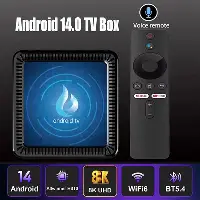
-
these modules/configs are missing in 6.16.8 (vs 6.15.4): CONFIG_SND_SUN9I_HDMI_AUDIO=y CONFIG_SND_SOC_SUNXI_MACH=m CONFIG_SND_SOC_SUNXI_AHUB=m CONFIG_SND_SOC_SUNXI_AHUB_DAM=m CONFIG_SND_SOC_SUNXI_INTERNALCODEC=m CONFIG_SND_SOC_SUNXI_AAUDIO=m Could this be a problem?
-
Hi again and thank you for the new reply. Something went wrong with the mip-dsi 7" display on that board somewhere between 6.1.104 (02/02/2025) and 6.6.750 (03/02/25). I already sourced those from the armbian-config kernel loader tool and confirm that the display works perfectly on the 6.1 kernel and d-t and not on 6.6, with no other changes. None of the more recent kernels work either. I figured that if I could find the exact kernel version where things broke, I might just be able to diff what changed, but 6.1 to 6.6 is a big gap. Any other suggestions? I don't see any significant changes in the logging (uboot unfortunately not available as I don't have a serial connector.), but the screen is picked up and loaded to the d-t. There's just no output. The screen is grey and noisy right from startup - no startup messages or anything at all, with no visible picture signal on 6.6. From 6.12 on it is completely black, although backlight appears to be there. Are any
-
 Hello Respected Supporters, After upgrading to Armbian 26 (kernel version 6.12.58), the onboard network card (end0) experienced a severe degradation in transmission performance (reduced to approximately 1/10 of previous levels). Upon investigation, it was discovered that the kernel driver (dwmac-sun8i) has locked all hardware offload features (TSO/GSO/Checksum), forcing the CPU to handle all processing in software. root@orangepi3:~# uname -r 6.12.58-current-sunxi64 root@orangepi3:~# dpkg --list | grep linux-image ii linux-image-current-sunxi64 26.2.0-trunk.48 arm64 Armbian Linux current kernel image 6.12.58-current-sunxi64 root@orangepi3:~# readlink /sys/class/net/end0/device/driver ../../../../bus/platform/drivers/dwmac-sun8i root@orangepi3:~# ethtool -k end0 Features for end0: rx-checksumming: off tx-checksumming: off tx-checksum-ipv4: off tx-checksum-ip-generic: off [fixed] tx-checksum-ipv6: off tx-checksum-fcoe-crc: off [fixed] tx-checksum-sctp: off [fixed] scatter-gather: off tx-scatter-gather: off tx-scatter-gather-fraglist: off [fixed] tcp-segmentation-offload: off tx-tcp-segmentation: off [fixed] tx-tcp-ecn-segmentation: off [fixed] tx-tcp-mangleid-segmentation: off [fixed] tx-tcp6-segmentation: off [fixed] generic-segmentation-offload: off generic-receive-offload: off large-receive-offload: off [fixed] rx-vlan-offload: on [fixed] tx-vlan-offload: off [fixed] ntuple-filters: off [fixed] receive-hashing: off [fixed] highdma: on [fixed] rx-vlan-filter: off [fixed] vlan-challenged: off [fixed] tx-gso-robust: off [fixed] tx-fcoe-segmentation: off [fixed] tx-gre-segmentation: off [fixed] tx-gre-csum-segmentation: off [fixed] tx-ipxip4-segmentation: off [fixed] tx-ipxip6-segmentation: off [fixed] tx-udp_tnl-segmentation: off [fixed] tx-udp_tnl-csum-segmentation: off [fixed] tx-gso-partial: off [fixed] tx-tunnel-remcsum-segmentation: off [fixed] tx-sctp-segmentation: off [fixed] tx-esp-segmentation: off [fixed] tx-udp-segmentation: off [fixed] tx-gso-list: off [fixed] tx-nocache-copy: off loopback: off [fixed] rx-fcs: off [fixed] rx-all: off [fixed] tx-vlan-stag-hw-insert: off [fixed] rx-vlan-stag-hw-parse: on [fixed] rx-vlan-stag-filter: off [fixed] l2-fwd-offload: off [fixed] hw-tc-offload: off [fixed] esp-hw-offload: off [fixed] esp-tx-csum-hw-offload: off [fixed] rx-udp_tunnel-port-offload: off [fixed] tls-hw-tx-offload: off [fixed] tls-hw-rx-offload: off [fixed] rx-gro-hw: off [fixed] tls-hw-record: off [fixed] rx-gro-list: off macsec-hw-offload: off [fixed] rx-udp-gro-forwarding: off hsr-tag-ins-offload: off [fixed] hsr-tag-rm-offload: off [fixed] hsr-fwd-offload: off [fixed] hsr-dup-offload: off [fixed] Could you please help look into this issue? We are looking forward to seeing it fixed in an upcoming release. Thank you very much. Regards, GBH
 -

mxq pro 4k 5g allwinner h313 can't sd card boot
Sergey Lepeshkin replied to Ducdanh Nguyen's topic in Allwinner CPU Boxes
@Octavio Cuatrochio, your box is locked no more than others. ADB over USB doesn't work on all versions. su works only through uart console. Toothpick method is only for recovery from backup partition (so 'upgrade' is not really upgrade - it's reflashing from backup). What to check: 1. Check you haven't shorted Tx and Rx to +3.3V. bus (trace between two test points). 2. Are Gnd's of the usb converter and tv box connected? 3. You have some switches on usb converter - what it is for? I/O voltage select? 4. Make sure you open serial port on PC with 115200 8n1 settings without hardware or software flow control. 5. You've checked it while lines was free-floating or connected to usb converter? If last, make measurements without usb converter connected. About performance of Android and Armbian: idk. Current Android firmware is 32-bit. But, according to datasheet, Hi3798MV310 have 64-bit core. So, if you manage to create 64-bit build of Android or Armbian, I suppose it should have slightly better performance. -
If that doesn't do it, try the main integration branch which for once combines all branches and for the other is actually meant to be used by megi iirc:https://codeberg.org/megi/linux/commits/branch/orange-pi-6.18
-
First step is to cleanup and bump the sunxi patchset to 6.18. This is a major blocker. Once that is done. Patches for more recent Allwinner SoCs can be added. I started doing that but it is extremely exhausting. I have no clue how the-going managed to maintain that for that long... must be sort of masochistic or something lol. https://github.com/EvilOlaf/build/tree/sunxi-6.18
-
Not an Armbian uboot binary. Also we started to drop vendor uboot in favor of mainline.
- Yesterday
-
Hi Igor, I recently updated to Armbian 25.11.2 bookworm aarch64 with kernel Linux odroidhc4 6.12.58-current-meson64. This should be a working version? There I still get the same connect-debounce error. Do you have any advice?
-
 Hi all, i've been going this forum long enough to try and root a tv box that i buyed recently, but this one is HEAVILY locked up, like nothing i have seen before. My objective here is to access 'su' so i can have access to rooting/overclocking this thing for emulators, and after that adding a heatsink, active cooling, etc. I tried ADB over all USBs (4 in total) but nothing. then i tried to see if root was available through some leftover app or vulnerability, but nothing. Then i tried following the specs from this thread (pretty similar in design to my PCB) but my UART displays nothing. (I leave the images from my setup below), i tried switching the wires, i tested the voltages and they return 3.3v, so they are ok. I tried the toothpick method to access recovery, but it has 2 buttons. 1 does nothing (AFAIK) and the other one goes directly to updating, so no menu. Any help is appreciated, as i'm out of any ideas. I leave my pictures below, and my specs: CPU: Alwinner H313 RAM: 1GB ROM: 8GB PCB: Z01S-v13.3, 2025.05.20 OS: Android 7-8 ish
.thumb.jpeg.253d5974b0e1476684eb424e20fc1be5.jpeg)
.thumb.jpeg.ce2df382b83a26cbba812d28012499a2.jpeg)

-

Expected default graphics acceleration for RK3588?
gpupoor replied to gpupoor's topic in Orange Pi 5 Plus
Also, interesting to see your updates. I keep seeing a lot related to GStreamer, will need to look more into that. -
Thank you for sharing your findings with the community!
-

Orange Pi Zero 3 Sound Problem(Lineout-Analog Codec)
robertoj replied to Taha YILDIRIM's topic in Allwinner sunxi
Yes. Try the latest kernel. The latest is always the one with the most corrections (unless someone discovers an error). How do you select a H616 vs H618 kernel? I always select Unsupported Board > Orange Pi Zero 3 -
Okay, trying another HDMI cable fixed it, although on radxa's debian it worked with the same cable but thanks.
-
I ran into a similar issue, I think it was related to having the wifi usb adapter plugged in at the same time. after a second reboot with the adapter unplugged I was able to get to the first run setup screen and set the root password and create my local user account. new to armbian, replaced a failed image from the stock odroid c1+ ubuntu 18 release with the latest, was happy to get it up and running, as we used this board to drive our home 3d printer. unrelated - i did apply to be a board maintainer, happy to help if/when/where I can









.jpeg.e86cb82c198f7946bc7fcbd484b61f57.jpeg)
.jpeg.3fbf0f7eba712ae889a271781b9dd2bc.jpeg)