All Activity
- Past hour
-
 Does this happen if you are running from an SD card also? Or is it specific to running off of emmc?
 - Today
-
 sun50iw9p1.dtsi
 -
Extract the 7z file in the same folder as Armbian-unofficial_26.02.0-trunk_Luckfox-lyra-ultra-w_trixie_vendor_6.1.115_minimal.img Then do: dd if=uboot.img of=Armbian-unofficial_26.02.0-trunk_Luckfox-lyra-ultra-w_trixie_vendor_6.1.115_minimal.img bs=32k seek=1 conv=notrunc Then you have an old Rockchip 2017.09 u-boot, my guess it that that shall work with 6.1.115 But you are the first one, the tester of it. Also, I did a 32-bit rockchip edge kernel test build and I see no DTB file for Luckfox-lyra-ultra-w That means it is not supported for mainline. At least it seems correct that one cannot build a working image now as legacy u-boot is not available anymore. In theory, the 2025.10-rc4 u-boot might be such that you can get a mainlne edge rockchip kernel running, EFI booted maybe, but expect same strange errors or freezes.
-

OrangePi Zero LTS ili9341 TFT LCD (and later OrangePi Zero 3)
Jeffrey replied to robertoj's topic in Allwinner sunxi
At this point I've tried with and without adafruit,yx240qv29. I also have tried with X11 and Wayland. I am at the point where I am using Gemini to figure out what is wrong but not making much progress. I have found people with similar issues but no solutions. -
I've already tried both sudo apt update && sudo apt upgrade. I can't update because it says that the website linked "apt.armbian,com bionic release" doesn't have a release file. What commands would i specifically need to run to do what you said (Blacklisting kernel, seguenti (?)) Server, something i can ssh into to run some basic websites on nginx
-
@Jerry Falken Unfortunately you must remain on kernel 4.4.xxx because as many times said newer kernels doesn t support NAND. About upgrading to newer distros, blacklist kernel update in apt and try doing seguential apt dist upgrades changing repository and starting by a well working distro I have up to Debian bookworm ( Debian 12 ) but only cli, no desktop May I ask what the purpose are you using for your tv box ?
-

OrangePi Zero LTS ili9341 TFT LCD (and later OrangePi Zero 3)
robertoj replied to robertoj's topic in Allwinner sunxi
Jeffrey, Is your DTS using this in the "compatible" line: adafruit,yx240qv29 ? Are you trying to use an X11 or Wayland greeter and desktop? (I can't remember what commands to use to check that right now). I didn't know about X11 problems with adafruit,yx240qv29 (only with the other driver panel-mipi-dbi) There's no available image to download with all the required parts. -
Yes, that is the correct sequence of actions: 1. Build armbian minimal with panel-mipi-dbi kernel module 2. Use DTS so that the kernel links the GPIO, SPI to the panel-mipi-dbi kernel module 3. Use the bin file (originally provided by Kungfu pancake) <-mandatory, not optional 4. If you see console text successfully in the LCD during boot, you have successfully installed your LCD 5. Tell us here, for the next step in GUI installation The "greeter" is the graphical login screen. Labwc is the wayland-based compositor and window manager (I think).
-
OrangePi Zero LTS ili9341 TFT LCD (and later OrangePi Zero 3)
Jeffrey replied to robertoj's topic in Allwinner sunxi
@robertoj Thank you for being willing to help. It was actually because my jumper wires were too long. I now can see the everything fine on the screen. The only issue that remains is loading the desktop environment, I can't seem to get in nomatter what I try. I've tried multiple image but every single time it just fails. Any ideas?or is there an image available that is known to work that I can download? -
 After further testing, I found that the error also happens after shutting down the system, even with a clean shutdown. I did a CLI shutdown on a unit that had been running for two days. When I tried to turn it back on, I ran into the black screen problem.
 -
Hi, I am posting this here to notify you about the serious networking performance issue on my Rockpi 4B board. Ever since I installed the Trixie release, the networking on the board has been poor/not working at all. I cannot even run an apt update If I try to connect via SSH, I get: root@rockpi:~# apt update 0% [Connected to github.armbian.com (185.199.110.153)] [Waiting for headers] [Waiting for headers]client_loop: send disconnect: Connection reset >ssh root@192.168.0.200 ssh_dispatch_run_fatal: Connection to 192.168.0.206 port 22: Connection timed out I don't know where to start / what to check here. When I turn on the board, it works barely at starting, very slowly before becoming unresponsive. Technical Details: Board: Rockpi 4B Armbian version: Armbian_community_26.2.0-trunk.44_Rockpi-4b_trixie_current_6.12.60_minimal Boot media: 250GB M.2 PCIE SSD Old Working: Armbian_community_25.2.0-trunk.195_Rockpi-4b_bookworm_current_6.6.66_minimal This issue started only after installing the Trixie images. The bookworm image works butter smooth and flawless. I am sorry if I am cross-posting this, but I couldn't find any known related issue on this board. Thanks in advance!
-
Hello, i have made an account in this forum to ask a few questions on how to install Armbian Like a user above i have a Mxq pro (Recognized it by the motherboard!) however the one i have has NAND memory, as a question do any kernel versions or modern installs support this besides 4.4? If not is there any way for me to upgrade my install from Ubunto 18.04.6 to the newer 22, or switch from Ubunto to Debian. From what i could tell, Armbian is a modification to both of those distros with a different Kernel and a few rewrites, and in theory you can upgrade the Kernel, or the distro, so in theory it should be possible.
-
No clue if it will work. There are hundreds of different TV boxes. It is unlikely anyone here has that exact model So just try. The general rule as the instructions on this site indicate are to try different dtbs until you find one that works the best.
-
Unfortunately, my knowledge is completely lacking in this. I don't even know how to do it ( If you have some free time, could you please help me create a firmware with a patched U-Boot? I know it's a lot to ask. Forgive me. But I don't know what to do anymore. The manufacturer's Ubuntu 22 is a pain in the ass; I can't even run Docker on it, and so on. I can upload the manufacturer's U-Boot (Ubuntu 22), but if you need anything else, I'll share everything I have without any problems. uboot_22_ubuntu.7z
-
The connection is correct, the H3 (nano pi neo) output works for external sound i2s, but both the input and output need to be made on a newer board H5 ( Nano{iNeo2 ), the pinout is the same
-
OK so HW seems OK. And you still use vendor kernel as in 1 of your first messages, that was not clear to me. Maybe as a check, tell what CPU's are in that device? I did not know this '6.1.115' also runs as 32-bit, but the problem then is likely vendor kernel and mainline u-boot; That does not correctly work out of the box on any any of my 64-bit Rockchip devices. So use older U-Boot, what should work I think is the U-Boot from the company Ubuntu22 image and the Armbian vendor kernel+DTB. It means what I indicate, you need to compose your own image by patching some own U-boot in it before flashing or change Armbian build such that u-boot and kernel are a compatible set. So naturally, pick mainline kernel, so edge or current.
-
 Thanks. I am figuring thing up, like fixing a cycle dependency and adding traces to my lcd driver module. But I can compile this one on the target. So it is fine. The "fixing cycle(s) dependency" thing is annoying because I mostly find example boards using the lcd pins and not the dsi lanes.
 -
Hello, is it possible to install Armbian on Mecool BB2 S912/2GB ? Whick bootloader/dtb should I use? Thank you.
-
When I flash the Ubuntu 22.04 firmware from the board's developers - https://wiki.luckfox.com/Luckfox-Lyra/Image-flashing everything works fine. I flash it using the same methods as Armbian. If I flash the Armbian image, the device doesn't work. Therefore, I conclude that the quote "Random behavior is mostly due to hardware issues. So, powersupply is not OK, or bad storage, or the flashing introduces corrupt data blocks on the storage, a bad cable, or bad Windows computer/software." has absolutely nothing to do with it. Log 2 is immediately after rebooting after flashing. Log 1 is after the second reboot; this happens (not always). I tried flashing the firmware both through Linux and the rkdeveloptool program. Board into Maskrom mode rkdeveloptool ld rkdeveloptool ef sudo rkdeveloptool wl 0 Armbian-unofficial_26.02.0-trunk_Luckfox-lyra-ultra-w_trixie_vendor_6.1.115_minimal.img sudo rkdeveloptool rd The firmware update worked perfectly, without any errors. But after rebooting, the device was inaccessible. I flashed the image at address 0x0 using the RKDevTool_Release_v3.31 program in Windows - the result is the same. I compiled the firmware myself with these parameters ./compile.sh BOARD=luckfox-lyra-ultra-w BRANCH=vendor KERNEL_CONFIGURE=no DEB_COMPRESS=xz KERNEL_BTF=yes INSTALL_ARMBIAN_FIRMWARE=no BUILD_DESKTOP=no BUILD_MINIMAL=yes RELEASE=trixie The firmware was flashed perfectly without errors - after rebooting the device is inaccessible. I downloaded the firmware from Luckfox Lyra Ultra W here - https://github.com/armbian/community/releases since the first release (tried everything) The firmware was flashed perfectly without errors - after rebooting the device is inaccessible. I think the hardware problem is not in my device (since everything works on other firmware), but the problem is in the armbian firmware itself. I'm really hoping that at least one person who has this board will come along and try installing this firmware. I'm curious to see if it works for them. 🙂
-

Gaming experience with Orange Pi 5 (RK3588) on Armbian
KhanhDTP replied to KhanhDTP's topic in Orange Pi 5
https://github.com/ptitSeb/box64/issues/3146#issuecomment-3630691360 Optimize is on the way, just wait! -

Gaming experience with Orange Pi 5 (RK3588) on Armbian
heyrict replied to KhanhDTP's topic in Orange Pi 5
I failed to get a working OpenGL with libmali. A more performant GLES may give a more performant desktop, but won't make most games working. Since the community have been doing excellent work bringing rk3588 to mainline, it makes no sense to stick to a 5.x vendor kernel for a closed-source library with flaws, at least in my use case. The FEX's developer has explained the reason why memory usage is high under arm64, and I think box64 may also have similar problems. -
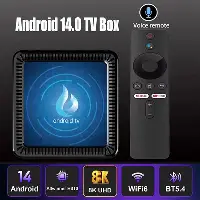
Is it possible to switch the operation to the OpenWRT system OR Linux OR DTB Q17 android tv box = Tanix TX11 android tv box = Q1 android tv box .... Works but ≠ X96Q android tv box AND ≠ Tanix TX1 android tv box .... It doesn't work current system firmware: Android 14 specs: - ARM Cortex-A53 - 32 bit - Mali-G31 - Allwinner H313 - arm,sun50iw9p1 4 GB RAM DDR3 32 GB HDD model = "sun50iw9"; compatible = "arm,sun50iw9p1";
-
I would take this as a base: https://wiki.friendlyelec.com/wiki/index.php/NanoPi_NEO2#Set_Audio_Device I have several H3 NanoPi-NEO and use their on-board audio HW. If you want external audio HW, dig deep into Armbian GPIO config, it can be set with some text in armbianEnv.txt, but all depends the board pinout and just reading H5 SoC datasheet for pin and signal codes how to map. Done that for an AllWinnner A20 board and lot of internet searching as well.
-
So now it runs Linux at least. The question is why difference between LOG1 and LOG2? Is it because you reflashed it as well? Or just powercycle? And what image or what Armbian build command is it? How can people reproduce? You should set loglevel=7 so at least ohers can see what kernel is running. Random behavior mostly is because of HW issues. So powersupply not OK or bad storage or the flashing introduces corrupt datablock on the storage, bad cable, bad Windows computer/software. As it seems to be able to run Armbian Linux, you can also build/prepare a more convenient image, like with NetworkManager, Btrfs rootfs, etc. And completely prepare it first, as container or virtual machine.
-
these modules/configs are missing in 6.16.8 (vs 6.15.4): CONFIG_SND_SUN9I_HDMI_AUDIO=y CONFIG_SND_SOC_SUNXI_MACH=m CONFIG_SND_SOC_SUNXI_AHUB=m CONFIG_SND_SOC_SUNXI_AHUB_DAM=m CONFIG_SND_SOC_SUNXI_INTERNALCODEC=m CONFIG_SND_SOC_SUNXI_AAUDIO=m Could this be a problem?