All Activity
- Past hour
-
No. That's how to do it when the bootloader works. My memory is slowly coming back, there's 2 pins on the back you need to short. But what pins I don't know. Let me open one and see if I remember more...
-
I send them a mail to ask. Will let you know when I hear something, also asked someone who also got the video. This happened a lot to me when testing tons of images for these boards. But haven't been doing that lately, time to start again.
-
Perhaps this one? https://www.youtube.com/watch?v=yhZahmbb03Q
-
Hi. Forgive me for my memory is very bad. There is a video somewhere on how to unbrick mekotronics Rockchip devices. I've been searching for it the last half hour but can't find it. I know I've got it on my pc somewhere. Email mekotronics and they'll give you a link to it. If I find it I'll share it.
- Today
-

Forgot user/password of S9xx tv box with armbian
Michael Robinson replied to Thais Brollo's topic in Amlogic CPU Boxes
First thing backup all the configs with another linux computer. Then you can try to chroot the sd card on the other linux computer and run passwd as root. -

Expected default graphics acceleration for RK3588?
gpupoor replied to gpupoor's topic in Orange Pi 5 Plus
Still working through things, but FYI I was able to get 6.18 going on Ubuntu with some small effort. GPU needs work but still beats CPU, NPU looks great. -
I installed ambian in this tv box to run klipper for my 3d printer, but its been a years since I last used it and I totally forgot what was the user I created. I really didn't want to wipe the SD card because of my 3d printer's config files etc. Is there anything I can do to retrieve the user and password? Thanks.
- Yesterday
-

Help wanted to test a new OpenVFD alternative
snowbody replied to Jean-Francois Lessard's topic in Amlogic meson
Always read everything ... (sorry) : make service-install (instead of make) will solve error and compile display-service (what I wanted) -
Help wanted to test a new OpenVFD alternative
snowbody replied to Jean-Francois Lessard's topic in Amlogic meson
root@homeassistant:/usr/src/tm16xx-display# make make EXTRA_CFLAGS="-DCONFIG_TM16XX -DCONFIG_TM16XX_KEYPAD -DCONFIG_TM16XX_I2C -DCONFIG_TM16XX_SPI -include /usr/src/tm16xx-display/drivers/auxdisplay/tm16xx_compat.h -I/usr/src/tm16xx-display/include/" -C /lib/modules/6.12.58-current-rockchip64/build M=/usr/src/tm16xx-display/drivers/auxdisplay CONFIG_TM16XX=m CONFIG_TM16XX_KEYPAD=y CONFIG_TM16XX_I2C=m CONFIG_TM16XX_SPI=m CONFIG_LINEDISP=m modules make[1]: Entering directory '/usr/src/linux-headers-6.12.58-current-rockchip64' CC [M] /usr/src/tm16xx-display/drivers/auxdisplay/line-display.o CC [M] /usr/src/tm16xx-display/drivers/auxdisplay/tm16xx_core.o CC [M] /usr/src/tm16xx-display/drivers/auxdisplay/tm16xx_keypad.o LD [M] /usr/src/tm16xx-display/drivers/auxdisplay/tm16xx.o CC [M] /usr/src/tm16xx-display/drivers/auxdisplay/tm16xx_i2c.o CC [M] /usr/src/tm16xx-display/drivers/auxdisplay/tm16xx_spi.o MODPOST /usr/src/tm16xx-display/drivers/auxdisplay/Module.symvers CC [M] /usr/src/tm16xx-display/drivers/auxdisplay/line-display.mod.o In file included from /usr/src/tm16xx-display/drivers/auxdisplay/line-display.mod.c:2: /usr/src/tm16xx-display/drivers/auxdisplay/line-display.mod.c:13:41: error: expected ‘)’ before ‘LINEDISP’ 13 | KSYMTAB_FUNC(linedisp_attach, "_gpl", ""LINEDISP""); -
Help wanted to test a new OpenVFD alternative
snowbody replied to Jean-Francois Lessard's topic in Amlogic meson
@GmP thank you for sharing your dtso file! lsmod | grep tm tm16xx 28672 0 stmmac_platform 20480 1 dwmac_rk stmmac 241664 3 stmmac_platform,dwmac_rk pcs_xpcs 28672 1 stmmac root@homeassistant:/boot# lsmod | grep i2c i2c_gpio 16384 0 i2c_algo_bit 12288 1 i2c_gpio root@homeassistant:/boot# ls /sys/bus/i2c/devices/ 4-0024 i2c-0 i2c-4 i2c-5 root@homeassistant:/boot# ls /sys/class/leds/display brightness device digits map_seg7 max_brightness num_digits num_segments power segments subsystem trigger uevent value root@homeassistant:/boot# ls -l /sys/class/leds/ Linux homeassistant 6.12.58-current-rockchip64 #3 SMP PREEMPT Thu Nov 13 20:34:41 UTC 2025 aarch64 GNU/Linux on a T9 rk3318 -
You’re more than welcome to clone my repository and fix the frame buffer console. All the sources are there except u-boot.
-
Got it connected now to a simple 13.8V PSU and it’s working a treat, just working my way around Linux and Runners but all good ! Thank you for the help @eselarm!
-

Gaming experience with Orange Pi 5 (RK3588) on Armbian
KhanhDTP replied to KhanhDTP's topic in Orange Pi 5
Armbian 25.8.2 Noble XFCE (BSD Kernel: 6.1.115) + PanVk - mesa 26.0 (https://launchpad.net/~ernstp/+archive/ubuntu/mesaaco) + box64 3.9 (https://ryanfortner.github.io/box64-debs/) + proton-10.0-3-amd64-wow64 (https://github.com/Kron4ek/Wine-Builds/releases/download/proton-10.0-3/wine-proton-10.0-3-amd64-wow64.tar.xz) + DXVK-stripped v1.5.5 >=60fps@720p Super Robot Wars V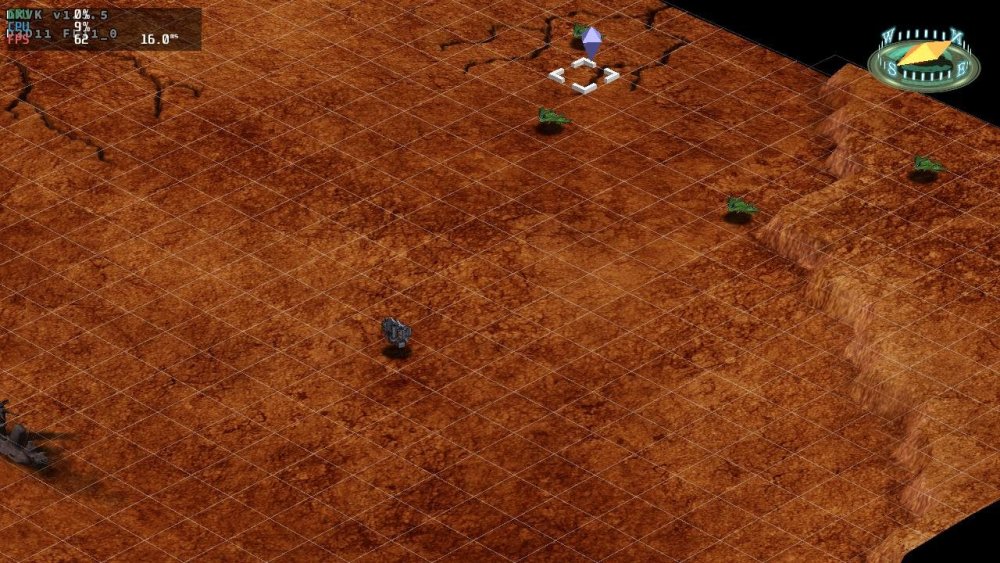
.thumb.jpg.95b03112fd1f5cbc5cfda8dfc6435fee.jpg)
.thumb.jpg.b02188d87462171fa3a30e39b97397c7.jpg)
-
Gaming experience with Orange Pi 5 (RK3588) on Armbian
KhanhDTP replied to KhanhDTP's topic in Orange Pi 5
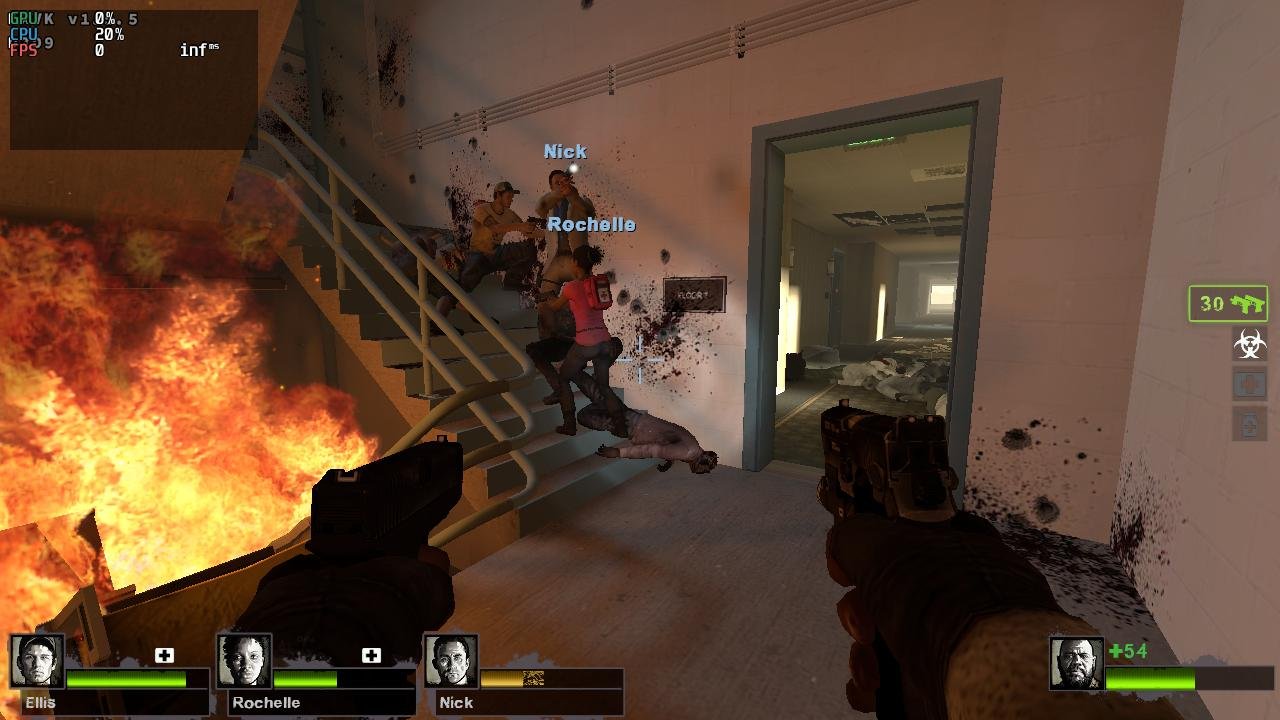
Armbian 25.8.2 Noble XFCE (BSD Kernel: 6.1.115) + PanVk - mesa 26.0 (https://launchpad.net/~ernstp/+archive/ubuntu/mesaaco) + box64 3.9 (https://ryanfortner.github.io/box64-debs/) + proton-10.0-3-amd64-wow64 (https://github.com/Kron4ek/Wine-Builds/releases/download/proton-10.0-3/wine-proton-10.0-3-amd64-wow64.tar.xz) + DXVK-stripped v1.5.5 ~60fps@720p Left 4 Dead 2
-
@laibsch, the answer to your question is in my last post. All those bad/"half-broken" adapters don't have problems with sequential writing/reading. And if you consider helpful pointing me to some obscure GUI writing tools as helpful, sorry, it's was not. I trust "dd" more then any of them. Very helpful was, however, @eselarm's post and I expressed my gratitude for it. To be honest, I don't really understand the intention of your last post. Could be my English is not good enough... Anyway, if my tone was was too harsh, I apologize for it.
-
It is expected that the server image supports Framebuffer.
-

OrangePi Zero LTS ili9341 TFT LCD (and later OrangePi Zero 3)
Jeffrey replied to robertoj's topic in Allwinner sunxi
Does this still work with current armbian version? I am using v25.11.2 for Orange Pi Zero3 running Armbian Linux 6.12.58-current-sunxi64 and I can't even get the display to turn on. Now I'll admit I am a complete noob when it comes to linux so I am most likely doing something wrong. I know am doing something that's way over my head but I enjoy researching and learning things but it's hard to find things on the subject. I am using the DTS from this comment: - copied it into ~ili9341 then did: - cd ili9341 armbian-add-overlay ili9341-spi1-opiz3.dts I rebooted and notice the screen didn't come on, so I did: dmesg and then following message came up: sun6i-spi 5011000.spi: cannot register SPI host It's a cheap ili9341 tft from aliexpress, it says it's using ST7789V for display drivers, is that maybe why it isn't working? driver ili9341.ko does show up in /lib/modules/6.12.58-current-sunxi64/kernel/drivers/gpu/drm/tiny any help would be appreciated. -
Thank you, @Mangix. We bumped u-boot to v2025.10 for Helios, so I would assume those commits are already incorporated, aren't they? I have only looked at commit dates, not actual code.
-
I never mentioned any solution. Moving your post to an appropriate location is a forum moderation task and the post was FYI only. I don't have this board nor do I know how to fix it.
-
 I am strugling withthe AXP223 gpio LDO configuration to initialise properly, otherwise the i2C lines to the touchscreen controller are unpowered. Therefore I will add traces in the axP223 rsb (reduced signal bus) driver code. And I try to not be annoying here, but I am a bit lost. What is the common method for driver debugging/development in armbian? I mean how to recompile the kernel without rebuilding all the image? For now I changed the kernel configuration for the rsb driver to module. And I will compile it on the target to add my traces. In case someone has the solution to my problem, my dts looks like this: &axp_gpio { gpio1_ldo_pin: gpio1-ldo-pin { pins = "GPIO1"; function = "ldo"; }; }; ®_ldo_io1 { pinctrl-names = "default"; pinctrl-0 = <&gpio1_ldo_pin>; regulator-always-on; regulator-min-microvolt = <3000000>; regulator-max-microvolt = <3000000>; regulator-name = "i2C0-iovcc"; status = "okay"; }; And while the regulator initialises for the AXP223 GPIO1/LDO, I have nothing but GND on the pin. [ 1.223696] i2C0-iovcc: Bringing 3800000uV into 3000000-3000000uV Because the driver configures the pin in the regulators, it seems like the axp_gpio and pinctrl definitions are useless.
 -
Gaming experience with Orange Pi 5 (RK3588) on Armbian
KhanhDTP replied to KhanhDTP's topic in Orange Pi 5
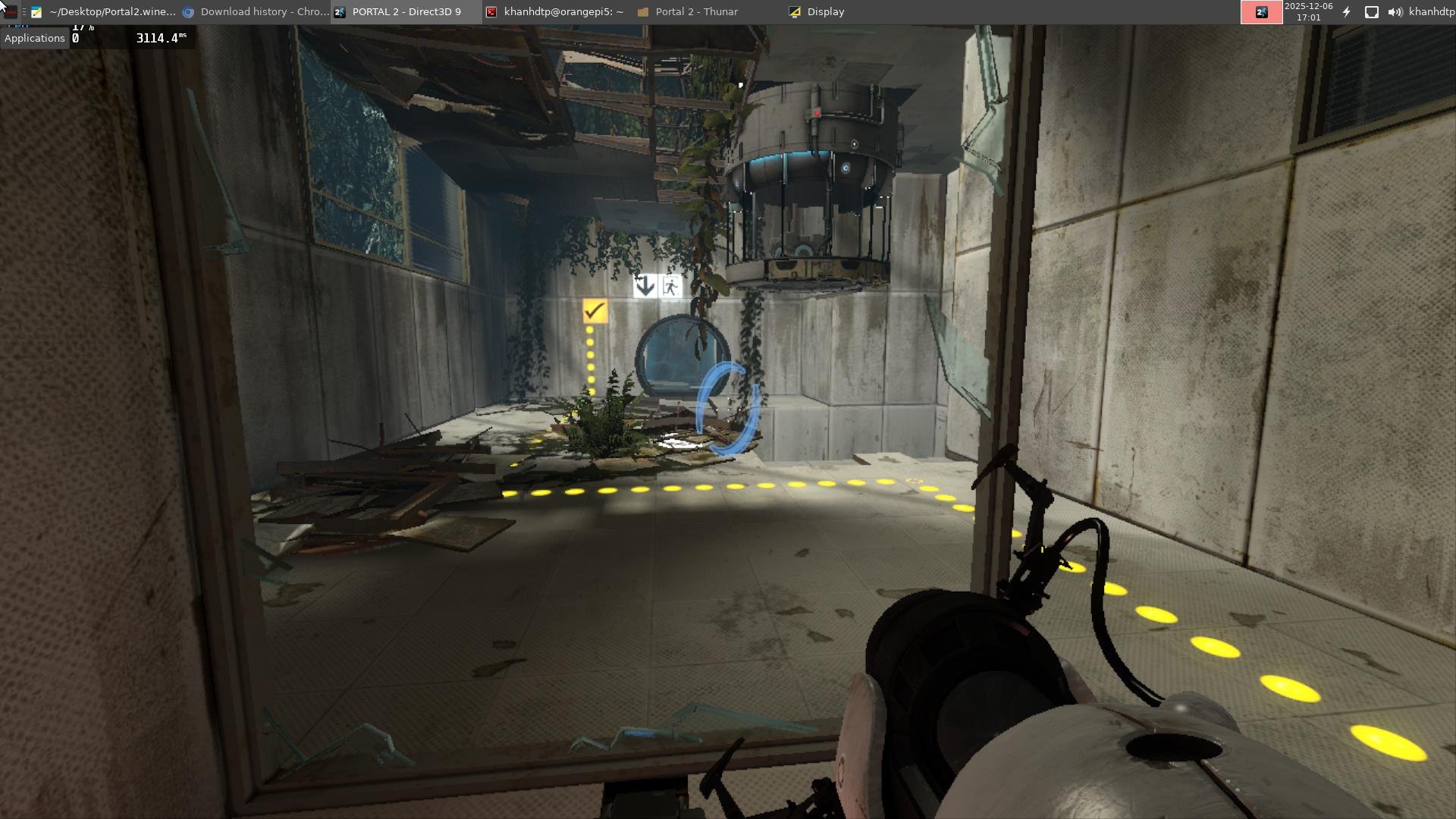
Armbian 25.8.2 Noble XFCE (BSD Kernel: 6.1.115) + PanVk - mesa 26.0 (https://launchpad.net/~ernstp/+archive/ubuntu/mesaaco) + box64 3.9 (https://ryanfortner.github.io/box64-debs/) + proton-10.0-3-amd64-wow64 (https://github.com/Kron4ek/Wine-Builds/releases/download/proton-10.0-3/wine-proton-10.0-3-amd64-wow64.tar.xz) + DXVK-stripped v1.8.1 >=60fps@720p Portal 2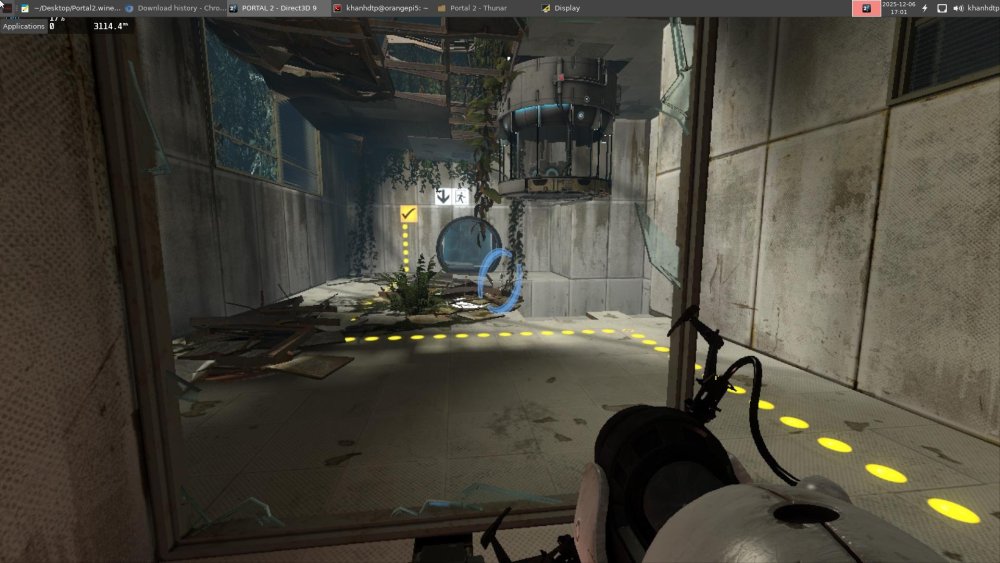
-
Hi, Thank you for responding, but honestly I didn’t understand the solution you mentioned. My R58X is still completely dead after flashing, with no power, no LEDs, and no way to enter Loader or MaskROM mode. Could you please provide a clear step-by-step method to bring the device back to life? Right now I only need a solution to power on the device and make it work again. The reply was “moved to the appropriate place”, but I still didn’t get the actual fix. Please guide me on how to recover the board. Thank you.
-
@robertoj OK. I managed to build Armbian, selecting mipi-panel-dbi support and booting to 16-bit. After setting it up and running the dts you provided, my screen still doesn't work. I'm probably doing something wrong, because although the screen glows white, it still shows barely noticeable backlight flickering. I also tried to do it according to Pancake's instructions, but I also didn't have any success. This log with Pancake's cat log.txt [ 1.623324] gpio gpiochip0: Static allocation of GPIO base is deprecated, use dynamic allocation. [ 2.173154] gpio gpiochip1: Static allocation of GPIO base is deprecated, use dynamic allocation. [ 2.242555] sdiohal:sdiohal_parse_dt adma_tx:1, adma_rx:1, pwrseq:0, irq type:data, gpio_num:0, blksize:840 [ 7.591150] systemd[1]: Starting systemd-backlight@backlight:backlight_gpio.service - Load/Save Screen Backlight Brightness of backlight:backlight_gpio... [ 7.652908] systemd[1]: Finished systemd-backlight@backlight:backlight_gpio.service - Load/Save Screen Backlight Brightness of backlight:backlight_gpio. user@orangepizero3:~$ hostnamectl Static hostname: orangepizero3 Icon name: computer Machine ID: a5f7b63422b54dc5a365def0a7294555 Boot ID: 4445f89ef8cb4b999e3fa684f292ca2a Operating System: Armbian-unofficial 26.02.0-trunk bookworm Kernel: Linux 6.16.8-edge-sunxi64 Architecture: arm64 And this log with DTS from you cat log.txt [ 1.623908] gpio gpiochip0: Static allocation of GPIO base is deprecated, use dynamic allocation. [ 2.172898] gpio gpiochip1: Static allocation of GPIO base is deprecated, use dynamic allocation. [ 2.242212] sdiohal:sdiohal_parse_dt adma_tx:1, adma_rx:1, pwrseq:0, irq type:data, gpio_num:0, blksize:840 But I'm very happy that I managed to build my first Linux, albeit in such a simple way. My pinout Displ OpiZ3 Vcc - out 3.3v Gnd - gnd Cs - ph9 Reset - pc14 Dc/rc - pc7 Sdi(mosi) - ph7 Sck - ph4 Led - 5v Sdo(miso) - ph8
-
Hi, I’ve installed Armbian to my Vero4k+ and all works fine except wired ethernet, the thing is it kind of works, but when I use different dtb files: meson-gxl-s905d-vero4k-plus.dtb wifi works, bluetooth works eth doesn’t, eth0 interface is UP but can’t get IP or set one, meson-gxl-s905d-p230.dtb wifi works, bluetooth doesn’t, eth generally works but when testing with iperf3 in server mode it’s great cca 930mbps 0 errors, but in client mode it depends of OS (ubuntu or debian) and kernel (5 or 6) used from 1-350mbps but with looooot of errors (cca. 67000 for 10 sec test) and if I limit link speed to 100mbps it doesn’t change much, also lot of errors, if I boot it to osmc it works fine (920mbps symetrical, also some errors on client side but fine). Is there anything I can do to troubleshoot - fix this? Thank you
-
moved to the appropriate place





.jpg.63867a8f3245ae792fef3c440c906313.jpg)
.jpg.dbb5560ae1e82f053327b196182cb09f.jpg)