All Activity
- Past hour
-
@robertoj Thank you very much for your reply! I sincerely apologize for any misunderstanding. When I mentioned the 16-bit option, I was referring to the selection made when setting up the Armbian image. This option is located in the same menu as the mipi_panel_dbi support option. I mentioned this in my comment because I was a bit confused by the "but the greeter is not" part of your response. I probably just needed to enable the mipi_panel_dbi support parameter and continue building without adding any additional parameters. I use a screen with a red board on the ili9488 driver, the Chinese version for sure. I'd also like to clarify with someone who's already done this, whether I'm following all the steps correctly. If that's possible, please let me know within this forum thread. - I'm building a minimal image. - First, I use the DTS file from the thread you provided as a response. - After I see the image on the screen, if the colors are incorrect, I use the file provided by Pancake. Please forgive me again. In the thread you provided as a solution, I don't understand the sequence of actions and where I should start. Once again, I apologize for my meticulousness.
-
If that doesn't do it, try the main integration branch which for once combines all branches and for the other is actually meant to be used by megi iirc:https://codeberg.org/megi/linux/commits/branch/orange-pi-6.18
- Today
-
First step is to cleanup and bump the sunxi patchset to 6.18. This is a major blocker. Once that is done. Patches for more recent Allwinner SoCs can be added. I started doing that but it is extremely exhausting. I have no clue how the-going managed to maintain that for that long... must be sort of masochistic or something lol. https://github.com/EvilOlaf/build/tree/sunxi-6.18
-
Not an Armbian uboot binary. Also we started to drop vendor uboot in favor of mainline.
-

Gaming experience with Orange Pi 5 (RK3588) on Armbian
KhanhDTP replied to KhanhDTP's topic in Orange Pi 5
Still the same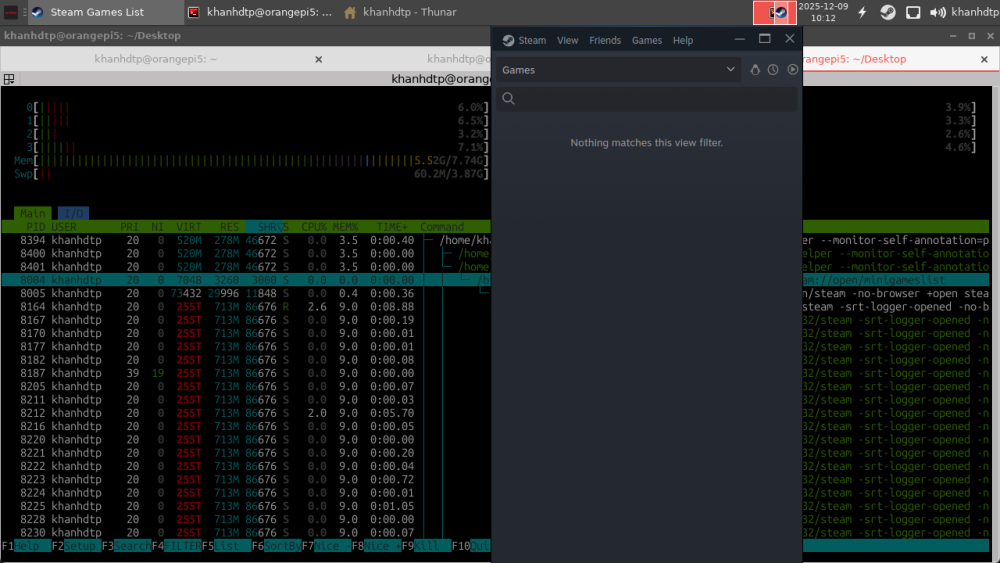
-

Orange Pi 5 Max SD card booting issue, system normally starts from NVME SSD
not_a_duck replied to alarik's topic in Rockchip
I've recently started seeing similar issues on my orange pi 5 plus and have narrowed it down to uboot spl not detecting the sd cards on initial cold boot. The reason I started noticing this is because I have long overlay path names that are fine with the version of uboot proper that I have on my sd card but does not work with the uboot proper that is on the onboard eeprom. I only started noticing this when getting a new batch of sd cards. this is a "good boot" uboot spl detects the sd card and boots from it: DDR 9fffbe1e78 cym 24/02/04-10:09:20,fwver: v1.16 LPDDR4X, 2112MHz channel[0] BW=16 Col=10 Bk=8 CS0 Row=17 CS1 Row=17 CS=2 Die BW=16 Size=4096MB channel[1] BW=16 Col=10 Bk=8 CS0 Row=17 CS1 Row=17 CS=2 Die BW=16 Size=4096MB channel[2] BW=16 Col=10 Bk=8 CS0 Row=17 CS1 Row=17 CS=2 Die BW=16 Size=4096MB channel[3] BW=16 Col=10 Bk=8 CS0 Row=17 CS1 Row=17 CS=2 Die BW=16 Size=4096MB Manufacturer ID:0xff CH0 RX Vref:29.3%, TX Vref:21.8%,21.8% CH1 RX Vref:28.9%, TX Vref:23.8%,22.8% CH2 RX Vref:30.1%, TX Vref:21.8%,20.8% CH3 RX Vref:30.5%, TX Vref:21.8%,21.8% change to F1: 528MHz change to F2: 1068MHz change to F3: 1560MHz change to F0: 2112MHz out U-Boot SPL board init U-Boot SPL 2017.09-orangepi (Aug 30 2024 - 22:09:16) Trying to boot from MMC1 Trying fit image at 0x4000 sector ## Verified-boot: 0 ## Checking atf-1 0x00040000 ... sha256(d37470e935...) + OK ## Checking u-boot 0x00a00000 ... sha256(249bd3a5c2...) + OK ## Checking fdt-1 0x00acd498 ... sha256(537243530a...) + OK ## Checking atf-2 0xff100000 ... sha256(394f39cea2...) + OK Jumping to U-Boot(0x00a00000) via ARM Trusted Firmware(0x00040000) Total: 840.114 ms NOTICE: BL31: v2.12.1(release): NOTICE: BL31: Built : 00:00:00, Jan 1 1980 At this point uboot proper which lives on my sd card and remaps the debug uart to one of the 40 pin header runs. in a bad boot I am seeing this: DDR 9fffbe1e78 cym 24/02/04-10:09:20,fwver: v1.16 LPDDR4X, 2112MHz channel[0] BW=16 Col=10 Bk=8 CS0 Row=17 CS1 Row=17 CS=2 Die BW=16 Size=4096MB channel[1] BW=16 Col=10 Bk=8 CS0 Row=17 CS1 Row=17 CS=2 Die BW=16 Size=4096MB channel[2] BW=16 Col=10 Bk=8 CS0 Row=17 CS1 Row=17 CS=2 Die BW=16 Size=4096MB channel[3] BW=16 Col=10 Bk=8 CS0 Row=17 CS1 Row=17 CS=2 Die BW=16 Size=4096MB Manufacturer ID:0xff CH0 RX Vref:29.3%, TX Vref:21.8%,21.8% CH1 RX Vref:29.3%, TX Vref:23.8%,22.8% CH2 RX Vref:30.5%, TX Vref:21.8%,20.8% CH3 RX Vref:30.5%, TX Vref:21.8%,21.8% change to F1: 528MHz change to F2: 1068MHz change to F3: 1560MHz change to F0: 2112MHz out U-Boot SPL board init U-Boot SPL 2017.09-orangepi (Aug 30 2024 - 22:09:16) Trying to boot from MMC1 spl: mmc init failed with error: -95 Trying to boot from MMC2 Card did not respond to voltage select! spl: mmc init failed with error: -95 Trying to boot from MTD2 Trying fit image at 0x400 sector ## Verified-boot: 0 ## Checking atf-1 0x00040000 ... sha256(6dbe36e3e6...) + OK ## Checking uboot 0x00200000 ... sha256(152eb1bd26...) + OK ## Checking fdt 0x00325f70 ... sha256(16188a5876...) + OK ## Checking atf-2 0xff100000 ... sha256(40e9180d15...) + OK ## Checking atf-3 0x000f0000 ... sha256(d189664c33...) + OK Jumping to U-Boot(0x00200000) via ARM Trusted Firmware(0x00040000) Total: 2706.733 ms INFO: Preloader serial: 2 NOTICE: BL31: v2.3():v2.3-754-g371ede2b2:cym, fwver: NOTICE: BL31: Built : 19:36:27, Apr 22 2024 INFO: spec: 0x1 INFO: code: 0x88 INFO: ext 32k is valid INFO: ddr: stride-en 4CH INFO: GICv3 without legacy support detected. INFO: ARM GICv3 driver initialized in EL3 INFO: valid_cpu_msk=0xff bcore0_rst = 0x0, bcore1_rst = 0x0 INFO: l3 cache partition cfg-0 INFO: system boots from cpu-hwid-0 INFO: bypass memory repair INFO: idle_st=0x21fff, pd_st=0x11fff9, repair_st=0xfff70001 INFO: dfs DDR fsp_params[0].freq_mhz= 2112MHz INFO: dfs DDR fsp_params[1].freq_mhz= 528MHz INFO: dfs DDR fsp_params[2].freq_mhz= 1068MHz INFO: dfs DDR fsp_params[3].freq_mhz= 1560MHz INFO: BL31: Initialising Exception Handling Framework INFO: BL31: Initializing runtime services WARNING: No OPTEE provided by BL2 boot loader, Booting device without OPTEE initialization. SMC`s destined for OPTEE will return SMC_UNK ERROR: Error initializing runtime service opteed_fast INFO: BL31: Preparing for EL3 exit to normal world INFO: Entry point address = 0x200000 INFO: SPSR = 0x3c9 here uboot spl does not detect my sd card and continues to boot from uboot proper that lives on the eeprom. it then at that point detects the sd card and boots linux from there. but as I mentioned above other things fail because my device tree overlay file name lengths. I was able to get around this by sym linking and shortening the dtbs. either way I suspect that there is an issue with newer versions of sd cards or older versions of uboot spl that these orange pis are being shipped with preventing it from detecting the sd cards. this is an sd card that works fine: Card Reader: Built in SD Card Reader: Vendor ID: 0x17a0 Device ID: 0x9755 Subsystem Vendor ID: 0x17a0 Subsystem ID: 0x9755 Revision: 0x0002 Link Width: x1 Link Speed: 5.0 GT/s SDXC Card (Class 10): Product Name: SDSN128 Manufacturer ID: 0x03 Revision: 8.6 Serial Number: 0x22b7de5b Manufacturing Date: 2025-04 Specification Version: 3.0 Capacity: 127.87 GB (127,865,454,592 bytes) Removable Media: Yes BSD Name: disk4 Partition Map Type: MBR (Master Boot Record) S.M.A.R.T. status: Verified Volumes: FIRMWARE: Free: 7.3 MB (7,288,832 bytes) Capacity: 31.5 MB (31,457,280 bytes) Writable: Yes File System: MS-DOS FAT16 BSD Name: disk4s1 Mount Point: /Volumes/FIRMWARE Content: DOS_FAT_32 Volume UUID: 7CB50D4B-9DF9-3646-8316-CB3C06C369BB disk4s2: Capacity: 127.82 GB (127,817,220,096 bytes) BSD Name: disk4s2 Content: Linux this is an sd card that does not work: Card Reader: Built in SD Card Reader: Vendor ID: 0x17a0 Device ID: 0x9755 Subsystem Vendor ID: 0x17a0 Subsystem ID: 0x9755 Revision: 0x0002 Link Width: x1 Link Speed: 5.0 GT/s SDXC Card (Class 10): Product Name: SDSM128 Manufacturer ID: 0x03 Revision: 8.7 Serial Number: 0xb26e2098 Manufacturing Date: 2025-10 Specification Version: 3.0 Capacity: 128 GB (127,999,672,320 bytes) Removable Media: Yes BSD Name: disk4 Partition Map Type: MBR (Master Boot Record) S.M.A.R.T. status: Verified Volumes: FIRMWARE: Free: 7.3 MB (7,288,832 bytes) Capacity: 31.5 MB (31,457,280 bytes) Writable: Yes File System: MS-DOS FAT16 BSD Name: disk4s1 Mount Point: /Volumes/FIRMWARE Content: DOS_FAT_32 Volume UUID: 7CB50D4B-9DF9-3646-8316-CB3C06C369BB disk4s2: Capacity: 127.95 GB (127,951,437,824 bytes) BSD Name: disk4s2 Content: Linux take note here of the difference in product name and revision. - Yesterday
-
Hi Igor, I recently updated to Armbian 25.11.2 bookworm aarch64 with kernel Linux odroidhc4 6.12.58-current-meson64. This should be a working version? There I still get the same connect-debounce error. Do you have any advice?
-
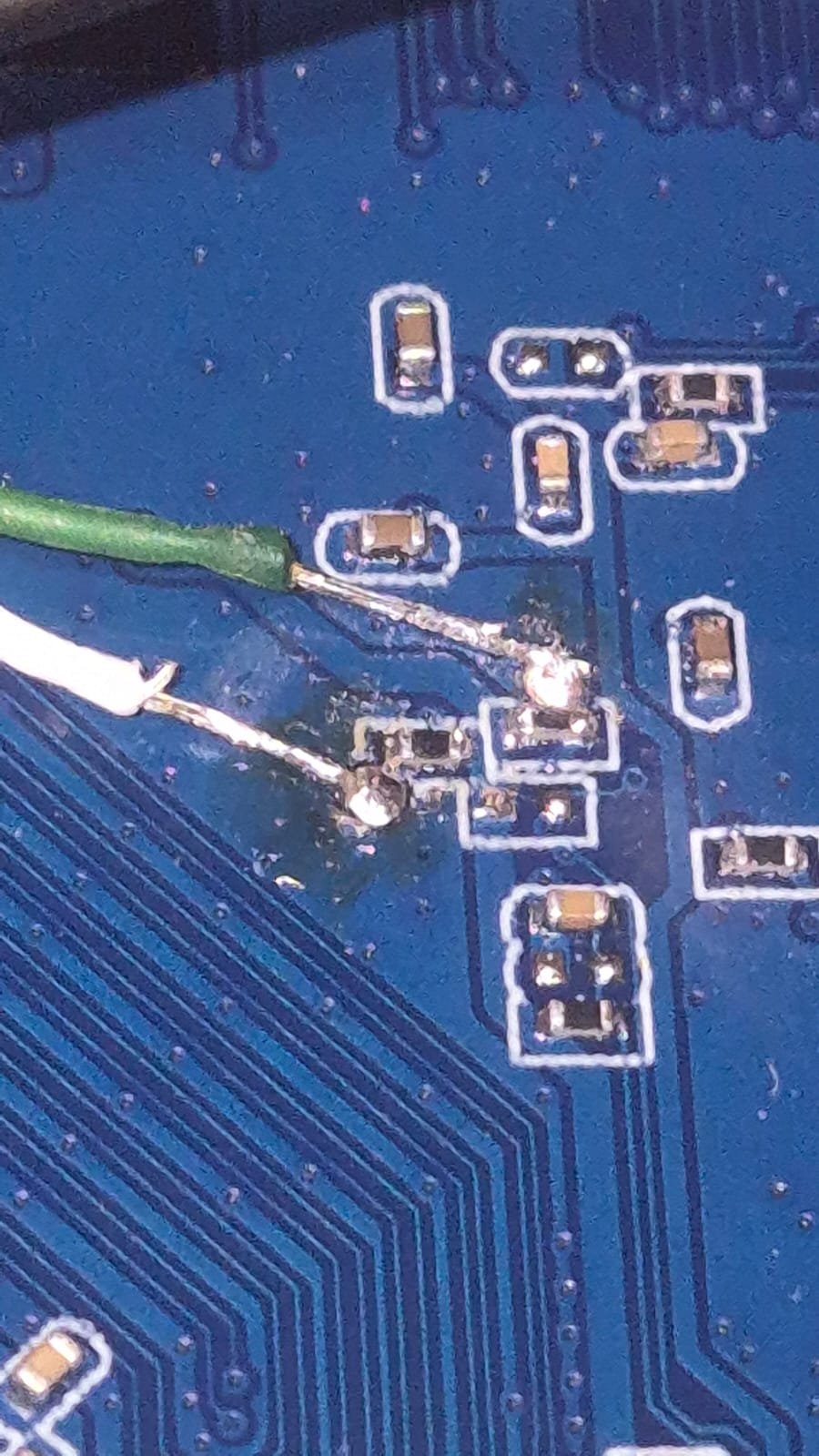
 Hi all, i've been going this forum long enough to try and root a tv box that i buyed recently, but this one is HEAVILY locked up, like nothing i have seen before. My objective here is to access 'su' so i can have access to rooting/overclocking this thing for emulators, and after that adding a heatsink, active cooling, etc. I tried ADB over all USBs (4 in total) but nothing. then i tried to see if root was available through some leftover app or vulnerability, but nothing. Then i tried following the specs from this thread (pretty similar in design to my PCB) but my UART displays nothing. (I leave the images from my setup below), i tried switching the wires, i tested the voltages and they return 3.3v, so they are ok. I tried the toothpick method to access recovery, but it has 2 buttons. 1 does nothing (AFAIK) and the other one goes directly to updating, so no menu. Any help is appreciated, as i'm out of any ideas. I leave my pictures below, and my specs: CPU: Alwinner H313 RAM: 1GB ROM: 8GB PCB: Z01S-v13.3, 2025.05.20 OS: Android 7-8 ish
.thumb.jpeg.253d5974b0e1476684eb424e20fc1be5.jpeg)
.thumb.jpeg.ce2df382b83a26cbba812d28012499a2.jpeg)

-
mxq pro 4k 5g allwinner h313 can't sd card boot
Octavio Cuatrochio replied to Ducdanh Nguyen's topic in Allwinner CPU Boxes
Well, this version of the PCB seems the most locked up of all. I tried ADB with all USBs, no dice, no root, i soldered the wires to the UART test pins (See image below) but with my setup (also see image below) i could not get any logs via TIO in Linux. Also, the toothpick method does not shows a menu, but goes straight to updating, so ALSO there is locked up, so i cannot go to recovery. Any ideas? i'm pretty out of ideas at this point. Are the wires badly soldered? both shows 3.3V, so i suppose not. Is my USB-To-TTL badly configured? Btw, my PCB is Z01S-v13.3, 2025.05.20. Any help is appreciated..thumb.jpeg.9428b2afd9e233a5b88f52a8fe5aeb87.jpeg)
.thumb.jpeg.d5a591019764dab2a65d043788ac1d97.jpeg)
-
$ grep TARGET config/boards/pine64.conf KERNEL_TARGET="current,edge,legacy" KERNEL_TEST_TARGET="current" So, you can compile either current, edge or legacy for your board. Stick the desired string in the BRANCH switch and off you go. What kernel that is depends on the board or board family and in your case you can check config/sources/families/include/sunxi64_common.inc to find that as of today edge=6.16, current=6.12 and legacy=6.6. So, 6.2 to 6.5 is not an option. But you could always go back to an earlier git state of the build framework or add your own targets. Why do you need those specific kernels?
-

Expected default graphics acceleration for RK3588?
gpupoor replied to gpupoor's topic in Orange Pi 5 Plus
Also, interesting to see your updates. I keep seeing a lot related to GStreamer, will need to look more into that. -

Compiling an LCD driver for armbian on Allwinner A33.
laibsch replied to Patrick 42's topic in Advanced users - Development
I think you are looking for the "kernel" build command. Have a look at some of the others as well like kernel-config or dts-check. -
Expected default graphics acceleration for RK3588?
gpupoor replied to gpupoor's topic in Orange Pi 5 Plus
Thank you for your thoughts @usual user. I'm stuck with how to use Fedora as a root filesystem with Armbian. I'm reading that it's possible to use Fedora with the SBC, and I'm understanding it will work successfully with 6.18, but I think the expectation is to start with the raw distro, not anything Armbian related. Would be happy to learn I'm missing something, but current expectation is to skip Armbian and start with Fedora and build it all from the ground up. -
Thank you for sharing your findings with the community!
-
thank you for your work, @Nick A Is this being pushed back to Armbian itself eventually?
-
not sure what the current state of this is, but i think megi always had a hack to make it working in their trees - maybe just try to apply the corresponding patch from the last commits of https://codeberg.org/megi/linux/commits/branch/pbp-6.18 to your kernel build and see if it works? good luck and best wishes - hexdump
-

Compiling an LCD driver for armbian on Allwinner A33.
robertoj replied to Patrick 42's topic in Advanced users - Development
Rebuilding all the image doesn't represent much more time than the time to recompile the kernel. I can't advise to download the linux source to the armbian SBC, because you would also need the armbian patches. One thing I use for debugging of DTS (and maybe linux kernel modules) taking control of GPIO is: sudo cat /sys/kernel/debug/gpio -
Orange Pi Zero 3 Sound Problem(Lineout-Analog Codec)
robertoj replied to Taha YILDIRIM's topic in Allwinner sunxi
Yes. Try the latest kernel. The latest is always the one with the most corrections (unless someone discovers an error). How do you select a H616 vs H618 kernel? I always select Unsupported Board > Orange Pi Zero 3 -
Urgently go back to the previous selection of dtbos in armbian-config. Just having 1 undesired dtbo may interfere with everything else. Then try adding: overlays=analog-codec in armbianEnv.txt And check the lsmod again
-
I am lost, confused by your explanation. Are you trying to use the Orange Pi zero 3 and RED LCD ili9488? The solution is: https://forum.armbian.com/topic/47971-driving-the-ili9488-lcd-40-inch-cheap-chinese-clone/#findComment-208446 What did you mean by "booting to 16 bit"?
-
OrangePi Zero LTS ili9341 TFT LCD (and later OrangePi Zero 3)
robertoj replied to robertoj's topic in Allwinner sunxi
That photo tells me that you have the SPI and GPIO configuration right. Keep that. The completed solution for orange pi zero 3 and ili9341 is: https://forum.armbian.com/topic/44191-orangepi-zero-lts-ili9341-tft-lcd-and-later-orangepi-zero-3/#comment-204672 Copy the parts within the ili9341:ili9341@0 {} section, while keeping your gpio -
Okay, trying another HDMI cable fixed it, although on radxa's debian it worked with the same cable but thanks.
-
This also happens on other kernels. Issue is present on final 6.18.0 kernel as well as on the older 6.12 kernel. It seems to be related to some kernel options that are set to "m". Need to figure out which kernel options would need to be set to "y" (built-in) on Armbian to avoid this issue on power-on.
-

H5 NanoPI Neo2 IS2 ADC and DAC How?
Michael Robinson replied to Svr_electro's topic in Allwinner sunxi
I do not have your board but have you tied looking in armbian-config? -
Gaming experience with Orange Pi 5 (RK3588) on Armbian
KhanhDTP replied to KhanhDTP's topic in Orange Pi 5
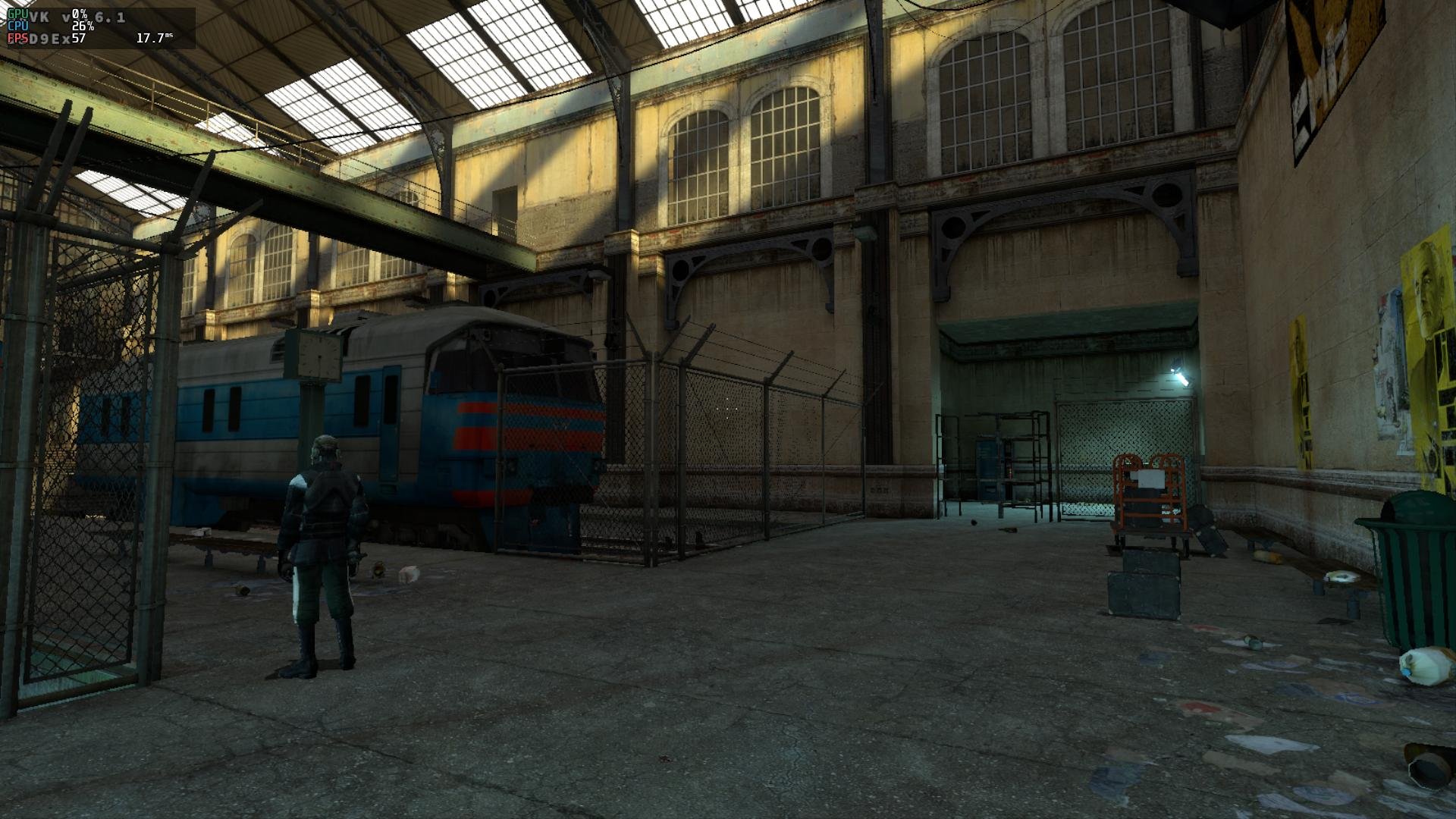
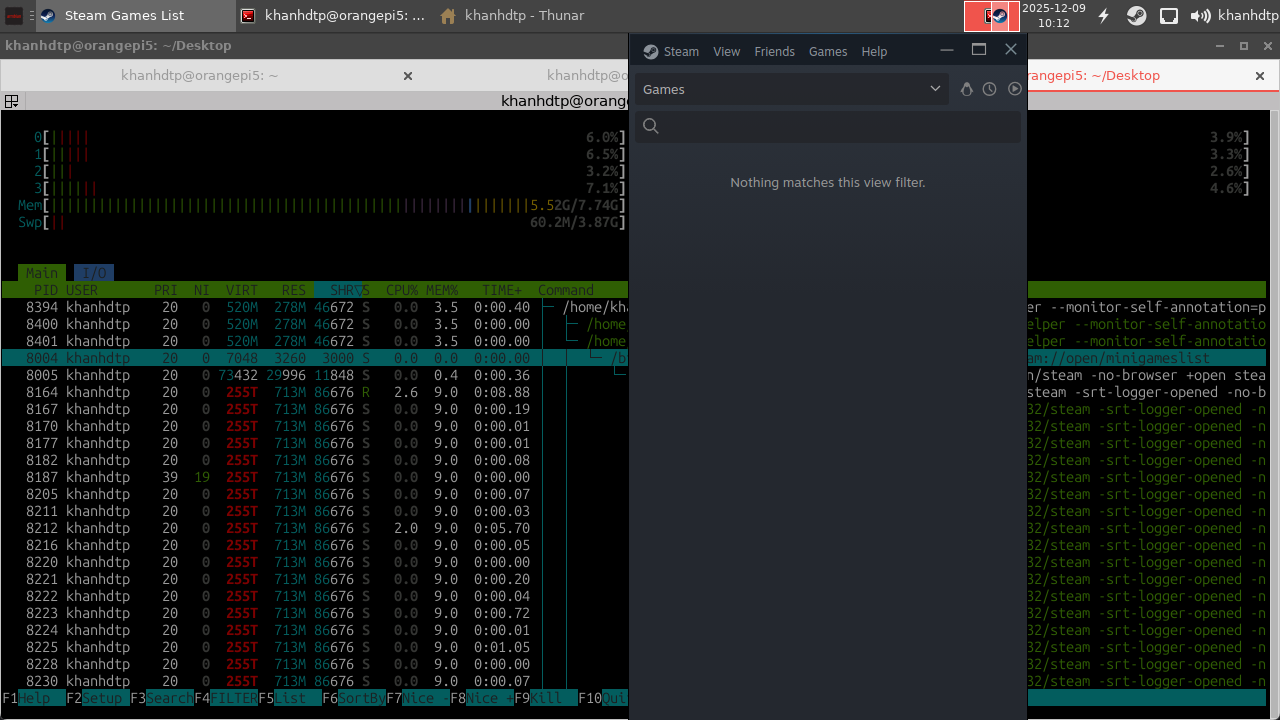
Armbian 25.8.2 Noble XFCE (BSD Kernel: 6.1.115) + PanVk - mesa 26.0 (https://launchpad.net/~ernstp/+archive/ubuntu/mesaaco) + box64 3.9 (https://ryanfortner.github.io/box64-debs/) + GE-proton-10.25 (https://github.com/GloriousEggroll/proton-ge-custom) + DXVK-stripped v1.6.1 ~60fps@1080p Half Life 2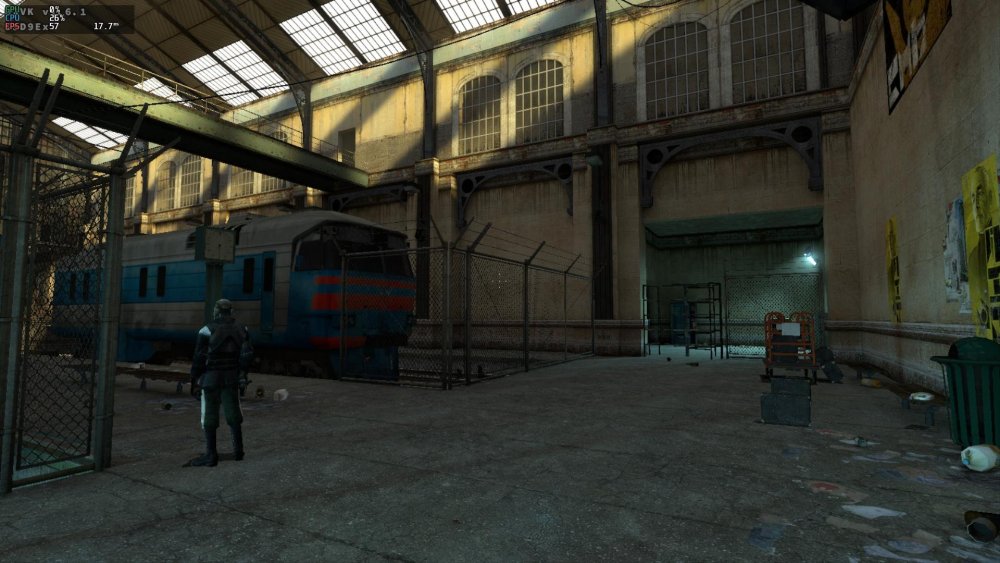



.jpeg.e86cb82c198f7946bc7fcbd484b61f57.jpeg)
.jpeg.3fbf0f7eba712ae889a271781b9dd2bc.jpeg)

.jpeg.5799793ab475610e175b7c6b23cfede7.jpeg)
.jpeg.7f3c4fe64e99d1e06867e9794b3cfd9a.jpeg)