emor acid
-
Posts
13 -
Joined
-
Last visited
-
update armbian dts ,Give to those in need use sudo armbian-add-overlay ***.dts this dts can avaible rtl8211f on h618 /dts-v1/; /plugin/; / { compatible = "allwinner,sun50i-h618"; fragment@0 { target = <&mmc1>; __overlay__ { status = "disabled"; }; }; fragment@1 { target = <&emac1>; __overlay__ { status = "disabled"; }; }; fragment@2 { target = <&pio>; __overlay__ { x98h_rgmii_pins: x98h-rgmii-pins { pins = "PI0", "PI1", "PI2", "PI3", "PI4", "PI5", "PI6", "PI7", "PI8", "PI9", "PI10", "PI11", "PI12", "PI13", "PI14", "PI15"; function = "emac0"; drive-strength = <40>; }; }; }; /* 3. 配置千兆网卡 */ fragment@3 { target = <&emac0>; __overlay__ { pinctrl-names = "default"; pinctrl-0 = <&x98h_rgmii_pins>; phy-mode = "rgmii"; phy-handle = <&rgmii_phy>; phy-io-supply = <®_aldo1>; allwinner,tx-delay-ps = <700>; allwinner,rx-delay-ps = <3100>; status = "okay"; mdio { rgmii_phy: ethernet-phy@1 { compatible = "ethernet-phy-ieee802.3-c22"; reg = <1>; reset-gpios = <&pio 8 16 1>; reset-assert-us = <30000>; reset-deassert-us = <150000>; }; }; }; }; };
-
I have a question. After making the modifications as described above and executing the `compile.sh` script, the file `arch/arm64/boot/dts/allwinner/sun50i-h618-x98h.dts` reverts to its original state. Is this normal? How can I determine if my changes have been compiled into the image? @Nick A
-
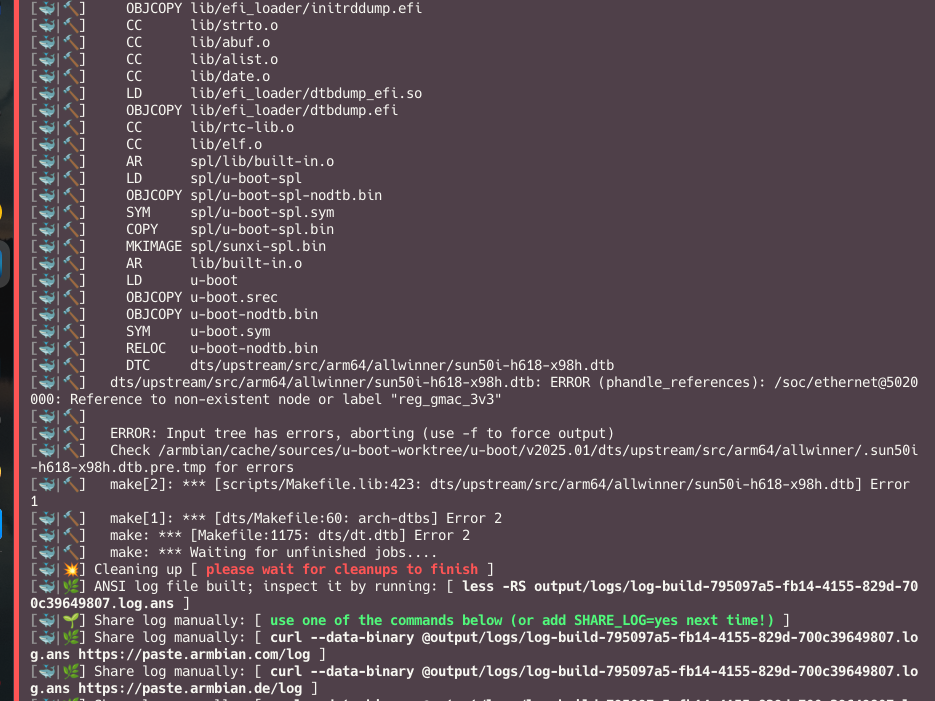
hi, Compilation error, I also decompiled the dts available for Android for reference output.dts @Nick A
-
A bad news, I am not good at customizing armbian dts, and I don't know how to apply it to the x98h compilation project. Can anyone help me? @going @Nick A
-
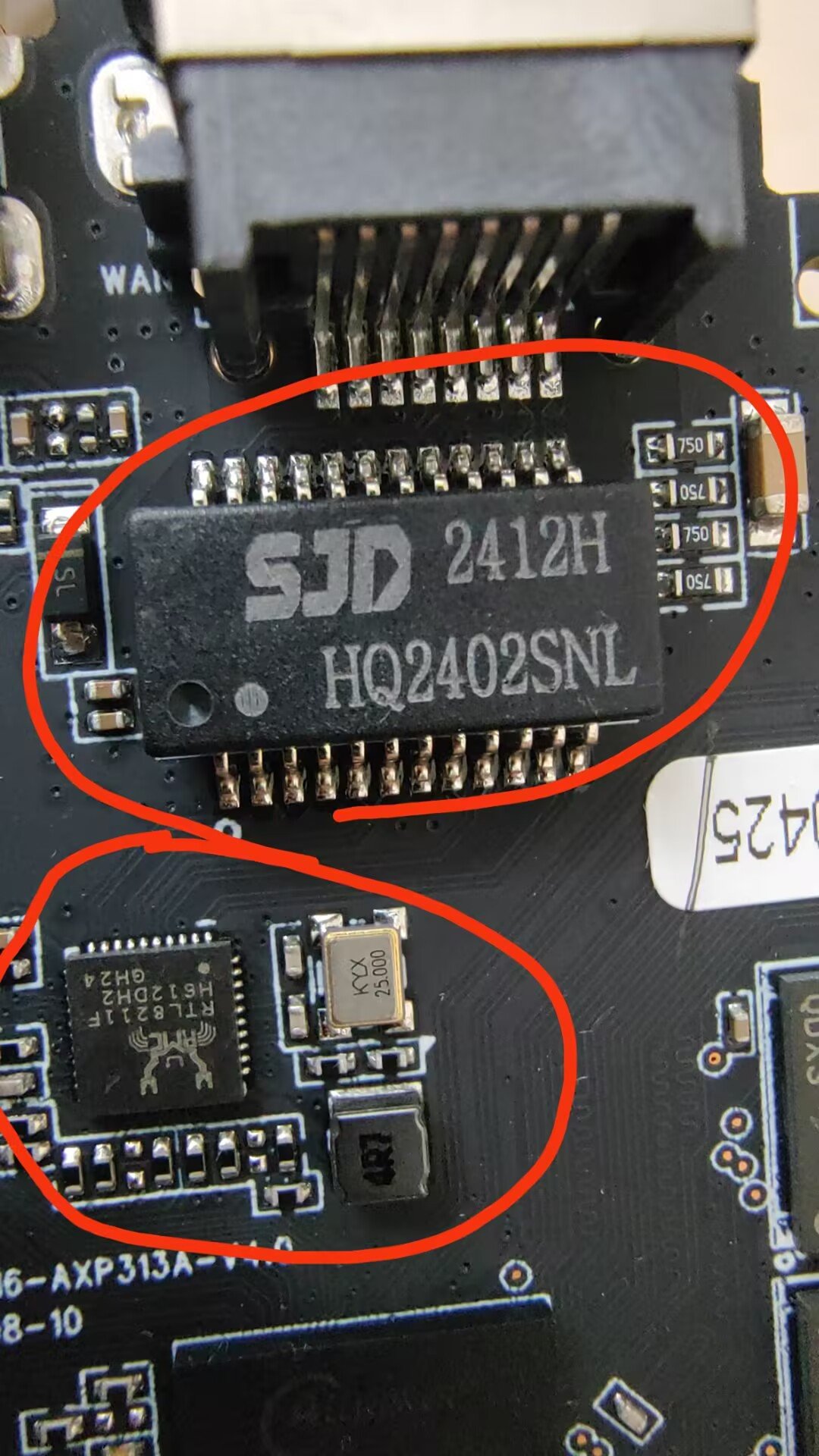
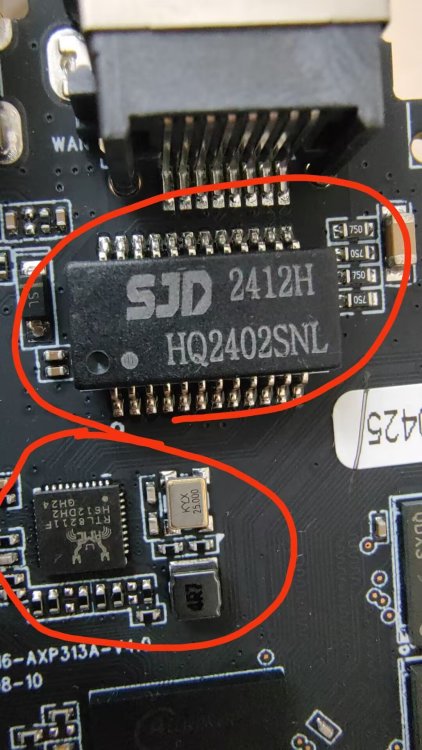
this is my external ethernet chip
-
yes, The box is 1000Mbit external ethernet chip, But I don't know how to set the dts to support this 1000Mbit external ethernet chip.
-
@Nick A here, compile with this patch +&mdio1 { + rmii_phy: ethernet-phy@0 { + compatible = "ethernet-phy-ieee802.3-c22"; + reg = <0>; + }; +}; journalctl.log dmesg.log
-
After compiling and testing, the wired network is still invalid
-
output.txt output.txt is my android img dts, can you help me ? which one i need change? @Nick A
-
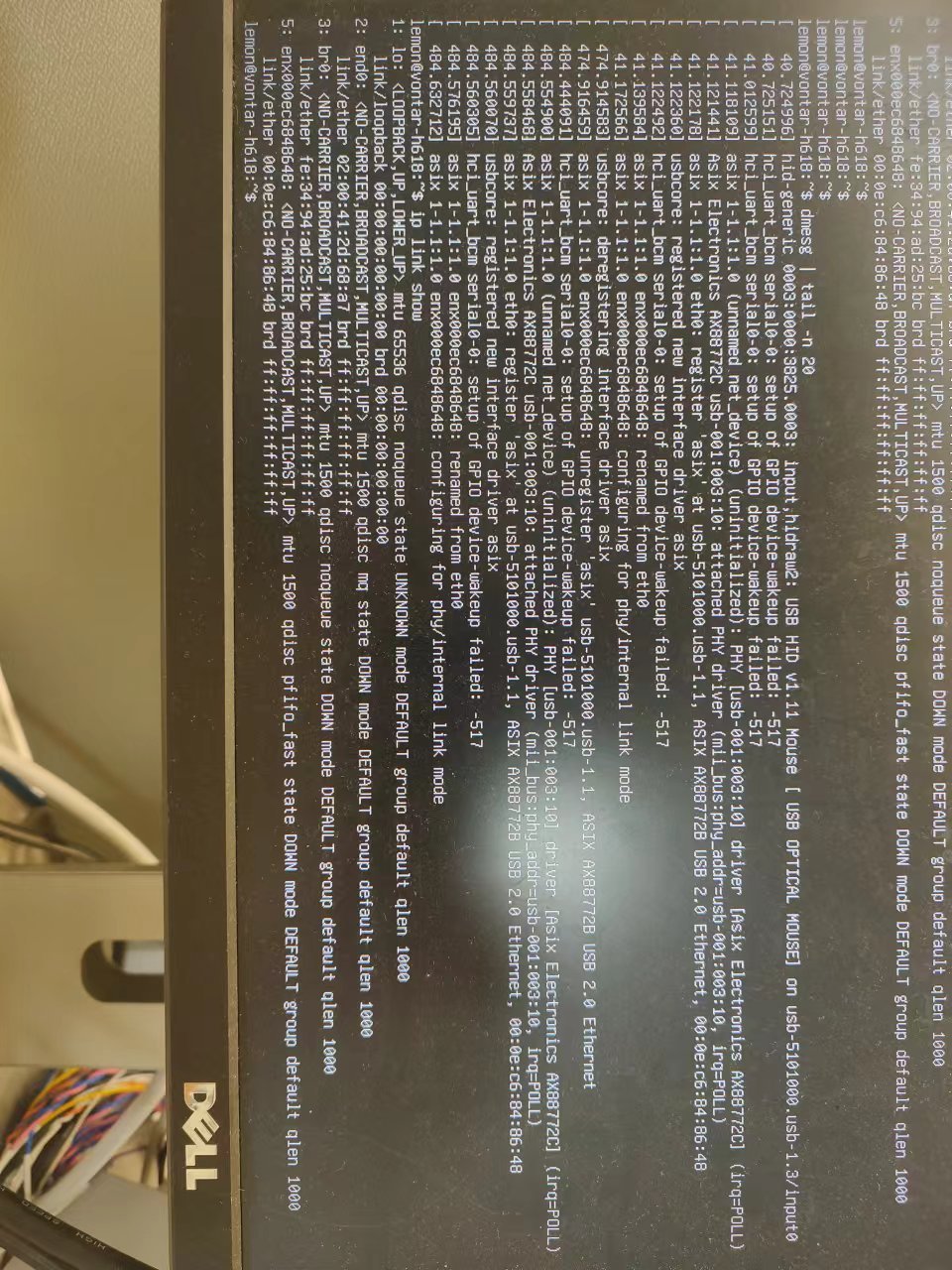
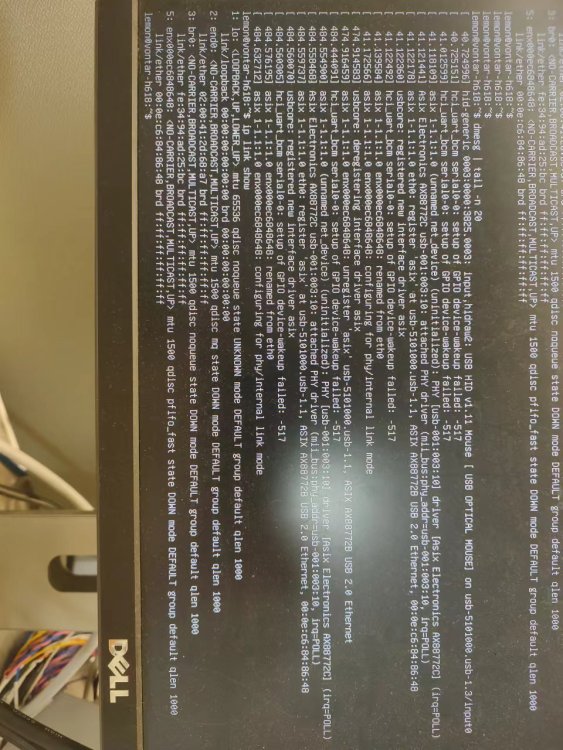
this is my dmesg log. 3ks
-
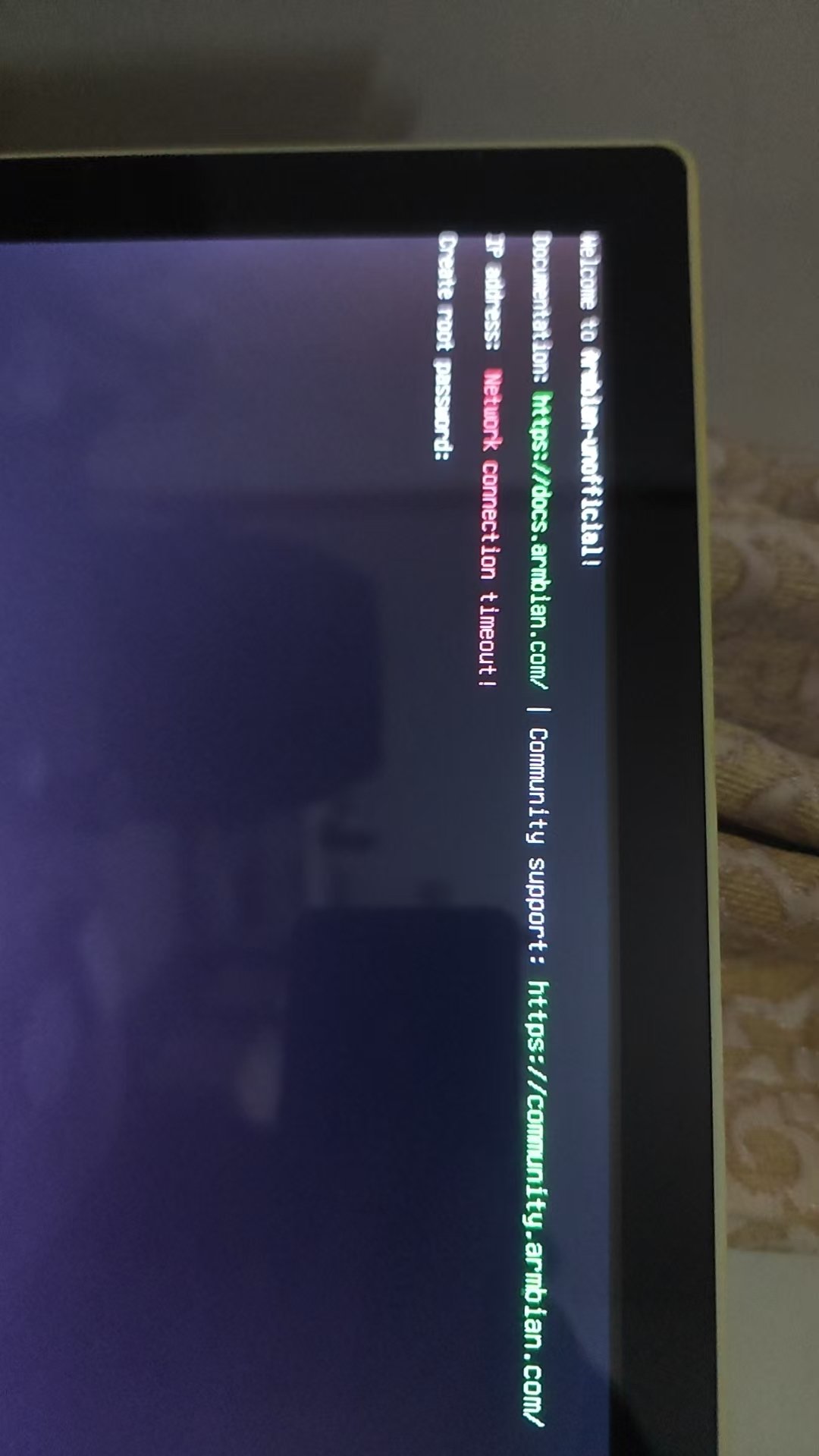
@Nick AThank you for your suggestion. I can boot up normally using this img, but the wired network cannot be recognized. There is no network. Armbian-unofficial_25.05.0-trunk_Vontar-h618_bookworm_edge_6.12.11_server.img 1. I want to know how to extract the DTS file from the Android .img file and use it in my existing ARMbian system. 2. What should I do if the wired network connection is not recognized?
-
U-Boot 2024.01-armbian-2024.01-S866c-Pbc32-Ha9af-V80bb-Bda0a-R448a (Nov 25 2024 - 14:01:12 -0500) Allwinner Technology CPU: Allwinner H616 (SUN50I) Model: Transpeed 8K618-T DRAM: 4 GiB Core: 61 devices, 22 uclasses, devicetree: separate WDT: Not starting watchdog@30090a0 MMC: mmc@4020000: 0, mmc@4022000: 1 Loading Environment from FAT... MMC: no card present ** Bad device specification mmc 0 ** In: serial@5000000 Out: serial@5000000 Err: serial@5000000 Net: apply fix for AC300 ephy bb version bug ... using AC300 emac1 ephy default config ... eth0: ethernet@5030000 starting USB... Bus usb@5101000: sun4i_usb_phy phy@5100400: External vbus detected, not enabling our own vbus USB EHCI 1.00 Bus usb@5101400: USB OHCI 1.0 Bus usb@5200000: USB EHCI 1.00 Bus usb@5200400: USB OHCI 1.0 scanning bus usb@5101000 for devices... 1 USB Device(s) found scanning bus usb@5101400 for devices... 1 USB Device(s) found scanning bus usb@5200000 for devices... 1 USB Device(s) found scanning bus usb@5200400 for devices... 1 USB Device(s) found scanning usb for storage devices... 0 Storage Device(s) found Autoboot in 1 seconds, press <Space> to stop MMC: no card present switch to partitions #0, OK mmc1(part 0) is current device Scanning mmc 1:1... MMC: no card present No EFI system partition No EFI system partition Failed to persist EFI variables BootOrder not defined EFI boot manager: Cannot load any image Device 0: unknown device ethernet@5030000 Waiting for PHY auto negotiation to complete......... TIMEOUT ! missing environment variable: pxeuuid Retrieving file: pxelinux.cfg/01-02-00-41-2d-68-a7 ethernet@5030000 Waiting for PHY auto negotiation to complete......... TIMEOUT ! Retrieving file: pxelinux.cfg/00000000 ethernet@5030000 Waiting for PHY auto negotiation to complete......... TIMEOUT ! Retrieving file: pxelinux.cfg/0000000 what can i do ? and how to do? 3ks
-
I flashed armbian into my h618, but it won't boot. I have an ubuntu image that boots it, but I don't know the password, so I need to flash armbian again. Can I use this ubuntu image to debug the armbian boot?