SanchopansA
-
Posts
2 -
Joined
-
Last visited
-

CSC Armbian for RK3318/RK3328 TV box boards
SanchopansA replied to jock's topic in Rockchip CPU Boxes
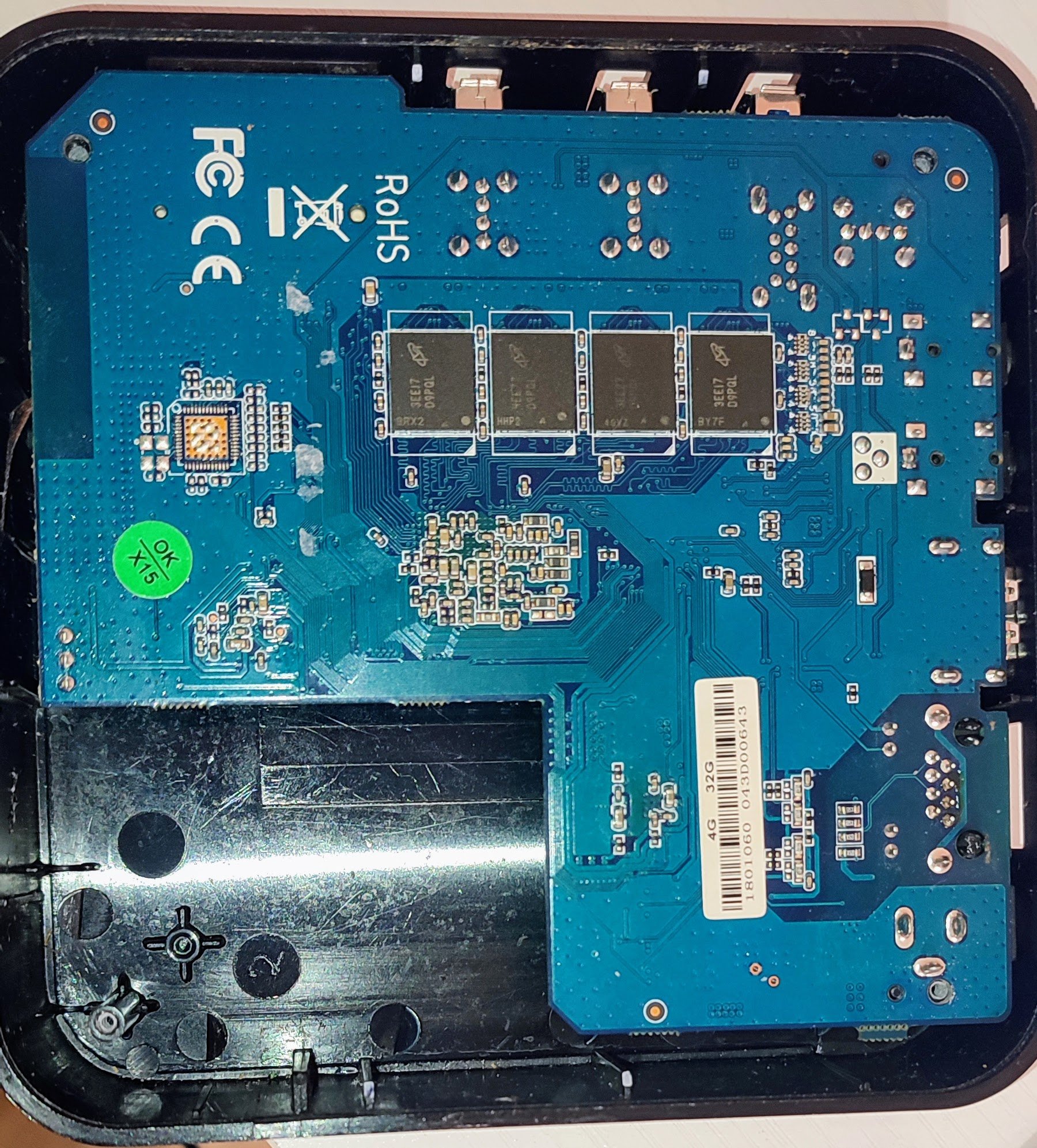
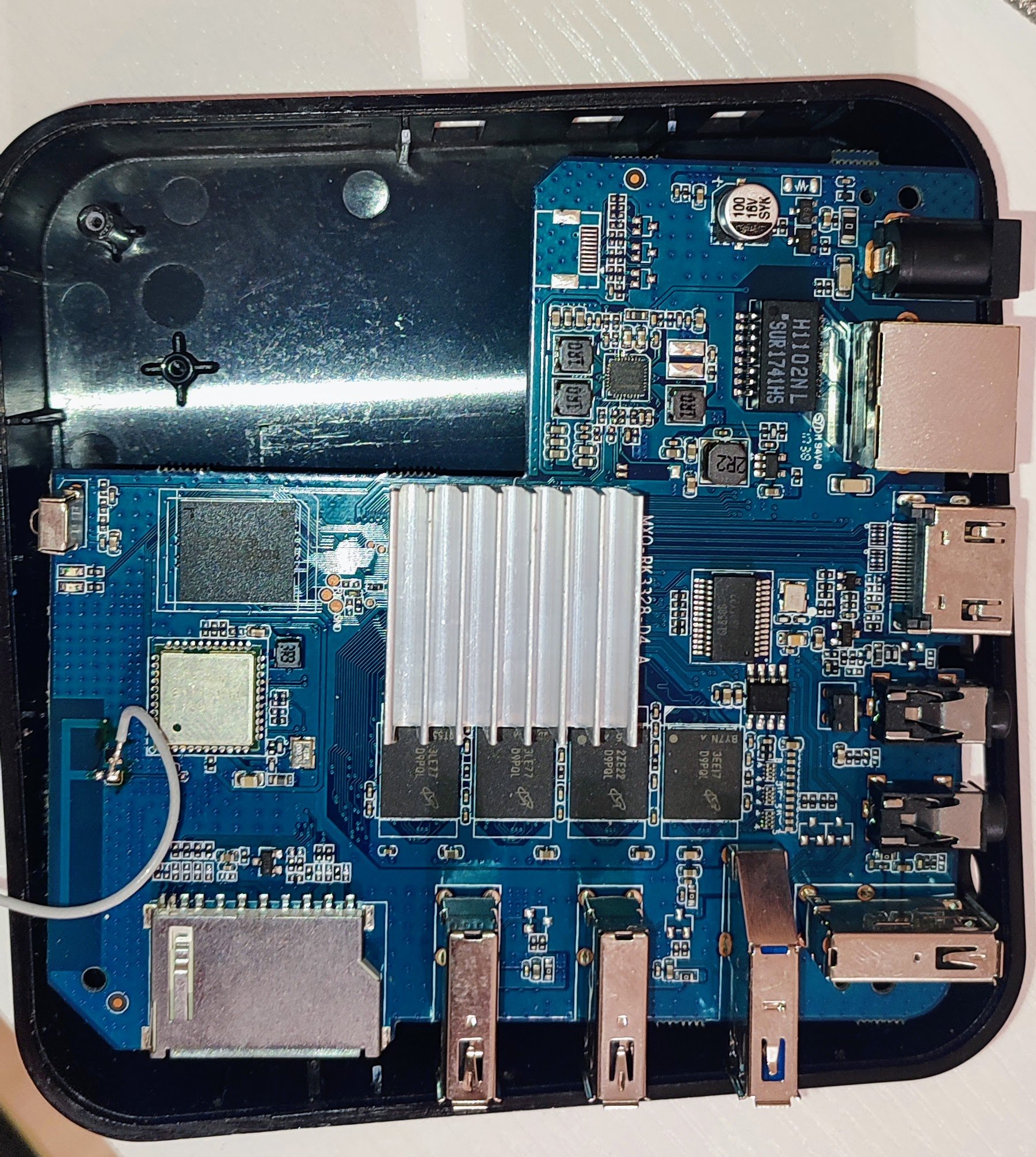
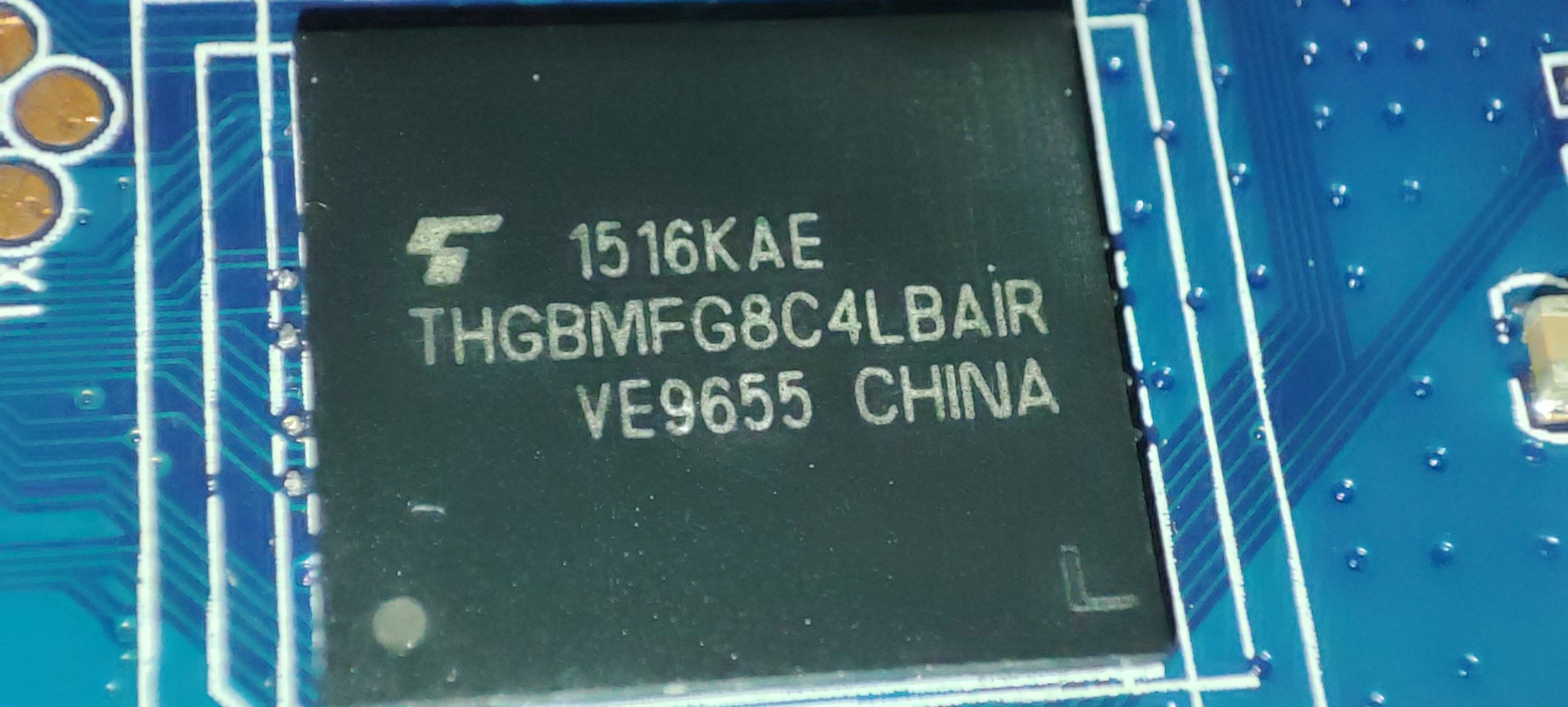
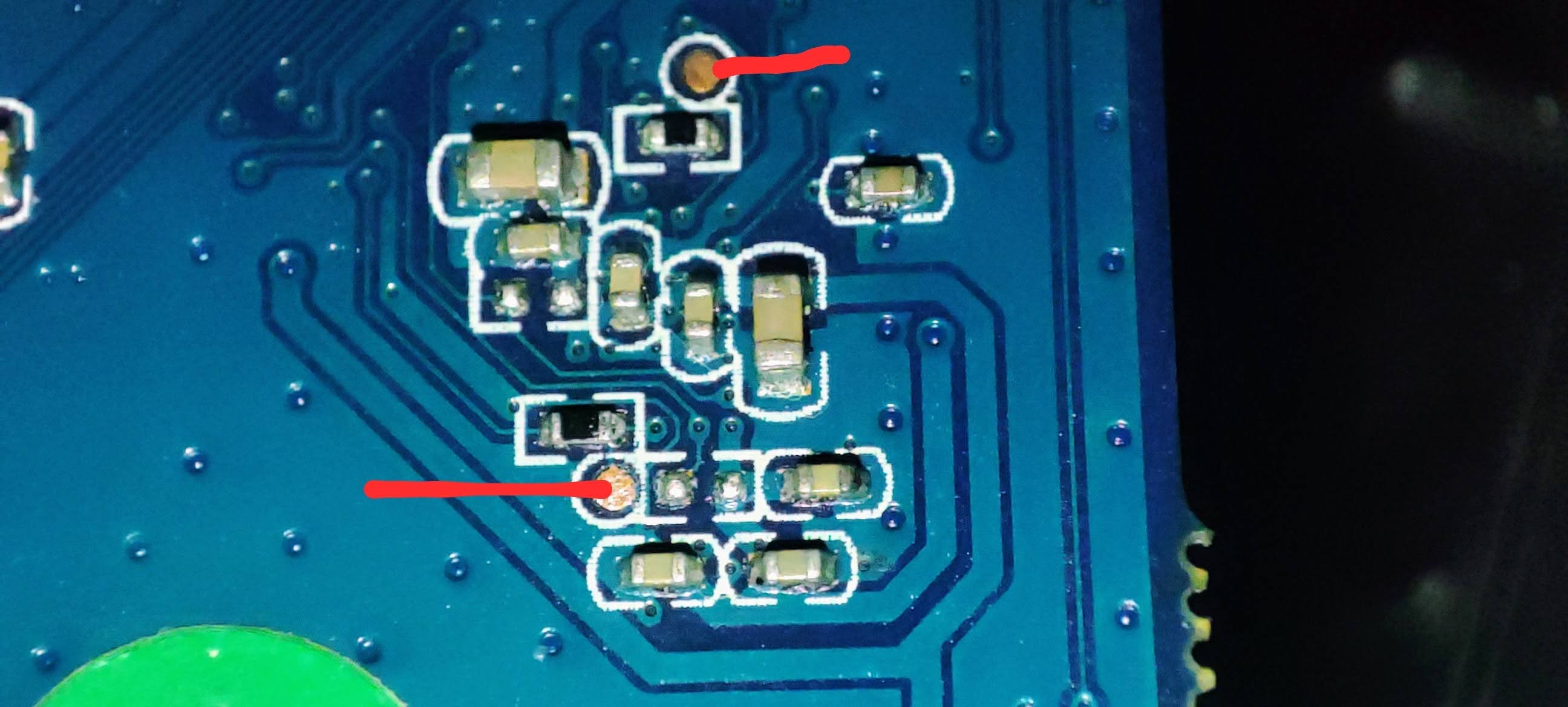
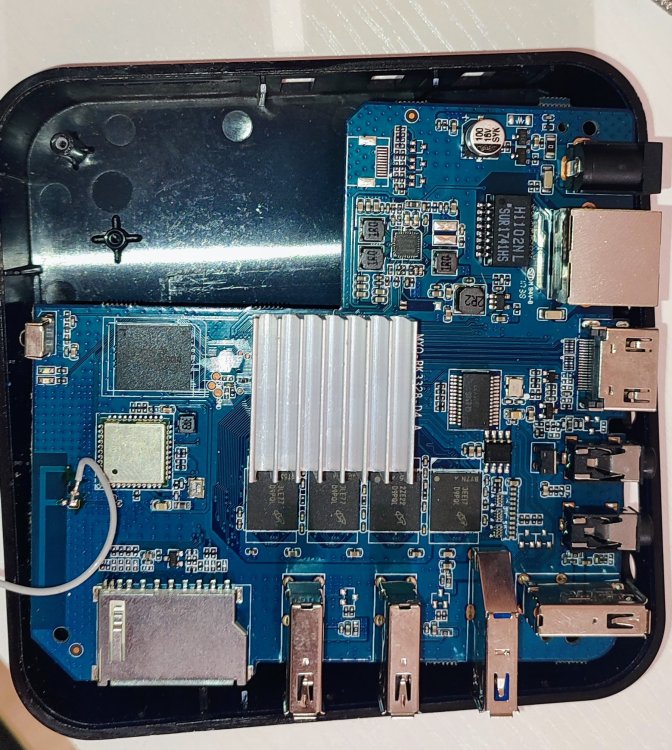
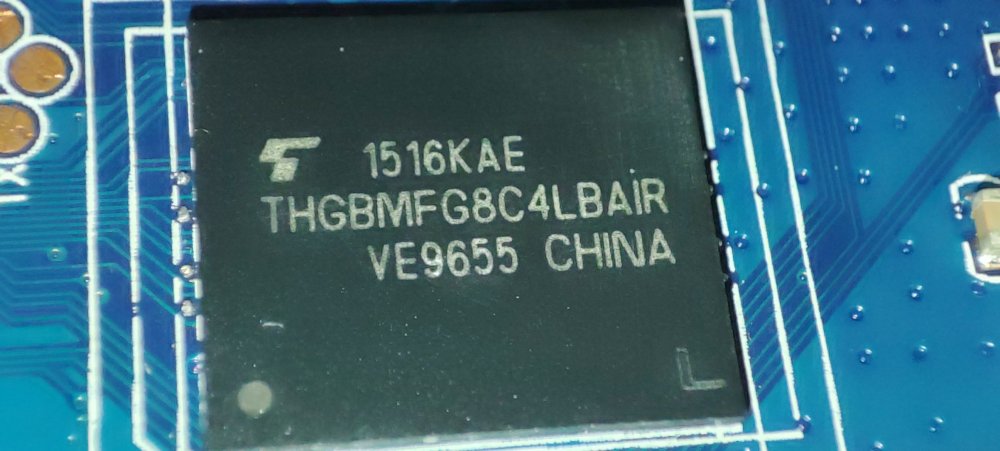
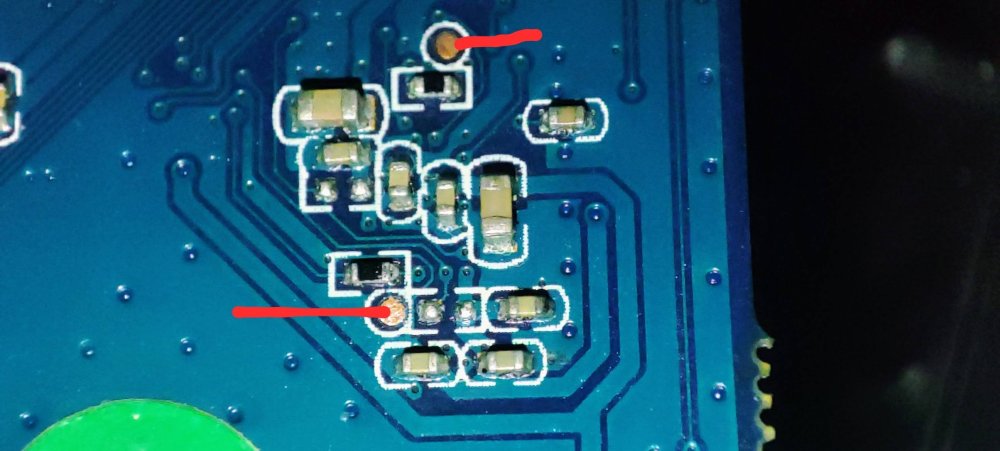
@jock Thank you for your reply. Unfortunately, I can't do it I tried to short it, but it doesn't load from the SD card. I shorted it with a piece of wire. When I do it with USB connected, I see the device is in Maskrom. Here the console output from rkdeveloptool using: root@lensky-lp:~# lsusb Bus 001 Device 001: ID 1d6b:0002 Linux Foundation 2.0 root hub Bus 001 Device 004: ID 10c4:8105 Silicon Labs USB OPTICAL MOUSE Bus 001 Device 005: ID 04ca:707f Lite-On Technology Corp. HP Wide Vision HD Camera Bus 001 Device 006: ID 0bda:b00b Realtek Semiconductor Corp. Realtek Bluetooth 4.2 Adapter Bus 001 Device 008: ID 1ea7:0066 SHARKOON Technologies GmbH [Mediatrack Edge Mini Keyboard] Bus 001 Device 009: ID 2207:320c Fuzhou Rockchip Electronics Company RK3328 in Mask ROM mode Bus 002 Device 001: ID 1d6b:0003 Linux Foundation 3.0 root hub root@lensky-lp:~# rkdeveloptool ld DevNo=1 Vid=0x2207,Pid=0x320c,LocationID=104 Maskrom root@lensky-lp:~# rkdeveloptool td Test Device failed! root@lensky-lp:~# rkdeveloptool ---------------------Tool Usage --------------------- Help: -h or --help Version: -v or --version ListDevice: ld DownloadBoot: db <Loader> UpgradeLoader: ul <Loader> ReadLBA: rl <BeginSec> <SectorLen> <File> WriteLBA: wl <BeginSec> <File> WriteLBA: wlx <PartitionName> <File> WriteGPT: gpt <gpt partition table> WriteParameter: prm <parameter> PrintPartition: ppt EraseFlash: ef TestDevice: td ResetDevice: rd [subcode] ChangeStorage: cs [storage: 1=EMMC, 2=SD, 9=SPINOR] ReadFlashID: rid ReadFlashInfo: rfi ReadChipInfo: rci ReadCapability: rcb PackBootLoader: pack UnpackBootLoader: unpack <boot loader> TagSPL: tagspl <tag> <U-Boot SPL> ------------------------------------------------------- root@lensky-lp:~# rkdeveloptool rid Reading flash ID failed! root@lensky-lp:~# rkdeveloptool cs 2 AMO: ERR_DEVICE_WRITE_FAILED Change Storage failed! root@lensky-lp:~# rkdeveloptool ppt Read GPT failed! Read parameter failed! Not found any partition table! root@lensky-lp:~# rkdeveloptool db /home/lensky/Downloads/For\ RK3328\ devices/RK3328MiniLoaderAll_V2.50.bin Downloading bootloader succeeded. root@lensky-lp:~# rkdeveloptool ppt **********Partition Info(parameter)********** NO LBA Name 00 00002000 uboot 01 00004000 trust 02 00008000 misc 03 0000A000 baseparamer 04 0000A800 resource 05 00012000 kernel 06 00022000 boot 07 00032000 recovery 08 00042000 backup 09 00062000 cache 10 000A2000 metadata 11 000AA000 kpanic 12 000AC000 system 13 003AC000 userdata As you see after boot it looks like the flash is empty. I can't ready any info and there no partitions. But after download bootloader command I see partiosions and can read flash info and chip info. After reboot all is disappear again. This is my board: This is my eMMC chip: I have found YouTube video how to short the clock pin for my board. On the opposite side, I need to short these pins: When I insert the SD card and boot the device, it just lights the red led and nothing more. Is something I do wrong?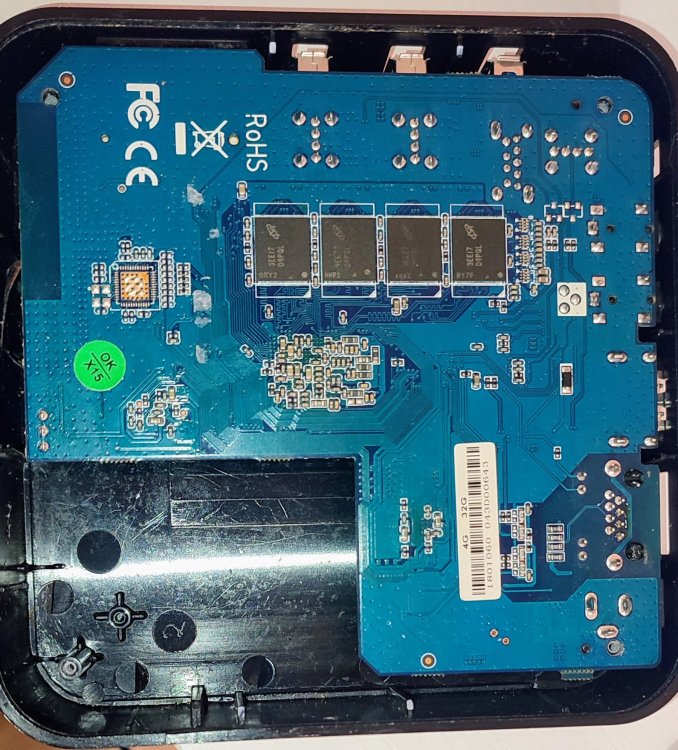
-
CSC Armbian for RK3318/RK3328 TV box boards
SanchopansA replied to jock's topic in Rockchip CPU Boxes
Hello everyone! I have TV box MX10 based on RK3328. It freezes on the manufacturer's label on boot. So I need to update the firmware. I followed the instructions from 1st post but didn't get success. When I run "Erase eMMC" it change modal windows with messages very fast and at the end shows "Successfully done". The same when I run "Write new image". It shows immediately that it is flashed. I have run the shell and checked `dmesg` and found there errors like "group start error -110, status 0x0". What does it mean? Then I installed "rkdeveloptool" and followed steps from this thread: - ld - I see TV box in Loader mode - rd 3 - switch to Maskrom mode - dd loader.bin - done - wl 0x0 armbian.img - done - rd - toexit when I run tv box I got the same freeze on logo and that's all Is eMMC died? or?