here is the full log
dtb/amlogic/meson-gxl-s805x-p241.dtb
copied -u-boot-s905x-s912 u-boot.ext
then renamed it as u-boot.ext
manually booted from sd card , then installed to emmc
sudo /root/install-aml.sh
previously i could save bootcmd as env , after this ,i couldnot save env ,from u-boot
now it gives this error
gxl_p241_v1#saveenv
Saving Environment to aml-storage...
_find_partition_by_name()-198: do not find match in table env
get partition info failed !!
gxl_p241_v1## This saves all environment variables to eMMC/SD
gxl_p241_v1#saveenv
Saving Environment to aml-storage...
_find_partition_by_name()-198: do not find match in table env
get partition info failed !!
------------------------------------------------------------------------------------------------------------------------------------------------------------
is there any way to manually erase the default vendor , u-boot , and install armbian one ?
Armbian_20.10_Arm-64_focal_current_5.9.0
this is the image i succesfully booted ,
--------------------------------------------------------------------------------------------------------
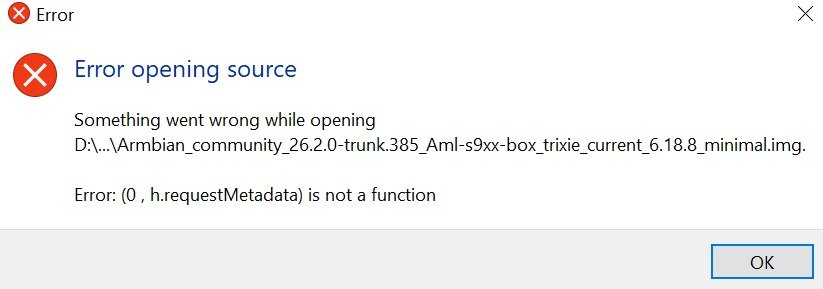
i tried to boot this image
Armbian_community_26.2.0-trunk.385_Aml-s9xx-box_trixie_current_6.18.8_minimal
it gives this error
scanning bus 0 for devices... 2 USB Device(s) found
scanning usb for storage devices... init_part() 282: PART_TYPE_DOS
1 Storage Device(s) found
reading zImage
** Unable to read file zImage **
reading dtb/amlogic/meson-gxl-s805x-p241.dtb
26728 bytes read in 57 ms (457 KiB/s)
[rsvmem] get fdtaddr NULL!
rsvmem - reserve memory
Usage:
rsvmem check - check reserved memory
rsvmem dump - dump reserved memory
rsvmem check failed
Bad Linux ARM64 Image magic!
gxl_p241_v1#
---------------------------------------------------------------------------------------------------------------------------------------------------
vendor u-boot ,bootcmd
u-boot default bootcmd
gxl_p241_v1#printenv bootcmd
bootcmd=run storeboot
gxl_p241_v1#printenv storeboot
storeboot=get_system_as_root_mode;echo system_mode: ${system_mode};if test ${system_mode} = 1; then setenv fs_type ro rootwait skip_initramfs;run storeargs;fi;get_valid_slot;get_avb_mode;echo active_slot: ${active_slot};if test ${active_slot} != normal; then setenv bootargs ${bootargs} androidboot.slot_suffix=${active_slot};fi;if test ${avb2} = 0; then if test ${active_slot} = _a; then setenv bootargs ${bootargs} root=/dev/mmcblk0p23;else if test ${active_slot} = _b; then setenv bootargs ${bootargs} root=/dev/mmcblk0p24;fi;fi;fi;if imgread kernel ${boot_part} ${loadaddr}; then bootm ${loadaddr}; fi;run update
------------------------------------------------------------------------------------------------------------------------------------------------------------
LOG After i installed armbin (Armbian_20.10_Arm-64_focal_current_5.9.0)to emmc , reboot gives this error
[ OK ] Reached target Reboot.
[ 650.054096] watchdog: watchdog0: watchdog did not stop!
[ 650.541411] reboot: Restarting system
bl31 reboot reason: 0xd
bl31 reboot reason: 0x0
system cmd 1.
GXL:BL1:9ac50e:bb16dc;FEAT:BFFC39BE:100;POC:3;RCY:0;EMMC:0;READ:0;CHK:1F;READ:0;1.0;1.0;CHK:0;
TE: 241336
BL2 Built : 10:47:34, Jan 14 2019. gxl g152d217 - guotai.shen@droid11-sz
set vcck to 1120 mv
set vddee to 1000 mv
Board ID = 7
CPU clk: 984MHz
DDR enable rdbi
DQS-corr enabled
DDR scramble enabled
DDR3 chl: Rank0 16bit @ 912MHz
bist_test rank: 0 1b 00 37 27 0f 3f 1c 01 38 2b 11 45 27 27 27 27 27 27 27 27 27 27 27 27 693 - PASS
Rank0: 1024MB-2T-13
AddrBus test pass!
Set ddr ssc: ppm1000-
eMMC boot @ 1
sw8 s
emmc switch 3 ok
BL2: rpmb counter: 0x00000020
emmc switch 1 ok
OTP_ARB=00000001
Load FIP HDR from eMMC, src: 0x0000c200, des: 0x01700000, size: 0x00004000, part: 1
Load BL3x from eMMC, src: 0x00010200, des: 0x01704000, size: 0x000f4000, part: 1
NOTICE: BL3-1: v1.0(release):3bc3888
NOTICE: BL3-1: Built : 11:28:51, May 10 2019
[BL31]: GXL CPU setup!
NOTICE: BL3-1: GXL secure boot!
NOTICE: BL3-1: BL33 decompress pass
mpu_config_enable:system pre init ok
dmc sec lock
MVN_1=0x01010100
MVN_2=0x01010000
[Image: gxl_v1.1.3375-8f9c8a7 2019-01-24 10:45:03 guotai.shen@droid11-sz]
OPS=0x34
21 0d 34 00 25 ae dc 97 5b 00 83 fe 04 b3 53 02
[0.856523 Inits done]
secure task start!
high task start!
low task start!
INFO: BL3-2: ATOS-V2.4-238-g14a47cb #1 Tue Dec 3 07:25:46 UTC 2019 arm
INFO: BL3-2: Chip: GXL Rev: D (21:D - 30:2)
INFO: BL3-2: crypto engine DMA
INFO: BL3-2: secure time TEE
INFO: BL3-2: CONFIG_DEVICE_SECURE 0xb200000e
U-Boot 2015.01-g186a540 (Mar 14 2020 - 17:11:46)
DRAM: 1 GiB
Relocation Offset is: 36e86000
register usb cfg[0][1] = 0000000037f51910
[CANVAS]canvas init
boot_device_flag : 1
Nand PHY Ver:1.01.001.0006 (c) 2013 Amlogic Inc.
init bus_cycle=6, bus_timing=7, system=5.0ns
reset failed
get_chip_type and ret:fffffffe
get_chip_type and ret:fffffffe
chip detect failed and ret:fffffffe
nandphy_init failed and ret=0xfffffff1
MMC: aml_priv->desc_buf = 0x0000000033e866b0
aml_priv->desc_buf = 0x0000000033e889f0
SDIO Port B: 0, SDIO Port 😄 1
co-phase 0x2, tx-dly 0, clock 400000
co-phase 0x2, tx-dly 0, clock 400000
co-phase 0x2, tx-dly 0, clock 400000
emmc/sd response timeout, cmd8, status=0x1ff2800
emmc/sd response timeout, cmd55, status=0x1ff2800
co-phase 0x2, tx-dly 0, clock 400000
co-phase 0x2, tx-dly 0, clock 40000000
[mmc_startup] mmc refix success
init_part() 282: PART_TYPE_DOS
[mmc_init] mmc init success
check_valid_dts() 248: Decrypt dtb: Sig Check -2
get_partition_from_dts() 71: ret -249
get_partition_from_dts() 74: ret -249
get_ptbl_from_dtb()-269: get partition table from dts faild
mmc_device_init()-1251: get partition table from dtb failed
get_ptbl_rsv()-491: magic faild MPT, ▒
mmc_device_init()-1278: dtb&rsv are not exist, no LPT source
_find_partition_by_name()-198: do not find match in table env
get partition info failed !!
Using default environment
In: serial
Out: serial
Err: serial
reboot_mode=cold_boot
itest - return true/false on integer compare
Usage:
itest [.b, .w, .l, .s] [*]value1 <op> [*]value2
[store]To run cmd[emmc dtb_read 0x1000000 0x40000]
_verify_dtb_checksum()-2755: calc 79d92d6, store f26b0ab5
update_dtb_info()-2863: cpy 1 is not valid
_verify_dtb_checksum()-2755: calc ab3aca1f, store f6004a13
update_dtb_info()-2863: cpy 0 is not valid
dtb_read()-2972: total valid 0
emmc - EMMC sub system
Usage:
emmc dtb_read addr size
emmc dtb_write addr size
emmc erase dtb
emmc erase key
emmc fastboot_read addr size
emmc fastboot_write addr size
[store]decrypt dtb: Sig Check -2
vpu: error: vpu: check dts: FDT_ERR_BADMAGIC, load default parameters
vpu: clk_level = 2
vpu: set clk: 200000000Hz, readback: 200000000Hz(0x501)
vpu: vpu_clk_gate_init_off finish
vpp: vpp_init
hpd_state=0
vpp: vpp_matrix_update: 2
cvbs performance type = 6, table = 0
cvbs_config_hdmipll_gxl
cvbs_set_vid2_clk
Net: dwmac.c9410000[KM]Error:f[keymanage_dts_parse]L287:not a fdt at 0x0000000001000000
MACADDR:02:5b:97:dc:ae:25(from chipid)
Warning: dwmac.c9410000 MAC addresses don't match:
Address in SROM is 4a:f1:62:3d:0c:33
Address in environment is 02:5b:97:dc:ae:25
CONFIG_AVB2: avb2
Start read misc partition datas!
_find_partition_by_name()-198: do not find match in table misc
Cannot find dev.
amlmmc cmd <NULL> failed
store - STORE sub-system
Usage:
store init flag
store read name addr off|partition size
read 'size' bytes starting at offset 'off'
to/from memory address 'addr', skipping bad blocks.
store write name addr off|partition size
write 'size' bytes starting at offset 'off'
to/from memory address 'addr', skipping bad blocks.
store rom_write add off size.
write uboot to the boot device
store erase boot/data:
erase the area which is uboot or data
store erase partition <partition_name>:
erase the area which partition in u-boot
store erase dtb
store erase key
store disprotect key
store rom_protect on/off
store scrub off|partition size
scrub the area from offset and size
store dtb iread/read/write addr <size>
read/write dtb, size is optional
store key read/write addr <size>
read/write key, size is optional
store mbr addr
update mbr/partition table by dtb
[burnup]Err:store_read_ops,L63:cmd failed, ret=1, [store read misc 0x33e75090 0x0 0x820]
failed to store read misc.
info->magic =
info->version_major = 0
info->version_minor = 0
info->slots[0].priority = 0
info->slots[0].tries_remaining = 0
info->slots[0].successful_boot = 0
info->slots[1].priority = 0
info->slots[1].tries_remaining = 0
info->slots[1].successful_boot = 0
info->crc32 = 0
Magic is incorrect.
boot-info is invalid. Resetting.
save boot-info
info->magic =
info->version_major = 1
info->version_minor = 0
info->slots[0].priority = 15
info->slots[0].tries_remaining = 7
info->slots[0].successful_boot = 0
info->slots[1].priority = 14
info->slots[1].tries_remaining = 7
info->slots[1].successful_boot = 0
info->crc32 = -1075449479
_find_partition_by_name()-198: do not find match in table misc
Cannot find dev.
amlmmc cmd <NULL> failed
store - STORE sub-system
Usage:
store init flag
store read name addr off|partition size
read 'size' bytes starting at offset 'off'
to/from memory address 'addr', skipping bad blocks.
store write name addr off|partition size
write 'size' bytes starting at offset 'off'
to/from memory address 'addr', skipping bad blocks.
store rom_write add off size.
write uboot to the boot device
store erase boot/data:
erase the area which is uboot or data
store erase partition <partition_name>:
erase the area which partition in u-boot
store erase dtb
store erase key
store disprotect key
store rom_protect on/off
store scrub off|partition size
scrub the area from offset and size
store dtb iread/read/write addr <size>
read/write dtb, size is optional
store key read/write addr <size>
read/write key, size is optional
store mbr addr
update mbr/partition table by dtb
[burnup]Err:store_write_ops,L110:cmd [store write misc 0x33e75090 0x0 0x820] failed active slot = 0
wipe_data=successful
wipe_cache=successful
upgrade_step=0
reboot_mode:::: cold_boot
[KM]Error:f[keymanage_dts_parse]L287:not a fdt at 0x0000000001000000
[OSD]check dts: FDT_ERR_BADMAGIC, load default fb_addr parameters
[OSD]fb_addr for logo: 0x3d800000
[OSD]check dts: FDT_ERR_BADMAGIC, load default fb_addr parameters
[OSD]fb_addr for logo: 0x3d800000
[OSD]VPP_OFIFO_SIZE:0xfff00fff
[CANVAS]addr=0x3d800000 width=3840, height=2160
_find_partition_by_name()-198: do not find match in table logo
Cannot find dev.
amlmmc cmd <NULL> failed
store - STORE sub-system
Usage:
store init flag
store read name addr off|partition size
read 'size' bytes starting at offset 'off'
to/from memory address 'addr', skipping bad blocks.
store write name addr off|partition size
write 'size' bytes starting at offset 'off'
to/from memory address 'addr', skipping bad blocks.
store rom_write add off size.
write uboot to the boot device
store erase boot/data:
erase the area which is uboot or data
store erase partition <partition_name>:
erase the area which partition in u-boot
store erase dtb
store erase key
store disprotect key
store rom_protect on/off
store scrub off|partition size
scrub the area from offset and size
store dtb iread/read/write addr <size>
read/write dtb, size is optional
store key read/write addr <size>
read/write key, size is optional
store mbr addr
update mbr/partition table by dtb
[burnup]Err:store_read_ops,L63:cmd failed, ret=1, [store read logo 0x1080000 0x0 0x2000]
Err imgread(L523):Fail to read 0x2000B from part[logo] at offset 0
There is no valid bmp file at the given address
[OSD]osd_hw.free_dst_data: 0,719,0,575
[KM]Error:f[keymanage_dts_parse]L287:not a fdt at 0x0000000001000000
gpio: pin GPIOAO_2 (gpio 102) value is 1
Command: bcb uboot-command
Start read misc partition datas!
_find_partition_by_name()-198: do not find match in table misc
Cannot find dev.
amlmmc cmd <NULL> failed
store - STORE sub-system
Usage:
store init flag
store read name addr off|partition size
read 'size' bytes starting at offset 'off'
to/from memory address 'addr', skipping bad blocks.
store write name addr off|partition size
write 'size' bytes starting at offset 'off'
to/from memory address 'addr', skipping bad blocks.
store rom_write add off size.
write uboot to the boot device
store erase boot/data:
erase the area which is uboot or data
store erase partition <partition_name>:
erase the area which partition in u-boot
store erase dtb
store erase key
store disprotect key
store rom_protect on/off
store scrub off|partition size
scrub the area from offset and size
store dtb iread/read/write addr <size>
read/write dtb, size is optional
store key read/write addr <size>
read/write key, size is optional
store mbr addr
update mbr/partition table by dtb
[burnup]Err:store_read_ops,L63:cmd failed, ret=1, [store read misc 0x33e75080 0x0 0x440]
failed to store read misc.
bcb - bcb
Usage:
bcb
This command will run some commands which saved in misc
partition by mark to decide whether execute command!
Command format:
bcb bcb_mark
Example:
/dev/block/misc partiton is saved some contents:
uboot-command
N/A
setenv aa 11;setenv bb 22;setenv cc 33;saveenv;
So you can execute command: bcb uboot-command
[KM]Error:f[keymanage_dts_parse]L287:not a fdt at 0x0000000001000000
(Re)start USB...
USB0: USB3.0 XHCI init start
Register 2000140 NbrPorts 2
Starting the controller
USB XHCI 1.00
scanning bus 0 for devices... 2 USB Device(s) found
scanning usb for storage devices... init_part() 282: PART_TYPE_DOS
1 Storage Device(s) found
fail in cmd [fatsize usb 0 factory_update_param.aml], rcode 1
File factory_update_param.aml not exist in Upan??
get upgrade version failed
Hit Enter or space or Ctrl+C key to stop autoboot -- : 0
CONFIG_SYSTEM_AS_ROOT: systemroot
system_mode: 1
[KM]Error:f[keymanage_dts_parse]L287:not a fdt at 0x0000000001000000
Start read misc partition datas!
_find_partition_by_name()-198: do not find match in table misc
Cannot find dev.
amlmmc cmd <NULL> failed
store - STORE sub-system
Usage:
store init flag
store read name addr off|partition size
read 'size' bytes starting at offset 'off'
to/from memory address 'addr', skipping bad blocks.
store write name addr off|partition size
write 'size' bytes starting at offset 'off'
to/from memory address 'addr', skipping bad blocks.
store rom_write add off size.
write uboot to the boot device
store erase boot/data:
erase the area which is uboot or data
store erase partition <partition_name>:
erase the area which partition in u-boot
store erase dtb
store erase key
store disprotect key
store rom_protect on/off
store scrub off|partition size
scrub the area from offset and size
store dtb iread/read/write addr <size>
read/write dtb, size is optional
store key read/write addr <size>
read/write key, size is optional
store mbr addr
update mbr/partition table by dtb
[burnup]Err:store_read_ops,L63:cmd failed, ret=1, [store read misc 0x33e75090 0x0 0x820]
failed to store read misc.
info->magic =
info->version_major = 0