JFL
-
Posts
28 -
Joined
-
Last visited
-
RK3576 - Support for full video hardware acceleration on Armbian
JFL replied to Marus Gradinaru's topic in Nanopi M5
Hi @Marus Gradinaru, May be this might interest you. -
HDMI audio and analog audio do not work on Opi5Plus
JFL replied to ずっと一人's topic in Orange Pi 5 Plus
Just an update. Both kernel-7.0.11-edge-rockchip64-26.8.0-trunk.94 and 6.18.34-current-rockchip64-26.8.0-trunk.94 both still NO analog audio output on Headphone Jack on Orange Pi 5-Plus Kernel-6.18.10-current-rockchip64-6.2.1 and 6.19.5-edge-rockchip64 both support analog audio output on Headphone Jack. By the way kernel-6.1.115-vendor-rk35xx also NO analog audio output. kernel-6.1.75-vendor-rk35xx support analog audio output. -
Just checking whether Ubuntu Resolute will be supported?
-
HDMI audio and analog audio do not work on Opi5Plus
JFL replied to ずっと一人's topic in Orange Pi 5 Plus
Hi, Just an update on this issue. Upgraded to kernel-7.0.0-edge-rockchip64-26.2.0-trunk.733, still no audio output on Analog Headphone/Audio Jack. -
HDMI audio and analog audio do not work on Opi5Plus
JFL replied to ずっと一人's topic in Orange Pi 5 Plus
Hi, Is it appropriate to raise this at https://github.com/armbian/build/issues, since the Headphone Jack audio is available on older version of the kernels and not available in the latest kernels? Thanks for your guidance. -
HDMI audio and analog audio do not work on Opi5Plus
JFL replied to ずっと一人's topic in Orange Pi 5 Plus
Hi @Werner For your info, with kernel-6.19.5-edge-rockchip64 using dtb from kernel-7.0.0-rc5/rc6-edge-rockchip64, Headphone Jack audio/sound is available. Does this mean the device tree is not the culprit and it is related to the kernel? Have not tried not tried booting up kernel-6.18.10-current-rockchip64 with device tree from kernel-6.18.20-current-rockchip64. -
HDMI audio and analog audio do not work on Opi5Plus
JFL replied to ずっと一人's topic in Orange Pi 5 Plus
Just an update. Upgraded to linux-image-current-rockchip64-26.2.0-trunk.655 (6.18.20) not sure whether it included this But unfortunately with the new linux-image-current-rockchip64-26.2.0-trunk.655 kernel still no audio/sound output from the Headphone Jack (Analog).. Edit: Downgraded to or Install linux-image-current-rockchip64-26.2.1 (6.18.10), Headphone Jack has audio/sound output. -
HDMI audio and analog audio do not work on Opi5Plus
JFL replied to ずっと一人's topic in Orange Pi 5 Plus
I do not meant that the above causes the NO Analog Output issue. I don't think those patches were in the earlier kernekl 6.18.20-current=rockchip64-26.2.0-trunk.640 or the kernel-7.0.0-rc5-edge-rockchip64-26.2.0-trunk.626. These patches are added totay or yesterday. On the contrary, could the https://github.com/armbian/build/pull/9600 resolved the NO Analog Output issue on Opi5-Plus. -
HDMI audio and analog audio do not work on Opi5Plus
JFL replied to ずっと一人's topic in Orange Pi 5 Plus
Wonder the issue I am facing is related to this: https://github.com/armbian/build/pull/9600 -
HDMI audio and analog audio do not work on Opi5Plus
JFL replied to ずっと一人's topic in Orange Pi 5 Plus
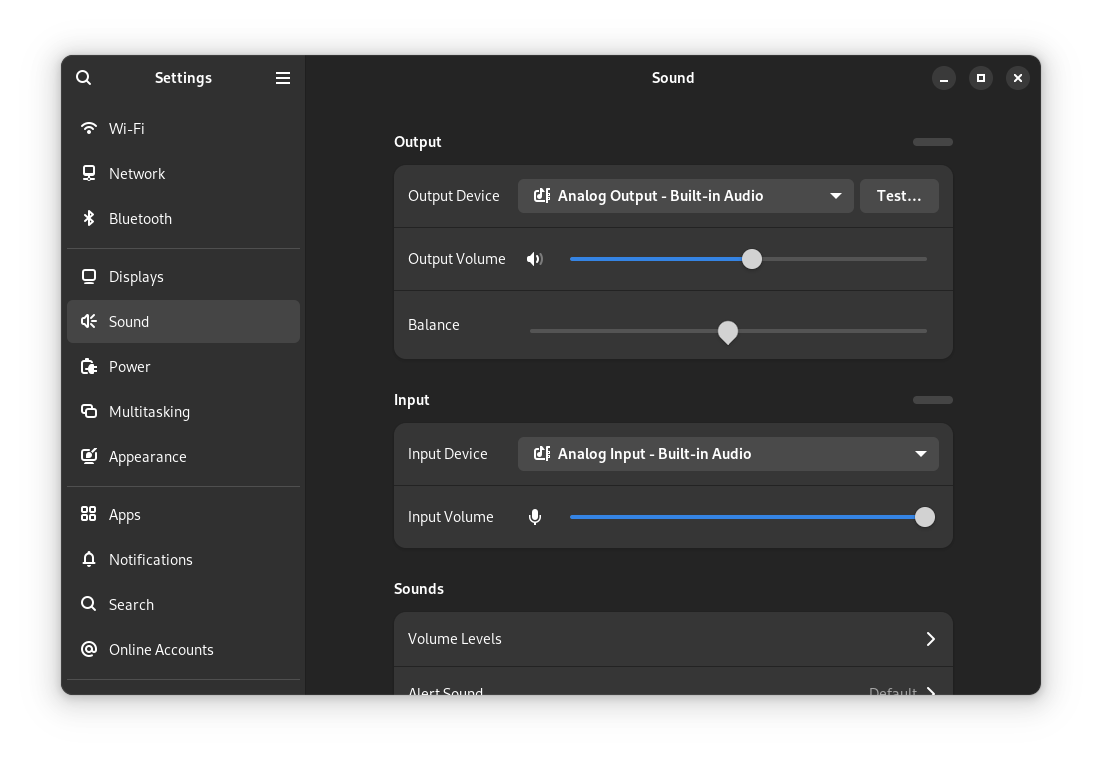
The "Analog Audio" shows up on "gnome-control-center" but NO audio/sound output when selected.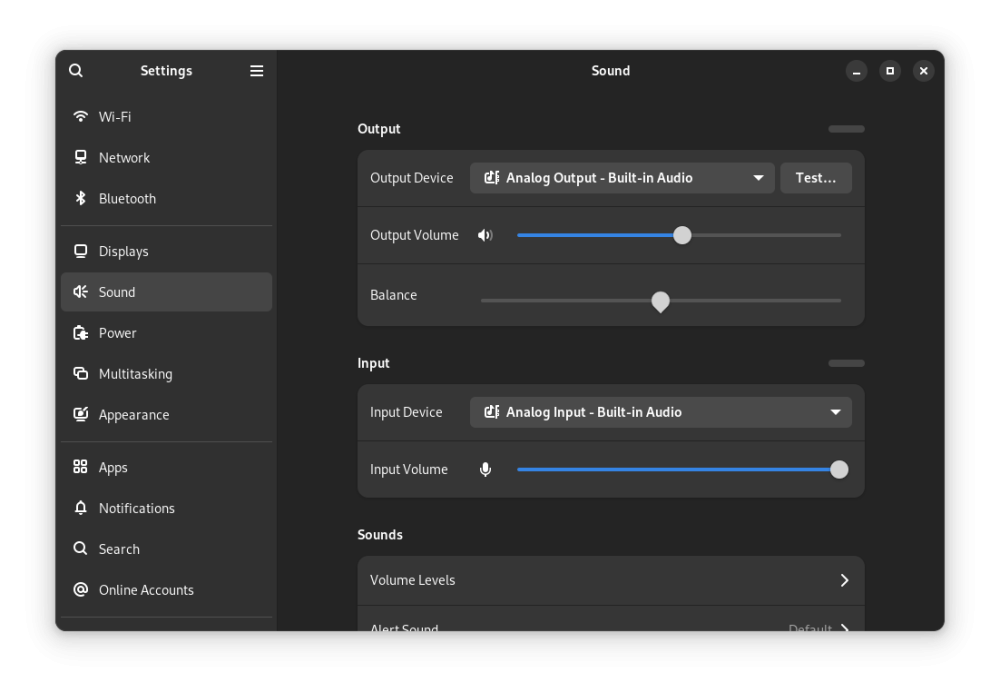
-
HDMI audio and analog audio do not work on Opi5Plus
JFL replied to ずっと一人's topic in Orange Pi 5 Plus
Am a greenhorn in linux so not sure I understand what to do. Do you mean, open a terminal and issue the above command? jfl@orangepi5-plus:~$ daicpu: simple-audio-card,cpu { sound-dai = <&i2s0_8ch>; system-clock-frequency = <12288000>; + system-clock-direction-out; }; bash: daicpu:: command not found bash: syntax error near unexpected token `;' bash: syntax error near unexpected token `12288000' bash: +: command not found bash: syntax error near unexpected token `}' jfl@orangepi5-plus:~$ Below is the armbianmonitor -u output. jfl@orangepi5-plus:~$ sudo armbianmonitor -u [sudo] password for jfl: Collecting info and sending to paste.armbian.com, wait... https://paste.armbian.com/zafupazubu Thanks you. -
HDMI audio and analog audio do not work on Opi5Plus
JFL replied to ずっと一人's topic in Orange Pi 5 Plus
Device Opi5-Plus Further info. With Kernel-6.18.20-current-rockchip64-26.2.0-trunk.640 headphone jack (analog) also does not have audio/sound output. With kernel-6.18.10-current-rockchip64-26.2.1 headphone jack (analog) has autio/sound output. -
HDMI audio and analog audio do not work on Opi5Plus
JFL replied to ずっと一人's topic in Orange Pi 5 Plus
Hi, Device: Opi5-Plus Upgrading from kernel-6.19.y-edge-rockchip64 to kernel-7.0.0-rc5-edge-rockchip64 resulted in Headphone Jack (Analog) Output with NO audio/sound output. Downgraded to kernel-6.19.5-edge-rockchip64 Headphone Jack (Analog) have audio/sound output again. Just checking whether another Opi5-Plus or RK3588 users experience the same issue with kernel-7.0.0-rc5-edge-rockchip64? -
Was running Ubuntu Noble and mpv-0.37 is from Noble-repo. On Trixie the mpv is version 0.40 (Debian Trixie repo) which somehow does not seem work with the ffmpeg-v4l2request. Are you running Trixie or Bookworn? Is your device Opi5-Plus or RK3588? So far on my Opi5-Plus no luck with 10Bit Hevc or any 10Bit video on mpv with mainline kernel.
-
Yes running on gnome-wayland session. jfl@orangepi5-plus:~$ apt list labwc Listing... Done labwc/noble 0.7.1-1build1 arm64