


Adan
-
Posts
25 -
Joined
-
Last visited
Content Type
Forums
Store
Crowdfunding
Applications
Events
Raffles
Community Map
Posts posted by Adan
-
-
Anyways
*If you are reading this and have the same problem I had*
Dont use the update application, use shell command in ADB
And then, "reboot update"
-
@SteeMan Thank you so much for your help!!
I finally succeded installing Armbian for my TV box.
I just open ADB and used "shell" command
Then I used "reboot update" and it started armbian.
The only problem I have now is the resolution, everything seems too small because im using a TV instead of a monitor.
Can I change the resolution?
-
Thank you so much!!
I have succeded. Now I have Armbian in my TV Box.
-
Hi, I tried to install Armbian in the recent days, but I wasnt unable because the image says "Map file error" or the update app will not read the Micro SD card (Armbian 23)
I was wondering, where can I get this image of Armbian "Armbian_20.05.1_Arm-64_focal_current_5.6.2_desktop_20200408.img" ?
It worked in a similar TV Box tutorial and I tought it could work in mine.
Thanks for any help given
This tutorial "http://www.galipe.net/guide-mecool-m8sproplus-armbian/"
-
Tried with a 16 GB SD card, as I said before, It wont read the SD card. This only happens with any Armbian 23 build.
Armbian 20 allows me to read the sd card but i get "Map file error"
-
Nothing, I tried with a 64 GB SD Card and the result is; the TV box detects the storage, but it asks me to format it to use it.
I tried with Balena Etcher and Rufus but the result is the same. I guess its not possible to install Armbian in a GIGA TV BOX 890 HD.
Ill try another attempt with an 32 GB SD Card, but I think the TV BOX has some kind of anti software protection or something like that.
-
I have another question. Maybe it the Kernel?
My Kernel is 4.9.113 is because is an older kernel its incompatible?
-
I cannot flash the SD card with the latest ARMBIAN build image because the TV BOX wont recognize the SD card.
Now Im using "Armbian_20.10_Arm-64_focal_current_5.9.0_desktop.img.xz"
-
Yes and the result is the same (it does read it but boots Android for some reason), they are both 128 GB SD card
Maybe im doing something wrong like I only put
"adb reboot update"
and the system reboots
Is that command correct?
UPDATE: BUT IT HAS AN IMAGE ARMBIAN IMAGE, AN OLDER ONE
-
It was the "Armbian_23.02.2_Aml-s9xx-box_bullseye_current_6.1.11.img.xz image
For some reason the disk when mounted on pc has the name "armboot" or something like that instead of "boot", like the other image.
-
Yes but it simply doesnt read the SD card for some reason, I go to File Browser on Android and I dont see the Micro SD Card, like is unable to read it. My PC does read it.
-
What I mean is that I have two Micro SD card, one with the "Armbian_23.02.2_Aml-s9xx-box_bullseye_current_6.1.11.img.xz" , I try the update app on Android but it says "No sd card".
The other is the one, is the one with another Armbian image, the result is this:
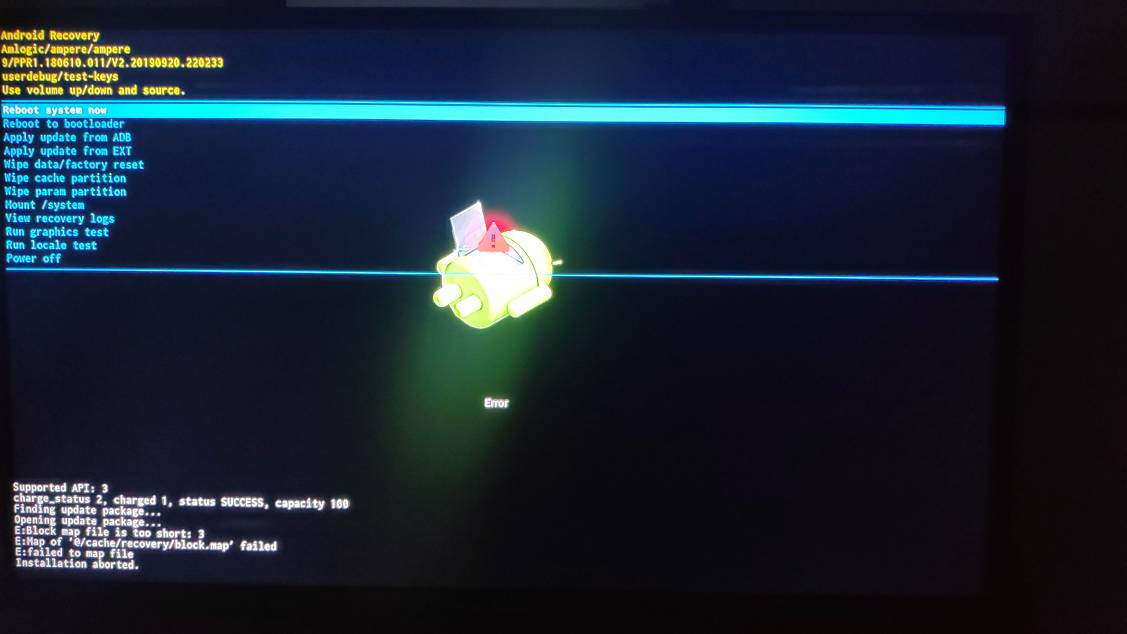
-
Also tried flashing "Armbian_23.02.2_Aml-s9xx-box_bullseye_current_6.1.11.img.xz" into another SD card and the TV Box didnt even recognize the sd card. My computer does.
Tried the ADB method with the SD card inserted (not recognized) and it boots Android again.
Its Android 9 (Android Pie)
Can it be the bootloader? It is locked or something?
-
Do you think the issue must be the SD card?
Quote"Once the image is burned to the micro-SD card, two partitions/discs "BOOT" and "ROOTFS" will appear in your file explorer. Go to the BOOT party (tip in case of doubt between the two: this partition contains files but only one folder named "dtb")."
There is no "ROOTFS" partition. With other images I usually get it but not now.
-
Quote
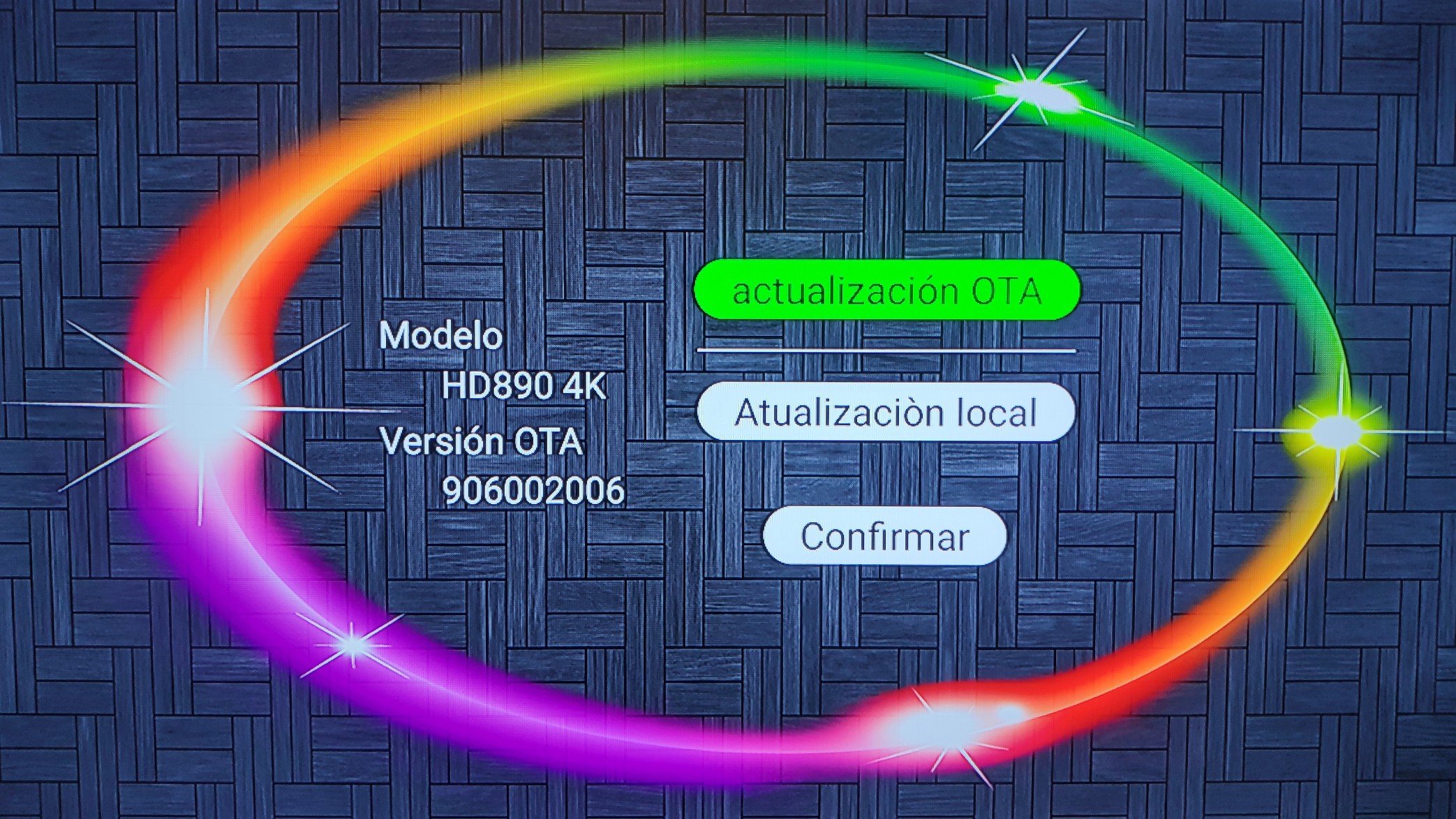
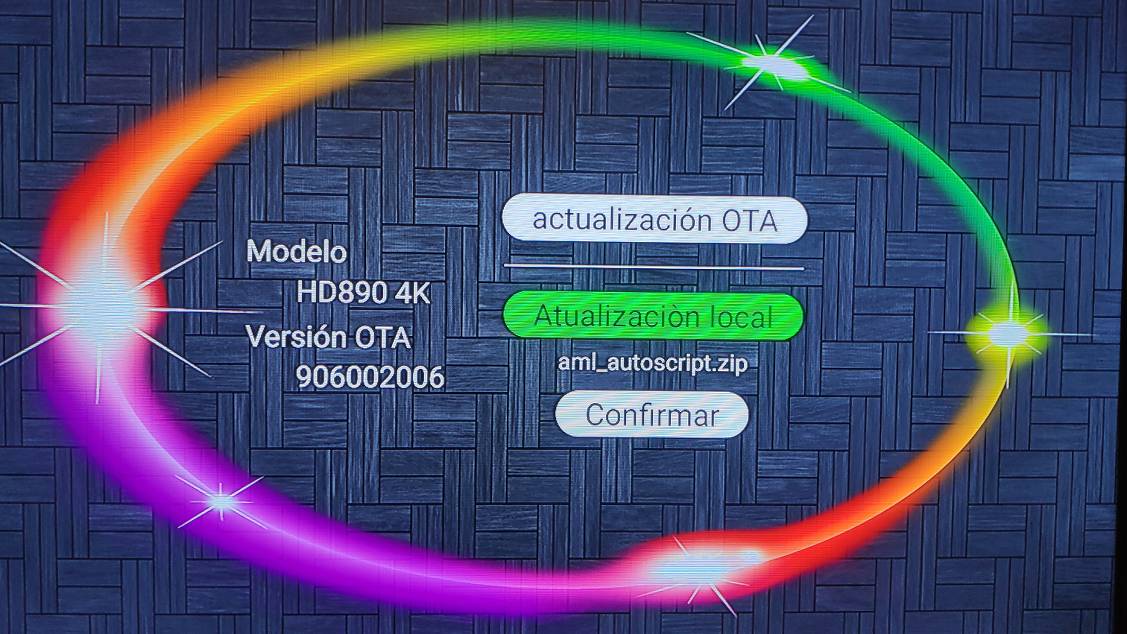
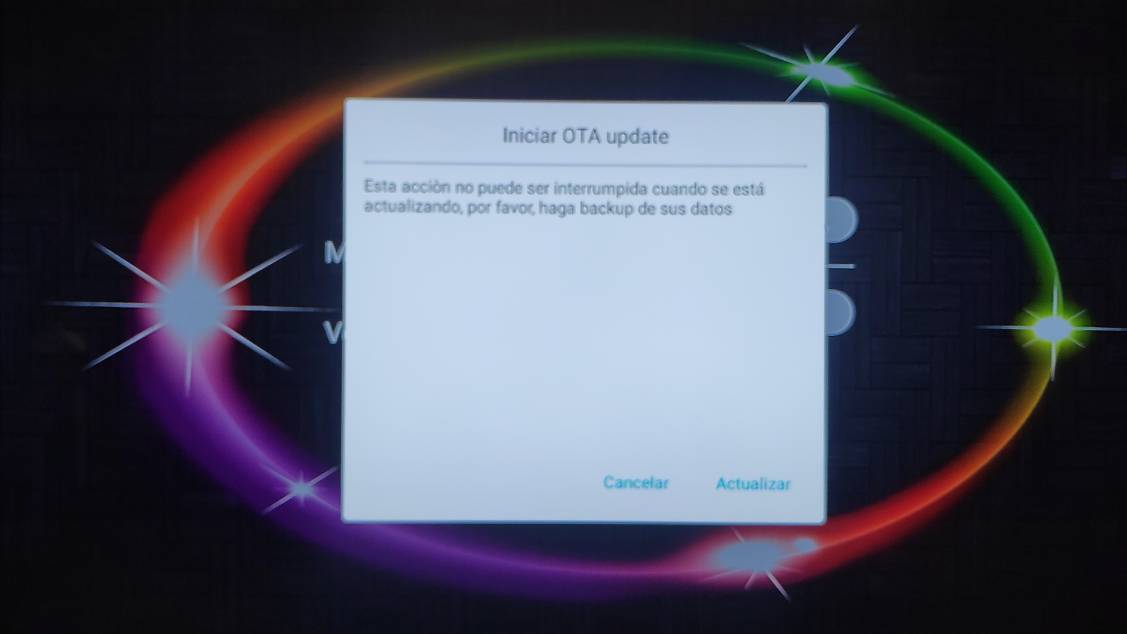
There are different types of update apps, so when you run the update app on the old 5.9.0 build do you see the same interface as this how to article shows?
It is the same interface like in the article but in Spanish.
This is what I get
-
Quote
Another way of triggering the running of the aml_autoscript file is to issue a 'adb reboot update' command through adb.
I do the ADB reboot update and the TV box bricks and image freezes. Im doing the ADB Wifi mode.
UPDATE: I doesnt brick, It just boots Android again
QuoteThe current builds do not even include the aml_autoscript.zip file because it is rarely needed. There is nothing special about this file it is a zero byte dummy file, that is supposed to trigger the loading of the aml_autoscript file via some update apps.
The problem is that I need that file to launch the "update". But it says that about map file too short.
Ill try the french tutorial.
Espero que el tutorial de mis vecinos galos me den buenos resultados, hahaha.
Translation "I hope that the tutorial of my neighbors the Gauls give me good results, hahaha."
-
No, its not. Should I quit trying to install Armbian?
-
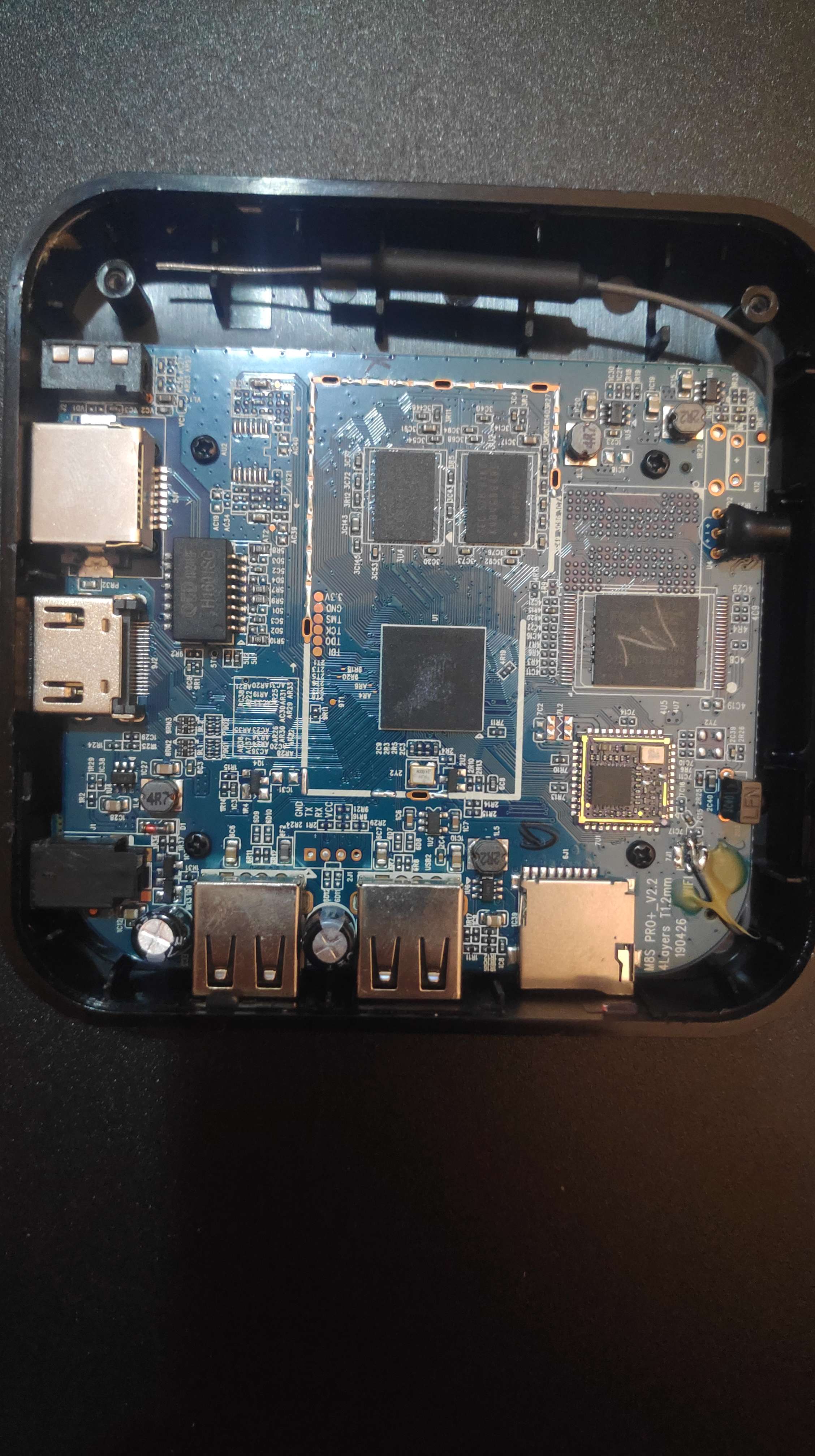
Can you see a reset button? I think there is no reset button
-
I think its imposible to open the case, but i have looked through the AV hole and i dont see a reset button.
I will try to open the case and see whats inside.
-
I think it doesnt have a reset button. I have already contacted the company TvTech to ask them if the TV Box has a reset button or not. Waiting for an answer from them.
-
This is the error I get when using update app
Supported API: 3
charge_status 2, charged 1, status SUCCESS, capacity 100
Finding update package...
Opening update package...
E: Block map file is too short: 3
E: Map of "@/cache/recovery/block.map" failed
E failed to map file
Installation aborted
-
Question, should I continue with this?
I cannot do the "toothpick" method, but I can try the "update" method.
My dtb is meson-gxl-s905x-p212.dtb
My u-boot is u-boot-s905x-s912
I also have changed the build, I use the "Armbian_23.02.2_Aml-s9xx-box_bullseye_current_6.1.11_xfce_desktop.img.xz" image.
And the result is: the update app cant even read the sd card.
Anyways, I follow the instructions download the image of this tutorial on the Internet
https://i12bretro.github.io/tutorials/0316.html
and I use this image "Armbian_20.10_Arm-64_focal_current_5.9.0_desktop.img.xz"
I get the "map file is too short" message
-
Im using the generic "Armbian_23.02.2_Aml-s9xx-box_bullseye_current_6.1.11.img.xz" is that the correct one?
Its a Giga TV Box HD890 4K. Is it unsupported?
Flash the sd card with Ballena Etcher and load the image downloaded to create a bootable Armbian micro sd
-
Hi, I would like to know if its possible to boot from SD card in my model of Android TV BOX. It does not have a reset button but has an update app.
Its a Giga TV Box HD890 4K. It has an Amlogic CPU
I do all the process of installing Armbian in the SD card, Android starts an update and it says:
"Map file is too short".
I really dont know what I have to do to enable multi boot. Installation is aborted.
Im getting really upset for not being able to install Armbian.
Any help to this issue would be really welcome.
Sorry for my bad english
How to boot from my Android TV Box?
in Amlogic CPU Boxes
Posted
@toan tran Just download ADB wifi apk from the Play Store.
Download ADB debug tools and then open a command box and connect trough Wi-Fi adb.