fedes_gl
-
Posts
31 -
Joined
-
Last visited
Content Type
Forums
Store
Crowdfunding
Applications
Events
Raffles
Community Map
Everything posted by fedes_gl
-

Rupa X88 Pro 13 - RK3528 board with images
fedes_gl replied to fedes_gl's topic in Rockchip CPU Boxes
Let us know @johlnx -
Rupa X88 Pro 13 - RK3528 board with images
fedes_gl replied to fedes_gl's topic in Rockchip CPU Boxes
I own the one of the 1st post and I managed to run Kodi desktop within Armbian. Just did few tests as I don't know how to set up remote control and many other things. HDMI works fine but no hardware acceleration for H265 videos (or at least doesn't work smooth enough as in the Android FW). LAN also works but is HW limited to 100mbps as stated by Joao -
Rupa X88 Pro 13 - RK3528 board with images
fedes_gl replied to fedes_gl's topic in Rockchip CPU Boxes
I didn't notice it. I'm away from Home now. Will try to do some tests this weekend -
Ok, will try wiFi by doing that. I posted more testing in the thread of my device.
-
Rupa X88 Pro 13 - RK3528 board with images
fedes_gl replied to fedes_gl's topic in Rockchip CPU Boxes
Some updates... After rebooting (power off and power on) the device.... this appears and Armbian won't boot anymore...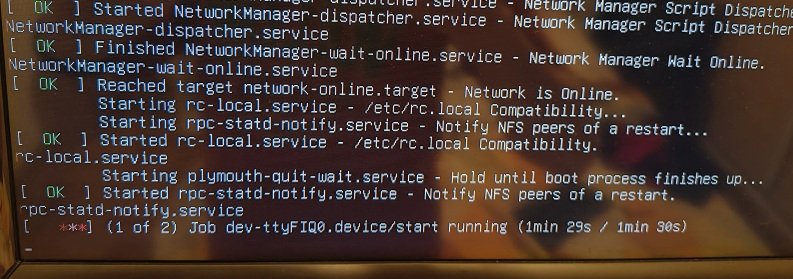
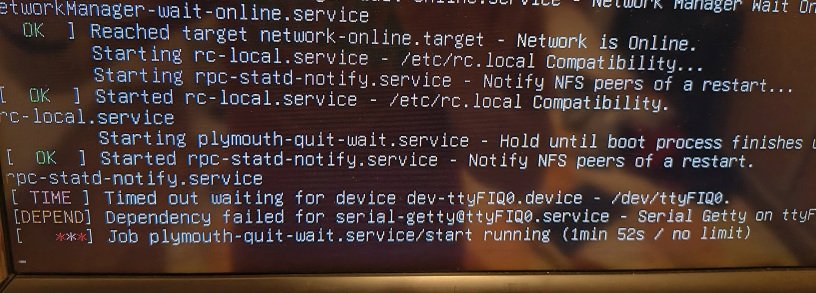
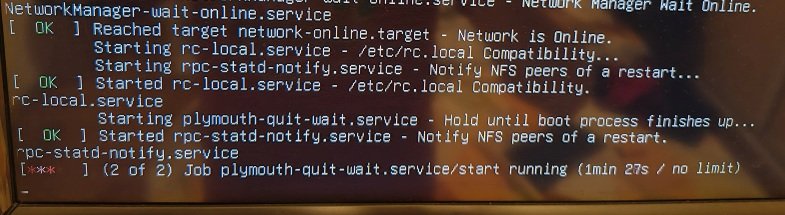
-
Rupa X88 Pro 13 - RK3528 board with images
fedes_gl replied to fedes_gl's topic in Rockchip CPU Boxes
So I made a second test with your image. I changed to a 32GB SD card because the other one's capacity was an old 4gb one and run out of space when installing some stuff. I run your image as is in my device. I don't change the DTB to the extracted one from Android partition, because if I do so, I get black screen. I managed to install kodi and xfce4 desktop (xinit and lightdm are required to make it work, as I understand) sudo apt update && sudo apt upgrade sudo apt install xfce4 xinit lightdm I realized I could run Kodi without xfce desktop... just typiing "kodi" command. Before doing so I plugged my pendrive in the USB3.0 port and checked it was mounted. I did some file exploration with ls commands, mount, lsblk etc... but at the end when opened Kodi it was detected as "New_volume" which is the drive's name. For my surprise: When moving through Kodi's menu, the "tic" sound came out from my TV. So: HDMI sound was working Added the movie's folder to the Kodi library and it searched all the stuff that Kodi does (movie posters, tittle, information, etc.) Hit play on one of them and movie played fluid ! movie spec: 1080p and H264 codec I looked for another movie encoded with H265 (HEVC) file... and it played but with some "stuttering". I don't know the cause, if USB is not working at 3.0 speed, or GPU is running slower than expected (or other reason) --> The same file in the same pendrive in the same port, when running the device's Android and Kodi, plays perfectly smooth. Also: In ANdroid Kodi es v21 and the one in Armbian is v20.5 ; maybe some HW acceleration issue there? In conclusion, at the moment, with the original @johlnx image (v0.3, the latest at the moment of testing), for this board (pics in first post of this thread) I have: USB2.0 port: Working: used for wireless keyboard+mouse receiver USB3.0 port: Working, used for a 64G Pendrive (I don't know if it was recognized as USB 3.0 or 2.0, I don't know hoy to check that, yet) HDMI-Video: Working HDMI-Audio: Working (played few movies with 2ch audio content) HDMI-CEC: Not tested, don't know how to do it, yet. SD card reader: Working, as device boots from SD card. LAN: Working WiFi: Not fully tested, (I could only "See" networks , but did'nt connect to them as I was using the device wired.) So it is supposed to be working. Will fully test it in another moment. IR and LCD: Not tested, I don't know where to start with those (will appreciate some help) Analog A/V output: Not tested yet. I can do more tests if some of you consider it, just ask me. The more specific information (and how-to's...) the better. Thanks -
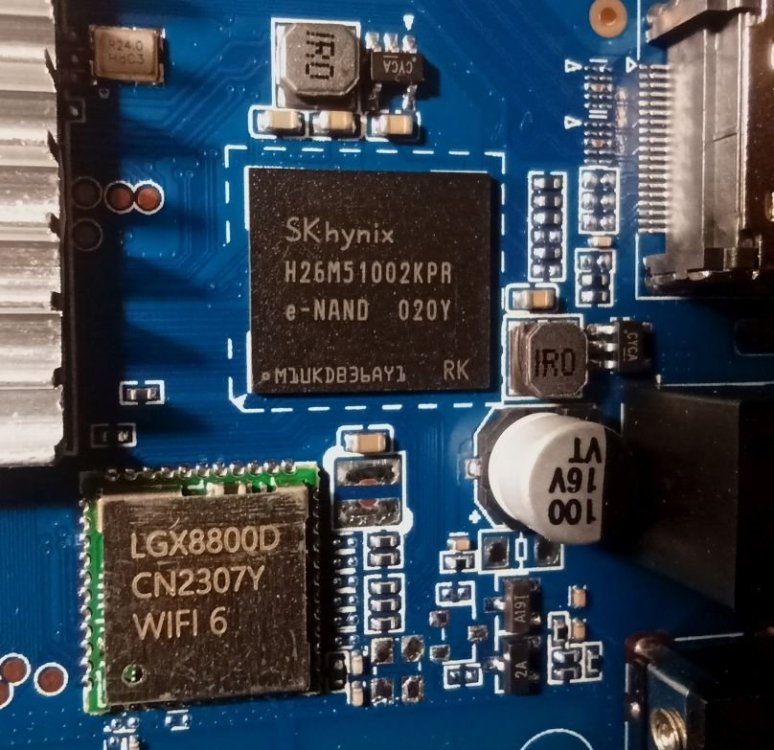
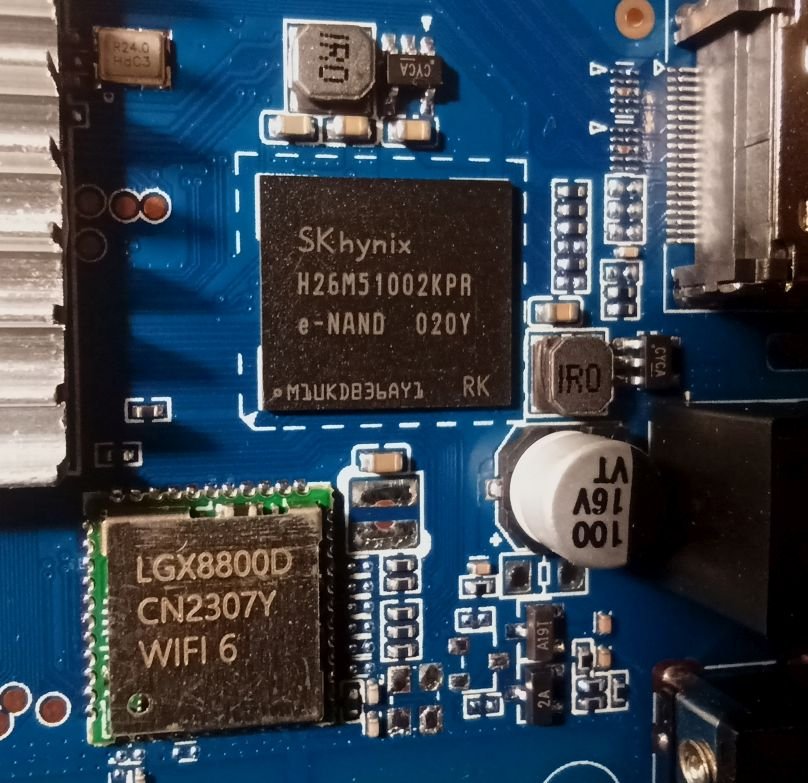
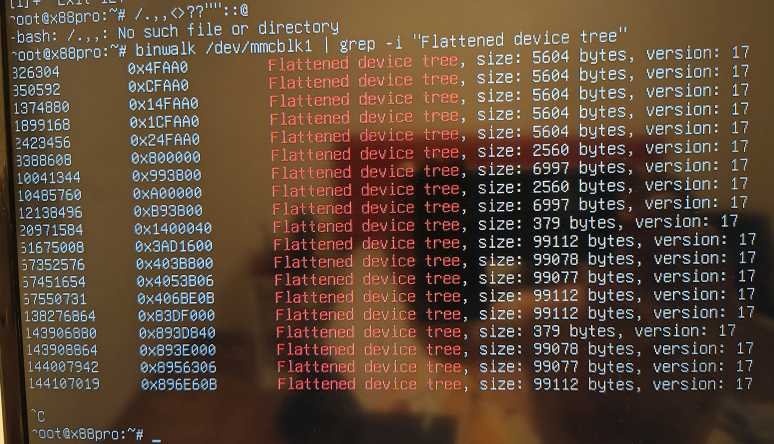
Really thank you for this!!! Just tested it today, using the provided "ready to go" ISO image. At first, system boots up Ok, and it automatically detects LAN Network , as I have an auto assigned IP shown in screen 😁 So this is (for me) a step up with the device (I have this one) as in my previous attemps with Armbian I couldn't manage to connect any network. Using armbian-config, I understand that WiFi also works... but... I couldn't connect. I can "see" all available Networks, and when I choose mine and enter password, the query (armbian-config) shows an error about the yaml file (I understand this is the configuration file). I did a quick test, and as I had wired netwrok I moved on. A little note: check the pictures in my device and WiFi Chip is LGX8800D, for sure somthing from the AIC8800 family you mentioned... I could also manage to extract .DTB, but when I edited armbianEnv.txt and pointed to it, after rebooting I had black screen... the device showed nothing on screen , like completly dead. I noticed that when using the binwalk command I had many partition with the same (and biggest) size, so I used the first one. (image attached). I attach also DTB and DTS files; but probabbly I did sth wrong. Any tips are welcome I wanted to try sound through HDMI as it wasn't working in previous version, but struggled a little to install xfce4 and then run out of space in my 4gb sd card so I had no time to do so. Will try to do it soon, when I have the time. Edit: couldn't test the remaingng hardware (IR, LCD display, RTC?, also I would like to test HDMI-CEC). I think that would take much more time as I dont know how to make it work. rk3528-CHAD_TV.dtb rk3528-CHAD_TV.dts
-
Rupa X88 Pro 13 - RK3528 board with images
fedes_gl replied to fedes_gl's topic in Rockchip CPU Boxes
Thanks for the effort and sharing! I'll do the testing in my device when I can get some time I'll probably need some help building or applying patches to the images. -
Rupa X88 Pro 13 - RK3528 board with images
fedes_gl replied to fedes_gl's topic in Rockchip CPU Boxes
Thanks! we hope this guy could get the time to do it, I will be here for every testing need ! 😁 I already installed Armbien on an orange Pi zero 3, and I'm running pihole on it. Works fantastic! At least this allows me have some experiencie with Armbian -
Rupa X88 Pro 13 - RK3528 board with images
fedes_gl replied to fedes_gl's topic in Rockchip CPU Boxes
I saw the release of linux kernel 6.16 with initial support for Rockchip RK3528. I hope this update makes more viable to run and configura Armbian on this board 😀 -
New Linux kernel 6.16 with initial rk3528 support 😁 I hope this helps developing a solid armbian build for this chip and board
-
Just installed Armbian 25.5.1 Desktop in my new board: Orange Pi Zero 3 with 2GB RAM, using a 32GB MicroSD card. Installed desktop as I have HDMI output and wanted to check that everything was going fine, and it did. I can connect to Armbian via SSH I could set up Pi-hole correctly. (that's why I get the board for) As My modem/router cannot manually set the DNS to the IP of the orange pi, I just disabled it ans installed ISC-DHCP server and got it running. I used chatgpt for that purpose. I have some understaning using linux distros and networking, chatgpt just saved my some time with configuration. After some days I saw o nInternet that ISC was deprecated and the modern version is KEA-DCHP Server I tried to install It, just the IPv4 version as it is just for my home-use. But I couldnt get it working I'm stuck on this error: Unable to use interprocess sync lockfile (Permission denied): /var/run/kea/logger_lockfile Tried changing permissions, running manually the service, etc, I couldn't start the DHCP server so I'm coming back to ISC-DHCP server. I liked to web interface of KEA too, to monitor connected devices. But could get it working. Have anyone tested this server on Armbian?
-
Rupa X88 Pro 13 - RK3528 board with images
fedes_gl replied to fedes_gl's topic in Rockchip CPU Boxes
Thank you! Yes I'm still looking for an image. Tried that one but no luck, multiple error messages at boot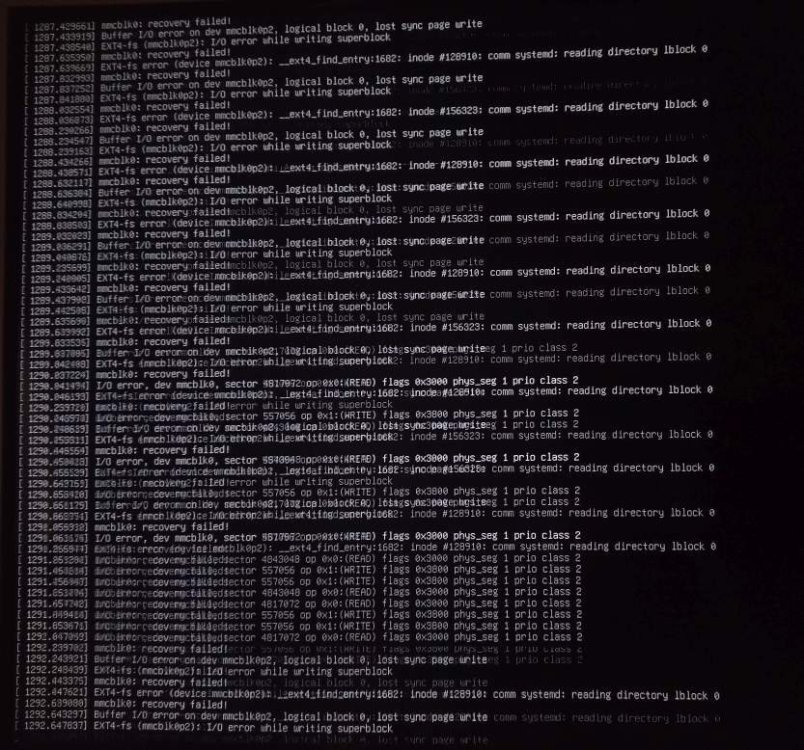
-
Thank you. Would you please explain me how do I do that? I could dump the uboot partition, I have "uboot.img" file. Also I have flashed a working version of Armbian to an SD card. It boots from my device. If the SD card patch allows to fully dump the entire firmware, then I have no need to touch the EMMC.
-
Hello there! I have this "X88 Pro 13". RK3528 chip and Android 13 on it. I'm posting on the thread every thing I'm doing and tryign, consider I'm not expert in linux neither armbian, just an enthusiast with some knowledge about PCs and tech devices :) I would love to completly dump the firmware first. I tryed rkdump tool (using Windows 10) but it failed as device has read protection, so I could only dump uboot.img and some other partitions. I managed to boot Armbian from SD card, so if there is a way to dump all the partitions (completly firmware) from Armbian I would love to have help with doing it first. If it is possible to put the files on the SD card I can then extract them in a PC running Ubuntu 22.04 LTS. Board has UART pins (needs soldering but that's not problem) and I have an UART USB dongle (CP2102 chip) that I believe I can use with it. But I don't know which software to use and how to use it. Any information would be helpful to me and to learn few things about it. I'm really interested on how this RK chips is "unbricable" ;) Also I have been reading about "MaskROM mode" and I'm a little confused about those modes. I can put device in "loader" with the hidden button, but I don't get what mask mode is for.
-
Did you try to play a video through HDMI? was sound present? You can use a USB flash (pendrive) to try it. As, I understand, the RK3528 is not working with HDMI audio (in my case neither GPU acceleration for videoplayback, it plays but it's choppy).
-
Rupa X88 Pro 13 - RK3528 board with images
fedes_gl replied to fedes_gl's topic in Rockchip CPU Boxes
So I managed to extract .dtb files from uboot.img using this extract-dtb tool. Later on, on a PC running Ubuntu 22.04 LTS I used "device tree compile" to decompile thos dtb files into dts files. I followed this article trying to use those DTS files to get the correct hardware informatin and/or drivers, but the /boot folder in the flashed SD card is empty. Probably, as the article says, dtb overlay is not activated in this image. -
I have this Rupa X88 13 TV BOX with also uses RK3528, I dumped many parts of firmware using a tool called rkdumper and managed to extract .dtb files using a tool called dtb-extract Maybe this can help you. I don't know how to use those files yet, but reading your post I think I have a hint now
-
Rupa X88 Pro 13 - RK3528 board with images
fedes_gl replied to fedes_gl's topic in Rockchip CPU Boxes
Sorry for the confusion. For the moment I'm using it with original android firmware. I tried the build suggested by user blustOne (above in this thread), booting from SD card, GPU has signal output but seems not to have HW acceleration for playback (it loads the file, but stutter/choppy playback). Also no sound through HDMI port. I'm tring to first dump the entire firmware of the device. I don't want to get it bricked because of playing with it. Once I can dump it, I will try to play with the armbian variants, try to build my own, etc. I have never done this and I know I have a long way ahead reading and learning (and no much time), just I want to start with the backup. I will also try to debloat the android version. I'm using it connecting a flash drive with videos, I connect it to internet as little as possible, it has many bloatware that I'm not sure of what thing it can cause in my private network. Probbaly i'm worring too much about it? .. -
Rupa X88 Pro 13 - RK3528 board with images
fedes_gl replied to fedes_gl's topic in Rockchip CPU Boxes
Yes, mine is 10/100M. I'm using it to watch content on a 1080p TV and works pretty fine. If useful to you, it has an USB 3.0 port, to use an external HDD or probabbly a gygabit LAN to USB dongle... -
Rupa X88 Pro 13 - RK3528 board with images
fedes_gl replied to fedes_gl's topic in Rockchip CPU Boxes
I tried to dump the full firmware to have a backup but I couldn't do this because its read protection. Apparently I could only extract uboot.img and many other files. There is a workoround by unpacking that file, editing 4 bytes with any HEX editor, repacking and flashing, that allows to fully dump the firmware after tweaking it. I'm not sure of any risk of bricking the device If anything goes wrong. By the momment I cannot unppack the uboot.img file to do the trick. Also I'm looking for some more information about how to use the UART interface with it. I have a UART USB dongle (CP2102 chip) that I believe I can use to connect it. Any information would be appreciated. -
Rupa X88 Pro 13 - RK3528 board with images
fedes_gl replied to fedes_gl's topic in Rockchip CPU Boxes
Thank you. Before doing so, I would like to backup the firmware, which I'm a little troubled. I'm trying with a tool called rkdumper from xda forum, but it seems to fail with the RK3528. Seems it is read protected. However, I suppose I can boot and use armbian from SD with touching the eMMC, right? -
Any advance with RK3528 chip? I shared my board on this thread, and would love to put armbian on it.
-
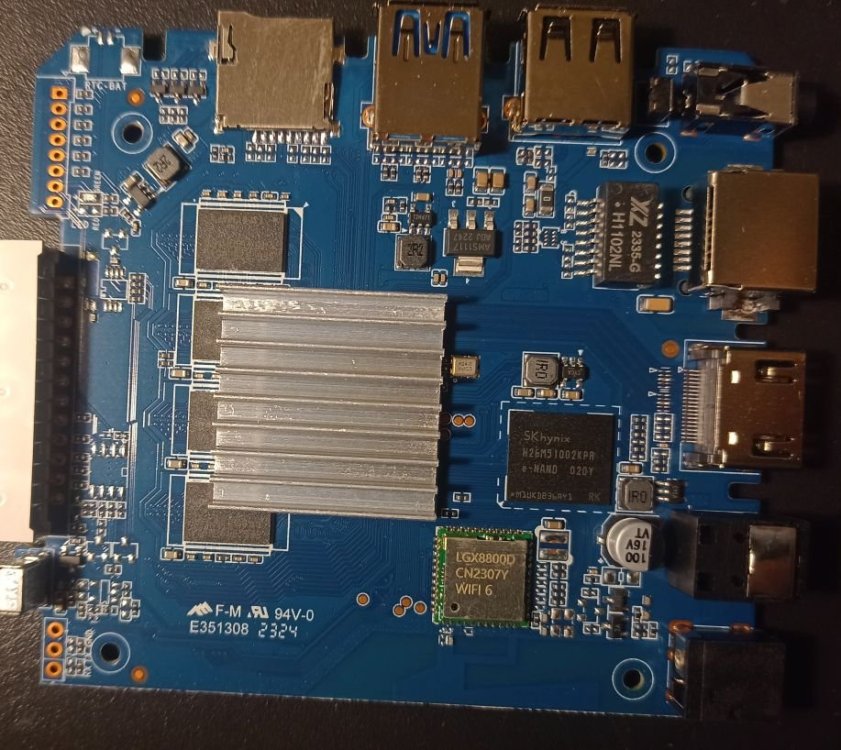
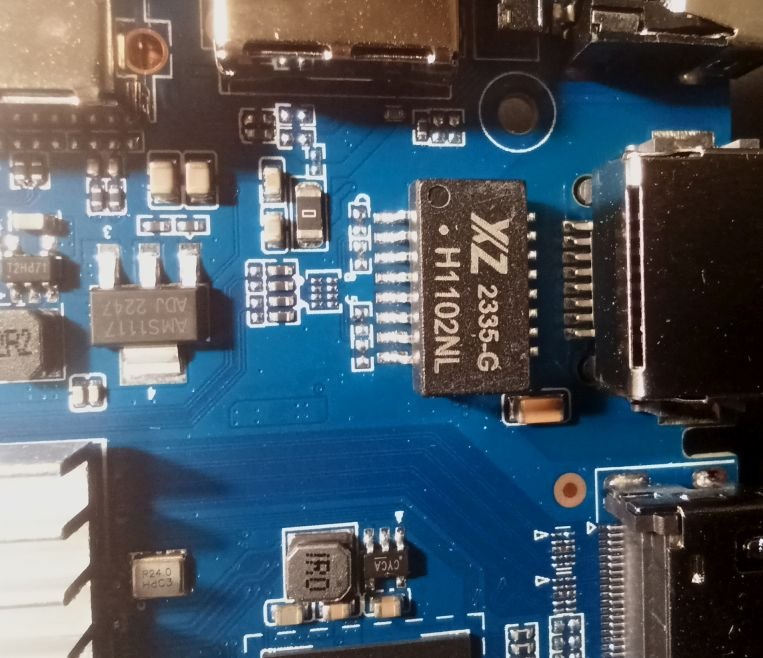
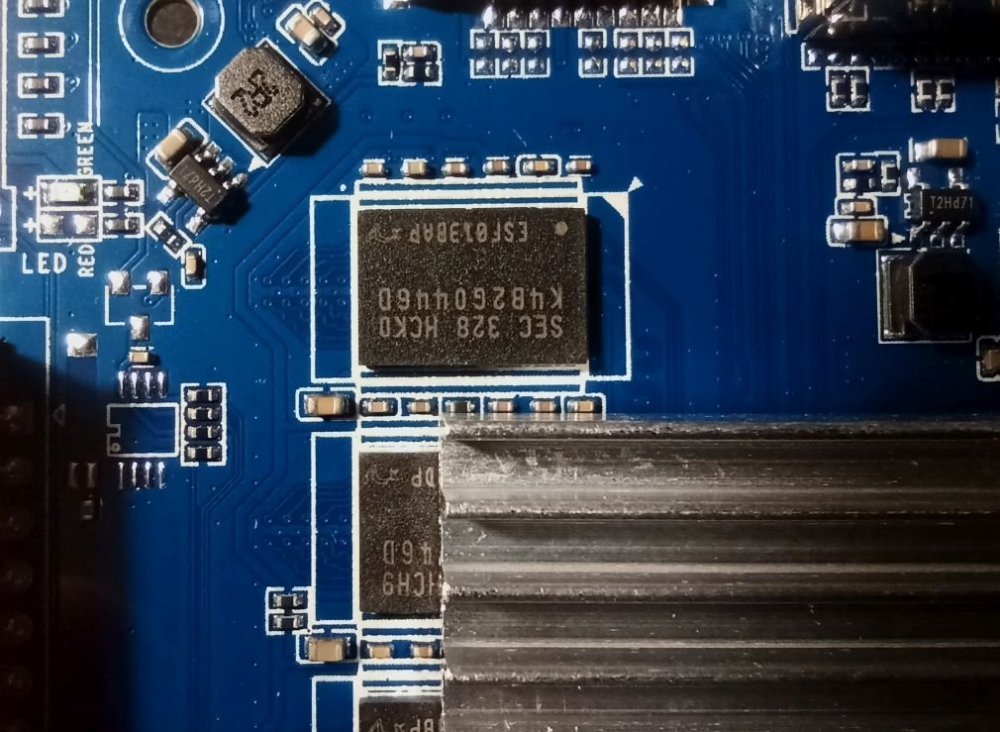
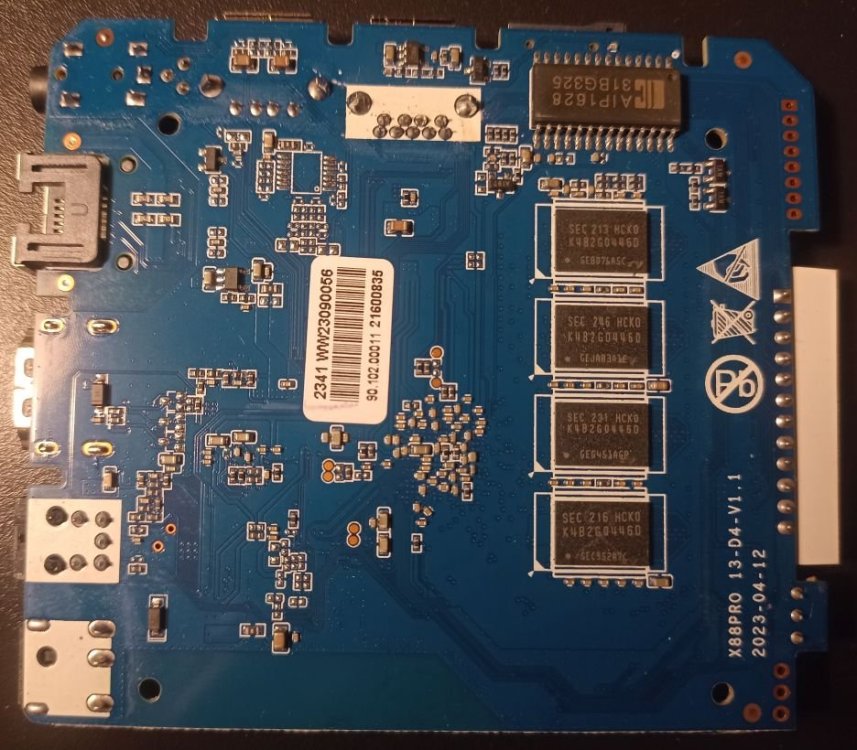
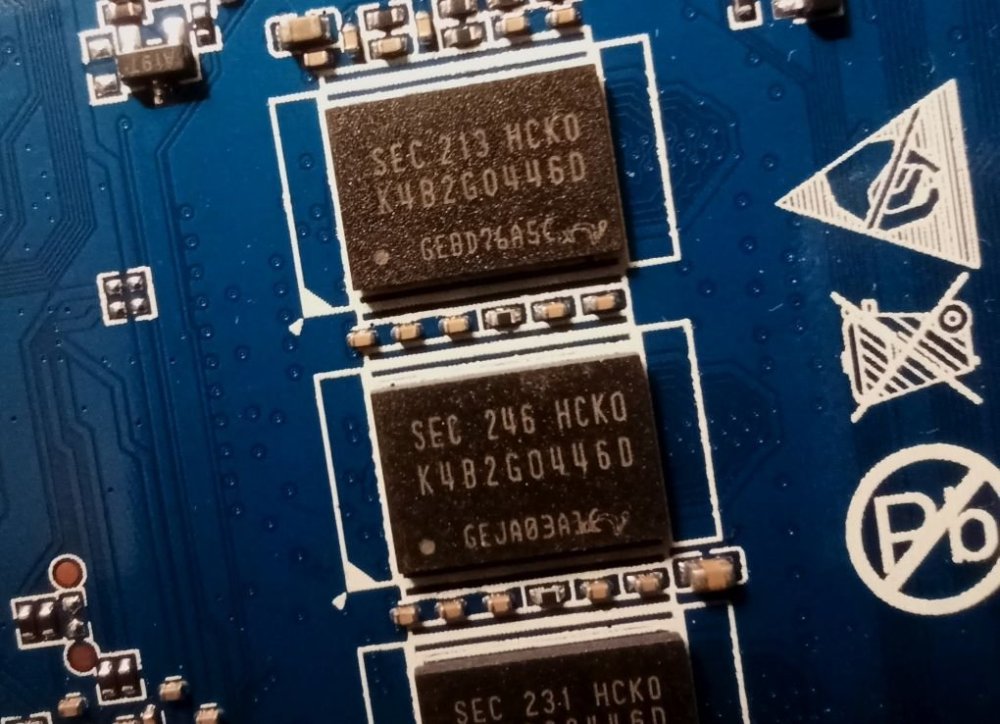
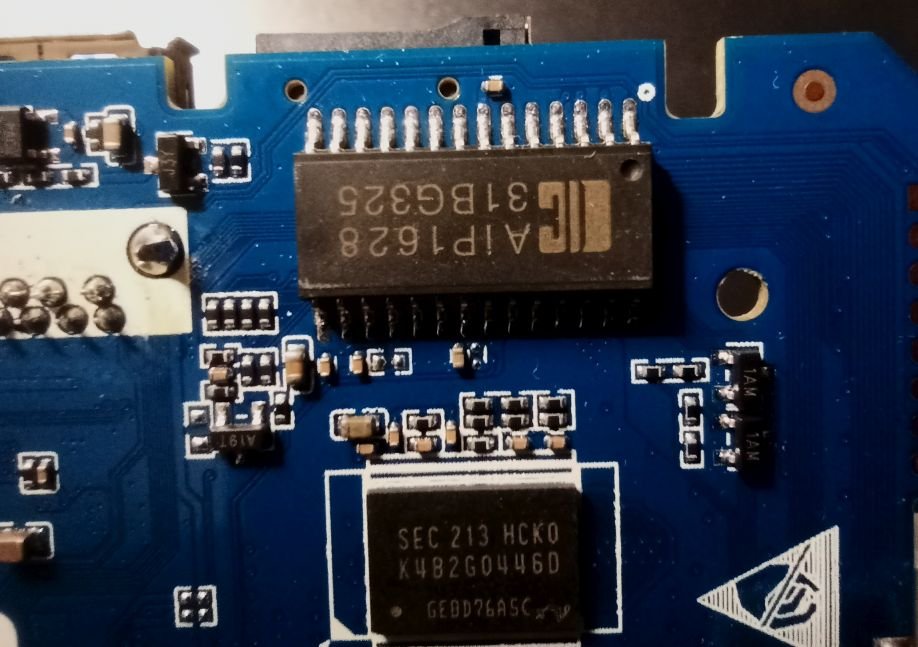
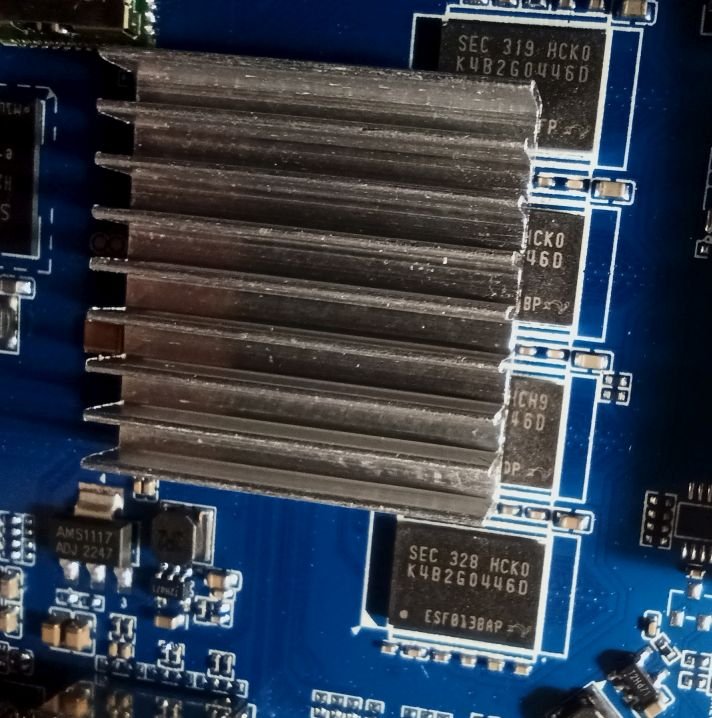
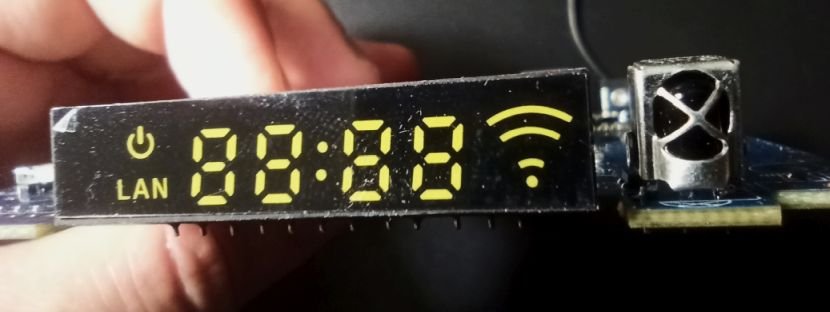
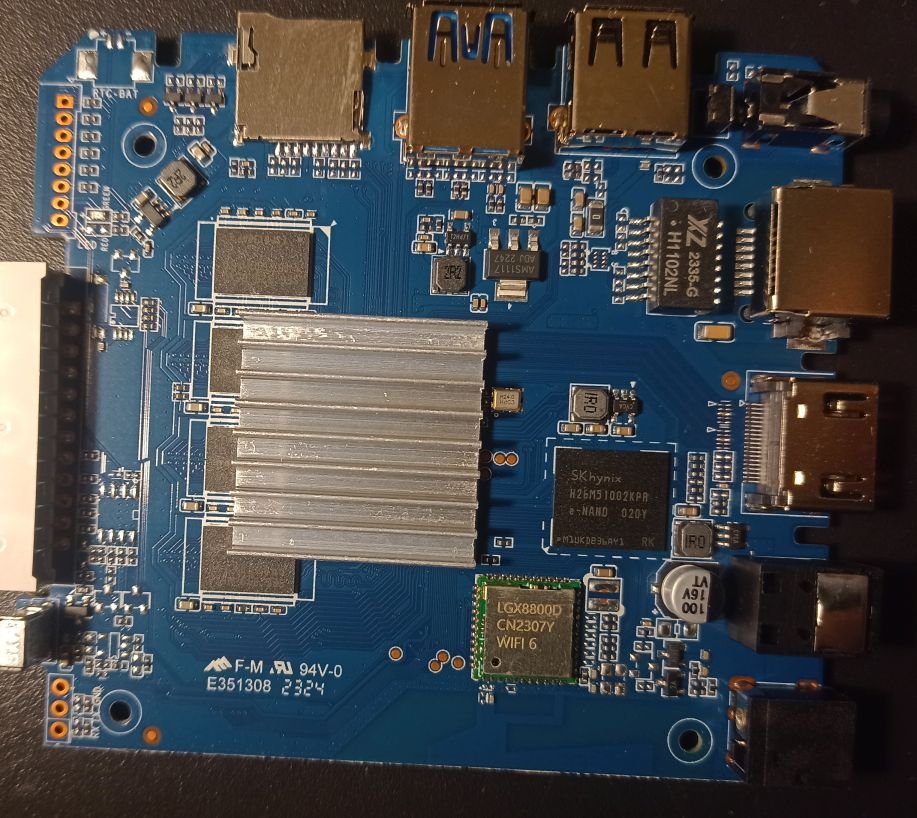
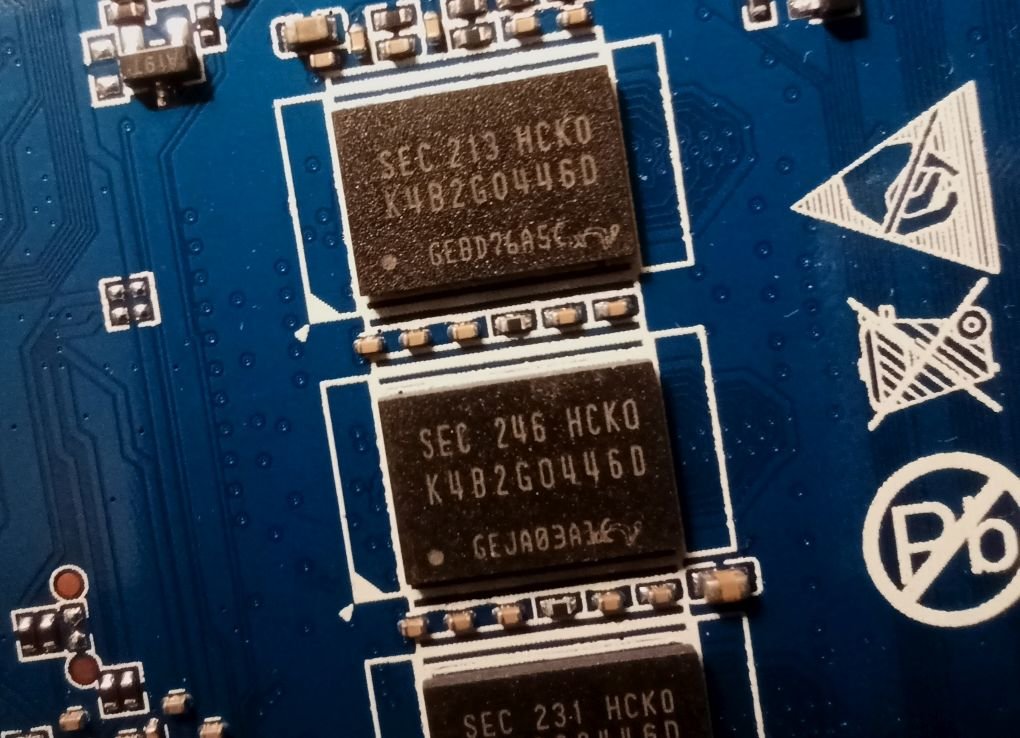
So I bought this chinise Android TV Box and would love to install armbian on it. I am new on this and discovered armbian just after buying it. I didn't know there was no support and not official open source for the Rockchip RK3528, otherwise I would have chosen any other. The box works fine but it has that known malware that send packets to suspicious links (I scanned activity with pi-hole). Description says it has 2GB RAM and 16GB storage (Hynix H26M51002KPR) WiFi chip is LGX8800D I attach images of the board and all of it's componentes, including IR sensor and display. It also has a red LED that turns on when in stand-by mode. I hope this help to develop or patch a working version of armbian for it. I have already read about some patches around that would probably work, but I' new to this and I'm not sure how to start. What I would like to do first is a completly ROM backup, and start doing test with a pendrive or SD card, not writting directly to the eMMC (if possible) until the important things get working. And any help would be appreciated. Edit: I will keep posting in this thread with my progress (or attemps!)