armfan
-
Posts
10 -
Joined
-
Last visited
Content Type
Forums
Store
Crowdfunding
Applications
Events
Raffles
Community Map
Everything posted by armfan
-
@c0rnelius Thanks for your input. The SSD booting was not the only issue on my system. For you, does booting https://sven-ola.commando.de/privat-in/Armbian-unofficial_26.05.0-trunk_Orangepirv2_trixie_edge_7.1.0-rc3_minimal.img from a MicroSD card work? With or without any hardware in any M.2 slot. When I tested, it did not work. However I think the SSD was connected when I tried. I'd need to try again with it disconnected. As there is only one NVMe SSD on my RV2, it should not matter in which M.2 slot my SSD is? From my boot log I can't see if the SSD is on "Bus0" "Bus2", is there some u-boot command to tell? Regarding making a MicroSD as boot disk, do you have any thought how do it. With hours of testing my way I could probably figure it out, any pointer to speed up the process would be much appreciated.
-
@sven-ola For my next debugging: To make a separate boot MicroSD, how should I go about? What about this pragmatic approach: Flash the image to a MicroSD card. Then, on that MicroSD card, edit some file in /boot/ which instructs the booting system to use /dev/nvme0n1p1 as root partition. Then flash the SSD with the same image. If wanting to change any boot settings, just mount /dev/sd0a /mnt; cd /mnt/boot , and edit there. Does this work, or would you go through more hoops? Like..: Boot from the MicroSD but in single-user mode (how?) and then mount /dev/nvme0n1p1 / . Then, I re-flash the MicroSD with the image from you: dd if=Armbian.. of=/dev/sd0c bs=1M And then create a new Ext4 filesystem on the now-system partition, for use as boot: mkfs.ext4 /dev/sd0a And then move all the boot files there: mv /boot /boot.orig; mkdir /boot; mount /dev/sd0a /boot; cp -rf /boot.orig/* /boot/ And in addition to this, what files should I change and what commands should I run, for the MicroSD to boot to the SSD i.e. /dev/nvme0n1p1 ? (I'd think some file in /boot , perhaps /etc/fstab ) Thoughts? Aside from trying other power supplies, any thoughts about how to get it going would be much appreciated. One thing I should test is disconnect the SSD from the computer and then try to boot the 7.1 kernel Armbian from MicroSD and see if that works.
-
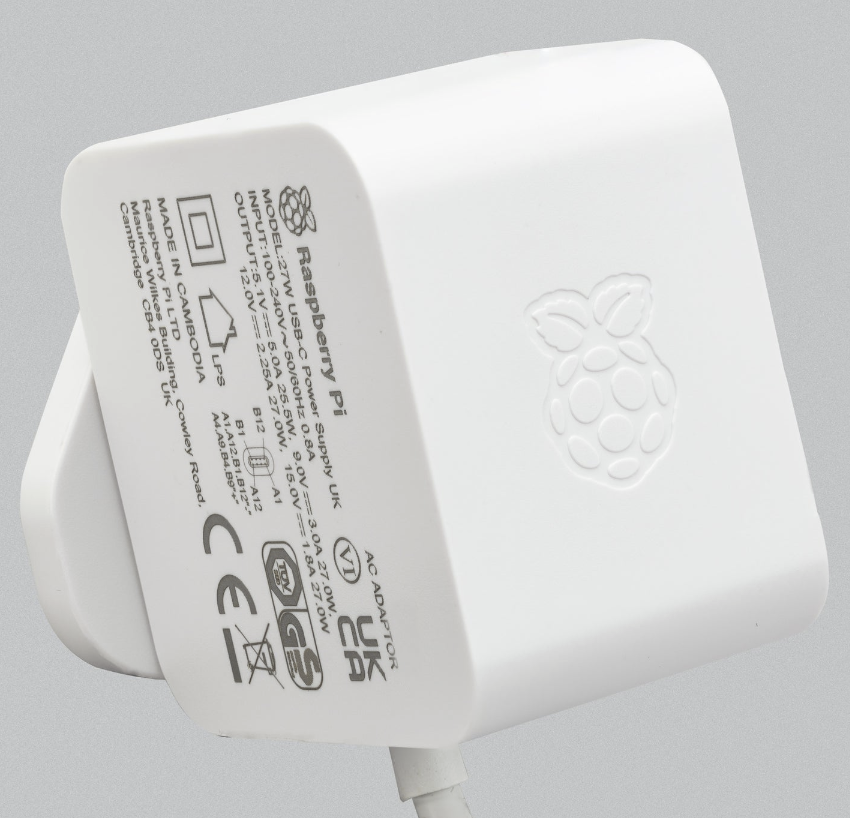
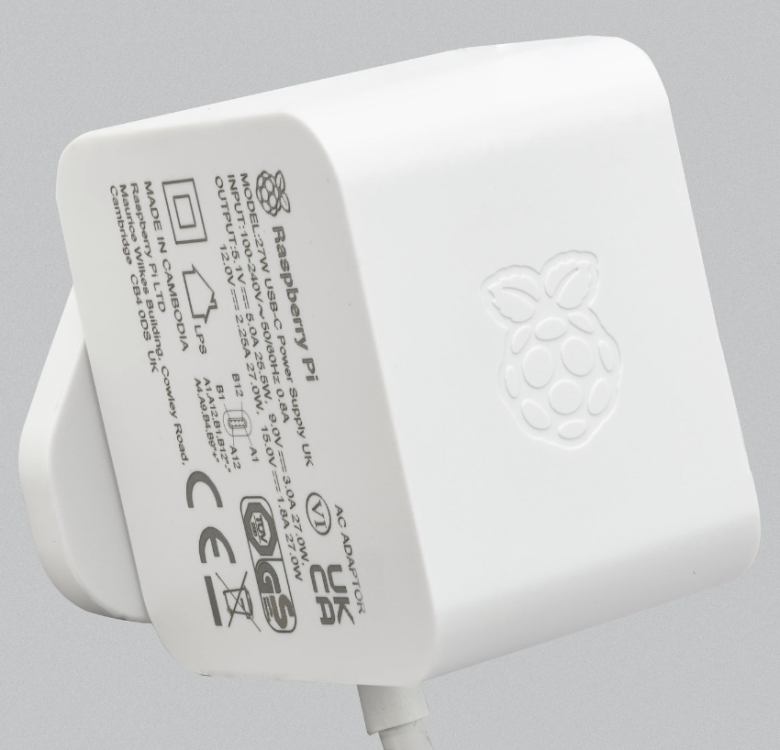
I could try one more thing: I could try a *third* USB-C power supply. However, there don't exist very many 5A@5V power supplies on the market. I would try a 3A@5V rated power supply. Have you guys had any problem with power supplies on the RV2? What power supply do you use? Would it be of any help that I buy a Raspberry Pi 5 power supply made by Raspberry Pi Ltd, that's rated 5.1V@5A? https://www.raspberrypi.com/products/27w-power-supply/ https://www.amazon.de/-/en/Official-Raspberry-Pi-USB-C-Supply-black/dp/B0CN3MRV16 Actually in this context is it a good thing to use a power supply rated 5.1V rather than 5.0V? Anyhow as far as the 3.3V supply on the RV2 is concerned, the voltage converter should treat 5.1V and 5.0V equally, it has a wide accepted voltage interval.
-
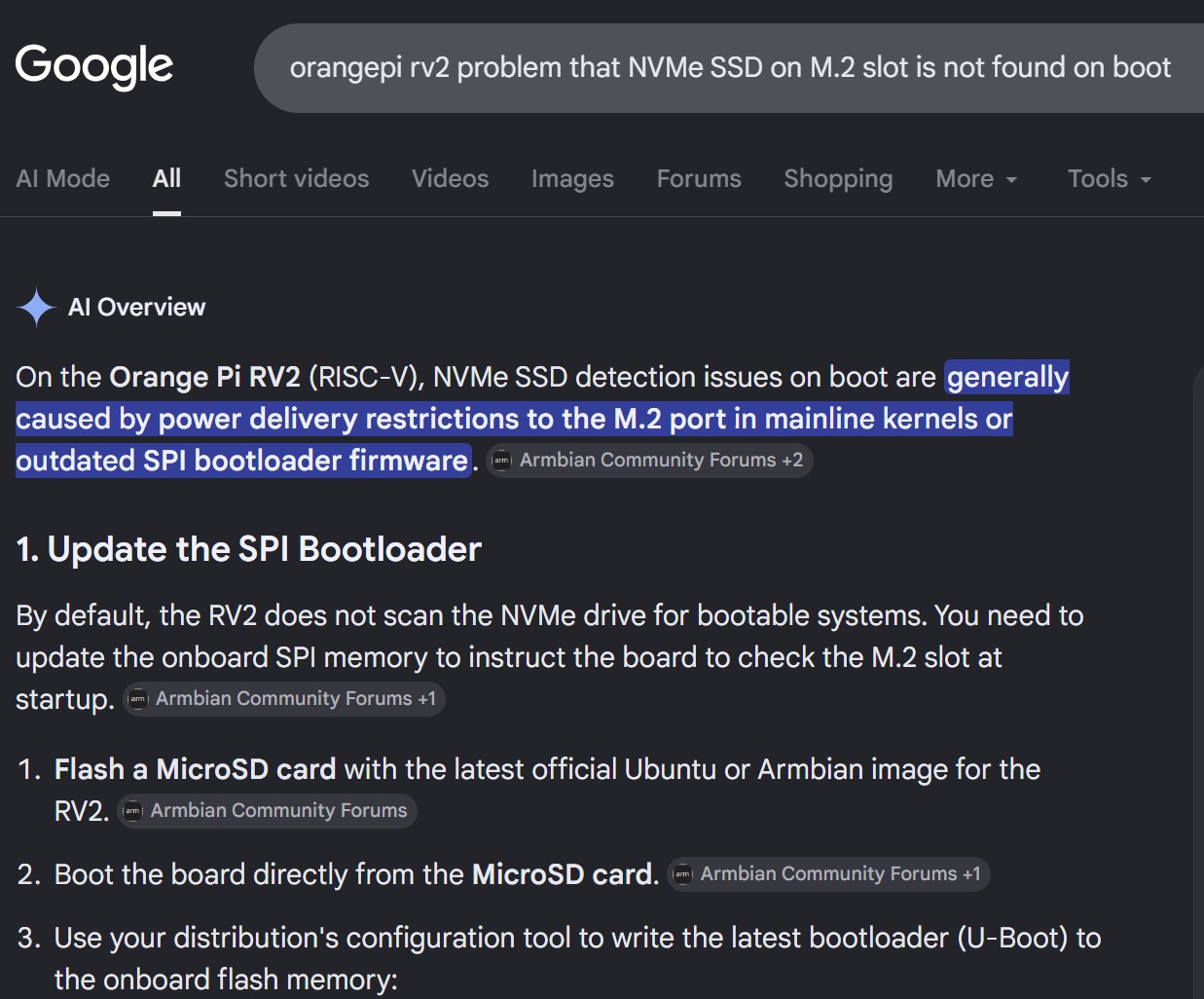
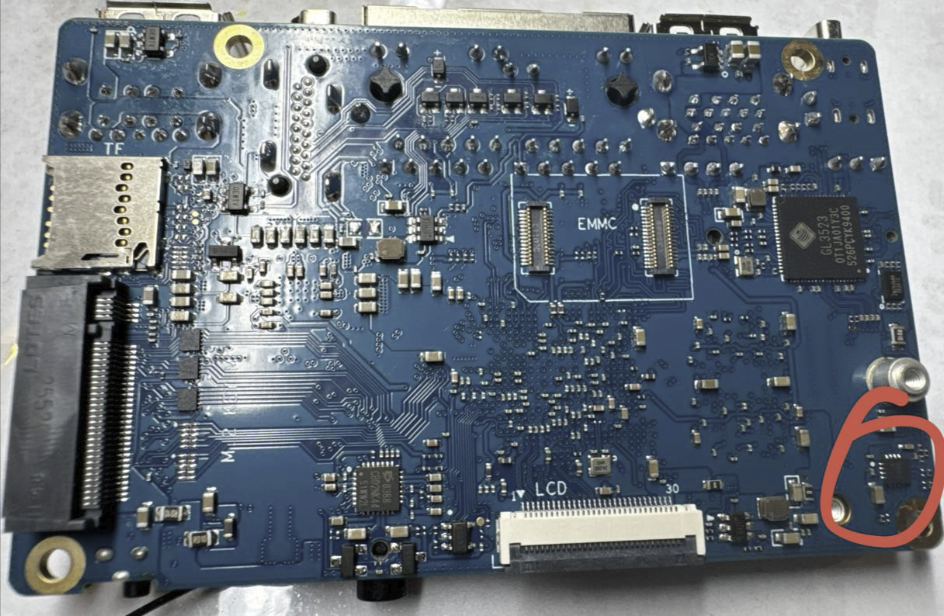
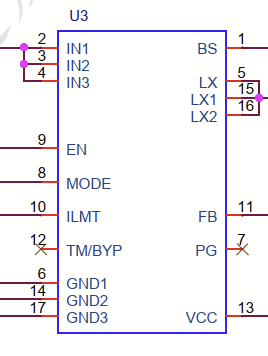
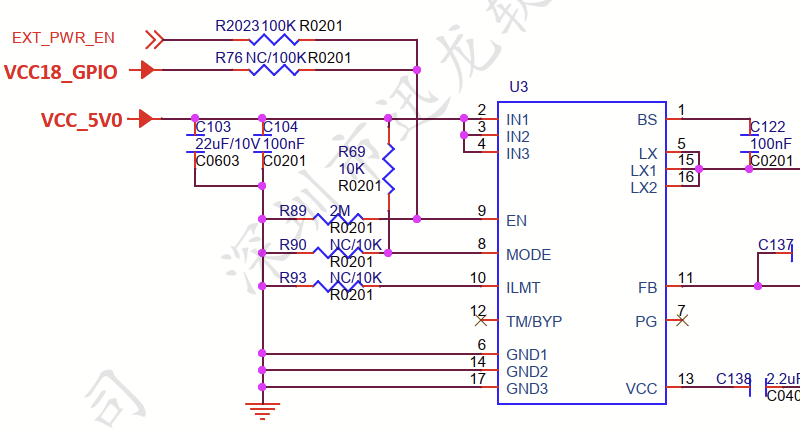
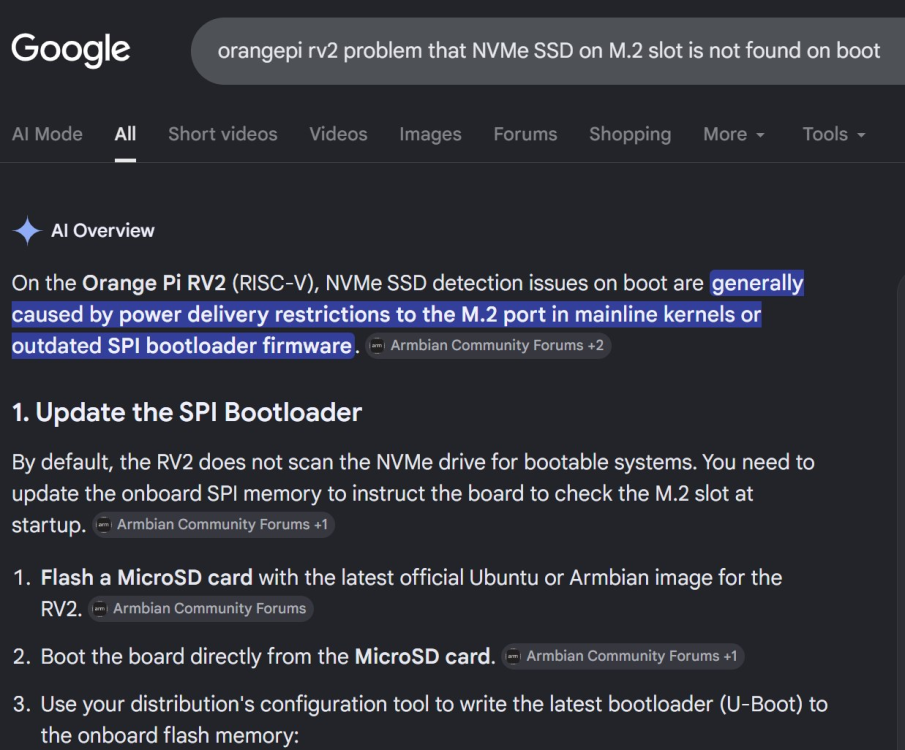
Hi all! Here follows the learning from circa 12 hours of trying to make Armbian with 7.1 and 6.18 kernel work. What worked and didn't work: 6.18 booted with 100% success rate from MicroSD. 7.1 did not boot at all for me from MicroSD. Debug log below. (Here the u-boot works, the kernel loads, but it fails around the point where it tries to mount the root filesystem.) 7.1 worked booted from NVMe SSD a few times, it started with some success rate there and then the success rate went to 0. The failures are in u-boot. 6.18 booted from NVMe SSD had a similar pattern as 7.1. So what caused me the most headache was that u-boot would not boot off the NVMe SSD. (Initially I had a few successes but the success rate went to 0.) It found the SSD, but said it can't find any partition. As for the PCIe networking card, I saw it work on both 7.1 and 6.18 images for a moment, but it did not work stably. Installing the "armbian-firmware" package didn't make a difference. I'd need to test this more though. Most of my time went to trying make the RV2 boot off the NVMe SSD. I wrote some detail thoughts and questions about u-boot's inability to boot off NVMe SSD below. Aside from any fixes you suggest, things to try that come to mind to me are: Wait for Linux 7.2 to be released, and then wait for an Armbian image with it. This is scheduled for August. Perhaps it just works a lot better as more RV2 functions have been mainlined, and it generally has been tested more by the community - Linux 7 is still so early. Try to boot the 7.1 kernel Armbian from SSD but with a /boot partition on a MicroSD card. Hardware setup To this RV2 was connected a Samsung 960 Pro 2TB in the 22x80mm M.2 slot (lower), and a RTL8127ATF SFP+ NIC, which was connected to the 22x30mm M.2 (upper) slot via an adapter. Both M.2/PCIe cards got 3.3V supply from the RV2 only. The M.2 to PCIe adapter has a 12V supply input, which was not used. This appeared to suffice for both cards because as you will see below the NIC's link LED did light up at one point. The power supply to the RV2 was a good 5V 5A power supply. I actually tried two different ones, and it did not affect the results. The RV2 feeds both M.2 connectors and the onboard WIFI from one 5V to 3.3V voltage converter, which appears to be a SY8286A. Its capacity is 6A, i.e. x 3.3V = 19.8W. The SSD should draw max 5W, and the NIC max 2W. Therefore I conclude that the power supply to both cards was fully adequate. (The said 5V to 3.3V converter is in on page 5 in the RV2's schematics @OPI RV2 V1_1_SCH_20250508(1).pdf" which is http://www.orangepi.org/html/hardWare/computerAndMicrocontrollers/service-and-support/Orange-Pi-RV2.html . Here it's only called U3, which has 17 PINs with specified names. Concluded it's SY8286A based on searching for a voltage converter with 17 PINs with matching names. It's 3x3mm and has 82% energy conversion efficiency meaning it may produce as much as 3.5W of heat. https://www.bulcomp-eng.com/datasheet/SY8286A (QFN20) - Datasheet 1.pdf ) U-boot fail when trying to boot 7.1 from NVMe SSD During the many hours I tested the RV2, I had the best success early in the testing: Early in the testing, I got the 7.1 kernel Armbian image to boot from the SSD circa 3-4 times. This was as quickly as on the first, second or third try, i.e. I try to boot and if it failed once or twice then at least on the third try it worked. On all other occasions, u-boot failed with the error "Couldn't find partition nvme na:1". What does "nvme na" even mean? At this stage I was booting from the u-boot on the SPI flash, that the RV2 came bundled with. This failure mode happened both before and after upgrading the SSD to the latest firmware. I tried to fix it by un-screwing and re-screwing the SSD in the M.2 slot to work around any potential issue with glap. I don't think that made any material difference. I thought what if there is an issue with the u-boot version, so I went through the u-boot SPI flashing process Sven-Ola pointed to using the "armbian-config" tool on the 6.18 kernel Armbian image. This only changed the look of the error message: Now instead u-boot printed "no nvme partition table available" once and then"** No partition table - nvme 0 **" "Couldn't find partition nvme 0:1" five times, and then left me in an u-boot prompt: From the u-boot prompt, I learned that the partitioning table is MBR and not GPT, because it says "DOS" partition type. After this, I tried "sysboot nvme 0:1 fat" which did boot into something, but I think it was actually to the MicroSD, because it behaved the same as when I try to boot the 7.1 kernel Armbian from MicroSD: it repeated "Begin: Running /scripts/local-block ... done." circa 20 times and then "Gave up waiting for root file system device." .. "ALERT! UUID=63ee7593-e111-4547-ac2f-6bdb8519ce11 does not exist. Dropping to a shell!". But, I'd need to re-test this more carefully to make any conclusion. Regarding this complaint that there would be no partition on the NVMe disk, I booted the RV2 from the 6.18 kernel Armbian on a MicroSD card, and there, "mount /dev/nvme0n1p1 /mnt" did work. Summary thoughts about u-boot's inability to boot from SSD + questions So to summarize, booting the OrangePI RV2 from a 2TB SSD worked a few times but eventually started having a 100% failure rate (circa 25 failures in a row), seeming to say it finds the NVMe disk but complains it can't find a partition, while we know that there was a partition. And these failures were in u-boot. Also since the failure was already in u-boot, the Linux kernel version doesn't matter. This made me think the error could be any of the following: Could it be that U-Boot has some incorrectness in its configuration for the power supply to the M.2 slots? However, I can't see the 5V to 3.3V voltage converter is software-configurable at all (see schematic above). Meanwhile the P1 PMIC is software-configurable. Could it be that the U-Boot has some incorrect configuration to the X1's PCI subsystem or PMIC configuration? Could there be a problem that U-Boot can't handle partitions that are almost 2TB in size? For safety, it could be a good idea to switch all these Armbian images to GPT partitioning table as DOS/MBR partition tables don't scale anyhow - 2TB is supposed to work, but people will like to boot the RV2 from 4TB+ SSD:s. Could there be a problem that U-Boot does not wait for appropriately long time for the SSD to initialize? Overall I found it a really peculiar issue that U-Boot says it finds the NVMe but appears to fail to read from it. @sven-ola Any idea? More tests and results re SSD For completeness, on the successfully booted system - that should be only 6.18 kernel booted from MicroSD - with time I did see some SSD failure reported: sven-ola suggested me to try connecting the SSD to the other M.2 slot instead, and that did not work any better. Maybe it worked worse. I could imagine that there was a situation with double bugs here, that the issue with the SSD inside Linux shows some issue with the PCIe drivers. For completeness, lspci -v shows this (on 6.18 booted from MicroSD): From inside this Linux, this simple test of the SSD works, and shows ~600M/sec. Having a look at this disk right now, I just saw something weird: I see /dev/nvme0n1 but no partitions - ls /dev/nvme0n0p* gives nothing. fdisk found no partitions (empty partition list printout). gdisk found three partitions but after 'fixing' the partition table. I'd need to look into this more. I have not done any changes to the SSD's partition table after the original flashing the disk with the Armbian image. Perhaps some bug some-where in this u-boot or Armbian caused the partition table to get overwritten, no idea? To show that the SSD can work, here is a cycle of re-flashing the 7.1 image and looking at its partition descriptors in Linux + fdisk's output + gdisk's output + trying to mount it. How the 7.1 kernel Armbian fails when trying to boot it from MicroSD For your reference, here is how the 7.1 kernel Armbian fails when I try to boot it from MicroSD. The failure rate is 100%, I did not get it to work a single time. @rm_ Thanks for the link to https://www.phoronix.com/news/SpacemiT-K1-K3-Linux-7.2 which links to https://lore.kernel.org/lkml/20260602070257-KYC5031219@kernel.org/ , which says "For boards of K1", "OrangePi RV2", "Enable eMMC/I2C/PCIe/PMIC/QSPI/USB". The meaning here is that the Linux 6.18 and also Linux 7.1 use special patched kernels, not just the mainline kernel. What's happening in Linux 7.2 is that more RV2 functionality moves in to the mainline kernel. This way, Sven-Ola is correct when he says that SD and NVME already work in Armbian edge 7.1.
-
@sven-ola About the issue you saw (re. UUID=63ee7593-e111-4547-ac2f-6bdb8519ce11..), what I have done is flash either of the two images at https://sven-ola.commando.de/privat-in/ to a 128GB MicroSD card using Win32DiskImager or Rufus on Windows, and then booted the RV2 with it, that's all. The RV2 has had two PCI devices connected at boot. This should not affect the boot sequence. I sent you all kinds of weird boot sequences I had especially with the Linux 7.10 Armbian image. I gave a few hours to try these Armbian images on the RV2, and ultimately it's not stable. The biggest issue is to boot from the M.2 SSD. Then, the 6.18 boots well from MicroSD but the 7.10 not. Finally my SFP+ NIC doesn't work well on the 6.18. I had more success with the testing in the beginning, e.g. I got the 7.10 image to work booted from the SSD. Could there be an issue with power supply, for example with the 5V to 3.3V converter on the PCB. For power supply I use a good 5V @ 5A USBC power supply. The most successful test I did was, flash a MicroSD card with the 6.18 image, and boot it on the RV2. Then from inside that environment, do dd if=Armbian-unofficial_26.05.0-trunk_Orangepirv2_trixie_edge_7.1.0-rc3_minimal.img of=/dev/nvme0n1 bs=100M status=progress; sync . Booting from that NVMe did work a few times. I installed the u-boot bundled with Armbian to the SPI using armbian-config. I'm not sure this was a good idea, at least it did not make NVMe booting work better.
-
@sven-olaTrying the latest RC2 and RC3 7.1 bundles at https://sven-ola.commando.de/privat-in/ by flashing it to a MicroSD card and booting from it, I get the following boot failure. Booting your 6.18 image works though. Any idea how make it work? By the way, is the U-Boot binary inside Armbian the same in your 7.1 and 6.18 versions? Perhaps I could boot the 6.18 from MicroSD card, use it to flash the SPI, and then try to boot the 7.1 from the SPI? Update: I booted the RV2 off MicroSD card via the old 6.18 version. From inside this 6.18, I did "dd if=the-7.1-version of=/dev/nvme0n1 bs=1M status=progress", powered off, took out the MicroSD, and booted, and it worked! Now a question back to you: @sven-ola Now that the boot process works, do I still need to install the latest Armbian-bundled u-boot on the SPI chip via "armbian-install"?
-
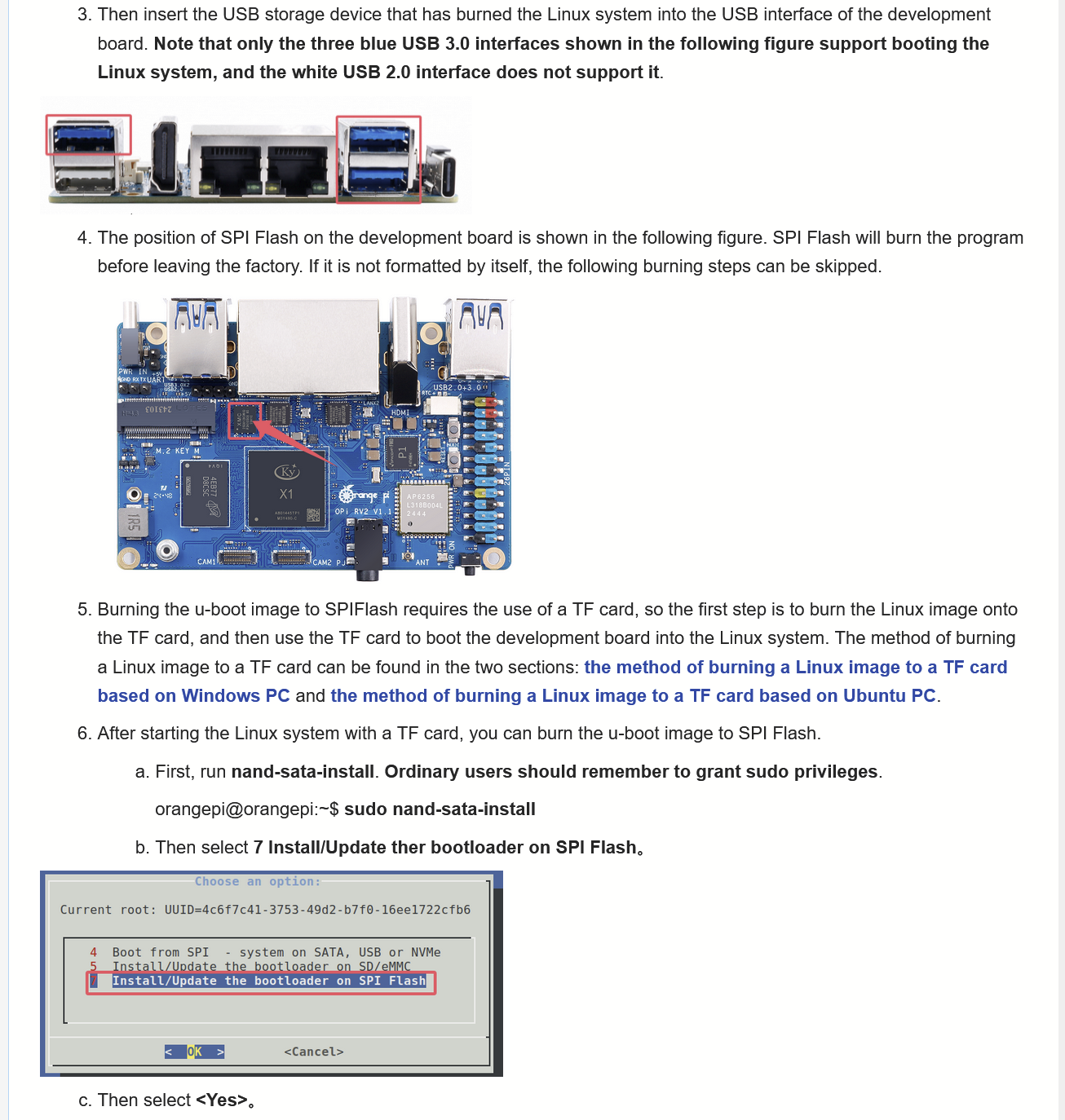
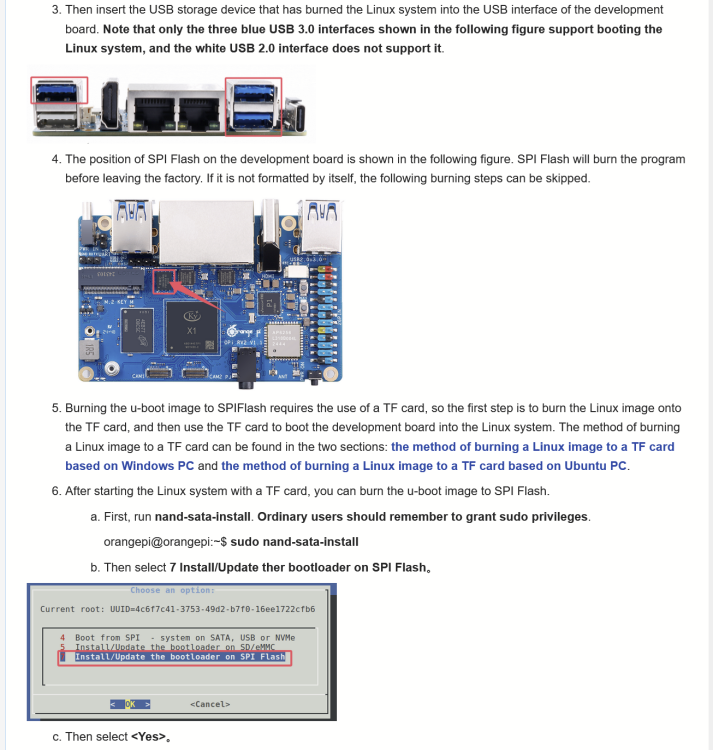
Ah right, the OrangePI RV2 WIKI page http://www.orangepi.org/orangepiwiki/index.php/Orange_Pi_RV2#Method_for_burning_Linux_images_to_SPIFlash.2BUSB_storage_devices says the RV2 can be booted from USB directly, via SPI flash. The WIKI is not very clear though - does RV2 come with the SPI pre-flashed? It kind of sounds like that from this YouTube video https://www.youtube.com/watch?v=YzajoWMJgKI which does not mention flashing the SPI at all. The WIKI does not say clearly, but it says, if you need to flash the SPI, then just boot Linux off MicroSD card. But it does not say which Linux. They must most likely mean their own Ubuntu distribution downloable on http://www.orangepi.org/html/hardWare/computerAndMicrocontrollers/service-and-support/Orange-Pi-RV2.html , right? Then do "sudo nand-sata-install" which is expected to exist, and it will install UBoot to the SPI flash chip. After this is done, when booting, UBoot will load from the SPI flash, and it will auto-detect that there is a bootable OS on an USB device, and just boot it, right? @sven-ola
-
@sven-ola Hi Sven-Ola, thanks a lot for your response. About boot medium, can I easily put a /boot volume on the SD memory card and have it mount / from USB? If so do you have some cues for what I should change inside your Armbian image for it to do that. Regarding build my own PCI device drivers yes of course. Thanks a lot for providing the image!
-
@Werner Do you think Armbian Edge with Linux 7.1 is available and works on OrangePI RV2 already? If so I'd love to get that image. As I understand it the SoC's support has been fully mainlined in Linux 7. (By the way request to admin to lift my messaging quota. Will edit this request away in a few hours.) I just checked inside Armbian Imager, and Armbian Edge is not available there - the same two images as are on https://armbian.com/boards/orangepirv2 are in there, that's all.
-
@sven-ola Hi sven-ola! Thanks a ton for making RV2 work on Armbian! I'll go about trying to make an RV2 start for the first time shortly. Interfacing it via the serial port is fine, and equally fine is connecting it via HDMI and USB to screen and keyboard, right? As for boot media, will booting the Armbian Debian image from a USB storage device work out of the box or must I install some image on an onboard flash chip first, if so what's the URL to that? And then: Do you think it makes any sense for me to use the Armbian Edge which has kernel 6.19 right now, does it seem stable? If so can you provide an URL to it (upload it on armbian.org or mega.nz etc.) On SpaceMIT's mainlining page https://github.com/spacemit-com/linux/wiki#user-content-K1_SoC I see that the PCI support got an update in 6.19, would this be a reason to use Armbian Edge. This URL is linked: https://lore.kernel.org/all/20251013153526.2276556-1-elder@riscstar.com/ . I have no idea if this update has been backported to the 6.18 kernel used. The 6.19 and 6.18 kernels used, where are they taken from actually? At least for 6.18 I think the repo is https://github.com/jmontleon/linux-spacemit/ or https://github.com/spacemit-com/linux-k1x , do you use it? And for clarity, there is no Armbian with Linux 7.1 yet right? Otherwise just downloading the Armbian with 6.18 from https://armbian.com/boards/orangepirv2 . For CLI and packages and no desktop, the Debian flavour is preferable I guess. At this point do you think PCI and USB interfaces are stable in Armbian or Armbian Edge? Thanks!