HO Kin Chung
-
Posts
3 -
Joined
-
Last visited
Content Type
Forums
Store
Crowdfunding
Applications
Events
Raffles
Community Map
Everything posted by HO Kin Chung
-
 The issue has been resolved. It turns out that the official release has already configured the necessary documents or files before distribution. When I used im‑config, it gave me no response at all. Following the XDG Autostart manual, I copied /usr/share/applications/org.fcitx.Fcitx5.desktop to ~/.config/autostart; after that, fcitx5 starts automatically and works normally when I reboot or log out and back in. Thanks
 -
1. Ubuntu 26.04 current 6.18.29 xfce / Debian 12 bookworm Xfce current6.12.23 I have tried two different Armbian community‑build images, and no matter which input method I use (ibus, gcin, fcitx4, or fcitx5), none of them can start automatically. In offical Ubuntu/Debian desktop releases, input methods normally start by themselves without such complicated setup 2. just apt install fcitx5 and more 3 i have read wiki setup fcitx5 4. i use Firefox Please check the problems Thanks
-
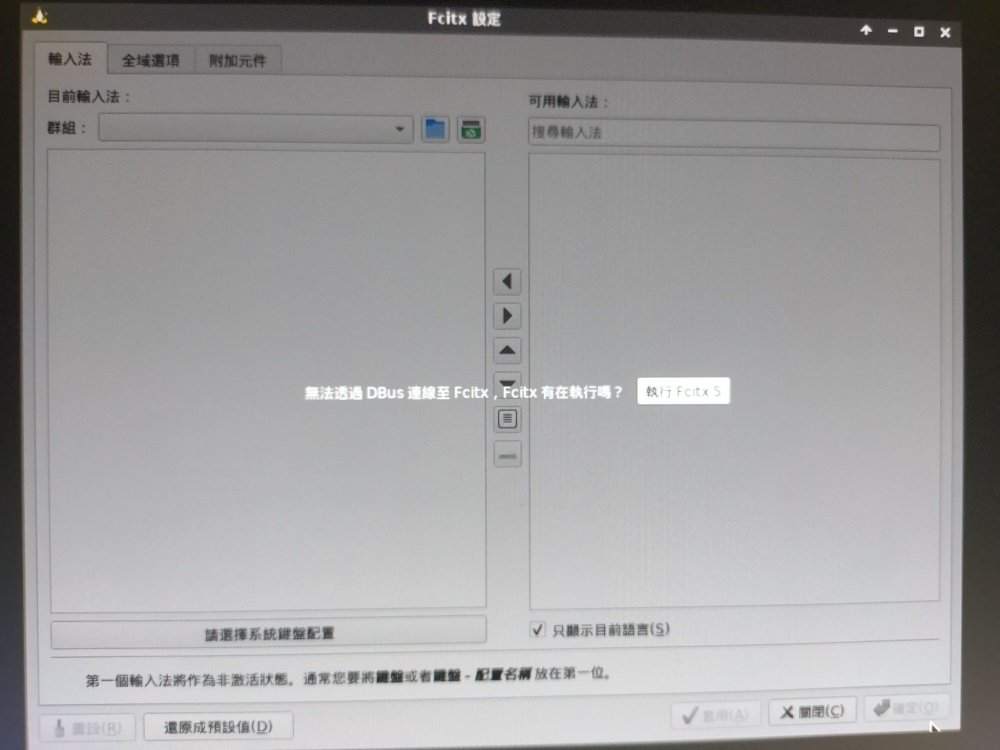
Why doesn’t it start automatically after I log out or reboot after installation? What is causing this issue? The official Orange Pi kernel version (Orangepizero3_1.0.4_debian_bookworm_desktop_xfce_linux6.1.31) does not have this problem and runs automatically. Instead, I get the error: “dbus can't connect to fcitx5.” Every time I need to open the fcitx5 settings again and click “Run” before I can input Chinese. I have no idea what is going on. Thanks.