After finally getting my TV box to boot Armbian, I'd like to provide some beginner-friendly pointers in addition to @Chiều Nhạt Nắng's installation note 4.2, Full install to NAND / eMMC:
As someone who's completely new to Android TV box modding, this step took me a while to get through. What it actually means is not to literally boot your TV box into its original firmware, but to enter either Loader Mode or Maskrom Mode. If you've built or tried to poke around your PC, they are sort of like the BIOS or UEFI (technically BIOS and UEFI live on the motherboard, not CPU... but I digress), or if you have done Nintendo Switch modding, it's like entering RCM. It's not the guide's fault because there are so many ways to get your chip to enter a "maintenance/recovery mode" on so many different boards even with the same chip, it's basically impossible to list all the ways to put it into a malleable state.
The way to enter Loader or Maskrom mode typically requires you to do something to the TV box while it is actively booting up, which will interrupt the process and enter the respective mode. For my TV Box (2016 - 2020 ish, Huawei EC6108V9A, RK312X), to enter Loader Mode, I need to repeatedly tap the "Front Page" or "Home" button on my TV box remote as soon as I connect the OTG USB port to my PC (the OTG port is typically the USB port that's the closest to the Ethernet port), I didn't need to plug in the barrel power connector since the board draws power through the same USB connection. If you found yourself in an Android system recovery <3e> page, this is not what we want, you might be tapping the wrong button like "Standby" or "Sleep" button. For my board, once I successfully enter Loader Node, aside from the Windows notification and the Bold text saying "Found ____ Device" at the bottom of the RKDevTool/AndriodTool, it was also showing a static logo screen through HDMI.
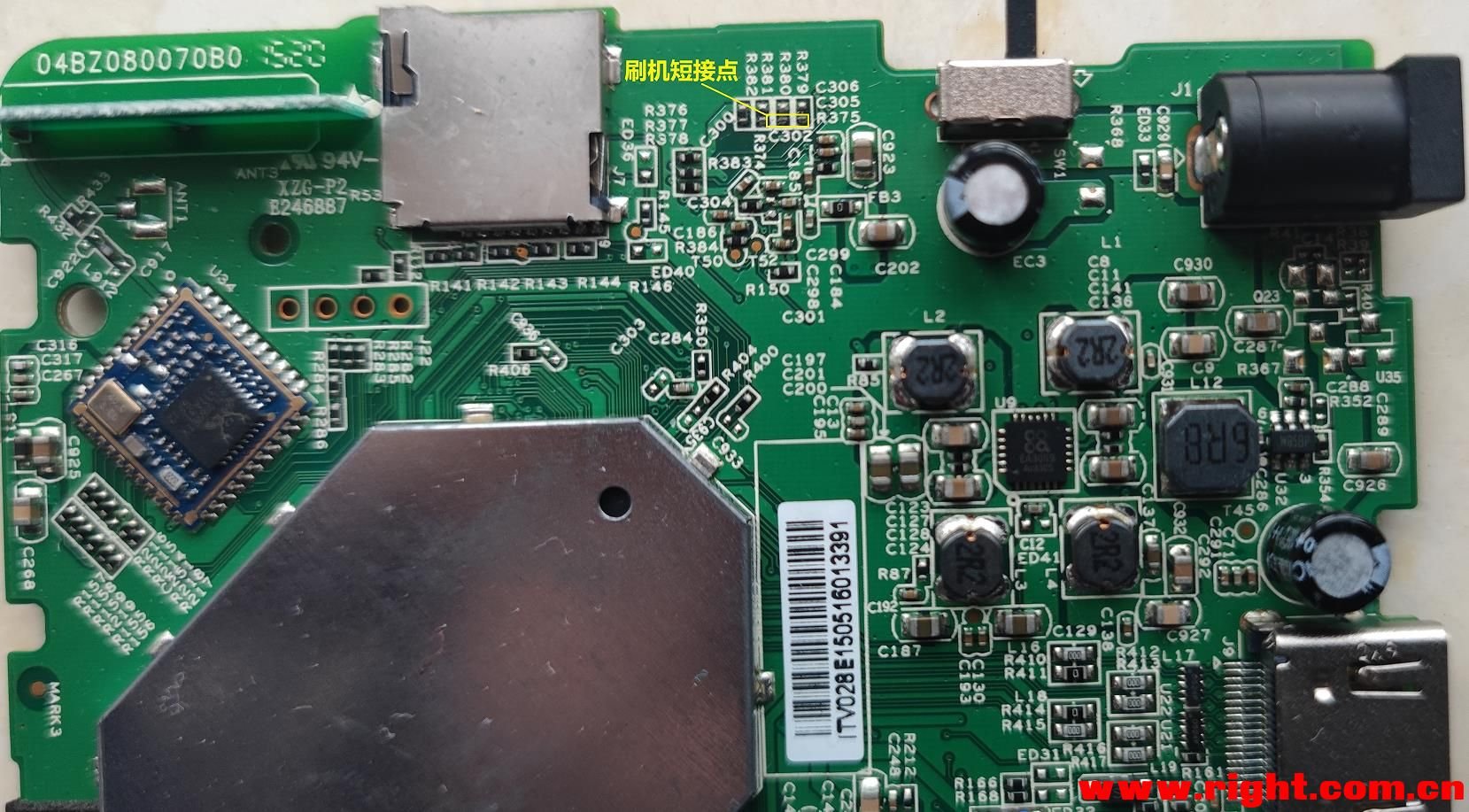
If you do not have the TV Box's remote, or if you have messed up the install and have to redo, you will almost definitely need to take apart the Box's outer shell and gain access to the PCB itself to enter Maskrom Mode instead.
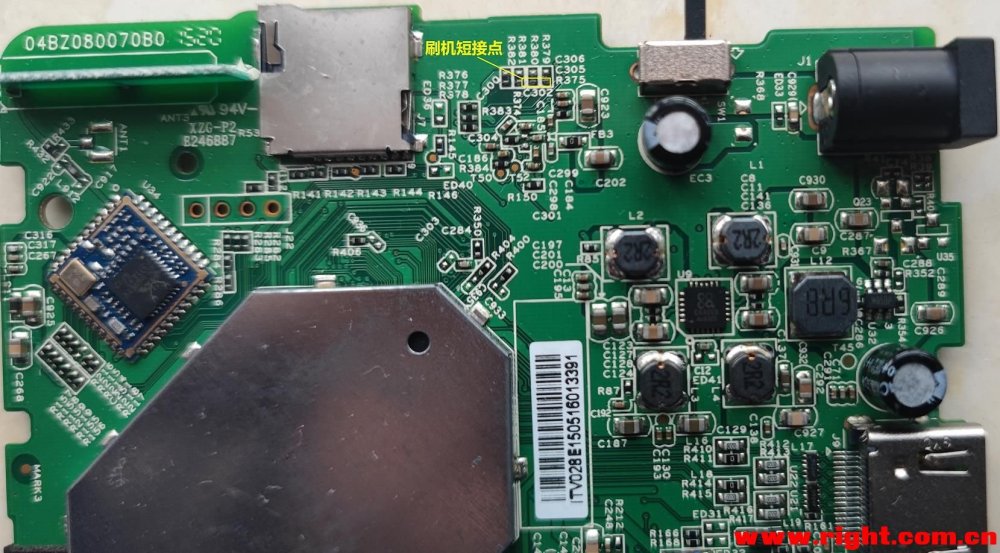
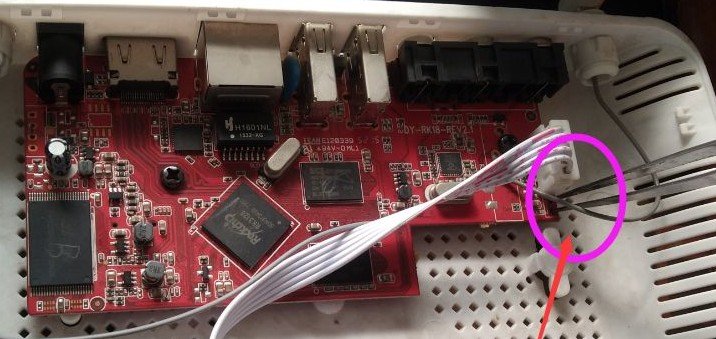
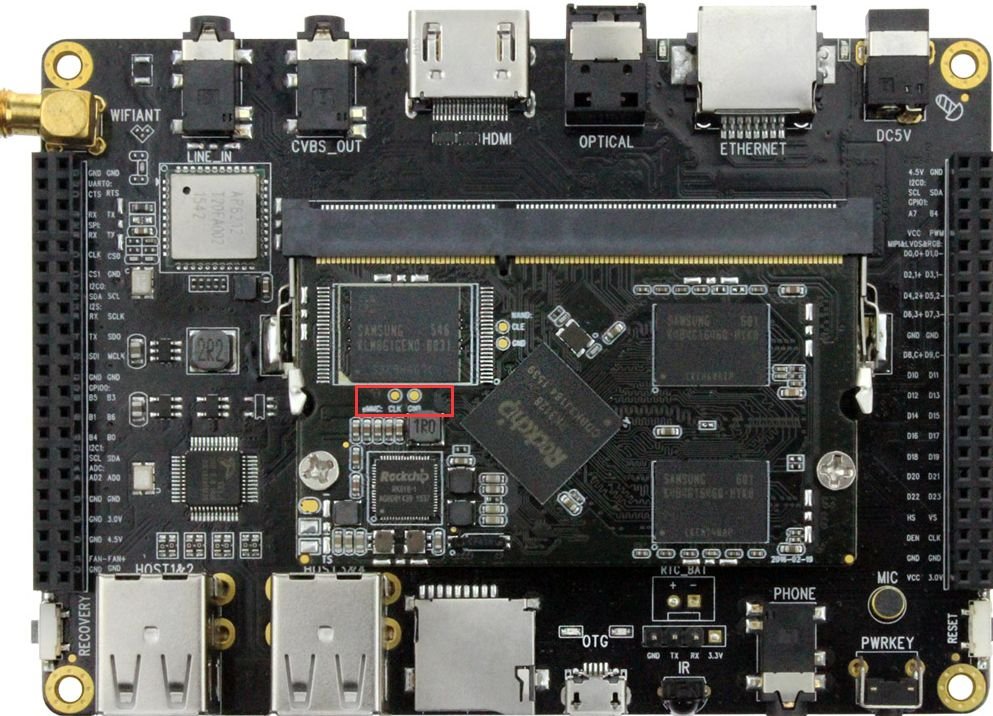
(Images found online)
To enter Maskrom Mode, you will need to short two specific pins (or pin holes, or capacitor pads like the first image) as you plug the USB connector from the PC to the USB OTG port on your board (The official way is to short Clock (CLK) to Ground (GRD or any metal connector housing) but good luck finding those if they're not labeled). In my experience, tweezers are the best for this.
Since everyone's board looks different, there are different ways to do it, but do not try to short anything on your board before you're absolutely certain that the image of the board matches the one on your hand exactly. Unfortunately these info are incredibly niche and hard to find, your best bet is to search your TV Box's model number along with your chip's name (RK3128 in our case) on google and bilibili, there's a good chance you'll end up on a Chinese forum and have to dig through it with google translate. (Do NOT take an AI's word for it!)
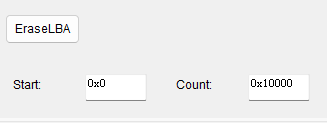
In case the first step in the quote isn't clear enough, you have to click the EraseLBA button after typing in these addresses below it to erase sectors. It is also worth noting that you have to be in Loader Mode to EraseLBA or use any "Read____" buttons. If your device is in Maskrom Mode because you lost the remote or botched an install, you can't directly do all that aside from Download Image. The workaround is to hit the "..." button to the right of "Boot:", select rk3128_loader_v2.12.263.bin and hit Download. Now you can use most of the Advanced Functions while in Maskrom!
In Chieu's attached image for this step, there is actually an error. If you are using the files from their 20260430 release (A26-release-20260430.zip), you will need to set Boot sector's address at 0x00006000, NOT 0x00010000. I strongly encourage you to open parameter.txt and verify the addresses yourself. My setup looks like this:
0x00000000 | Loader | rk3128_loader_v2.12.263.bin
0x00000000 | parameter | parameter.txt
0x00002000 | uboot | uboot.img
0x00004000 | trust | trust.img
0x00006000 | root | armbian_rootfs_26.2.img
By the way, you can click on the empty box to the right of paths to find the files. Right click - Del item to delete any extra default entries you don't need.
Now before you click Run, I strongly recommend you to connect the board to a monitor/TV via HDMI and your router via Ethernet with known good cables/connections! Your board's first boot into Armbian happens immediately after Download Image finishes, therefore it's incredibly difficult to monitor the progress without them. I'm honestly not sure if the setup can complete without Ethernet because I tried to flash my board without connecting Ethernet twice and failed twice.
Miscellaneous Notes:
If you're 100% positive that you have done the steps to enter Loader Mode or Maskrom Mode correctly but your PC is refusing to pick up the connection, try installing the driver "Rockchip_DriverAssitant_v4.2" (should be the first result on google).
Some online sources might tell you to diagnose via UART with a USB-to-ttl adapter. It did not work on mine (was completely silent during boot). Conversely, not seeing anything from UART doesn't necessarily mean your board is bricked. The board should always be able to enter Maskrom if you have access to the PCB.
After your board has gone through the first boot, you will see a prompt on the HDMI output asking you to set a password for the root user. You can connect to the board via SSH at this point with IP address shown during the boot sequence; you do not need to connect a physical keyboard to the board.
A handy software to manage all your UART and SSH connections is MobaXterm. The settings are straightforward and there is a portable version if you don't like installing stuff. From OP's screenshots I think Chieu is using it too!