All Activity
- Past hour
-
It's ARMv7 so it could potentially run 64bit instructions. https://developer.arm.com/documentation/den0013/0400/Introduction-to-Assembly-Language/The-ARM-instruction-sets I recall reading that opi pc is running 64-bit from someone here on armbian forums now that I think about it, but don't remember where. It could also be a Mandela effect and I am completely wrong. If so, I'm sorry, did not mean to make you upset. Not hard to miss at all, or you think everybody has every single board memorized? 😉 If you included that you think it should run 32 bit instructions and has a 32bit kernel, I would have asked you to provide "uname -m" to confirm, no need to be nasty. 🙃 Kinda strange that you could get the system running with su in 64bit with a 32bit kernel though.
- Today
-

SV6256P WiFi Now Working on Linux 6.x (Armbian Tested)
Werner replied to Kevin su's topic in Allwinner CPU Boxes
If you plan to add this to the Armbian framework to have it included, I suggest to bring the drive in a dkms compatible state and create an extension (https://github.com/armbian/build/tree/main/extensions) to add this driver to specific boards. I know that other out-of-tree wifi drivers are added here (https://github.com/armbian/build/blob/main/lib/functions/compilation/patch/drivers_network.sh), however this is already a huge mess and I won't allow any more additions, rather than looking forward to some point in the future when this is dissolved in to individual extensions which make things hopefully more maintainable. AI will probably a huge help in this matter. -
If this is really the case, then this must be an upstream issue since Armbian does not touch this file AFAIK. Picked a random userspace from armhf (since you did not state which you are using) ~/build/cache/rootfs/bin# file su su: setuid ELF 32-bit LSB pie executable, ARM, EABI5 version 1 (SYSV), dynamically linked, interpreter /lib/ld-linux-armhf.so.3, BuildID[sha1]=b24ceef58082e181650b17e52819559be2d3a97b, for GNU/Linux 3.2.0, stripped
- Yesterday
-
my rock64 sometimes hangs with unknow reason. Enabling/testing watchdog did not help. Does hardware watchdog is working at all ? some outputs: # dmesg | grep -i watchd [ 0.838922] dw_wdt ff1a0000.watchdog: No valid TOPs array specified [ 0.928770] rk_gmac-dwmac ff540000.ethernet: Enable RX Mitigation via HW Watchdog Timer [ 3.920201] systemd[1]: Using hardware watchdog 'Synopsys DesignWare Watchdog', version 0, device /dev/watchdog0 [ 3.921218] systemd[1]: Watchdog running with a hardware timeout of 28s. # wdctl Device: /dev/watchdog0 Identity: Synopsys DesignWare Watchdog [version 0] Timeout: 28 seconds Timeleft: 18 seconds Pre-timeout: 0 seconds After doing kernel panic via echo c > /proc/sysrq-trigger device not rebooting. On raspberry pi that test is working fine.
-
Bedna I know that su command is a compiled binary but Orange Pi PC has a 32 bit ARM processor and not a 64 bit Intel (x86_64) processor. I find that extremely hard and impossible to believe that you missed the point.
-
Yes, applications are compiled into binaries, su is not a script. This is on for example Arch: $ file $(which su) /usr/bin/su: setuid ELF 64-bit LSB pie executable, x86-64, version 1 (SYSV), dynamically linked, interpreter /lib64/ld-linux-x86-64.so.2, BuildID[sha1]=d47af40eeb87fea42d555df0d1385bc9a4b4df2c, for GNU/Linux 4.4.0, stripped Ok? So it's compiled with rust instead of C, still a binary. I find that extremely hard impossible to believe. https://www.reddit.com/r/learnprogramming/comments/lyw9gf/can_someone_explain_what_people_mean_by_binaries
-

A guide to installing Armbian on the H96 Max V11
Samzz replied to Maxxim's topic in Rockchip CPU Boxes
i am running a H96(model RK3318) android tv box, its old, i have lost itss remote as well. basically noow i am tryinh to install ambrain os on it, but the conditon now is , even the android id now visible on the tv/monitor, basically when i insert the power cable on the display "boot" is showing with blue light. after few sec, some number like "07:01" is showing, but when i connect my htmi cable, the tv is detecting the htmi. but its showing no signal. basically there is no output on the display. i have tried many methods, there is no problem in htmi, or tv or cable. the andoird itself not booting. and the sd card method for ambrain also not working . tried the toothpick method and everything. but still its nott working!. i dont know why there is no output on the display. i dont know whhat issue. usb, htmi, everything is working. even charger also working. -

SV6256P WiFi Now Working on Linux 6.x (Armbian Tested)
Kevin su replied to Kevin su's topic in Allwinner CPU Boxes
@WallaceWebs Fabulous, this is a milestone fix. -
I have been able to download it from the first page, are you sure?
-

SV6256P WiFi Now Working on Linux 6.x (Armbian Tested)
WallaceWebs replied to Kevin su's topic in Allwinner CPU Boxes
Hey @Kevin su , could you check my PR? I fixed the throughput issue. Download: 47.34 Mbps (data used: 46.4 MB) 331.60 ms (jitter: 73.01 ms, low: 12.78 ms, high: 769.94 ms) Upload: 44.14 Mbps (data used: 41.1 MB) 82.16 ms (jitter: 15.48 ms, low: 17.63 ms, high: 269.25 ms) Packet Loss: 0.0% Using a generic SBC with SSV6256P (MXQ Pro 4K 5G). Repo with the fix: https://github.com/WallaceWebsBR/armbian_sv6256p/tree/fix-ht-tx-ampdu -

Fail to boot any Armbian Images via SDcard
Michael Fischer replied to Skallwar's topic in Radxa Rock 5B
i used grub at the end of the day and booted from nvme. -
I just discovered that /usr/bin/su in my Armbian: v26.2.1 for Orange Pi PC running Armbian Linux 6.12.58-current-sunxi is a x86_64 binary: $ ls -l /usr/bin/su -rwsr-xr-x 1 root root 50800 Mar 6 13:10 /usr/bin/su $ file /usr/bin/su /usr/bin/su: setuid ELF 64-bit LSB executable, x86-64, version 1 (SYSV), statically linked, no section header I installed the rust version, su-rs, but I thought it would be useful to warn about this. I checked /usr/bin and /usr/sbin and this is the only x86-64 executable.
-
If Windows can see the share but has trouble connecting, it's also worth checking the SMB version being used on both sides. I've run into cases where enabling the correct SMB protocol or recreating the saved Windows credentials fixed the issue right away.
-
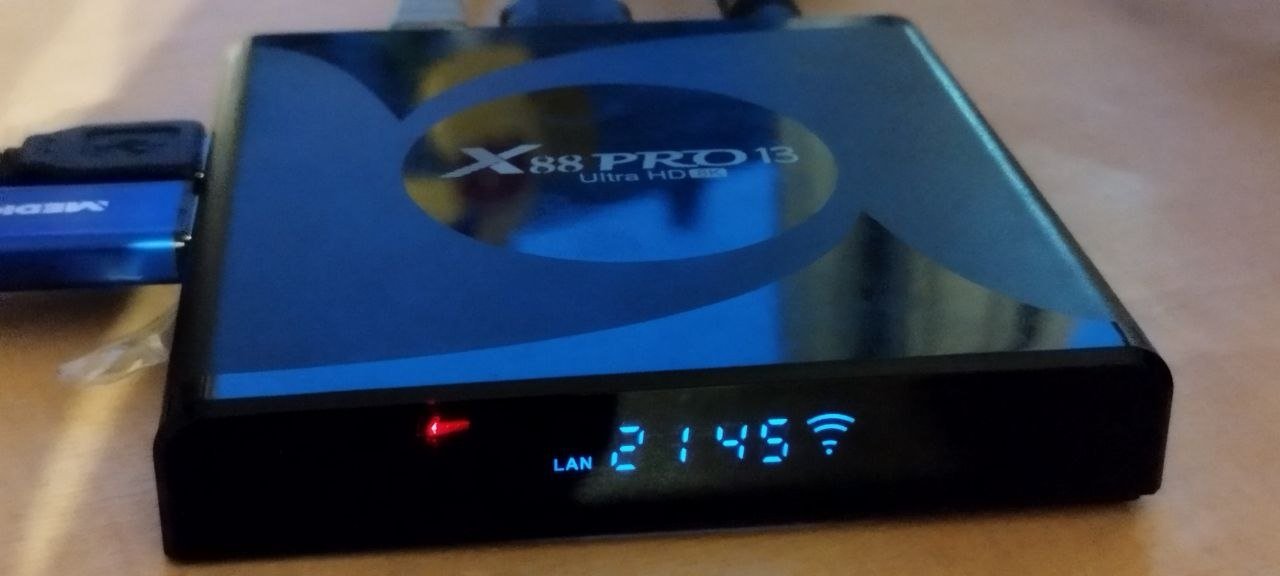
I tried 0.6, wifi not working, i own one with EA6521. I made it work on 0.5 changing the .dts a little bit (thanks to Claude) Quote: cat /proc/device-tree/seekwcn_boot/gpio_chip_en 2>/dev/null | od -An -tu4 603979776 285212672 0 # Fix seekwcn_boot GPIOs sed -i 's/gpio_host_wake = <0x24 0x06 0x01>/gpio_host_wake = <0x24 0x12 0x00>/' /tmp/x88pro.dts sed -i 's/gpio_chip_wake = <0x24 0x10 0x00>/gpio_chip_wake = <0x24 0x11 0x00>/' /tmp/x88pro.dts sed -i 's/gpio_chip_en = <0x24 0x11 0x00>/gpio_chip_en = <0x24 0x06 0x00>/' /tmp/x88pro.dts # Fix sdio-pwrseq reset-gpios sed -i 's/post-power-on-delay-ms = <0x8c>/reset-gpios = <0x24 0x06 0x01>;\n\t\tpost-power-on-delay-ms = <0x8c>/' /tmp/x88pro.dts # Disable wireless-bluetooth and wireless-wlan nodes sed -i '0,/status = "okay"/{/wireless-bluetooth/{n;n;n;n;n;n;n;n;n;s/status = "okay"/status = "disabled"/}}' /tmp/x88pro.dts # Verify seekwcn_boot node grep -A 12 'seekwcn_boot {' /tmp/x88pro.dts cp /boot/dtb/rockchip/rk3528-x88pro.dtb /boot/dtb/rockchip/rk3528-x88pro.dtb.bak dtc -I dts -O dtb /tmp/x88pro.dts -o /boot/dtb/rockchip/rk3528-x88pro.dtb 2>/dev/null # 3. Fix module loading mv /etc/modules-load.d/aic8800-btlpm.conf /etc/modules-load.d/aic8800-btlpm.conf.disabled echo "blacklist aic8800_bsp" > /etc/modprobe.d/blacklist-aic.conf echo "blacklist aic8800_btlpm" >> /etc/modprobe.d/blacklist-aic.conf echo "blacklist aic8800_btlpm_sdio" >> /etc/modprobe.d/blacklist-aic.conf echo "extraargs=modprobe.blacklist=aic8800_bsp,aic8800_btlpm,aic8800_btlpm_sdio" >> /boot/armbianEnv.txt # 4. Build skw modules dkms add -m ea6621q -v 1.0 2>/dev/null || true dkms build -m ea6621q -v 1.0 dkms install -m ea6621q -v 1.0 # 5. Set module load order cat > /etc/modules-load.d/skw.conf << 'EOF' skw_bootcoms skw_sdio skw skwbt EOF Right now i cannot try it, if someone else wants to try this... EDIT: the if in the wifi section of the provisioning doesn't detect correctly, the searched directory doesn't exists so it won't install the module
-
 I managed to start de A5E from nvme, but upgrading the packages fails. Installing armbian-firmware_26.8.0-trunk.125_all.deb failed With: data.tar lzma error.... Several months ago I got the same error but ignored it. Now everything is almost working, I tried to find out what went wrong. I can extract package with dpkg-deb -x on another system. MD5sum is the same on A5E and other system. This problem occurs on sdcard and nvme card. Btw: it is the 4G version of the A5E. Any idea how I can solve this?
 -
Hi @NHO, copy the Armbian kernel and boot with this: yes probably. You will also need the correct *.dtb in /boot - you need to rename / replace k1*.dtb->x1*.dtb e.g. if you run the original uboot. The GPU probably does not work, since Mesa does / will not support the K1 imagination GPU. You need the Bianbu GPU binaries and userspace tools (...wayland...) that matches them. The spacemit-gpu-addon.sh script (see green [solution] button on top of this page) uses a copied / stripped down version of the Bianbu Repo to install Gnome/Wayland but I doubt that this works under Gentoo Linux.
-
Hello, what's the current status of kernel 6.18+ on the rock 2F? I haven't tried building it on my own yet, I just need Wi-Fi and USB working with a fairly recent kernel as 6.1 is way too old now.
-
I have an AD-Z33 V1.2 which has the same rockchip as the xt-q8l-v10 but I cannot get it to start in Maskrom mode for eemc/bootloader flashing. Can anyone shed some light on how I can do this?
- Last week
-
Hi, Multitool is unavaible. Anyone have the last version with SSH to send me, please?! Thanks!!
-
Hello. I'm currently running Orangepi RV2 with vendor kernel and gentoo userland, from SSD, for testing of packages on risc-v. Would copying kernel/initrd/modules/bluetooth script from armsbian image and pointing boot.scr to it work for booting? Also, if I want accelerated graphics, should I use patched mesa from your repo, or does upstream one works with edge kernel?
-
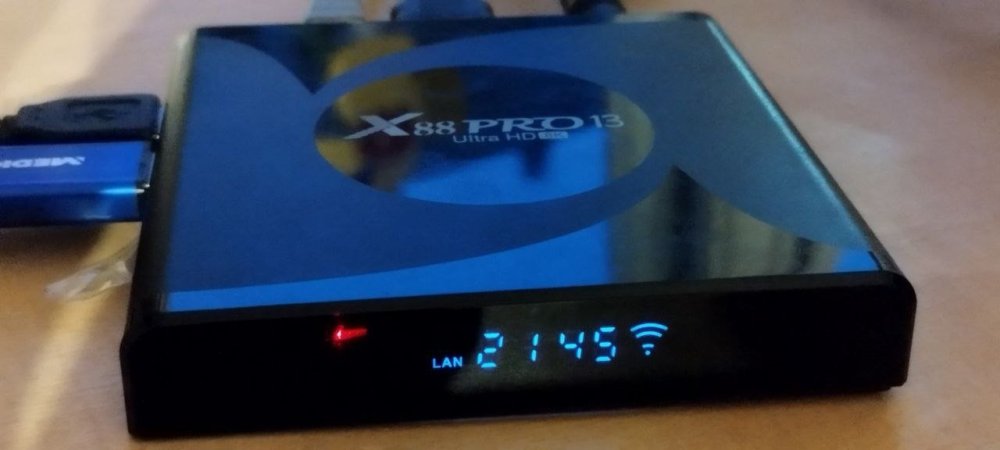
new Version avaliable https://github.com/joilg/x88pro/releases/tag/0.6 New: Support now Hardware Version 1.4+ (EA6521 WIFI Chip) for WIFI and Bluetooth Display driver for HT1628 IR Remote USB 3.0 SuperSpeed (5Gbps) Ubuntu resolute 26.04 target OS please Test it now.
-
hi. I gave up a long time ago. but now I found the board in the closet and decided to look again. I made a typo in the marking. I have rk3518. can you upload your firmware backup to google drive. or whatever suits you.
-
Heh, speaking of which, is there no thermal throttling on CPU? Earlier I was trying to set it up as a seedbox, running qBittorrent. Newer versions have a setting to do multi-threaded checksum verification on torrents. Making that use all 8 cores provided nice ~550 MB/speeds, but it did heat up the CPU to 95C or even a bit more! Stopped it all and installed a fan (was just a heatsink before), now it can handle that at reasonable temps.
-
@rm_ you have a capable platform at hand, why not build edge on your RV2? No docker b/c this is riscv64, but this should work anyhow: git clone https://github.com/armbian/build.git cd build && ./compile.sh BOARD=orangepirv2 BRANCH=edge RELEASE=trixie \ BUILD_MINIMAL=yes KERNEL_CONFIGURE=no KERNEL_BTF=no KERNEL_GIT=shallow Mine is running, but AFAICR this is under 4h. You may want to place board upright for better ventilation 😉
-
But they still don't have any 7.0+ for evaluation, any idea when? Thanks