-
Positions
-

Part time technical support
Position: Technical supportNumber of places: 12Applicants: 16 -
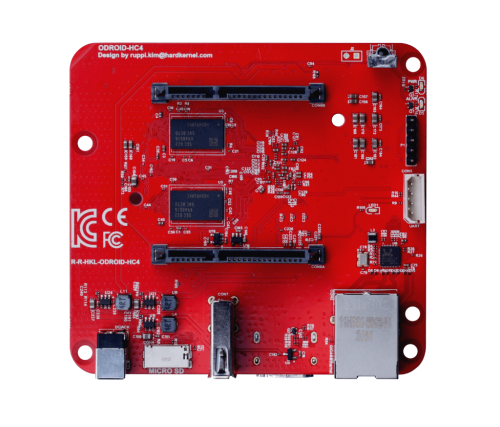
Single board computer maintainer
Position: Board maintainerNumber of places: 64Applicants: 77 -
Code reviewer
Position: Framework maintainerNumber of places: UnlimitedApplicants: 11 -

Test Automation Engineer
Position: Software integration test engineerNumber of places: 16Applicants: 10 -

Build framework maintainer
Position: Framework maintainerNumber of places: 16Applicants: 6
-
-
Chat | Social Media
#armbian at
irc.libera.chat or irc.oftc.net
Matrix or Discord
Mastodon | 𝕏 -
Popular Now
-
-
Activity Stream
-
0
[Armbian newsletter] - Meet our new Armbian Imager 2.0
We're releasing Armbian Imager 2.0. We rebuilt the whole thing, the interface and the flashing engine underneath it. The part you'll notice first: your board boots already set up. Username, password, Wi-Fi, timezone, language. You tell Imager once, it writes that into the image, and the board comes up configured on first boot. No monitor, no keyboard, none of that blind first login. Set it up once. It configures itself.This is the big change in 2.0. You build a profile in settings: username and password, an SSH key, your Wi-Fi network and country code, timezone, locale, shell. Imager writes it straight into the image's filesystem while it flashes. Power on the board, it reads the profile and brings itself up. Qualcomm boards over QDL get the same treatment. It's the difference between "flash, hook up a screen and keyboard, sit through the setup" and "flash, slot the card, switch on." I didn't expect to care this much about it, and now I can't flash without it. Pick everything on one screenThe old pop-up windows are gone. In their place is a single animated flow: manufacturer, board, OS, device, all on one page that moves with you. You page through the board and vendor grids, the distro logos are drawn by hand, and the app glides instead of slamming between screens. Settings got the same redesign. So did the cache manager, which now shows where your gigabytes actually went, by category, and clears them in a tap. Know what you're writing before you write itEvery image tells you what it is up front: build date, badges for the desktop and the kernel branch, a label when it ships with something preinstalled like the SDK build, openHAB, or Kali. Anything you've already downloaded carries a small check, so you don't pull it twice. If you want the trunk rolling releases, there's a filter for them, with a plain warning before you commit. And images that can't be written to a card, like the VM disk formats, simply aren't in the list. Every write, checked byte for byteThe download is verified against its SHA256. After writing, the app reads the card back and compares it to the source, byte for byte. While that runs, your board floats over a warm glow that follows the progress, with one line telling you the stage instead of a wall of numbers. When the check turns green, it's because the data on the card matches. Not because we're optimistic. Bring your own images, online or offlineHave an image of your own? Drop it in. We handle img, iso, xz, gz, bz2, and zst, and decompress before writing. Lose your connection partway through the day and Imager still works: the offline mode was reworked so your cache and your own files stay one click away. The same app on Mac, Linux, and WindowsSame look and behavior on all three. On Mac it's a single universal build for Intel and Apple Silicon. Pick a light theme, a dark one, or let it follow the system. Eighteen languages, chosen automatically from your locale. Free and open source, the way it started. Get itArmbian Imager 2.0 is available now, free, on Mac, Linux, and Windows. It does the same job it always has, writing a good image to a card. The new part is what happens after: you power the board on, and it's already yours. Download Armbian Imager 2.0 View the full article -
0
[News from Armbian] - Meet our new Armbian Imager 2.0
We're releasing Armbian Imager 2.0. We rebuilt the whole thing, the interface and the flashing engine underneath it. The part you'll notice first: your board boots already set up. Username, password, Wi-Fi, timezone, language. You tell Imager once, it writes that into the image, and the board comes up configured on first boot. No monitor, no keyboard, none of that blind first login. Set it up once. It configures itself.This is the big change in 2.0. You build a profile in settings: username and password, an SSH key, your Wi-Fi network and country code, timezone, locale, shell. Imager writes it straight into the image's filesystem while it flashes. Power on the board, it reads the profile and brings itself up. Qualcomm boards over QDL get the same treatment. It's the difference between "flash, hook up a screen and keyboard, sit through the setup" and "flash, slot the card, switch on." I didn't expect to care this much about it, and now I can't flash without it. Pick everything on one screenThe old pop-up windows are gone. In their place is a single animated flow: manufacturer, board, OS, device, all on one page that moves with you. You page through the board and vendor grids, the distro logos are drawn by hand, and the app glides instead of slamming between screens. Settings got the same redesign. So did the cache manager, which now shows where your gigabytes actually went, by category, and clears them in a tap. Know what you're writing before you write itEvery image tells you what it is up front: build date, badges for the desktop and the kernel branch, a label when it ships with something preinstalled like the SDK build, openHAB, or Kali. Anything you've already downloaded carries a small check, so you don't pull it twice. If you want the trunk rolling releases, there's a filter for them, with a plain warning before you commit. And images that can't be written to a card, like the VM disk formats, simply aren't in the list. Every write, checked byte for byteThe download is verified against its SHA256. After writing, the app reads the card back and compares it to the source, byte for byte. While that runs, your board floats over a warm glow that follows the progress, with one line telling you the stage instead of a wall of numbers. When the check turns green, it's because the data on the card matches. Not because we're optimistic. Bring your own images, online or offlineHave an image of your own? Drop it in. We handle img, iso, xz, gz, bz2, and zst, and decompress before writing. Lose your connection partway through the day and Imager still works: the offline mode was reworked so your cache and your own files stay one click away. The same app on Mac, Linux, and WindowsSame look and behavior on all three. On Mac it's a single universal build for Intel and Apple Silicon. Pick a light theme, a dark one, or let it follow the system. Eighteen languages, chosen automatically from your locale. Free and open source, the way it started. Get itArmbian Imager 2.0 is available now, free, on Mac, Linux, and Windows. It does the same job it always has, writing a good image to a card. The new part is what happens after: you power the board on, and it's already yours. Download Armbian Imager 2.0 View the full article -
0
G'night, having troubles to put armbian on my ik316-H, mqxpro4k5g from allwinner
SoC:ik316-h board: IK316Q-EMCP_V4.1 i belive it's apart of the h6 familly, correct me if i'm wrong. Well, i'm trying to boot from a sd card, but it doesn't work, i tried the toothpick methof but it still don't work. I tried with the sd and without the sd card, but it doesn't enter into android recovery mode, the only way i can get into fastboot is by using adb, however if i try to enter the bootloader by selecting it on the andorid recovery or fastboot menu it just crashes. Do you guys know any way of how can i proceed? Will be better if i change the firmware? Should i just buy ice cream and cry in the shower? I need help, the img i'm using is Armbian_community_26.2.0-trunk.886_X96q_trixie_current_6.18.28_minimal.img, because i believe it's the most compatible to my board. Feel free to ask any questions. -
29
poor network performance / send only
Can't confirm, still the same thing. U-boot built 7 days ago (linux-u-boot-odroidm1-edge/sid,now 26.8.0-trunk.105 arm64) # uname -r 7.0.11-edge-rockchip64 # grep -a --null-data U-Boot /dev/mtd0ro U-Boot SPL 2026.01_armbian-2026.01-S127a-Pb401-H8652-Vab81-Bd0d2-R448a (May 31 2026 - 05:41:25 +0000) # grep -a --null-data U-Boot /dev/mmcblk1 U-Boot SPL 2026.01_armbian-2026.01-S127a-Pb401-H8652-Vab81-Bd0d2-R448a (May 31 2026 - 05:41:25 +0000) 100 Mbps link still performs much better by some unknown reason. Hmm. (I've already tested the cable, any other computer/laptop transmits the data just fine at full Gigabit speed) -
0
X96Air S905X3 - Any known emmc bricking issues?
I was running armbian on emmc on an X96Air 4GB/64GB 1GBit S905X3 box a while ago and then after a power down it bricked. No boot screen, no android (obviously) - it sent a HDMI signal, but nothing. Managed to recover it and get Android flashed on it again then Armbian again on SD then emmc. Just done "apt upgrade" to get things up to date. All went well, then a reboot, and..... bricked again. Nothing obvious, no issues. I'll go through the process again - Android -> armbian sd -> armbian emmc But is there a known issue with any boxes that just brick themselves? Any ways to avoid it? This box is particularly useful because of the USB3 port with Gbit ethernet and I want to make use of it. Previously when I'd been testing it it had been rock solid for a few months with good uptime and no issues - until the brick.
-
-
Member Statistics