

admin
-
Posts
162 -
Joined
-
Last visited
Never
Content Type
Forums
Store
Crowdfunding
Applications
Events
Raffles
Community Map
Posts posted by admin
-
-
This week's work centers on kernel and board enablement, CI infrastructure and caching, and user-facing tooling improvements across the imager and configuration utilities.
On the kernel and board front, Rockchip edge moved to 7.1 and mainline was bumped to 7.1-rc7, while the Raspberry Pi 4B legacy target was re-enabled after a brief revert of the BCM2711 kernel bumps. New board support landed for BeagleBadge and TMDS64EVM (AM64x) on the TI platform, the Anbernic RG DS RK3568 handheld as CSC, and the Youyeetoo YY3588 received a mainline DTS rework with ES8388 audio routing. Several long-standing fixes were merged, including a meson64 GPIO
can_sleepregression breaking 1-Wire, JMicron JMB582/JMB585 32-bit DMA forcing, and QRB2210 U-Boot load address corrections.A substantial CI and caching effort introduces a new
git_cdnmodule providing a GitHub caching git+http proxy, anapt-cacher-ngconfigng module, and multi-arch Docker images for both. GitHub Actions runners now export per-runner apt, ghcr, ccache, and proxy environments from the NetBox registry, with added retry guards, SSH/rsync timeouts, and workspace ownership reconciliation between jobs. The rootfs builder now routesmmdebstrapthroughAPT_PROXY_ADDRwhen configured.User-facing changes focus on the Armbian Imager and first-run experience. The imager gained marquee scrolling for long board names, a "Create new profile" shortcut, accurate progress-phase reporting, and surfaced flash write failures in place of blank error screens. The first-login flow now runs automatically on freshly-flashed boards, and
armbian-firstrunuses atomic writes forarmbianEnv.txtMAC randomization to prevent corruption.#Armbian #EmbeddedLinux #Rockchip #CICD #SBC
Changes
- Add images for new board and missing images for existing boards. by @jonaswood01 in armbian/armbian.github.io#329
- Add module_aptcacherng: apt-cacher-ng caching proxy. by @igorpecovnik in armbian/configng#935
- add multi-arch git_cdn image build. by @igorpecovnik in armbian/docker-armbian-build#29
- Add new target boards for uefi arm64/x86 edge branch. by @igorpecovnik in armbian/armbian.github.io#327
- add usbip support to missing current 6.18.y configs. by @EvilOlaf in armbian/build#9971
- add usbip to more kernels. by @EvilOlaf in armbian/build#9973
- arm64: dts: rockchip: yy3588: bind ES8388 codec via es8328 driver. by @SuperKali in armbian/linux-rockchip#499
- armbian-firstrun: use atomic write for armbianEnv.txt MAC randomization. by @mingzhangqun in armbian/build#9937
- ata: ahci: force 32-bit DMA for JMicron JMB582/JMB585. by @HeyMeco in armbian/linux-rockchip#504
- Auto-run first-login on freshly-flashed boards. by @igorpecovnik in armbian/autotests#6
- ayn-thor: fix fused kernel args in LinuxLoader.cfg cmdline, add rw rootwait. by @eldandaman in armbian/build#9969
- bcm2711: bump kernels — legacy 6.18, current 7.0, edge 7.1. by @igorpecovnik in armbian/build#9964
- board: add Anbernic RG DS (RK3568 dual 4" 640x480 handheld) as CSC. by @crackerjacques in armbian/build#9934
- bootscript: rk35xx: simplify armbianEnv.txt corruption detection. by @mingzhangqun in armbian/build#9953
- bump mainline to 7.1-rc7. by @EvilOlaf in armbian/build#9950
- ci: build current apt-cacher-ng image (trixie/3.7.x). by @igorpecovnik in armbian/docker-armbian-build#28
- ci: cache GitHub runners from NetBox to github-runners.jq. by @igorpecovnik in armbian/armbian.github.io#328
- docs(git_cdn): add GCDN001 help header/footer markdown. by @igorpecovnik in armbian/configng#939
- docs: document gitproxy GITHUB_MIRROR and GITPROXY_ADDRESS. by @igorpecovnik in armbian/documentation#925
- feat(boards): scroll long board names with marquee. by @SuperKali in armbian/imager#146
- feat(flash): show only the progress phases that will actually run. by @SuperKali in armbian/imager#148
- feat(profiles): add "Create new profile" shortcut to the flash picker. by @SuperKali in armbian/imager#147
- Fix auto-firstlogin in CI: ssh-dut 1234 fallback + reconcile trigger. by @igorpecovnik in armbian/autotests#7
- fix(extensions/lvm): Fix support for non-ext filesystems. by @ojafuenf in armbian/build#9889
- fix(interactive): parse case alternatives in get_kernel_info_for_branch. by @iav in armbian/build#9798
- fix(mvebu-6.18): drop SysRq-via-BREAK patch, fixed upstream in 6.18.35. by @iav in armbian/build#9958
- fix(rockchip64-7.0): drop SysRq-via-BREAK patch, fixed upstream in 7.0.12. by @igorpecovnik in armbian/build#9956
- fix(rootfs/qemu-static): use direct armhf exec probe instead of broken arch-test gate. by @iav in armbian/build#9820
- fix(ui): keep marquee text aligned while scrolling. by @SuperKali in armbian/imager#149
- Fix: EasePi-A2 Boot & Ethernet on Vendor Kernel. by @ifroncy01 in armbian/build#9946
- gha/chunks: export per-runner apt/ghcr/ccache env from runner registry. by @igorpecovnik in armbian/os#471
- gha/chunks: export per-runner caches in images job. by @igorpecovnik in armbian/os#472
- gha: add retry and empty-result guard to NetBox server list step. by @igorpecovnik in armbian/os#469
- gha: add ssh/rsync timeouts to image upload so dead servers fail fast. by @igorpecovnik in armbian/os#473
- image/compress-checksum: cap compression threads (default 32). by @igorpecovnik in armbian/build#9949
- meson64: fix GPIO can_sleep regression that breaks w1-gpio (1-Wire). by @adeepn in armbian/build#9959
- module_aptcacherng: use current ghcr.io/armbian image. by @igorpecovnik in armbian/configng#937
- orangepi4pro: Add Orange Pi 4 Pro board photo. by @shkolnik in armbian/armbian.github.io#330
- qrb2210: fix U-Boot load addresses and root partition for 2GB variant. by @govindsi in armbian/build#9925
- README: document full image catalog (framework, automation, caching proxies). by @igorpecovnik in armbian/docker-armbian-build#31
- Revert "bcm2711: bump kernels — legacy 6.18, current 7.0, edge 7.1". by @EvilOlaf in armbian/build#9965
- rk35: add rk3568 DDR 1056MHz v1.23 and BL31 v1.45. by @crackerjacques in armbian/rkbin#45
- rockchip: bump edge kernel to 7.1. by @paolosabatino in armbian/build#9955
- rootfs: route mmdebstrap through APT_PROXY_ADDR when set. by @igorpecovnik in armbian/build#9961
- rpi4b: re-enable legacy target. by @EvilOlaf in armbian/build#9968
- rtl8192eu: fix -Wmissing-prototypes for 121 functions. by @iav in armbian/build#9963
- runner-clean: export per-runner proxy env and route git via git_cdn. by @igorpecovnik in armbian/actions#20
- runner-clean: export per-runner xz memory cap (IMAGE_XZ_MEMLIMIT). by @igorpecovnik in armbian/actions#22
- runner-clean: normalize git_proxy to one trailing slash. by @igorpecovnik in armbian/actions#21
- runner-clean: selectively chown root-owned workspace files before checkout. by @igorpecovnik in armbian/actions#23
- runner-cleanup: chown workspace after each job via JOB_COMPLETED hook. by @igorpecovnik in armbian/configng#944
- runner-cleanup: give job-completed hook a .sh extension. by @igorpecovnik in armbian/configng#945
- runner-cleanup: keep Armbian build images, stop wiping build cache hourly. by @igorpecovnik in armbian/configng#943
- runners: derive host from github_label custom field. by @igorpecovnik in armbian/armbian.github.io#331
- runners: make remove work via --api with named params and a range. by @igorpecovnik in armbian/configng#942
- software: add git_cdn module (GitHub caching git+http proxy). by @igorpecovnik in armbian/configng#938
- sunxi: patch maint. by @EvilOlaf in armbian/build#9957
- Surface flash write failures instead of a blank error screen. by @SuperKali in armbian/imager#150
- ti: configs: boards: Add initial BeagleBadge board support. by @jonaswood01 in armbian/build#9935
- ti: configs: boards: Add TMDS64EVM (AM64x SoC) board support. by @jonaswood01 in armbian/build#9962
- uwe5622: fix -Wmissing-prototypes warnings (155 -> 2). by @iav in armbian/build#9970
- Wifi: enable, connect every board, and record interfaces + IPs in NetBox. by @igorpecovnik in armbian/autotests#9
- youyeetoo-yy3588: rework DTS for mainline and switch audio to ES8388. by @SuperKali in armbian/build#9960
-
This week's updates center on new board enablement, Rockchip platform refinements, and tooling and kernel maintenance.
Board support expanded across multiple silicon families, with the addition of Seeed Studio reComputer RK3576/RK3588 DevKits and the Anbernic RG DS handheld image. The EasePi A2/R2 received substantial revisions to its board configurations and device trees, alongside a vendor logo transition to Linkease. SpacemiT K1 boot support was updated, and per-SoC
LINUXCONFIGseparation was introduced for the TQ family to better isolate kernel configurations.Rockchip received the bulk of low-level improvements. Notable changes include AUX recovery for USB-C DP Alt Mode in the
dw-dpdriver, device-tree-based LED configuration for ther8169/r8125controllers, and an updated patch ensuring stable PCIe Ethernet MAC addresses across many boards. Additional fixes resolve slow WiFi on the NanoPi R76S via SDIO SDR104, enable Bluetooth on the Orange Pi 5 Ultra edge kernel, and restore thetm16xxdriver on current kernels.On the tooling and maintenance side, Armbian Imager 2.0 was released, the mainline kernel was bumped to 7.1-rc6, and the
rtl8192eudriver was re-enabled following a cleanup of compilation warnings. A previously merged USB gadget NULL pointer fix was reverted pending further evaluation.#Armbian #EmbeddedLinux #Rockchip #SBC #KernelDevelopment
Changes
- mainline: bump to 7.1-rc6. by @EvilOlaf in armbian/build#9922
- Add Anbernic RG DS board image and Anbernic vendor logo. by @crackerjacques in armbian/armbian.github.io#326
- Add jellyfin-ffmpeg release constraints and ip-wrapper for easepi-r2. by @ifroncy01 in armbian/build#9942
- arm64: dts: overlay: add radxa display 8hd for rock5t. by @Ken-Vamrs in armbian/linux-rockchip#498
- board-vendor-logos: update EasePi vendor logo to Linkease. by @ifroncy01 in armbian/armbian.github.io#321
- drm: rockchip: dw-dp: add AUX recovery for USB-C DP Alt Mode. by @mingzhangqun in armbian/linux-rockchip#494
- easepi-r2/a2: fix device tree. by @jjm2473 in armbian/linux-rockchip#491
- feat(boards): Add Seeed Studio reComputer RK3576/RK3588 DevKit support. by @baorepo in armbian/build#9719
- Give each TQ SoC family its own LINUXCONFIG. by @schmiedelm in armbian/build#9924
- Introducing Armbian Imager 2.0. by @SuperKali in armbian/imager#143
- Milk-V Jupiter disable EEPROM node. by @pyavitz in armbian/build#9944
- nanopi-r76s: fix slow WiFi by enabling SDIO SDR104. by @SuperKali in armbian/build#9929
- net: r8169: add device tree based LED configuration for r8125. by @mingzhangqun in armbian/linux-rockchip#497
- orangepi5-ultra: enable Bluetooth on edge kernel via hci_bcm. by @pdapandapda in armbian/build#9697
- Revert "rockchip64: fix USB gadget NULL pointer crash in eth_get_drvinfo (6.18 + 7.0)". by @EvilOlaf in armbian/build#9926
- rockchip64: enable back tm16xx driver for current kernel. by @paolosabatino in armbian/build#9941
- rockchip64: update "describe PCIe Ethernet controllers" patch for stable MAC (many boards). by @rpardini in armbian/build#9933
- rtl8192eu: re-enable and fix tons of compilation warnings. by @EvilOlaf in armbian/build#9927
- SpacemiT: Update K1 boot support. by @pyavitz in armbian/build#9930
- Treat imx93 as slow hardware. by @schmiedelm in armbian/armbian.github.io#323
- Update EasePi A2/R2 board configs and device trees for improved hardware support. by @ifroncy01 in armbian/build#9907
- Update VERSION. by @EvilOlaf in armbian/build#9938
-
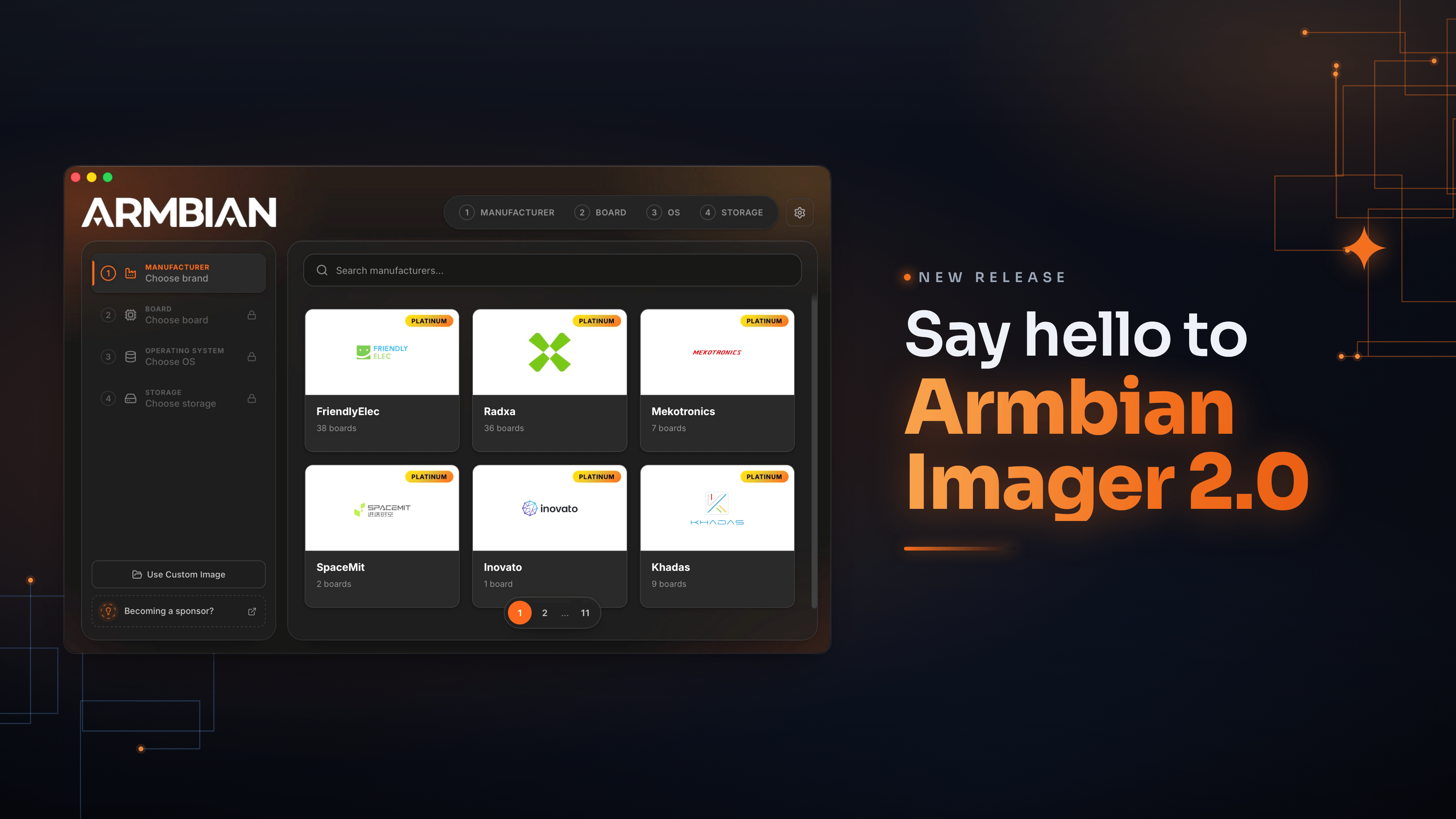
We're releasing Armbian Imager 2.0. We rebuilt the whole thing, the interface and the flashing engine underneath it. The part you'll notice first: your board boots already set up. Username, password, Wi-Fi, timezone, language. You tell Imager once, it writes that into the image, and the board comes up configured on first boot. No monitor, no keyboard, none of that blind first login.
Set it up once. It configures itself.
This is the big change in 2.0. You build a profile in settings: username and password, an SSH key, your Wi-Fi network and country code, timezone, locale, shell. Imager writes it straight into the image's filesystem while it flashes. Power on the board, it reads the profile and brings itself up. Qualcomm boards over QDL get the same treatment.
It's the difference between "flash, hook up a screen and keyboard, sit through the setup" and "flash, slot the card, switch on." I didn't expect to care this much about it, and now I can't flash without it.
Pick everything on one screen
The old pop-up windows are gone. In their place is a single animated flow: manufacturer, board, OS, device, all on one page that moves with you. You page through the board and vendor grids, the distro logos are drawn by hand, and the app glides instead of slamming between screens. Settings got the same redesign. So did the cache manager, which now shows where your gigabytes actually went, by category, and clears them in a tap.
Know what you're writing before you write it
Every image tells you what it is up front: build date, badges for the desktop and the kernel branch, a label when it ships with something preinstalled like the SDK build, openHAB, or Kali. Anything you've already downloaded carries a small check, so you don't pull it twice. If you want the trunk rolling releases, there's a filter for them, with a plain warning before you commit. And images that can't be written to a card, like the VM disk formats, simply aren't in the list.
Every write, checked byte for byte
The download is verified against its SHA256. After writing, the app reads the card back and compares it to the source, byte for byte. While that runs, your board floats over a warm glow that follows the progress, with one line telling you the stage instead of a wall of numbers. When the check turns green, it's because the data on the card matches. Not because we're optimistic.
Bring your own images, online or offline
Have an image of your own? Drop it in. We handle img, iso, xz, gz, bz2, and zst, and decompress before writing. Lose your connection partway through the day and Imager still works: the offline mode was reworked so your cache and your own files stay one click away.
The same app on Mac, Linux, and Windows
Same look and behavior on all three. On Mac it's a single universal build for Intel and Apple Silicon. Pick a light theme, a dark one, or let it follow the system. Eighteen languages, chosen automatically from your locale. Free and open source, the way it started.
Get it
Armbian Imager 2.0 is available now, free, on Mac, Linux, and Windows. It does the same job it always has, writing a good image to a card. The new part is what happens after: you power the board on, and it's already yours.
-

Welcome to the latest Armbian Newsletter: your source for the latest developments, community highlights, and behind-the-scenes updates from the world of open-source ARM and RISC-V computing.
Armbian v26.5.1 delivers another strong round of improvements across the project, focusing on expanded hardware support, desktop and userland refinements, build framework modernization, and infrastructure enhancements. This release introduces new board images and platform updates, improves Ubuntu 26.04 "Resolute" integration, refines Bianbu desktop support, adds firmware and driver updates including AX210 wireless support, and continues ongoing work to strengthen the build system, CI pipelines, and developer tooling. Numerous kernel, bootloader, and device tree updates further improve stability, compatibility, and performance across a wide range of ARM and x86 platforms, reinforcing Armbian's commitment to providing a reliable and flexible Linux distribution for single-board computers, embedded devices, and edge computing deployments.
SPONSORED
Join us in making open source better! Every donation helps Armbian improve security, performance, and reliability — so everyone can enjoy a solid foundation for their devices.
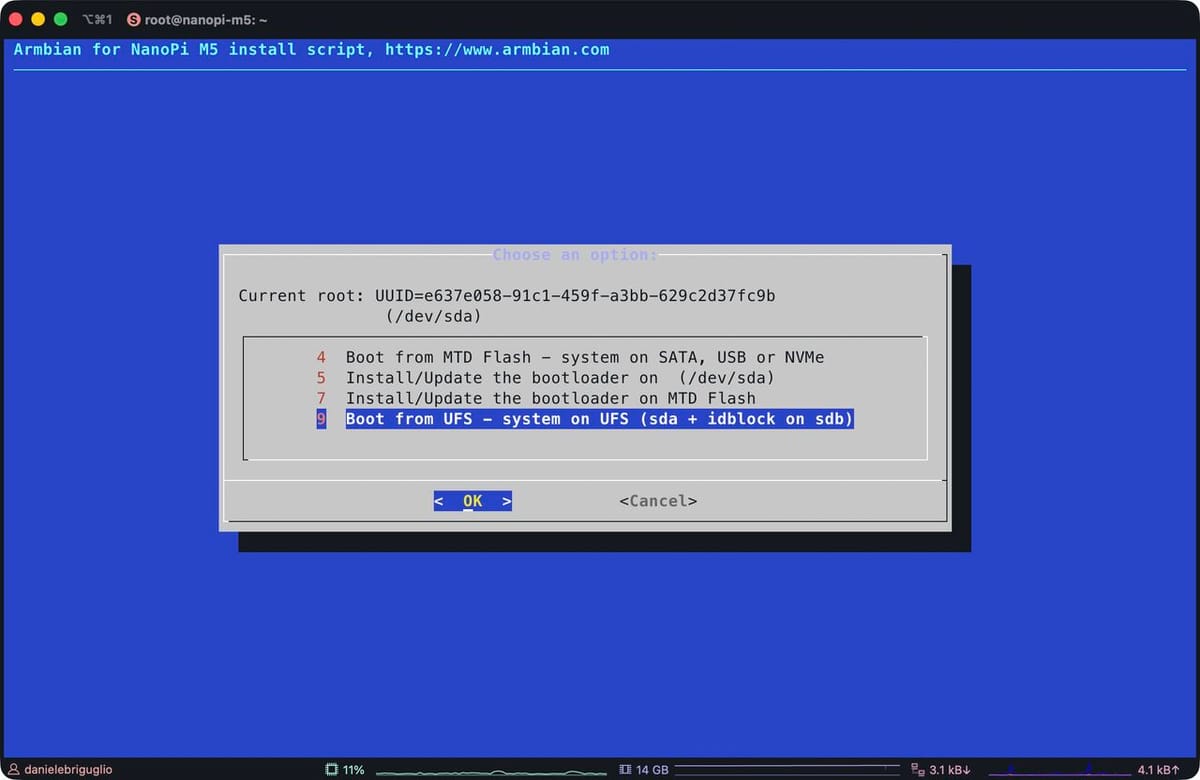
Release Armbian Quarterly digest · armbian/buildThis quarter’s work centers on three priorities: kernel modernization across SoC families, a redesigned desktop subsystem driven by armbian-config, and substantial expansion of board and platform c… armbianNative UFS boot lands on the NanoPi M5Armbian’s next release boots the FriendlyElec NanoPi M5 end-to-end from UFS on a mainline U-Boot, with no proprietary recovery image in the loop. It is the first RK3576 board in the catalogue to reach this state, and the integration pattern paves the way for the others. UFS, the storage class
Daniele Briguglio
 We rewrote how Armbian installs desktops. Here’s what changedA friendlier, faster, snap-free desktop install in armbian-config If you’ve installed a desktop environment with armbian-config over the last few months, you may have noticed things feel different: there’s a tier you can pick, the browser actually works on every arch, uninstall doesn’t take half your system with it, and
Igor Pecovnik
-
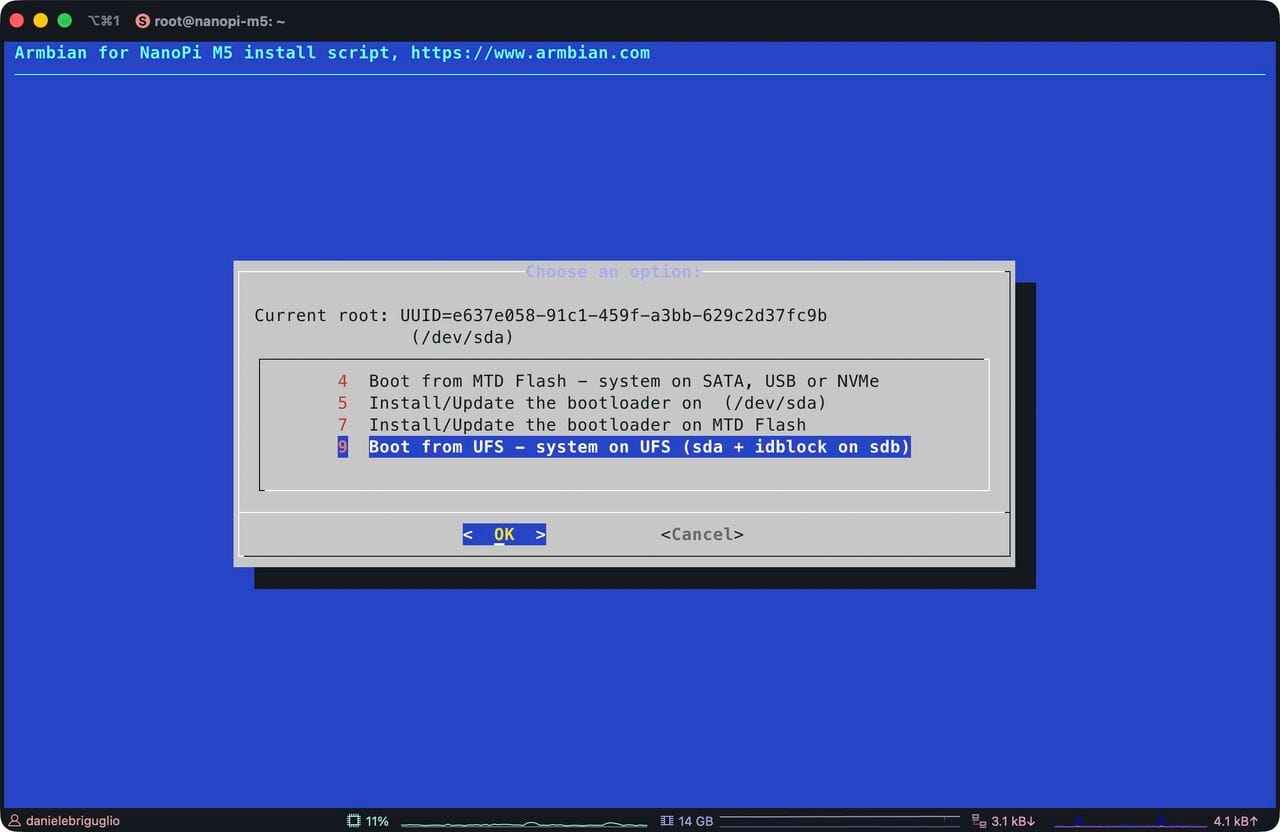
Armbian's next release boots the FriendlyElec NanoPi M5 end-to-end from UFS on a mainline U-Boot, with no proprietary recovery image in the loop. It is the first RK3576 board in the catalogue to reach this state, and the integration pattern paves the way for the others.
UFS, the storage class that replaced eMMC in phones, is packet-based and full-duplex with command queuing. The practical gain over an SD card shows up in random I/O, in latency under concurrent load, and in write endurance that holds up over years of deployment. FriendlyElec ships UFS on the M5 because the RK3576 has a native UFS controller, a sensible choice for any board destined for kiosks, robots, or industrial gateways.
What mainline was missing
The UFS controller IP itself had a partial driver in mainline U-Boot. Everything around it was not wired: PHY init sequencing, the regulator rails the device needs before it responds, the device-tree glue that tells U-Boot "yes, this board has UFS." For the M5, none of it existed. There is also a cosmetic detail that catches every newcomer, namely that Rockchip's loader tooling labels UFS as SATA in the
RKDevToolstorage dropdown. Flashing goes throughupgrade_tool, not the more familiarrkdeveloptool, becauserkdeveloptoolhas never had UFS support.How it came together
Three workstreams had to converge. Jonas Karlman's
kwiboo/rk3576branch carried the upstream RK3576 U-Boot enablement, pinctrl, clocks, storage controller bindings, and has been merging into mainline through 2026. Therockchip-linux/rkbintree had to ship a UFS-capable MiniLoader, which theRK3576MINIALL.inirecipe assembles from the DDR init, the UFS-aware loader, and the OP-TEE/ATF blobs. The Armbian side was the integration: a board config on U-Boot v2026.04, a U-Boot DT overlay that brings the UFS regulators and PHY up at the right moment, and a flashing path thatupgrade_toolaccepts. None of these were individually hard. Making them line up is what took the time.On the device, the stack does its job cleanly. The BootROM reads the IDB off UFS and pulls in the TPL; the TPL initialises DDR and the UFS host controller, sequences the regulators, negotiates the link, and reads the next stage; ATF jumps to U-Boot; U-Boot enumerates
ufs 0and loads the kernel; the kernel re-probes the same controller it just booted through. The work, almost all of it, lived at the TPL stage. Controller fine, PHY fine, but the device sits silent if regulator sequencing is wrong by a handful of milliseconds. Once that is right, the upper layers see a clean SCSI-shaped block device and the rest is unsurprising.What it leaves us with
For users with a UFS-equipped M5, the next release image flashes through the FriendlyElec Rockchip workflow with
upgrade_tool, BOOT switch on UFS/SD, storage dropdown labelled "SATA". The board boots without an SD card or eMMC involvement, andarmbian-installwrites the same image to UFS in place once the system is running from another medium. Against microSD on the same hardware the difference is felt rather than benchmarked: small reads land faster, the system stays responsive under concurrent I/O, and the write endurance is in a different ballpark.A few rough edges remain. The vendor tooling will keep calling UFS "SATA" until either Rockchip relabels the GUI or
rkdeveloptoolgrows acs ufsopcode, neither on the immediate horizon. The BOOT switch is a hardware gate with no software override. Andupgrade_toolships only as a Linux x86_64 ELF, so flashing from an Apple Silicon Mac means a Linux VM with USB passthrough or a Windows host running the GUI.The same plumbing now unlocks every other UFS-equipped RK3576 board in the catalogue. The M5 reached the line first because the hardware was available and the upstream pieces were the most complete. The others should be substantially less work, now that the integration pattern exists and the loader path has been proven on real silicon.
-
This week's work centers on board support expansion, kernel and U-Boot maintenance, and desktop and CI tooling refinements.
On the platform side, the Radxa Cubie A5E received Wi-Fi enablement and a kernel refresh as part of a broader update, while the youyeetoo YY3588 was promoted from CSC to standard support and the YY3568 gained PCIe NVMe functionality. The NanoPi R76S and Rock 5 ITX were both migrated to mainline U-Boot v2026.04, dropping vendor-branch gates, and the Vanxoak HD-RK3506-EVB was added with vendor and board imagery.
Kernel hygiene dominated the maintenance work: duplicate OPP labels on the Xiaoxin Pad Pro (sm8250) were corrected, broken UHS-I, xo-clock, SD, and DSI patches were removed from sm8550 trees for both 6.18 and 7.0, and a now-upstream r-spi backport was dropped from sunxi-6.18. The odroidxu4-current branch advanced to 6.6.141 across two successive bumps.
Desktop and infrastructure tooling saw layered improvements through configng: alsa-ucm-conf and libcamera/v4l userspace were added to the minimal tier, PackageKit and AppStream landed at the mid tier, and DE postinst scripts now execute in the build chroot to resolve missing wallpaper. UEFI x86 and arm64 desktop spins were switched to GNOME on the edge kernel, and build infrastructure gained inline ShellCheck PR feedback, scoped token permissions, fork-aware artifact gating, and event-driven runner cleanup via systemd hooks.
#Armbian #EmbeddedLinux #Rockchip #UBoot #KernelDevelopment
Changes
- Add vendor and board image of Vanxoak HD-RK3506-EVB. by @SeeleVolleri in armbian/armbian.github.io#316
- Add wifi to Radxa Cubie A5E (kernel7.0). by @juanesf in armbian/build#9879
- ci: post ShellCheck findings and auto-fix suggestions inline on PRs. by @iav in armbian/build#9868
- ci: scope GITHUB_TOKEN writes to job-level in maintenance-lint-scripts-post. by @iav in armbian/build#9887
- ci: skip build-artifacts gating job on forks. by @iav in armbian/build#9865
- desktops: install alsa-ucm-conf at minimal tier. by @igorpecovnik in armbian/configng#923
- desktops: install libcamera/v4l userspace at minimal tier. by @igorpecovnik in armbian/configng#924
- desktops: run DE postinst scripts in build chroot (fix missing wallpaper). by @igorpecovnik in armbian/configng#927
- enh: substring filter for the board picker. by @iav in armbian/build#9843
- expose: switch uefi-x86 / uefi-arm64 to GNOME desktop on edge kernel. by @igorpecovnik in armbian/armbian.github.io#315
- feat(ccache-remote): parse password from DNS-SD TXT for redis backend. by @iav in armbian/build#9864
- feat(tools/shellfmt): accept positional file args for scoped format. by @iav in armbian/build#9863
- fix(runners): handle missing HOME in systemd hooks for runner-clean-pages. by @igorpecovnik in armbian/configng#928
- fix(sm8250): drop duplicate cpu7_opp21 label on Xiaoxin Pad Pro overclock OPP. by @igorpecovnik in armbian/build#9882
- fix(sm8550-6.18): drop broken sm8x50 UHS-I/xo-clock mbox patch. by @igorpecovnik in armbian/build#9884
- fix(sm8550-7.0): drop merged & broken SD/DSI patches. by @igorpecovnik in armbian/build#9885
- fix(sunxi-6.18): drop r-spi backport now merged in linux-6.18.y stable. by @igorpecovnik in armbian/build#9883
- gha: don't double-quote board/maintainer filter values. by @iav in armbian/os#462
- gnome: add packagekit + plugins + appstream at mid tier. by @igorpecovnik in armbian/configng#922
- module_cockpit: drop qemu-kvm (no riscv64 build; qemu-system covers it). by @igorpecovnik in armbian/configng#926
- nanopi-r76s: bump mainline u-boot to v2026.04 and drop vendor-branch gates. by @SuperKali in armbian/build#9869
- release-targets: flip UEFI desktop spins from current to edge. by @igorpecovnik in armbian/armbian.github.io#314
- rock-5-itx: link upstream kernel commit in pcie3 refclk u-boot patch. by @SuperKali in armbian/build#9861
- rock-5-itx: switch to mainline u-boot v2026.04. by @SuperKali in armbian/build#9848
- Rockchip: youyeetoo yy3568: enable pci-e NVMe ssd. by @hqnicolas in armbian/build#9877
- runner-cleanup: event-driven _diag/pages wipe via systemd hooks. by @igorpecovnik in armbian/configng#925
- Update for Radxa Cubie A5E. by @juanesf in armbian/build#9626
- Update odroidxu4-current to 6.6.140. by @belegdol in armbian/build#9867
- Update odroidxu4-current to 6.6.141. by @belegdol in armbian/build#9881
- Update radxa-cubie-a5e.csc with current kernel for build. by @juanesf in armbian/build#9874
- youyeetoo-yy3588: promote from CSC to standard support. by @SuperKali in armbian/build#9873
-
This week's work advances on three fronts: kernel and bleedingedge alignment across Rockchip and Sunxi trees, board and platform enablement spanning RV1106 to SpacemiT, and CI hardening with self-hosted runner maintenance.
On the kernel side,
bleedingedgewas bumped to 7.1-rc3, accompanied by cfg80211 API fixes and re-enablement of the rtl8189fs and rtl8852bs drivers for the new release. Both the rockchip64 and sunxi patch stacks for current and edge were rewritten, an upstream ptrace fix for CVE-2026-46333 was backported to linux-rockchip, and the odroidxu4-current kernel moved to 6.6.139.Platform enablement was broad. The Ayn Odin2 gained 7.0 kernel support, the Mekotronics R58X-Pro switched its vendor build to mainline U-Boot with a corrected LCD driver, and the H96 TV box advanced to U-Boot v2026.04. RV1106 transitioned from extlinux to a bootscript and gained DS1307, PCF85063, and RV8803 RTC drivers, while SpacemiT received OpenSBI, U-Boot, and BPI-F3 DTS fixups. Smaller but user-visible improvements include NanoPi M5 second USB3 port exposure via DRD0 host-mode pinning, NORCO EMB-3531 LPDDR4X variants, RK3528 USB2 PHY corrections for high-speed NCM, and UEFI x86 images enabling iwlwifi MLD and Intel SOF audio for MTL, LNL, and PTL.
Infrastructure work centered on self-hosted runner reliability and supply-chain hygiene. A new runner-cleanup module provides hourly disk and memory maintenance, skips busy runners, and ships via .deb, while a maintenance watchdog was added to the SDK repository. Multiple StepSecurity hardening passes landed across build and SDK workflows, though an overly strict egress-policy was subsequently reverted after breaking builds.
#Armbian #EmbeddedLinux #Rockchip #RISCV #KernelDevelopment
Changes
- Actions: Cleanup "Release" workflow. by @vidplace7 in armbian/MorseMicro-DKMS#4
- Actions: Create release workflow. by @vidplace7 in armbian/MorseMicro-DKMS#3
- Ayn Odin2 kernel 7.0 support. by @kasimling in armbian/build#9706
- Build for riscv64. by @vidplace7 in armbian/MorseMicro-DKMS#5
- Bump actions/download-artifact from 7 to 8. by @igorpecovnik in armbian/os#464
- Bump versions: stable 26.5.0, nightly 26.8.0-trunk.1. by @igorpecovnik in armbian/os#461
- bump
bleedingedgeto 7.1-rc3. by @EvilOlaf in armbian/build#9806 - cfg80211: fix API changes for Linux 7.1. by @EvilOlaf in armbian/wifi-rtl8852bs#5
- change recomputer rk35xx fan speed. by @ackPeng in armbian/linux-rockchip#472
- ci: add maintenance watchdog + rename action.yml → build-armbian-sdk.yml. by @igorpecovnik in armbian/sdk#25
- ci: drop step-security/harden-runner steps (egress-policy was breaking builds). by @igorpecovnik in armbian/sdk#26
- desktops: ship fprintd userspace at mid tier. by @igorpecovnik in armbian/configng#918
- desktops: split light/dark wallpapers in gnome + bianbu postinsts. by @igorpecovnik in armbian/configng#905
- Disable: SpacemiT: fix RX DMA params not set when TX is running. by @pyavitz in armbian/build#9808
- drivers_network: bump rtl8852bs commit ref to 35d3e266 (May 17). by @igorpecovnik in armbian/build#9841
- drop old
lcd_vk2c21LCD driver that never worked; backport workingvinka,vk2c21driver; fix Mekos DTs. by @rpardini in armbian/linux-rockchip#482 - ebyte-ecb41-pge: Add spidev overlays (RPi-compatible). by @vidplace7 in armbian/linux-rockchip#467
- firmware-sof-signed: move from cli/amd64 baseline to UEFI common. by @igorpecovnik in armbian/build#9857
- fix(deps): add Pygments to requirements.txt (rich.syntax dep). by @iav in armbian/build#9819
- luckfox-lyra-zero-w: Default to onboard wifi antenna, add ipex overlay. by @vidplace7 in armbian/linux-rockchip#468
- maintenance-watchdog: target the workflow that actually exists. by @igorpecovnik in armbian/configng#915
- Mekotronics R58X-Pro (vendor): use mainline u-boot for vendor; use new LCD driver. by @rpardini in armbian/build#9836
- module_armbian_runners: skip busy runners + ship runner-cleanup assets via .deb. by @igorpecovnik in armbian/configng#914
- module_qbittorrent: poll for temporary password before showing dialog. by @igorpecovnik in armbian/configng#916
- nanopi-m5: pin DRD0 dwc3 to host mode to expose the second USB3 port. by @SuperKali in armbian/build#9844
- NORCO EMB-3531: Add LPDDR4X variants support. by @retro98boy in armbian/build#9823
- patch/sunxi-6.12: drop two Rockchip SPI patches (not applicable to sunxi). by @igorpecovnik in armbian/build#9827
- postinst/gnome: enable tap-to-click + clickpad right-click out of the box. by @igorpecovnik in armbian/configng#917
- Potential fix for code scanning alert no. 2: Code injection. by @iav in armbian/build#9799
- ptrace: backport upstream fix for CVE-2026-46333 (ssh-keysign-pwn). by @SuperKali in armbian/linux-rockchip#481
- restore backwards compatibility. by @EvilOlaf in armbian/wifi-rtl8852bs#6
- rockchip rk3566: h96-TVbox: bump to uboot v2026.04. by @hqnicolas in armbian/build#9807
- rockchip64-6.18: rebase rk3399 dwc3 phy-reset-quirk patch for 6.18.32. by @SuperKali in armbian/build#9847
- rockchip64: fix RK3528 USB2 PHY regmap split for high-speed NCM. by @rubycomm in armbian/build#9785
- rockchip64: opt-in helios64 CPU stability overlay (current + edge). by @iav in armbian/build#9822
- rockchip64: rewrite patches of current and edge. by @EvilOlaf in armbian/build#9829
- rtl8189fs: fix compilation for 7.1 and re-enable. by @EvilOlaf in armbian/build#9813
- rtl8852bs: re-enable for bleedingedge. by @EvilOlaf in armbian/build#9831
- runner-cleanup: drop redundant age-based _diag prune. by @igorpecovnik in armbian/configng#921
- runner-cleanup: hourly disk + memory maintenance for self-hosted runner hosts. by @igorpecovnik in armbian/configng#913
- runner-cleanup: wipe _diag/pages/ alongside _work/. by @igorpecovnik in armbian/configng#919
- runner-cleanup: wipe ~/_diag/ on every runner each pass. by @igorpecovnik in armbian/configng#920
- RV1106: add support for additional RTC drivers (DS1307, PCF85063, RV8803). by @vidplace7 in armbian/build#9812
- RV1106: Switch u-boot from extlinux to bootscript. by @vidplace7 in armbian/build#9801
- SpacemiT: Fixup OpenSBI, U-Boot and BPI-F3 DTS. by @pyavitz in armbian/build#9838
- sunxi: rewrite kernel patches of current and edge. by @EvilOlaf in armbian/build#9828
- uefi-x86: enable iwlwifi MLD + Intel SOF (MTL/LNL/PTL) audio. by @igorpecovnik in armbian/build#9846
- Update documentation / packaging URLs. by @vidplace7 in armbian/MorseMicro-DKMS#2
- Update MorseMicro suite to 1.17.8. by @vidplace7 in armbian/MorseMicro-DKMS#1
- Update nanopi r5s udev rule tweak for persistent net interface names. by @ruabmbua in armbian/build#9811
- Update odroidxu4-current to 6.6.139. by @belegdol in armbian/build#9837
- Workaround devcontainer/ci platform issues. by @vidplace7 in armbian/MorseMicro-DKMS#6
- [StepSecurity] Apply security best practices. by @step-security-bot in armbian/build#9833
- [StepSecurity] Apply security best practices. by @step-security-bot in armbian/build#9839
- [StepSecurity] Apply security best practices. by @step-security-bot in armbian/sdk#24
- [StepSecurity] ci: Harden GitHub Actions. by @step-security-bot in armbian/build#9803
- [StepSecurity] ci: Harden GitHub Actions. by @step-security-bot in armbian/build#9825
-
This week's work centers on release and CI infrastructure, board and U-Boot updates, and build framework hardening.
On the release pipeline, asset manifest JSON is now emitted alongside uploads, third-party
armbian-images.jsonsources are merged into the main download index, and dispatch chains were rewired so that build completion fans out cleanly to download-index regeneration and website sync. Ubuntu resolute (26.04) entered the daily build matrix, with correspondingprepare-hostadjustments for its qemu-user packaging and a targeted blacklist for boards failing resolute plus GNOME. The new Armbian SDK images are now surfaced on the website and ship preloaded with the build framework, code-server, and developer tooling.On the platform side, U-Boot v2026.04 lands for Helios4, Rock-5B-Plus, Rock-5T, and NanoPi-M5 (with mainline UFS via a vendor-SPL hybrid), while new
bleedingedgebranches were introduced for rockchip64 and meson64. Initial support arrived for the Photonicat2 board, new RK3576 SPL and RK3588 DDR blobs were added, Panthor firmware expanded to cover additional Mali GPUs, and a PCIe LTSSM timeout fix improves cold-boot NVMe detection on Rockchip. NanoPC-T6 LTS Plus was renamed, panther-x2 moved from CSC to EOS, and odroidxu4-current advanced to 6.6.138.In the build framework, an unsafe
evalwas replaced withdeclare -gand namerefs, destructive commands were properly quoted, and Docker--privilegedis now gated behind an explicitDOCKER_PRIVILEGEDtoggle. The desktop configuration tree migrated to thearmbian-config module_desktopssystem, kernel build failures now propagate exit codes correctly, missingBOOT_FDT_FILEsurfaces as an error alert, and SysRq-via-BREAK was restored ondw-apb-uartfor mvebu-6.18 and rockchip64-7.0 kernels.#Armbian #EmbeddedLinux #UBoot #Rockchip #SBC #LinuxKernel
Changes
- (#9400 P1b) Replace unsafe eval with declare -g and nameref. by @iav in armbian/build#9461
- action: emit assets manifest JSON alongside release uploads. by @igorpecovnik in armbian/build#9772
- action: leave torrent URLs empty in per-image asset manifests. by @igorpecovnik in armbian/build#9792
- Add expect-dev to package dependencies. by @igorpecovnik in armbian/configng#904
- Add support for Photonicat2 board with USB hub watchdog. by @HackingGate in armbian/build#9765
- arm64: dts: rockchip: rename NanoPC-T6 LTS Plus to NanoPC-T6 Plus. by @igorpecovnik in armbian/linux-rockchip#478
- Build-Switches: document DOCKER_PRUNE opt-in. by @igorpecovnik in armbian/documentation#920
- build: misc cleanup — DEBUG-gated mmdebstrap verbosity, DOCKER_PRUNE opt-in. by @igorpecovnik in armbian/build#9704
- chore(config/common): remove dead FAST_CREATE_IMAGE variable. by @iav in armbian/build#9756
- ci/maintenance-unit-tests: skip draft PRs. by @igorpecovnik in armbian/configng#910
- ci: add Maintenance: Watchdog workflow. by @igorpecovnik in armbian/docker-armbian-build#23
- ci: add Ubuntu resolute to the build matrix. by @igorpecovnik in armbian/sdk#22
- ci: aggregate per-cell asset manifests into armbian-sdk-images.json. by @igorpecovnik in armbian/sdk#13
- ci: cancel in-flight download-index runs when a new one starts. by @igorpecovnik in armbian/armbian.github.io#313
- ci: dispatch armbian.github.io download-index regen after green build. by @igorpecovnik in armbian/sdk#21
- ci: dispatch armbian/website sync after web-directory generation. by @igorpecovnik in armbian/armbian.github.io#310
- ci: fix dispatch chain — download-index fan-out + redirector ends with directory regen. by @igorpecovnik in armbian/armbian.github.io#311
- ci: rename build workflow to 'Docker Images For Automation'. by @igorpecovnik in armbian/docker-armbian-build#24
- Community: blacklist xpressreal-t3 (resolute desktops failing). by @igorpecovnik in armbian/armbian.github.io#308
- Community: enable Ubuntu minimal CLI for all boards (not just headless). by @igorpecovnik in armbian/armbian.github.io#309
- desktops: migrate from config/desktop/ tree to armbian-config module_desktops. by @igorpecovnik in armbian/build#9683
- Disable UDev Rule for Radxa Display 10 FHD. by @FlorianKohn in armbian/build#9503
- docker: gate --privileged behind DOCKER_PRIVILEGED toggle (default yes). by @iav in armbian/build#9733
- docs: add extensions reference list. by @iav in armbian/documentation#881
- feat(boards/helios4): enable watchdog extension by default. by @iav in armbian/build#9757
- Fix cmdline fsck argument. by @QwaSeeK in armbian/build#9779
- Fix rk3528 nanopi zero2 snps reset gpio property. by @EvilOlaf in armbian/build#9770
- fix(config): skip host filesystem compatibility check for ROOTFS_TYPE=nfs. by @iav in armbian/build#9759
- fix(kernel/mvebu-6.18): restore SysRq-via-BREAK on dw-apb-uart (8250_dw). by @iav in armbian/build#9760
- fix(kernel/rockchip64-7.0): restore SysRq-via-BREAK on dw-apb-uart (8250_dw). by @iav in armbian/build#9750
- framework: add resolute (Ubuntu 26.04) image to the daily matrix. by @igorpecovnik in armbian/docker-armbian-build#26
- helios4: bump u-boot to v2026.04. by @iav in armbian/build#9786
- image/compress-checksum: maximize CPU + memory use. by @igorpecovnik in armbian/build#9758
- Introduce
bleedingedgeBRANCH for rockchip64. by @EvilOlaf in armbian/build#9738 - kernel-dtb: surface missing BOOT_FDT_FILE as err alert (fixes #8083). by @iav in armbian/build#9700
- kernel: fix process not exit with kernel build failure. by @amazingfate in armbian/build#9771
- manage_zsh → module_zsh: align with current module style. by @igorpecovnik in armbian/configng#911
- Merge third-party armbian-images.json sources into the main download index. by @igorpecovnik in armbian/armbian.github.io#306
- meson64: introduce
bleedingedgeBRANCH with 7.1-rc2. by @EvilOlaf in armbian/build#9761 - nanopi-m5: mainline U-Boot v2026.04 + UFS (vendor-SPL hybrid). by @SuperKali in armbian/build#9788
- Nightly: blacklist 16 boards failing resolute+gnome_desktop. by @igorpecovnik in armbian/armbian.github.io#307
- panther-x2: move from CSC to EOS. by @igorpecovnik in armbian/build#9778
- panthor: Add firmware for more Mali GPUs. by @nyanmisaka in armbian/firmware#124
- pci: pcie_dw_rockchip: increase PCIe LTSSM timeout for cold boot NVMe. by @rpahle in armbian/build#9751
- Pre-load SDK images with build framework, code-server, Python + Claude Code, and SSH keys. by @igorpecovnik in armbian/sdk#16
- prepare-host: support Ubuntu resolute's qemu-user packaging changes. by @igorpecovnik in armbian/build#9790
- Quote variables in destructive commands (#9400 P0). by @iav in armbian/build#9401
- README: cover both image families this repo publishes. by @igorpecovnik in armbian/docker-armbian-build#25
- reporting-release-summary: prepend 'Armbian' to digest titles. by @igorpecovnik in armbian/armbian.github.io#305
- Revert zsh integration from SDK image. by @igorpecovnik in armbian/sdk#23
- rk3576: Add SPL v1.08 blob. by @SuperKali in armbian/rkbin#44
- RK3588: Add v1.20 DDR blob. by @HeyMeco in armbian/rkbin#43
- Rock-5B-Plus and Rock-5T: Move to u-boot 2026.04. by @HeyMeco in armbian/build#9773
- SpacemiT: Update EDGE branch to linux-7.1. by @pyavitz in armbian/build#9784
- Surface armbian-sdk images in Dedicated Applications. by @igorpecovnik in armbian/website#19
- Update odroidxu4-current to 6.6.137. by @belegdol in armbian/build#9768
- Update odroidxu4-current to 6.6.138. by @belegdol in armbian/build#9793
- Update README to clarify Armbian SDK purpose. by @igorpecovnik in armbian/sdk#18
- Update USB version in odroidhc4.conf. by @igorpecovnik in armbian/build#9754
- userpatches: install zsh via armbian-config --api, not direct apt. by @igorpecovnik in armbian/sdk#20
- userpatches: pre-install gh + first-boot provisioning stub. by @igorpecovnik in armbian/sdk#14
- userpatches: pre-install tig, nodejs and Claude Code CLI host-side. by @igorpecovnik in armbian/sdk#17
- userpatches: pre-install zsh in the chroot. by @igorpecovnik in armbian/sdk#19
- userpatches: switch pre-install from gh to git. by @igorpecovnik in armbian/sdk#15
-
This week's work centers on release pipeline modernization, desktop and userland refinements, and board and kernel platform maintenance.
On the release and CI side, the build matrix gained codename parameterisation with Ubuntu 26.04 "resolute" set as default, a dedicated Bianbu target, and exposed map overrides, while standard-support targets now include UEFI desktops and a plain cloud variant. The KDE fast-HDMI matrix was switched from kde-neon to kde-plasma, mesa-vpu was dropped from auto-attached extensions, and external CI now skips slots with a warning when upstream sources break. Supporting fixes route forky/loong64 base-files lookups to the main archive and add AI cover image generation to the blog workflow.
Desktop and userland changes focus on the Bianbu environment, where PVR DRI was enabled, detection corrected, menu entries added, systemd suspend re-enabled on K1, and gnome-initial-setup purged post-install. Broader fixes pass
--allow-downgradeson pinned package installs, align LAN/WAN labels across IPv4 and IPv6 rows in the MOTD, harden console-width handling against invalidCOLUMNSvalues, and correct output to/etc/armbian-image-release.Platform support sees explicit ARCH=arm64 declarations on five inheriting boards, validate-board-config now following inheritance from
${SRC}/config/boards, and targeted fixes for imx8m binman hooks and rockchip family tweaks under forky (addgroup→groupadd). Kernel and DTS work restores 6.18.y on sm8550, syncs CAINIAO CNIoT-CORE DTS from 6.18 to 6.12, disables broken drm/xe patches under uefi-loong64-7.0, and improves the SMART AM40 and Retroid Pocket board definitions. AX210 firmware lands for mainline, and Seeed Studio reComputer images join the catalogue.#Armbian #EmbeddedLinux #ARM64 #Rockchip #Ubuntu #KDE #Mainline
Changes
- Add AX210 firmware for mainline kernel. by @ginkage in armbian/firmware#126
- Add Seeed Studio reComputer board images and vendor logo. by @baorepo in armbian/armbian.github.io#297
- boards: declare ARCH=arm64 explicitly on five inheriting boards. by @igorpecovnik in armbian/build#9747
- ci/external: skip slot with warning when upstream source breaks. by @igorpecovnik in armbian/armbian.github.io#301
- ci/maintenance-unit-tests: list docker state on the runner. by @igorpecovnik in armbian/configng#903
- desktops/bianbu: enable PVR DRI, fix detection, add menu entries. by @igorpecovnik in armbian/configng#897
- desktops/bianbu: purge gnome-initial-setup after install. by @igorpecovnik in armbian/configng#902
- desktops/bianbu: re-enable systemd suspend on K1. by @igorpecovnik in armbian/configng#900
- desktops: pass --allow-downgrades on pinned package install. by @igorpecovnik in armbian/configng#899
- DTS: Sync CAINIAO CNIoT-CORE from 6.18 to 6.12. by @retro98boy in armbian/build#9736
- Fix workflow bugs and add AI cover image generation. by @igorpecovnik in armbian/armbian.github.io#298
- fix: rename imx8m bare hook so binman pkg_resources patch can run. by @igorpecovnik in armbian/build#9752
- fix: rockchip family_tweaks fails on forky — addgroup → groupadd. by @igorpecovnik in armbian/build#9753
- fix: route forky/loong64 base-files lookups to the main archive. by @igorpecovnik in armbian/armbian.github.io#299
- fixing output to /etc/armbian-image-release. by @dittodhole in armbian/build#9729
- Handle invalid data in COLUMNS env var when determining console width. by @scollinson in armbian/build#9631
- kernel: add linux-initramfs-tool as dep of linux-image package. by @amazingfate in armbian/build#9731
- motd/20-ip-info: align (LAN)/(WAN) labels across IPv4 + IPv6 rows. by @igorpecovnik in armbian/build#9728
- os-info: add Ubuntu 26.04 (resolute). by @igorpecovnik in armbian/imager#134
- patch: disable broken drm/xe patches under uefi-loong64-7.0. by @igorpecovnik in armbian/build#9745
- release-targets/standard-support.manual: add UEFI desktops + plain cloud. by @igorpecovnik in armbian/armbian.github.io#304
- release-targets: codename parameterisation, resolute default, Bianbu target, exposed.map overrides. by @igorpecovnik in armbian/armbian.github.io#295
- release-targets: drop mesa-vpu from auto-attached extensions. by @igorpecovnik in armbian/armbian.github.io#302
- release-targets: switch fast-HDMI KDE matrix from kde-neon to kde-plasma. by @igorpecovnik in armbian/armbian.github.io#303
- Retroidpocket: fix
currentand addedgeas target. by @EvilOlaf in armbian/build#9724 - sm8550: Restore kernel 6.18.y for current and edge branch. by @kasimling in armbian/build#9737
- SMART AM40 improve. by @retro98boy in armbian/build#9735
- userpatches: skip jammy in items-from-inventory. by @igorpecovnik in armbian/os#460
- validate-board-config: follow source ${SRC}/config/boards inheritance. by @igorpecovnik in armbian/build#9748
-
Welcome to the latest Armbian Newsletter: your source for the latest developments, community highlights, and behind-the-scenes updates from the world of open-source ARM and RISC-V computing.
Armbian has released images based on Ubuntu 26.04 LTS, codenamed Resolute Raccoon the latest long-term support base. As always, Armbian applies its own platform-optimized kernel, board-specific patches, and tested drivers on top so what you get is a clean, stable foundation across SBCs, PCs, and cloud environments, with no Snap packages, fully compatible with the Ubuntu ecosystem, and no surprises.
SPONSORED
Join us in making open source better! Every donation helps Armbian improve security, performance, and reliability — so everyone can enjoy a solid foundation for their devices.
We rewrote how Armbian installs desktops. Here’s what changedA friendlier, faster, snap-free desktop install in armbian-config If you’ve installed a desktop environment with armbian-config over the last few months, you may have noticed things feel different: there’s a tier you can pick, the browser actually works on every arch, uninstall doesn’t take half your system with it, andIgor Pecovnik
 Armbian Q1 2026: Technical Milestones and the Road to Embedded WorldThe first quarter of 2026 has been a period of significant technical consolidation for the Armbian project. Driven by the v26.02 (Goa) release cycle, the project has focused on three core pillars: aggressive framework refactoring, the stable rollout of the Linux 6.18 LTS kernel, and the maturation of
Michael Robinson
 Github HighlightsThis week in Armbian development saw a broad range of updates spanning kernel enhancements, desktop improvements, and infrastructure refinements. Notable changes include new developer documentation for the desktop submodule, expanded GPU and multimedia support for vendor-kernel desktops, and several kernel version bumps for various platforms. The build system received fixes
Michael Robinson
-
This week in Armbian development saw a broad range of updates spanning kernel enhancements, desktop improvements, and infrastructure refinements. Notable changes include new developer documentation for the desktop submodule, expanded GPU and multimedia support for vendor-kernel desktops, and several kernel version bumps for various platforms. The build system received fixes for filesystem resizing and improved dependency handling, while CI workflows were optimized with increased timeouts and better error handling. New hardware targets were added, including Radxa Dragon Q6A and Nio 12L, alongside updates to u-boot and kernel drivers for multiple devices. Additional improvements focused on patch maintenance, logo updates, and enhanced automation for VM provisioning. These collective efforts continue to strengthen Armbian’s reliability, performance, and hardware compatibility.
Changes
- Add developer guide for the desktop submodule. by @igorpecovnik in armbian/documentation#912
- armbian-kernel: btf: fixes + enable KPROBES. by @rpardini in armbian/build#9715
- armbian-resize-filesystem: fix typo $rootdev → $diskdev in do_expand_partition. by @iav in armbian/build#9702
- artifact-uboot: add UBOOT_GIT_CACHE_TTL (fixes #7710). by @iav in armbian/build#9699
- ci/unit-tests: bump job timeouts by +30 minutes. by @igorpecovnik in armbian/configng#890
- ci/unit-tests: cancel in-flight runs on supersede. by @igorpecovnik in armbian/configng#891
- cli: kernel-dtb: pass
-@to normalized dtc invocation. by @rpardini in armbian/build#9720 - config.system: add Bianbu to the desktop install menu. by @igorpecovnik in armbian/configng#893
- desktops: enable panthor-gpu DT overlay on rk3588 vendor-kernel desktops. by @igorpecovnik in armbian/configng#886
- desktops: install libv4l-0 before rockchip-multimedia packages. by @igorpecovnik in armbian/configng#887
- desktops: move mesa/GPU runtime + diagnostics to common mid tier. by @igorpecovnik in armbian/configng#885
- desktops: prune unused wallpaper assets (-15 MB). by @igorpecovnik in armbian/configng#882
- desktops: strip libreoffice on jammy/riscv64 (no upstream build). by @igorpecovnik in armbian/configng#883
- env_init: reconcile BRANCH from installed kernel on every startup. by @igorpecovnik in armbian/configng#892
- external: enable code (VSCode) pull for jammy. by @igorpecovnik in armbian/os#457
- generate-armbian-images-json: detect preinstalled app past kernel rc/beta tag. by @igorpecovnik in armbian/armbian.github.io#294
- genio: edge: bump to collabora's 6.19.8. by @rpardini in armbian/build#9721
- helios64: u-boot: bump to v2026.04 + diagnostics + CMD_FILEENV; v2026.04: generic btrfs zstd fix. by @iav in armbian/build#9675
- hetzner: validate GitHub runner token before provisioning any VM. by @igorpecovnik in armbian/actions#19
- Improve Radxa logo. by @igorpecovnik in armbian/armbian.github.io#293
- kernel: add dependency of initramfs-tools for linux-image package. by @amazingfate in armbian/build#9727
- libbpf: fix const correctness in resolve_full_path for gcc15. by @EvilOlaf in armbian/linux-rockchip#474
- meson64-6.12: oldlts: update meson-axg mmc phase configuration patch. by @rpardini in armbian/build#9712
- mvebu: edge → 6.18 LTS family-wide + restore 4 patches lost in #6135. by @iav in armbian/build#9709
- Odin2: Now we can switch back to upstream sdhci-msm driver. by @kasimling in armbian/build#9703
- odroidhc4: u-boot: bump 2026.01 -> 2026.04 (final) & add LWIP. by @rpardini in armbian/build#9714
- owncloud: fix CI install test + docker_operation_progress pull/error-handling bugs it exposed. by @igorpecovnik in armbian/configng#888
- owncloud: fix CI install test + docker_operation_progress pull/error-handling bugs it exposed. by @igorpecovnik in armbian/configng#889
- patch maintenance: some rewriting against recent patch versions. by @EvilOlaf in armbian/build#9711
- pkg: prevent interactive dpkg prompts in automated builds. by @igorpecovnik in armbian/configng#884
- qrb2210: switch edge kernel to mainline linux v7.0. by @SuperKali in armbian/build#9710
- radxa-aic8800: Use gcc-14 for Noble release. by @HeyMeco in armbian/build#9707
- refactor(api): normalize application='ufs' to storage='ufs'. by @HeyMeco in armbian/website#9
- release-targets: add radxa-dragon-q6a and radxa-nio-12l with ufs extension. by @igorpecovnik in armbian/armbian.github.io#292
- Revert "Disable Sk-am64b as its not compiling on Resolute". by @jonaswood01 in armbian/armbian.github.io#289
- SpacemiT: Enable additional audio support in legacy and current. by @pyavitz in armbian/build#9717
- targets: set DESKTOP_TIER per desktop block, keyed on DESKTOP_APPGROUPS_SELECTED. by @igorpecovnik in armbian/armbian.github.io#288
- thinkpad-x13s: bump to steev's 7.0.y. by @rpardini in armbian/build#9716
- u-boot: 2026.04: drop #warnings in fdt_fixup_ethernet logging patch. by @rpardini in armbian/build#9713
- Update odroidxu4-current to 6.6.135. by @belegdol in armbian/build#9705
- Update Radxa logo. by @igorpecovnik in armbian/armbian.github.io#290
- workflows/hetzner: expose machine_count and server_type as dispatch inputs. by @igorpecovnik in armbian/armbian.github.io#291
-
This week in Armbian development saw significant progress across board support, desktop environments, and infrastructure. Notably, NanoPC T6 LTS Plus was added as a reusable board, and support for Ubuntu 26.04 LTS ("Resolute") expanded to desktop package coverage and testing. Multiple improvements targeted desktop environments, including package updates, installation fixes, and branding enhancements for browsers. Kernel and bootloader updates were implemented for various boards, with mainline kernel bumped to 7.0 stable and u-boot upgrades for Rockchip devices. Infrastructure enhancements included new CI workflows, multi-arch unit tests, and migration to a REST API. Several bug fixes, optimizations, and cosmetic cleanups rounded out the release, ensuring greater stability and usability for Armbian users.
Changes
- Add Beaglebadge. by @Grippy98 in armbian/armbian.github.io#284
- Add few images. by @igorpecovnik in armbian/configng#858
- Add NanoPC T6 LTS Plus as reusable board. by @igorpecovnik in armbian/armbian.github.io#275
- Add NanoPC-T6 LTS Plus board support. by @igorpecovnik in armbian/build#9617
- arduino-uno-q: bump edge kernel to 7.0.0-unoq. by @SuperKali in armbian/build#9696
- base-files: symlink upstream distro logos to Armbian's. by @igorpecovnik in armbian/build#9688
- boot: stop emitting splash=verbose to the kernel cmdline. by @igorpecovnik in armbian/build#9653
- bsp: drop /etc/apt/preferences.d/armbian — desktop pin moves to armbian-config. by @igorpecovnik in armbian/build#9664
- bsp: ship Armbian distributor logo (svg + wordmark png variants). by @igorpecovnik in armbian/build#9674
- chore(deps): patch rustls-webpki and rand advisories. by @SuperKali in armbian/imager#132
- ci: add dependabot config (github-actions, daily). by @igorpecovnik in armbian/docker-armbian-build#16
- ci: build repository-update images for armhf. by @igorpecovnik in armbian/docker-armbian-build#22
- ci: build repository-update images for riscv64. by @igorpecovnik in armbian/docker-armbian-build#15
- ci: drop deprecated golint. by @SuperKali in armbian/armbian-router#41
- ci: multi-arch unit tests + JSON report published to armbian.github.io. by @igorpecovnik in armbian/configng#872
- ci: run unit tests under qemu-user for armhf + riscv64. by @igorpecovnik in armbian/configng#875
- ci: validate board config required fields on PR. by @igorpecovnik in armbian/build#9678
- copyright: match website footer. by @igorpecovnik in armbian/documentation#916
- cosmetic: clean up build warnings (locale, setfont, GPG, oras). by @igorpecovnik in armbian/build#9684
- desktops/common: strip armbian-imager on armhf/riscv64/loong64. by @igorpecovnik in armbian/configng#867
- desktops/common: use epiphany-browser on Ubuntu/riscv64. by @igorpecovnik in armbian/configng#870
- desktops/gnome: drop loong64 from sid. by @igorpecovnik in armbian/configng#877
- desktops/gnome: fix gnome-bluetooth-sendto install failure on jammy. by @igorpecovnik in armbian/configng#876
- desktops/mate: drop brisk-menu + mate-applet-trash from minimal. by @igorpecovnik in armbian/configng#866
- desktops/postinst: drop stray 'fi' from five scripts that fail bash -n. by @igorpecovnik in armbian/configng#879
- desktops/xfce: drop apport stack from packages_uninstall. by @igorpecovnik in armbian/configng#869
- desktops: add mode=build to skip user-dependent steps at image build time. by @igorpecovnik in armbian/configng#859
- desktops: availability + editorial-status filters, CSC menu. by @igorpecovnik in armbian/configng#863
- desktops: brand Chromium / Chrome / Firefox(-esr) first-run + homepage. by @igorpecovnik in armbian/configng#854
- desktops: disable DM in mode=build after install. by @igorpecovnik in armbian/configng#862
- desktops: drop libu2f-udev from resolute (no installation candidate). by @igorpecovnik in armbian/configng#853
- desktops: drop NetworkManager override from postinst scripts. by @igorpecovnik in armbian/configng#861
- desktops: drop plucky and questing release blocks. by @igorpecovnik in armbian/configng#849
- desktops: fix forky minimal installs (drop obsoleted/moved pkgs). by @igorpecovnik in armbian/configng#871
- desktops: flip netplan renderer to NetworkManager on live install. by @igorpecovnik in armbian/configng#880
- desktops: install runtime apt pin so apt.armbian.com .debs. by @igorpecovnik in armbian/configng#851
- desktops: route apt.armbian.com browsers + add code, armbian-imager, restore thunderbird. by @igorpecovnik in armbian/configng#848
- desktops: skip plymouth-theme install when mode=build. by @igorpecovnik in armbian/configng#865
- desktops: suppress dpkg conffile prompt on install (non-interactive). by @igorpecovnik in armbian/configng#856
- Disable Sk-am64b as its not compiling on Resolute. by @igorpecovnik in armbian/armbian.github.io#280
- distributions: mark questing (Ubuntu 25.10) as eos. by @igorpecovnik in armbian/build#9693
- Drop anubis and aptly. by @igorpecovnik in armbian/os#447
- extension: fix importlib_resources detection for U-Boot v2024.x-v2025.04. by @iav in armbian/build#9692
- external: add resolute (Ubuntu 26.04 LTS) to desktop package coverage. by @igorpecovnik in armbian/os#444
- external: add resolute (Ubuntu 26.04 LTS) to desktop package coverage. by @igorpecovnik in armbian/os#446
- external: consolidate chromium configs + add armhf/amd64 coverage. by @igorpecovnik in armbian/os#448
- external: drop jammy from desktop multi-release RELEASE lists. by @igorpecovnik in armbian/os#445
- external: pull libwidevinecdm0 for noble from liujianfeng1994 rockchip-multimedia PPA. by @igorpecovnik in armbian/os#451
- feat(api): migrate to api.armbian.com REST v1. by @SuperKali in armbian/imager#129
- Feature Proposal - armbian-firstlogin add support for web setup fallback. by @Grippy98 in armbian/build#9639
- Fix. by @igorpecovnik in armbian/os#453
- Fix copyright formatting in mkdocs.yml. by @igorpecovnik in armbian/documentation#917
- fix recomputer rk35xx dts. by @ackPeng in armbian/linux-rockchip#470
- Fix USB Type-C port for Orangepi 5/5B. by @chaitan3 in armbian/build#9624
- fix(cache): switch to sort_by_key for LRU ordering. by @SuperKali in armbian/imager#131
- fix(download): use direct_url so filename keeps its extension. by @SuperKali in armbian/imager#130
- fix(kernel-config): append missing newline to .config before edits. by @iav in armbian/build#9681
- fix: armbian-resize-filesystem diskdevname fallback for /dev/sda* devices. by @mvanhorn in armbian/build#9595
- gateway-dk-ask: pin ASK with libxml2 2.12+ compat fix for fmc. by @tomazzaman in armbian/build#9677
- json-generation: handle .tar.xz image archives. by @SuperKali in armbian/armbian.github.io#283
- kernel-headers: add version to linux-headers virtual package. by @iav in armbian/build#9686
- mainline: bump to 7.0 stable. by @EvilOlaf in armbian/build#9661
- make-yaml-redirector: add more special extensions. by @SuperKali in armbian/actions#18
- map: accept .tar.xz and register boot-payload / hyperv.zip.xz specialExtensions. by @SuperKali in armbian/armbian-router#40
- Minor fixes and improvements. by @tomazzaman in armbian/build#9655
- module_devicetree_overlays: rewrite — atomic writes + subcommand interface + rename. by @igorpecovnik in armbian/configng#846
- mvebu: helios4 edge → 6.18 LTS, restore orphaned patches. by @iav in armbian/build#9694
- nanopi-r3s-lts: bump uboot to v2026.04. by @EvilOlaf in armbian/build#9671
- nightly: blacklist gateway-dk. by @igorpecovnik in armbian/armbian.github.io#281
- Optimized config. by @igorpecovnik in armbian/os#452
- Orangepi-5-max: Remove upstreamed patches and use mainline bluetooth.. by @fbernier in armbian/build#9673
- partitioning: fix #9201 /etc/fstab entry (double comma). by @iav in armbian/build#9488
- patch/misc: rtw88: fix patch rtw88 driver in 6.12.y, remove in 6.18. by @EvilOlaf in armbian/build#9652
- readme: add desktops bullet to the feature list. by @igorpecovnik in armbian/configng#857
- remove stray left-over patch. by @EvilOlaf in armbian/build#9670
- Rockchip family tweaks: add to group only if group doesn't exists yet. by @igorpecovnik in armbian/build#8479
- rockchip-rk3588: add Rock 5 ITX PWM fan control overlay. by @ccarpinteri in armbian/build#9695
- rockchip64: bump some boards u-boot to v2026.04. by @paolosabatino in armbian/build#9662
- rockchip: migrate xt-q8l-v10 uboot patches. by @paolosabatino in armbian/build#9669
- rockchip: upgrade u-boot to v2026.04. by @paolosabatino in armbian/build#9663
- software/jellyfin: gate udevadm reload on udevd presence. by @igorpecovnik in armbian/configng#873
- sunxi: remove old patchsets. by @EvilOlaf in armbian/build#9687
- targets: align with armbian/build desktop-to-armbian-config PR. by @igorpecovnik in armbian/os#449
- tests: enable resolute on every desktop test. by @igorpecovnik in armbian/configng#852
- ti: configs: family: k3: Update baseline to 12.00.00.07. by @jonaswood01 in armbian/build#9643
- Try with this. by @igorpecovnik in armbian/os#454
- u-boot: v2026.01: fix BTRFS zstd decompression failure (error 70). by @iav in armbian/build#9651
- Update board_slug and board_name for NanoPC T6. by @igorpecovnik in armbian/armbian.github.io#285
- Update RELEASE version in google-chrome.conf. by @igorpecovnik in armbian/os#450
- workflows: chunk external-download matrix across 4 parallel invocations. by @igorpecovnik in armbian/armbian.github.io#282
- workflows: run external-package purge once per workflow, not per chunk. by @igorpecovnik in armbian/armbian.github.io#286
- xt-q8l-v10: forward-port u-boot board patches to v2026.04. by @igorpecovnik in armbian/build#9666
-
A friendlier, faster, snap-free desktop install in armbian-config
If you've installed a desktop environment with
armbian-configover the last few months, you may have noticed things feel different: there's a tier you can pick, the browser actually works on every arch, uninstall doesn't take half your system with it, and there's no snap pop-up surprising you on Ubuntu builds. That's not by accident — the desktop submodule has been quietly rebuilt from the ground up. Here's what landed, why we did it, and what it means for you.Pick the desktop you want — at install, and after
Three tiers, instead of one all-or-nothing install:
- minimal — DE + display manager + a terminal. About 500 MB. Perfect for headless boards with an occasional HDMI session, or anyone who'd rather curate apps themselves.
- mid — adds a WWW browser, file manager, image viewer, media player, calculator, archive tool, torrent client, and the SD-card flasher. About 1 GB. The "everyday desktop" sweet spot.
- full — adds LibreOffice, GIMP, Inkscape, Audacity, Thunderbird, and VS Code. About 2.5 GB. Workstation-shaped.
And — because changing your mind is allowed — you can move between tiers any time without a reinstall.
armbian-config --api module_desktops upgrade de=xfce tier=fullcomputes the delta and only adds what's missing. The reverse path,downgrade, only removes packages from the original install manifest, never anything you added on your own.Snap-free Chromium, Firefox, and Thunderbird
On Ubuntu, the apt names
chromium,firefox, andthunderbirdare snap-transitional packages — installing them silently pulls insnapd, runs the apps in a snap sandbox, and gives you a slow start, broken hardware acceleration, and a confusing menu of "two Chromiums" if you ever want the real thing.Armbian images don't ship snapd, so we now route those names to real, native .debs hosted on
apt.armbian.com. The desktop install path writes an apt pin priority file at/etc/apt/preferences.d/armbian-desktopsthat forces our packages to win over the snap-shims — even on systems where the snap version is technically newer. The result:apt install chromiumgives you a real, native Chromium. No snapd. No surprise pop-ups.On amd64 systems, the browser slot maps to Google Chrome (also from
apt.armbian.com); on RISC-V Ubuntu builds you get real Firefox. Debian releases keep using upstream chromium / firefox-esr — those have always been real .debs and need no help.One desktop, every supported distro and arch
Each DE — XFCE, GNOME, KDE Plasma, KDE Neon, MATE, Cinnamon, i3-wm, xmonad, Enlightenment, Budgie, Deepin — is now a single declarative YAML file in the configng repo. The engine works out which packages exist on which release on which arch, substitutes per-platform replacements where needed, and silently drops broken ones. Same XFCE definition runs on Debian bookworm/trixie/forky and Ubuntu noble/resolute across arm64 / amd64 / armhf / riscv64.
Adding a new desktop environment is a YAML edit and a smoke test — no per-distro shell scripts, no codepaths to chase.
Clean uninstall, every time
Every desktop install records a manifest of exactly which packages it added — under
/etc/armbian/desktop/<de>.packages. Removal undoes only those. Packages that were already on your system before you installed the desktop stay put. No more "I uninstalled XFCE and lost half my system."The little stuff that's easy to miss
- Auto-login that doesn't trash your config. Enable / disable autologin for
gdm3,sddm, orlightdmvia in-place sed edits — yourWaylandEnable=falseand other tweaks survive. - Container-aware. Same code path works inside Docker without trying to start a display manager. CI builds and scripted installs work without special-casing.
- U2F security keys. Plug in your Yubikey and WebAuthn just works — the udev rules ship via
libfido2-1on resolute,libu2f-udevon older releases. - Printer panel works. GNOME Settings → Printers no longer says "some settings cannot be unlocked" —
cups-pk-helperships with every desktop install now. - VS Code from us, not Microsoft's repo. Installing
codeno longer prompts you to add Microsoft's apt source — we host the real package, the prompt is suppressed, the pin keeps Microsoft from sneaking in over the top.
A weekly self-audit catches drift
A scheduled Claude AI supported GitHub Actions workflow scans the YAML matrix against
armbian/build's supported releases and the live Debian/Ubuntu archives — flags releases not yet covered, flags packages that no longer exist upstream — then opens a PR with proposed YAML fixes. Dead packages and missing releases stop accumulating silently.Try it
On any modern Armbian install:
sudo armbian-config

# or scripted:
sudo armbian-config --api module_desktops install de=xfce tier=full
sudo armbian-config --api module_desktops upgrade de=xfce tier=full
sudo armbian-config --api module_desktops downgrade de=xfce tier=mid
sudo armbian-config --api module_desktops remove de=xfce
Supported desktops today: XFCE, GNOME, KDE Plasma, KDE Neon (Ubuntu noble only), MATE, Cinnamon, i3-wm and xmonad, Enlightenment, Budgie and Deepin experimental. Supported targets: Debian bookworm / trixie / forky and Ubuntu noble / resolute on every Armbian arch.
-
This week saw significant development activity across the Armbian ecosystem, with numerous enhancements to desktop environment support, including the addition of KDE Neon, KDE Plasma, MATE, and i3-wm, as well as improved branding and menu documentation. The desktop module was refactored for greater modularity and YAML-driven configuration, alongside fixes for theming and package removal tracking. Hardware support expanded with new device trees for NanoPC-T6 LTS Plus and Gateway DK, plus initial support for Arduino UNO Q (Qualcomm QRB2210) and additional USB Ethernet drivers. The build system received updates for kernel versions and distribution releases, notably bumping Ubuntu from plucky/noble to resolute. Automation and audit scripts were improved for reliability and scope, and documentation was updated to reflect the new tier model and branding. Overall, these changes strengthen Armbian's usability, hardware compatibility, and developer tooling.
Changes
- Add board_introduced field to reusable boards and JSON output. by @igorpecovnik in armbian/armbian.github.io#272
- Add desktop descriptions and disable host check. by @igorpecovnik in armbian/configng#802
- Add Desktops menu header documentation. by @igorpecovnik in armbian/configng#803
- Add Gateway DK board image and Mono vendor logo. by @igorpecovnik in armbian/armbian.github.io#273
- Add i3-wm desktop support with branding. by @igorpecovnik in armbian/configng#811
- Add INTRODUCED property to all board configs. by @igorpecovnik in armbian/build#9634
- Add KDE Neon desktop support (Ubuntu only). by @igorpecovnik in armbian/configng#814
- Add KDE Plasma desktop support. by @igorpecovnik in armbian/configng#812
- Add MATE desktop support with branding and menu. by @igorpecovnik in armbian/configng#810
- add more special extensions. by @efectn in armbian/actions#16
- Add python3-yaml to package dependencies. by @igorpecovnik in armbian/configng#816
- Add support for Arduino UNO Q (Qualcomm QRB2210). by @SuperKali in armbian/build#9623
- arduino-uno-q: fix CI build by fetching qcombin at image creation time. by @SuperKali in armbian/build#9642
- arduino-uno-q: install USB gadget scripts unconditionally in BSP. by @SuperKali in armbian/build#9649
- arm64: dts: rockchip: add NanoPC-T6 LTS Plus device tree. by @igorpecovnik in armbian/linux-rockchip#462
- audit: allow Claude to write edits + stash execution log. by @igorpecovnik in armbian/configng#836
- audit: fix git-dir error and path references for claude-code-action. by @igorpecovnik in armbian/configng#832
- audit: fix git-dir, output ref, and bump max-turns to 30. by @igorpecovnik in armbian/configng#833
- audit: scope bot PR to YAML changes only. by @igorpecovnik in armbian/configng#835
- audit: skip status:unsupported DEs + relocate audit scripts. by @igorpecovnik in armbian/configng#826
- audit: switch to claude-code-action with OAuth token. by @igorpecovnik in armbian/configng#831
- audit_apply: handle calls larger than the per-minute budget. by @igorpecovnik in armbian/configng#828
- audit_apply: throttle + retry around the per-minute rate limit. by @igorpecovnik in armbian/configng#827
- bianbu: bump noble snapshot from v2.2 to v2.3. by @igorpecovnik in armbian/configng#839
- Bump rockchip armhf edge kernel to 7.0.0. by @paolosabatino in armbian/build#9635
- config/distributions: plucky -> eos, resolute -> supported. by @igorpecovnik in armbian/build#9657
- desktops: disable cinnamon on armhf. by @igorpecovnik in armbian/configng#823
- desktops: enable armhf for XFCE, MATE, i3-wm, Xmonad, Enlightenment, Cinnamon. by @igorpecovnik in armbian/configng#820
- desktops: enable riscv64 for XFCE, MATE, i3-wm, Xmonad, Enlightenment, Cinnamon. by @igorpecovnik in armbian/configng#822
- desktops: optional APT pin preferences in repo block. by @igorpecovnik in armbian/configng#838
- desktops: ship YAML/parser/branding assets in the .deb. by @igorpecovnik in armbian/configng#817
- desktops: tier system, install/remove correctness, and a pile of small fixes. by @igorpecovnik in armbian/configng#824
- docs: rewrite Desktops-header.md for the tier model. by @igorpecovnik in armbian/configng#825
- extensions: skip git fetches during config-dump-json. by @igorpecovnik in armbian/build#9648
- feat: add device tree editor module. by @igorpecovnik in armbian/configng#797
- feat: add QDL flash support for Qualcomm EDL devices. by @SuperKali in armbian/imager#127
- feat: track desktop packages for clean removal. by @igorpecovnik in armbian/configng#799
- Fix desktop module variable scoping and cleanup. by @igorpecovnik in armbian/configng#796
- gateway-dk-ask: build kernel modules in-tree for CI compatibility. by @tomazzaman in armbian/build#9650
- Increase timeout for unit tests from 15 to 30 minutes. by @igorpecovnik in armbian/configng#800
- initialize: add script-wide debug_log and --debug flag. by @igorpecovnik in armbian/configng#818
- json-generation: fix some app edge cases. by @efectn in armbian/armbian.github.io#276
- mainline: bump to 7.0-rc7. by @EvilOlaf in armbian/build#9637
- Mono gateway dk. by @tomazzaman in armbian/build#9640
- nightly: bump Ubuntu release from plucky/noble to resolute. by @igorpecovnik in armbian/armbian.github.io#278
- Optimize Cinnamon desktop and fix theming. by @igorpecovnik in armbian/configng#805
- Refactor desktop module: YAML-driven, modular architecture. by @igorpecovnik in armbian/configng#815
- rockchip: add rtl8152 and dm9601 usb ethernet. by @netrunnereve in armbian/build#9638
- rockchip: RK3506: Increase DMA coherent pool. by @vidplace7 in armbian/build#9636
- SLO: fixing few sentences in Slo language that sounds weird. by @igorpecovnik in armbian/website#1
- u-boot: v2026.04 (final) fixes and bumps for some boards. by @rpardini in armbian/build#9654
- Update Desktops header: add Imager URL and auto-login note. by @igorpecovnik in armbian/configng#804
- Update theme colors and fonts to match armbian.com. by @igorpecovnik in armbian/documentation#902
-
This week’s Armbian development saw significant enhancements across hardware support and system functionality. The Arduino UNO Q was officially added, along with new firmware and flash binaries for the QRB2210 and QCM2290 variants. HDMI CEC support was introduced for Rockchip RK3588/RK3576 SoCs, while panel compatibility expanded with updates for Raspberry Pi and Hardkernel ODROID-Vu8S. Key kernel improvements included a bump to version 7.0-rc6 and rewritten patches for Rockchip64-6.18. The release also featured workflow hardening, exclusion of unsupported boards, and fixes for USB-C OTG mode on Odroid-M2. These updates collectively strengthen Armbian’s platform stability and broaden its device coverage.
Changes
- Add Arduino UNO Q. by @igorpecovnik in armbian/armbian.github.io#268
- Add firmware for Arduino UNO Q (QRB2210/QCM2290). by @SuperKali in armbian/firmware#123
- Add HDMI CEC support to Rockchip RK3588/RK3576 SoCs. by @chaitan3 in armbian/build#9622
- Agatti: add flash binaries for Arduino UNO Q (QRB2210). by @SuperKali in armbian/qcombin#1
- Arduino logo. by @igorpecovnik in armbian/armbian.github.io#269
- ch13726a: Added missing MIPI_DSI_MODE_VIDEO. by @kay-lambdadelta in armbian/build#9621
- config: rockchip64: build Motorcomm YT6801 drivers built-in for OOB Ethernet. by @c127dev in armbian/build#9625
- drm: add support for rpi panel v2. by @ackPeng in armbian/linux-rockchip#465
- Exclude end-of-support boards from armbian-images.json. by @igorpecovnik in armbian/armbian.github.io#271
- Harden data-update-partners workflow. by @igorpecovnik in armbian/armbian.github.io#270
- mainline: bump
edgeto 7.0-rc6. by @EvilOlaf in armbian/build#9618 - Odroid-M2: Add support for Hardkernel ODROID-Vu8S panel. by @mlegenovic in armbian/build#9627
- Odroid-M2: Fix USB-C port in OTG mode. by @mlegenovic in armbian/build#9633
- Remove radxa-dragon-q6a from targets-release-nightly blacklist. by @igorpecovnik in armbian/armbian.github.io#267
- rockchip-vendor: CONFIG_BT_HCIBTUSB=m. by @vidplace7 in armbian/build#9628
- rockchip64-6.18: rewrite kernel patches against 6.18.21. by @EvilOlaf in armbian/build#9629
- SpacemiT: Disable k1-usb: add disconnect function support. by @pyavitz in armbian/build#9620
-

Welcome to the latest Armbian Newsletter: your source for the latest developments, community highlights, and behind-the-scenes updates from the world of open-source ARM and RISC-V computing.
The past two months have been particularly active for the embedded ecosystem. At EMBEDDED WORLD 2026, developers, hardware vendors, and open-source communities gathered to showcase the latest innovations shaping the future of embedded computing. In parallel, the Armbian project continues to evolve with new releases, expanded board support, and ongoing improvements to the build framework driven by the contributions of its global community and the growing demand for reliable Linux on ARM and RISC-V platforms.
SPONSORED
Join us in making open source better! Every donation helps Armbian improve security, performance, and reliability — so everyone can enjoy a solid foundation for their devices.
Github HighlightsThis week in Armbian development saw a significant expansion of hardware support, including new board images and compatibility for devices such as the Ariaboard Photonicat 2, SpacemiT MUSE Book, NanoPC T6 Plus, and Mekotronics R58S2. Kernel patches were updated across multiple platforms, notably for Rockchip and Sunxi families, enhancing stabilityMichael Robinson
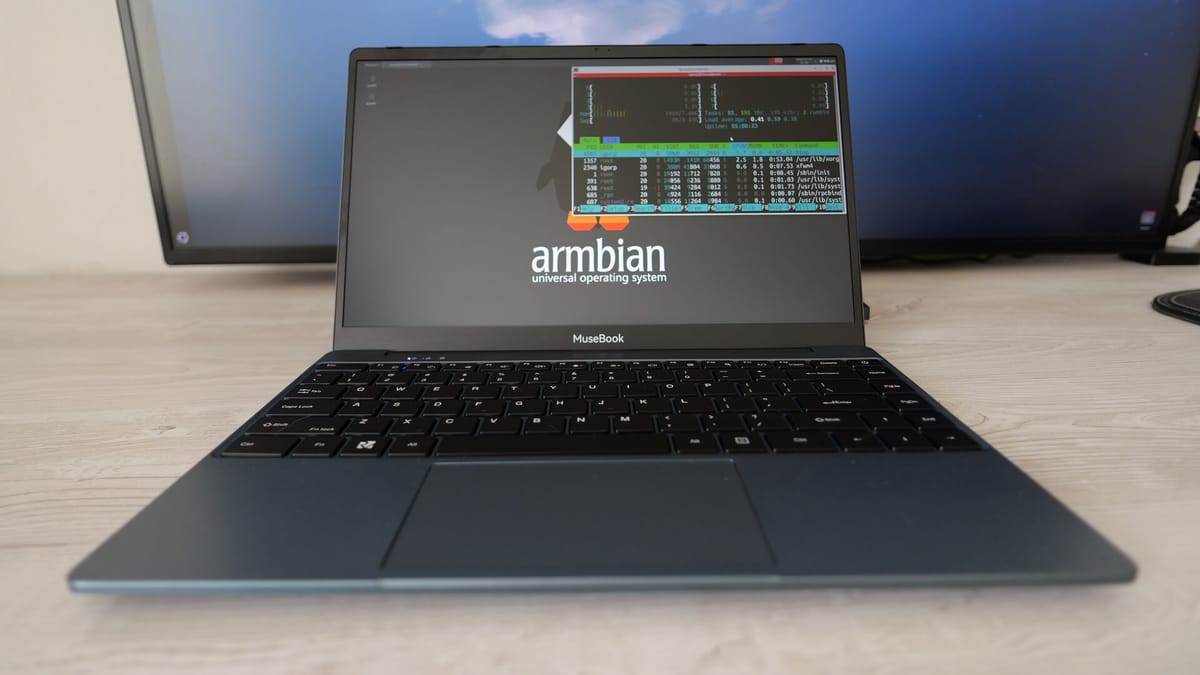 My First embedded world and I Already Can’t Wait for the NextI’d been putting this off for years. Every March, I’d read someone else’s embedded world recap, tell myself “next year”, and go back to my terminal. This year I actually went and I’m still processing everything I saw. First things first: the team Before I talk about any stand or
Daniele Briguglio
 Armbian Q1 2026: Technical Milestones and the Road to Embedded WorldThe first quarter of 2026 has been a period of significant technical consolidation for the Armbian project. Driven by the v26.02 (Goa) release cycle, the project has focused on three core pillars: aggressive framework refactoring, the stable rollout of the Linux 6.18 LTS kernel, and the maturation of
Michael Robinson
-
The first quarter of 2026 has been a period of significant technical consolidation for the Armbian project. Driven by the v26.02 (Goa) release cycle, the project has focused on three core pillars: aggressive framework refactoring, the stable rollout of the Linux 6.18 LTS kernel, and the maturation of the Armbian Imager utility.
Core Framework Refactoring
A primary objective this quarter was the reduction of technical debt within the
armbian/buildrepository. The development team initiated a systematic cleanup to improve build reliability and maintenance.- Toolchain Optimization: Through a series of pull requests, including #9218, #9252, and #9256, significant "dead code" was removed from the internal toolchain. This refactoring simplifies the logic required to support a diversifying array of ARM and RISC-V architectures.
- mmdebstrap Transition: The framework has officially transitioned to mmdebstrap as the exclusive engine for rootfs creation (#9512). By deprecating the legacy debootstrap method, the project ensures faster, more consistent, and reproducible builds across varied host environments.
- Bash Modernization: Internal build scripts have been transitioned from POSIX to Bash syntax to leverage modern shell features and enhance overall script reliability.
Kernel and Hardware Integration
Q1 marked the broad adoption of the Linux 6.18 LTS kernel series, providing improved driver support and hardware abstraction for tier-1 platforms.
- Linux 6.18 LTS Rollout: Stable support for the 6.18.y kernel was merged for major families, including meson64, rockchip64, and UEFI targets (#9069, #9086).
- Hardware Support Expansion:
- SpacemiT MusePi Pro: Full integration and kernel patching were completed (#9422).
- Orange Pi RV2: Initial support and nightly build availability were established for this RISC-V target.
- Radxa Rock 4D & ODROID M2: These boards were elevated to the stable support tier within the 26.02 release.
- Firmware Updates: U-Boot was bumped to v2026.01 for several platforms. Notably, boot delays on the Orange Pi 5 series were addressed via updated U-Boot candidates (#9450).
Ecosystem Tools: Armbian Imager
The Armbian Imager has transitioned from a utility to a cornerstone of the project’s user experience, with a focus on security and onboarding efficiency.
- Cross-Platform Security: Code signing was implemented for both macOS and Windows artifacts to reduce installation friction for non-Linux users (imager#87).
- Performance Improvements: The utility now features optimized image decompression and enhanced device disconnect detection (imager#28).
- Automated Reporting: A new AI Actions Report workflow (armbian.github.io#165) was implemented to automate development highlights, providing greater transparency into the commit history for the community.
Strategic Industry Alignment
The technical trajectory of Q1 was intentionally aligned with Armbian’s presence at Embedded World 2026 in Nuremberg.
By showcasing the framework and Imager as guests of Seeed Studio, the project demonstrated its readiness for industrial-scale deployment. The shift toward mainline kernel and U-Boot support—specifically targeting the retirement of vendor-specific bootloaders—remains a priority for long-term security and professional-grade stability.
Contributors & Credits
The progress in Q1 2026 is the result of sustained contributions from the Armbian Dev team and the wider community. Detailed changelogs and commit histories are available at github.com/armbian/build.
-
I'd been putting this off for years. Every March, I'd read someone else's embedded world recap, tell myself "next year", and go back to my terminal. This year I actually went and I'm still processing everything I saw.
First things first: the team
Before I talk about any stand or chip, I need to tell you what made this trip different from anything I've done before. There were five of us from the Armbian team at the show: Igor, Werner, Meko, amazingfate, and me. Five people. Four countries. Some of us had worked together for years and never met in person.
You know how it is in open-source, you collaborate through GitHub, you argue about patches on the mailing list, you review each other's code at odd hours. But you don't always know the face behind the username. Meeting those people for real, shaking their hand, having a coffee together, that's something no pull request can replicate. And honestly, it was worth the trip on its own.
The show itself: I wasn't ready for this
Arriving at the Nuremberg Messe for the first time is a genuine shock. I knew embedded world was big. I did not know it was this big. Enormous halls, thousands of exhibitors, tens of thousands of attendees. On day one I got genuinely lost between the pavilions spent a solid half hour wandering with no idea where I was. I'm told this is a rite of passage.
What surprised me most about the atmosphere is how concrete everything felt. This isn't a conference where people pitch vaporware from behind polished booths. Engineers and developers everywhere, talking about real problems, showing real hardware. You can walk from a giant like Qualcomm to a small team doing something fascinating with a handful of sensors and both conversations feel equally substantive.
What we saw on the floor
Rockchip was a mandatory stop for us, and they didn't disappoint. On their stand: the RK3572 EVB an evaluation board we hadn't seen in person before. Reading specs in a datasheet is one thing. Seeing the board running, understanding its real-world size, its connectors, how it behaves, that's a completely different kind of knowledge. The kind you can only get by showing up.
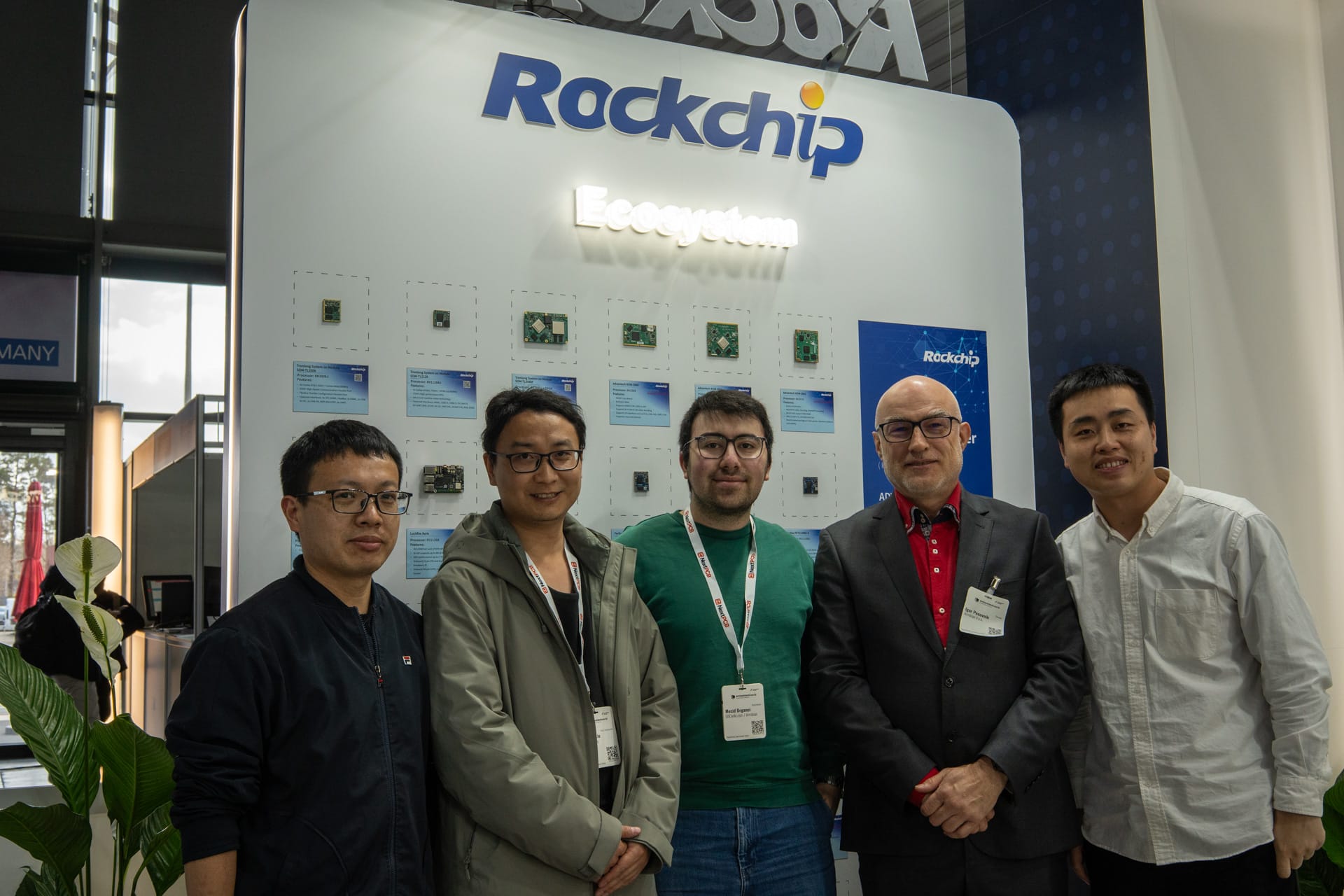
Rockchip Employees (Most left and right) and Jianfeng Liu, Mecid Urganci & Igor Pecovnik Seeed Studio had live demos of AI Vision and AI Sound, and the one that genuinely impressed me was their AI camera with a built-in NPU doing real-time object recognition. I'm not talking about laggy, stuttering inference, it was smooth. Fluid. The kind of performance that makes you stop walking and just stare for a minute. Seeing that level of real-time AI running on a compact edge device was one of those moments where the future stops feeling abstract.
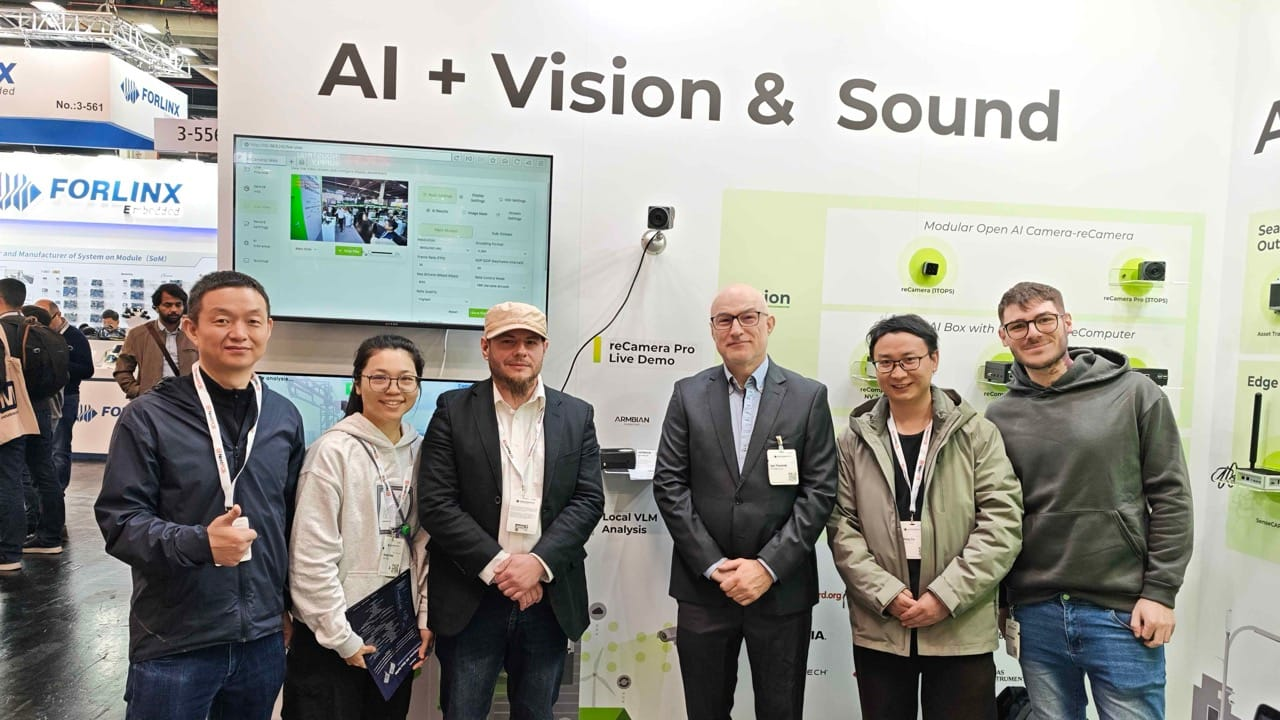
Seedstudio x Armbian (Maximilian Riedl , Igor Pecovnik, Jianfeng Liu, Daniele Briguglio) Qualcomm brought the Arduino Ventuno Q, and this is where things got interesting and a little funny. meko had already run his benchmarks on the board when amazingfate noticed something: Chromium's hardware acceleration wasn't enabled. So he enabled it. Right there. Directly on the board. In front of the stand staff.
The reaction from the Qualcomm team? Complete, genuine astonishment. They didn't see it coming. That's what happens when you bring a group of Armbian developers to a trade show, we don't just look at things, we poke at them.
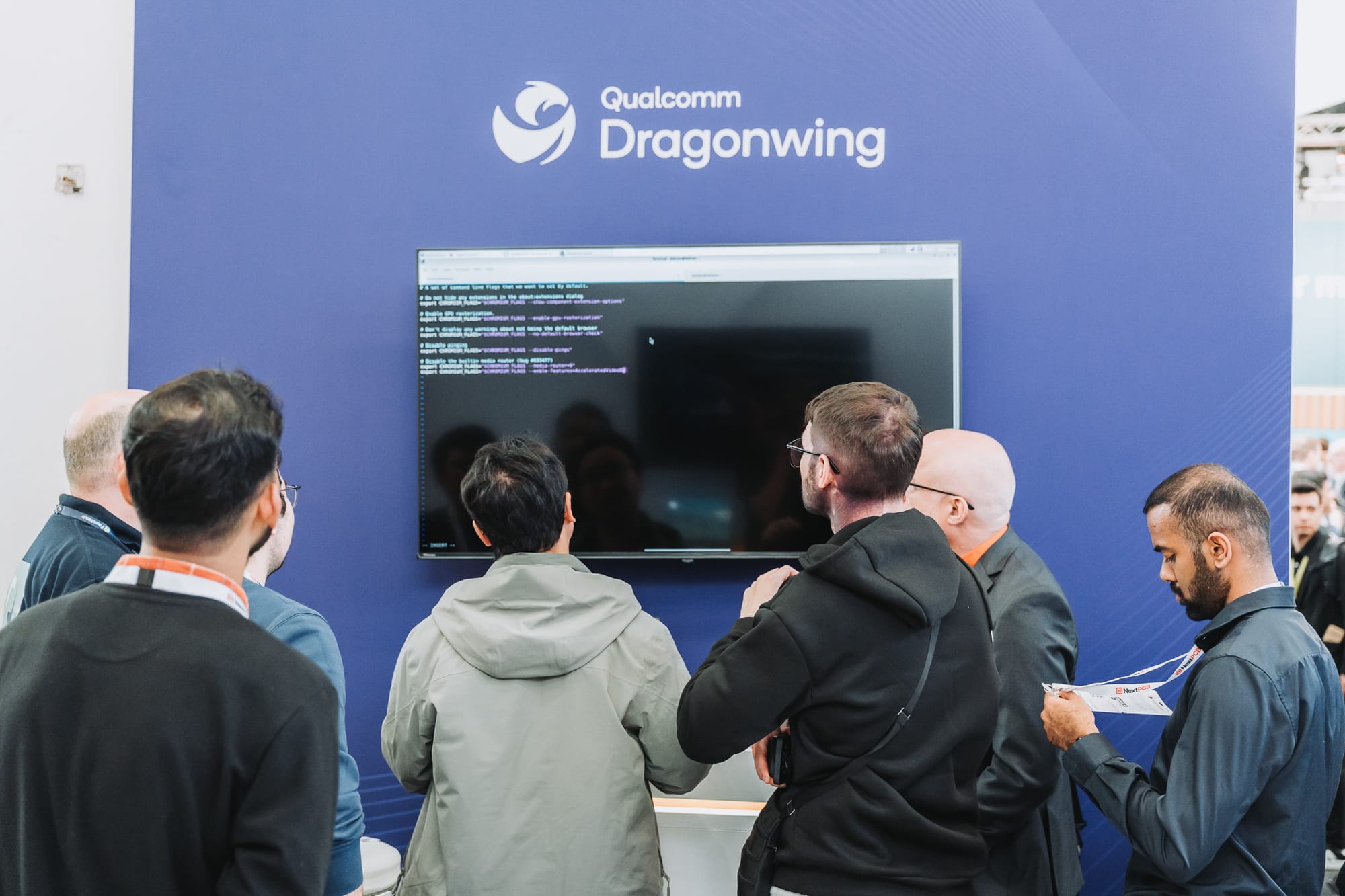
Armbian at the Foundries.io booth Collabora was present at the show, and amazingfate got to meet some of the team. Their kernel and GPU driver work is always relevant to what we do, so that conversation mattered even if I wasn't there for it personally.
The moment that hit hardest: Armbian on the BeagleBadge
During a meeting with the BeagleBoard.org team inside the show, they showed us their brand new project: the BeagleBadge. Launched right there at embedded world 2026, it won Best in Show in the Wearables category; a Linux-powered wearable badge with a 4.2" ePaper display, dual-core ARM Cortex-A53, Wi-Fi 6, LoRa, and more sensors than I can list here. Built around the Texas Instruments AM62L32, manufactured by Seeed Studio.
Impressive hardware. But here's the part that actually stopped me in my tracks: Armbian was running on it. There's an official "Armbian BeagleBadge demo for EW2026" image — Debian Trixie, Linux 6.12 — listed right on the BeagleBoard.org site.
Our OS. On a Best-in-Show winning badge. At the world's biggest embedded show.
That's not a small thing. That's the community's work showing up exactly where it matters.
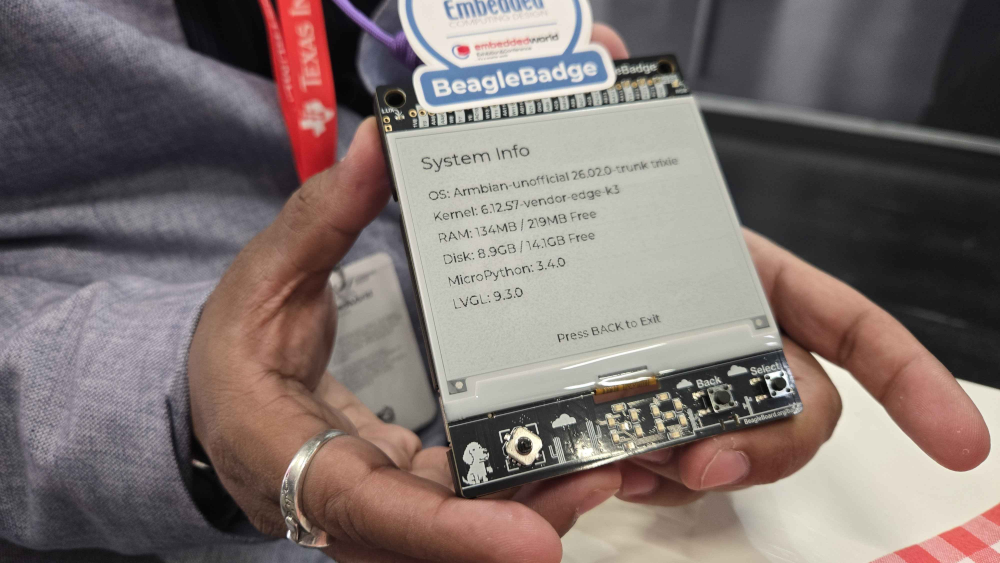
What embedded world taught me about where this industry is going
Three days of walking, talking, and observing gives you a pretty clear picture of the currents moving through the embedded world right now.
Edge AI is not a trend anymore, it's infrastructure. Every major vendor had something running inference locally, without cloud, on modest hardware. This is real, it's shipping, and it's going to reshape what we expect embedded systems to do.
Open-source has earned its seat at the table. I half-expected it to be the hobbyist corner of the show. It wasn't. Companies are building on Linux, on open stacks, on ecosystems maintained by communities like ours. That's not charity, it's strategy. And it means the work we do in Armbian matters more than we sometimes give ourselves credit for.
The line between prototype and product is razor thin. At most stands you'd see a mix: shipping products, reference designs, things that will exist in six months. That gap is where the interesting information lives; what's coming, which platforms are getting serious investment, which vendors are committed to mainline Linux support. You don't learn that from a datasheet. You learn it by being there.
Would I go back?
Without a second thought.
If you're an Armbian community member who's been putting this off the same way I was stop putting it off. The technical exposure is valuable. The networking is real. And meeting the people you build things with, face to face, is something that doesn't have a substitute.
The show runs every year in Nuremberg. I'll be there.
See you in 2027. 🇩🇪
-
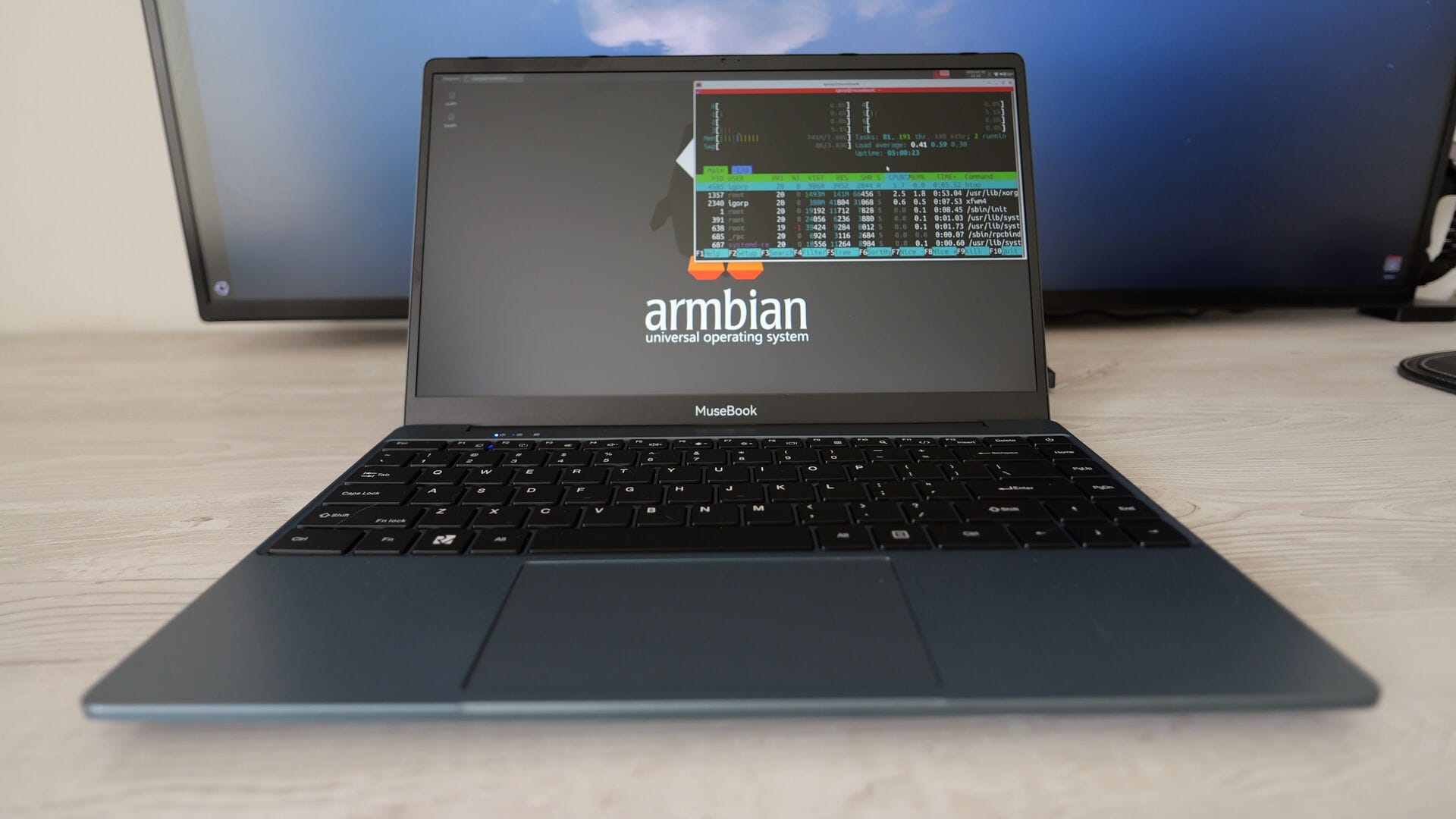
This week in Armbian development saw a significant expansion of hardware support, including new board images and compatibility for devices such as the Ariaboard Photonicat 2, SpacemiT MUSE Book, NanoPC T6 Plus, and Mekotronics R58S2. Kernel patches were updated across multiple platforms, notably for Rockchip and Sunxi families, enhancing stability and performance. Several new modules were introduced in the configuration framework, including browser-based code-server, memory management, Docker log viewing, and subscription tracking. Improvements to documentation, security hardening, and code formatting were also implemented. Notable fixes addressed USB, Ethernet, and device-specific issues, while ZFS functionality and tuning interfaces received updates. The release continues Armbian’s commitment to broad hardware support and robust system features.
Changes
- action: fix typos, update defaults, and harden GPG signing. by @igorpecovnik in armbian/build#9613
- Add Ariaboard Photonicat 2 support for rockchip64-6.18. by @HackingGate in armbian/build#9535
- Add container_type field to Uptime Kuma config. by @igorpecovnik in armbian/configng#776
- Add image and reusable slug for Qidi X-4. by @Shadowrom2020 in armbian/armbian.github.io#262
- Add Laptop SpacemiT MUSE Book. by @pyavitz in armbian/build#9591
- Add line breaks to improve .md rendering. by @igorpecovnik in armbian/configng#784
- Add NanoPC T6 plus image. by @igorpecovnik in armbian/armbian.github.io#266
- Add radxa-dragon-q6a to nightly release blacklist. by @igorpecovnik in armbian/armbian.github.io#260
- add recomputer rk3588-devkit support. by @ackPeng in armbian/linux-rockchip#460
- add rockchip patch for fusb302 to support aw3561. by @ackPeng in armbian/linux-rockchip#456
- add rockchip zbit mtd spi flash support. by @ackPeng in armbian/linux-rockchip#464
- Add rtl8710bufw_SMIC.bin for RTL8188GU WiFi USB. by @Shadowrom2020 in armbian/firmware#121
- add support for imx708 raspberry pi v3 camera. by @ackPeng in armbian/linux-rockchip#457
- Add trixie and noble to nightly manual targets. by @igorpecovnik in armbian/armbian.github.io#263
- Add xfce desktop for riscv64 legacy branch in stable builds. by @igorpecovnik in armbian/armbian.github.io#264
- aic8800-dkms extension. by @Shadowrom2020 in armbian/build#9578
- arm64: dts: rockchip: add Mekotronics R58S2. by @HeyMeco in armbian/linux-rockchip#461
- armbian-kernel: improve code documentation and formatting. by @igorpecovnik in armbian/build#9559
- Board image: Add Mekotronics R58S2. by @igorpecovnik in armbian/armbian.github.io#265
- Board: Add Mekotronics R58S2. by @HeyMeco in armbian/build#9610
- Bump geekyeggo/delete-artifact from 5 to 6. by @igorpecovnik in armbian/os#443
- docs: expand GitHub Actions section with examples and inputs reference. by @igorpecovnik in armbian/documentation#900
- docs: reorganize ZFS documentation with proper tab formatting. by @igorpecovnik in armbian/configng#779
- docs: simplify code-server documentation footer. by @igorpecovnik in armbian/configng#792
- Dozzle: Proper image. by @igorpecovnik in armbian/configng#775
- families: sm8550: Limit kernel version to 6.18.18. by @kasimling in armbian/build#9604
- feat: add code-server module for browser-based VS Code. by @igorpecovnik in armbian/configng#790
- feat: add comprehensive memory management module. by @igorpecovnik in armbian/configng#781
- feat: add Dozzle Docker log viewer module. by @igorpecovnik in armbian/configng#773
- feat: add Wallos subscription tracker module. by @igorpecovnik in armbian/configng#785
- feat: ZFS pool import and scan functionality. by @igorpecovnik in armbian/configng#782
- Fix Docker image configuration for GitHub Actions. by @igorpecovnik in armbian/docker-armbian-build#12
- fix: force destroy VMs when graceful shutdown fails. by @igorpecovnik in armbian/configng#793
- fix: improve kvmtest module security, UI, and add channel selection. by @igorpecovnik in armbian/configng#789
- fix: resolve mixed indentation in prometheus heredoc. by @igorpecovnik in armbian/configng#794
- framework artifact-rootfs - remove the last vestige of LEGACY_DEBOOTSTRAP. by @tabrisnet in armbian/build#9599
- HACK: Enable PCIe switch on RK3399. by @retro98boy in armbian/build#9574
- KDE Neon: add more packages for touchscreen devices. by @kasimling in armbian/build#9551
- mkspi: fix devicetree opp voltage settings. by @redrathnure in armbian/build#9603
- nanopi-zero2: add USB support for RK3528 (current + edge). by @rubycomm in armbian/build#9500
- OrangePi5Pro: Comprehensive HW Support: YT6801 PCIe-Eth, Codec ES8388 Audio, eFUSE & U-Boot v2025.10. by @c127dev in armbian/build#9600
- qcom/sc8280xp: sync microsoft blackrock (windows dev kit 2023) latest firmware for mainline kernel. by @rbqvq in armbian/firmware#122
- Qidi X-6: fix devicetree opp voltage settings. by @Shadowrom2020 in armbian/build#9577
- refactor: update KVM test images to latest releases. by @igorpecovnik in armbian/configng#783
- rock-3a: bump uboot to v2026.04-rc4. by @EvilOlaf in armbian/build#9576
- rockchip-rv1106: Enable (=m) Realtek 8188EU wifi. by @vidplace7 in armbian/build#9607
- rockchip64-6.18: rewrite kernel patches against 6.18.20. by @EvilOlaf in armbian/build#9587
- rockchip64: rk3528: fix USB OTG and ethernet for NanoPi Zero2. by @rubycomm in armbian/build#9597
- sm8550-6.18: Fix TF card IO performance regression. by @kasimling in armbian/build#9546
- SpacemiT MUSE Book: Fixup SRC_CMDLINE var. by @pyavitz in armbian/build#9612
- stmmac: Refactor Phytium ethernet patches into modular components. by @igorpecovnik in armbian/build#9585
- style: simplify markdown formatting in Wallos footer. by @igorpecovnik in armbian/configng#787
- sunxi-6.18: rewrite kernel patches against 6.18.20. by @EvilOlaf in armbian/build#9611
- sunxi: drm/gem-dma: Support dedicated DMA device for allocation. by @EvilOlaf in armbian/build#9605
- sunxi: edge: bump to 7.0. by @EvilOlaf in armbian/build#9549
- sunxi: Enable device mapper snapshot support. by @frank-f in armbian/build#9590
- sunxi: fix iommu driver patch to allow compilation. by @EvilOlaf in armbian/build#9592
- sunxi: fix
Unhandled Exception in EL3.and/causing secondary cpus not coming online. by @EvilOlaf in armbian/build#9586 - sunxi: remove BSP GMAC/EPHY patch that breaks H6 internal EMAC. by @igorpecovnik in armbian/build#9609
- uefi edge: bump to 7.0. by @EvilOlaf in armbian/build#9547
- uefi-arm64-6.12: fix stmmac compilation errors. by @igorpecovnik in armbian/build#9596
- uefi-x86-6.18: rewrite kernel patches against 6.18.20. by @EvilOlaf in armbian/build#9588
- update seeed studio rk3576 devkit camera and dp overlay. by @ackPeng in armbian/linux-rockchip#463
- Update some board csc file. by @retro98boy in armbian/build#9573
- Update ZFS tuning recommendations and remove settings view. by @igorpecovnik in armbian/configng#780
- ZFS Performance Tuning Interface. by @igorpecovnik in armbian/configng#777
- [2026.5] - framework rootfs-create: remove LEGACY_DEBOOTSTRAP, use only the upstream mmdebstrap. by @tabrisnet in armbian/build#9512
-
Diagnosing System Issues and Getting Support with Armbianmonitor

Armbian is a lightweight operating system based on Debian/Ubuntu, highly optimized for single-board computers (SBCs) like the Raspberry Pi, Orange Pi, and many others. When facing system problems on an SBC running Armbian, the built-in utility
armbianmonitoris an essential diagnostic tool. It quickly gathers crucial system data, making troubleshooting faster and more accurate for both the user and the community providing support.Key Diagnostic Functions
The primary use of
armbianmonitoris to generate real-time performance and system configuration reports. By running the command without any arguments, you get a menu of options, but the most vital functions for diagnosis are:- System Status (
armbianmonitor -m): This provides a live monitoring dashboard. It displays key metrics like CPU frequency, load average, temperature, memory usage, and disk I/O. By watching this output while a problem (like a system freeze or slowdown) occurs, you can often pinpoint the bottleneck—for instance, a sudden spike in CPU temperature indicating a cooling problem, or sustained high memory usage pointing to a resource leak. - System Information (
armbianmonitor -uor-d): This is the most crucial function for seeking online support. It gathers a comprehensive, anonymized report including details about the kernel version, device model, installed packages, boot logs, and hardware configuration. This data is essential because the performance and stability of SBCs are often highly dependent on the specific kernel and hardware drivers used for that model.
Getting Support Online
When seeking help on platforms like the Armbian forum or GitHub, simply describing the symptoms is rarely enough. The person helping you needs to know the exact state of your system.
By running
armbianmonitor -u, the utility uploads the detailed diagnostic report to a public pastebin service (like https://www.google.com/search?q=paste.armbian.com) and provides a unique, short URL. You can then include this URL directly in your support request. This allows community members to instantly access the exact configuration, eliminating back-and-forth questions about device type, OS version, and log file locations. This standardized method is the fastest way to receive targeted, effective assistance and ensures your issue is diagnosed accurately. - System Status (
-
This week in Armbian development saw significant enhancements across multiple areas, including expanded board support and improved hardware compatibility. Notable additions include new images and configurations for Qidi X-6, X-7, and Ariaboard Photonicat2 mainboards, as well as refined kernel patch maintenance and updates for various platforms. The build system received important fixes, such as resolving compilation errors and device tree issues, alongside improvements in Docker utilities and offline mode detection. Several refactoring efforts streamlined backend processes and enhanced user interface elements. The team also introduced automatic fallback mechanisms for Hetzner server types, optimizing runner scaling. Overall, these updates reinforce Armbian's commitment to stability, broader hardware support, and a smoother user experience.
Changes
- Add automatic fallback to smaller Hetzner server types with runner count scaling. by @igorpecovnik in armbian/actions#15
- Add board and board vendror image for Ariaboard Photonicat2. by @HackingGate in armbian/armbian.github.io#255
- Add image for Qidi X-7 Mainboard. by @Shadowrom2020 in armbian/armbian.github.io#257
- Add some board image. by @retro98boy in armbian/armbian.github.io#258
- Add support for dialog via new wrapper functions. by @igorpecovnik in armbian/configng#762
- Add support for qidi x-* boards. by @Shadowrom2020 in armbian/build#9564
- Change unit tests badge link in documentation. by @igorpecovnik in armbian/documentation#885
- Drop patches that landed upstream and fix two. by @igorpecovnik in armbian/build#9544
- edge: bump 7.0 to rc5. by @EvilOlaf in armbian/build#9580
- Enable BCACHE on Raspberry Pi build. by @aulanov in armbian/build#9550
- feat: offline mode detection with local asset cache. by @SuperKali in armbian/imager#117
- feat: settings refactoring, DiskArbitration device detection, and filename parser improvements. by @SuperKali in armbian/imager#114
- fix race condition and NULL ptr deref in PCIe threaded probe. by @AlomeProg in armbian/linux-rockchip#458
- fix(docker): add trixie support for upstream docker-ce to fix HomeAssistant installation. by @igorpecovnik in armbian/configng#765
- fix: correct dialog argument order causing box option errors. by @igorpecovnik in armbian/configng#768
- fix: resolve Phytium stmmac compilation errors for kernel 6.19. by @igorpecovnik in armbian/build#9545
- fix: settings modal reset, custom image manufacturer, and board detection setting. by @SuperKali in armbian/imager#116
- Image for Qidi X-6 Mainboard. by @Shadowrom2020 in armbian/armbian.github.io#256
- kernel patch maintenance. by @EvilOlaf in armbian/build#9562
- meson64-6.18: rewrite kernel config. by @EvilOlaf in armbian/build#9581
- mksklipad50: fix devicetree opp voltage settings. by @torte71 in armbian/build#9569
- OrangePi-RV2/R2S: rename board config from wip to csc. by @sven-ola in armbian/build#9560
- Qidi X-6: fix defconfig patch. by @Shadowrom2020 in armbian/build#9567
- refactor: add comprehensive Docker wrapper utilities with progress display. by @igorpecovnik in armbian/configng#769
- refactor: deduplicate hooks, add CSS design tokens, clean up backend. by @SuperKali in armbian/imager#115
- rockchip64-7.0: mekotronics-r58x-pro: analog sound: use SuperKali's new clock. by @rpardini in armbian/build#9554
- rockchip64: rk3588: add I2S MCLK output gate clocks for audio codec support. by @SuperKali in armbian/build#9548
- rockchip64: rk3588: update I2S MCLK gate patches to match upstream v3 and add u-boot clock IDs. by @SuperKali in armbian/build#9568
- sm8250: Fix application of Retroid Pocket 5/mini device trees. by @kay-lambdadelta in armbian/build#9572
- SpacemiT: Update ATFSOURCE, BOOTSOURCE and SD card support.. by @pyavitz in armbian/build#9552
- sunxi-6.18: remove stray commit from patch. by @EvilOlaf in armbian/build#9556
- sunxi: bump
edgeto 6.19.y,currentto 6.18.y andlegacyto 6.12.y. by @EvilOlaf in armbian/build#9381 - Update odroidxu4-current to 6.6.129. by @belegdol in armbian/build#9558
- Update VERSION. by @EvilOlaf in armbian/build#9553
-
This week in Armbian development saw significant progress across board support and kernel updates. New boards such as the Cainiao CNIOT Core, EByte ECB41-PGE, DG SVR 865 Tiny, and NORCO EMB-3531 received initial support, expanding hardware compatibility. Kernel patches were rewritten for the meson64 and rockchip64 platforms, aligning with version 6.18.18, while edge releases were bumped to 7.0-rc3 and rc4. Improvements included enhanced SD card and audio support for SpacemiT and Youyeetoo YY3588 boards, as well as refined configuration checks and display fixes. Several upstream patches were dropped or disabled, and the Dependabot schedule was updated for daily maintenance. Additional fixes addressed USB modes, Docker host-gateway resolution, and Xorg display issues, rounding out a productive week for the Armbian project.
Changes
- Add cainiao-cniot-core board and cainiao vendor image. by @retro98boy in armbian/armbian.github.io#251
- Add EByte Vendor // ECB41-PGE board. by @vidplace7 in armbian/armbian.github.io#250
- add recomputer rk3576-devkit dts. by @ackPeng in armbian/linux-rockchip#451
- Add support for the Radxa Display 10 FHD to the Rock 5B Plus. by @FlorianKohn in armbian/linux-rockchip#453
- add: initial support for DG SVR 865 Tiny board (SM8250/QCS8250). by @Lemon1151 in armbian/build#9423
- arch: arm: dts: add EByte ECB41-PGE (RK3506g2). by @vidplace7 in armbian/linux-rockchip#454
- armbian-zram-config: refine check for existing /tmp mount. by @vidplace7 in armbian/build#9514
- cainiao cniot core improve. by @retro98boy in armbian/build#9526
- chore: update Dependabot schedule to daily updates. by @igorpecovnik in armbian/build#9537
- csc board: Add NORCO EMB-3531 initial support. by @retro98boy in armbian/build#9456
- Drop patches that landed upstream and fix two. by @igorpecovnik in armbian/build#9544
- edge: bump 7.0 to rc4. by @EvilOlaf in armbian/build#9543
- extension: ccache-remote: fix Docker host-gateway for hostnames resolving to loopback. by @iav in armbian/build#9505
- fix(orangepi5max): change usbdrd_dwc3_0 mode from otg to host. by @Echoflare in armbian/linux-rockchip#449
- fix: correct repository dispatch event type name. by @igorpecovnik in armbian/armbian.github.io#254
- framework run_host_x86_binary_logged - support 32-bit x86. by @tabrisnet in armbian/build#9466
- Gateway AM-GZ80x: Update $board and meson-axg family conf. by @pyavitz in armbian/build#9533
- maint: meson64-current: rewrite patches against 6.18.18. by @EvilOlaf in armbian/build#9528
- maint: rockchip64-current: rewrite kernel patches against 6.18.18. by @EvilOlaf in armbian/build#9527
- meson64: a311d: Fix Xorg display when etnaviv enabled. by @retro98boy in armbian/build#9524
- Odroid-M2: Support for weather board zero. by @mlegenovic in armbian/build#9523
- odroidn2: u-boot: bump to v2026.04-rc3; make fancy, incl LWIP. by @rpardini in armbian/build#9507
- OrangePi 3 LTS: Update $board.conf file. by @pyavitz in armbian/build#9495
- OrangePi-RV2/R2S: add sdcard and emmc for Linux-7.x. by @sven-ola in armbian/build#9539
- Reword BTF memory check. by @x13-me in armbian/build#9502
- RK3506: Add spidev overlays for RK3506 family. by @vidplace7 in armbian/linux-rockchip#450
- rockchip64: bump
edgeto 7.0-rc3. by @EvilOlaf in armbian/build#9445 - rockchip64: cleanup old patchsets. by @EvilOlaf in armbian/build#9498
- rockchip: Add CSC board EByte ECB41-PGE (RK3506G). by @vidplace7 in armbian/build#9513
- rockchip: refresh LibreELEC patch import for edge 6.19 kernel. by @paolosabatino in armbian/build#9506
- rockchip: restore proper LE patches for rockchip armhf. by @paolosabatino in armbian/build#9530
- rpi4b: bump edge to 7.0. by @EvilOlaf in armbian/build#9529
- Spacemit rv2 rename dtb. by @sven-ola in armbian/build#9531
- SpacemiT: Add SD card support, CPU freq scaling and other fixups. by @pyavitz in armbian/build#9518
- SpacemiT: Disable patches that made it upstream (7.0-rc4). by @pyavitz in armbian/build#9540
- spacemit: enable powervr drm driver for current 6.18 kernels. by @sven-ola in armbian/build#9515
- sunxi: bump
edgeto 6.19.y,currentto 6.18.y andlegacyto 6.12.y. by @EvilOlaf in armbian/build#9381 - Youyeetoo YY3588: Enable ES8388 audio support + RK3588 I2S MCLK gate fix . by @SuperKali in armbian/build#9534
-
This week’s Armbian development saw a wide range of improvements and fixes across the project’s build framework, kernel support, and device compatibility. Notable changes include the transition from POSIX to Bash syntax for enhanced script reliability, expanded support for new hardware such as the Norco-EMB-3531 board, and the addition of Vulkan and improved 3D package descriptions. Several device-specific updates were made, including kernel enhancements for sm8250, mainline support for SpacemiT, and fixes for wireless and HDMI functionality on various boards. The team also introduced new features like a cache manager modal in the imager and improved marking for container-based software. Multiple bug fixes addressed issues with OS image duplication, patch timestamps, and device quirks. Security was bolstered with hardened GitHub Actions, ensuring a more robust development pipeline.
Changes
- (#9400 P1a) Replace POSIX [ ] with bash [[ ]] across build framework. by @iav in armbian/build#9462
- Add manual execution and daily cron schedule for MOTD generation. by @igorpecovnik in armbian/armbian.github.io#249
- Add norco-emb-3531 board and norco vendor image. by @retro98boy in armbian/armbian.github.io#244
- add Vulkan support and expand 3D package descriptions. by @igorpecovnik in armbian/build#9494
- Added config improvements and fixes to ayn odin2. by @Squishy123 in armbian/build#9316
- bump 7.0 to rc2. by @EvilOlaf in armbian/build#9475
- dwc2: explicitly force host mode for USB_DR_MODE_HOST. by @igorpecovnik in armbian/build#9486
- feat: add cache manager modal with per-image management. by @SuperKali in armbian/imager#109
- feat: mark container-based software in menu and docs. by @igorpecovnik in armbian/configng#761
- fix(gitignore): ignore pycache at all depths (#7863). by @iav in armbian/build#9490
- fix(images): adapt module to new armbian-images.json structure. by @igorpecovnik in armbian/configng#756
- fix(manage_zsh): abort shell change if zsh package install fails. by @ajorpheus in armbian/configng#759
- fix: resolve OS image list duplication when switching filters. by @SuperKali in armbian/imager#110
- Fix: SakuraPi RK3308B WLAN broken. by @TheSnowfield in armbian/build#9478
- i915: fix Dell XPS 13 7390 device ID in quirk patches. by @igorpecovnik in armbian/build#9485
- Improve sm8250 6.19 edge kernel. by @retro98boy in armbian/build#9434
- meson64: bump
edgeto 7.0-rc1. by @EvilOlaf in armbian/build#9459 - meson: freeze current kernel at 6.12.28 and fix HDMI PHY frequency limit. by @igorpecovnik in armbian/build#9465
- nanopi-zero2: enable mainline kernel support and PCIe for M.2 WiFi. by @rubycomm in armbian/build#9453
- OrangePi 3B: Add device tree overlays for OrangePi 3B with I2C, PWM, SPI support. by @kskshaf in armbian/build#9460
- OrangePi-RV2: Fix wireless access point mode by using the correct FW. by @sven-ola in armbian/build#9504
- orangepi5: rewrite uboot patches against v2026.04-rc3. by @EvilOlaf in armbian/build#9457
- patching: fix #9028 timestamp when multiple patches touch same file. by @iav in armbian/build#9489
- pkg_install/pkg_remove: properly propagate apt-get exit codes. by @igorpecovnik in armbian/configng#760
- Removed un-needed patch for SM8550-6.18; patch has already been updat…. by @Squishy123 in armbian/build#9487
- rk3568: add 51.2MHz PLL rate for HDMI. by @skorobkov in armbian/build#9477
- rock-5b-plus: add current kernel to build targets. by @igorpecovnik in armbian/build#9464
- rock-5t: add current kernel to build targets. by @igorpecovnik in armbian/build#9463
- Rockchip64 fix patches due to upstream changes in 6.19.6 and 6.18.16. by @EvilOlaf in armbian/build#9483
- rockchip: Disable specific patches in 6.19 series. by @igorpecovnik in armbian/build#9493
- rockchip: Enable Wireguard/TUN module in vendor kernel. by @vidplace7 in armbian/build#9492
- Spacemit legacy loadpatch. by @sven-ola in armbian/build#9496
- SpacemiT: Add linux-7.0.y "mainline" support. by @pyavitz in armbian/build#9458
- spacemit: remove old and unused patch set. by @sven-ola in armbian/build#9497
- unset QEMU_CPU for aml_image_packer. by @QwaSeeK in armbian/build#9417
- Update odroidxu4-current to 6.6.128. by @belegdol in armbian/build#9491
- [StepSecurity] ci: Harden GitHub Actions. by @step-security-bot in armbian/build#9356
-

Welcome to the latest Armbian Newsletter, your source for updates, community highlights, and behind-the-scenes news from the world of open-source ARM and RISC-V computing.
Streamlining the ecosystem
This past quarter development has taken a significant step forward for Armbian. We've been busy cleaning up and optimizing our codebase, merging over 150 improvements primarily focused on advancing kernel support for Rockchip and Allwinner platforms. A significant secondary effort was dedicated to modernizing the project's infrastructure and build tools, driven largely by a core group of dedicated contributors.
Hardware support continues to expand. We're thrilled to introduce new LTS kernel v6.18 based images and support for exciting new boards like the SpacemiT MusePi Pro, Radxa Rock 4D, Orangepi RV2, Odroid M2, ... We've also brought back KDE Neon desktop builds and added RISC-V XFCE desktop support for those exploring new territory.
Our user tools have received major upgrades too. Armbian Imager now features faster decompression, enhanced security with code signing for macOS and Windows, AI-powered translations, and a new settings panel with developer options. Behind the scenes, we've strengthened our build infrastructure to keep everything running reliably as we grow.
Whether you're trying the new stable kernel or experimenting with our latest builds, this update reinforces our commitment to delivering a professional, accessible Linux experience for ARM and RISC-V hardware.
Join Armbian at Embedded World 2026. Meet us in Hall 3, Booth 3-556 (Seeed Studio), where we’ll be showcasing the Armbian build framework and how it powers reliable, production-ready Linux for ARM devices.
Download the latest release and experience Armbian today.SPONSORED
Join us in making open source better! Every donation helps Armbian improve security, performance, and reliability — so everyone can enjoy a solid foundation for their devices.
Release v26.2.1 · armbian/buildChanges sunxi: refactor full patchset. by @EvilOlaf in armbian/build#9219 “get completely rid of dead code toolchain stuff”, pt2. by @rpardini in armbian/build#9218 “get completely rid of dead cod… armbianForget third-party utilities: meet Armbian ImagerArmbian Imager eliminates the guesswork from flashing SBC images. Real-time board detection, persistent caching, and built-in safety make installation fast, simple, and risk-free
Daniele Briguglio
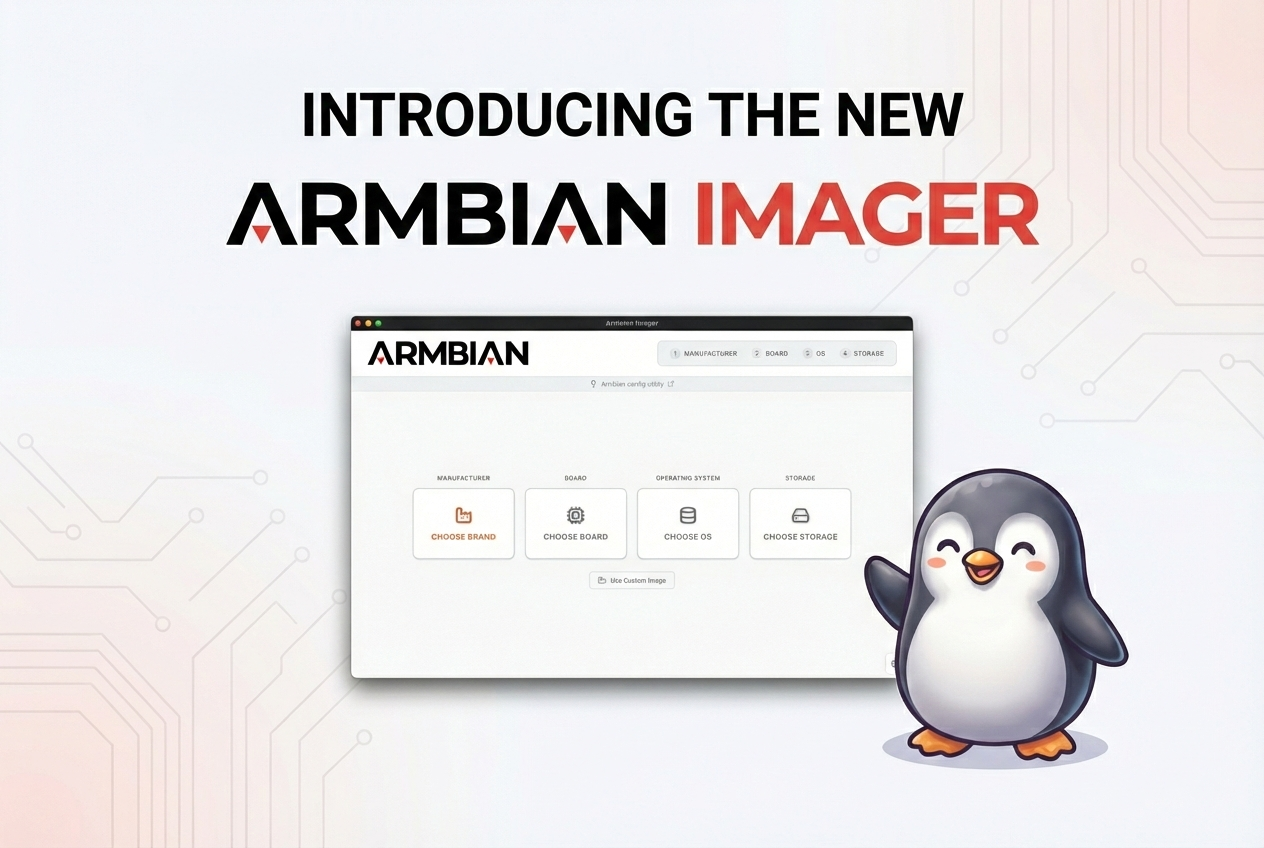 Armbian 2025: by the numbersOpen hardware is growing faster than ever and breaking in new ways. 2025 has been a productive year for the Armbian project. As the Single Board Computer ecosystem continues to fragment and expand, Armbian has consolidated its position as the universal glue holding the open-source hardware world together. Our mission
Michael Robinson
 The Evolution of SBCsThe Evolution of SBCs: From Hobby Boards to Edge Computing Over the past two decades, single-board computers (SBCs) have transformed from experimental maker tools into the backbone of modern embedded and edge systems. What started as a handful of affordable hobby boards has grown into a diverse ecosystem powering automation,
Michael Robinson

[Armbian newsletter] - Github Highlights
in SBC News
Posted
This week's work centers on board portfolio expansion, kernel and U-Boot version bumps, and CI and infrastructure hardening across the build and documentation pipelines.
Board support saw notable growth with the introduction of the SpacemiT K3 Pico-ITX and Luckfox Nova (RK3308B), alongside a new generic uefi-arm64-dt family and board intended to standardize UEFI device-tree targets. Qualcomm enablement advanced through Radxa Dragon Q6A and Q8B work, including UFS provisioning for Kodiak, EDL-based UFS flashing in the imager, and audioreach topology firmware for sc8280xp. Catalog assets were extended for the MaaXBoard 8ULP, Mellow Fly C5, Xiaomi Sheng, and the new Radxa and SpacemiT boards.
On the kernel and bootloader front, rockchip64, meson64, and rpi4b edge branches were promoted to the stable 7.1 series, with the rtl8192eu driver rebuilt and re-enabled against the new tree. U-Boot was refreshed on cm3588-nas, nanopik2-s905, and the Luckfox Nova, while updated DDR, BL31, and BL32 blobs landed for RK3528 and new SPL loaders were published for RV1103, RV1106, and RK3506. Targeted kernel-config work restored md/RAID modules on sunxi, enabled MIPI DBI panels on sunxi64, and added CPUFreq support for the SpacemiT K1.
Infrastructure changes focused on resilience and resource control. The git-trees workflow gained bounded retries, escalating timeouts, and Google mirror fallbacks; Docker base-image pulls now retry transient GHCR failures and split host dependencies into per-group apt layers. Image compression caps xz memory and thread usage, the info-gatherer no longer exhausts file descriptors, and a new CI policy enforces transparent backgrounds and object-size limits for board and vendor logos, with offending assets re-cropped.
#Armbian #EmbeddedLinux #UBoot #Qualcomm #Rockchip
Changes
EDGE. by @pyavitz in armbian/build#9981View the full article