Kazymir
-
Posts
18 -
Joined
-
Last visited
Content Type
Forums
Store
Crowdfunding
Applications
Events
Raffles
Community Map
Everything posted by Kazymir
-
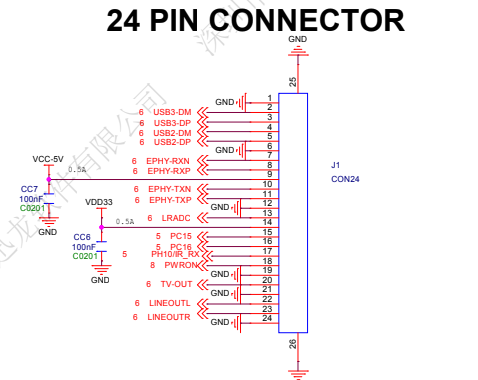
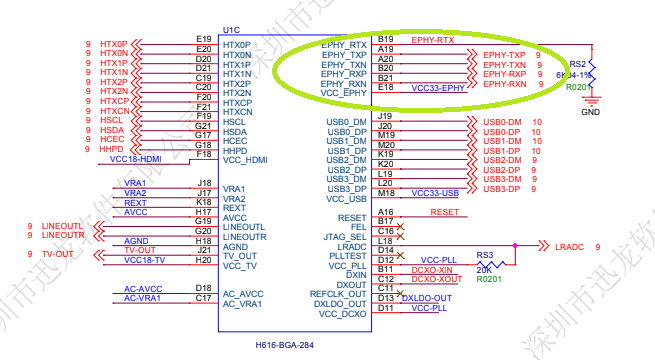
If i can, yes there is a little differnce beetwen zero3 and zero2W, the ethernet port, is-it possible to add another eth port inside the dtb for a full compatibility with the zero2w? for the 2W the eth port is directly connect on the processor H618 best regards
-
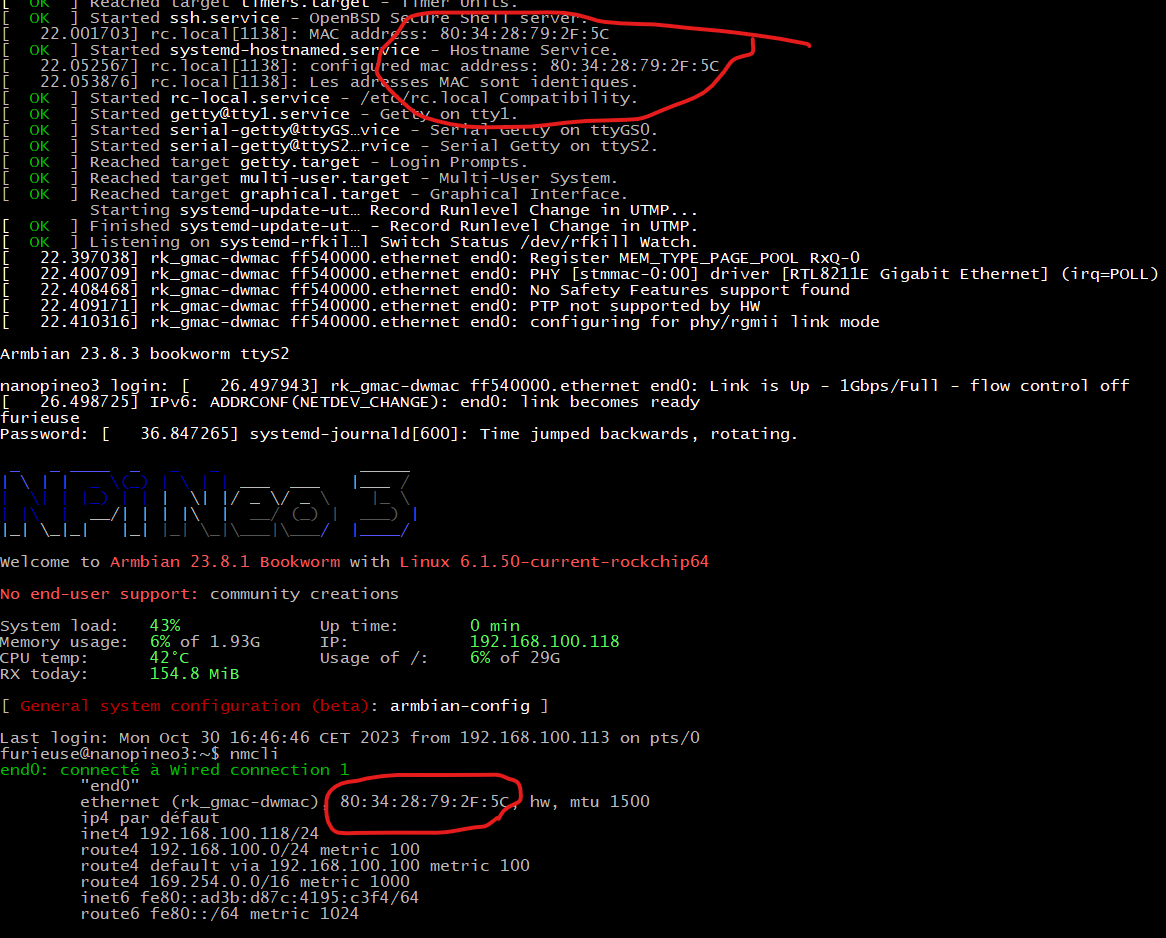
step by step I am on Arbian 23.8.1 BookWorm linux 6.1.50 on my nanopi neo3 Create file with sudo nano /etc/systemd/network/99-default.link [Match] OriginalName=* [Link] NamePolicy= Name=end0 MACAddressPolicy=none MACAddress=00:42:c4:9e:de:90 i know it' a fake mac address for the start if you write sudo i2cdump 0 0x51 you have your real mac address so we need to write a script sudo nano /etc/init.d/extract_mac.sh #!/bin/bash # Extract MACAdress from i2c EEPROM mac_address="" mac_address+="$(sudo i2cget -y -f 0 0x51 0xfa c):$(sudo i2cget -y -f 0 0x51 0xfb c)" mac_address+=:"$(sudo i2cget -y -f 0 0x51 0xfc c):$(sudo i2cget -y -f 0 0x51 0xfd c)" mac_address+=:"$(sudo i2cget -y -f 0 0x51 0xfe c):$(sudo i2cget -y -f 0 0x51 0xff c)" # remove "0x" mac_address="${mac_address//0x/}" mac_address=$(echo $mac_address | tr '[:lower:]' '[:upper:]') echo "MAC address: $mac_address" # Extraire l'adresse MAC du fichier de configuration NetworkManager configured_mac_address="$(sudo grep "MACAddress=" /etc/systemd/network/99-default.link | cut -d "=" -f 2)" # configured_mac_address="${configured_mac_address//:/}" echo "configured mac address: $configured_mac_address" # Comparer les adresses MAC if [[ "$mac_address" != "$configured_mac_address" ]]; then echo "WRONG Mac Address, rewrite good one" # Mettre à jour le fichier de configuration NetworkManager avec la nouvelle adresse MAC sudo sed -i "s/MACAddress=.*/MACAddress=$mac_address/" /etc/systemd/network/99-default.link sudo service NetworkManager restart echo "MAC Adress allright. Reboot" sudo reboot else echo "Mac Adress is already OK" fi If you want to test go in folder cd /etc/init.d sudo chmod +x extract_mac.sh ./extract_mac.sh to run automatic at boot open rc.local : sudo nano /etc/rc.local inside add /bin/bash /etc/init.d/extract_mac.sh before "exit 0" and reboot the good mac adress will be writting and use
-
so on the last revision i use another methode Create file in /etc/systemd/network sudo nano 99-default.link and reboot so the script change as