suser
Members
-
Joined
-
Last visited
Everything posted by suser
-
So VY 73 and Grazie, de LZ4TU taaa ti ti taaa *Excuse me for the offtopic but could not resist, for those not knowing Morse code and are not HAMs each CW QSO finish with TU, on morse: _ .._ meaning Thank You! Good team here: @jock, @ilmich, @fabiobassa and so much great contributors, ofcourse the leading @Igor , Thanks again, wish you all good luck!
-
I have few USB dongles working, bough for 1.5EU each, it was not a matter of money, nor WiFi desperately needed. It's was a matter of "make things working" or at least "to know why it is not working". Thanks everybody here, you are such a talents !
-
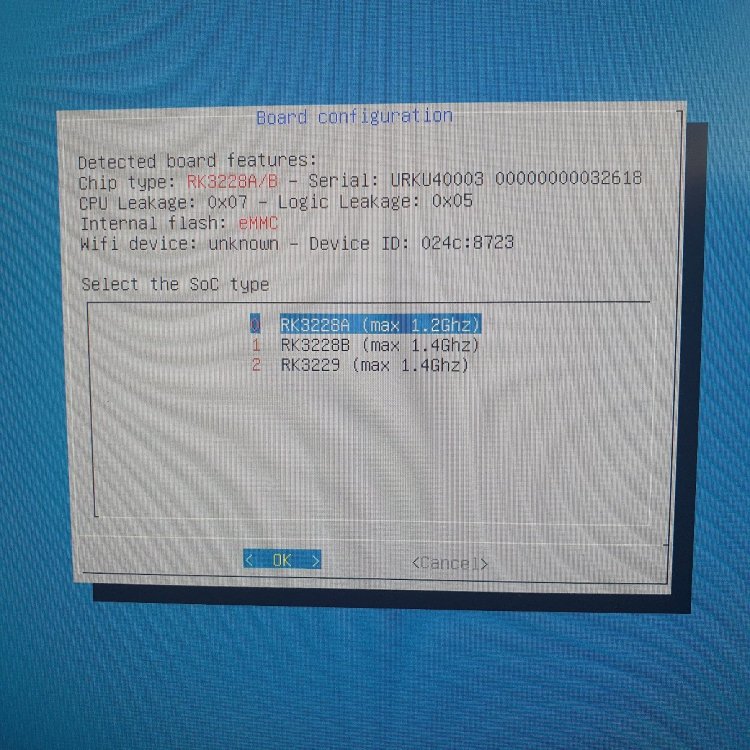
Without using led-conf7 overlay no HDMI, IDK about WiFi, but strongly doubt it has, even didn't check it and no boot logs. WiFi was working on Android with some old 3.x kernel. I think i should listen to @jock and finally once and forever to forgot about some WiFi problems when they arise, as i spent much time on that, instead of just using LAN or USB WiFi, but if you need some debug info i could sent a log. If the driver is not included in Linux kernel, which i think, as i believe in @jock and i have to compile all i am just off...
-
Hello all, I have here R29_MXQ_221_V1.0_1008, WiFi is RTL8723AS. I used this image: Armbian_24.2.5_Rk322x-box_jammy_current_6.6.22.img Added line in /boot/armbianEnv.txt >> overlays=led-conf7 as respected @jock advice. Now Armbian boot from uSD, but no WiFi, i have a backup of Android kernel, from where i can extract DTB if needed. What should i do about the Wifi ? I can even try to change the WiFi module with another HW...