


sicxnull
-
Posts
55 -
Joined
-
Last visited
Content Type
Forums
Store
Crowdfunding
Applications
Events
Raffles
Community Map
Posts posted by sicxnull
-
-
14 hours ago, going said:
Has there been a health check in your work with u-boot patches if you apply your fixes only to the configuration file
and do not apply the patch piece that lowers the eMMC frequency?
haven't tried. -
Update. I just got an X96Q 5.1 in today. Going to start working on an image for it.
-
On 9/27/2024 at 3:22 PM, Bigal Linux said:
[Desktop images with Armbian Linux](https://www.armbian.com/orange-pi-pc/)
wifi not working, how to solve?
Did you try my image that I linked you? Wifi should work -
-
Try my image
https://github.com/sicXnull/armbian-build/releases/download/v24.8.0-trunk.425/Armbian-unofficial_24.11.0-trunk_X96q_bookworm_current_6.6.44_mate_desktop.img.xz
I bought one of these too, it was advertised as a RK3228 on amazon but came with H313. iirc my x96q image booted right up on it. -
9 hours ago, mona said:
If there is still interest, I can try testing the newer variant of the Onn box with the S905Y4.
It seems to me this could be super useful (especially if we can flash to the EMMC in the future). It could be a relatively cheap RPI alternative for things like pihole.
From what i understand the bootloaders are locked and cannot be unlocked on the new ones, but there's always the possibility that there's a workaround. I need to run to walmart and grab one to play with, but if you make any progress by all means, let us know!
For $20 these things would be great for pihole/light work like you mentioned. -
3 hours ago, K R said:
Ive been watching this topic for about a week, and i'll be honest, I've no idea on half of what you're talking about.
However, I too have a redundant X96Q box, which i'd like to try and run linux so I can then try and run Home Assistant.
I flashed Armbian-unofficial_24.11.0-trunk_X96q_bookworm_current_6.6.44_mate_desktop.img to an SD card with Rufus and then again with Belena Etcher, but the TV box wont start with the SD card inserted, although when I say it doesnt boot.. I see nothing through HDMI and the LED remains red.
I know its a long shot.
But is it currently possible to run on the V4 board (image attached),
i see that youre all working hard in the background, so maybe something for me to come back and look at in a few weeks/months. ?
hmmm. that's another variant
Can you try one of these miniarch images and see if they boot? we know X96Q LPDDR3 does not but there are two other variants to try
if one of those boot we will atleast know what we are dealing with, unless someone here is already familiar with that board.
https://github.com/warpme/miniarch/releases/tag/v20240916 -
4 hours ago, rafman said:
I confirm that I test:
boots from eMMC and runs well on my old Z1 (x9q v1.3 lpddr3) variant. Ethernet, Hdmi, CPU Temp is working correctly now.
Nice! I just ordered another X96Q off aliexpress, hoping its a different version so we can get all variants on Armbian. -
52 minutes ago, zra123 said:
@sicxnull I would have handled it myself, but I don't know how to correctly format *.patch so that it would calculate all the amounts and indexes for me.
And another question: does the installation work on EMMC? Have you added the patch for EMMC from minimyth to your github?
My Git boots from EMMC. i haven't sent it over to the main armbian repo because i want to tidy some stuff up first and just do one last pull request
-
29 minutes ago, zra123 said:
After you ported the code from Miniarch, I compared the differences in the configs of x96q-lpddr3 and x96q-ddr3-v5.1 and I managed to build and run the image on my TV box. But I did it roughly, replacing the differences in the code, I'm not very friendly with Linux. Could you please format it correctly and upload it to github. I'm attaching the differences in the code.
I only have the 1.3 board. I actually need to rename this to x96qv1.3
I was not aware how many versions of this board were out there when i initally made this
I'm going to try and order some more and hope the other versions come. If i can get one i'll absolutely upload it after testing. it seems like it's pretty easy after what you just posted -
7 hours ago, bladyle said:
Sound good. Will wait to upload some builds to test them although i need wifi so need stable kernel I guess.
i updated to my fork if you wish to use it https://github.com/sicXnull/armbian-build/releases/download/v24.8.0-trunk.425/Armbian-unofficial_24.11.0-trunk_X96q_bookworm_current_6.6.44_mate_desktop.img.xz -
On 9/18/2024 at 7:21 PM, Nick A said:
Have you tried Miniarch's EMMC patch?
This plus a few changes to defconfig works btw. Installed to EMMC and boots fine
Thank you! -
19 minutes ago, going said:
Most likely, the TV set-top box already has a boot code in eMMC on the boot0 partition.
This prevents the Armbian code, which is located on the first main section, from running.
Nope. Miniarch installs to EMMC fine.
Either way, i'll figure it out. -
34 minutes ago, going said:
You are incorrectly adding patches to the build system.
Patches should be extracted using the "git format-patch" command and should contain small explanations of what and for what reason these changes were made.You should not add the patch somewhere in the middle of the series list.
This can lead to subsequent patches being applied incorrectly and becoming inapplicable.
As a result, we get a compilation error at best, or incorrectly compiled code at worst.
okay. thanks for the feedback. -
2 minutes ago, bladyle said:
Sound good. Will wait to upload some builds to test them although i need wifi so need stable kernel I guess.
Should have some up tonight. -
-
-
Been doing some digging the last few days and see that Miniarch has a fantastic setup for X96-q LPDDR3 so i ended up switching over to those DTS files with minimal changes needed
USB and EMMC both work now. No Wifi on edge, but will look into that further.
Installing to EMMC will break it, will look into this.
https://github.com/armbian/build/pull/7276
Will upload some builds to my fork.
-
This image is for LPDDR3
-
4 hours ago, jschwart said:
I understand that the device tries to boot from SD card if it sees one over the internal flash? The internal flash stays intact in that case?
Yes it will boot from SD card first
4 hours ago, jschwart said:Is there a way to determine which X96-Q version one has without opening it up? Maybe though an adb shell?
Easiest way os to just pop the cover off on the bottom, it's just held on by some clips and look at the board. -
4 hours ago, Panda said:
I want to try to write armbian to emmc, I have the USB cable, but I don't know how to backup the android to restore in case of failure (and be sure, it will failure)
FYI flashing to EMMC causes a u-boot loop that's impossible to break out of. i was lucky enough to find an android image that works and flashed it back with AndroidTool to get the box working again. Not sure if it's expecting a specific partition structure or what. I did not go too far into it.
I built an image with rk3528-evb3-lp4x-v10.dtb that seemed to work somewhat. -
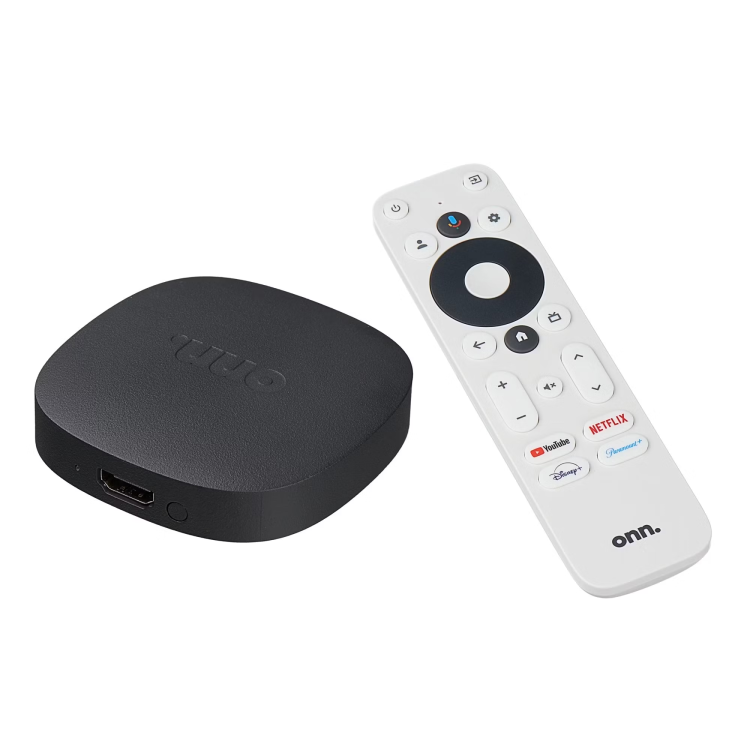
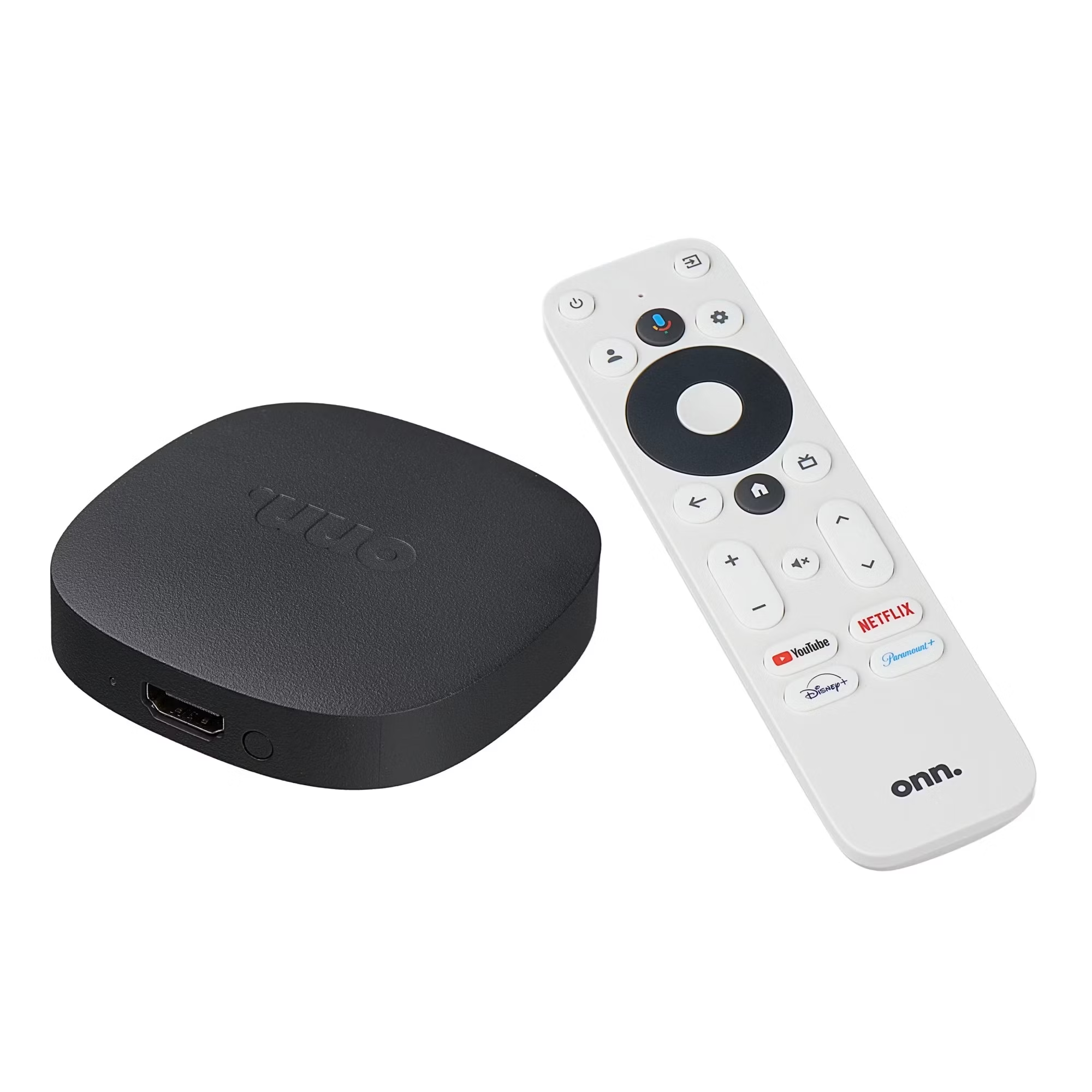
Got Armbian to run on those $20 TV Boxes sold at Wal-Mart. This is for the Dopinder variant, i have not tested on the newest version (YOC) but I will likely pick one up just to see.-removed-
Requires a few changes outside of the norm for armbian builds, so it's on my own fork. Likely will not be doing a PR. That said, it pulls the latest armbian source when building.
https://github.com/sicXnull/Onn4K-TV-Box-Armbian
Needed:
OTG Cable (required)
USB Hub (recommended)
USB to Ethernet adapter (recommended)
Working
HDMI
Audio
Bluetooth
Wi-Fi
Building:git clone https://github.com/sicXnull/Onn4K-TV-Box-Armbian.git cd Onn4K-TV-Box-Armbian git clone --depth=1 https://github.com/armbian/build armbian-build cp -R armbian-patch/* armbian-build/ cd armbian-build ./compile.sh build BOARD=onn4k BRANCH=current BUILD_DESKTOP=yes BUILD_MINIMAL=no DESKTOP_APPGROUPS_SELECTED= DESKTOP_ENVIRONMENT=mate DESKTOP_ENVIRONMENT_CONFIG_NAME=config_base EXPERT=yes KERNEL_CONFIGURE=no KERNEL_GIT=shallow RELEASE=bookworm cd .. sudo ./postscript.sh
write the image to USB.cd armbian-build/output/images sudo dd if=Armbian-unofficial_24.11.0-trunk_Onn4k_bookworm_current_6.6.48_mate_desktop.img of=/dev/sdb bs=4M status=progressBooting from USB
Plug it into your onn 4K UHD using an OTG cable, and hold the reset button while plugging in power.
For future boots, you just need the USB drive plugged in during poweron. There is no more need to hold the reset button.
EMMC Boot
I'm assuming flashing to EMMC will break it, i have not tested this yet, although i plan to in the future. -
On 9/1/2024 at 4:29 PM, Nick A said:
Hi sicxnull
I was looking at your DTS.. why is ehci0 and ohci0 disabled?
&ehci0 {
+ status = "disabled";
+&ohci0 {
+ status = "disabled";
+};
Honestly, i took the dtb from a OPi Zero3 (i think) so that was likely disabled by default. i believe enabling will fix the USB issue listed above (will test and fix if so). Still learning here when it comes to customizing the DTS.
On 9/1/2024 at 4:29 PM, Nick A said:For your internel emmc you probably have to set the correct gpio. Check your original android DTS see if it's setting PF6 or another gpio PI16.
cd-gpios = <&pio 5 6 GPIO_ACTIVE_LOW>; /* PF6 */
cd-gpios = <&pio 8 16 GPIO_ACTIVE_LOW>; /* PI16 */
I will check this out, along with your other recommendations. Much appreciated! I opened this thread for feedback like this so the box can be 100% sometime in the future.
-
10 hours ago, bladyle said:
Just tested your build and it working good. When I compiled with cinnamon there was a problem with cinnamon panels.
I have noticed two problem only for now:
- one of the usb ports don't work for me ( the one farther from sd card slot)
- i have display flickering on 4k resolution, if lower resolution is selected no problem
Confirmed on my end too, only 1 of the USB ports work. Ill take a look at the dts.
I honestly only tested on 1080p monitor, so the 4k thing never came up for me, ill see what i can find out.
I'm no pro with building DTB's, and it's my hope others can contribute to this box and make it perfect, but i'll continue to learn and contribute as time goes on.
5 hours ago, Ciremya_ said:Hello sicxnull,
I've been following your topic since the beginning as I bought the same Android STB and have also been trying to run it on Linux since August 14th !
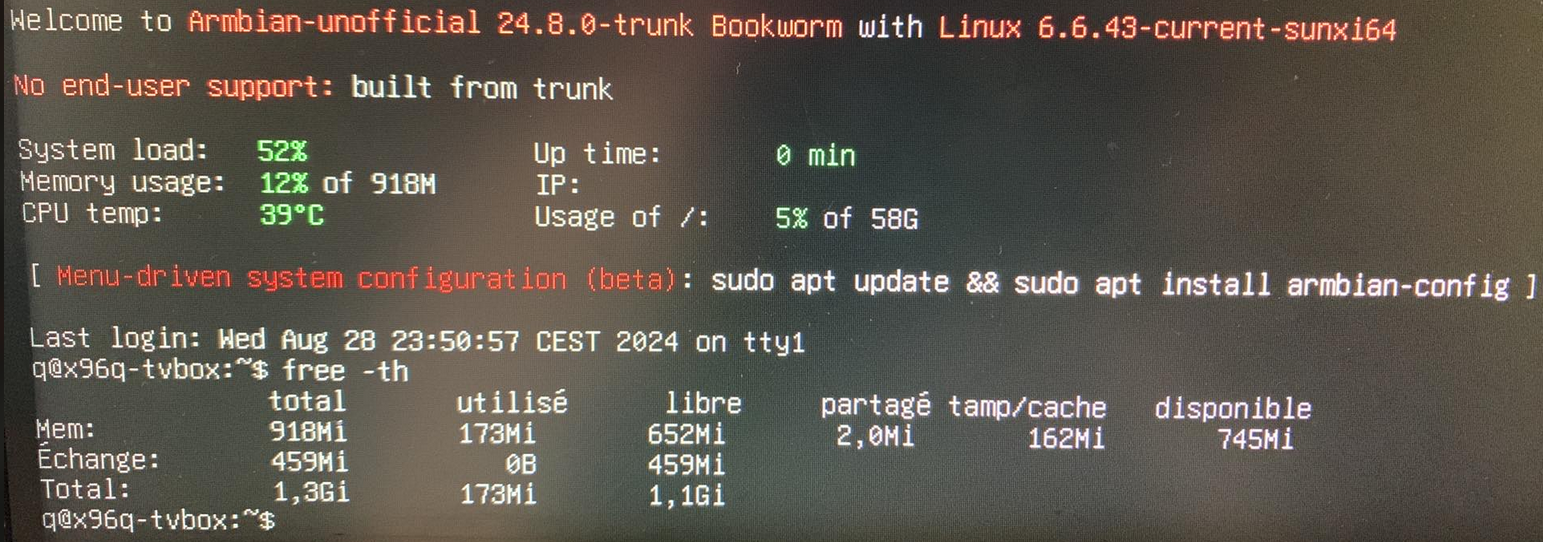
With termux on the stock android there seems to be 2Gb of RAM, but on your Armbian “Minimal/Server” build I'm getting down to 914Mb.
On stock Android :
                total        used        free      shared     buffers
Mem:             1.9G        907M        1.0G        6.4M        524K
-/+ buffers/cache:           906M        1.0G
Swap:            1.4G        138M        1.3G
On your Armbian Build :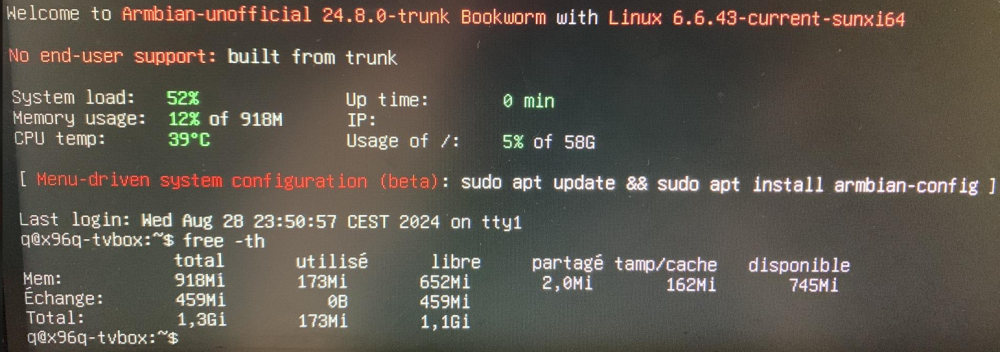
Any clues about this gap?
Is it because RAM is shared with graphics?
cya~
Odd, i just fired up bookworm w/cinnamon. I will upload 24.11 6.6.44 to my repo or you can compile it yourself from the main armbian repo
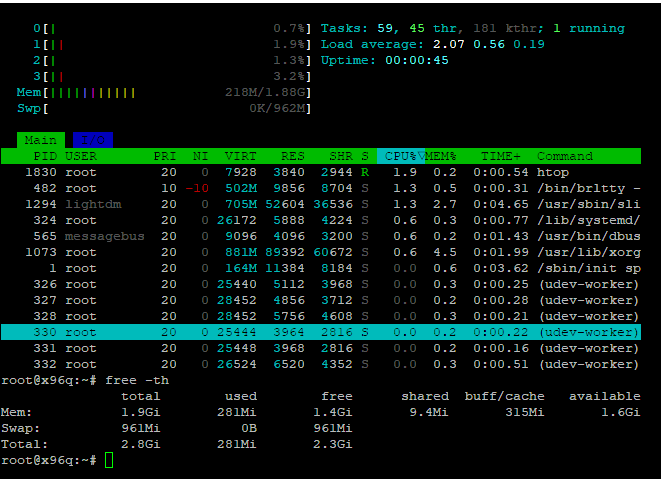
Armbian for H313 X96-Q LPDDR3 TV-Box
in Allwinner CPU Boxes
Posted
i just built a 5.1 image. Should work for you
https://github.com/sicXnull/armbian-build/releases/download/v24.8.0-trunk.425/Armbian-unofficial_24.11.0-trunk_X96q-v5-1_bookworm_current_6.6.44_mate_desktop.img.xz
https://github.com/sicXnull/armbian-build/tree/X96Q-5.1-DDR3