
Johannes
-
Posts
7 -
Joined
-
Last visited
-
Freeze / kernel panic after upgrading to kernel 7.0.12
Johannes replied to Johannes's topic in Allwinner sunxi
I tried to downgrade to 6.18, unfortunately it froze during the process, which left the kernel and boot loader in an incomplete state. I have decided to re-image the whole thing with 6.18.x and for now it appears to be stable again. -
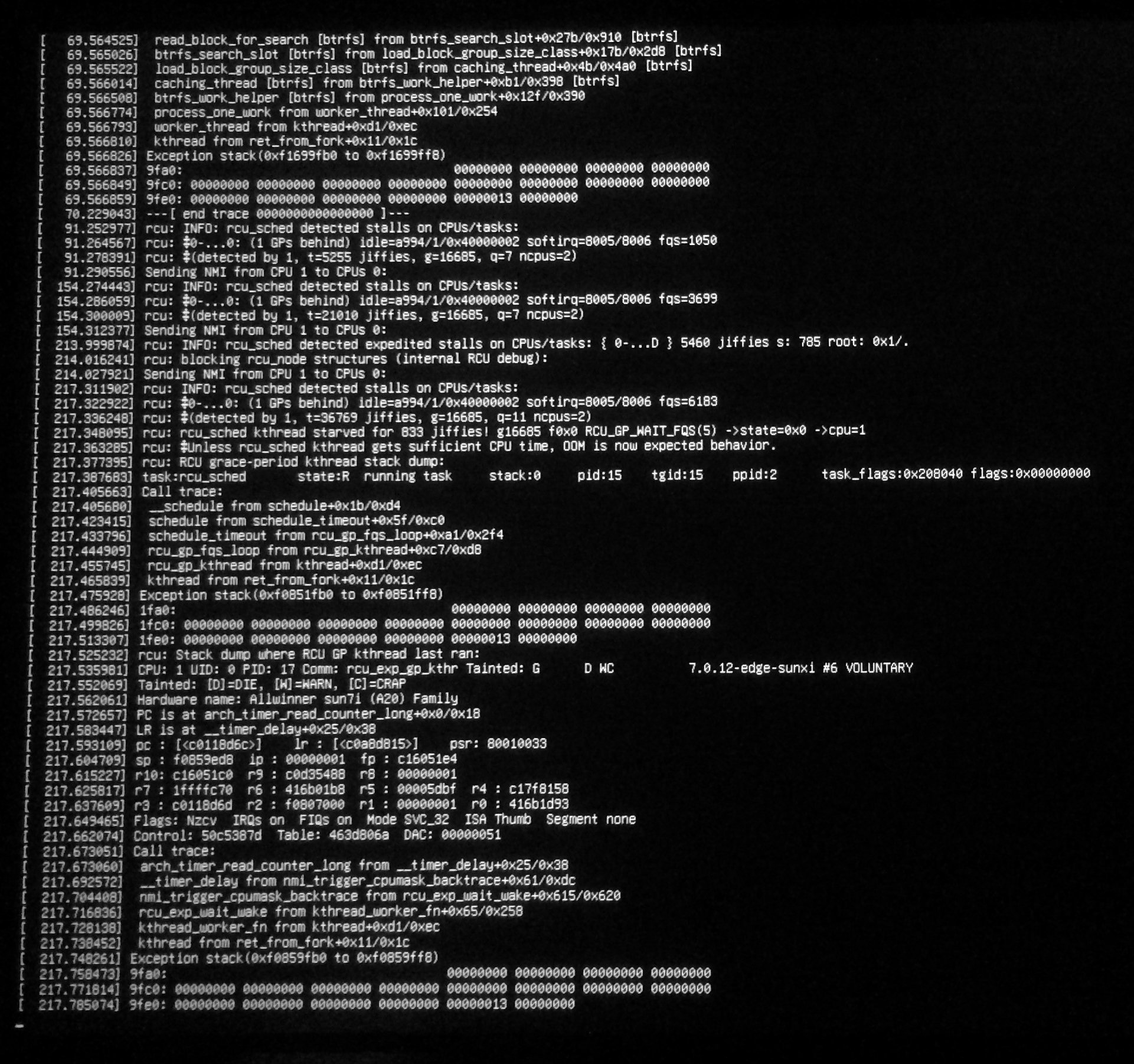
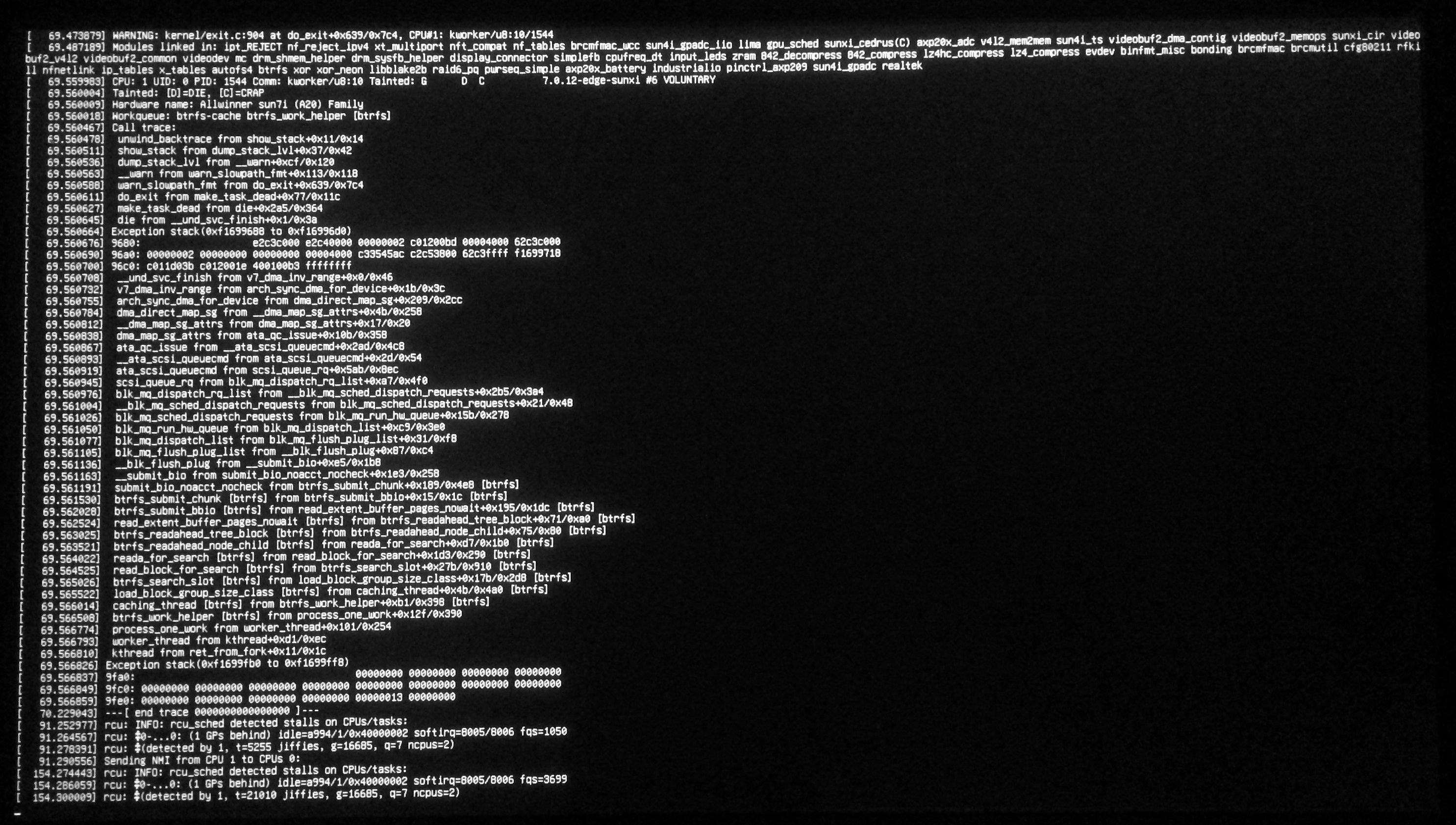
Hi all, recently my Banana Pi Pro running Armbian 26.5.1 with Debian Trixie received a kernel update from 6.16.8 (which it has been running on for quite a while without issues) to 7.0.12. Since then, it randomly freezes shortly after booting, sometimes I also can see a kernel panic (see attached pictures). Has anyone else run into this issue? What can I do to fix this? The old kernel no longer appears to be present in /boot, which makes it difficult to return to another kernel (trying to run something like apt-get typically quickly results in the aforementioned freeze).
-
Upgraded to latest Armbian, but stuck on old kernel
Johannes replied to Johannes's topic in Allwinner sunxi
Thanks for the confirmation. I ran the kernel update via armbian-config and everything worked without issues. Thanks again! -
Upgraded to latest Armbian, but stuck on old kernel
Johannes replied to Johannes's topic in Allwinner sunxi
I think you were dead-on in your previous post - the armbian-bsp-cli-bananapipro package was not installed anymore. After installing that, the "Switch to other kernels" option started working again, and I have a choice of three kernels now! But before I proceed and install the new kernel - I noticed that the linux-u-boot-bananapipro-current package is also not installed. I'm not sure how critical that is, and if just installing the new kernel would be enough. Should I install it manually before proceeding? -
Upgraded to latest Armbian, but stuck on old kernel
Johannes replied to Johannes's topic in Allwinner sunxi
deb [signed-by=/usr/share/keyrings/armbian.gpg] http://apt.armbian.com bookworm main bookworm-utils bookworm-desktop I added the signing key as per this thread: -
Upgraded to latest Armbian, but stuck on old kernel
Johannes replied to Johannes's topic in Allwinner sunxi
Thank you for your reply. I suppose you mean the "Switch to other kernels" option? As said, it doesn't seem to be working, and I think I have a hunch now why that might be the case: Running "dpkg -l | grep linux-image", the output is completely empty. Or is this option looking for something completely different? -
Hi all, First post here. I have been running Armbian on my original Bananapi Pro for a long while now, and thought that it's time to upgrade from Bullseye to Bookworm finally. There were some complications with UsrMerge that I had to resolve manually (I think some boot files from the original Buster installation were both in /lib and /usr/lib), but apart from that the upgrade appears to have worked: All userspace stuff is on Bookworm. # lsb_release -a No LSB modules are available. Distributor ID: Debian Description: Armbian 24.5.0-trunk.530 bookworm Release: 12 Codename: bookworm However, the kernel seems to be stuck on 5.15: # uname -a Linux bananapi 5.15.43-sunxi #22.05.1 SMP Sat May 28 08:17:47 UTC 2022 armv7l GNU/Linux This version number appears to be inconsistent with the contents of armbian-image-release: # cat /etc/armbian-image-release # PLEASE DO NOT EDIT THIS FILE BOARD=bananapipro BOARD_NAME="Banana Pi Pro" BOARDFAMILY=sun7i BUILD_REPOSITORY_URL=https://github.com/armbian/build BUILD_REPOSITORY_COMMIT=85080ff3 VERSION=5.99.191113 LINUXFAMILY=sunxi BRANCH=dev ARCH=arm IMAGE_TYPE=nightly BOARD_TYPE=eos INITRD_ARCH=arm KERNEL_IMAGE_TYPE=zImage IMAGE_UUID=1b7fd79e-803f-4438-8b4c-5e9287a7b86c I saw on the download page that a current download of Armbian Bookwork for the Bananapi Pro would include Kernel 6.6.29, so there should be a newer kernel available. Can you help me troubleshooting what is holding my system back from upgrading to a newer kernel? Various posts on the forum suggest anything from "apt-get upgrade will update your kernel" to "use armbian-config". Using the latter, I tried switch between nightly and stable, which didn't offer any updated kernel to apt. The "Switch to other kernels" option retrieves some files, then shows the "Yes, I understand" screen but then immediately goes back to the main "System settings" screen, which makes me think that something is broken here. How can I find out what exactly is broken?