Jorge Cury
-
Posts
17 -
Joined
-
Last visited
Content Type
Forums
Store
Crowdfunding
Applications
Events
Raffles
Community Map
Everything posted by Jorge Cury
-
I have tried to download at least 3 times this image: Armbian_25.8.1_Orangepi5-plus_noble_vendor_6.1.115_gnome_desktop.img.xz All sha256sum verified Ok. And wrote 5 times on 3 different SDCards, and this img does not boot on my OPI-5-Plus. No image on monitor, partition armbi_root not expanded, no green lights... Just unusable (for me). Other img's that boot are OK: Deb-xfce, noble-cinnamon, noble-neon... Someone got success with this img??? I'm looking for a distro that works well on OPI5-Plus, well configured, and that works with HDMI audio. The best for now is Noble-Cinnamon but failed to setup Menu button, and I cant find support until now to solve this issue. Thanks, Cury
-
My post on Mint Forum was rejected: Somebody knows were Can I get support for Cinnamon on Armbian distros???
-
HI, I'm trying Mint forum. I am receiving this notification on every system startup. 19/11/2025,16:18:34 Problems during Cinnamon initialization Cinnamon started successfully, but it was not possible to load one or more applets, desklets or extensions. Check the system logs and the LookingGlass log for any issues in Cinnamon. You can disable all extension(s) in Cinnamon Settings to prevent this message from appearing repeatedly. Please contact the developer. and Looking Glass log error t=2025-11-19T03:20:50Z [menu@cinnamon.org]: Util.latinise is not a function [menu@cinnamon.org]: Failed to evaluate 'main' function on applet: menu@cinnamon.org/0 error t=2025-11-19T03:20:50Z [menu@cinnamon.org]: Applet menu@cinnamon.org: Could not create applet object.[menu@cinnamon.org]: Error importing applet.js from menu@cinnamon.org error t=2025-11-19T03:20:51Z [menu@cinnamon.org]: Util.latinise is not a function [menu@cinnamon.org]: Failed to evaluate 'main' function on applet: menu@cinnamon.org/0 error t=2025-11-19T03:20:51Z [menu@cinnamon.org]: Applet menu@cinnamon.org: Could not create applet object. [menu@cinnamon.org]: Error importing applet.js from menu@cinnamon.org info t=2025-11-19T03:20:51Z AppletManager started in 15564 ms info t=2025-11-19T03:20:51Z Cinnamon took 15834 ms to start info t=2025-11-19T03:20:51Z Adding systray: blueman-tray (1x1px) info t=2025-11-19T03:20:51Z Adding systray: solaar (1x1px) info t=2025-11-19T03:20:51Z Adding systray: indicator-solaar (1x1px) info t=2025-11-19T03:20:51Z GPU offload supported: false Captured from my system: cury@orangepi5-plus:~$ inxi -Fxxxz System: Kernel: 6.1.115-vendor-rk35xx arch: aarch64 bits: 64 compiler: gcc v: 11.4.0 clocksource: arch_sys_counter Desktop: Cinnamon v: 6.4.10 wm: Muffin v: 6.4.1 vt: 7 dm: LightDM v: 1.32.0 Distro: Armbian GNU/Linux 13 (trixie) Machine: Type: ARM System: Orange Pi 5 Plus details: N/A CPU: Info: 8-core model: N/A variant-1: cortex-a76 variant-2: cortex-a55 bits: 64 type: MCP smt: <unsupported> arch: ARMv8 rev: 0 cache: L1: 768 KiB L2: 2.5 MiB L3: 3 MiB Speed (MHz): avg: 1800 min/max: 408/1800:2256 cores: 1: 1800 2: 1800 3: 1800 4: 1800 5: 1800 6: 1800 7: 1800 8: 1800 bogomips: N/A Features: Use -f option to see features Graphics: Device-1: display-subsystem driver: rockchip_drm v: N/A bus-ID: N/A chip-ID: rockchip:display-subsystem class-ID: display-subsystem Device-2: rk3588-dw-hdmi driver: dwhdmi_rockchip v: N/A bus-ID: N/A chip-ID: rockchip:fde80000 class-ID: hdmi Device-3: rk3588-dw-hdmi driver: dwhdmi_rockchip v: N/A bus-ID: N/A chip-ID: rockchip:fdea0000 class-ID: hdmi Display: x11 server: X.Org v: 21.1.16 driver: X: loaded: modesetting unloaded: fbdev dri: rockchip gpu: rockchip_drm,dwhdmi_rockchip, dwhdmi_rockchip display-ID: :0 screens: 1 Screen-1: 0 s-res: 1920x1080 s-dpi: 96 s-size: 508x285mm (20.00x11.22") s-diag: 582mm (22.93") Monitor-1: HDMI-A-1 mapped: HDMI-1 model: LG (GoldStar) FHD serial: <filter> res: mode: 1920x1080 hz: 100 scale: 100% (1) dpi: 82 size: 597x336mm (23.5x13.23") diag: 685mm (27") modes: max: 1920x1080 min: 640x480 API: EGL v: 1.5 platforms: device: 0 drv: panthor device: 1 drv: rknpu device: 2 drv: rockchip device: 3 drv: swrast gbm: drv: panthor surfaceless: drv: panthor x11: drv: rockchip inactive: wayland API: OpenGL v: 4.5 compat-v: 3.1 vendor: mesa v: 25.0.7-2 glx-v: 1.4 direct-render: yes renderer: Mali-G610 (Panfrost) device-ID: ffffffff:ffffffff Info: Tools: api: eglinfo,glxinfo x11: xdriinfo, xdpyinfo, xprop, xrandr Audio: Device-1: hdmi driver: rk_hdmi_sound bus-ID: N/A chip-ID: rockchip:dp0-sound class-ID: dp0-sound Device-2: rk3588-dw-hdmi driver: dwhdmi_rockchip bus-ID: N/A chip-ID: rockchip:fde80000 class-ID: hdmi Device-3: rk3588-dw-hdmi driver: dwhdmi_rockchip bus-ID: N/A chip-ID: rockchip:fdea0000 class-ID: hdmi Device-4: hdmi driver: rk_hdmi_sound bus-ID: N/A chip-ID: rockchip:hdmi0-sound class-ID: hdmi0-sound Device-5: hdmi driver: rk_hdmi_sound bus-ID: N/A chip-ID: rockchip:hdmi1-sound class-ID: hdmi1-sound API: ALSA v: k6.1.115-vendor-rk35xx status: kernel-api Server-1: PulseAudio v: 17.0 status: active Network: Device-1: Realtek RTL8125 2.5GbE driver: r8169 v: kernel port: 1000 bus-ID: 0003:31:00.0 chip-ID: 10ec:8125 class-ID: 0200 IF: enP3p49s0 state: down mac: <filter> Device-2: Realtek RTL8125 2.5GbE driver: r8169 v: kernel port: 100000 bus-ID: 0004:41:00.0 chip-ID: 10ec:8125 class-ID: 0200 IF: enP3p49s0 state: down mac: <filter> Device-3: wlan-platdata driver: wlan_platdata v: N/A bus-ID: N/A chip-ID: wlan-platdata:wireless-wlan class-ID: wireless-wlan IF-ID-1: dummy0 state: down mac: <filter> IF-ID-2: enP4p65s0 state: down mac: <filter> IF-ID-3: wlx90de807f1947 state: up mac: <filter> Bluetooth: Device-1: Realtek 802.11ac NIC driver: btusb,rtw_8822bu type: USB rev: 2.1 speed: 480 Mb/s lanes: 1 bus-ID: 1-1.4:3 chip-ID: 0bda:b82c class-ID: e001 serial: <filter> Report: hciconfig ID: hci0 rfk-id: 1 state: down bt-service: enabled,running rfk-block: hardware: no software: yes address: <filter> Drives: Local Storage: total: 1.04 TiB used: 107.07 GiB (10.0%) ID-1: /dev/nvme0n1 vendor: Reletech model: P600 M.2 PCIE3.0 1TB size: 953.87 GiB speed: 31.6 Gb/s lanes: 4 tech: SSD serial: <filter> fw-rev: SN10660 temp: 39.9 C scheme: GPT ID-2: /dev/sda vendor: Kingston model: DataTraveler 3.0 size: 115.47 GiB type: USB rev: 2.1 spd: 480 Mb/s lanes: 1 tech: N/A serial: <filter> fw-rev: 0000 scheme: MBR Partition: ID-1: / size: 576.47 GiB used: 12.63 GiB (2.2%) fs: ext4 dev: /dev/nvme0n1p1 ID-2: /var/log size: 46.8 MiB used: 7.4 MiB (15.9%) fs: ext4 dev: /dev/zram1 Swap: ID-1: swap-1 type: partition size: 19.14 GiB used: 0 KiB (0.0%) priority: -2 dev: /dev/nvme0n1p2 ID-2: swap-2 type: zram size: 7.79 GiB used: 0 KiB (0.0%) priority: 5 dev: /dev/zram0 Sensors: System Temperatures: cpu: 49.0 C mobo: N/A Fan Speeds (rpm): N/A Info: Memory: total: N/A available: 15.58 GiB used: 4.38 GiB (28.1%) Processes: 313 Power: uptime: 1h 17m states: freeze,mem suspend: deep wakeups: 0 Init: systemd v: 257 default: graphical Packages: pm: dpkg pkgs: 1548 Compilers: clang: 19.1.7 gcc: 14.2.0 Shell: Bash v: 5.2.37 running-in: xfce4-terminal inxi: 3.3.38 cury@orangepi5-plus:~$
-
Thanks laibsch, A little bit better, but this is a partial solution. Start button still missing. to turn off computer I have enter shutdown on cmd. And "logout" what is the command to log out? I am looking for solution on cinnamon forum but nothing until now.
-
Orange PI has very good hardware (better than RPI) but bad support of software from factory devellopers. Raspberry PI 5 is a bit slower but we have more support and always new versions. I have both.
-
Hi All, I'm struggling with my Orange PI 5 Plus and various Armbian Flavors for 3 days. My Preferred DE, Armbian_25.8.1_Orangepi5-plus_noble_vendor_6.1.115_kde-neon_desktop, after all setup on second boot... failed msg: wait until boot finishes... XFCE, Sound does not work over HDMI. Finally, Armbian_25.8.1_Orangepi5-plus_trixie_vendor_6.1.115_cinnamon_desktop, is doing well. Except for, I'm missing start button. If I want Firefox, I have to open it via cmd If I want to capture screen... I dont know even the name to call via cmd... See my Phone shot https://drive.google.com/file/d/1d6K4i_yshHCrKvXR-13VFkpWzPKx8GaA/view?usp=sharing Could somebody tell me what is wrong? Thanks,
-
Hi everybody, I installed Deb 12 Cinnamon Armbian flavor on an Orange PI 5 and Orange PI 5 Plus. This: dl.armbian.com/orangepi5-plus/Bookworm_current_cinnamon-backported-mesa I want to test 'virt-manager' but qemu is not available for installation. Error on console: packages are updated me@orangepi5-plus:~$ sudo apt install qemu [sudo] senha me: Lendo listas de pacotes... Pronto Construindo árvore de dependências... Pronto Lendo informação de estado... Pronto package qemu is not available, mas é referenciado por outro pacote. Isto pode significar que o pacote está faltando, ficou obsoleto ou está disponível somente a partir de outra fonte E: O pacote 'qemu' não tem candidato para instalação Is there a chance to have qemu available. armbianmonitor -u https://paste.next.armbian.com/egexohofom Thanks, Cury
-
Hi Werner, Issue about armbian-config openned. Idiom/Language issue remains unsolved. See you soon, Cury
-
Hi everybody, I installed Deb 12 Cinnamon Armbian flavor. This: dl.armbian.com/orangepi5-plus/Bookworm_current_cinnamon-backported-mesa When I open system setup there is no Idiom/Language Icon. So all apps remains in English. Even if I run "sudo dpkg-reconfigure keyboard-configuration" and "sudo dpkg-reconfigure locales" I found an issue running "armbian-config"/localization/change Keyboard layout, on console this msg "setupcon: We are not on the console, the console is left unconfigured." But if I run "sudo dpkg-reconfigure keyboard-configuration" from a terminal window no error. Thanks, Cury
-

My installation became crazy after a 222 packages update on OPI5-Plus.
Jorge Cury replied to Jorge Cury's topic in Rockchip
Thanks everybody, After 2 weeks dealing with this issue,on last satuday, I decided to migrate to another Armbian flavor. I had some issues with Armbian Gnome (Firefox and others). So dl.armbian.com/orangepi5-plus/Bookworm_current_cinnamon-backported-mesa was the last chance with Mesa. I couldn't install Firefox (latest version) even adding mozilla repo or unstable. I'll give ESR a chance. Thanks again, Cury -
My installation became crazy after a 222 packages update on OPI5-Plus.
Jorge Cury replied to Jorge Cury's topic in Rockchip
I know updates came from KDE team, but broke my installation. I have another install (same distro) for a OPI5 (not Plus) and I am deferring update. I am looking for a hint. me@OPI5-Armbian:~$ PASTE_SERVER_HOST=paste.armbian.de armbianmonitor -u Using custom paste server: 'paste.armbian.de' Collecting info and sending to paste.armbian.de, wait... https://paste.armbian.de/qapipuzevu Please post the URL in the forum where you've been asked for. Thanks, Cury -
Hi all, I am used to update my systems every day, but this time.... Yesterday, all of a sudden, after an "apt update" command showed to me there was 222 updates available. Wow, there was many updates on KDE, I left it for later, but after finishing my tasks I made the upgrade. After reboot, at login screen, password was accepted but login screen reappears. I tryed many times. I noticed that login was set to "KDE Wayland"... I changed to "KDE X11" and Bingo... Login ok. But Task bar is shown everything to the left and without the apps. All apps used before last logout were reopened, but all of them were located on top left of screen and no way to change the top app, only terminating the top app to access other app. No ALT TAB works. And at botton right of wallpaper it is saying "Plasma 6.3" in other words, unusable... And now, what can I do? If I reinstall .img I cant upgrade anymore??? Thanks from Brazil, Cury .img used to install: “Armbian - unofficial_25.02.0 - trunk_Orangepi5-plus_noble_vendor _ 6.1.84_kde-neon-kisak _ desktop” My system before crash: Operating System: Ubuntu 24.04 (Neon) KDE Plasma Version: 6.2.5 KDE Frameworks Version: 6.10.0 Qt Version: 6.8.1 Kernel Version: 6.1.84-vendor-rk35xx (64-bit) Graphics Platform: Wayland Processors: 4 × ARM Cortex-A 55, 4 × ARM Cortex-A76 Memory: 15.6 GiB of RAM Graphics Processor: Mali-G610 Product Name: Orange Pi 5 Plus
-
Hi People, This .img Is running OK too. https://fi.mirror.armbian.de/.testing/Armbian-unofficial_25.02.0-trunk_Orangepi5-plus_noble_vendor_6.1.84_kde-neon-kisak_desktop.img.xz And I think it is better than the OPI5 .img in many configs,,, Realtek Dongle doesn't loose connection, after inactive time expiration Monitor doesn't enter in "night lights" (sorry, I dont know the correct name in English)... But after a reboot all applicatons are restored in the center on the center of screen, one on top of the other (Plasma does not remember the place it was before) And the login to my NAS there is no way to expecify (always remember). Thanks from Brazil, Cury
-
Hi Werner, Very good advise, problem solved. At least for OPI 5, but I'm sure OPI 5+ has the same problem. I am trying for all weekend, first I tryed "https://dl.armbian.com/orangepi5/Noble_vendor_kde-neon-kisak", but after some updates I got boot failed. Then I followed your advise and it is working good. Except for WiFi Dongle "Realtek Semiconductor Corp. RTL88x2bu [AC1200 Techkey]" that is loosing the connection each hour or two. Thanks, very much.
-
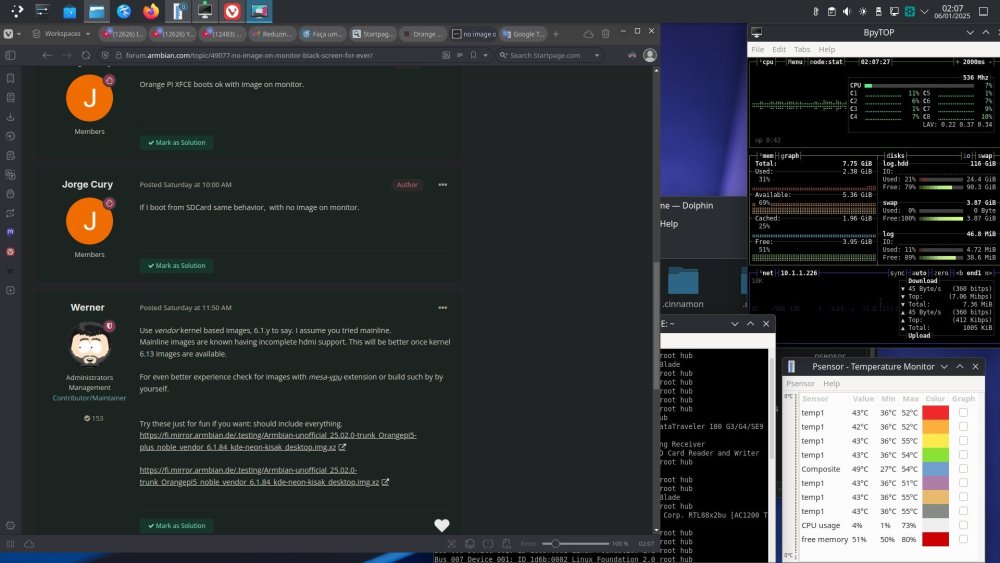
If I boot from SDCard same behavior, with no image on monitor.
-
Orange PI XFCE boots ok with image on monitor.
-
Happy New Year for all, My old Samsung Monitor stopped working some days ago, and I dont know if it will be fixed, so I decided to buy a new LG 27'' Monitor. My Zorin OS and Windows on X64, Raspbian and Ubuntu On Raspberry PIs are working properly. But booting Armbian - Ubuntu 24.04 (Noble) on "Orange PI 5" and "Orange PI 5 Plus" My New monitor refuses to show any image (only black screen). "Orange PI OS XFCE" on "Orange PI 5" is OK on my new monitor. I took a litle look at boot files but I didn't find anything to fix this problem. Any idea to solve this problem??? Thanks, Cury