@Nick A
Hi Nick,
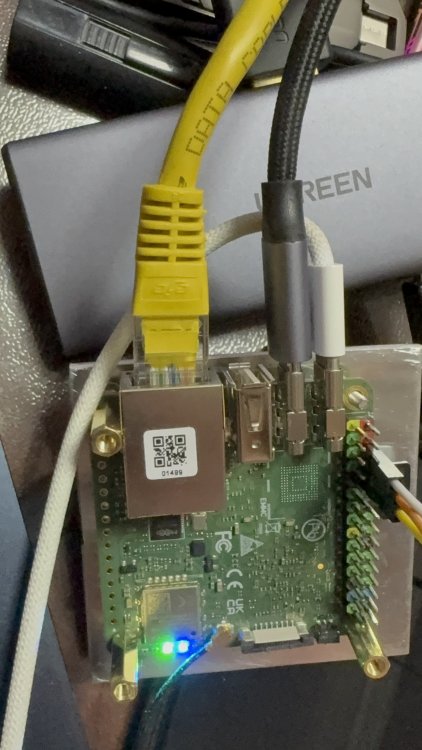
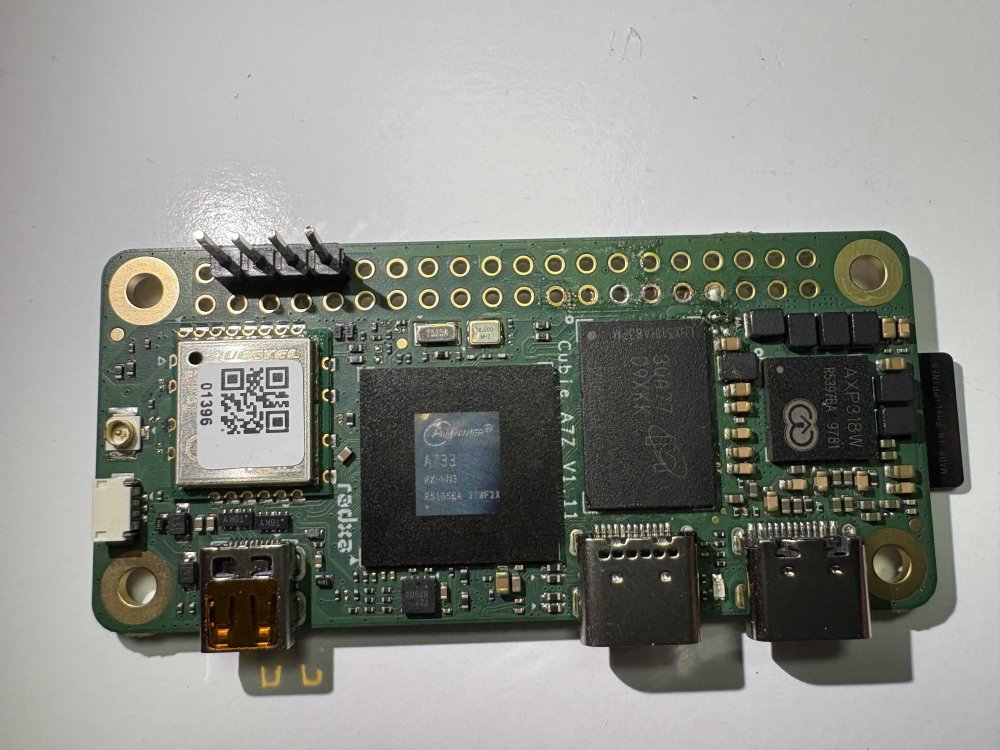
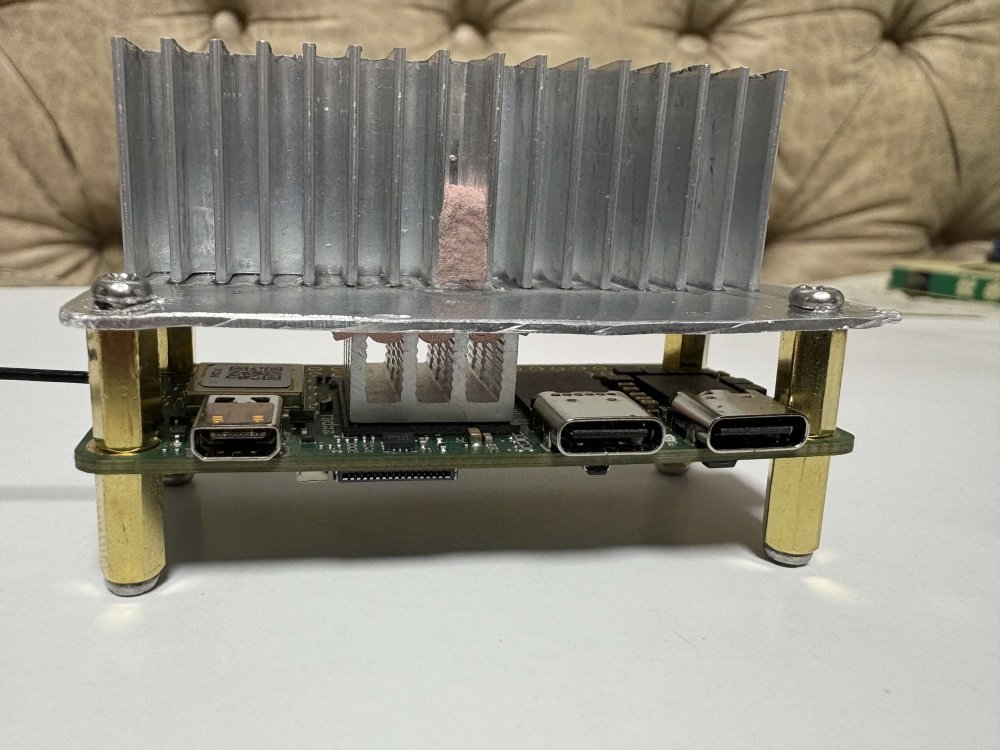
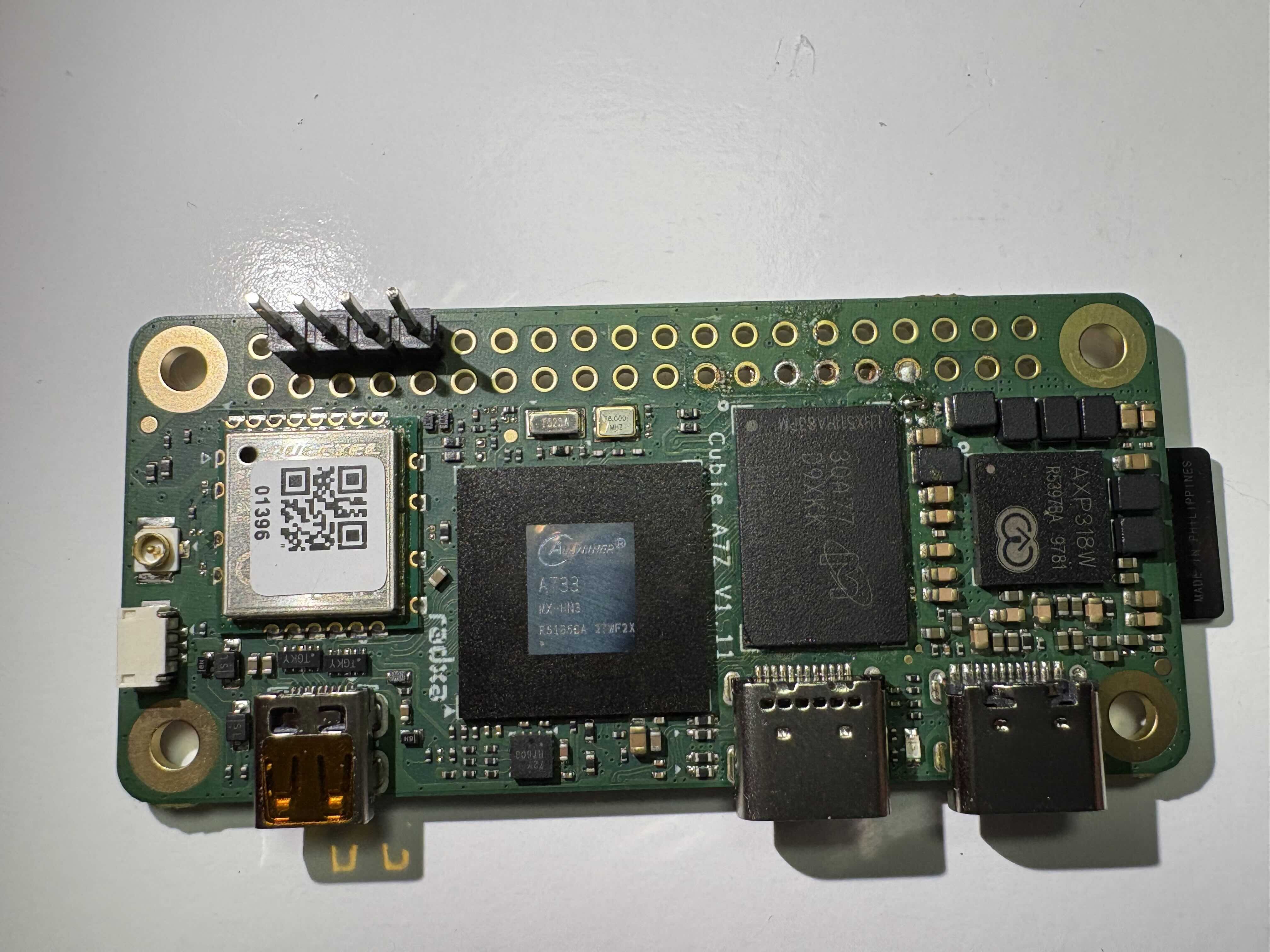
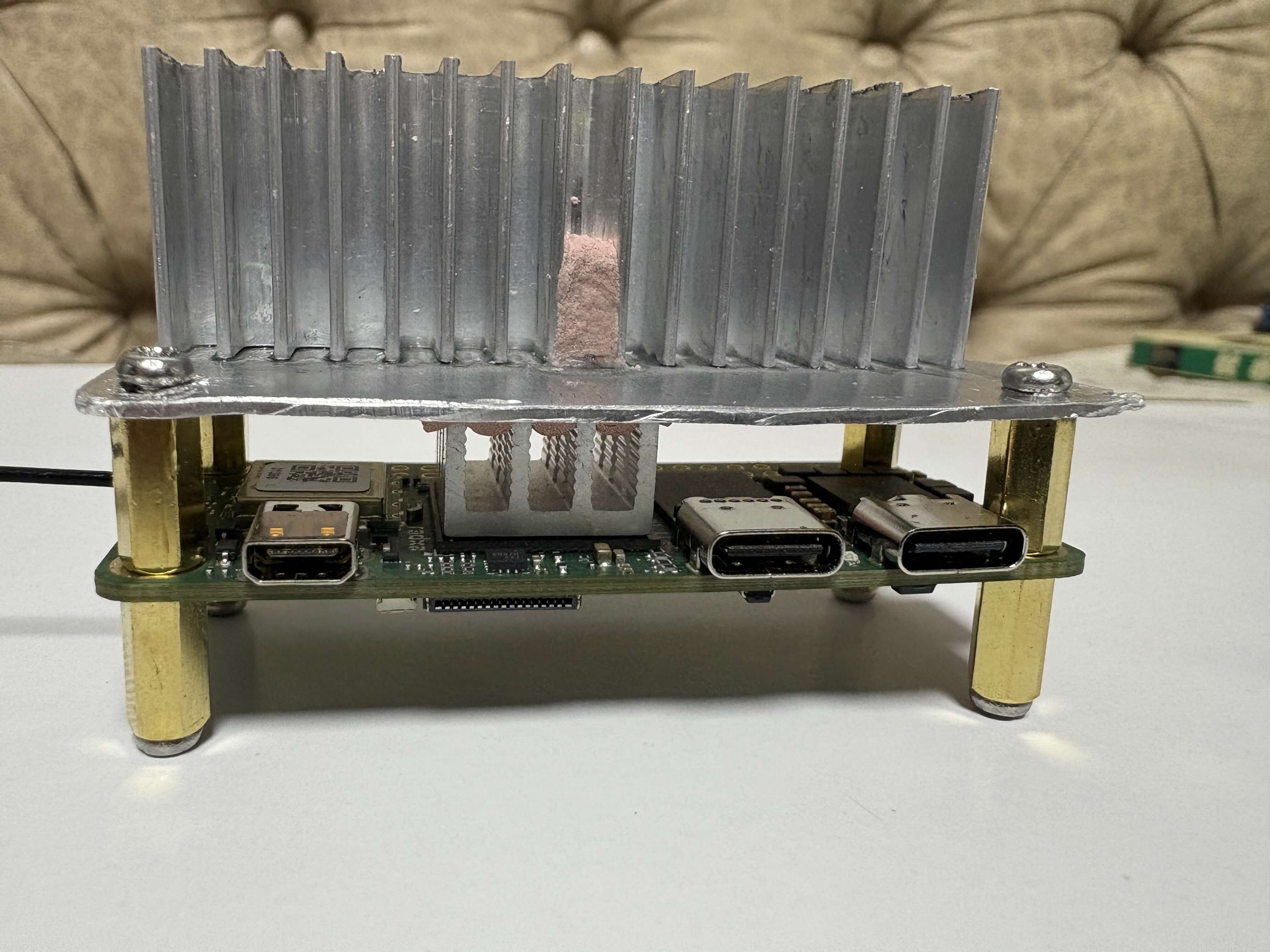
I'm using your image (Radxa-cubie-a7z-v0.6.4_trixie_vendor_6.6.98_xfce_desktop.img) on my Radxa Cubie A7Z, which I've DIY-modified to have 6GB of RAM. Micron D9XKK (MT53E1536M32D4DT-046 AAT:A) 6GB LPDDR4 chip.
Unfortunately, it fails to boot.
Here is the UART output below. Do you know how to fix this? Does the system need specific configuration to recognize the 6GB RAM?
......
[212]HELLO! BOOT0 is starting!
[215]BOOT0 commit : {4721ad08}
[218]board gpio withstand voltage auto mode
[233]dram_para_total:0xf
[235]vaild para:6 select dram para10
[mmc]: mmc driver ver 2025-10-16 17:10
[mmc]: Wrong media type 0x0
[mmc]: ***Try SD card 0***
[mmc]: HSSDR52/SDR25 4 bit
[mmc]: 50000000 Hz
[mmc]: 15279 MB
[mmc]: ***SD/MMC 0 init OK!!!***
[273]DRAM BOOT DRIVE INFO: V0.601
[277]DRAM_VCC set to 1100 mv
[280]DRAM CLK =1800 MHZ
[282]DRAM Type =8 (8:LPDDR4,9:LPDDR5)
[387]Training result is = 7
[390]DRAM Pstate 1 training, frequency is 1200 Mhz
[503]Training result is = 7
[506]DRAM Pstate 2 training, frequency is 800 Mhz
[716]Training result is = 7
[718]DRAM Pstate 3 training, frequency is 400 Mhz
[3934]Training result is = 7
[3937]DRAM Pstate 0 training, frequency is 1800 Mhz
[3945]Actual DRAM SIZE =8192 M
[3948]DRAM SIZE =8192 MBytes, para1 = 311a, para2 = 20001001, dram_tpr13 = 6067
[3962]DRAM simple test OK.
[3968]error:bad magic.
[4032]error: dtb not found for scp
[4036]mmc not para
[4038]Jump to ATF: monitor_base = 0x48000000, uboot_base = 0x4a000000, optee_base = 0x0
NOTICE: BL31: OP-TEE 32bit detected
NOTICE: BL31: U-BOOT 32bit detected
NOTICE: BL31: dram size is 8589934592 bytes
NOTICE: BL31: v2.5(debug):48e54578a
NOTICE: BL31: Built : 14:13:06, Jul 2 2025
NOTICE: BL31: No DTB found.
ERROR: Error initializing runtime service opteed_fast
U-Boot 2018.07-17-boot-aw2501-g4c7078cfdf7-dirty (Apr 29 2026 - 10:03:59 +0000) Allwinner Technology
[04.094]CPU: Allwinner Family
[04.097]Model: Radxa Cubie A7A
I2C: ready
[04.160]DRAM: 8 GiB
[04.169]Relocation Offset is: 75d89000
[04.223]secure enable bit: 0
[04.226]PMU: AXP8191
[04.228]PMU: AXP8191 VER_A
FDT ERROR:fdt_get_regulator_name:get property handle twi-supply error:FDT_ERR_INTERNAL
[04.240]bmu_axp515_probe pmic_bus_read fail
[04.244][AXP8191] onoff status: 0x50 = 0x1, 0x51 = 0x0
[04.249][AXP8191] charge status: 0x4 = 0x0
[04.252]CPU=1014 MHz,PLL6=1200 Mhz,AHB=200 Mhz, APB1=24Mhz MBus=600Mhz
[04.259]gic: sec monitor mode
SPI ALL: ready
[04.303]flash init start
[04.305]workmode = 0,storage type = 1
[04.308][mmc]: mmc driver ver uboot2018:2024-10-18 9:01:00 -- uboot2018:2025-03-28 10:03:00
[04.317][mmc]: get sdc_type fail and use default host:tm1.
[04.325][mmc]: can't find node "mmc0",will add new node
[04.329][mmc]: fdt err returned <no error>
[04.333][mmc]: Using default timing para
[04.337][mmc]: SUNXI SDMMC Controller Version:0x50530
[04.355][mmc]: card_caps:0x3000000a
[04.358][mmc]: host_caps:0x3000003f
[04.362]sunxi flash init ok
get value error
[04.373]Loading Environment from SUNXI_FLASH... OK
No ethernet found.
[04.411]NOT support bridge yet
[04.413]Warn: no find panel or bridge
[04.515]drm hdmi get mode: 1920x1080@60Hz
hdmi0@5520000: use force output detailed mode clock 148500 kHz, flags[5]
H: 1920 2008 2052 2200
V: 1080 1084 1089 1125
bus_format: 0
clk_set_rate: <NULL> has NULL parent
[04.620]suxni tcon hdmi set rate: 148500000Hz and get diff: -148500000Hz
[04.692]the secure storage item0 copy0 magic is bad
[04.704]the secure storage item0 copy1 magic is bad
[04.709]usb burn from boot
delay time 0
[04.715]usb prepare ok
[04.924]usb sof ok
[04.926]usb probe ok
[04.928]usb setup ok
set address 0x4
set address 0x4 ok
[05.334]do_burn_from_boot usb : have no handshake
skip update boot_param
cann't get the boot_base from the env
[05.346]update part info
[05.351]battery temp is -1
[05.358]update bootcmd
[05.366](not enough data: expected >= 8 cells, got 4 cells)
Link up timeout
Speed change timeout
PCIe speed of Gen1
Override default fdtfile to allwinner/sun60i-a733-cubie-a7z.dtb
[07.810]libfdt fdt_check_header(): FDT_ERR_BADMAGIC
[07.816]libfdt fdt_path_offset() returned FDT_ERR_BADMAGIC
[07.821][mmc]: get sunxi-mmc0 string failed
[07.826]The storage not support sample function
[07.832]## error: update_fdt_dram_para_from_bootpara : FDT_ERR_NOTFOUND
ret 0
[07.842]chip id : 0x00005100 0x00004900 0x0000c418 0x00002294
[07.847]mac addr => 08:51:49:dc:b6:2c
[07.851]chip id : 0x00005100 0x00004900 0x0000c418 0x00002294
[07.856]mac addr => 08:51:49:dc:b6:2d
[07.860]/chosen/rng-seed node not exit
[07.864]no battery, disabled battery functons
[07.868]Could not find nodeoffset for bat_supply
[07.872]update dts
curr_device:0
Device: SUNXI SD/MMC
Manufacturer ID: 1b
OEM: 534d
Name: 00000
Bus Speed: 50000000
Mode : SD High Speed (50MHz)
Rd Block Len: 512
SD version 3.0
High Capacity: Yes
Capacity: 14.9 GiB
Bus Width: 4-bit
Erase Group Size: 512 Bytes
[ufs]info:Driver version 0.0.24 2024.12.30 16:00
[ufs]info:Cal words 0x60:val 0xae400000, 0x64:val 0x4f21885d
[ufs]err:uic c 16,uic a 0,1,0
[ufs]err:e 80000010,0,0,0,0
[ufs]err:int s 0,400
[ufs]err:Device not present
[ufs]err:wait device link startup failed
[ufs]info:peer link startup timeout
[ufs]info:Cal words 0x60:val 0xae400000, 0x64:val 0x4f21885d
[ufs]err:uic c 16,uic a 0,1,0
[ufs]err:e 80000010,0,0,0,0
[ufs]err:int s 0,400
[ufs]err:Device not present
[ufs]err:wait device link startup failed
[ufs]info:peer link startup timeout
[ufs]info:Cal words 0x60:val 0xae400000, 0x64:val 0x4f21885d
[ufs]err:uic c 16,uic a 0,1,0
[ufs]err:e 80000010,0,0,0,0
[ufs]err:int s 0,400
[ufs]err:Device not present
[ufs]err:wait device link startup failed
[ufs]info:peer link startup timeout
[ufs]info:Cal words 0x60:val 0xae400000, 0x64:val 0x4f21885d
[ufs]err:uic c 16,uic a 0,1,0
[ufs]err:e 80000010,0,0,0,0
[ufs]err:int s 0,400
[ufs]err:Device not present
[ufs]err:wait device link startup failed
[ufs]info:peer link startup timeout
[ufs]err:link startup failed -6
[ufs]err:ufshcd_probe() failed -6
fail to init ufs
sunxi_flash - sunxi_flash sub-system
Usage:
sunxi_flash sunxi_flash init storage_type
sunxi_flash read mem_addr part_name [size]
sunxi_flash read_mtd mem_addr part_name [size]
sunxi_flash write <mem_addr> <part_name> [size]
sunxi_flash write <mem_addr> <part_name> [offset] [size]
sunxi_flash write_mtd <mem_addr> <part_name>
sunxi_flash boot0 force_dram_update_size <new_val>
sunxi_flash boot0 force_dram_update_flag <new_val>
Hit any key to stop autoboot: 0
starting USB...
USB0: start sunxi USB-DRD...
config usb clk ok
sunxi USB-DRD init ok...
USB EHCI 1.00
scanning bus 0 for devices... 1 USB Device(s) found
USB1: start sunxi USB1-Host...
config usb clk ok
sunxi USB1-Host init ok...
USB EHCI 1.00
scanning bus 1 for devices... 1 USB Device(s) found
scanning usb for storage devices... 0 Storage Device(s) found
Device 0: device type unknown
... is now current device
** Bad device usb 0 **
** Bad device usb 0 **
mmc0 is current device
Scanning mmc 0:1...
Found U-Boot script /boot.scr
5210 bytes read in 5 ms (1017.6 KiB/s)
## Executing script at 4fc00000
subfdt=sun60i-a733-cubie-a7z.dtb
U-boot loaded from SD
Boot script loaded from mmc
377 bytes read in 3 ms (122.1 KiB/s)
subfdt=sun60i-a733-cubie-a7z.dtb
Load fdt: /dtb/allwinner/sun60i-a733-cubie-a7z.dtb
195011 bytes read in 17 ms (10.9 MiB/s)
24361472 bytes read in 1013 ms (22.9 MiB/s)
23892015 bytes read in 995 ms (22.9 MiB/s)
[15.233]libfdt fdt_path_offset() returned FDT_ERR_BADMAGIC
[15.242]The storage not support sample function
ret 0
[15.349]mac addr => 08:51:49:dc:b6:2c
[15.353]mac addr => 08:51:49:dc:b6:2d
[15.358]no battery, disabled battery functons
[15.365]update dts
stop sunxi USB-DRD ok...
stop sunxi USB1-Host ok...
[15.391]Starting kernel ...
[15.394]total: 15394 ms
[15.396][mmc]: MMC Device 2 not found
[15.400][mmc]: mmc 2 not find, so not exit
NOTICE: [SCP] :wait arisc ready....
NOTICE: [SCP] :arisc version: [d463b9da43dc50320f21ba51c6c51afe2db20d83]
NOTICE: [SCP] :arisc startup ready
NOTICE: [SCP] :arisc startup notify message feedback
NOTICE: [SCP] :sunxi-arisc driver is starting
NOTICE: BL3-1: Next image address = 0x40200000
NOTICE: BL3-1: Next image spsr = 0x3c5