Orange pi 5 (i dont find way hot to make it in orange pi 5 section)
English is not my native, i hope you understand and sorry for mistakes
I spend like 3 days on this problem and i think i am stuck
I tested offisial image and Josua and there i can use my wifi normally
Setup
orange pi 5 v1.3.2
clened spi (i got problem like here)
armbian 26.5.1 vendor 6.1.115 (from armbian imager on windows)
sandisk extreme 64gb sd card
after boot i runs
sudo apt update
sudo apt upgrade -y
armbian-config (choose orange pi 5 ap6275p overlay)
/boot/armbianEnv.txt
verbosity=1
bootlogo=false
console=both
extraargs=cma=256M
overlay_prefix=rockchip-rk3588
fdtfile=rockchip/rk3588s-orangepi-5.dtb
rootdev=UUID=...
rootfstype=ext4
overlays=orangepi-5-ap6275p
usbstoragequirks=0x2537:0x1066:u,0x2537:0x1068:u
But after reboot wifi module do not works as expected
ip a
lspci
do not show any device
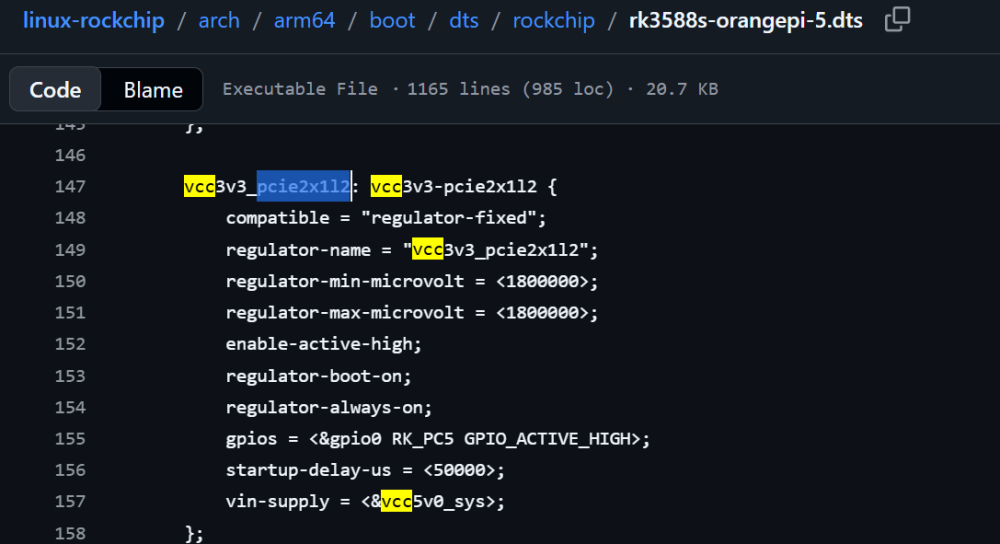
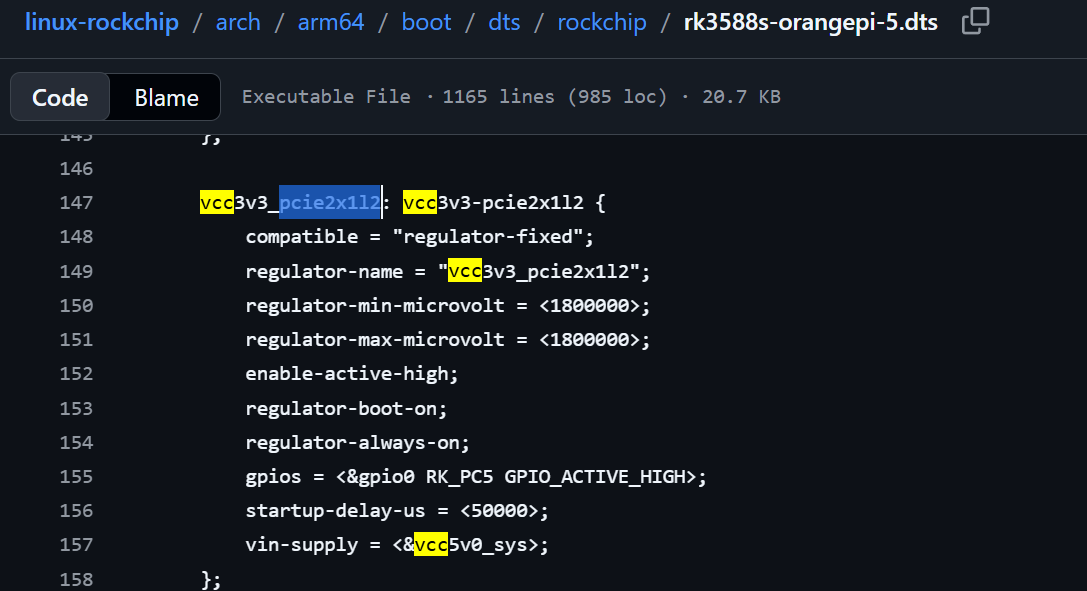
As i think now it is some dtbo files problems and i think key is somthing around line:
[ 121.023832] rk-pcie fe190000.pcie: PCIe Link Fail, LTSSM is 0x3, hw_retries=1
there is a guy figures same error
but the lines he added already included for me
wifi and pcie dmesg greps (by the way armbian takes too long to boot and i fond sombody figures same problem and he syas that time depends on size of sd card)
root@orangepi5:~# dmesg | grep wifi
[ 116.704296] [WLAN_RFKILL]: wlan_platdata_parse_dt: wifi_chip_type = ap6275p
[ 116.704300] [WLAN_RFKILL]: wlan_platdata_parse_dt: enable wifi power control.
[ 116.704303] [WLAN_RFKILL]: wlan_platdata_parse_dt: wifi power controled by gpio.
[ 116.704340] [WLAN_RFKILL]: wlan_platdata_parse_dt: The ref_wifi_clk not found !
[ 116.704348] [WLAN_RFKILL]: rfkill_set_wifi_bt_power: 1
root@orangepi5:~# dmesg | grep pcie
[ 19.019616] reg-fixed-voltage vcc3v3-pcie2x1l2: Looking up vin-supply from device tree
[ 19.020209] vcc3v3_pcie2x1l2: supplied by vcc5v0_sys
[ 19.079124] vcc3v3_pcie2x1l2: 1800 mV, enabled
[ 19.085641] reg-fixed-voltage vcc3v3-pcie2x1l2: vcc3v3_pcie2x1l2 supplying 1800000uV
[ 115.377859] dw-pcie fe190000.pcie: invalid resource
[ 115.378688] dw-pcie fe190000.pcie: Failed to initialize host
[ 115.378975] dw-pcie: probe of fe190000.pcie failed with error -22
[ 115.405440] rk-pcie fe190000.pcie: invalid prsnt-gpios property in node
[ 115.405658] rk-pcie fe190000.pcie: Looking up vpcie3v3-supply from device tree
[ 115.407223] rk-pcie fe190000.pcie: can't get current limit.
[ 115.409940] rk-pcie fe190000.pcie: host bridge /pcie@fe190000 ranges:
[ 115.410471] rk-pcie fe190000.pcie: IO 0x00f4100000..0x00f41fffff -> 0x00f4100000
[ 115.410659] rk-pcie fe190000.pcie: MEM 0x00f4200000..0x00f4ffffff -> 0x00f4200000
[ 115.410757] rk-pcie fe190000.pcie: MEM 0x0a00000000..0x0a3fffffff -> 0x0a00000000
[ 115.410961] rk-pcie fe190000.pcie: iATU unroll: enabled
[ 115.410983] rk-pcie fe190000.pcie: iATU regions: 8 ob, 8 ib, align 64K, limit 8G
[ 115.613333] rk-pcie fe190000.pcie: PCIe Linking... LTSSM is 0x3
[ 115.634444] rk-pcie fe190000.pcie: PCIe Linking... LTSSM is 0x3
[ 115.655522] rk-pcie fe190000.pcie: PCIe Linking... LTSSM is 0x3
[ 115.676607] rk-pcie fe190000.pcie: PCIe Linking... LTSSM is 0x3
[ 115.697683] rk-pcie fe190000.pcie: PCIe Linking... LTSSM is 0x3
[ 115.718758] rk-pcie fe190000.pcie: PCIe Linking... LTSSM is 0x3
[ 115.739838] rk-pcie fe190000.pcie: PCIe Linking... LTSSM is 0x3
[ 115.760912] rk-pcie fe190000.pcie: PCIe Linking... LTSSM is 0x3
[ 115.781986] rk-pcie fe190000.pcie: PCIe Linking... LTSSM is 0x3
[ 115.803060] rk-pcie fe190000.pcie: PCIe Linking... LTSSM is 0x3
[ 116.912753] rockchip-pm-domain fd8d8000.power-management:power-controller: Looking up pcie-supply from device tree
[ 116.912767] rockchip-pm-domain fd8d8000.power-management:power-controller: Looking up pcie-supply property in node /power-management@fd8d8000/power-controller failed
[ 117.713882] rk-pcie fe190000.pcie: PCIe Link Fail, LTSSM is 0x3, hw_retries=0
[ 120.627876] rk_pcie_establish_link: 171 callbacks suppressed
[ 120.627888] rk-pcie fe190000.pcie: PCIe Linking... LTSSM is 0x3
[ 120.648138] rk-pcie fe190000.pcie: PCIe Linking... LTSSM is 0x3
[ 120.668247] rk-pcie fe190000.pcie: PCIe Linking... LTSSM is 0x3
[ 120.689287] rk-pcie fe190000.pcie: PCIe Linking... LTSSM is 0x3
[ 120.710332] rk-pcie fe190000.pcie: PCIe Linking... LTSSM is 0x3
[ 120.731354] rk-pcie fe190000.pcie: PCIe Linking... LTSSM is 0x3
[ 120.751458] rk-pcie fe190000.pcie: PCIe Linking... LTSSM is 0x3
[ 120.772474] rk-pcie fe190000.pcie: PCIe Linking... LTSSM is 0x3
[ 120.793551] rk-pcie fe190000.pcie: PCIe Linking... LTSSM is 0x3
[ 120.814586] rk-pcie fe190000.pcie: PCIe Linking... LTSSM is 0x3
[ 121.023832] rk-pcie fe190000.pcie: PCIe Link Fail, LTSSM is 0x3, hw_retries=1
[ 122.034993] rk-pcie fe190000.pcie: failed to initialize host
Context about long boot:
On 19 sec
[ 19.315369] NetLabel: Initializing
[ 19.315574] NetLabel: domain hash size = 128
[ 19.315819] NetLabel: protocols = UNLABELED CIPSOv4 CALIPSO
[ 19.318283] NetLabel: unlabeled traffic allowed by default
[ 19.328104] vgaarb: loaded
[ 19.365221] clocksource: Switched to clocksource arch_sys_counter
[ 69.713069] VFS: Disk quotas dquot_6.6.0
[ 69.715555] VFS: Dquot-cache hash table entries: 512 (order 0, 4096 bytes)
[ 69.734240] AppArmor: AppArmor Filesystem Enabled
And on 73 sec
[ 73.253310] NET: Registered PF_ALG protocol family
[ 73.253416] Key type asymmetric registered
[ 73.253451] Asymmetric key parser 'x509' registered
[ 113.848019] Freeing initrd memory: 15860K
[ 114.505595] alg: self-tests for CTR-KDF (hmac(sha256)) passed
[ 114.508695] Block layer SCSI generic (bsg) driver version 0.4 loaded (major 241)
[ 114.512435] io scheduler mq-deadline registered
So i do not know reason and where i need to look. Maybe it is broken dtbo or i need to load spesial spi because i am not spesialist at this point and i cand find sombody figured same problem.
I also got full dmesg for orange pi os (where wifi works) and armbian boot with and without wifi configured if any body needs it