
guidol
-
Posts
1801 -
Joined
-
Last visited
Content Type
Forums
Store
Crowdfunding
Applications
Events
Raffles
Community Map
Everything posted by guidol
-
 In the past (2019) there was no chance to use the A64-CPU Jide Remix Mini with armbian, because of a blocked -u-boot But today I found a site (from February 2025 on github) https://github.com/r4nd3l/revived_remix_mini_pc?tab=readme-ov-file which can make the Closed Jide Remix Mini to boot from SDCard with a modified u-boot There at the github page is a modified u-boot and a modified A64 armbian for the Jide Remix Mini. Jide did leave us with a closed/blocked device AT this time the 16GB emmc isnt useable, but using SDCard is a start for upcycling the Jide Remix Mini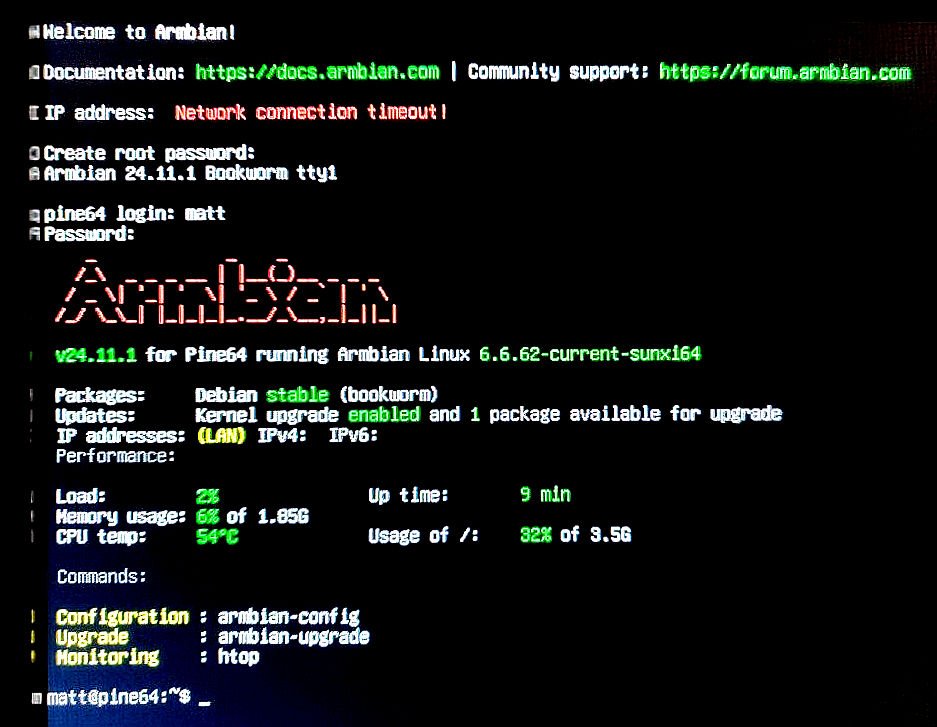
-
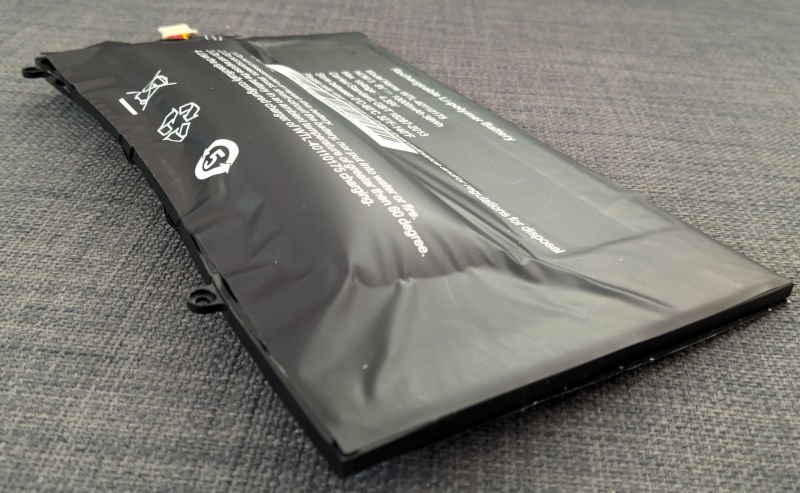
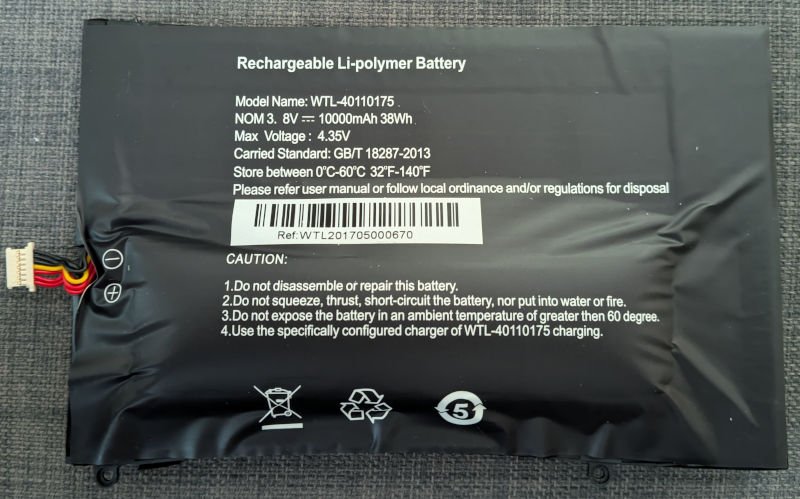
Yes the WTL-40110175 3.8v 10.000mAh battery has 3x red (PB+) and 3x black (PB- GND) and 1x yellow (Overvoltage?) or Temperature) Here in Turkey I do only find a 3.7v 10.000mAh Cell, but without the yellow cable (only red and black): https://www.n11.com/urun/1260110-37v-10000mah-li-polymer-pil-devreli15a-87767963 The battery PDF gives me very less clues Pinebook-WTL40110175-3_8V-10000mAh-14inch.pdf
-
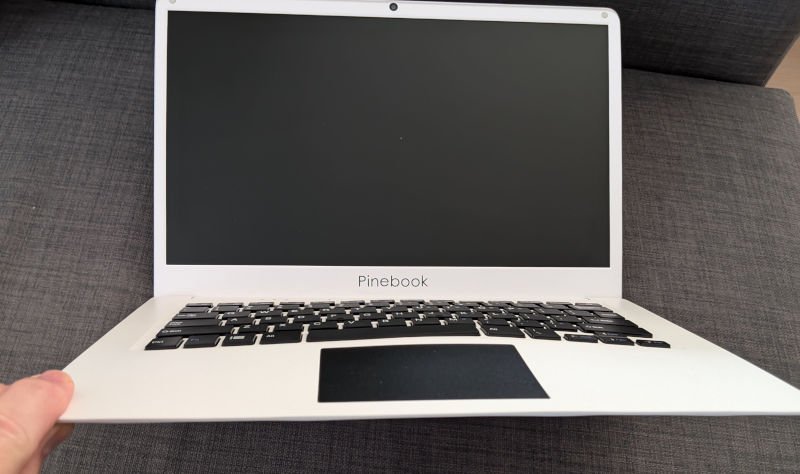
Yesterday I did start to install armbian trixie iot on my Pinebook. Second part in debian - after the u-boot) starts, but then the Pinebook shuts off, because of a low battery(?) I did charge the whole day and powered off in the evening. Today the Pinebook stand on my table with a swollen battery. I removed it and happily it doesnt crash anything else than the battery holder. But now it doenst boot up complete like with a low battery. After the u-boot debian trixie does boot , but at the middle of the messages it does shutdown Can it run completly without battery? I have normally a 5V/2Ah power-supply connected and that did work the last years. Now I can only try to use a 5V/60W quick-charge Power-Supply. Anyone has experiences with that? Thanks for info in advance...
-
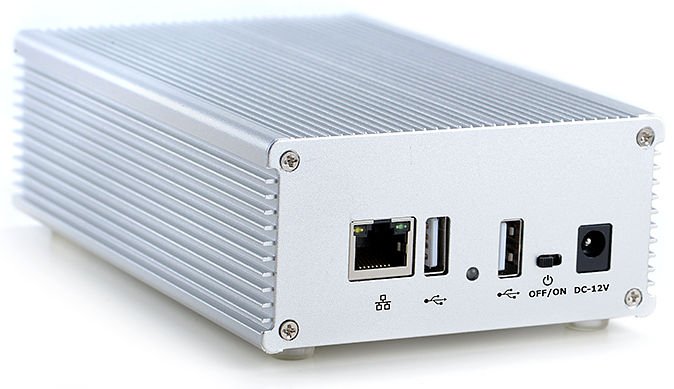
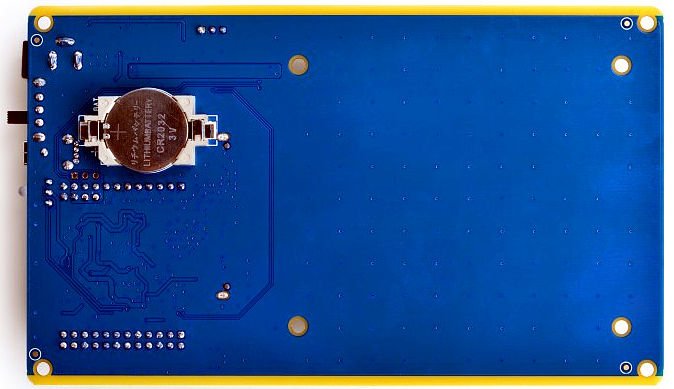
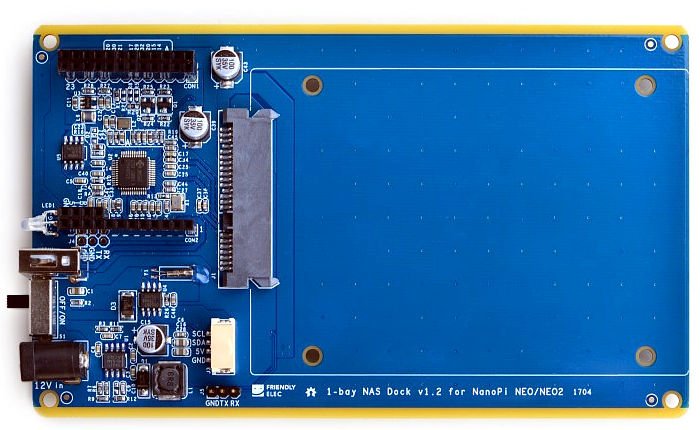
Case with Hat: https://www.friendlyelec.com/index.php?route=product/product&product_id=222&search=nas&description=true&category_id=0&sub_category=true Hat only: https://www.friendlyelec.com/index.php?route=product/product&product_id=185&search=nas&description=true&category_id=0&sub_category=true does work with every armbian I had used out-of-the-box. I use them (2) as Samba-Server
-
[Info] Pinebook A64 Display Brightness at bootup with CLI-only-image
guidol replied to guidol's topic in Allwinner sunxi
Like on the OrangePi's which have problems with the latest Community Edition (kernel 6.6.x and their armbian-firmware) I went back to the most actual stable image before kernel 6.6.x (non-Community Edition?) for the Pinebook A64 which can be found at https://armbian.hosthatch.com/archive/pinebook-a64/archive/Armbian_23.11.1_Pinebook-a64_bookworm_current_6.1.63.img.xz You do get a non-Desktop system with Armbian 23.11.1 Pinebook-a64 bookworm current kernel 6.1.63 then do a Kernel-Freeze in armbian-config -> system apt update/upgrade and you will end with a stable Armbian 24.5.1 Bookworm with Linux 6.1.63-current-sunxi64 This will recognize my 14" Screen, WiFi and Ethernet (USB) -
[Info] Pinebook A64 Display Brightness at bootup with CLI-only-image
guidol replied to guidol's topic in Allwinner sunxi
@Gunjan Gupta Today I did try the following images Armbian_community_24.8.0-trunk.205_Pinebook-a64_noble_current_6.6.31_gnome_desktop.img and Armbian_community_24.8.0-trunk.205_Pinebook-a64_bookworm_current_6.6.31_minimal.img on my 14" (1080p?) Pinebook non-Pro A64, but I do get only a black screen It didnt help to use echo 8 > /sys/devices/platform/backlight/backlight/backlight/actual_brightness or the pkexec-command The screen lights up, but to information on the screen. I had only (sometimes) access via a USB-Ethernet-Adapter. But at some boots the ethernet wasnt recognized and the onboard-Wifi doesnt sho up The last version I could get my screen to work - with a CLI-version of bookworm - is 24.2.0 of armbian (after update?) I dont know how to switch via 720p/1080p for the different screensizes of the Pinebook A64 non-Pro (I have 14" and not 11.6") BTW: after updateing the 24.2.0 of armbian via apt update/upgrade the system is also non-working (Black screen and no ethernet and no Wifi) Its has updated to kernel 6.6.31 and this was also the "death" to some of my OrangePi installations The "Community Editions" are at this time unuseable (because non-tested) - this could end in a bad reputation also for the supported devices - as I think. For me its software-obsoleszenz - rendering working hardware into a paperweight -
Looking for a previous CLI release of Jammy for Orange Pi Zero
guidol replied to av4625's topic in Allwinner sunxi
why not taking the minimal and install the packages that you need? I only also did find another url, but here isnt a different content: https://mirror.yandex.ru/mirrors/armbian/archive/orangepizero/archive/ I had problems with the new kernel 6.6.31, so I used a older one like you and freezed the kernel before updating in armbian-config -
> Back in March I ran into problems with the community builds for the NanoPi Neo, for Debian Bookworm. It would boot up initially, > but within 30 minutes or so, it would crash. So I did a fresh install from the last official build I had saved from June 2023: > Armbian_23.5.2_Nanopineo_bookworm_current_6.1.30 Dear @dave3 I had the same problem with my three NanoPi Neo2 (the H5 version of the Neo) I went for the (latest) 6.1.36 image and did also the freeze kernel/firmware (now they are running cool/stabe:
-
NanoPi Neo2 login stuck past entering user/password after Update
guidol replied to guidol's topic in Allwinner sunxi
I dont know was it was - with updated armbian (with Kernel 6.7.12-edge-sunxi64 or 6.6.31-current-sunci64) I do get a high cpu load and couldnt login anymore. Because of the CPU load the temperature gets high as 73-89 degree celsius Because I could login or find a error (maybe the installation is too old or too mich times updated) I didi go the way of fresh install, but had to avoid to much kernel/firmware to kernel 6.6.31-current-sunxi64.... So I ended in reinstalling all my 3 Neo2 as base-system with Armbian_23.11.1_Nanopineo2_bookworm_current_6.1.63 (latest full cli-image for bookworm for download) After initial setup (user/passwd/timezone) I did freeze kernel/firmware in armbian-config. Then updated via apt update/upgrade to Welcome to Armbian 24.5.1 Bookworm with Linux 6.1.63-current-sunxi64 With that my 3 Neo2 do work stable at 43 degree Celsius (when my room is at around 29 degree celsius) - like it was before the critical update. because they are mostly samba-servers (in theit siler aluminum-case) it should'nt be a problem to use only this kernel. When it works - it works - never change a running system login as: root root@192.168.6.22's password: _ _ ____ _ _ _ ____ | \ | | _ \(_) | \ | | ___ ___ |___ \ | \| | |_) | | | \| |/ _ \/ _ \ __) | | |\ | __/| | | |\ | __/ (_) | / __/ |_| \_|_| |_| |_| \_|\___|\___/ |_____| Welcome to Armbian 24.5.1 Bookworm with Linux 6.1.63-current-sunxi64 No end-user support: community creations System load: 6% Up time: 1 min Memory usage: 22% of 482M IP: 192.168.6.22 CPU temp: 43°C Usage of /: 14% of 15G storage/: 2% of 229G storage temp: 40°C RX today: 158.1 MiB [ Kernel and firmware upgrades disabled: armbian-config ] Last check: 2024-06-05 22:23 [ General system configuration (beta): armbian-config ] Last login: Wed Jun 5 22:06:23 2024 from 192.168.6.17 root@npineo2-22:~# -
Today I did update my 3 NanoPi Neo2 via apt update/upgrade, but only one is accessable via ssh after the update. (without SSH/SSL-conect also no conection via SFTP/WinSCP because if the timeout) The one which is accessable has after the update Welcome to Armbian 23.02.2 Bullseye with bleeding edge Linux 6.7.12-edge-sunxi64 ( Machine model: FriendlyARM NanoPi NEO 2) The two other do show prompts for user/password but doesnt login via ssh - and after some time they time out and I can reenter user/password After connecting via TTL-serial I can also enter user/password and then the Neo2 shows me: _ _ ____ _ _ _ ____ | \ | | _ \(_) | \ | | ___ ___ |___ \ | \| | |_) | | | \| |/ _ \/ _ \ __) | | |\ | __/| | | |\ | __/ (_) | / __/ |_| \_|_| |_| |_| \_|\___|\___/ |_____| Welcome to Armbian 23.8.1 Bullseye with bleeding edge Linux 6.7.12-edge-sunxi64 No end-user support: community creations System load: 266% Up time: 2 min Memory usage: 22% of 982M IP: 192.168.6.24 CPU temp: 73°C Usage of /: 54% of 15G storage/: 56% of 458G storage temp: 41°C RX today: 4.2 GiB [ General system configuration (beta): armbian-config ] Last login: Tue Dec 27 14:13:30 +03 2022 from 192.168.6.17 on pts/0 After prssing Ctrl-C: ^C Armbian 23.8.1 bullseye ttyS0 npi-neo2-24 login: For non-existing users I do get a timeout at the serial-TTL-Port: npi-neo2-24 login: maxandmoritz Password: Login timed out after Armbian 23.8.1 bullseye ttyS0 npi-neo2-24 login: but nothing more - and this time the login doenst time out. But the armbian seems to boot up correctly, because the SAMBA-server on the Neo2 is available/useable. So the only way to change something in the system will be to make modifikations to the SDCard - but which change have I to do? Maybe its something between the Neo2 Revisions 1&2 (not/no Black Revision). Does anyone got a glue/idea for me? Thanks in advance Guido
-
Normally when you have installed a XFCE-Desktop image for the Pinebook A64 you could set the display brigthness with the following pkexec command to a readable higher level - like I did in the past (possible brightness values are 1-10 - on startup this is only set to 2): pkexec /usr/sbin/xfpm-power-backlight-helper --set-brightness 8 read-out command for the current value: pkexec /usr/sbin/xfpm-power-backlight-helper --get-brightness but on standard CLI-install pkexec and xfpm-power-backlight-helper are missing, so to use this command-line (in /etc/rc.local) you have to install these 2 packages: sudo apt install xfce4-power-manager pkexec
-
Couldnt get the USB-Gigabit-Ethernet to work after/in a passive USB-Hub The Kernel (3.1.x) seem to have no support for a CIFS/Samba-Mount I had problem after update to bookworm with the openssh-server (only connection reset) and so I installed dropbear and vsftpd (because openssh-sftp was also deinstalled with openssh-server) lsusb Bus 001 Device 003: ID 2001:f103 D-Link Corp. DUB-H7 7-port USB 2.0 hub Bus 001 Device 001: ID 1d6b:0002 Linux Foundation 2.0 root hub [ 302.008300] usb 1-1: new high-speed USB device number 4 using musb-hdrc [ 302.152099] hub 1-1:1.0: ignoring external hub [ 388.976745] usb 1-1: new high-speed USB device number 18 using musb-hdrc [ 389.124877] hub 1-1:1.0: ignoring external hub
-
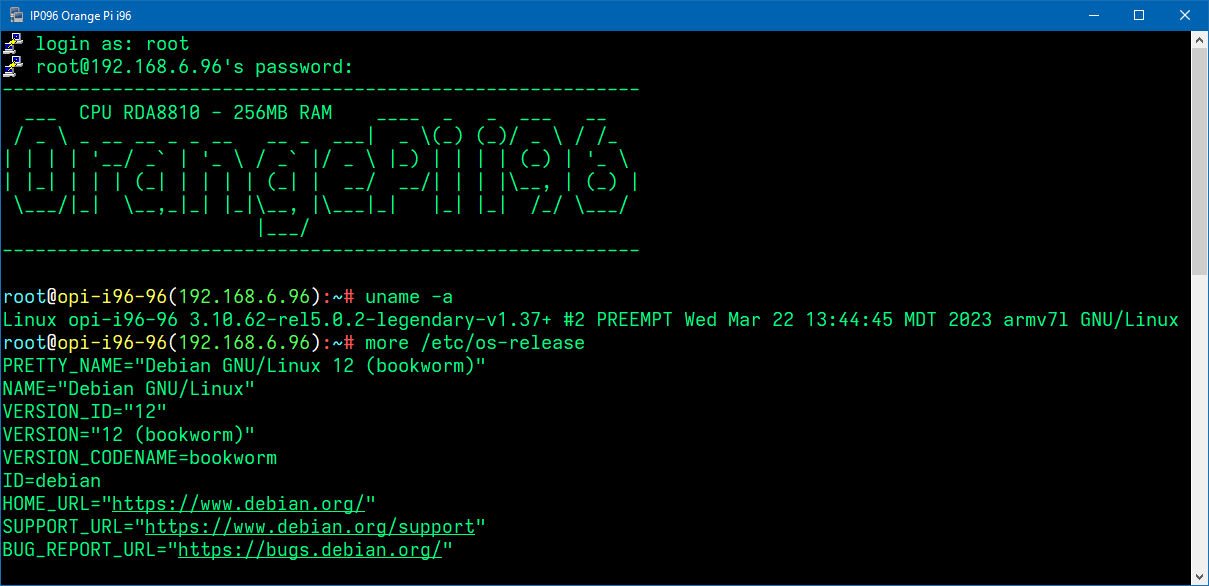
@whitefeather Its a long time ago - but did read this read today again and found a debian bulleye image (v1.37) on his page from March 2023 ; Debian Bullseye Image v1.37 So maybe that will give a "new life" for my i96 more /proc/cpuinfo Processor : ARMv7 Processor rev 1 (v7l) processor : 0 model name : ARMv7 Processor rev 1 (v7l) BogoMIPS : 370.93 Features : swp half thumb fastmult vfp edsp thumbee neon vfpv3 tls vfpv4 CPU implementer : 0x41 CPU architecture: 7 CPU variant : 0x0 CPU part : 0xc05 CPU revision : 1 Hardware : rda8810 Revision : 0000 Serial : 0000000000000000
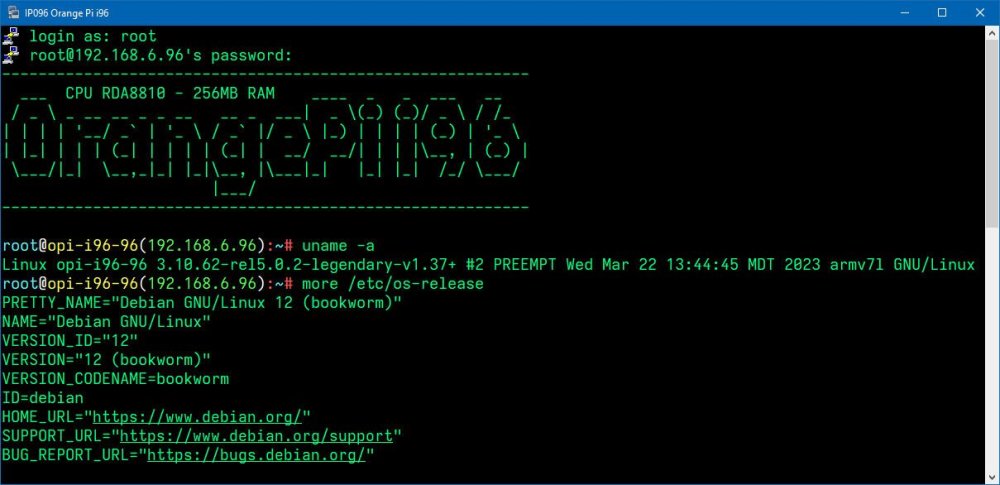
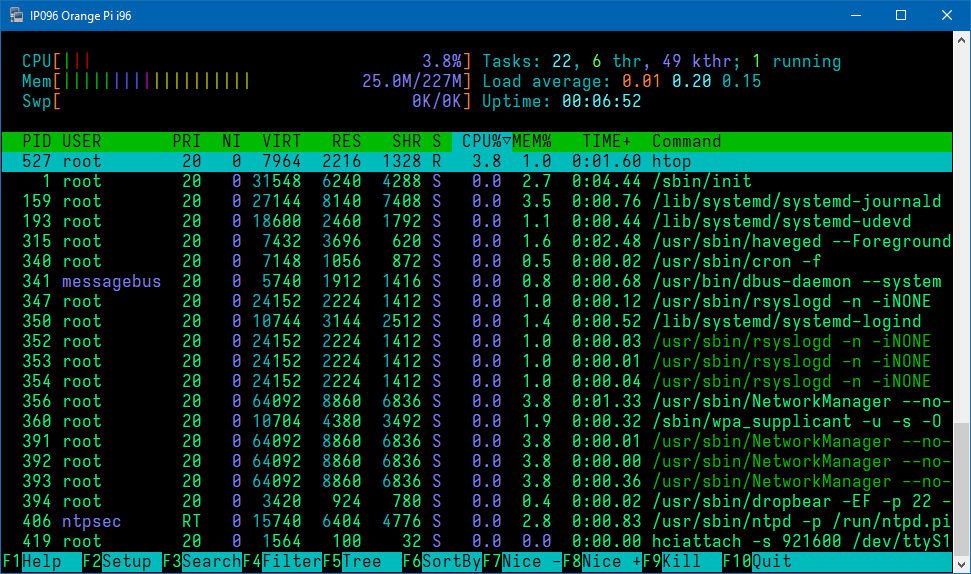
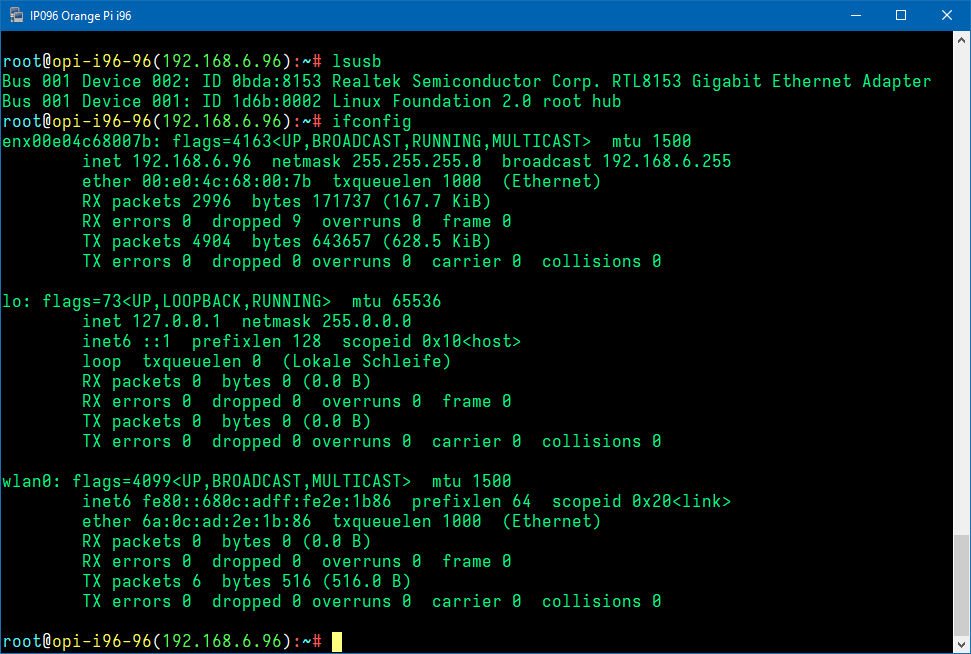
-
on a Sunvell R69 (H2) and a NanoPi Neo (H3) I got these "old known" eth0 Link Up/Down syndrom, but couldnt find a solution in the forum while using the search-engine armbianmonitor -u System diagnosis information will now be uploaded to Sunvell R69 - Linux sunvell-r69 5.4.0-rc8-sunxi #19.11.3 SMP Wed Nov 27 17:01:29 CET 2019 armv7l armv7l armv7l GNU/Linux : http://ix.io/232T NanoPi Neo - Linux npi-neo 5.3.3-sunxi #5.98 SMP Sat Oct 5 18:34:15 +03 2019 armv7l GNU/Linux : http://ix.io/232U in dmesg it looks like [10536.264427] dwmac-sun8i 1c30000.ethernet eth0: Link is Up - 100Mbps/Full - flow control rx/tx [10568.008879] dwmac-sun8i 1c30000.ethernet eth0: Link is Down [10571.081067] dwmac-sun8i 1c30000.ethernet eth0: Link is Up - 100Mbps/Full - flow control rx/tx [10575.177000] dwmac-sun8i 1c30000.ethernet eth0: Link is Down [10580.297247] dwmac-sun8i 1c30000.ethernet eth0: Link is Up - 100Mbps/Full - flow control rx/tx [10604.873552] dwmac-sun8i 1c30000.ethernet eth0: Link is Down [10607.945753] dwmac-sun8i 1c30000.ethernet eth0: Link is Up - 100Mbps/Full - flow control rx/tx [10608.969632] dwmac-sun8i 1c30000.ethernet eth0: Link is Down [10612.041827] dwmac-sun8i 1c30000.ethernet eth0: Link is Up - 100Mbps/Full - flow control rx/tx [10631.498029] dwmac-sun8i 1c30000.ethernet eth0: Link is Down [10633.546213] dwmac-sun8i 1c30000.ethernet eth0: Link is Up - 100Mbps/Full - flow control rx/tx [10636.618141] dwmac-sun8i 1c30000.ethernet eth0: Link is Down I have the feeling its could have to do with using 1GBit/1000MBit devices on the same 100MBit-Ethernet-Hub, because I do get much mor of these messages when my armbian-build-system-PC is on (which uses a onboard GBit-Ethernet-Card). On the 100MBit-Hub there are also some othe 1GBit-Devices like the NanoPi Neo2. On the PC I did try to force the 1GBit-Card to 100MBit with ethtool -s eth0 speed 100 autoneg off But that doesnt seem to help. On other SBC-devices I could find these messages in the dmesg (and in the froum search it was a problem 4 to 2 years ago) On the other hand there was a disscussion about a new driver version for kernel 4.1.4 at https://forum.armbian.com/topic/4364-dwmac-sun8i- driver-v6/ With debian stretch armabian 5.41 and kernel 4.1.4.34 I did see that problem (and doenst feel it at a SSH-session) on the Sunvell R69.
-
Yesterday I did get a new little Bluetooth-Speaker, but without AUX - I rechecked some Bluetooth-Commands. But could never connect, because the Pi missed the protocol A2DP - which was only available with PulseAudio as Bluetooth-Module So I used my 2nd OrangePi One with USB-Bluetooth-Dongle and mainline-kernel for this challenge: ARMBIAN 5.38 stable Debian GNU/Linux 9 (stretch) 4.14.18-sunxi Linux opi-one-main 4.14.18-sunxi #24 SMP Fri Feb 9 16:24:32 CET 2018 armv7l GNU/Linux I like ALSA more than PulseAudio - I searched for ALSA and Bluetooth-Audio - and did found no good news about Audio and Bluetooth while using ALSA. At the second search I did found the Project BlueALSA (formerly know as BluezALSA) : https://github.com/Arkq/bluez-alsa While BlueALSA isnt available as .deb-package (and if then only on the RPi) I did use the following sites for documentation: As Dependencies I had to install the following packages: apt-get install libasound2-dev dh-autoreconf libortp-dev bluez bluetooth bluez-tools libbluetooth-dev libusb-dev libglib2.0-dev libudev-dev libical-dev libreadline-dev libsbc1 libsbc-dev libfdk-aac-dev libfdk-aac-dev is one more than at the RPi-Documetation page. For creating / compiling BlueALSA I did use the follwoing commands: cd /home/guido git clone https://github.com/Arkq/bluez-alsa.git cd bluez-alsa/ autoreconf --install mkdir build && cd build ../configure --disable-hcitop --with-alsaplugindir=/usr/lib/arm-linux-gnueabihf/alsa-lib make && sudo make install When BlueALSA has been created, then you can start BlueALSA as background task: bluealsa --disable-hfp & Now - for using your bluetooth-speaker/headset - with BlueALSA you have to intoduce the device to the bluetooth-stack using bluetoothctl: bluetoothctl > scan on [NEW] Device 30:23:23:F4:48:2C TH-S10U scan off pair 30:23:23:F4:48:2C trust 30:23:23:F4:48:2C exit After that power off&on the bt-speaker device and the device will connect automatically as a trusted device. Before we try our first audio-command we had to export one thing to make BlueALSA mor system-friendly: export LIBASOUND_THREAD_SAFE=0because of a message while compiling: Now you can try your first commands for getting audio out of the device: Text to speech: espeak "Hello, how are you?" -w /home/guido/espeak.wav -s145 aplay -D bluealsa:HCI=hci0,DEV=30:23:23:F4:48:2C,PROFILE=a2dp /home/guido/espeak.wav Internetradio: mpg123 -a bluealsa:HCI=hci0,DEV=30:23:23:F4:48:2C,PROFILE=a2dp -@ /home/guido/ffh80s.pls For shorting the command you could create a ~/.asoundrc with the following content: defaults.bluealsa.interface "hci0" defaults.bluealsa.device "30:23:23:F4:48:2C" defaults.bluealsa.profile "a2dp" defaults.bluealsa.delay 10000 Now you can the shorter version of the command: mpg123 -a bluealsa -@ /home/guido/ffh80s.pls For set the volume of such a device you have to know the "real" name of the device out of the bluetoothctl and the name of the used protocol: Device: 30:23:23:F4:48:2C TH-S10U Protocol: A2DP amixer -D bluealsa sset 'TH-S10U - A2DP ' 70% Here as information the dmesg-part of my bluetooth-dongle: