Search the Community
Showing results for 'onecloud'.
Found 15 results
-
Hi, i have amlogic s805 tv box from mxq, how do i run armbian onecloud? bc none of this helped me.
-
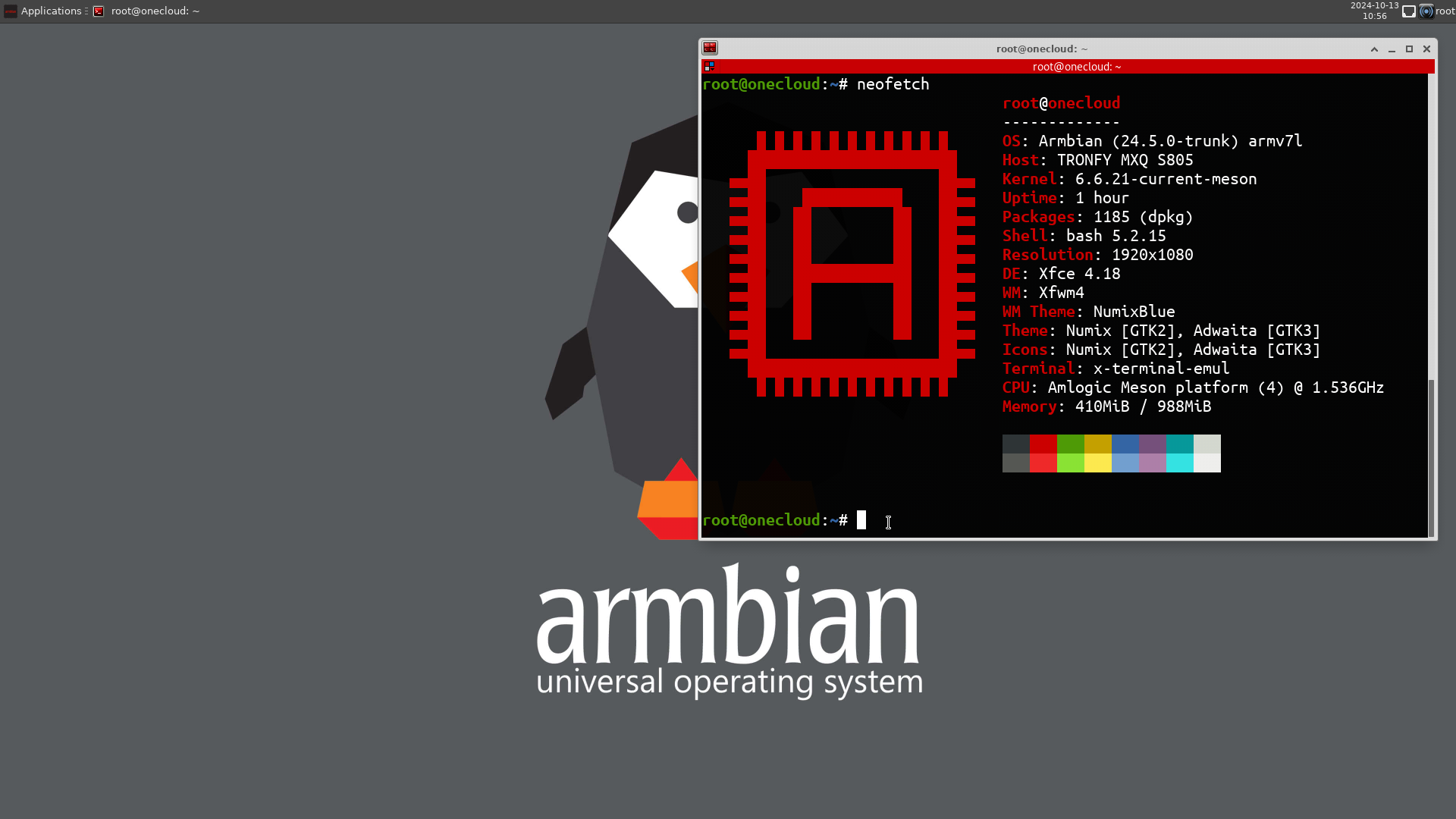
Hi, so after many hours of trial and error I have managed to get the latest Armbian with Kernel 6.1.27 running on my old mxq s805 tv box. Albeit only thing that is not working is hdmi output and wifi. So for anyone else trying to accomplish something similar, my steps were: https://github.com/hzyitc/armbian-onecloud Downloaded the latest release of this build for the onecloud device as it also runs on the s805 amlogic chipset (props to the developer for still updating) Burn the image to your sd card. Then after the image is burned, create a textfile on the root of the sd card and name it „uEnv.txt“ Paste the following and adjust the .dtb file to your corresponding device. My case is the mxq LINUX=/uImage INITRD=/uInitrd #VMODE=1080P50HZ VMODE=1080P FDT=/dtb/meson8b-mxq.dtb APPEND=root=LABEL=armbi_root rootfstype=ext4 rootflags=data=writeback rw console=ttyAML0,115200n8 console=tty0 no_console_suspend consoleblank=0 fsck.repair=yes net.ifnames=0 Save the file, insert the sd card in your device connect it to LAN and ssh in to the device (check the ip in your router) So, ssh root@your.ip.adress.x Password is 1234 by default. And that is that. I currently have it running for 4hrs with no outage. PiHole and PiVPN both installed and running. I hope this could help anyone out trying on a similar device. Credit goes to the devs and contributors. I just put the pieces together and made it work as my own builds wouldnt run so I resorted to this much better solution. p.s: If anyone is interested for my reasoning of updating from a old build, it was because i was using 5.14 rc2 kernel that was bugging with wireguard. And as mentioned no hdmi output and no wifi. Wifi should be fixable hdmi rather not to my understanding. Take care and have fun
-

How to solve onecloud board shutdown about every 40 minutes.
Guodong Chen posted a topic in OneCloud
I run output/images/Armbian-unofficial_24.5.0-trunk_Onecloud_bookworm_current_6.6.21_minimal.burn.img on my onecloud board. It shutdown about every 40 minutes. How to solve this problem? Thanks! journalctl.log kern.log armbian-hardware-monitor.log -
Hello, My pet labubu and I got the most recent onecloud/odroid c1 versions fully working on my horrid former Oriental TV box, the TVPad 4 (previously brought up by user @daniyo). Everything works perfectly, except I want to finish my building by installing to eMMC. None of the recent builds I can find come with an install.sh script, and I cannot see the eMMC (or NAND if it's NAND) in lsblk or any of the installers. Does anyone have any clues or suggestions that can help the poor long suffering Labubu fix this issue? He just wants to watch IPTV and play little games
-
look here https://github.com/hzyitc/armbian-onecloud/releases
-
Hi everyone. where is possible obtain the images Armbian-unofficial_25.05.0-trunk_Onecloud_noble_current_6.12.17_xfce_desktop.img.xz and 25.05.0 onecloud noble 6.12.17 xfce desktop?? i find in many webs but is not possible found. thanks for help
-
Hi guys Just to thank you for the very relevant information I found in this forum. I am posting my experience with armbian. I successfully installed the unofficial armbian version "25.05.0 onecloud noble 6.12.17 xfce desktop" on a generic MXQ TV Box S805 with HTC-MXQ-V4 card. It was hard work! this box calls the aml_autoscript on boot... but need to be adjusted to allow booting. this procedure works for the board i mentioned, i don´t know about others. Use at your risk !!! But booting from SD is a relativelly safe procedure. download "Armbian-unofficial_25.05.0-trunk_Onecloud_noble_current_6.12.17_xfce_desktop.img.xz" uncompress the image (7zip) save to SDcard (8GB recomended) - I have used rufus Two partitions will be created. Two partiotions will be created ... first FAT32 (armbi_boot) and second EXT4 (armbi_root). On FAT32 partition (boot): file: aml_autoscript (copy commands below and put inside aml_autoscript.cmd) # Define boot only from SD Card setenv bootdev "mmc 0" # SD card # Load armbianEnv.txt fatload ${bootdev} 0x10800000 /armbianEnv.txt && env import -t 0x10800000 ${filesize} # Boot Arguments (provided by armbianEnv.txt) #setenv bootargs "" setenv bootargs "${bootargs} rootwait rw" setenv bootargs "${bootargs} ${consoleargs}" setenv bootargs "${bootargs} ${extraargs}" # Booting fatload ${bootdev} 0x14000000 /uImage || exit 1 fatload ${bootdev} 0x15000000 /uInitrd || exit 1 fatload ${bootdev} 0x11800000 /dtb/meson8b-onecloud.dtb || exit 1 bootm 0x14000000 0x15000000 0x11800000 file: armbianEnv.txt (copy parameters below and put inside armbianEnv.txt) consoleargs="console=ttyS0,115200n8 console=tty0 no_console_suspend splash=verbose" bootargs="root=LABEL=armbi_root" extraargs="loglevel=7 rootfstype=ext4 earlyprintk ip=dhcp" On Linux, put aml_autoscript.cmd on an directory and compile "mkimage -C none -A arm -T script -d aml_autoscript.cmd aml_autoscript" Copy both aml_autoscript.cmd and compiled aml_autoscript to root of FAT32 partition Adjust (with above parameters) or create a file and copy armbianEnv.txt to root of FAT32 partition. Rename "meson8b-mxq.dtb" to "meson8b-onecloud.dtb" to be compatible with same name defined on aml_autoscript (you could rename the file ou change the script ... choose) Boot from SDCard (Turn tvBox off, with a toothpick, click the button inside AV conector, hold down and turn on the TV box, hold the button for 5 to 15 seconds ) if everything went well the firt boot occur and your tvbox could boot from SD in armbian Linux with kernel 6.12 The first boot is extremelly slow... a lot of time... Good luck!!
-
Dear armbians, The ThinkPad X13s hummed as the kernel upgraded, while Rockpi-S saw multiple fixes—its new kernel demanding a bootloader update, now automated. A ghost touch vanished from BigTreeTech boards. Meanwhile, CoolPi GenBook awaited revival, and Ubuntu Plucky arrived—an era of seamless innovation unfolded. Recent Highlights ThinkPad X13s (ARM64) Enabled RTW88 in-kernel USB drivers. Kernel upgrade from 6.13-rc7 to Jhovold’s WIP/SC8280XP-6.13 Final. (Commit) – Contributed by rpardini & igorpecovnik Rockpi-S Automatic U-Boot flashing now supported upon package installation. (Commit) – Contributed by igorpecovnik This improvement was made possible by our team identifying and resolving issues reported here. H96 Max V56 U-Boot updated to version 2025.01. (Commit) – Contributed by hqnicolas & igorpecovnik BigTreeTech Boards CB1: Adjusted DTS for Edge 6.12 and Current 6.6. (Commit) – Contributed by JohnTheCoolingFan TSC2007 Touchscreen: Addressed ghost touch issues for Edge 6.12 and Current 6.6. (Commit) – Contributed by JohnTheCoolingFan Rockchip64 Platform Rebased patches against 6.13 final. (Commit) – Contributed by rpardini & igorpecovnik Dropped upstreamed patches for 6.13-rc7. Ongoing upgrade for Rockchip BSP Linux 6.1, migrating from RKR4.1 to RKR5. CoolPi GenBook U-Boot bumped to 2025.01. (Commit) – Contributed by andyshrk Odroid C1 and OneCloud Moved to EOS (End of Support) due to kernel assembly issues. We are constantly working to bring older boards back if fixes become available. MBA8mxpl and MBA8mxpl Ras314 Images upgraded to latest version. CLI / IoT Nightly Images Upgraded to the latest Ubuntu 25.04 Plucky. Build System Enhancements Improved U-Boot Rebuild Logic: Addressed an issue where the build system skipped rebuilding updated U-Boot versions, opting to use cached versions instead. This ensures that the latest U-Boot changes are always incorporated during builds. (Commit) – Contributed by bmx666 Optimized External IP Retrieval: Enhanced the method for determining the external IP address by limiting the curl execution time to 2 seconds. This prevents potential hangs during the login process when the Message of the Day (MOTD) header module is enabled. (Commit) – Contributed by Igor Pecovnik Community Contributions Special thanks to our contributors: Rpardini, Igorpecovnik, JohnTheCoolingFan, Hqnicolas, Amazingfate, Andyshrk, bmx666, and many others for their tireless efforts to improve Armbian. How to Get Involved Contributing to Armbian is as easy as donating $5. Your support helps improve hardware compatibility and sustain open-source innovation. If you can’t donate, but have skills, we’re always welcoming contributions to development, testing, and documentation! Interested in contributing? Check out our GitHub repository to report issues, suggest improvements, or submit pull requests. Every contribution helps shape the future of Armbian! The post Armbian Weekly Highlights first appeared on Armbian. View the full article
-
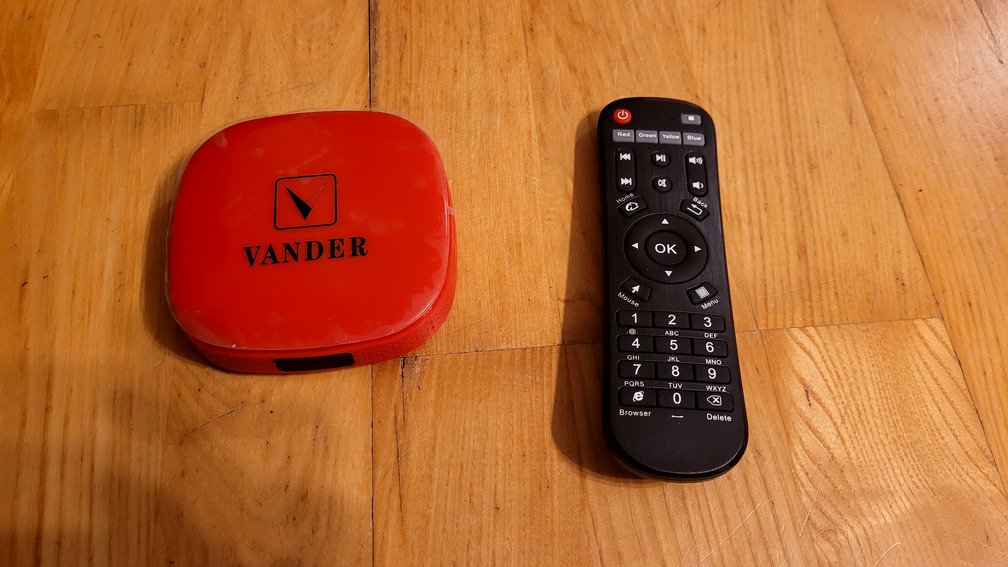
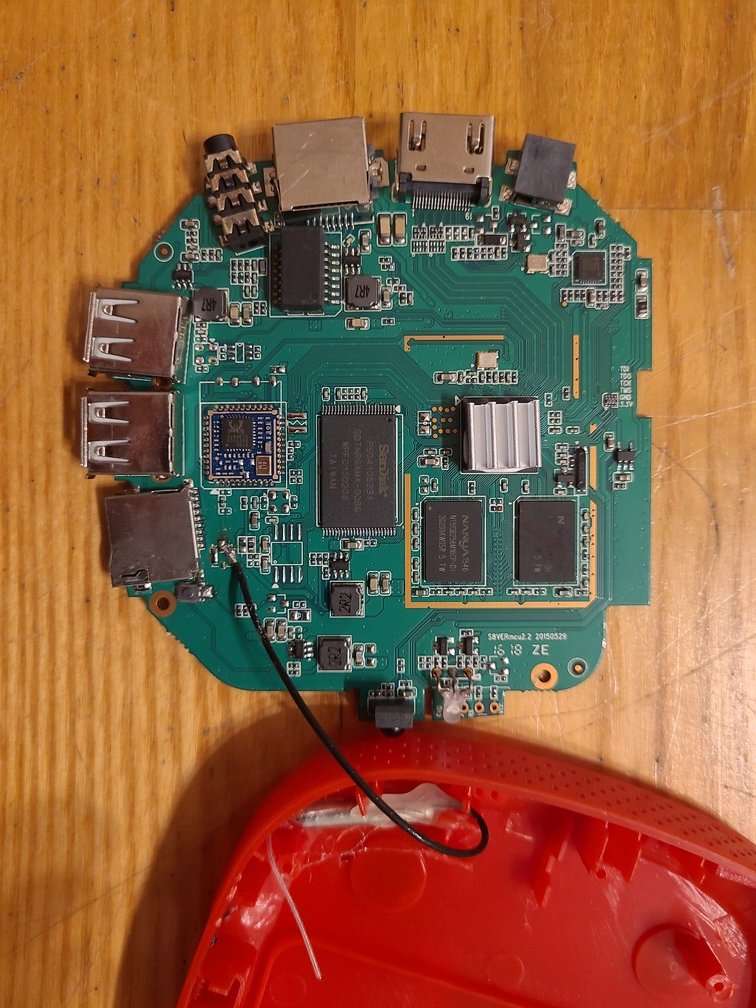
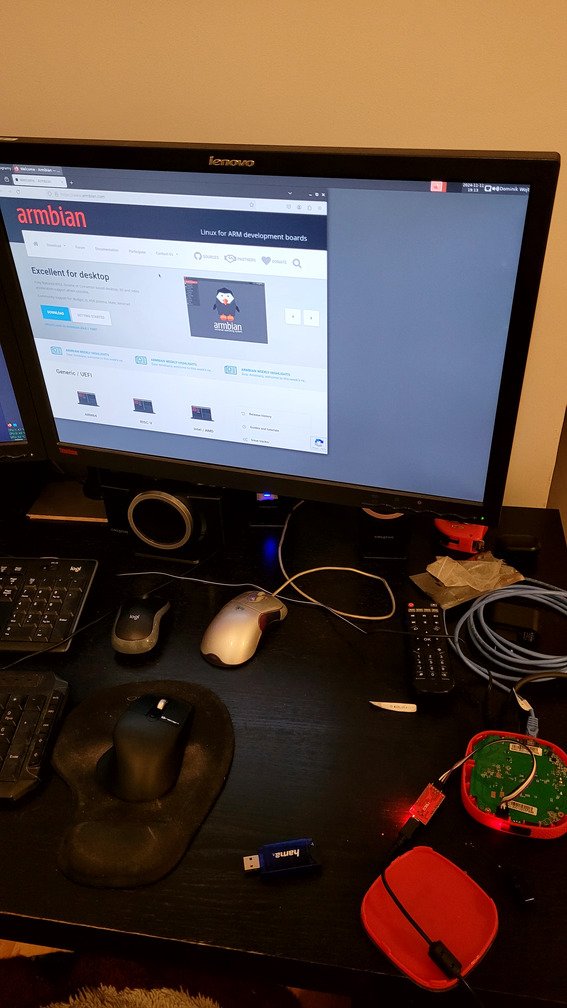
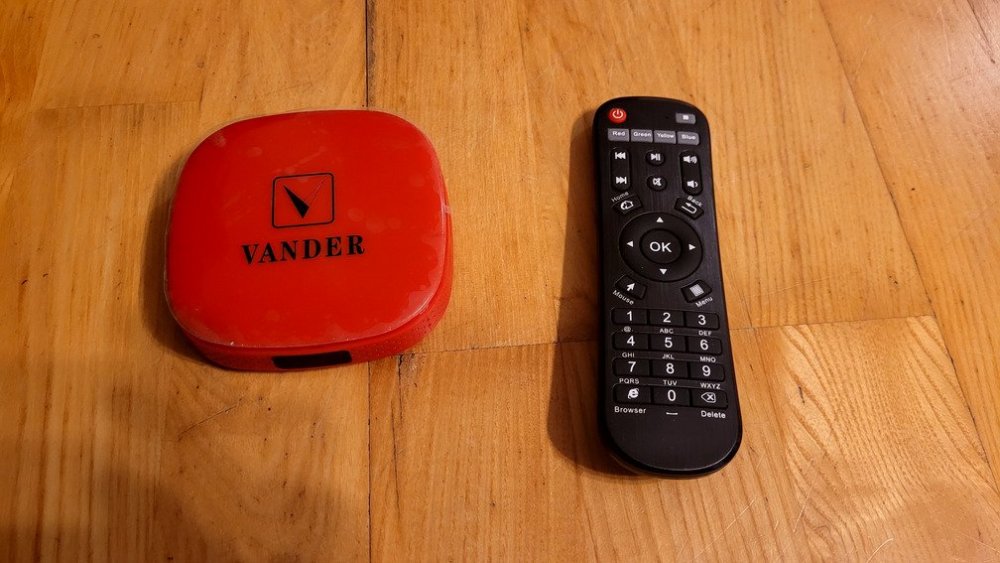
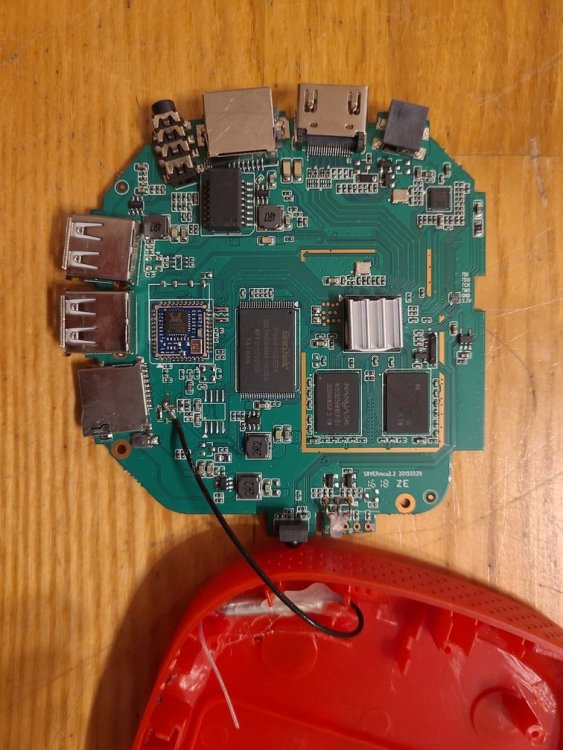
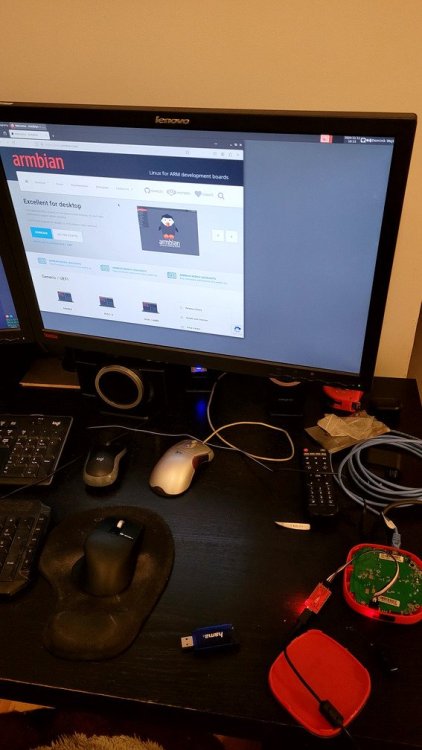
Hi all, I got a s805 box from my wife's cousin. He bought it ridiculously cheap here: https://www.olx.pl/d/oferta/tv-box-przystawka-do-telewizora-CID99-ID10w7q1.html The power adapter broke after a few hours, so he let me take it. I got a new adapter and had some play with the box. The box seems to be an MXQ clone. The software is probably a direct copy, with only the boot logo replaced. Data extracted from the factory software: model: m201 Android: 4.4.2 Build number: KOT49H.20160507 test-keys Kernel version: 3.10.33 rwf@YDsoft #1 Tue Jul 7 11:40:39 CST 2015 I was able to boot onecloud and odroidc1 images. The `s805_autoscript` script is missing in the builds, so I had to manually instruct (through UART) U-BOOT to load kernel from the SD card. The odroidc1 worked a little better in that there was HDMI output. To make this a little more robust, I forked the build repository and added a separate board and a boot script for it. I copied odroid's fixes for HDMI to dtb for this board. I did not test boot from other devices than SD card, but in theory USB should work, too. here is a branch: https://github.com/domin144/armbian-build/tree/mxq this commit was tested to work: https://github.com/domin144/armbian-build/commit/bce6f677e0a6a3dd0ee4ce1fdc4cee8befcdd0b8 This is not of pull request quality, but will hopefully give someone a better starting point. HDMI output was working wired network was working WIFI does not seem to be working
-
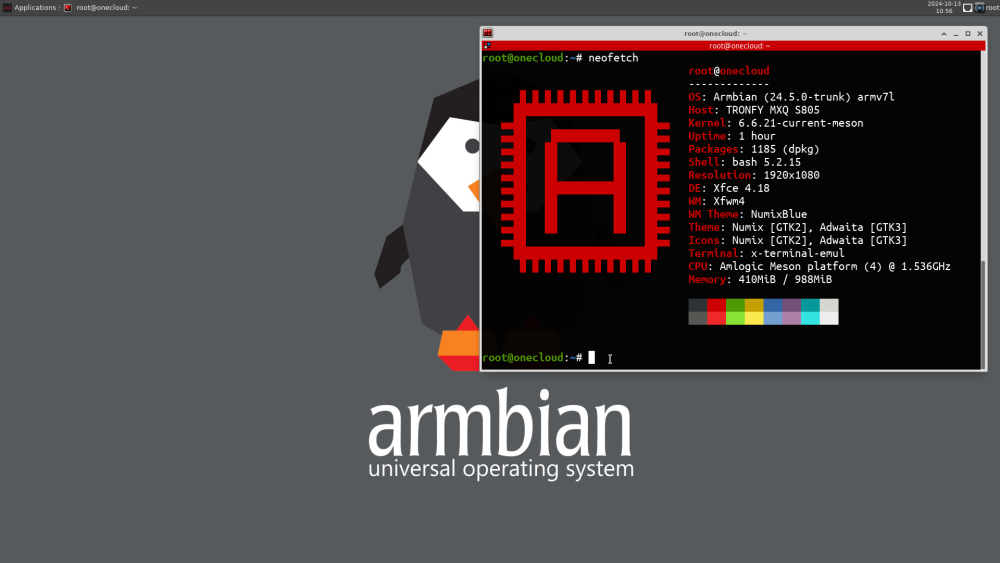
Hi all, I can confirm the following image works on Armlogic based box: Armbian-unofficial_24.5.0-trunk_Onecloud_bookworm_current_6.6.21_xfce_desktop.img Target device: Ravo RVBX15V3 (Android box intended for arabic TV content) SoC: Armlogic Meson8B / s805 WiFi chip: RTL8189ETV (not supported by kernel 6.x.x, as explained in Werner's link) HDMI doesen't seem to be working either Boot process failed at first attempt, due to missing s805_autoscript in boot partition of SD Card. I followed advice from Jens and copied some files from a previous deployment, resulting in the following structure: /boot ├── aml_autoscript ├── aml_autoscript.cmd ├── aml_autoscript.zip ├── armbianEnv.txt ├── armbian_first_run.txt.template ├── boot.bmp ├── boot.cmd ├── boot.scr ├── config-6.6.21-current-meson ├── dtb │ ├── meson6-atv1200.dtb │ ├── meson8b-ec100.dtb │ ├── meson8b-mxq.dtb │ ├── meson8b-odroidc1.dtb │ ├── meson8b-onecloud.dtb │ ├── meson8m2-mxiii-plus.dtb │ └── meson8-minix-neo-x8.dtb ├── dtb-6.6.21-current-meson │ ├── meson6-atv1200.dtb │ ├── meson8b-ec100.dtb │ ├── meson8b-mxq.dtb │ ├── meson8b-odroidc1.dtb │ ├── meson8b-onecloud.dtb │ ├── meson8m2-mxiii-plus.dtb │ └── meson8-minix-neo-x8.dtb ├── initrd.img-6.6.21-current-meson ├── s805_autoscript ├── s805_autoscript.cmd ├── System.map-6.6.21-current-meson ├── uEnv.txt ├── uImage ├── uInitrd ├── uInitrd-6.6.21-current-meson └── vmlinuz-6.6.21-current-meson armbian_s805_boot_files.zip
-
Description Move meson edge from 6.9 to 6.10. Note that I don't have any meson 32bit hardware so this builds, but isn't otherwise tested. How Has This Been Tested? Please describe the tests that you ran to verify your changes. Please also note any relevant details for your test configuration. [ ] Build onecloud image and kernel debs Checklist: Please delete options that are not relevant. [x] My code follows the style guidelines of this project [x] I have performed a self-review of my own code View the full article
-
@Jens J. where did you get that custom DTB file? I booted my MXM tv box s805 amlogic, it works, but it doesn't detect any USB device, seems like a problem in the DTB file. But I can't find any other file on the internet that would work with my kernel: Linux onecloud 6.7.9-edge-meson #1 SMP Wed Mar 6 14:54:01 UTC 2024 armv7l GNU/Linux Other stuff seems to work, at least ethernet works fine. Pls let me know how you created the custom DTB. Thanks in advance.
-
Hi, everyone, Recently, i found i can't change ssh port on 6.4.16 bookworm (Onecloud) cli version(https://github.com/armbian-delta/os/releases/download/23.8.0-trunk.2/Armbian_23.8.0-trunk.2_Onecloud_bookworm_edge_6.4.16.img.xz#onecloud) i changed the `/etc/ssh/sshd_config` add the `Port 10086` .and then i restart the system, It still not working, ssh port only work on `22` but at the same time, i found the other thing `KexAlgorithms curve25519-sha256@libssh.org,ecdh-sha2-nistp256,ecdh-sha2-nistp384,ecdh-sha2-nistp521,diffie-hellman-group-exchange-sha256,diffie-hellman-group14-sha1,diffie-hellman-group-exchange-sha1,diffie-hellman-group1-sha1` i added is working. So, i check if selinux is disabled, the sestatus says it's disabled. and check the sshd status...it stills on port 22, no 10086 `root@onecloud:~# service sshd status ● ssh.service - OpenBSD Secure Shell server Loaded: loaded (/lib/systemd/system/ssh.service; enabled; preset: enabled) Active: active (running) since Thu 2023-10-12 14:15:38 CST; 3s ago TriggeredBy: ● ssh.socket Docs: man:sshd(8) man:sshd_config(5) Process: 7609 ExecStartPre=/usr/sbin/sshd -t (code=exited, status=0/SUCCESS) Main PID: 7610 (sshd) Tasks: 1 (limit: 2190) Memory: 1.0M CPU: 305ms CGroup: /system.slice/ssh.service └─7610 "sshd: /usr/sbin/sshd -D [listener] 0 of 10-100 startups" Oct 12 14:15:38 onecloud systemd[1]: Starting ssh.service - OpenBSD Secure Shel> Oct 12 14:15:38 onecloud sshd[7610]: Server listening on :: port 22. Oct 12 14:15:38 onecloud systemd[1]: Started ssh.service - OpenBSD Secure Shell` So i checked `netstat -atunlp | grep sshd` there is only 22.. ` tcp6 0 0 192.168.1.112:22 xxx:20158 ESTABLISHED 3147/sshd: root@pts tcp6 0 144 192.168.1.112:22 xxx:22320 ESTABLISHED 3514/sshd: root@pts ` iptables nothing on it. `Chain INPUT (policy ACCEPT) target prot opt source destination Chain FORWARD (policy ACCEPT) target prot opt source destination Chain OUTPUT (policy ACCEPT) target prot opt source destination` So, it may be a bug, sshd can't read configuration to open a new port?
-

How to install armbian to Amlogic S805 android box
codiflow replied to remolaan's topic in Amlogic CPU Boxes
I already got some "late night success" 🎉 Thanks to the work from @granitr in the following thread I could already successfully boot the stvm8b using the default meson8b-onecloud.dtb Currently it just seems that WIFI is not (yet) working – HDMI output worked directly from the beginning. I will keep everyone posted here on my progress 🙏 -
wifi can be a tricky thing you need to identify what wifi chip it's using you could open up the box and look at the wifi module on the board, or you could grab a boot log from serial console output from original android installation, or you could try to run `lsusb` to see if there are any obvious usb-based wifi adapter VID/PIDs there (e.g. realtek, etc) If it's not usb internally-connected wifi module, then likely the module may be connected to internal SDIO bus, which I think will require custom dts to modify and produce a dtb which tells the kernel where to find the wifi adapter. (This usually involves dumping/grabbing the original dtb on the box, which is usually flashed to a particular amlogic partition, and then inspecting it, and hand translating it to modern devicetree - as steeman mentioned, all the android-based images use an ancient 3.x custom, vendor provided kernel, with very vendor specific devicetree features. Modern kernels use a different set of devicetree syntaxes. Then you have to make sure you have the right wifi driver installed/available. Then you have to make sure you have the right firmware installed/available (as most of these wifi modules require soft-loading firmware at boot). root@onecloud:~# lsusb Bus 001 Device 003: ID 0bda:8179 Realtek Semiconductor Corp. RTL8188EUS 802.11n Wireless Network Adapter Bus 001 Device 002: ID 05e3:0608 Genesys Logic, Inc. Hub Bus 001 Device 001: ID 1d6b:0002 Linux Foundation 2.0 root hub