All Activity
- Past hour
-
Board that would fit though, the H4 PLUS from hardkernel, limited to 4 sata instead of 5. 120x120, but only 2 screws would fit I believe...
- Today
-
Update, this is also working .... extraargs=reboot=watchdog UPDATE: It stopped working after 3 successful reboots...
-
Ok update.. I used a USB Ethernet to update and now the local phy is showing as end0 and it works. I'm kind of doubting my story now. I know the initial login could not connect to the Ethernet. After I installed on the local emmc and upgraded via apt upgrade things work now. I think this is a non-issue.
-
The thing is that I need it on different boards .... Tried Armbian Trixie and Ubuntu based, same issue thus it might be uoot and/or kernel related. Thanks for your help though.
-
Some of the Board manufacturers SDK's broke due to a deleted repository; looks like someone's having a rough end to the year.
-

Dec 25th image for Cubie a5e is not a bootable image
eselarm replied to Meestor_X's topic in Allwinner sunxi
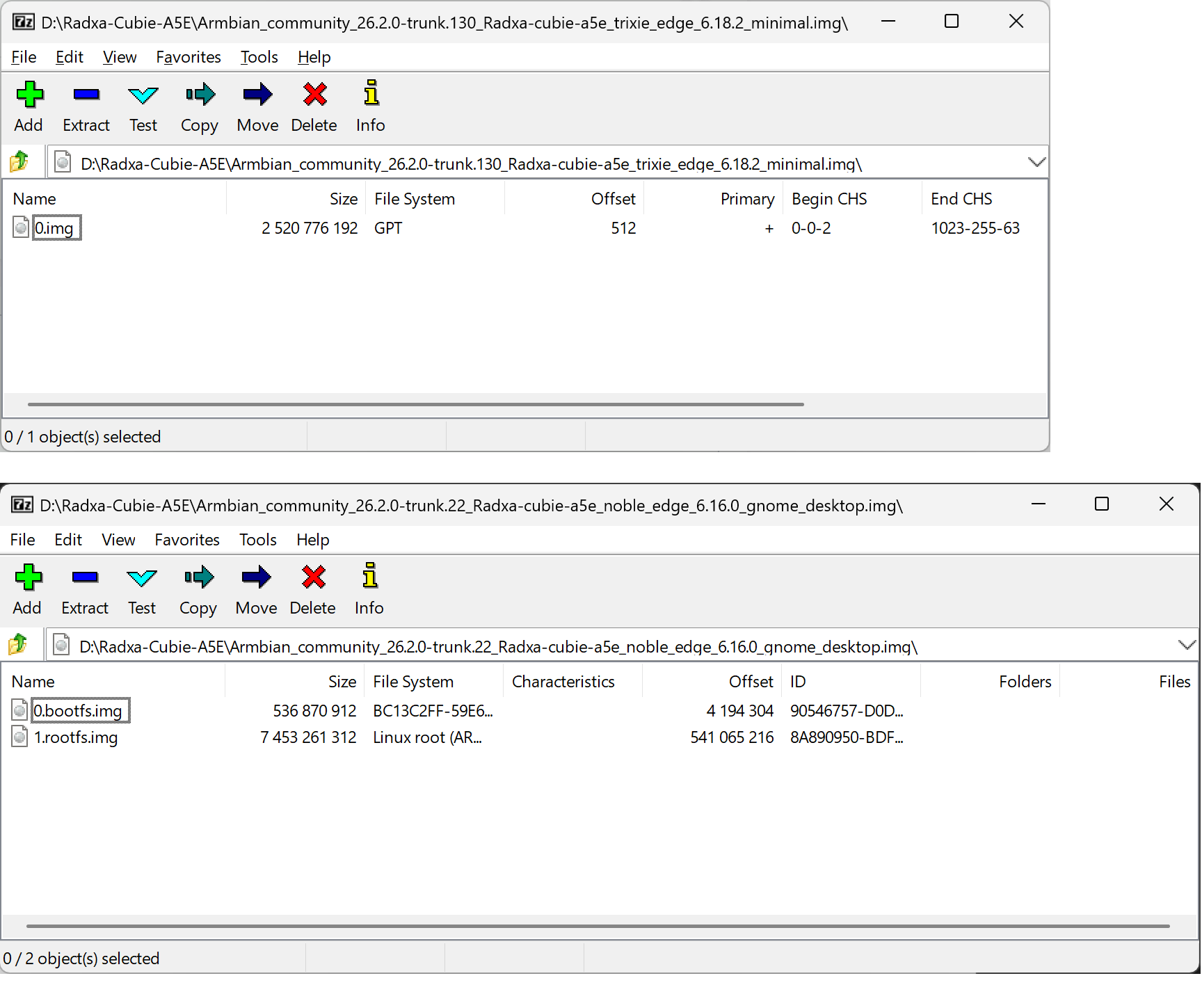
There is at least no primary GPT, all zeros from 0x200-0x20000 Fixed with: # gdisk Armbian_community_26.2.0-trunk.130_Radxa-cubie-a5e_trixie_edge_6.18.2_minimal.img GPT fdisk (gdisk) version 1.0.10 Caution: invalid main GPT header, but valid backup; regenerating main header from backup! Warning: Invalid CRC on main header data; loaded backup partition table. Warning! Main and backup partition tables differ! Use the 'c' and 'e' options on the recovery & transformation menu to examine the two tables. Warning! Main partition table CRC mismatch! Loaded backup partition table instead of main partition table! Warning! One or more CRCs don't match. You should repair the disk! Main header: ERROR Backup header: OK Main partition table: ERROR Backup partition table: OK Partition table scan: MBR: protective BSD: not present APM: not present GPT: damaged **************************************************************************** Caution: Found protective or hybrid MBR and corrupt GPT. Using GPT, but disk verification and recovery are STRONGLY recommended. **************************************************************************** Command (? for help): w Final checks complete. About to write GPT data. THIS WILL OVERWRITE EXISTING PARTITIONS!! Do you want to proceed? (Y/N): y OK; writing new GUID partition table (GPT) to Armbian_community_26.2.0-trunk.130_Radxa-cubie-a5e_trixie_edge_6.18.2_minimal.img. Warning: The kernel is still using the old partition table. The new table will be used at the next reboot or after you run partprobe(8) or kpartx(8) The operation has completed successfully. -
OK, I have the following in my test NanoPi-NEO (using 6.18 kernel): U-Boot SPL 2024.01-armbian-2024.01-S866c-P7738-Ha5c2-V2b78-Bb703-R448a (Mar 09 2025 - 03:54:42 +0000) Same base, but it is older and anyway different hardware, although H3 SoC. I have no more ideas why you need that extra kernel cmdline statement. I think I have seen it as well for another board/SoC, but does not ring a bell.
-

Dec 25th image for Cubie a5e is not a bootable image
ariel1 replied to Meestor_X's topic in Allwinner sunxi
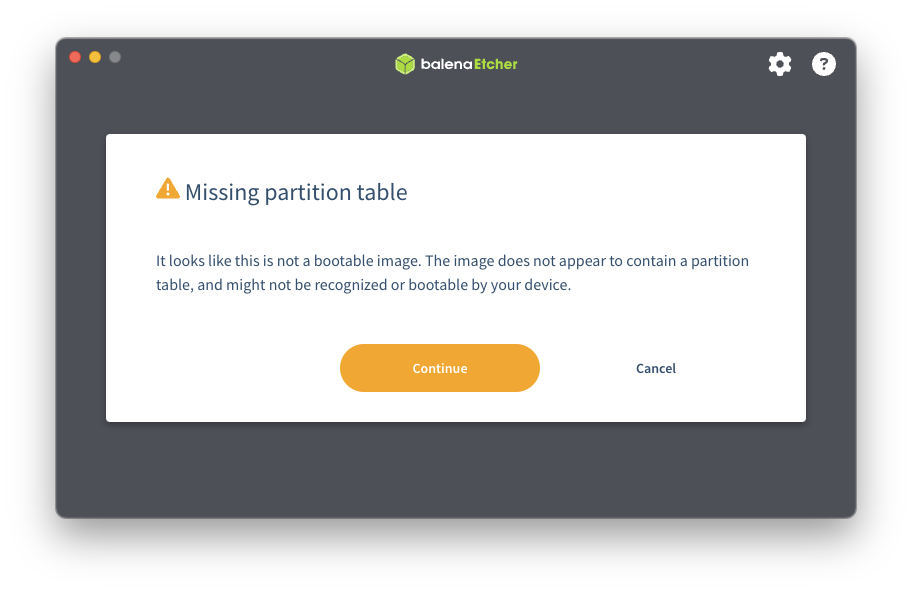
Can confirm that version trunk 130 is not bootable. Tried with balenaEtcher and Win32DiskImager. Looks like trunk 130 is a GPT image unlike the older ones.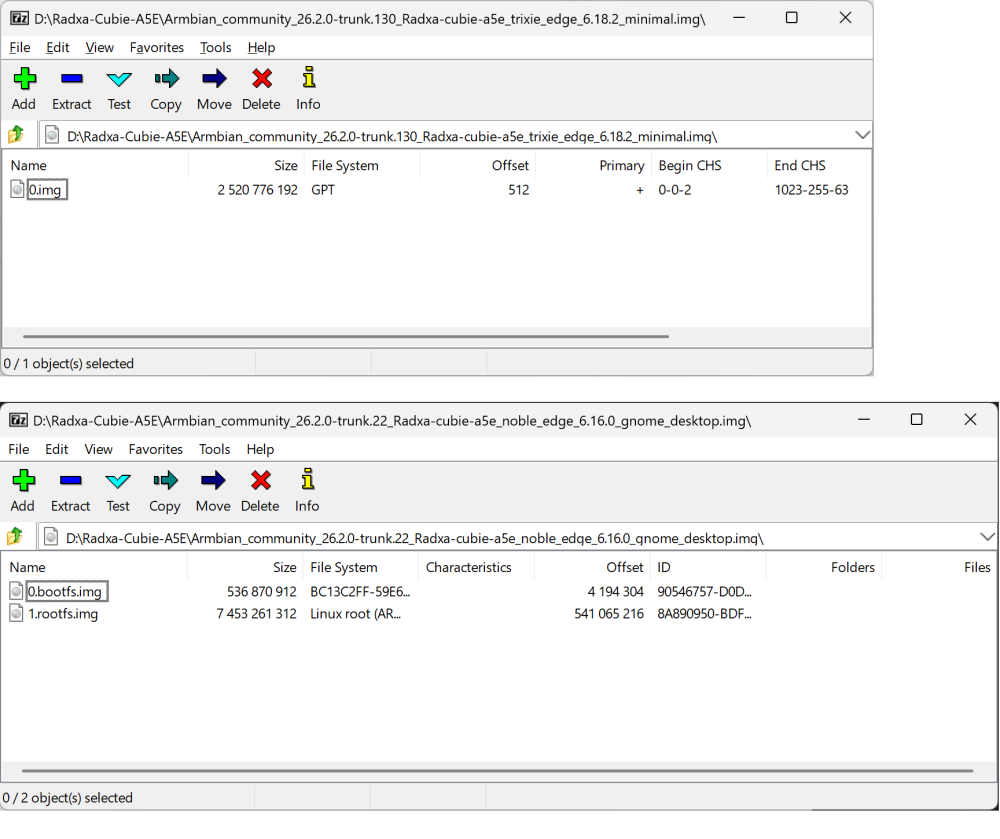
-
Didn't warn ffmpeg from a guts feel years ago that they will issue a takedown if no action is taken? So I'm not surprised. Kind of.
-

Dec 25th image for Cubie a5e is not a bootable image
Werner replied to Meestor_X's topic in Allwinner sunxi
I don't have this hardware. However the last merged PR messing with code for this board/SoC was tested by Igor and he stated it boots just fine. -
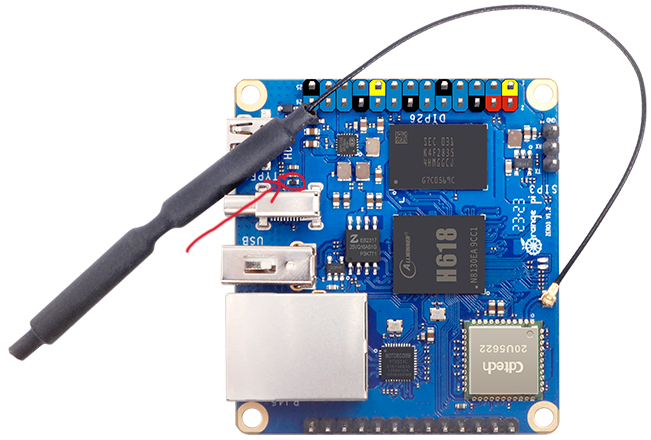
Interesting question. The dxf says the part in question is labeled ED1 besides CP18 and CP14. I found both CP18 and 14 in the schematics but ED1 not. Either mislabeled or I didn't catch it. https://x.na4.eu/KOTu3/quzevoji80.jpg OrangePi-Schematic of ZERO3.pdf
-
Here is the output: U-Boot SPL 2024.01_armbian-2024.01-S866c-P6b16-Ha5c2-V7d7d-Bbf55-R448a (Dec 22 2025 - 03:39:51 +0000) Note that prior to this I tried to update uboot through armbian-install, it did not change anything to my reboot issue.
-

Dec 25th image for Cubie a5e is not a bootable image
Meestor_X replied to Meestor_X's topic in Allwinner sunxi
But... every other image I've ever created with Balena has been fine? Dozens of armbian images including trunk 100... Trunk 130 image is working fine for you on the a5e? -
Dec 25th image for Cubie a5e is not a bootable image
Werner replied to Meestor_X's topic in Allwinner sunxi
Balenaetcher is known to cause trouble. Use USBimager or Armbian imager https://docs.armbian.com/User-Guide_Getting-Started/ -
I was working with OpenHD when it was taken down by GitHub. There's something we should be concerned about here in the rockchip section of armbian? Original Post: https://github.com/github/dmca/blob/master/2025/12/2025-12-18-ffmpeg.md Identify only the specific file URLs within the repository that is infringing: https://github.com/rockchip-linux/mpp/blob/develop/mpp/codec/dec/av1/av1d_codec.h https://github.com/rockchip-linux/mpp/blob/develop/mpp/codec/dec/av1/av1d_cbs.c https://github.com/rockchip-linux/mpp/blob/develop/mpp/codec/dec/av1/av1d_cbs.h https://github.com/rockchip-linux/mpp/blob/develop/mpp/codec/dec/av1/av1d_parser2_syntax.c https://github.com/rockchip-linux/mpp/blob/develop/mpp/codec/dec/h265/h265d_codec.h https://github.com/rockchip-linux/mpp/blob/develop/mpp/codec/dec/h265/h265d_parser.c https://github.com/rockchip-linux/mpp/blob/develop/mpp/codec/dec/h265/h265d_ps.c https://github.com/rockchip-linux/mpp/blob/develop/mpp/codec/dec/vp9/vp9d_codec.h https://github.com/rockchip-linux/mpp/blob/develop/mpp/codec/dec/vp9/vp9d_parser.c https://github.com/rockchip-linux/mpp/blob/develop/mpp/codec/dec/vp9/vp9data.h https://github.com/rockchip-linux/mpp/blob/develop/mpp/codec/dec/vp9/vpx_rac.c https://github.com/rockchip-linux/mpp/blob/develop/mpp/codec/dec/vp9/vpx_rac.h
-
I believe I'm having a similar issue. I'm running the Renegade Rockchip Libre Computer ROC-RK3328-CC-V1.3-8 and I've tried 6.12.32-current-rockchip64 as Debian IOT Minimal and as the Ubuntu Server versions from https://www.armbian.com/renegade/. Unfortunately the onboard ethernet phy is not working but I can use a USB ethernet just fine. I'm not super sure where to start troubleshooting other than a binary search for the version that broke things. If more info is needed from my setup I'm happy to post, let me know.
-
I do not see something clearly wrong, but likely is is a newer U-Boot, maybe something wrong there; version in SD-card you can show with: dd if=/dev/mmcblk0 count=32k status=none | strings | grep "U-Boot SPL"
-
Ooops, you are right I meant /boot/armbianEnv.txt, I edited the topic to correct. The output of armbianmonitor -u can be found here: https://paste.armbian.com/foyunagisu What should I look for?
-
Dec 25th image for Cubie a5e is not a bootable image
Meestor_X replied to Meestor_X's topic in Allwinner sunxi
-
I think it must be /boot/armbianEnv.txt Besides that, I never had this issue with my 5 NanoPi-NEO boards, originally Armbian Buster, always in-place upgraded. Also 1 now tested with kernel 6.18, now issues. So I think you maybe need to look at what U-Boot you use, what kernel is it and logs ( all via armbianmonitor -u )
-
Hi All, I have a couple of H3 based boards (Orange Pi Zero and FriendlyArm NanoPi Duo 2). With all of them I have the same issue: command like "reboot" turn the board off instead of rebooting. The workaround is to add following line in /boot/armbianEnv.txt extraargs=reboot=warm Running latest image on all of the boards.
-
This is totally offtopic from the thread, but looking for people who have the device to identify. I have an orange pi zero 3, 2GB variant. I absent mindedly plugged a 12VDC power supply. And I obviously fried the marked SMD. Can anyone help me with the part number? I am figuring out a way to revive the board.
-
That the Helios64 SW/firmware did sequencing of 3.5inch HDD spin-up is indeed a good method to limit the maximum current draw. I do not know how power architecture is done in Helios64, but w.r.t. 3.5inch disks, so the 12V power need, you might avoid letting the current of the 12V flow through the SBC/motherboard. It is not needed, there might be connectors, still it is not needed. Even for traditional x86 PCs, 12V (and 5V as well) comes straight from the PSU, that is 100-1000W or so usually. The 12V also does not need to be exactly 12V, I feed a 4TB WD HDD from a 12V car battery in the field, is solar powered and 10 years old or so. Due to battery wear out, it sees a voltage of 10.5-14 Volts or so. No problem. 5V for SBC and some other small stuff is via a 3A DC/DC module. A car battery (72Ah or so) should have no issue with spinning up a handfull of 3.5inch HDDs simultaneously. The PCIe-to-SATA chips support hotplug, so you could use some P-MOSFETs or so to have GPIO-controlled powerswitch, but is of course electronics circuit design and soldering etc. Also maybe think if you need all that 5 HDDs (and at the same time) and with a RK3588 SoCo that can go as low as 1.5Watt idle. 5 spinning disks is 20W or so.
-

install bookworm 6.6.63 on x96q pro+ h728
San Dich Huu replied to hamidreza h's topic in Allwinner CPU Boxes
@Nick A, @MeJune Luckly. On this thread: https://forum.manjaro.org/t/allwinner-h728-a523-a527-t527-initial-support-thread/173654/2 He working for a year to make the linux working stable on this box. This mean kernel, dtb, ... can be replace on armbian build. I super need new image for web-service hosting purpose. Hope all function working. -
How did I miss that? Well that settles it... Thanks