All Activity
- Past hour
-
Rock 5-whatever are really picky with power supplies. They are skipping like a school girl if the power supply is not right. I have for example one relative dumb little power supply with 2 outputs and using both outputs with Orange Pis works just fine. When I used one output with the Rock 5b+ I saw many crashes. It just hard reset at various stages. After connecting it to a usb output from a powerstrip it worked just fine. Radxas devices are really really picky is what everybody needs to keep in mind.
- Today
-
@humanus I would argue that if you build your own image with your own u-boot that uses the vendor versions of BL31 Elf and DDR Bin plus some rootfs, you can test very quickly different kernel versions to see if latest mainline kernel 6.18 or 6.19-rc is working. U-Boot is quickly to build # extract u-boot cd u-boot-2026.01-rc5 # Get bl31 and ddr. Maybe even try newer versions of BL31 and DDR curl -LO https://raw.githubusercontent.com/rockchip-linux/rkbin/0b3e87afc2abd8dd6eb0052cd1be00de94a96637/bin/rk35/rk3528_ddr_1056MHz_v1.09.bin curl -LO https://raw.githubusercontent.com/rockchip-linux/rkbin/bf63f186b9d6ffeca758278f8cadb5d5e5dc7f86/bin/rk35/rk3528_bl31_v1.17.elf # Create the u-boot config make rock-2-rk3528_defconfig # Enable more config options like this, ONLY if really needed scripts/config --enable CONFIG_USE_PREBOOT scripts/config --set-str CONFIG_PREBOOT 'led green on; sleep 0.1; led green off' scripts/config --set-val CONFIG_LOGLEVEL '7' scripts/config --set-val CONFIG_SPL_LOGLEVEL '7' # If you enabled more than default, update the config make olddefconfig # Build u-boot make EXTRAVERSION=-MyAwesomeUboot-1 BL31=rk3528_bl31_v1.17.elf ROCKCHIP_TPL=rk3528_ddr_1056MHz_v1.09.bin # use u-boot files to flash - idbloader.img - u-boot.itb sudo dd of=/path/to/rock-2f-archlinux.img bs=512 conv=notrunc if=/path/to/idbloader.img seek=64 sudo dd of=/path/to/rock-2f-archlinux.img bs=512 conv=notrunc if=/path/to/u-boot.itb seek=16384 # or the combined file - u-boot-rockchip.bin sudo dd of=/path/to/rock-2f-archlinux.img bs=512 conv=notrunc if=/path/to/u-boot-rockchip.bin seek=64 This is just an idea to get you started and created relative quickly a base image for a boot test. If you have a process to build that quickly, flash it and try to boot. Hook up a serial console and if it boots interrupt the u-boot to get to the u-boot prompt. If you get there, you don't need to think about to much about the boot loader in the image. Because at that prompt you can test various boot options live, instead of editing something on the sdcard or to whatever medium you flashed it. Here are some thoughts and notes on how you can debug and try to boot from the u-boot prompt. # Lets assume device 1 is the SDCARD with the system on it # Check you disks (sdcard / emmc) mmc list mmc dev 1 mmc list mmc part # Maybe that will show you something like this. => mmc list sdhci@2a330000: 0 (eMMC) mmc@2a310000: 1 (SD) mmc@2a320000: 2 (SDIO) # 'dev part' will show you the partitions. # Lets assume you have 3 partitions on and part 3 is your system # Check if you can read files ls mmc 1:3 ls mmc 1:3 /boot/ # Now if you know your Linux kernel image, initrd and DTB name, you can try to boot load the files and boot # You get the PARTUUID from the 'mmc part' above load mmc 1:3 ${kernel_addr_r} /boot/Image load mmc 1:3 ${fdt_addr_r} /boot/dtbs/rockchip/rk3528-rock-2f.dtb load mmc 1:3 ${ramdisk_addr_r} /boot/initramfs-linux.img setenv bootargs 'root=PARTUUID=ab3ede6d-b4b9-4368-80a9-a029b67cca29 console=ttyS0,1500000 rootwait' booti ${kernel_addr_r} ${ramdisk_addr_r}:${filesize} ${fdt_addr_r} Most important is you need to figure out what the serial console really is. If it is not ttyS0, try ttyS1 or ttyS2. The above "bootargs" at very basic. If you don't see much, try adding more. Here are some example you can add. Not all at ones! earlycon=uart8250,mmio32,0xfeb50000 console=tty1 console=ttyS2,1500000 console=both consoleblank=0 loglevel=7 panic=10 rootwait rw init=/sbin/init rootfstype=ext4 The "earlycon" parameter is also board specific. Not sure if it is valid for a Rock 2F or what the correct address would be. Again, this is not a working step by step guide but something that I would try to use for development and debugging. Once you have something working, I would think about integrating it into the Armbian config files.
-

Need help with video decode acceleration on NanoPi R6S
eselarm replied to Blind55's topic in NanoPi R6S/R6C
Mainline 6.18 or 6.19 does only decoding accelerated, not encoding (yet) what is to great benefit of Jellyfin. Also for that transcoding, Jellyfin uses RKMPP, not V4l2. So 6.1.115 vendor kernel is what I use on the Jellyfin server (headless). For desktop RK3588, I use mainline 6.18.2 at the moment, brute force SW decoding, that works for me as content is max 1080p60 (HEVC or VP9 or H264). -

Need help with video decode acceleration on NanoPi R6S
Blind55 replied to Blind55's topic in NanoPi R6S/R6C
Update 1. The LibreElec solution that Dante suggested works very well, if the only thing that is wanted is the video acceleration and kodi. Unfortunately, if one wanted to also add a Jellyfin server on the Nanopi R6S (which works well with video acceleration), then LibreElec is an issue because it won't allow installing that software. Nonetheless, right now, it appears to be the only option besides FriendlyElec. 2. The Armbian solution does not allow for stutterless playback of 2160 videos for some reason. Please see the logs below: https://paste.armbian.com/akudoyopas In general, I would much prefer a solution with Armbian which would allow a lot more flexibility with my setup. -

Installation Instructions for TV Boxes with Amlogic CPUs
Herman Hoekstra replied to SteeMan's topic in FAQ
Hello everybody, My Box is a oxtagon shaped t95z plus 2 mb 16 mb I try to install armbian_community_26_2 _0-trunk.100 aml-s9xx-box_noble_current_6.12.63_cinnamon_dektop.img.xz I use meson-gxm-vega-s96.dtb And u-boot-s905x-s912.dtb copy and rename as u-boot.ext It boots to ash then it stops No asking for password and user I have no clue what to do next I have entered armbian-confug but this returns a error Any tips? -
@robertoj I apologize, perhaps you missed the message.
-

Help wanted to test a new OpenVFD alternative
Jean-Francois Lessard replied to Jean-Francois Lessard's topic in Amlogic meson
Looking at transpeed-8k618-t-allwinner-h6.dtso, you may need these flags instead of 0/1: (GPIO_ACTIVE_HIGH|GPIO_OPEN_DRAIN) -
Help wanted to test a new OpenVFD alternative
Jean-Francois Lessard replied to Jean-Francois Lessard's topic in Amlogic meson
May worth enabling dyndbg to see debug output: dmesg -C modprobe -r tm16xx && modprobe tm16xx dyndbg dmesg -
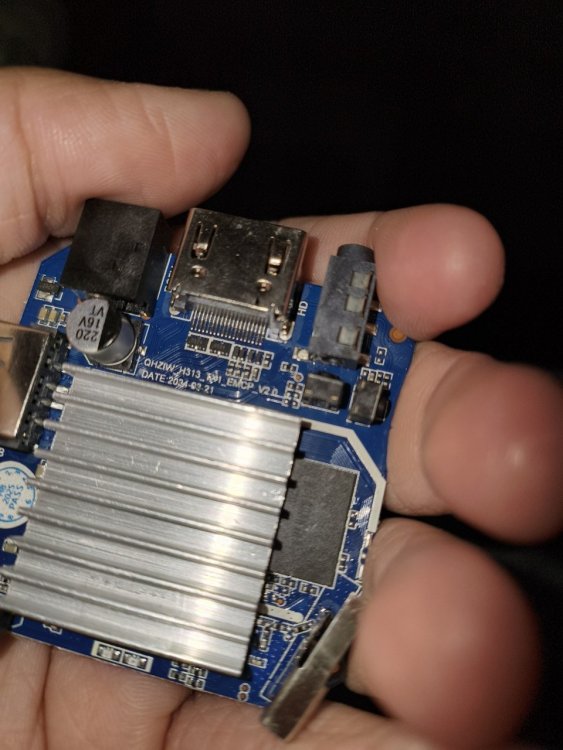
On internet i can't find any image for this tv box. Anyone have build for this?
-

Help wanted to test a new OpenVFD alternative
blackc replied to Jean-Francois Lessard's topic in Amlogic meson
Yes, i've tried pin flag 0 and 1 -- no effect -
Today investigated, why BCM Bluetooth was not working with my image. What a rabbit hole 🙄 Also added OrangePi R2S board. Smaller brother of RV2 (I have no board but it's probably working). For the Bluetooth: everyone is obviously happy to hack the BCM firmware file instead of implementing bcm init into hciattach. The brcm_patchram_plus firmware hacking tool was added for this arch and that arch as a binary under BSP for different boards. Not very Debian-style. I grabbed the working source, compared to the one avail in Android AOSP and added it to my branch, added lib6-dev-riscv64-cross to the Docker image and now have a working image with BT. LG && HTH // Sven-Ola
-
Help wanted to test a new OpenVFD alternative
Jean-Francois Lessard replied to Jean-Francois Lessard's topic in Amlogic meson
Have you tried setting the pin flag to 1 as in your open vfd config? sda-gpios = <&pio 8 12 1>; /* PI12 */ scl-gpios = <&pio 8 11 1>; /* PI11 */ -
Help wanted to test a new OpenVFD alternative
blackc replied to Jean-Francois Lessard's topic in Amlogic meson
Thanks!! I had compiled tm16xx, attach dtb overlay, and trying to load modules. dmesg: my old dts overlay for openvfd: new dts overlay: Configs looks equals in hardware config, but driver not loading... -
See here, HW description bulletpoint 17 https://www.hardkernel.com/shop/odroid-m1s-with-4gbyte-ram/ Maybe it is also available on the 40-pins or 14-pins I/O headers, so a simple generic USB serial cable with jumper wires can be connected.
-
@SteeManI partially agree with you. So far, that you say, that people like @Igormight have more important things to do, than to answer (apparent) n00b questions in forums and I also agree that it is highly important, that there are more volunteering people who try to contribute. But on the other hand I think, that the perspective of you and many other "higher" developers (not only at Armbian) shifts with the level of expertise. What I mean by that is, that when people like me want to start to contribute, we have very limited knowledge in many fields. So many things are mysterious and sometimes we don't even know what we should look after or what we should search for when problems occur. You are right, that many questions arise regularly and sometimes this is annoying and a reference to the documentation is totally appropriate! But I have the feeling, that particularly here at Armbian, the demands for a question to be posted is very high (compared to the knowledge that beginners come with). And it happens VERY often, that it feels like a slap in the face when I have the courage to ask something and I get told "please stfu, here's a link to the source code." And I can tell you, that it is exactly this behavior, that brought me to the point, where I thought "well, f**k it. I just wait for my problems to be solved by others, if my request for help to help myself is treated like a request to get my b**t whipped for free". I've felt this quite often here. But I am STILL here, because Armbian is important to me - not only as the OS of my choice, but also as a project that is worth to be supported! But you should also know, that the willingness to contribute (as far as a n00b like me can) will go down rapidly, when you get slapped often enough. And to complain, that people don't want to contribute after slapping them is not fair. After that said, there the main topic: I was able to build Armbian with vendor kernel and extensions. I did this by adding the corresponding options to the build command. In my case, my build command looked like this: ./compile.sh build BOARD=odroidm1s NO_HOST_RELEASE_CHECK=yes KERNEL_BTF=no BRANCH=vendor RELEASE=noble BUILD_DESKTOP=yes DESKTOP_ENVIRONMENT=gnome KERNEL_CONFIGURE=no BUILD_MINIMAL=no DESKTOP_APPGROUPS_SELECTED='browsers internet multimedia desktop_tools editors' ENABLE_EXTENSIONS="v4l2loopback-dkms,mesa-vpu" First of all, I hope that this was the correct way to do it. Because my other option would have been to modify the board config file. But that didn't feel right... The problem now is, that the board just does not boot. After waiting some time the board falls back to the system I have installed on eMMC. Using another non-vendor system on SD card works. I have the feeling that there is something wrong between u-boot and the vendor-image. Maybe the vendor kernel image expects petitboot and does not work with u-boot? Is there a way to proof that (without overriding u-boot with petitboot)? You see... n00b question AGAIN. But I try to come as far as possible on my own... Cheers and have a very nice and joyful xmas season!
-

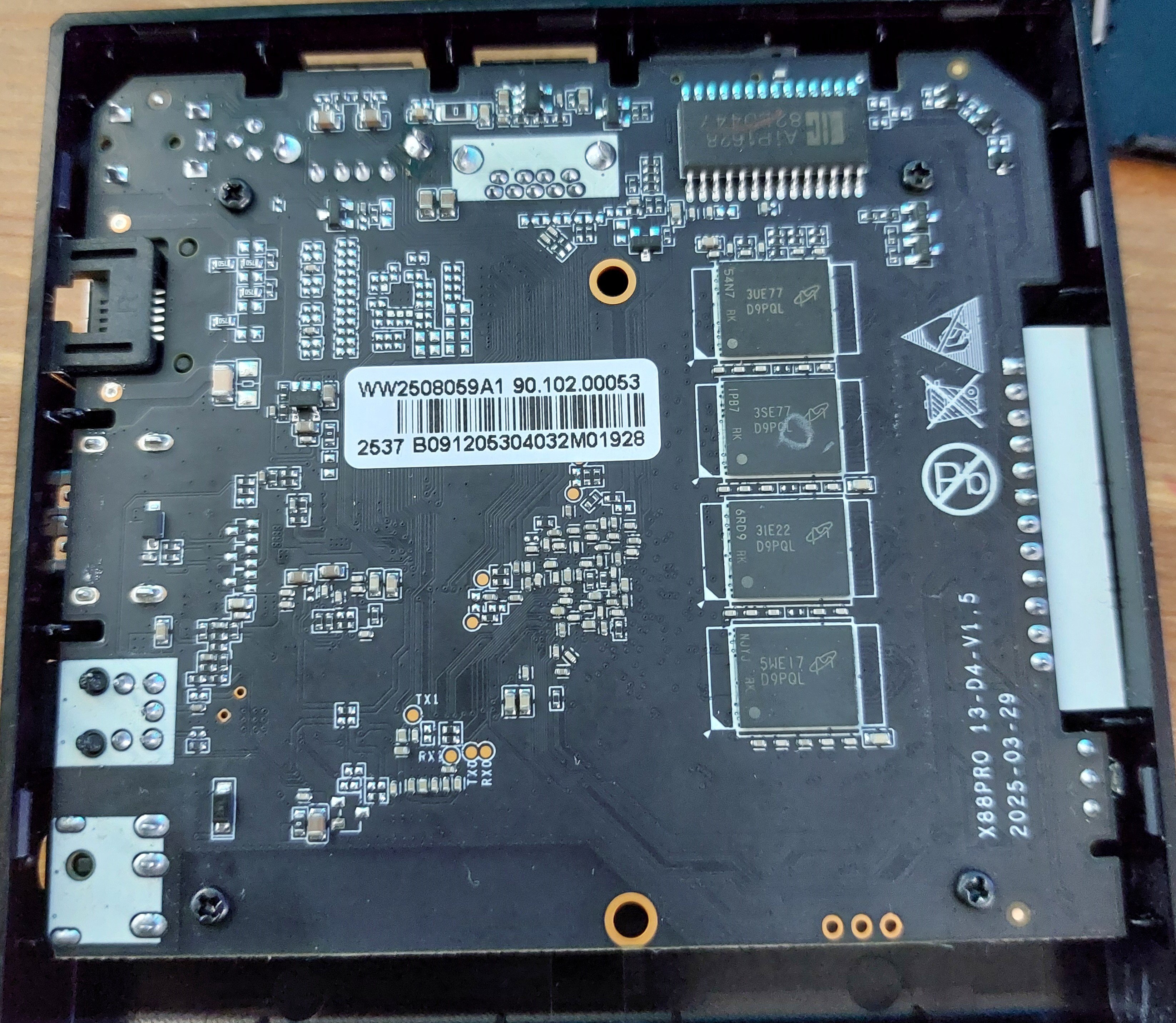
Rupa X88 Pro 13 - RK3528 board with images
Joao Cordeiro replied to fedes_gl's topic in Rockchip CPU Boxes
Actually, I was able to find that IC but in chinese version.. https://datasheet4u.com/datasheets/I-CORE/AiP1628/1571692 Looks like its some kind of low level chip that probably transforms low voltage signals into higher voltage, like the ones used on ethernet ports. Probably to power up the LCD leds. -
Rupa X88 Pro 13 - RK3528 board with images
Joao Cordeiro replied to fedes_gl's topic in Rockchip CPU Boxes
I see now. Mine does not have those: I suspect those are some extra functionality that the chip marked as AIP16R (on the top) has but was not implemented. The OP's board maker tought it would be nice to make them into pins in the board at the very least, while my board maker simply left them unconnected. I was not able to find the specs for that AIP16R chip.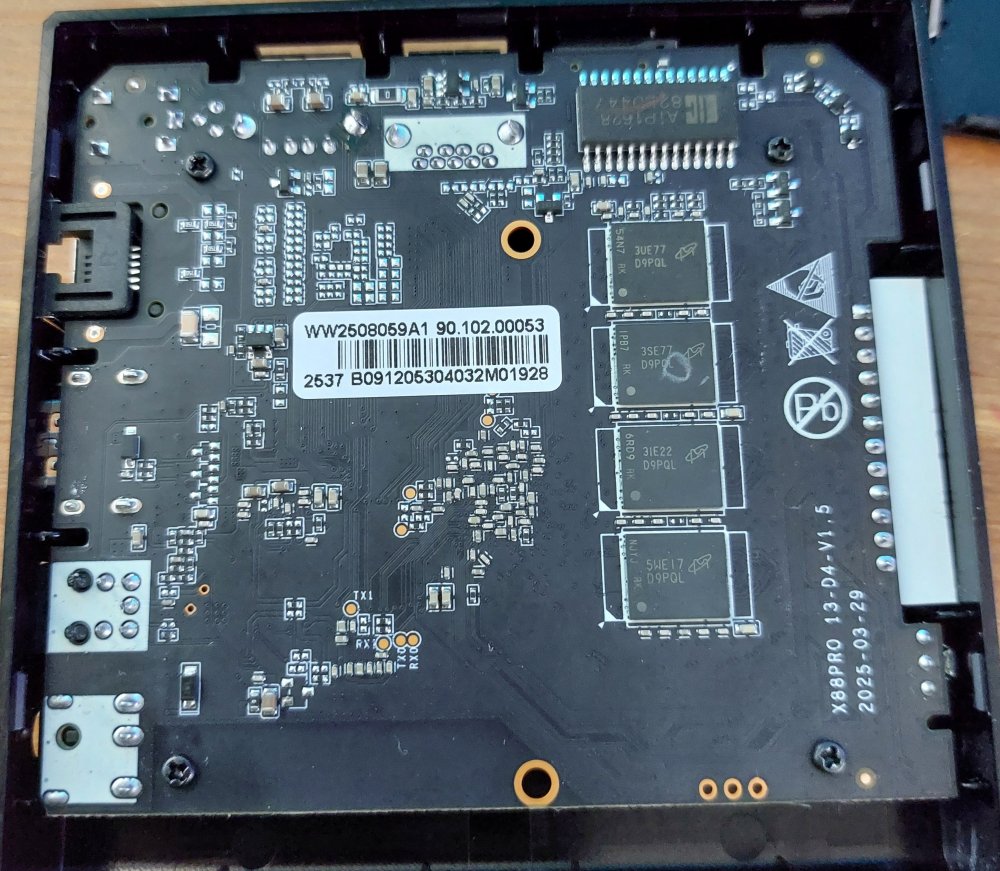
-

Efforts to develop firmware for H96 MAX V56 RK3566 4G/32G
WINEDS replied to Hqnicolas's topic in Rockchip CPU Boxes
To get the ethernet working you have no option but to build an image with kernel support for mae621. See these posts : -
@PH Ph Ask Google AI mode... I haven't played with 4G CPE routers.
-
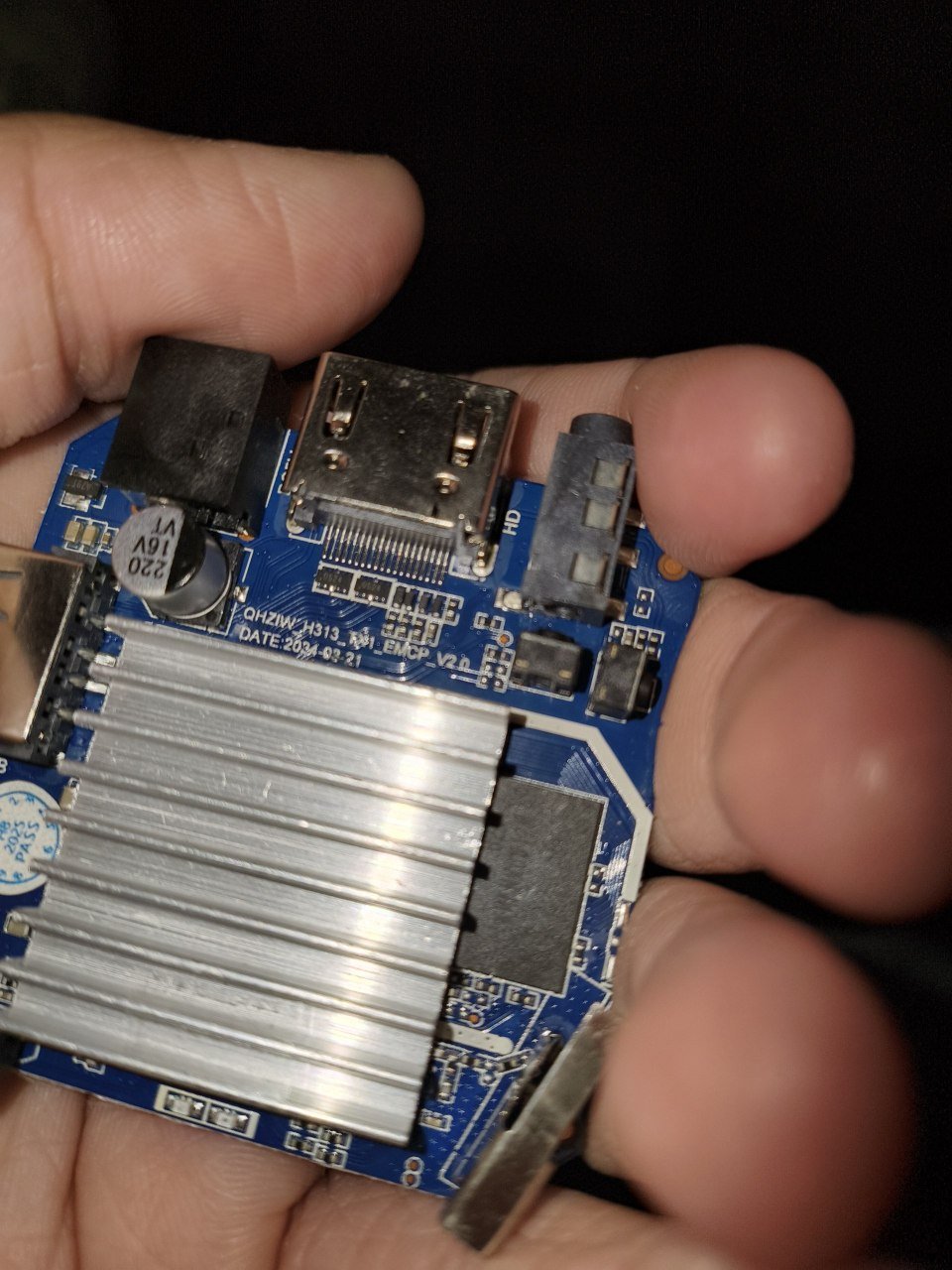
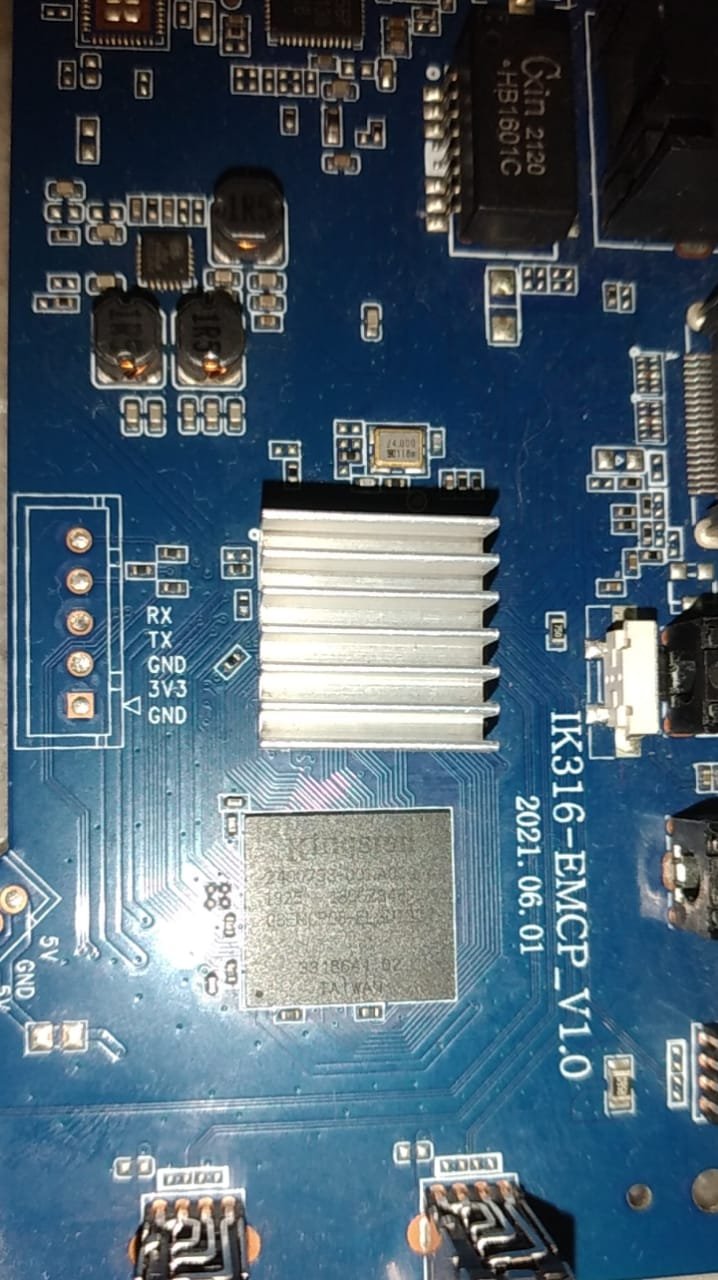
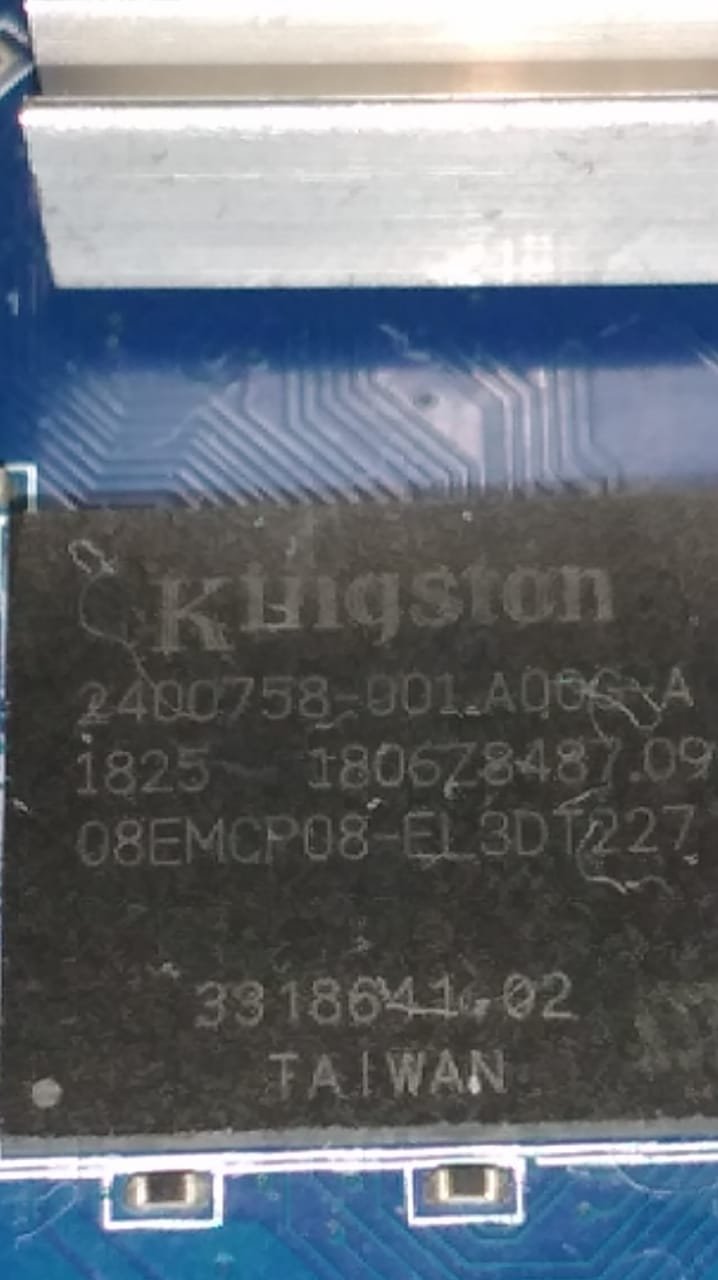
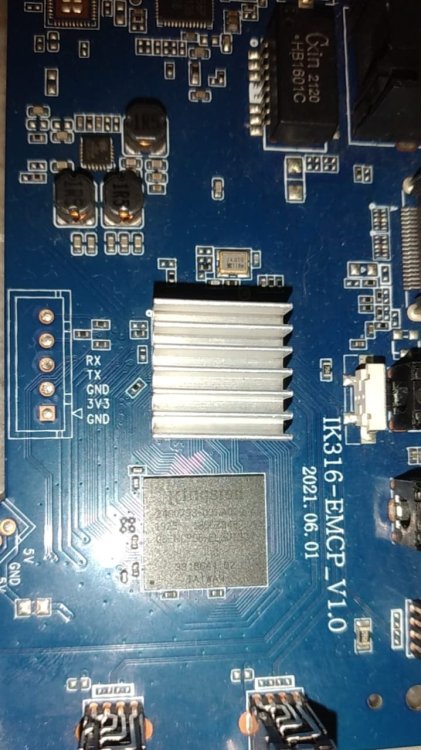
@Nick A hi brow, I'm using the image shown on page 2. The one you showed to another user with the same motherboard ik316-emcp_v1.0. https://github.com/NickAlilovic/build/releases/download/20250306/Armbian-unofficial_25.05.0-trunk_X96q-lpddr3-v1-3_bookworm_edge_6.12.11_xfce_desktop.img.xz The only difference I noticed is the emcp IC; in my version it's a Kingston. Here are some new photos. I really believe the eMMC block is damaged, but the RAM is still working. Or it has a cold solder joint. That's why it's not detected in Armbian, and it's not possible to install the stock firmware directly. If you have/or want or would like to run any tests, I am available. Thank you in advance for your support. I'll use it from the SD card. I'll just try to fix the acceleration issue. But for my purpose, it already works well as it is. Purpose: Remote access behind a dual CGNAT, to control a 4G CPE, a router, and an NVR in a rural area. The NVR has normal access if connected to the cloud service, but I prefer not to use it. The router and CPE are not accessible, and the IPv6 address changes constantly. Thank you again.

-
So far, the best working images I have found for the LonganPi 3H are those developed for the BananaPi M4 Zero. Only issues I have encountered are wifi-related. Hopefully this helps someone.
-
Need help with video decode acceleration on NanoPi R6S
Blind55 replied to Blind55's topic in NanoPi R6S/R6C
Thank you, everyone, for the suggestions. After having been absent here for a while, I am going to try Dante's suggestion first. Thanks again! -
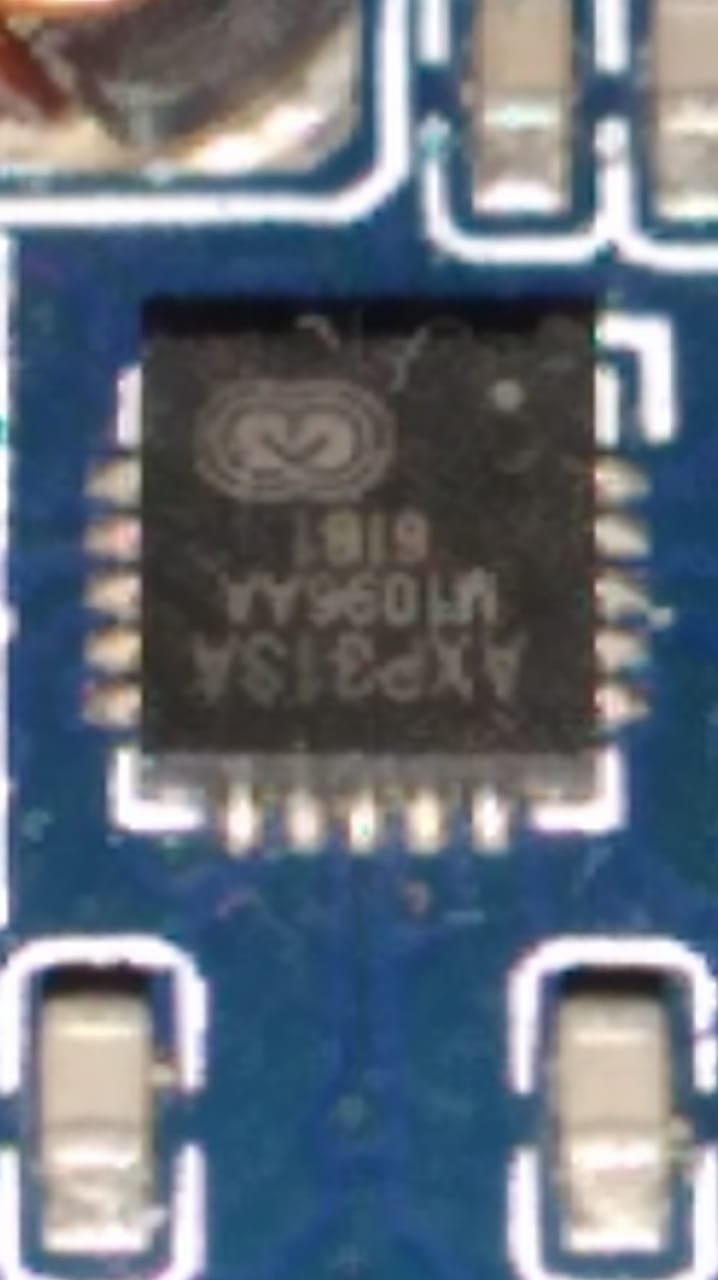
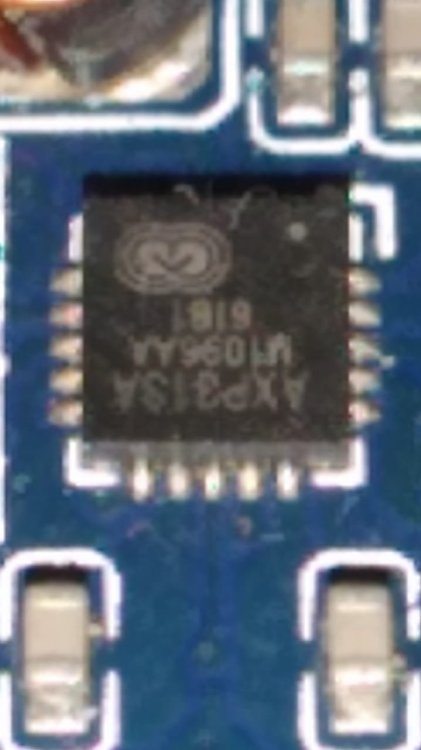
@PH Ph You didn't tell us which image you used? Your dts shows axp1530. Which is also known as axp313a. https://linux-sunxi.org/AXP_PMICs pmu { compatible = "x-powers,axp1530";
-
@PH Ph Recovery is your boot.bin nick@nick:~/Documents$ file recovery recovery: Android bootimg, kernel (0x40080000), ramdisk (0x43000000), page size: 2048, cmdline (selinux=1 androidboot.selinux=permissive androidboot.dtbo_idx=0,1,2 buildvariant=userdebug) nick@nick:~/Documents$ cp ~/Documents/recovery ~/Documents/Android_boot_image_editor/boot.img nick@nick:~/Documents$ cd ~/Documents/Android_boot_image_editor/ nick@nick:~/Documents/Android_boot_image_editor$ ./gradlew unpack Starting a Gradle Daemon (subsequent builds will be faster) > Task :unpack 18:58:16.027 [main] INFO cfig.packable.PackableLauncher - [^boot(-debug)?\.img$, ^recovery\.img$, ^recovery-two-step\.img$, ^init_boot\.img$, ^ramdisk\.img$]/class cfig.packable.BootImgParser 18:58:16.030 [main] INFO cfig.packable.PackableLauncher - [^.*\.dtb$]/class packable.DeviceTreeParser 18:58:16.030 [main] INFO cfig.packable.PackableLauncher - [^dtbo\.img$]/class cfig.packable.DtboParser 18:58:16.030 [main] INFO cfig.packable.PackableLauncher - [^misc\.img$]/class cfig.packable.MiscImgParser 18:58:16.030 [main] INFO cfig.packable.PackableLauncher - [^ota\.zip$]/class cfig.packable.OTAzipParser 18:58:16.030 [main] INFO cfig.packable.PackableLauncher - [^payload\.bin$]/class cfig.packable.PayloadBinParser 18:58:16.030 [main] INFO cfig.packable.PackableLauncher - [^(system|system_ext|system_other|system_dlkm)\.img$, ^(vendor|vendor_dlkm|product|cache|userdata|super|oem|odm|odm_dlkm)\.img$]/class rom.sparse.SparseImgParser 18:58:16.030 [main] INFO cfig.packable.PackableLauncher - [^vbmeta\.img$, ^vbmeta\_[a-z]+.img$]/class cfig.packable.VBMetaParser 18:58:16.030 [main] INFO cfig.packable.PackableLauncher - [^vendor_boot(-debug)?\.img$, ^vendor_kernel_boot\.img$]/class cfig.packable.VendorBootParser 18:58:16.030 [main] INFO XXXX - args: [unpack] 18:58:16.033 [main] INFO XXXX - arg: #0 - unpack 18:58:16.035 [main] INFO XXXX - loop #0 18:58:16.035 [main] INFO XXXX - lazy mode (in current dir) 18:58:16.205 [main] INFO cfig.packable.PackableLauncher - Found: boot.img, ^boot(-debug)?\.img$ 18:58:16.206 [main] WARN cfig.packable.PackableLauncher - args: 1, targetHandler: class cfig.packable.BootImgParser 18:58:16.206 [main] INFO cfig.packable.PackableLauncher - continue ... 18:58:16.206 [main] WARN cfig.packable.PackableLauncher - [/home/nick/Documents/Android_boot_image_editor/boot.img] will be handled by [BootImgParser] 18:58:16.274 [main] WARN cfig.packable.PackableLauncher - 'unpack' sequence initialized 18:58:16.274 [main] WARN cfig.packable.PackableLauncher - XXXX: args.size: 1 clazz = BootImgParser func = fun cfig.packable.BootImgParser.unpack(kotlin.String): kotlin.Unit orig args: 0: unpack Converted args: 0: /home/nick/Documents/Android_boot_image_editor/boot.img 18:58:16.281 [main] INFO cfig.packable.BootImgParser - unpackInternal(fileName: /home/nick/Documents/Android_boot_image_editor/boot.img, unpackDir: build/unzip_boot/) 18:58:16.282 [main] INFO cfig.packable.BootImgParser - workspace set to build/unzip_boot/ 18:58:16.282 [main] INFO cfig.packable.IPackable - deleting /home/nick/Documents/Android_boot_image_editor/build/unzip_boot ... 18:58:16.298 [main] INFO cfig.bootimg.Common - workspace file overridden: /home/nick/Documents/Android_boot_image_editor/build/unzip_boot/workspace.ini 18:58:16.299 [main] INFO cfig.packable.BootImgParser - header version 2 18:58:16.408 [main] WARN cfig.bootimg.v2.BootHeaderV2 - BootImgHeader constructor 18:58:16.414 [main] INFO cfig.Avb - python aosp/avb/avbtool.v1.2.py verify_image --image /home/nick/Documents/Android_boot_image_editor/boot.img Verifying image /home/nick/Documents/Android_boot_image_editor/boot.img using embedded public key vbmeta: Successfully verified footer and NONE vbmeta struct in /home/nick/Documents/Android_boot_image_editor/boot.img Traceback (most recent call last): File "/home/nick/Documents/Android_boot_image_editor/aosp/avb/avbtool.v1.2.py", line 4935, in <module> tool.run(sys.argv) File "/home/nick/Documents/Android_boot_image_editor/aosp/avb/avbtool.v1.2.py", line 4739, in run args.func(args) File "/home/nick/Documents/Android_boot_image_editor/aosp/avb/avbtool.v1.2.py", line 4874, in verify_image self.avb.verify_image(args.image.name, args.key, File "/home/nick/Documents/Android_boot_image_editor/aosp/avb/avbtool.v1.2.py", line 2582, in verify_image elif not desc.verify(image_dir, image_ext, expected_chain_partitions_map, ^^^^^^^^^^^^^^^^^^^^^^^^^^^^^^^^^^^^^^^^^^^^^^^^^^^^^^^^^^^^^^^^ File "/home/nick/Documents/Android_boot_image_editor/aosp/avb/avbtool.v1.2.py", line 1687, in verify image = ImageHandler(image_filename, read_only=True) ^^^^^^^^^^^^^^^^^^^^^^^^^^^^^^^^^^^^^^^^^^^^ File "/home/nick/Documents/Android_boot_image_editor/aosp/avb/avbtool.v1.2.py", line 760, in __init__ self._read_header() File "/home/nick/Documents/Android_boot_image_editor/aosp/avb/avbtool.v1.2.py", line 775, in _read_header self._image = open(self.filename, 'rb') ^^^^^^^^^^^^^^^^^^^^^^^^^ FileNotFoundError: [Errno 2] No such file or directory: '/home/nick/Documents/Android_boot_image_editor/recovery.img' 18:58:16.563 [main] ERROR cfig.Avb - /home/nick/Documents/Android_boot_image_editor/boot.img failed integrity check by "python aosp/avb/avbtool.v1.2.py verify_image --image /home/nick/Documents/Android_boot_image_editor/boot.img" 18:58:16.633 [main] WARN cfig.bootimg.Common - s.srcFile: boot.img, s.dumpFile: /home/nick/Documents/Android_boot_image_editor/build/unzip_boot/kernel, s.offset: 2048, s.length: 18651144 18:58:16.701 [main] INFO KernelExtractor - [aosp/make/tools/extract_kernel.py, --input, /home/nick/Documents/Android_boot_image_editor/build/unzip_boot/kernel, --output-configs, /home/nick/Documents/Android_boot_image_editor/build/unzip_boot/kernel_configs.txt, --output-version, /home/nick/Documents/Android_boot_image_editor/build/unzip_boot/kernel_version.txt] 18:58:16.703 [main] INFO KernelExtractor - kernel version: [4.9.170] 18:58:16.703 [main] INFO KernelExtractor - kernel config dumped to : /home/nick/Documents/Android_boot_image_editor/build/unzip_boot/kernel_configs.txt 18:58:16.799 [main] INFO ZipHelper - decompress(gz) done: /home/nick/Documents/Android_boot_image_editor/build/unzip_boot/ramdisk.img.gz -> /home/nick/Documents/Android_boot_image_editor/build/unzip_boot/ramdisk.img 18:58:16.801 [main] INFO cfig.bootimg.cpio.AndroidCpio - Cleaning /home/nick/Documents/Android_boot_image_editor/build/unzip_boot/root ... 18:58:16.829 [main] WARN cfig.bootimg.cpio.AndroidCpio - root/config has improper file mode 555, fix it 18:58:17.154 [main] INFO cfig.bootimg.cpio.AndroidCpio - cpio trailer found, mode=000001ed 18:58:17.155 [main] INFO cfig.bootimg.Common - ramdisk extracted : /home/nick/Documents/Android_boot_image_editor/build/unzip_boot/ramdisk.img -> /home/nick/Documents/Android_boot_image_editor/build/unzip_boot/root 18:58:17.173 [main] INFO rom.fdt.DTC - Found FDT header: #0 FdtHeader(magic=3490578157, totalsize=119955, offDtStruct=72, offDtStrings=106948, offMemRsvmap=40, version=17, lastCompVersion=16, bootCpuidPhys=0, sizeDtStrings=13007, sizeDtStruct=106876) 18:58:17.174 [main] INFO rom.fdt.DTC - no more FDT header 18:58:17.175 [main] INFO rom.fdt.DTC - Successfully parsed 1 FDT headers from /home/nick/Documents/Android_boot_image_editor/build/unzip_boot/dtb 18:58:17.175 [main] INFO cfig.bootimg.v2.BootV2 - dtb sz = 1 18:58:17.178 [main] INFO rom.fdt.DTC - parsing DTB: /home/nick/Documents/Android_boot_image_editor/build/unzip_boot/dtb.0 18:58:17.185 [main] INFO rom.fdt.DTC - [dtc, -q, -I, dtb, -O, dts, /home/nick/Documents/Android_boot_image_editor/build/unzip_boot/dtb.0, -o, /home/nick/Documents/Android_boot_image_editor/build/unzip_boot/dtb.0.dts] 18:58:17.198 [main] INFO rom.fdt.DTC - [dtc, -q, -I, dts, -O, yaml, /home/nick/Documents/Android_boot_image_editor/build/unzip_boot/dtb.0.dts, -o, /home/nick/Documents/Android_boot_image_editor/build/unzip_boot/dtb.0.dts.yaml] 18:58:17.200 [main] INFO avb.AVBInfo - parseFrom(FILE:boot.img) ... 18:58:17.207 [main] INFO avb.AVBInfo - FILE:boot.img: Glance(footer=Footer(versionMajor=1, versionMinor=0, originalImageSize=25913344, vbMetaOffset=25915392, vbMetaSize=512), vbMetaOffset=25915392).footer 18:58:17.239 [main] INFO avb.AVBInfo - VBMeta: boot.img -> /home/nick/Documents/Android_boot_image_editor/build/unzip_boot/boot.avb.json 18:58:17.289 [main] INFO cfig.Avb - vbmeta blob is unsigned 18:58:17.329 [main] INFO cfig.bootimg.v2.BootV2 - Unpack Summary of boot.img ┌───────────────────────────────────────┬──────────────────────────────────────┐ │What │Where │ └───────────────────────────────────────┴──────────────────────────────────────┘ ┌───────────────────────────────────────┬──────────────────────────────────────┐ │image info │build/unzip_boot/boot.json │ ├───────────────────────────────────────┼──────────────────────────────────────┤ │AVB info [verify fail] │build/unzip_boot/boot.avb.json │ ├───────────────────────────────────────┼──────────────────────────────────────┤ │kernel │build/unzip_boot/kernel │ │\-- version [4.9.170] │build/unzip_boot/kernel_version.txt │ │\-- config │build/unzip_boot/kernel_configs.txt │ ├───────────────────────────────────────┼──────────────────────────────────────┤ │ramdisk │build/unzip_boot/ramdisk.img.gz │ │\-- extracted ramdisk rootfs │build/unzip_boot/root │ ├───────────────────────────────────────┼──────────────────────────────────────┤ │dtb │build/unzip_boot/dtb │ │\-- decompiled dts [1] │build/unzip_boot/dtb.*.dts │ └───────────────────────────────────────┴──────────────────────────────────────┘ 18:58:17.349 [main] WARN cfig.packable.PackableLauncher - 'unpack' sequence completed BUILD SUCCESSFUL in 8s 8 actionable tasks: 1 executed, 7 up-to-date dtb.0.dts
- Yesterday
-

Efforts to develop firmware for H96 MAX V56 RK3566 4G/32G
GBEM replied to Hqnicolas's topic in Rockchip CPU Boxes
Thanks, @WINEDS, for the extra WiFi links and info. The sources for these will have everything I'll need. @WINEDS, you have made a series of changes to the DTS in my_rk3566-h96-tvbox3.dts, that adapt the build for the Maxio MAE0621A Ethernet and AIC AIC8800D80 WiFi and Bluetooth modules. I'll need to adapt these changes, to a quite different Home Assistant OS DTS file that worked with the earlier hardware. The my_rk3566-h96-tvbox3.dts file is large. I'm concerned that I'll miss something that's been added, conceivably with catastrophic result. There isn't a diff of your DTS file, that lists changes to support the 2025 Ethernet, WiFi and Bluetooth integration, is there? If not, are there any gotchas I should be looking for? GBEM 👽