-
Positions
-

Part time technical support
Position: Technical supportNumber of places: 12Applicants: 16 -
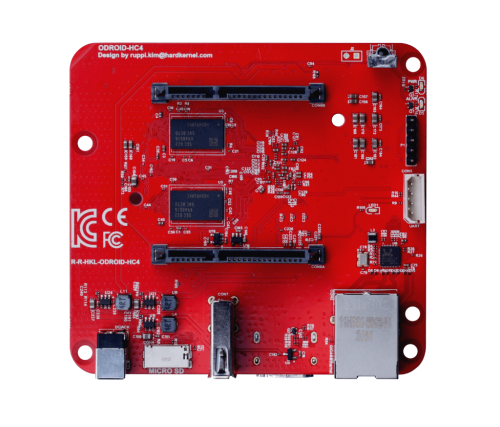
Single board computer maintainer
Position: Board maintainerNumber of places: 64Applicants: 77 -

Code reviewer
Position: Framework maintainerNumber of places: UnlimitedApplicants: 11 -

Test Automation Engineer
Position: Software integration test engineerNumber of places: 16Applicants: 10 -

Build framework maintainer
Position: Framework maintainerNumber of places: 16Applicants: 6
-
-
Chat | Social Media
#armbian at
irc.libera.chat or irc.oftc.net
Matrix or Discord
Mastodon | 𝕏 -
Popular Now
-
-
Activity Stream
-
1
Joshua-Riek/ubuntu-rockchip
moved to off-topic since 3rd party os. and nobody will care about a wall of text written by ai -
0
HONGTOP H20PRO Smart TV Box WiFi6 Android 10 6K 4K 3D
Hi, I need help with flashing my tv box or installing it on linux. I would also be happy if you could run an armbian or similar minimal system. I would like to run a website on it at home. I already did it for an old venz v10 for a friend and installed armbian on it and he really liked it, but my couldn't install it with a memory card, the on new box 1. System Information Google Android Tv Box - Android 14 Android Version: 14 (Upside Down Cake) API Level: 34 Android Security Patch Level: 2025-01-01 Rooted Device: No Android ID: 5c4aa62950194797 Build ID: rk3528_box_32-userdebug 14 UTT2.241219.001 eng.hxws.20260124.163421 release-keys Codename: REL Fingerprint: google/blueline/blueline:14/UTT2.241219.001/eng.hxws.20260124.163421:userdebug/release-keys ID: UTT2.241219.001 Incremental: eng.hxws.20260124.163421 Java Runtime Version: Android Runtime 0.9 Java Virtual Machine Version: ART 2.1.0 Java Virtual Machine Heap Size: 128 MB Kernel Architecture: armv7l Kernel Version: 6.1.118 (hxws@PowerEdge-R720-8) (Android 10087095, +pgo, +bolt, +lto, -mlgo, based on clang 17.0.2 of r487747c (https://android.googlesource.com/toolchain/llvm-project d9f89f4d16663d5012e5c09495f3b30ece3d2362), LLD 17.0.2) #124 SMP PREEMPT Wed Jan 21 10:25:12 CST 2026 Tags: release-keys Type: userdebug Google Play Services Version: < None > Huawei Mobile Services Version: OpenSSL 1.1.1 (compatible; BoringSSL) OpenSSL Version: 1.2.13 ZLib Version: 1.2.13 2. Hardware and Processor (CPU/Device) Device Type: TV Manufacturer: Google Model: android_tv_box Brand: google Motherboard: RK3528 Device: blueline Hardware: rk30board Platform: rk3528 Product: blueline Processor: RK3528, 4 cores SoC Model: RockChip RK3528 Core Architecture: 4x ARM Cortex-A53 @ 2016 MHz Instruction Set: 64-bit ARMv8-A (32-bit mode) CPU Version: r0p4 CPU Cores: 4 CPU Clock Range: 408 - 2016 MHz CPU Utilization: 5% Scaler Controller: Interactive Supported ABIs: armeabi-v7a, armeabi Supported 32-bit ABIs: armeabi-v7a, armeabi AES/ASIMD/NEON/PMULL/SHA1/SHA2: Supported 3. Memory and Storage (RAM/Storage) Installed RAM: 2 GB Total Memory: 1920 MB Available Memory: 1221 MB Memory Used: 707 MB (36% of 1.9 GB) Total Internal Storage: 11.00 GB Free Internal storage: 10.11 GB Storage usage: 914 MB (8% of 11 GB) 4. Display and GPU (Display) Display: 1920 x 1080 (Full HD, 16:9) Screen resolution: 1920 x 1080 xdpi / ydpi: 320 / 320 dpi GPU manufacturer: ARM GPU renderer: Mali-450 MP Refresh rate: 60 Hz Default orientation: Landscape OpenGL ES version: 2.0 GPU version: OpenGL ES 2.0 OpenGL ES extensions: (List: GL_EXT_debug_marker, GL_OES_texture_npot, GL_OES_vertex_array_object, GL_OES_compressed_ETC1_RGB8_texture, GL_EXT_compressed_ETC1_RGB8_sub_texture, GL_OES_standard_derivatives, GL_OES_EGL_image, GL_OES_depth24, GL_ARM_rgba8, GL_ARM_mali_shader_binary, GL_OES_depth_texture, GL_OES_packed_depth_stencil, GL_EXT_texture_format_BGRA8888, GL_OES_vertex_half_float, GL_EXT_blend_minmax, GL_OES_EGL_image_external, GL_OES_EGL_sync, GL_OES_rgb8_rgba8, GL_EXT_discards_framebuffer, GL_OES_get_program_binary, GL_ARM_mali_program_binary, GL_EXT_shader_texture_lod) 5. Network and Connections (Network/Bluetooth/USB) Network: WiFi Telephony: None Wi-Fi Status: Enabled SSID: BSSID: 02:00:00:00:00:00 Hidden SSID: No IPv4 Address: 192.168.1.35 IPv6 Address: fe80::5ef3:83b1:27d0:574a Signal Strength: -46 dBm (Excellent) Link Speed: 54 Mbps Frequency: 2427 MHz Gateway: 192.168.1.254 Netmask: 255.255.255.0 DNS1: 192.168.1.254 DHCP Lease Time: 24 hours 5 GHz Band: Supported Wi-Fi Aware: Not Supported Wi-Fi Direct: Supported Bluetooth: Enabled Bluetooth Version: 4+ USB Device - Linux 6.1.118 ehci_hcd EHCI Host Controller: (Serial Number: ff100000.usb, ID: 1D6B-0002, Class: 09/00, Speed: 480 Mbps) USB Device - Linux 6.1.118 xhci_hcd xHCI Host Controller: (Serial Number: xhci-hcd.4.auto, ID: 1D6B-0002, Class: 09/00, Speed: 480 Mbps) USB Device - YICHIP Wireless Device 6. Other Data Audio: HDMI 7.1 Codecs: Widevine L3 (SD only) Wireless Debugging: Enabled IP Address and Port: 192.168.1.35:40729 Wi-Fi pairing code: 642947 IP address and port (for pairing): 192.168.1.35:40035 Device features: (List: android.hardware.audio.output, android.hardware.bluetooth, android.hardware.bluetooth_le, android.hardware.camera, android.hardware.camera.any, android.hardware.camera.external, android.hardware.camera.front, android.hardware.cetherandroid.hdware.mi android.hardware.keystore.app_attest_key, android.hardware.location, android.hardware.location.network) -
312
Efforts to develop firmware for H96 MAX V56 RK3566 4G/32G
for NPU if you can't run it on armbian using the rockchip vendor kernel, you can use the Joshua: https://github.com/hqnicolas/ubuntu-rockchip-joshua/tree/h96-max-v56-board-add -
0
NanoPi M5 26.5.1 UFS install: btrfs root does not boot and manual partition layout is not available
Hi, I would like to report an issue I encountered while testing the new NanoPi M5 UFS boot support in Armbian 26.5.1. Board: NanoPi M5 Boot media for installation: SD card Target storage: onboard UFS BOOT switch after installation: UFS/SD Tested images: * `Armbian_26.5.1_Nanopi-m5_trixie_vendor_6.1.115_minimal.img.xz` * `Armbian_26.5.1_Nanopi-m5_trixie_current_6.18.33_minimal.img.xz` My current NVMe setup uses a custom layout: * `ext4` `/boot` * `btrfs` `/` I had to use this layout because, in my previous NVMe tests, installing the system directly to NVMe with btrfs using `armbian-install` did not boot when `/boot` was also located on btrfs. With a separate ext4 `/boot` partition and a btrfs root filesystem, the NVMe setup works correctly. When testing the new UFS installation path, I noticed that the UFS option in `armbian-install` seems to only install the whole system to `/dev/sda1` on the UFS General LUN. Unlike the NVMe installation path, I could not find a way to select an existing target partition or use a manually prepared partition layout. I tried the following UFS layout manually: * `/dev/sda1` as `ext4` for `/boot` * `/dev/sda2` as `btrfs` for `/` However, after splitting the UFS General LUN this way, the system did not boot at all. I also tested the default UFS installation path without manually changing the partition layout. I booted from SD card, ran `armbian-install`, selected the UFS install option, and selected btrfs as the filesystem. With both tested images listed above, the installation process completed, but after removing the SD card and booting from UFS with the BOOT switch set to UFS/SD, the system did not boot. So the behavior I observed is: * UFS installation creates and uses only `/dev/sda1` as the system partition. * UFS installation with btrfs selected completes, but the installed system does not boot afterward. * A manual layout with separate `ext4 /boot` and `btrfs /` on UFS also does not boot. * The UFS install path does not seem to provide the same manual partition selection behavior as the NVMe install path. My questions are: 1. Is btrfs on UFS expected to be bootable at this stage? 2. Or should ext4 currently be considered the only supported/recommended filesystem for UFS boot on NanoPi M5? -
7
broken armbian-firmware stable update on fresh install
Thank you @Revellion I just did ``` sudo apt-mark unhold armbian-firmware sudo rm -rf /lib/firmware/qcom/sm8550/ayn/ sudo apt update && sudo apt upgrade ``` and it worked fine
-
-
Member Statistics