


KhanhDTP
-
Posts
120 -
Joined
-
Last visited
Content Type
Forums
Store
Crowdfunding
Applications
Events
Raffles
Community Map
Everything posted by KhanhDTP
-

Gaming experience with Orange Pi 5 (RK3588) on Armbian
KhanhDTP replied to KhanhDTP's topic in Orange Pi 5
@chaitan3 It depends on the games; I have to try around to find what is best. I usually try 1.7.3, 1.10.3, 1.6.1 then 2.x versions. -
Gaming experience with Orange Pi 5 (RK3588) on Armbian
KhanhDTP replied to KhanhDTP's topic in Orange Pi 5
@Alex Ling I haven't tried mainline kernel 7.x so I can't tell. Can you check the GPU clock is capped at 850 Mhz bug is fixed? -
Gaming experience with Orange Pi 5 (RK3588) on Armbian
KhanhDTP replied to KhanhDTP's topic in Orange Pi 5
@Alex Ling yeah, I have noticed it too. With Mesa (PanVk) recent updates, DX9 games can be played with Dxvk without dgVoodoo2 wrapper. -
I was able to run Steam games with GPU accelerated ofc. But since my Opi5 only has 8Gb, I mainly run non-Steam games. I can see your SBC has 32Gb, so you are good. I assume your game is 64-bit DX11. Change the Steam Play compatible layer to "GE-proton". Download Dxvk-stripped here: https://github.com/khanh-it/dxvk/releases/tag/releases Copy x64/d3d11.dll, x64/dxgi.dll to the <<game>>.exe folder. Then run the game with a command like so:
-
Gaming experience with Orange Pi 5 (RK3588) on Armbian
KhanhDTP replied to KhanhDTP's topic in Orange Pi 5
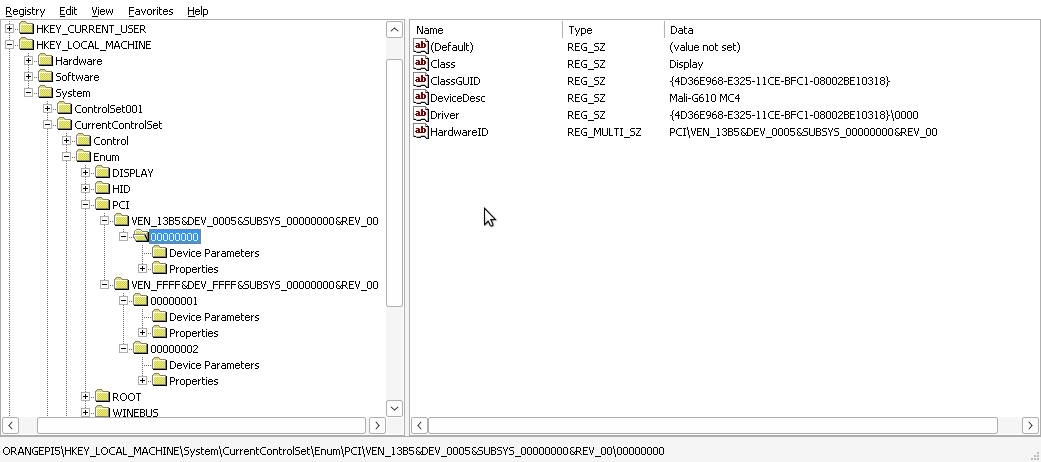
I can see it has already set: HKEY_LOCAL_MACHINE\SYSTEM\CurrentControlSet\Enum Mali-G610 MC4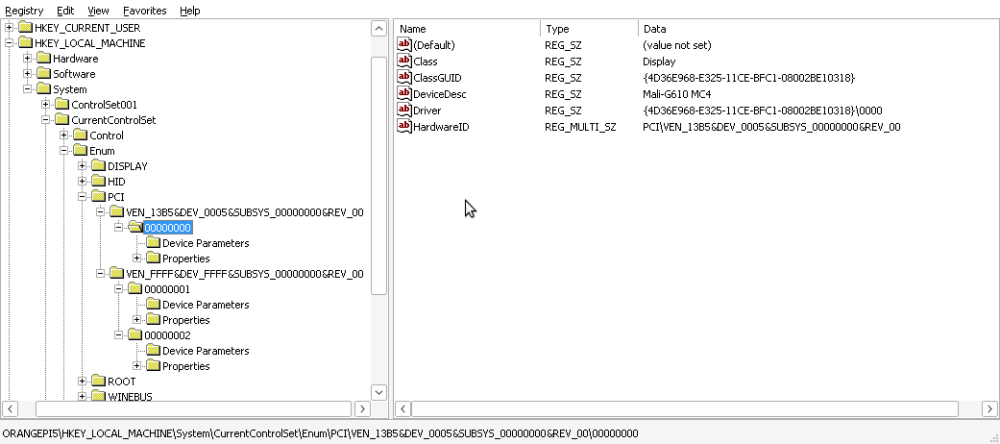
-
Gaming experience with Orange Pi 5 (RK3588) on Armbian
KhanhDTP replied to KhanhDTP's topic in Orange Pi 5
@xiboliyadongtu So, you were able to play the game with Dxvk (or Zink) now? How is the performance I wonder? -
Gaming experience with Orange Pi 5 (RK3588) on Armbian
KhanhDTP replied to KhanhDTP's topic in Orange Pi 5
@xiboliyadongtu How was it going? -
Gaming experience with Orange Pi 5 (RK3588) on Armbian
KhanhDTP replied to KhanhDTP's topic in Orange Pi 5
@xiboliyadongtu Then copy x64/d3d11.dll, x64/dxgi.dll files to the same folder as blackdesert64.exe and try to run it without the launcher. -
Gaming experience with Orange Pi 5 (RK3588) on Armbian
KhanhDTP replied to KhanhDTP's topic in Orange Pi 5
@xiboliyadongtu Can this game be started without a launcher? Is there an executable file besides BlackDesertLauncher.exe (like BlackDesert.exe)? The BlackDesertLauncher.exe is definitely a 32-bit file. So, you might need to run it with GE-Proton10-32 in WoW64 mode. Delete the created GE-Proton10-32's prefix to make sure. Then start it again with envs If everything is right, you will see the Dxvk output log with something like below: -
Gaming experience with Orange Pi 5 (RK3588) on Armbian
KhanhDTP replied to KhanhDTP's topic in Orange Pi 5
@xiboliyadongtu as your ss, the launcher is 32-bits. So, can you copy x32/d3d11.dll, x32/dxgi.dll files to the game folder and try again? -
Gaming experience with Orange Pi 5 (RK3588) on Armbian
KhanhDTP replied to KhanhDTP's topic in Orange Pi 5
@xiboliyadongtu Your log seems normal. The problem is that the game is ~100Gb. I don't have that much free disk space to try. It looks like the game is running, but it's just not using the proper GPU renderer. By default, it will use the WineD3D renderer on top of OpenGL (panfrost). 1) You can try Zink by setting those vars: 2) Try Dxvk-stripped: Download Dxvk-stripped here: https://github.com/khanh-it/dxvk/releases/download/releases/dxvk-v1.6.1-stripped-msvc-output.zip and copy the files x64/d3d11.dll, x64/dxgi.dll to the game's folder (/media/xiboliyadongtu/固态/BlackDesert/) setting those vars: Start the game, and see how it goes?! -
Gaming experience with Orange Pi 5 (RK3588) on Armbian
KhanhDTP replied to KhanhDTP's topic in Orange Pi 5
Armbian 26.2.1 Noble XFCE (BSP Kernel: 6.1.115) + PanVk - mesa 26.0 (https://launchpad.net/~ernstp/+archive/ubuntu/mesaaco) + Box64 arm64 v0.4.1 4474ac0f1 (https://ryanfortner.github.io/box64-debs/) + ge-proton10-32 (https://github.com/GloriousEggroll/proton-ge-custom/releases/tag/GE-Proton10-32) + DXVK-stripped v1.7.3 ~40fps@720p (mixed settings) Metal Gear Solid V - The Phantom Pain - v.1.01 (denuvoless version) (Tpp_steam_mst_en_0803_2200).thumb.jpg.4e5ed4d4556c9e6162f1a778049bebee.jpg)
.thumb.jpg.5c489ca55a59a1a0d2487653dacd0aa0.jpg)
.thumb.jpg.2a4057f66441f1899016f3c376fbdb79.jpg)
-
Gaming experience with Orange Pi 5 (RK3588) on Armbian
KhanhDTP replied to KhanhDTP's topic in Orange Pi 5
@xiboliyadongtu Did you try Hangover (which is Fex-emu)? https://github.com/AndreRH/hangover I saw someone had a problem with a similar online game with Box64 before. https://github.com/ptitSeb/box64/issues/3073#issuecomment-3689810679 -
Gaming experience with Orange Pi 5 (RK3588) on Armbian
KhanhDTP replied to KhanhDTP's topic in Orange Pi 5
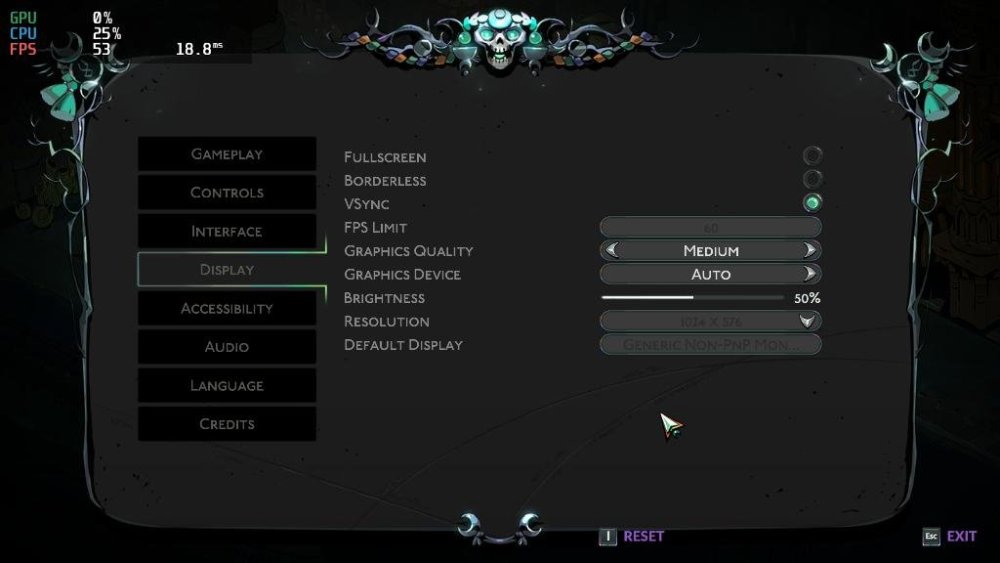
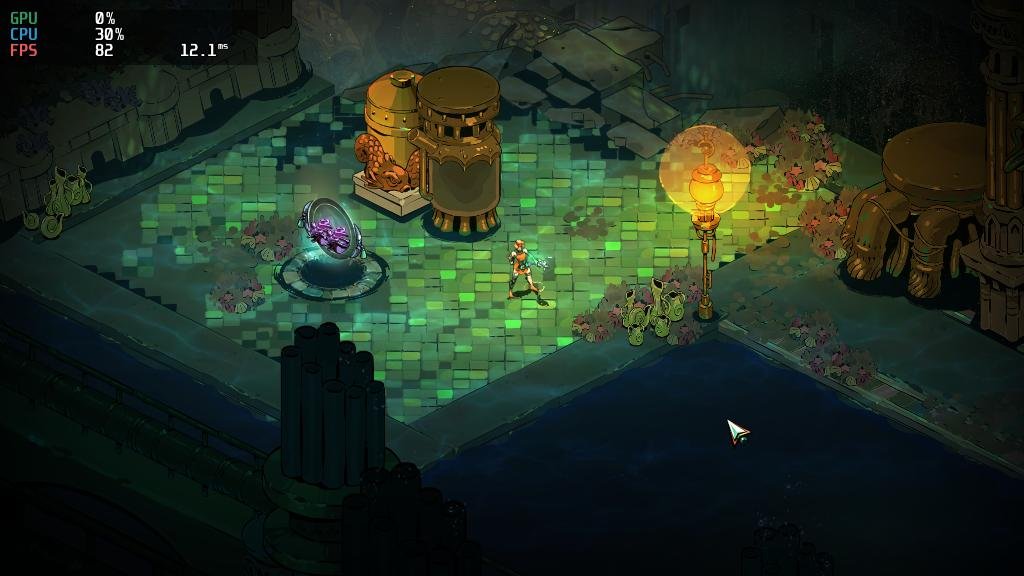
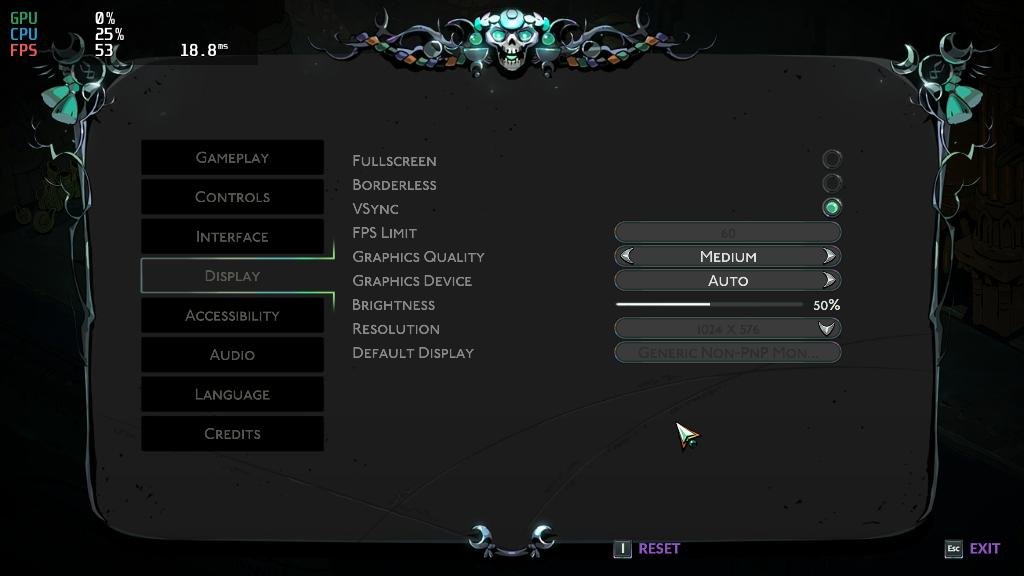
Armbian 25.11.2 Noble XFCE (BSP Kernel: 6.1.115) + PanVk - mesa 26.0 (https://launchpad.net/~ernstp/+archive/ubuntu/mesaaco) + Box64 arm64 v0.4.1 ed9827920 (https://ryanfortner.github.io/box64-debs/) + wine-11.3-staging-tkg-amd64-wow64 (https://github.com/Kron4ek/Wine-Builds/releases/tag/11.3) + vkd3d-1.19 (wine's built-in) ~60fps@1024x576 (medium settings) Hades 2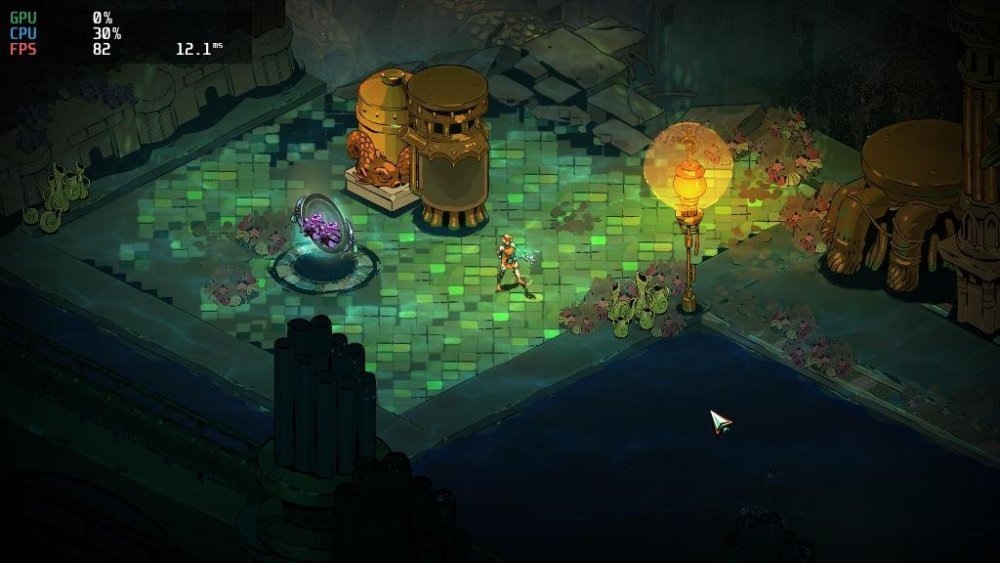
-
Gaming experience with Orange Pi 5 (RK3588) on Armbian
KhanhDTP replied to KhanhDTP's topic in Orange Pi 5
GTA V OG on Orange Pi 5+ 1080p Low DXVK / PanVK / Debian13 -
Gaming experience with Orange Pi 5 (RK3588) on Armbian
KhanhDTP replied to KhanhDTP's topic in Orange Pi 5
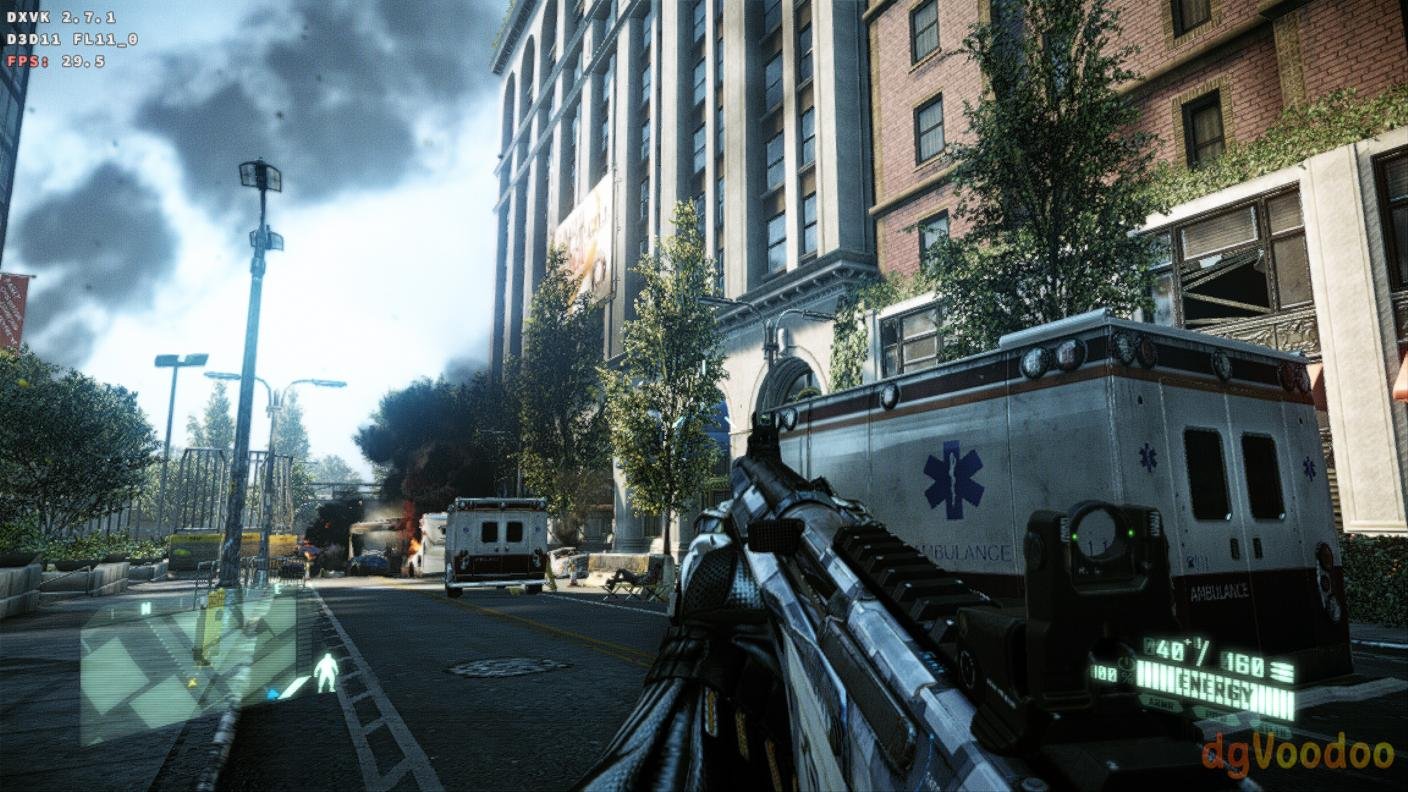
Armbian 25.11.2 Noble XFCE (BSP Kernel: 6.1.115) + PanVk - mesa 26.0 (https://launchpad.net/~ernstp/+archive/ubuntu/mesaaco) + Box64 arm64 v0.4.1 ed9827920 (https://ryanfortner.github.io/box64-debs/) + ge-proton10-29 (https://github.com/GloriousEggroll/proton-ge-custom/releases/tag/GE-Proton10-29) (GE-proton is more likely to be segment fault-proof than other wine-proton versions) + dgVoodoo2 (https://github.com/dege-diosg/dgVoodoo2/releases) + DXVK-stripped v2.7.1 ~30fps@720p (high settings - the lowest settings in game) box64 environment variables: Crysis 2 Maximum Edition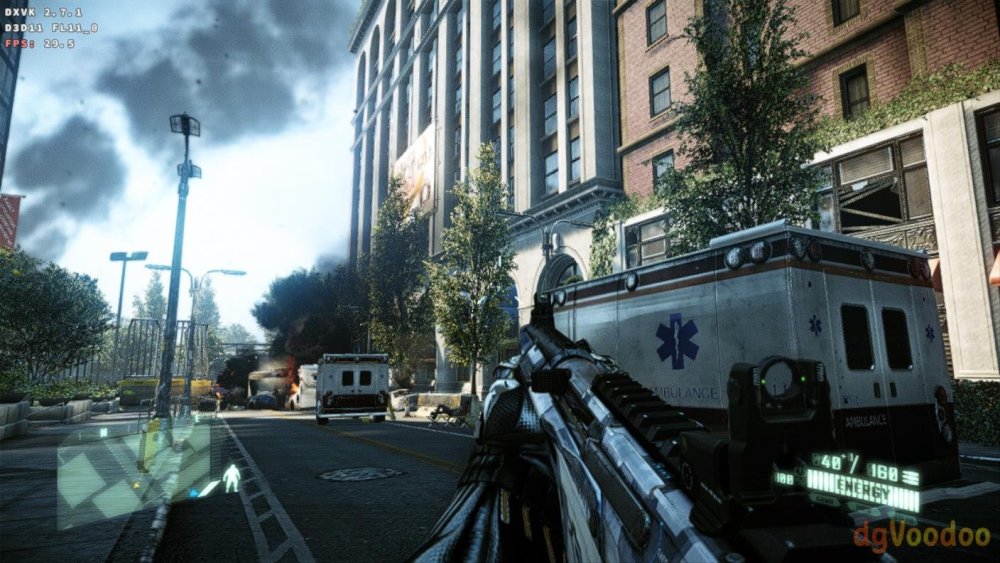
.thumb.jpg.4ff3574e4a4f11c2939f7307ef540020.jpg)
-
Gaming experience with Orange Pi 5 (RK3588) on Armbian
KhanhDTP replied to KhanhDTP's topic in Orange Pi 5
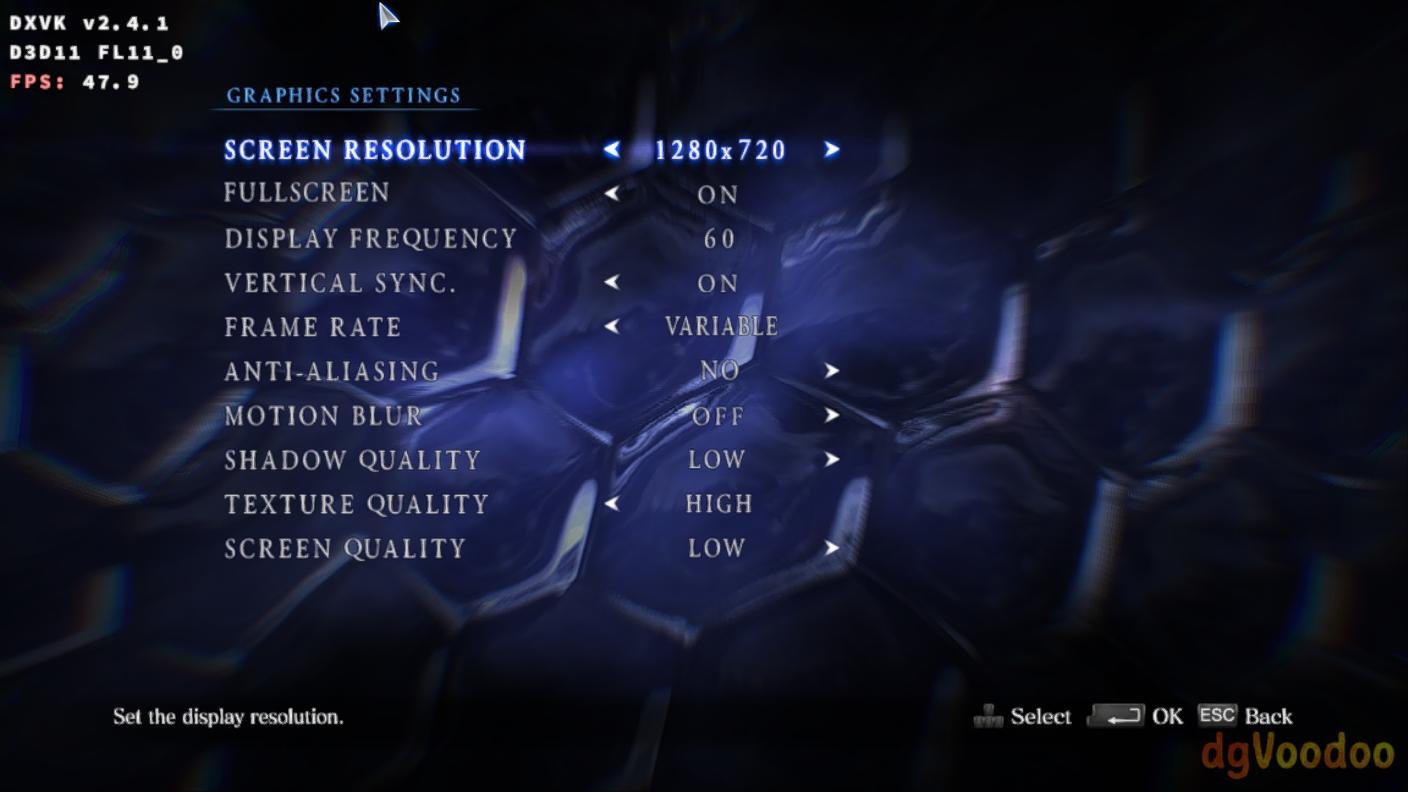
Armbian 25.11.2 Noble XFCE (BSP Kernel: 6.1.115) + PanVk - mesa 26.0 (https://launchpad.net/~ernstp/+archive/ubuntu/mesaaco) + Box64 arm64 v0.4.1 ed9827920 (https://ryanfortner.github.io/box64-debs/) + ge-proton10-29 (https://github.com/GloriousEggroll/proton-ge-custom/releases/tag/GE-Proton10-29) (GE-proton is more likely to be segment fault-proof than other wine-proton versions) + dgVoodoo2 (https://github.com/dege-diosg/dgVoodoo2/releases) + DXVK-stripped v2.5.3 30~40fps@720p (low settings, texture high) box64 environment variables: RESIDENT EVIL 6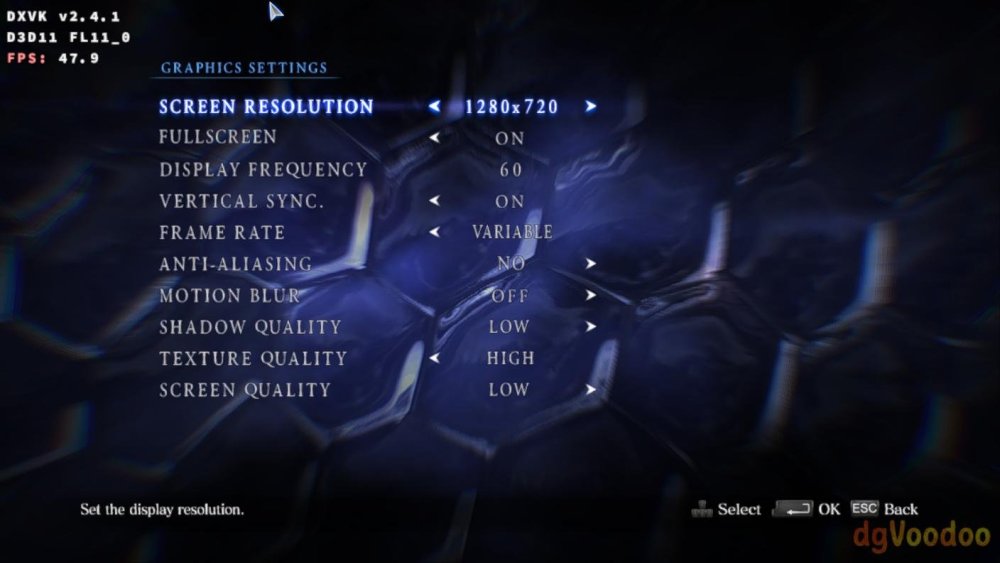
.thumb.jpg.73712c13fe36683e8184ceeb35f549f2.jpg)
-
Gaming experience with Orange Pi 5 (RK3588) on Armbian
KhanhDTP replied to KhanhDTP's topic in Orange Pi 5
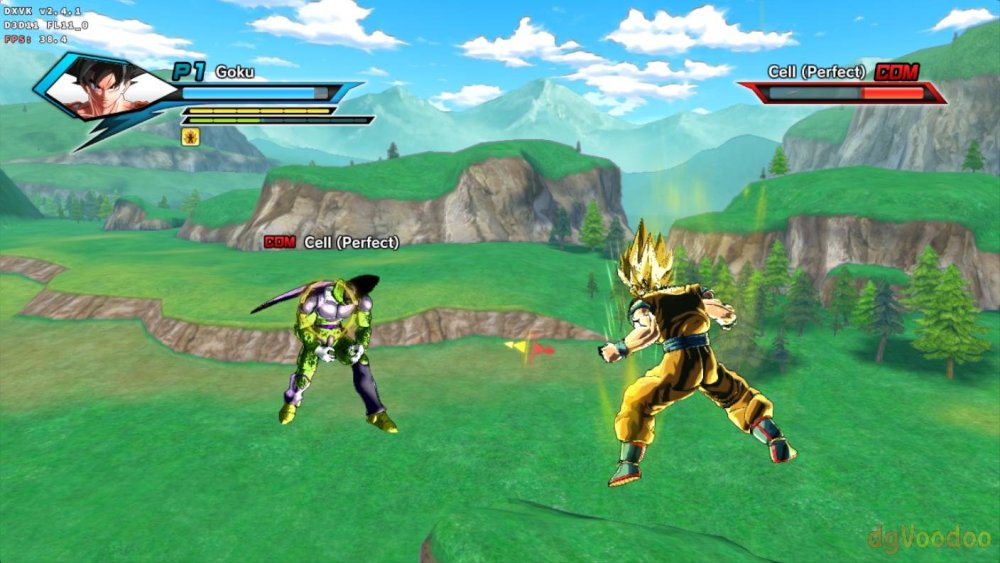
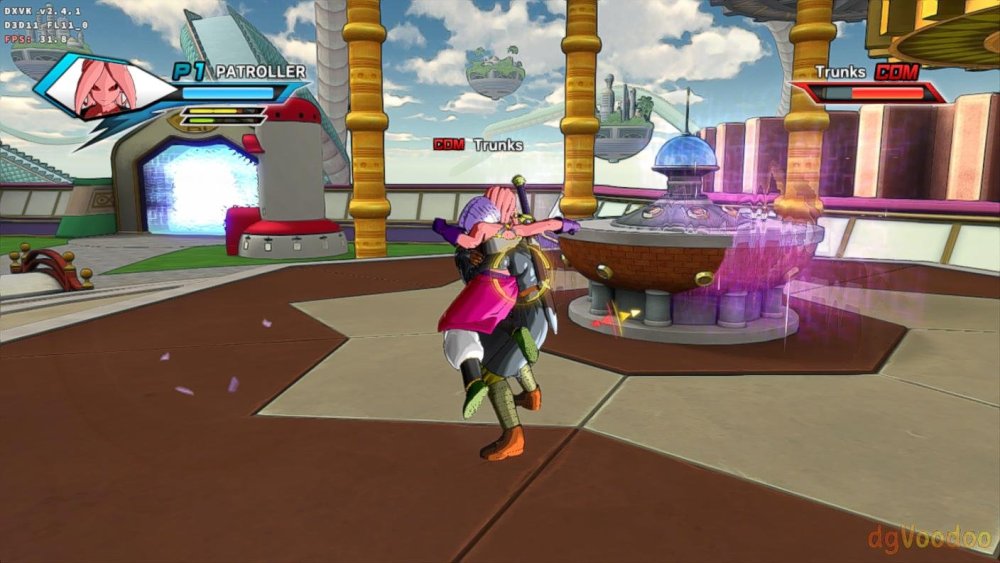
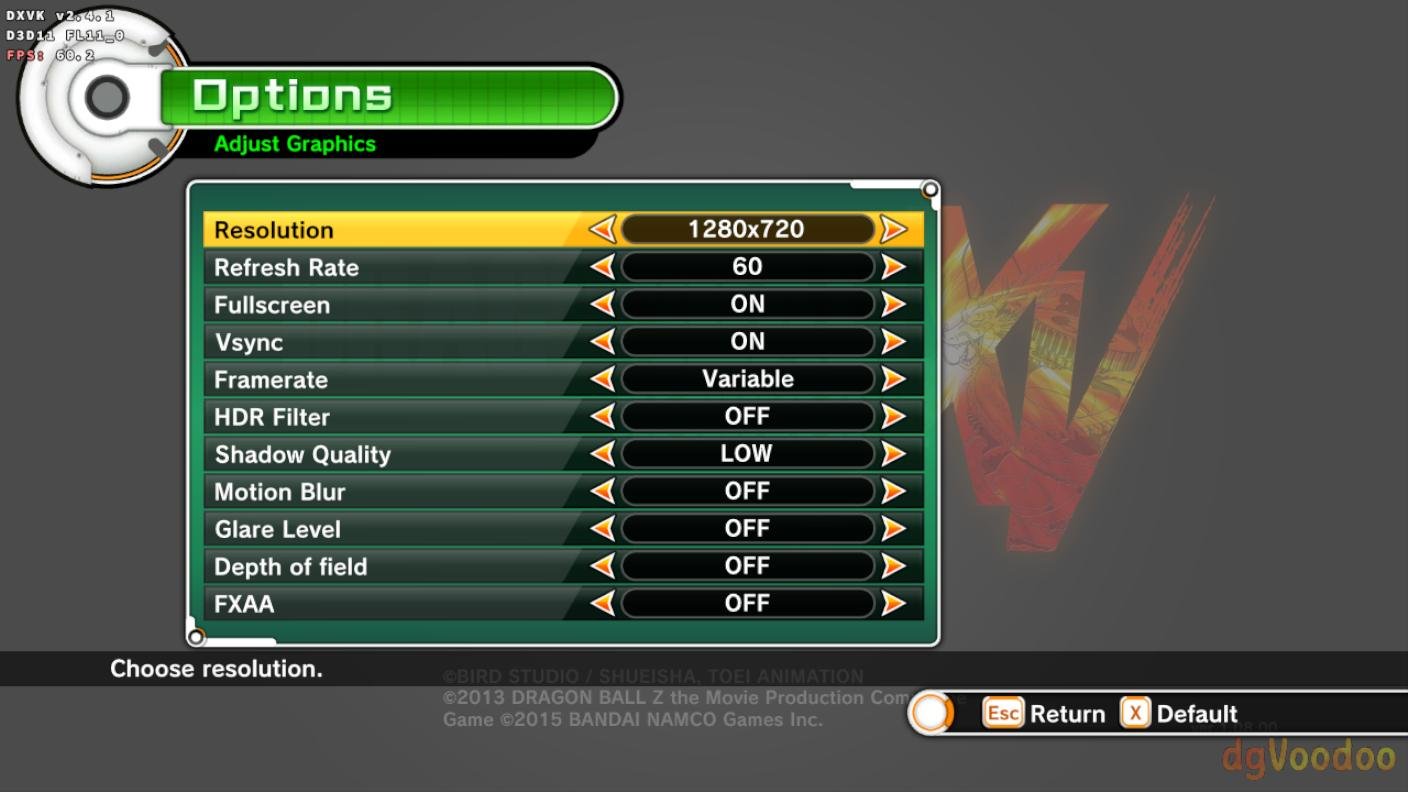
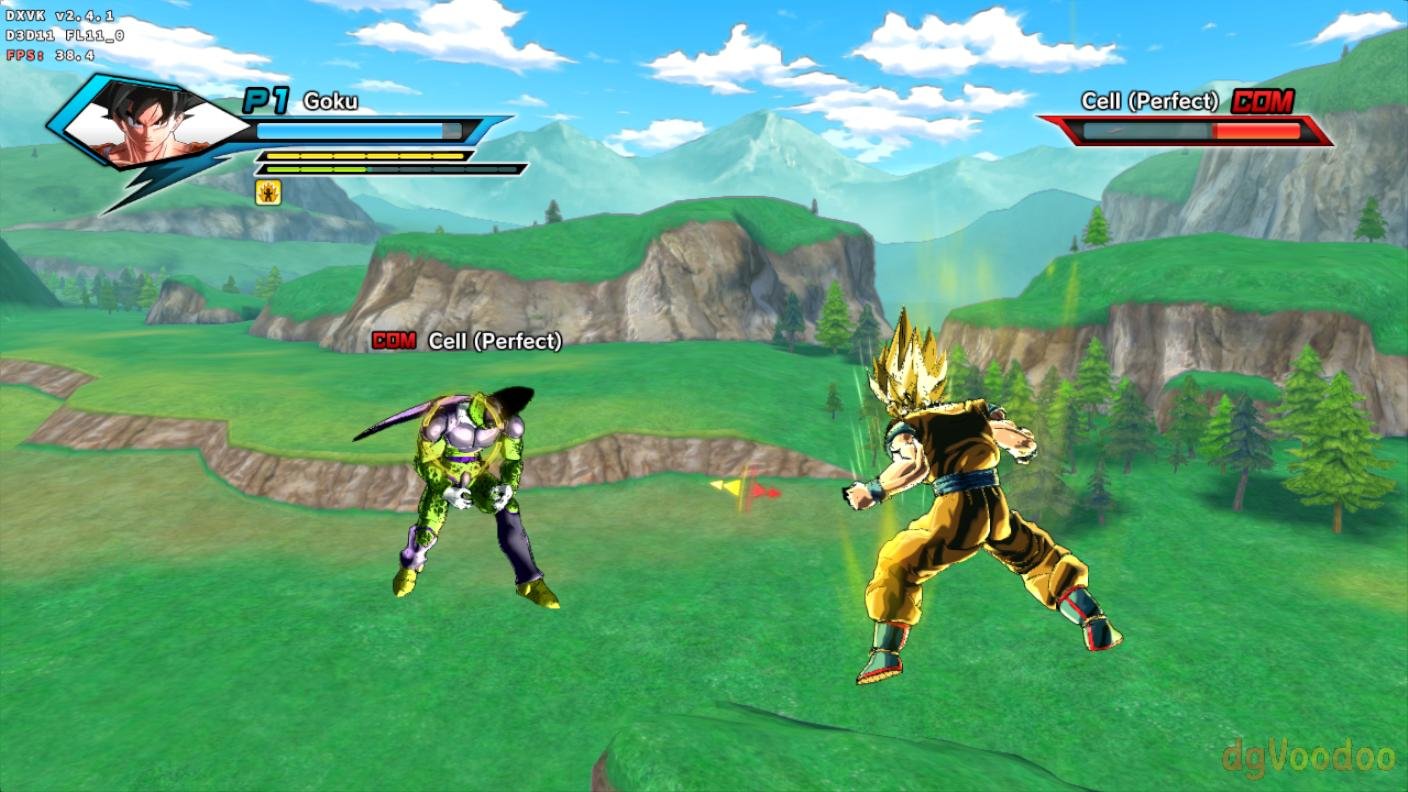
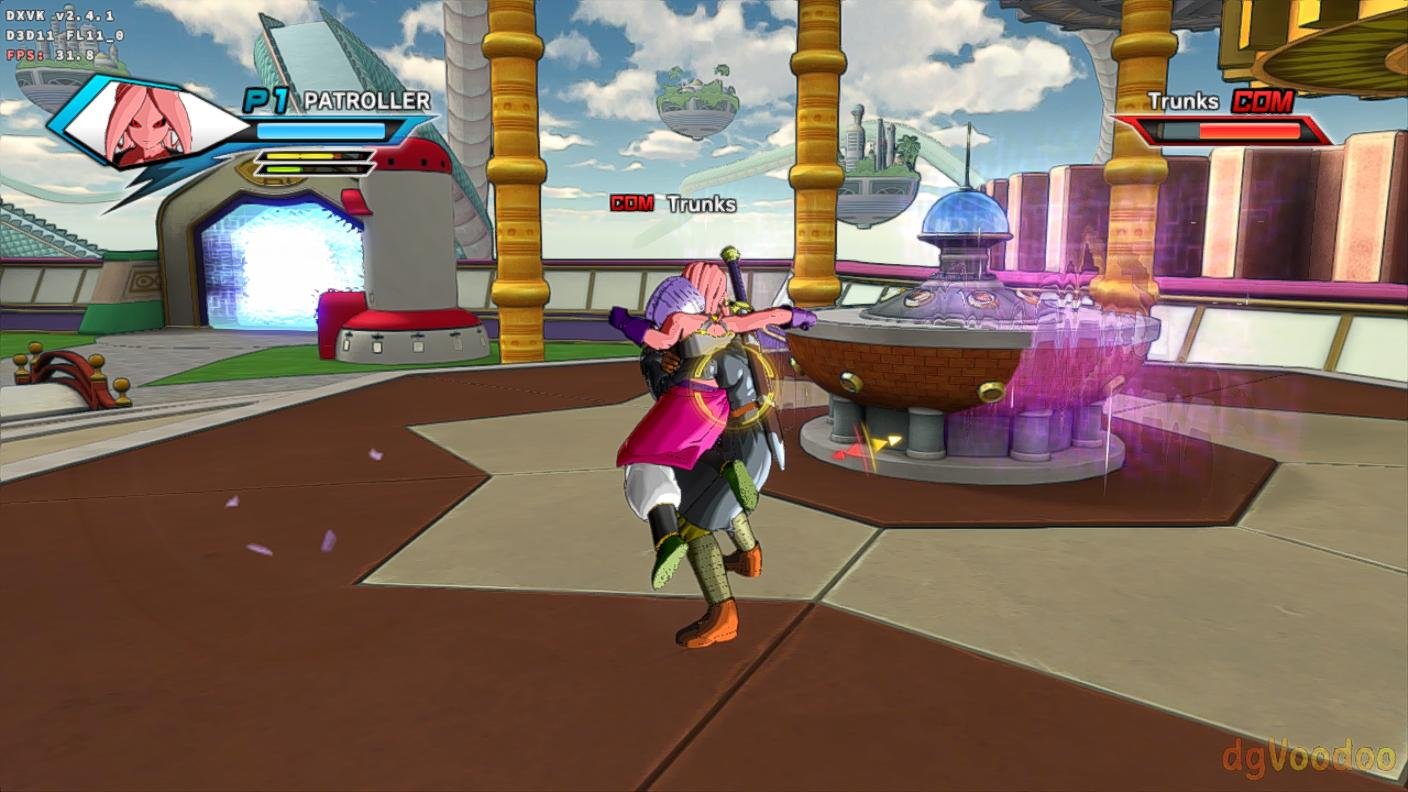
Armbian 25.11.2 Noble XFCE (BSP Kernel: 6.1.115) + PanVk - mesa 26.0 (https://launchpad.net/~ernstp/+archive/ubuntu/mesaaco) + Box64 arm64 v0.4.1 ed9827920 (https://ryanfortner.github.io/box64-debs/) + proton-10.0-4-amd64-wow64 (https://github.com/Kron4ek/Wine-Builds/releases/download/proton-10.0-4/wine-proton-10.0-4-amd64-wow64.tar.xz) + dgVoodoo2 (https://github.com/dege-diosg/dgVoodoo2/releases) + DXVK-stripped v2.4.1 30~40fps@720p (low settings) box64 environment variables: DRAGON BALL XENOVERSE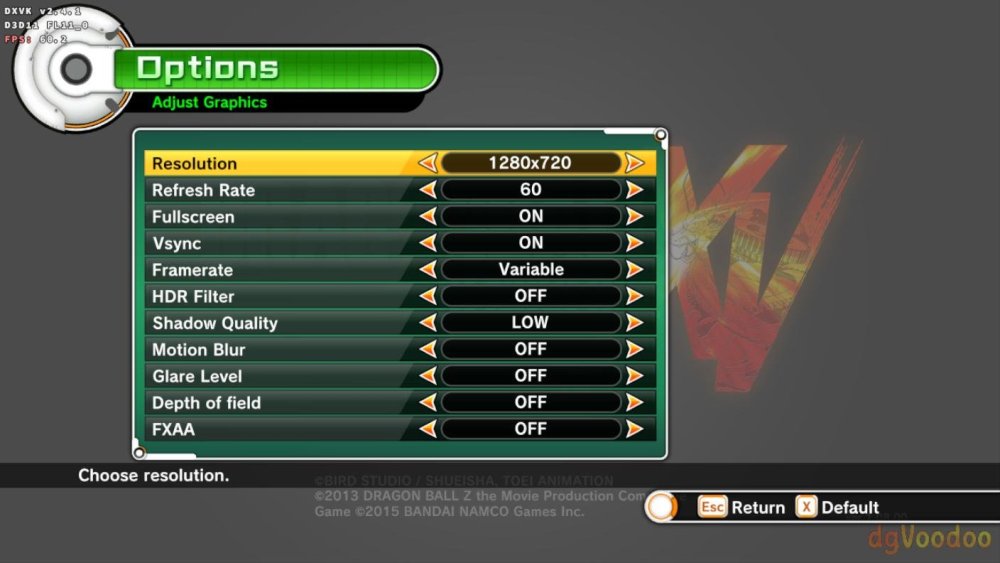
-
Gaming experience with Orange Pi 5 (RK3588) on Armbian
KhanhDTP replied to KhanhDTP's topic in Orange Pi 5
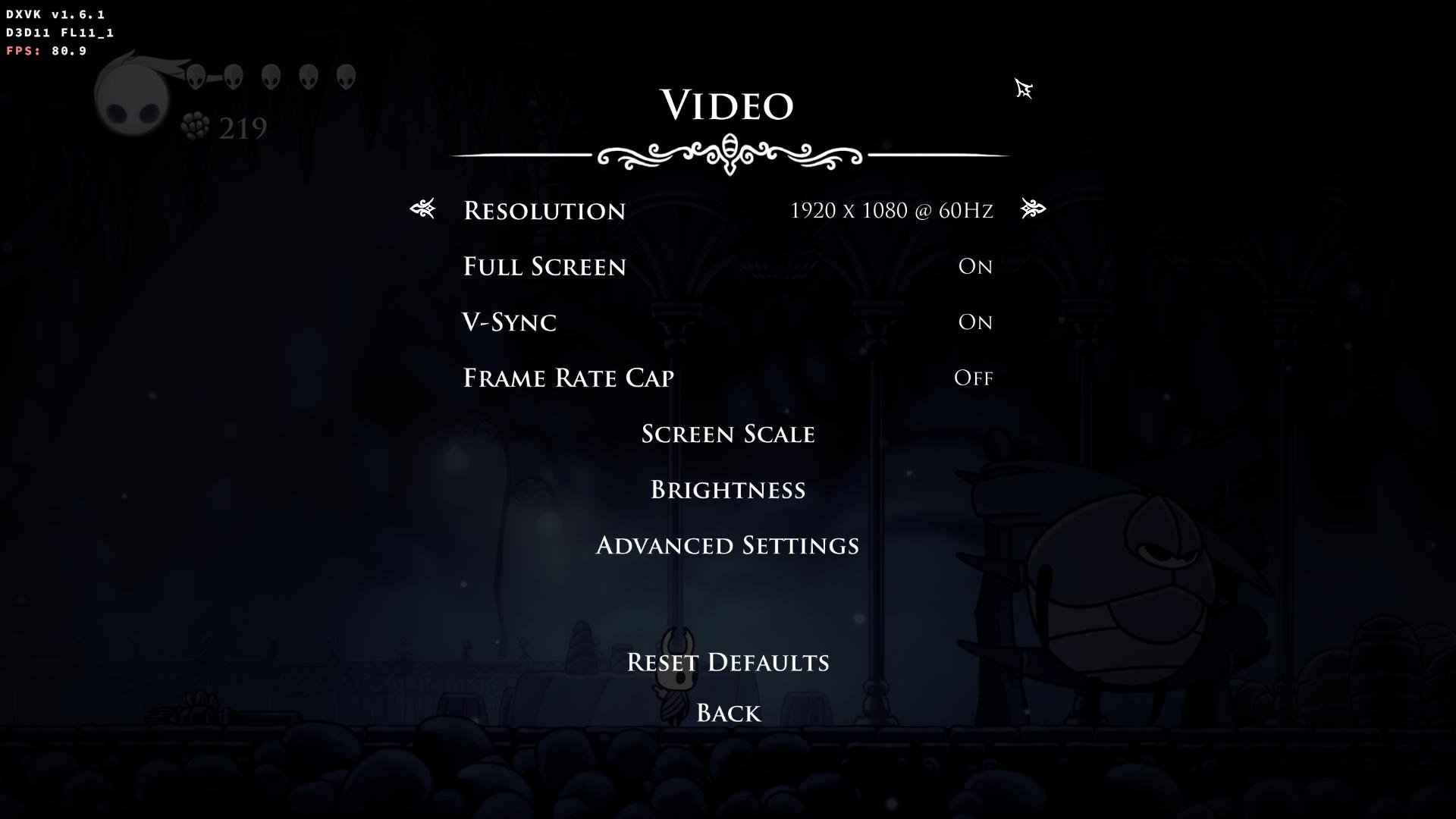
Armbian 25.11.2 Noble XFCE (BSP Kernel: 6.1.115) + PanVk - mesa 26.0 (https://launchpad.net/~ernstp/+archive/ubuntu/mesaaco) + Box64 arm64 v0.4.1 ed9827920 (https://ryanfortner.github.io/box64-debs/) + proton-10.0-4-amd64-wow64 (https://github.com/Kron4ek/Wine-Builds/releases/download/proton-10.0-4/wine-proton-10.0-4-amd64-wow64.tar.xz) + DXVK-stripped v1.6.1 >=60fps@1080p (medium/high settings) box64 environment variables: Hollow Knight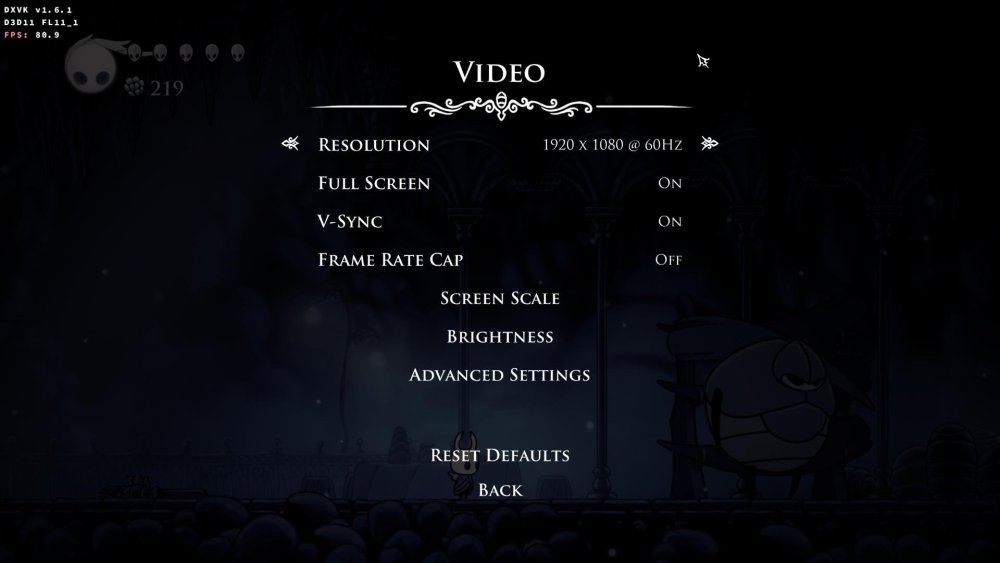
.thumb.jpg.ec671d62d8d5d9be0ed53bcf33bc5b3a.jpg)
-
Gaming experience with Orange Pi 5 (RK3588) on Armbian
KhanhDTP replied to KhanhDTP's topic in Orange Pi 5
Armbian 25.11.2 Noble XFCE (BSP Kernel: 6.1.115) + PanVk - mesa 26.0 (https://launchpad.net/~ernstp/+archive/ubuntu/mesaaco) + Box64 arm64 v0.4.1 ed9827920 (https://ryanfortner.github.io/box64-debs/) + ge-proton10-29 (https://github.com/GloriousEggroll/proton-ge-custom/releases/tag/GE-Proton10-29) (GE-proton is more likely to be segment fault-proof than other wine-proton versions) + dgVoodoo2 (https://github.com/dege-diosg/dgVoodoo2/releases) + DXVK-stripped v2.4.1 ~40fps@720p (medium settings, no AA) box64 environment variables: Fallout New Vegas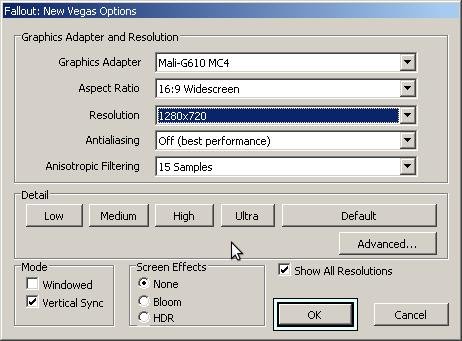
.thumb.jpg.7ded6e0df281a95b18d3cf842bdf6a1b.jpg)
.thumb.jpg.bd1ac014bd6d3828906c34e391ae73ff.jpg)
-
Gaming experience with Orange Pi 5 (RK3588) on Armbian
KhanhDTP replied to KhanhDTP's topic in Orange Pi 5
Armbian 25.11.2 Noble XFCE (BSP Kernel: 6.1.115) + PanVk - mesa 26.0 (https://launchpad.net/~ernstp/+archive/ubuntu/mesaaco) + Box64 arm64 v0.4.1 ed9827920 (https://ryanfortner.github.io/box64-debs/) + ge-proton10-29 (https://github.com/GloriousEggroll/proton-ge-custom/releases/tag/GE-Proton10-29) (GE-proton is more likely to be segment fault-proof than other wine-proton versions) + dgVoodoo2 (https://github.com/dege-diosg/dgVoodoo2/releases) + DXVK-stripped v2.4.1 40~60fps@720p (medium settings, no AA) box64 environment variables: Fallout 3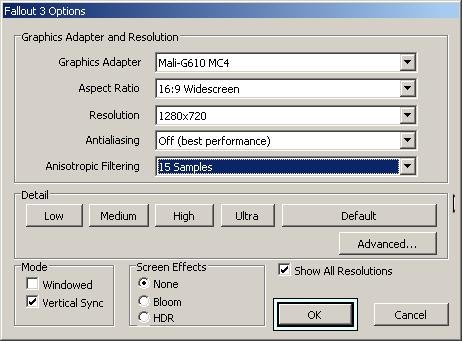
.thumb.jpg.57e04c4b6dbb8d6271b99077a4b45a4a.jpg)
.thumb.jpg.b13da15ad1663c58c1dcdaf905a525e1.jpg)
-
Gaming experience with Orange Pi 5 (RK3588) on Armbian
KhanhDTP replied to KhanhDTP's topic in Orange Pi 5
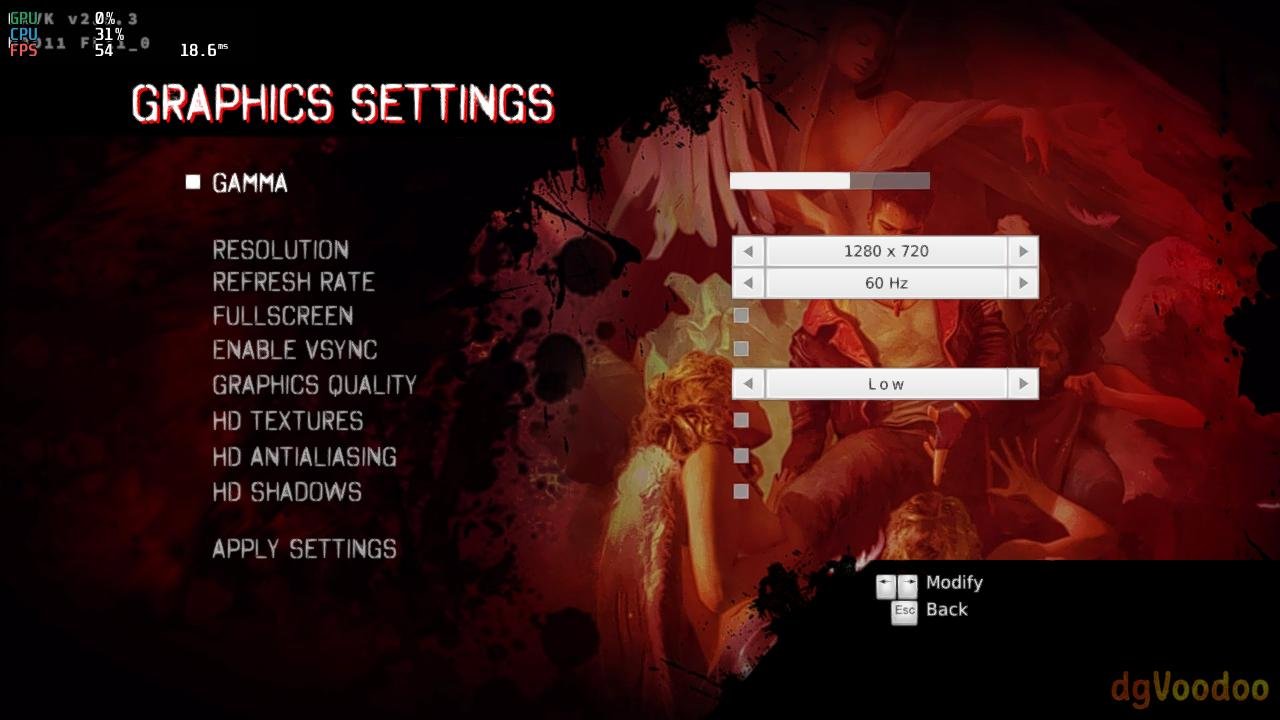
Armbian 25.11.2 Noble XFCE (BSP Kernel: 6.1.115) + PanVk - mesa 26.0 (https://launchpad.net/~ernstp/+archive/ubuntu/mesaaco) + Box64 arm64 v0.4.1 ed9827920 (https://ryanfortner.github.io/box64-debs/) + ge-proton10-29 (https://github.com/GloriousEggroll/proton-ge-custom/releases/tag/GE-Proton10-29) (GE-proton is more likely to be segment fault-proof than other wine-proton versions) + dgVoodoo2 (https://github.com/dege-diosg/dgVoodoo2/releases) + DXVK-stripped v2.5.3 30~40fps@720p (low settings) (Some minor flickering bug, but still playable) box64 environment variables: DmC - Devil May Cry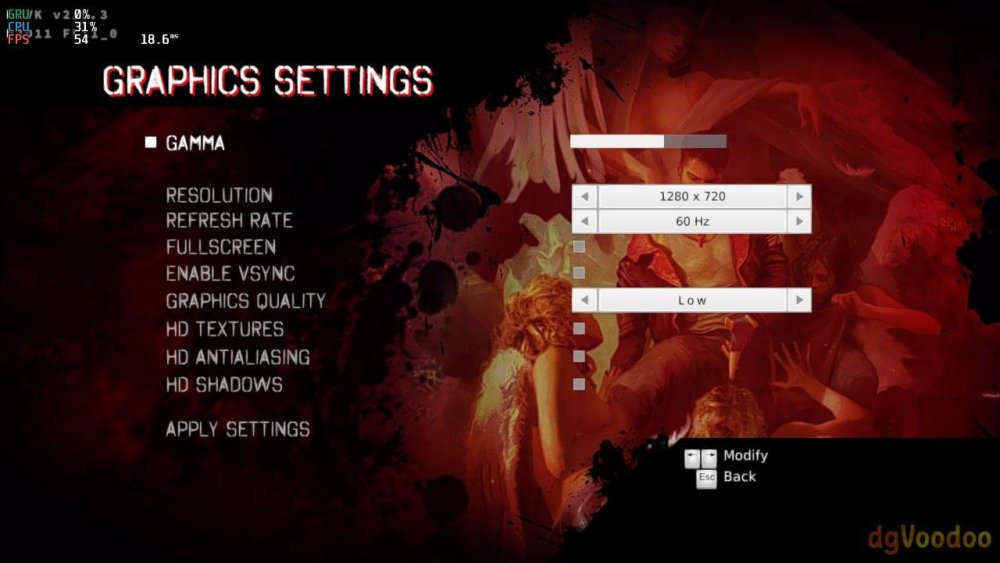
.thumb.jpg.1c4db9d3fbabb8ff7fb8e9d29a3afd1a.jpg)
.thumb.jpg.49f481db41febd0fcca0afd7811c9fef.jpg)
-
Gaming experience with Orange Pi 5 (RK3588) on Armbian
KhanhDTP replied to KhanhDTP's topic in Orange Pi 5
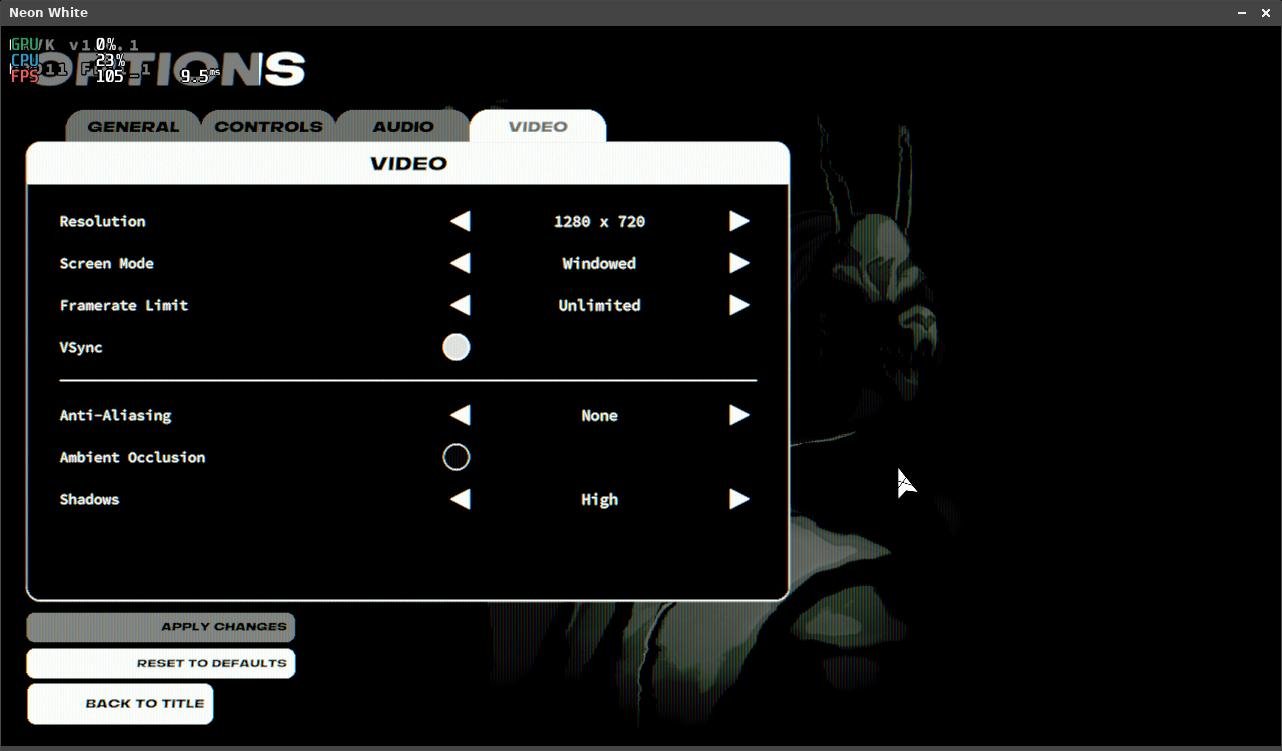
Armbian 25.11.2 Noble XFCE (BSP Kernel: 6.1.115) + PanVk - mesa 26.0 (https://launchpad.net/~ernstp/+archive/ubuntu/mesaaco) + Box64 arm64 v0.4.1 ed9827920 (https://ryanfortner.github.io/box64-debs/) + proton-10.0-4-amd64-wow64 (https://github.com/Kron4ek/Wine-Builds/releases/download/proton-10.0-4/wine-proton-10.0-4-amd64-wow64.tar.xz) + DXVK-stripped v1.6.1 50~60fps@720p (no AA, no AO, high Shadows) box64 environment variables: Neon White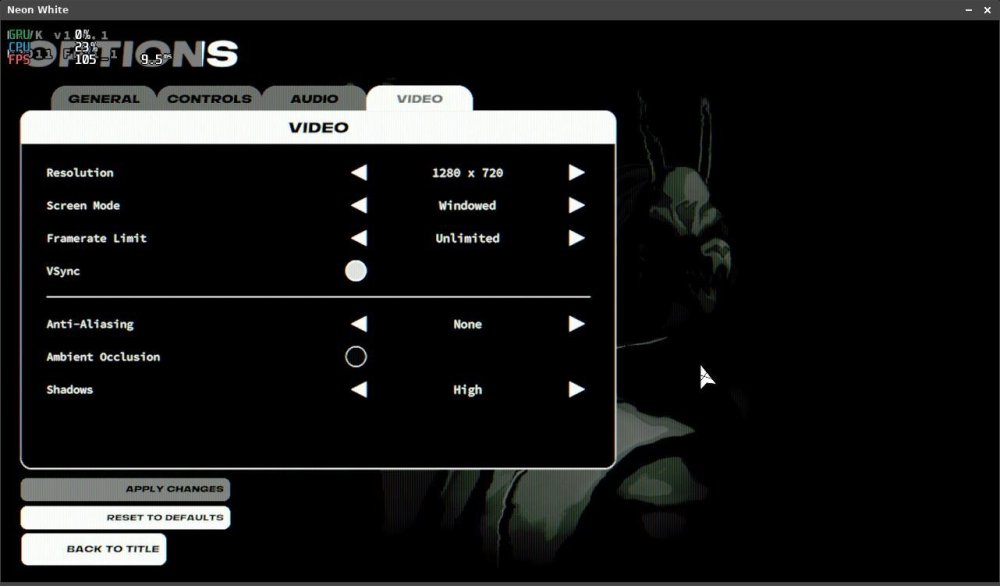
-
Gaming experience with Orange Pi 5 (RK3588) on Armbian
KhanhDTP replied to KhanhDTP's topic in Orange Pi 5
Armbian 25.11.2 Noble XFCE (BSP Kernel: 6.1.115) + PanVk - mesa 26.0 (https://launchpad.net/~ernstp/+archive/ubuntu/mesaaco) + Box64 arm64 v0.4.1 ed9827920 (https://ryanfortner.github.io/box64-debs/) + proton-10.0-4-amd64-wow64 (https://github.com/Kron4ek/Wine-Builds/releases/download/proton-10.0-4/wine-proton-10.0-4-amd64-wow64.tar.xz) + dgVoodoo2 (https://github.com/dege-diosg/dgVoodoo2/releases) + DXVK-stripped v1.6.1 ~40fps@720p (low settings) box64 environment variables: Dead Space.thumb.jpg.07288e6b7c09eb14adb902a763b57540.jpg)
.thumb.jpg.98ed75d74b0f6519e1ba384d926d193d.jpg)
-
Gaming experience with Orange Pi 5 (RK3588) on Armbian
KhanhDTP replied to KhanhDTP's topic in Orange Pi 5
@NicoD I download and extract the Wine-Proton prebuilt binaries, then let Box64 do the rest. This is the script I used (You might want to change the directories)
.jpg.8f9f792c51a2c5cc59d7945b777b9c10.jpg)
.jpg.7a834377e2038b135dc4b6074d4f2c61.jpg)
.jpg.85959a7aafdb375dd55074d8cb812aac.jpg)
.jpg.2f38930931c373091b9afc530d7d19d7.jpg)
.jpg.900712b95bfc30d78b8feffbba389b24.jpg)
.jpg.be6533a41e18728de9755cadb15784c2.jpg)
.jpg.a7a6d8ce77b06030b64a05bd475456f8.jpg)
.jpg.328179377d68b8ad8e269fb550b0f90a.jpg)
.jpg.20b9d0f0d5ad4184b15b18a5226f43f5.jpg)
.jpg.2b43a914bb91a02f46f33f865d3c216f.jpg)
.jpg.284d312d756ba353709bcef1d67b2bc2.jpg)
.jpg.29090d2b043437443ac14abcb74d8f39.jpg)
.jpg.96cb54d1993f64e02fce404e44db97dc.jpg)
.jpg.357c6ac97fe69e2f5f5e85c27775b45e.jpg)