sicxnull
-
Posts
55 -
Joined
-
Last visited
Content Type
Forums
Store
Crowdfunding
Applications
Events
Raffles
Community Map
Everything posted by sicxnull
-
use the images in this thread
-
Here is the updated image with Wifi and EMMC boot https://github.com/sicXnull/armbian-build/releases/download/mxqpro/Armbian-unofficial_26.02.0-trunk_Mxqpro-h313_trixie_current_6.12.74_cinnamon_desktop.img.xz
-
i took a look through your repo and used 2025.01 plus the patches in your u-boot-h616 directory and booting from EMMC works now. Thanks for the nudge!
-
https://github.com/sicXnull/armbian-build/commit/347ffdb2e4ceb301140270fb106c2d0807151122
-
Hey @Nick A any idea which patch you're applying that fixes the EMMC boot?
-
Update on this box. Got wifi working fine. Everything works well with SD Boot. Installing to EMMC brings me to this error U-Boot SPL 2024.01_armbian-2024.01-S866c-Pa67d-H5afb-Vc88c-B2eb2-R448a (Feb 15 2026 - 18:20:18 -0500) DRAM base address is defined as 0x40000000 DRAM has 14 b/raw, 10 b/col, 4 B/width, 2 #rank and 8 #bank DRAM top address must be less than 0x40000000 DRAM: 1024 MiB Trying to boot from MMC2 MMC Device 1 not found spl: could not find mmc device 1. error: -19 SPL: failed to boot from all boot devices ### ERROR ### Please RESET the board ### Chasing down what could be causing this.
-
DTB extracted. Thanks! I should have some time this weekend to dig into getting wifi to work. @Nick A mentioned it might only work on kernel 4 so im unsure now but will see what i can do
-
boot up armbian. check the /dev partition You will see mmcblk0 mmcblk2,etc The android image likely has many partitions. so you will see mmcblk2-9 etc, thats what we want Go ahead and dump the first 250mb (probably more than needed but just in case) into an image file and upload it, i can extract the dtb from that assuming mmcblk2 is what we want, you would run sudo dd if=/dev/mmcblk2 of=mmcblk2-first250mb.img bs=1M count=250 status=progress then upload that.
-
If you can pull the factory DTB from that board that would be great. I need it to get Wifi working
-
Ordered 2 more X96Qs off aliexpress. will see what versions i get. Will build images for them if they're different.
-
update on this. I did try to install Helium/Helium Miner and it does not work. ill work on the devicetree to get that functionality present but for now be warned.
-
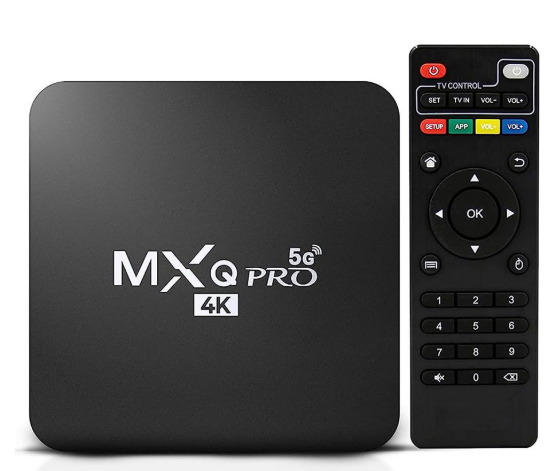
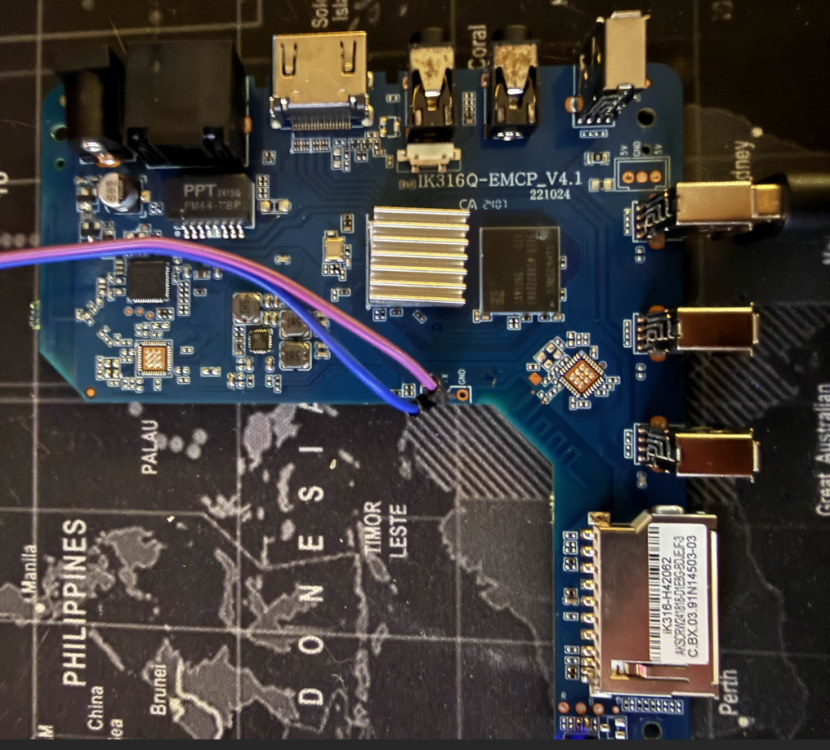
Hello Everyone, I've seen a few threads on these boards but wanted to create a centralized source for information. It's my understanding there are multiple variants of these boards, the one I have and used is IK316Q-EMCP_V4.1 I know there are other versions without UART ports, mine was lucky enough to have them. To build this image (adjust the compile command to your liking) git clone https://github.com/sicXnull/armbian-build cd armbian-build git checkout MXQ-PRO ./compile.sh build BOARD=mxqpro-h313 BRANCH=current BUILD_DESKTOP=yes BUILD_MINIMAL=no DESKTOP_APPGROUPS_SELECTED= DESKTOP_ENVIRONMENT=cinnamon DESKTOP_ENVIRONMENT_CONFIG_NAME=config_base EXPERT=yes KERNEL_BTF=no KERNEL_CONFIGURE=no KERNEL_GIT=shallow RELEASE=bookworm Prebuilt Images Armbian-unofficial_26.02.0-trunk_Mxqpro_bookworm_current_6.12.65_cinnamon_desktop.img Armbian-unofficial_26.02.0-trunk_Mxqpro_bookworm_current_6.12.65_minimal.img Unfortunately this board was already flashed with MiniArch by the time i got it, so i was unable to get the original DTB. Therefore, wifi does not work Is someone able to get the DTB from this board so we can get wifi working?
-
Unfortunately i do not have this board to compile/test on
-
Updated Images V1.3 Armbian-unofficial_26.02.0-trunk_X96q-v1-3_bookworm_current_6.12.64_cinnamon_desktop.img Armbian-unofficial_26.02.0-trunk_X96q-v1-3_bookworm_current_6.12.64_minimal.img 5.1 Armbian-unofficial_26.02.0-trunk_X96q-v5-1_bookworm_current_6.12.64_cinnamon_desktop.img Armbian-unofficial_26.02.0-trunk_X96q-v5-1_bookworm_current_6.12.64_minimal.img
-
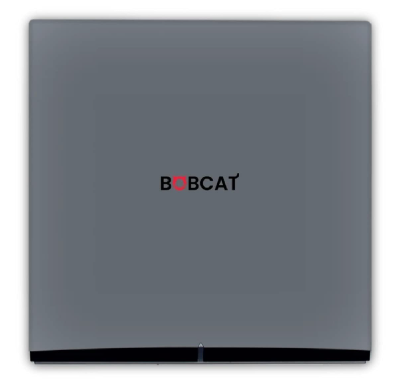
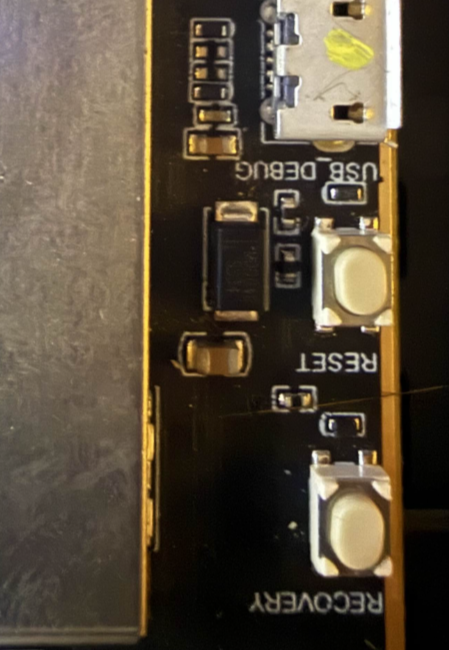
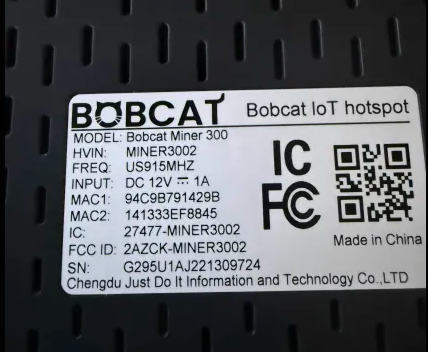
After a ton of time porting the dts for modern kernels, i have a working release for the Bobcat 300 29X Variant To compile https://github.com/sicXnull/armbian-build/tree/Bobcat-29x . ./compile.sh build BOARD=bobcat-29x BRANCH=current BUILD_DESKTOP=no BUILD_MINIMAL=yes EXPERT=yes KERNEL_BTF=no KERNEL_CONFIGURE=NO KERNEL_GIT=shallow RELEASE=bookworm Link to Prebuilt Armbian-unofficial_26.02.0-trunk_Bobcat-29x_bookworm_current_6.18.4.img.xz First check to see if you have a compatible version. Flip the unit over and check the serial number. It will start with G290 or 295. This does not work on 28 or 285. How to Flash 1) Install Rockchip Flash Tools 2) Download bootloader (rk356x_spl_loader_ddr1056_v1.10.111.bin) attached here. 3) Boot device into LOADER mode. Plug USB Cable in to back of the unit, powered off. Open the device. With it powered on hold the reset button for 1 second, then immediately let off and hold the recovery button down until the PC recognizes you in LOADER mode 4) Follow the flash procedure found here. WARNING While I2C/Spidev is functional, i did not install Helium or the Lora packet forwarder for testing. Flash this image at your own risk if you still wish to use helium mining. rk356x_spl_loader_ddr1056_v1.10.111.bin
-
Just checked in and am surprised this thread has gotten so much attention. Glad people have been able to use and modify the image as needed. Huge shoutout to @Nick A for all the support he's giving in here
-
Rockchip devices generally cannot be bricked. Short the maskrom pin i showed you and reflash. You can build the image from source or from here https://github.com/armbian/community/releases
-
You can use my git to build it
-
Yes it works by enabling the spi overlay in armbian-config Totally missed that at first.
-
hardware limitations. these things are not powerhouses.
-
Should have some time this week to dig in
-
what is happening when you install to EMMC?
-
no changes made, only thing i did was rename to v1-3 ill double check though and make sure nothing funky is going on. will compile tonight and see if i can replicate
-
glad it's working for you.
-
correct me if i'm wrong, but the point of a board level patch is so that it does not apply to all devices, no? that's the point of creating the board_x96q subdirectory instead of just adding the patches to the u-boot sunxi directory. You can see this when building armbian.