Vinicius Guastala
-
Posts
17 -
Joined
-
Last visited
Content Type
Forums
Store
Crowdfunding
Applications
Events
Raffles
Community Map
Everything posted by Vinicius Guastala
-

CSC Armbian for RK322x TV box boards
Vinicius Guastala replied to jock's topic in Rockchip CPU Boxes
The short-circuit you did probably created feedback loop generating tension coming back to some component of the board, possibly burning it unfortunately. Never join 2 power sources without filter balancing it or adding extra capacitors... Is the board turning on? Try to turn on and look for heated places in the board... With a thermal camera will be easier, but if you don't have one, you may touch the components to see which are hot, or add some drops of isopropyl alcohol only on top of components and see if it evaporates too fast like this -> link. If a component is heating too fast, probably its short-circuited/burnt and needs replacement. -
CSC Armbian for RK322x TV box boards
Vinicius Guastala replied to jock's topic in Rockchip CPU Boxes
Hello Joel, This seems to be one an known incompatibility with the main Trust OS. There is a experimental image built with an alternative opensource trust OS that might fix this, and it can be downloaded here. Do a test and let us know. PS: Recently OS OP-Tee has been updated to the multitool, and ideally you should test it using a SD Card. BTW: Your screenshot links did not work. BTW2: When the screen goes off can you still connect trough SSH? -
CSC Armbian for RK322x TV box boards
Vinicius Guastala replied to jock's topic in Rockchip CPU Boxes
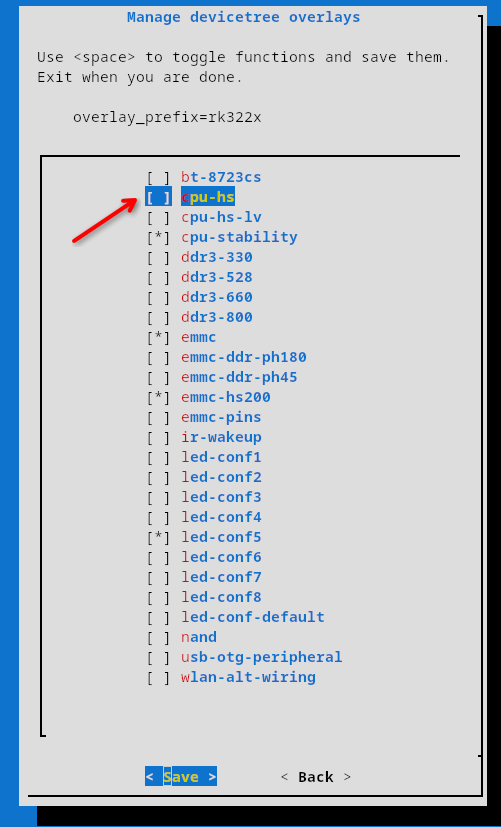
Hi @Tavares R You should definetly check the "Media framework installer v0.1" by Jock, on this link -> https://forum.armbian.com/topic/34923-csc-armbian-for-rk322x-tv-box-boards/page/10/#comment-102655 Also, this other link contains a repo to install some patched libs to at least use decoded video -> https://forum.armbian.com/topic/32449-repository-for-v4l2request-hardware-video-decoding-rockchip-allwinner/ Hope it helps, but reality check is the rk3229 is just too weak to properly handle a full DE running a modern browser... Something also worth trying is to enable the "cpu-hs" overlay. it will "overclock" the rk3229 from 1200Mhz to 1400Mhz, giving some extra performance, but keep low expectations... PS: Are you brazillian by any means? Tavares is a very common last name in Brazil.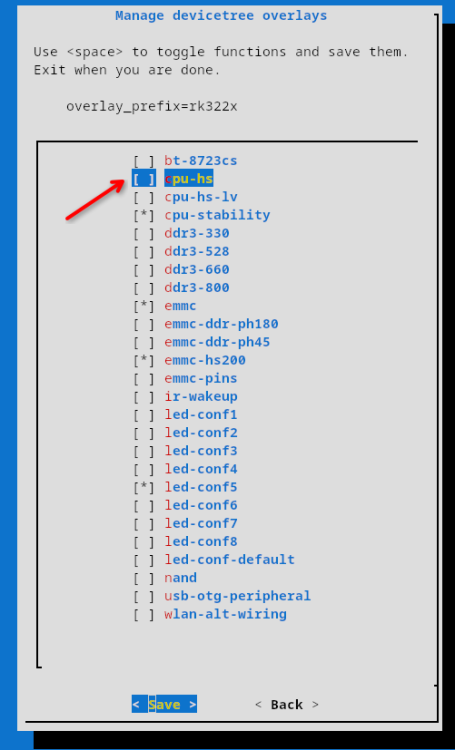
-
CSC Armbian for RK322x TV box boards
Vinicius Guastala replied to jock's topic in Rockchip CPU Boxes
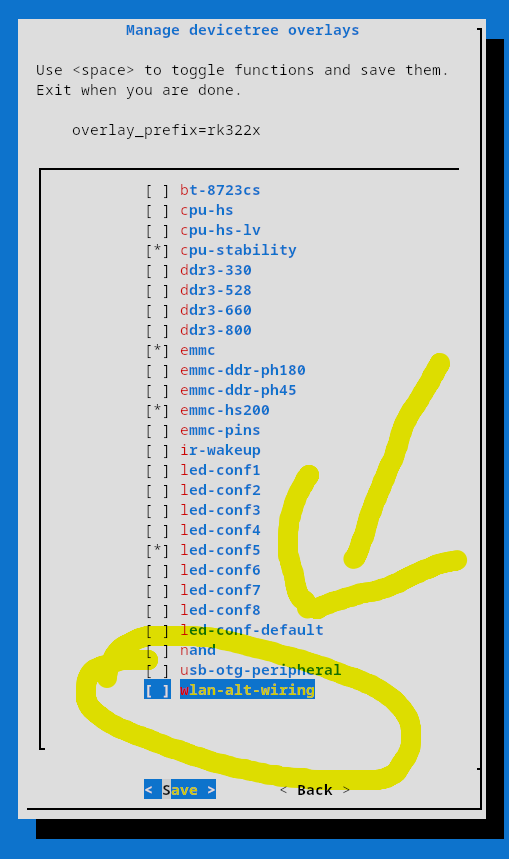
@digital, there is not a lot of info about the 024c:b723 device you mentioned on linux-hardware.org, but there is a lot of people claiming it works on debian 10+. Some boards have alternate pins for wireless chips, hence there is an specific wifi overlay for those scenarios (attached pic). However, I would not recommend to add this overlay for now, until we find the exact wifi chip model from your board... Can you share more details form your board? Brand/Model would be a start, but pictures from the board, and specially the wi-fi chip would be the best. Also, please share the output of the commands below with us: 1- lsusb 2- lshw (install it with sudo apt install lshw) 3- dmesg | grep -iE 'wlan|wifi|wireless|80211' 4 - ip a 5 - nmcli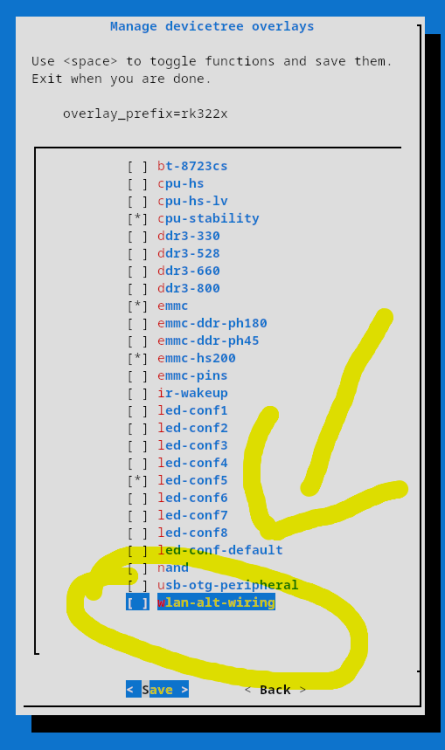
-
CSC Armbian for RK322x TV box boards
Vinicius Guastala replied to jock's topic in Rockchip CPU Boxes
@Cammera, what are you exactly trying to do? Can you share what's your device model? Your screenshot is from the Android main loader, not really related to Armbian... If you are on this screen you already missed the boot window to start armbian... Take a look at the first post on this thread, but usually you should deploy an SD card with multitool or armbian nightly build, and when inserted, the boot screen from armbian will be different from yours... -
CSC Armbian for RK322x TV box boards
Vinicius Guastala replied to jock's topic in Rockchip CPU Boxes
@eas07027 depends on the device... but since you are in the rk322x thread, I'm afraid there is no Home-Assistant-ready images for this specific stub, but if you have an arm64 device, it is easy to deploy armbian and then to deploy the Docker Home Assistant version using the official guides from home assistant. What is your device? -
Armbian with Virtualbox and Home Assistant
Vinicius Guastala replied to greg396's topic in Beginners
Hey @greg396, On top of previous answers, I'd like to suggest the read of this link: https://linbit.com/blog/home-assistant-high-availability/ If your home ecosystem grows, you will need high availability. Otherwise, turning lights on with your home assistant server down can become impossible depending your setup. If you have 2 devices, you can then create a cluster, so one can be backup of each other. I'm running this very same setup with 3 Nodes: 1 - Proxmox x64 VM (Main Node) 2- Tanix TXT arm64 Running Armbian (Backup Node) 3 - NanoPi Neo (Quorum Decider), running arm32 armbian. Nodes 1 and 2 are backups of each other and node 3# is a split brain tie-breaker. -
@Droll, something worth to check out is the SMB version your server is running... They have slightly different authentication, so the mount command differs a bit: SMBV1: sudo mount -t cifs -o vers=1.0,username=your_username,password=your_password //server_ip/share_name /mnt/myshare SMBV2: sudo mount -t cifs -o vers=2.0,username=your_username,password=your_password //server_ip/share_name /mnt/myshare
-
SV6256P WiFi Now Working on Linux 6.x (Armbian Tested)
Vinicius Guastala replied to Kevin su's topic in Allwinner CPU Boxes
45mbps Down / 4.5mbps UP with device more closer to the router root@rk322x-box:~# speedtest Retrieving speedtest.net configuration... Testing from Vivo (REDACTED)... Retrieving speedtest.net server list... Selecting best server based on ping... Hosted by Redel Internet (Balneário Camboriu) [424.68 km]: 23.94 ms Testing download speed................................................................................ Download: 45.84 Mbit/s Testing upload speed...................................................................................................... Upload: 4.46 Mbit/s -
SV6256P WiFi Now Working on Linux 6.x (Armbian Tested)
Vinicius Guastala replied to Kevin su's topic in Allwinner CPU Boxes
here is the module driver files only for the 6.18.23-current-rockchip kernel. It works for the rk3228a cpu, but it might work for other CPUs that can run the rk32xx-box as well... Download files from https://github.com/viny182/ssv6x5x_compiled_for_6.18.23-current-rockchip then: # 1. Install Firmware and Driver sudo cp ./ssv6x5x-wifi.cfg /lib/firmware/ sudo cp ./ssv6x5x-sw.bin /lib/firmware/ sudo cp ./ssv6x5x.ko /lib/modules/$(uname -r)/kernel/drivers/net/wireless/ sudo depmod -a # 2. Force Firmware Path and Reload echo 'options ssv6x5x stacfgpath="/lib/firmware/ssv6x5x-wifi.cfg" cfgfirmwarepath="/lib/firmware/ssv6x5x-sw.bin"' | sudo tee /etc/modprobe.d/ssv6x5x.conf sudo rmmod ssv6051 2>/dev/null sudo rmmod ssv6x5x 2>/dev/null sudo modprobe ssv6x5x # 3. Make it permanent cat <<EOF > /etc/modprobe.d/armbian_ssv6x5x.conf blacklist ssv6051 ssv6x5x EOF # 4. Reboot # 5. Coonnect using nmtui or nmcli… -
SV6256P WiFi Now Working on Linux 6.x (Armbian Tested)
Vinicius Guastala replied to Kevin su's topic in Allwinner CPU Boxes
Hey, After around 3h of gemini-vibe-coding, a completely noob like me was able to compile this sv6256p for the 6.18 kernel! I just download the last trunk community image release (Armbian 26.2.0-trunk.732 trixie) for the rk322x-box for my Frankeinstein mxq box that has the rk3228a cpu (armv7l instead arm64). Before starting compilation, I have apt updated/upgraded my installation to Armbian 26.2.0-trunk.778 trixie. I've got ~35mbps download connected to a 5GHz Network, but to be fair, the router was a bit far away from the device... (#update: 45mbps/4.5mbps down/up with device closer to the router) root@rk322x-box:~# uname -a Linux rk322x-box 6.18.23-current-rockchip #3 SMP Sat Apr 18 08:45:02 UTC 2026 armv7l GNU/Linux root@rk322x-box:~# lsb_release -a No LSB modules are available. Distributor ID: Debian Description: Armbian 26.2.0-trunk.778 trixie Release: 13 Codename: trixie root@rk322x-box:~# ip a show dev wlan0 5: wlan0: <BROADCAST,MULTICAST,UP,LOWER_UP> mtu 1500 qdisc noqueue state UP group default qlen 1000 link/ether 30:8e:7a:XX:XX:XX brd ff:ff:ff:ff:ff:ff altname wlx308e7ac32730 inet 192.168.182.119/24 brd 192.168.182.255 scope global dynamic noprefixroute wlan0 valid_lft 86156sec preferred_lft 86156sec root@rk322x-box:~# lsmod | grep ssv ssv6x5x 512000 0 mac80211 864256 1 ssv6x5x cfg80211 757760 2 mac80211,ssv6x5x root@rk322x-box:~# speedtest Retrieving speedtest.net configuration... Testing from Vivo (REDACTED)... Retrieving speedtest.net server list... Selecting best server based on ping... Hosted by Redel Internet (Balneário Camboriu) [424.68 km]: 25.337 ms Testing download speed................................................................................ Download: 35.23 Mbit/s Testing upload speed...................................................................................................... Upload: 10.10 Mbit/s root@rk322x-box:~# Here is the patches I did in order to compile to 6.18 Kernel ( @Kevin su perhaps you can create a new branch with those?) Follow the instructions https://github.com/cdhigh/armbian_sv6256p repo, but dont run the Make command yet. Run these commands from inside your driver's source code directory to patch the code, compile it, and install it on modern Linux kernels (>= 6.15): # 1. Fix Makefile Include Paths sed -i '1i ccflags-y += -I$(src)/include -I$(src)' Makefile # 2. Patch Kernel Timer API Changes (Kernel 6.15+) find . -type f -name "*.[ch]" -exec sed -i 's/del_timer/timer_delete/g' {} + sed -i '1i #include <linux/timer.h>' smac/dev.c sed -i 's/from_timer(sc, t, house_keeping)/container_of(t, struct ssv_softc, house_keeping)/g' smac/dev.c # 3. Patch mac80211 API Changes sed -i 's/int ssv6200_config(struct ieee80211_hw \*hw, u32 req)/int ssv6200_config(struct ieee80211_hw *hw, int action, u32 req)/' smac/dev.c # 4. Patch obsolete/removed Kernel Headers sed -i '1s/^/#define FB_EVENT_BLANK 0x09\n/' smac/ssv_pm.c find . -type f -name "*.[ch]" -exec sed -i 's|#include <net/lib80211.h>|//#include <net/lib80211.h>|g' {} + sed -i '1s/^/#define IEEE80211_CRYPTO_TKIP_COUNTERMEASURES (1 << 1)\n/' smac/sec_tkip.c sed -i '1s|^|#include <linux/interrupt.h>\n|' hwif/hwif.h # 5. Compile the Driver (For 32-bit ARM) make ARCH=arm KSRC=/lib/modules/$(uname -r)/build # 6. Install Firmware and Driver sudo cp ./ssv6x5x-wifi.cfg /lib/firmware/ sudo cp ./ssv6x5x-sw.bin /lib/firmware/ sudo cp ./ssv6x5x.ko /lib/modules/$(uname -r)/kernel/drivers/net/wireless/ sudo depmod -a # 7. Force Firmware Path and Reload echo 'options ssv6x5x stacfgpath="/lib/firmware/ssv6x5x-wifi.cfg" cfgfirmwarepath="/lib/firmware/ssv6x5x-sw.bin"' | sudo tee /etc/modprobe.d/ssv6x5x.conf sudo rmmod ssv6051 2>/dev/null sudo rmmod ssv6x5x 2>/dev/null sudo modprobe ssv6x5x # 8. Make it permanent cat <<EOF > /etc/modprobe.d/armbian_ssv6x5x.conf blacklist ssv6051 ssv6x5x EOF # 9. Reboot #10. Coonnect using nmtui or nmcli… for some reason I had to manually add the main router: sudo ip route add 192.168.182.0/24 dev wlan0 proto kernel scope link src 192.168.182.119 ... And here is the explanation for each patch, according to Gemini: Anyway, in the next post I will upload the compiled/generated ssv6x5x.ko, ssv6x5x-wifi.cfg and ssv6x5x-sw.bin files, only for the 6.18.23-current-rockchip kernel and the rk3228a. It might work for other armv7l CPUs using the trunk rk-322x box images, but it certainly not work for any other kernel. -
SV6256P WiFi Now Working on Linux 6.x (Armbian Tested)
Vinicius Guastala replied to Kevin su's topic in Allwinner CPU Boxes
that is huge! Congrats @Kevin su!!! I'll give it a test with my rk3228a box... Actually I have spent the last weekend building a noble release with the legacy 4.4 kernel... wish I had seen your post earlier hahaha root@bisonho:~# lsb_release -a No LSB modules are available. Distributor ID: Ubuntu Description: Armbian 26.2.1 noble Release: 24.04 Codename: noble root@bisonho:~# uname -a Linux bisonho 4.4.194-legacy-rk322x #1 SMP Sat Nov 14 09:27:12 UTC 2020 armv7l armv7l armv7l GNU/Linux root@bisonho:~# uptime 11:29:11 up 2 days, 1:45, 1 user, load average: 0.00, 0.01, 0.03 root@bisonho:~# -
CSC Armbian for RK322x TV box boards
Vinicius Guastala replied to jock's topic in Rockchip CPU Boxes
and I must say that not only your passion, but also your dedication and commitment are truly inspiring for the whole community! One just cannot thank you guys for everything you have done! @fabiobassa @jock @ilmich Since @jock provided the experimental image on May 12th, i've been playing non-stop with this device, doing numerous flashing attempts and testing things out, just for fun... I must have spent 30+ hours on this ever since, mostly trying to compile things myself to run in the box, playing with the different overlays to test what works and what doesn't and learning about Tee, trust, op-tee,... You know those kids that when get their toys, they tear it apart instead? well... same feeling... the discovery passion thing... I'm preparing a report on my findings for my specific "MXQ-EP-2-V1.0" MoBo model, specially around on the working overlays, perhaps I can post it in the weekend.... And responding to my own question earlier about armbian minimal, in the armbian-config tool from the experimental image, there is an option to disable desktop... it gives you a system with only 25 tasks running and lower RAM usage than a DietPi. Now I begin to become interested on (re)assembling ROM images... I've been trying to replace some internet roms with the Trust Partitions and u-boot from the ROM I know it works... No successful test yet, but not sure if I'm repacking them correctly... Anyway, I'm learning a lot and that's great thanks to this community!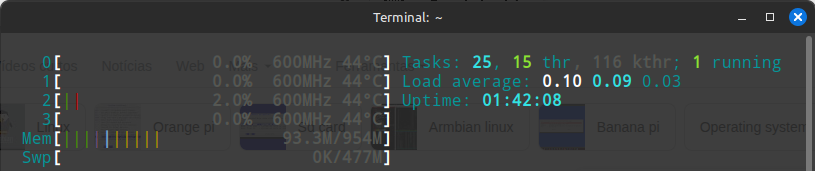
-
CSC Armbian for RK322x TV box boards
Vinicius Guastala replied to jock's topic in Rockchip CPU Boxes
@fabiobassa @jock you both are master-gods with the power of every god from all the mythologies known by the human kind! Next step for me now is to install it to the eMMC (if that's not possible, I will stick with SD boot only, no problem). I heard that there is the armbian-install command, so I will try it since the provided image is a XFCE Desktop one and I want a minimum image to free up resources since I just need a headless machine... Any suggestions for guides/documentations to install a minimal enviroment to emmc from the SD desktop enviroment? -
CSC Armbian for RK322x TV box boards
Vinicius Guastala replied to jock's topic in Rockchip CPU Boxes
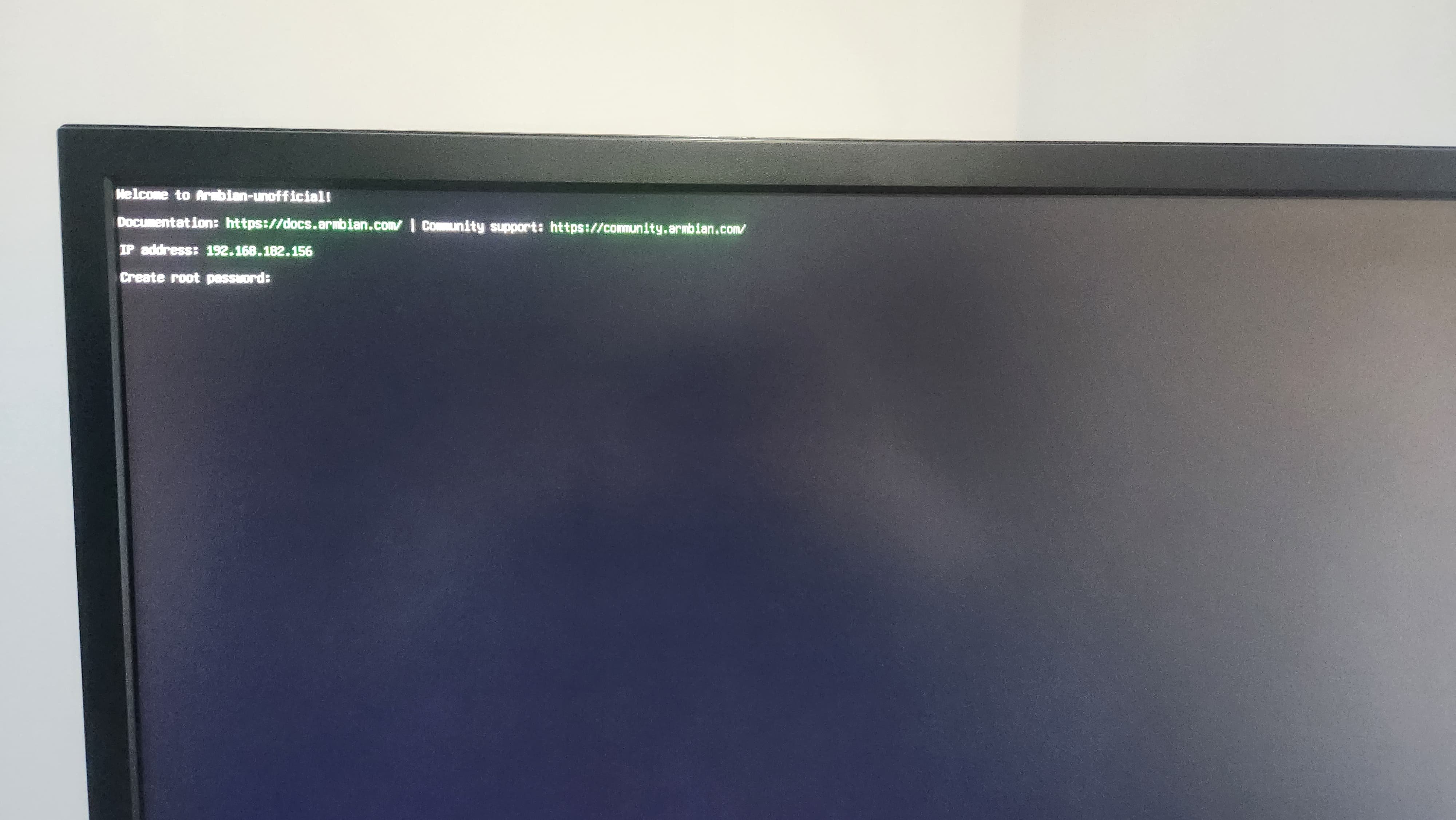
please ignore my previous comment. THE EXPERIMENTAL IMAGE DID BOOTED FROM SD CARD! IT WORKED I have forgotten to erase the flash on the first time... After I erased, it booted from the SD Card. I cannot thank you guys enough!!!! <3 <3 <3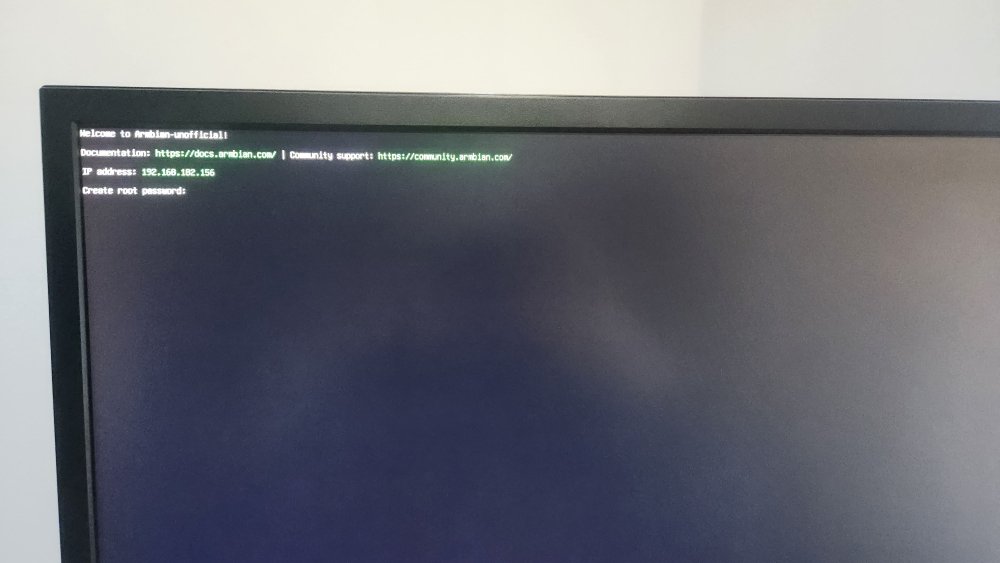
-
CSC Armbian for RK322x TV box boards
Vinicius Guastala replied to jock's topic in Rockchip CPU Boxes
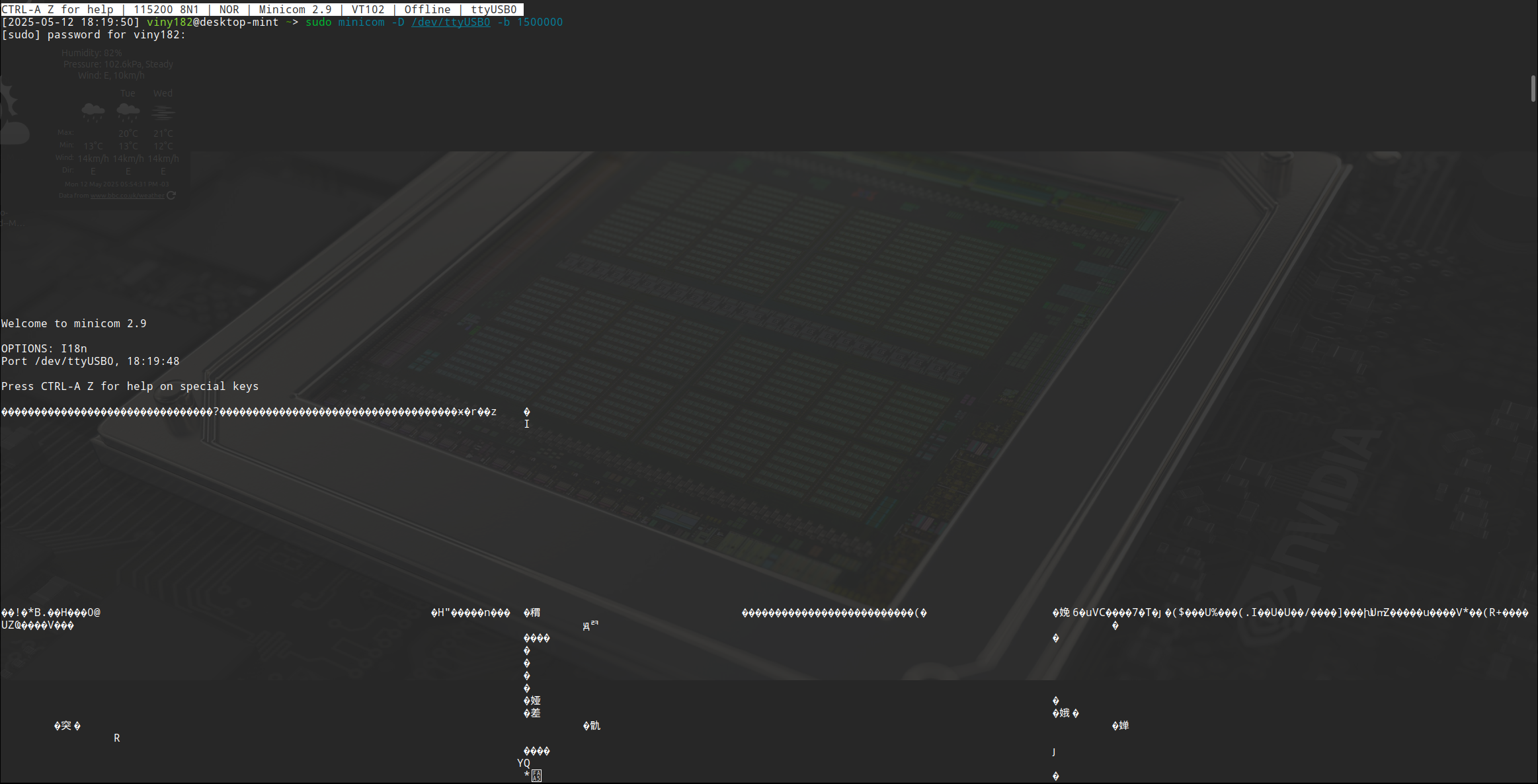
@fabiobassa and @jock, thanks for your quick responses! You are true heroes for this community. The suggested experimental image have not worked for me unfortunately. Same behavior, no Video and no Leds. However, a little progress on the UART search... Connecting my RX adapter pin to the SD Card 4th pin gave me the biggest console output so far, even though its just garbage, I see it as a little progress... Please see the attachment. Also, I think I was able to identify that the Samsung chip is a 1gb/8GB one from the "rkdeveloptool rfi" command... see it below with some more output from the rkdeveloptooll... [2025-05-12 18:49:03] viny182@desktop-mint ~> sudo rkdeveloptool list DevNo=1 Vid=0x2207,Pid=0x320b,LocationID=302 Loader [2025-05-12 18:49:17] viny182@desktop-mint ~> sudo rkdeveloptool list-partitions Not found any partition table! [2025-05-12 18:49:46] viny182@desktop-mint ~ [1]> sudo rkdeveloptool test-device Test Device OK. [2025-05-12 18:49:58] viny182@desktop-mint ~> sudo rkdeveloptool rfi Flash Info: Manufacturer: SAMSUNG, value=00 Flash Size: 7456 MB Flash Size: 15269888 Sectors Block Size: 512 KB Page Size: 2 KB ECC Bits: 0 Access Time: 40 Flash CS: Flash<0> [2025-05-12 18:50:19] viny182@desktop-mint ~> sudo rkdeveloptool read-flash-id Flash ID: 45 4D 4D 43 20 [2025-05-12 18:50:26] viny182@desktop-mint ~> sudo rkdeveloptool read-chip-info Chip Info: 41 32 32 33 0 0 0 0 0 0 0 0 0 0 0 0 [2025-05-12 18:50:41] viny182@desktop-mint ~> sudo rkdeveloptool read-capability Reading capabilities failed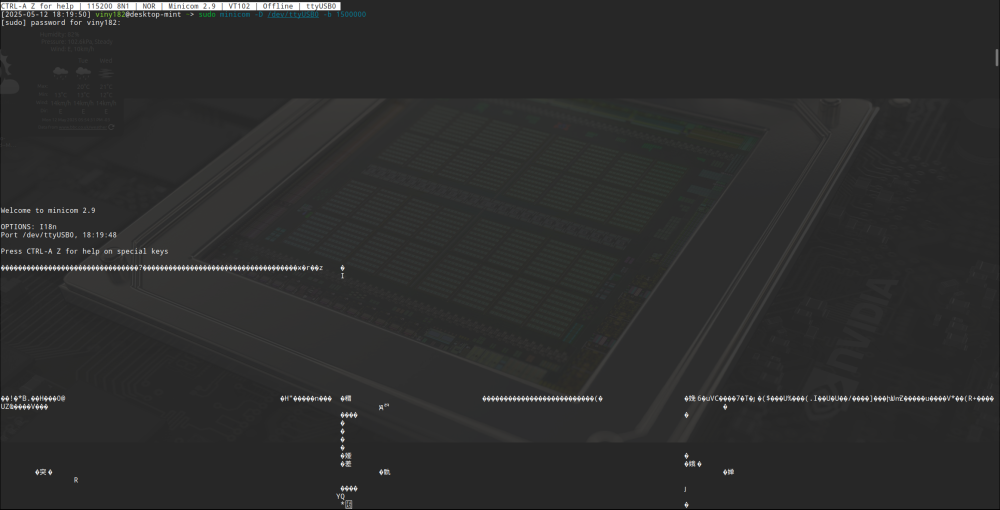
-
CSC Armbian for RK322x TV box boards
Vinicius Guastala replied to jock's topic in Rockchip CPU Boxes
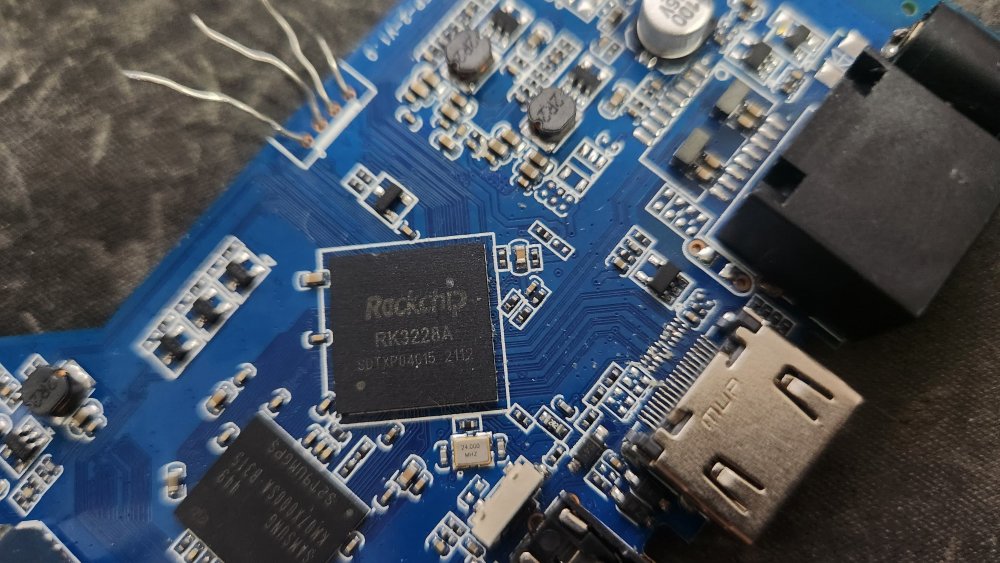
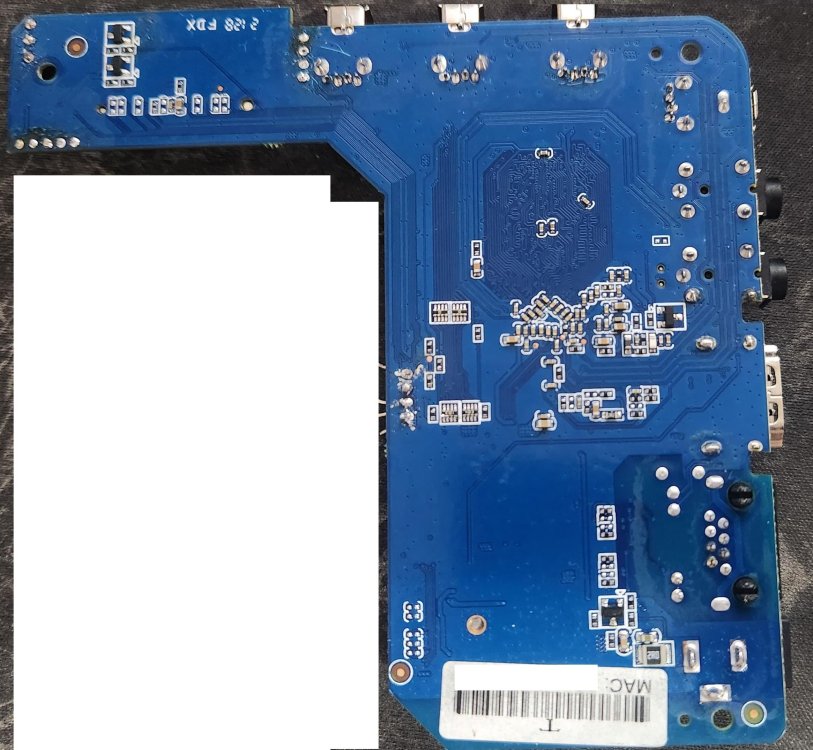
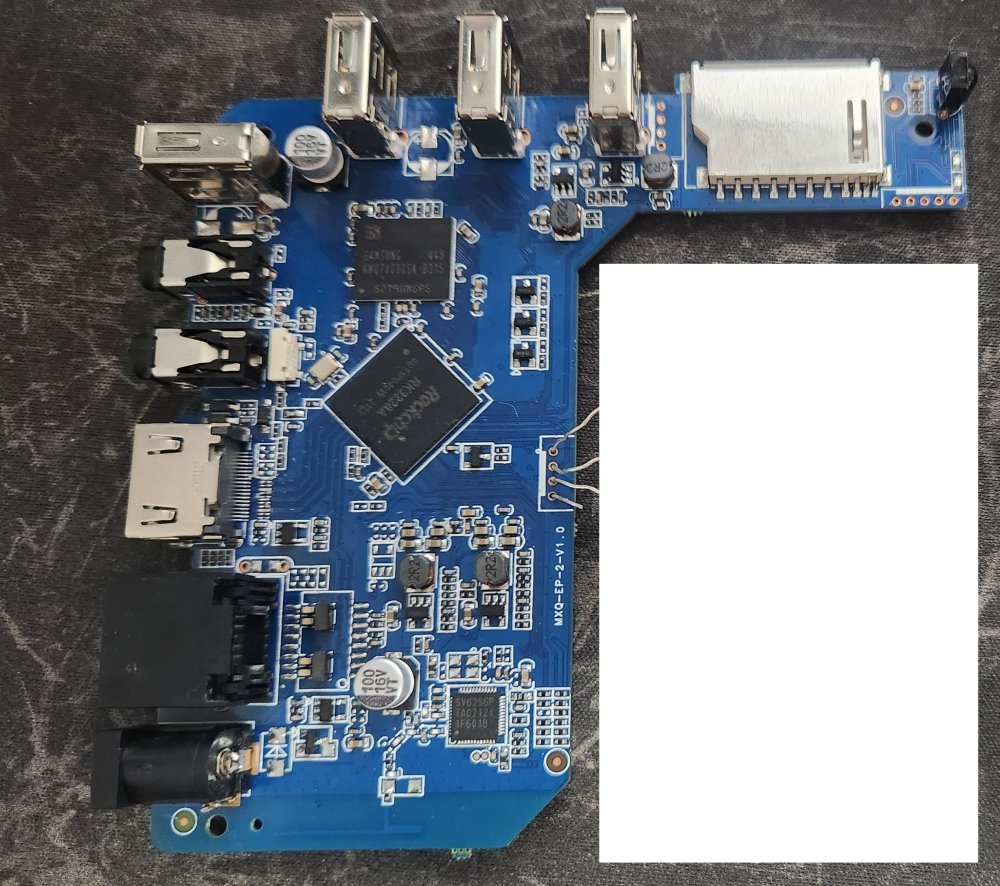
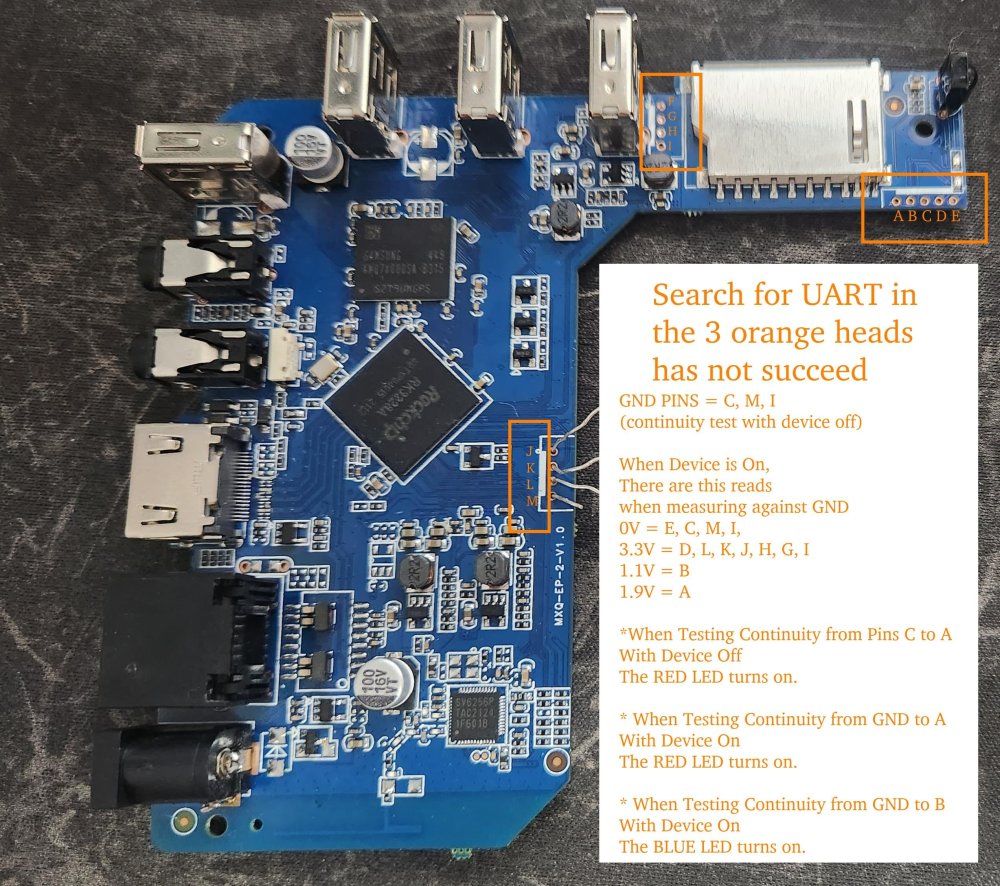
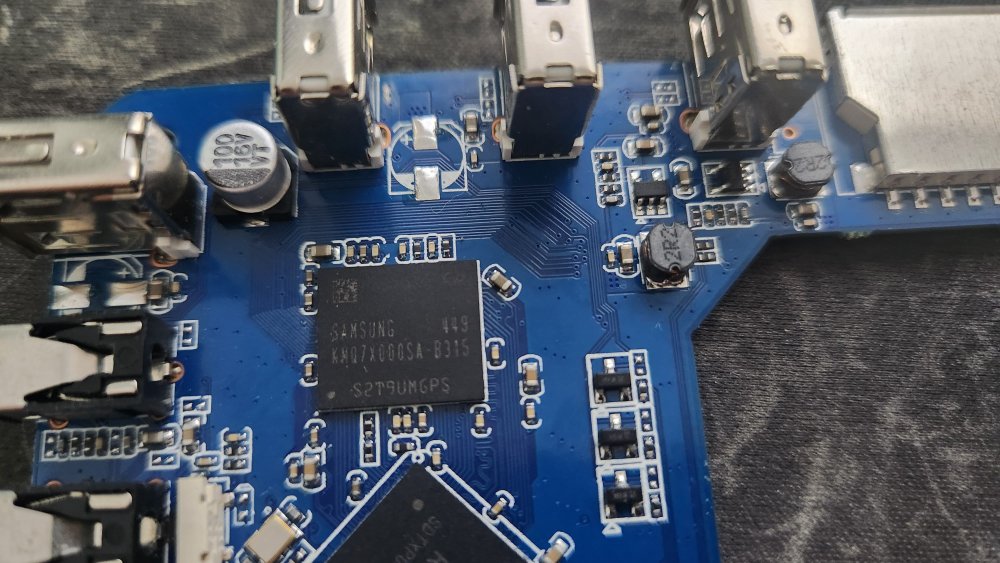
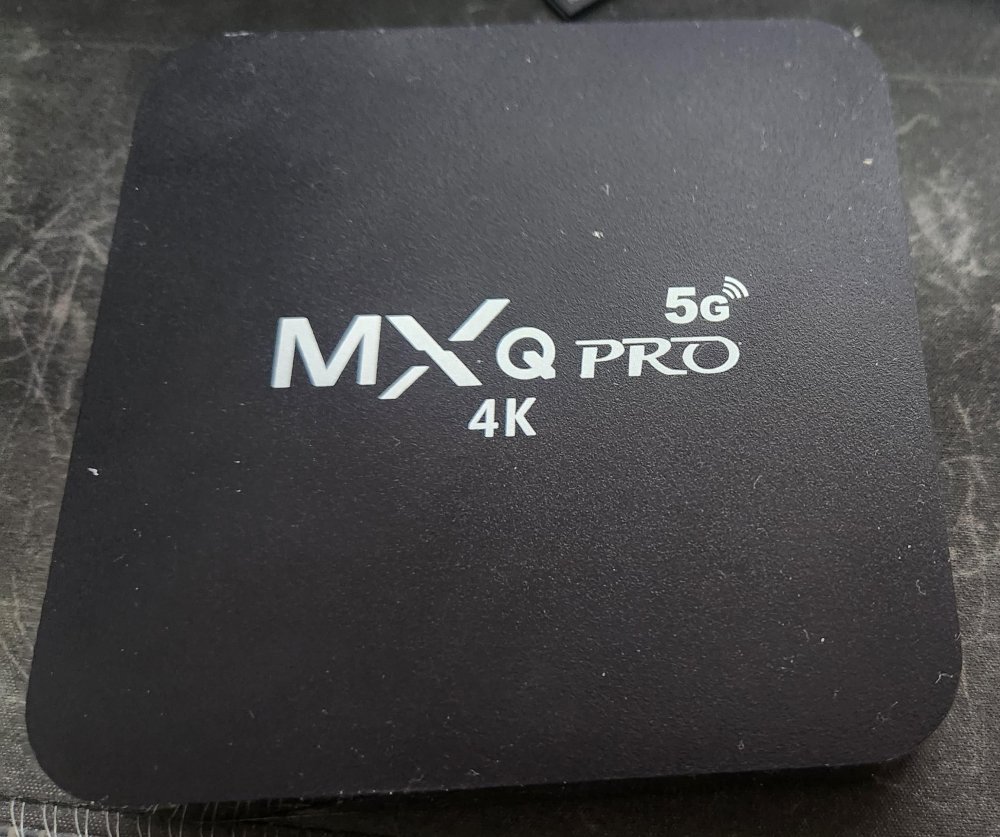
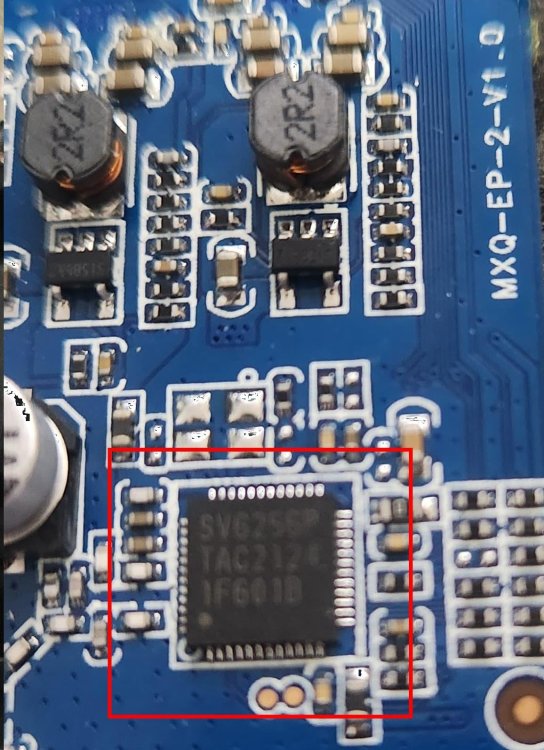
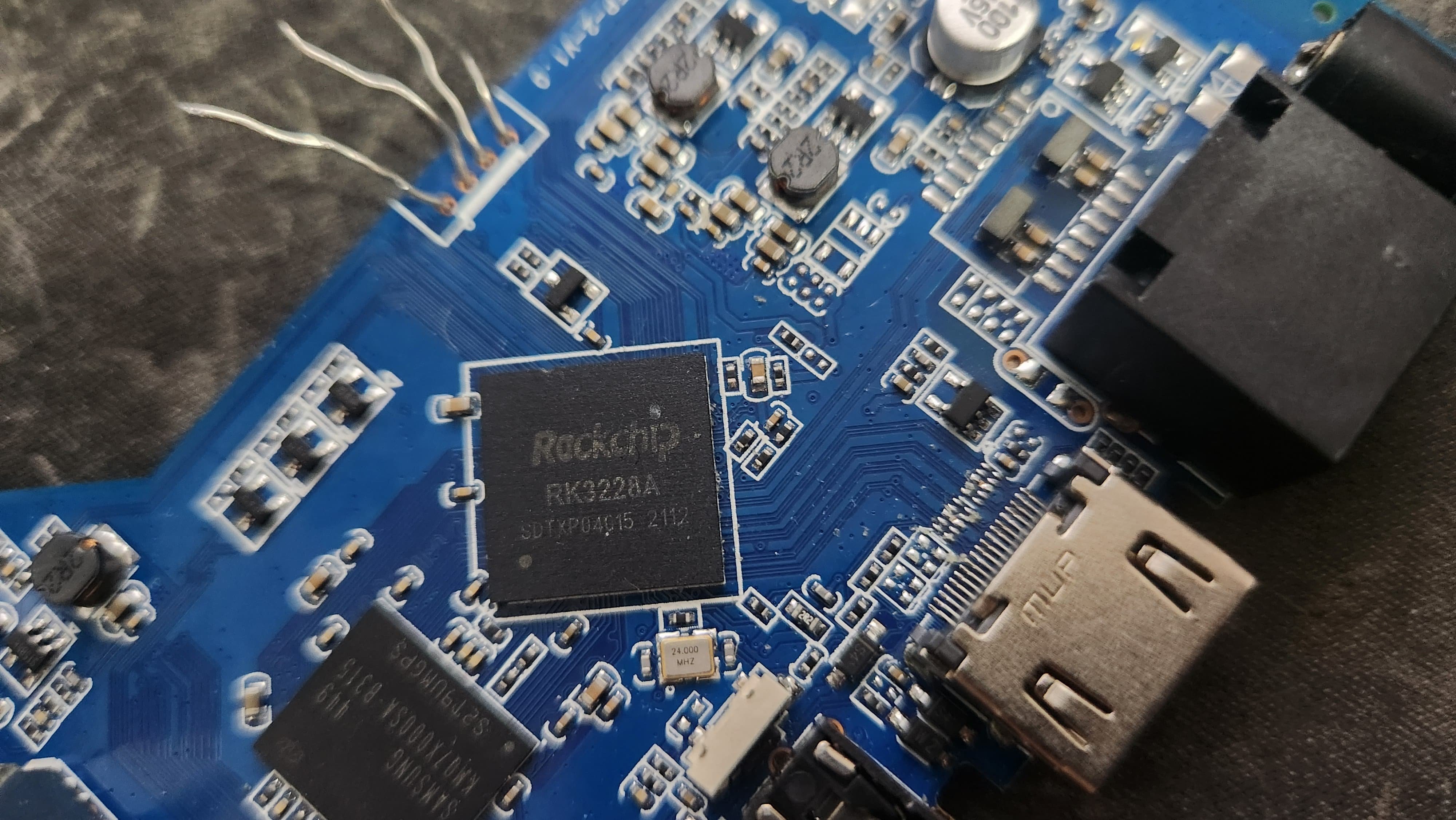
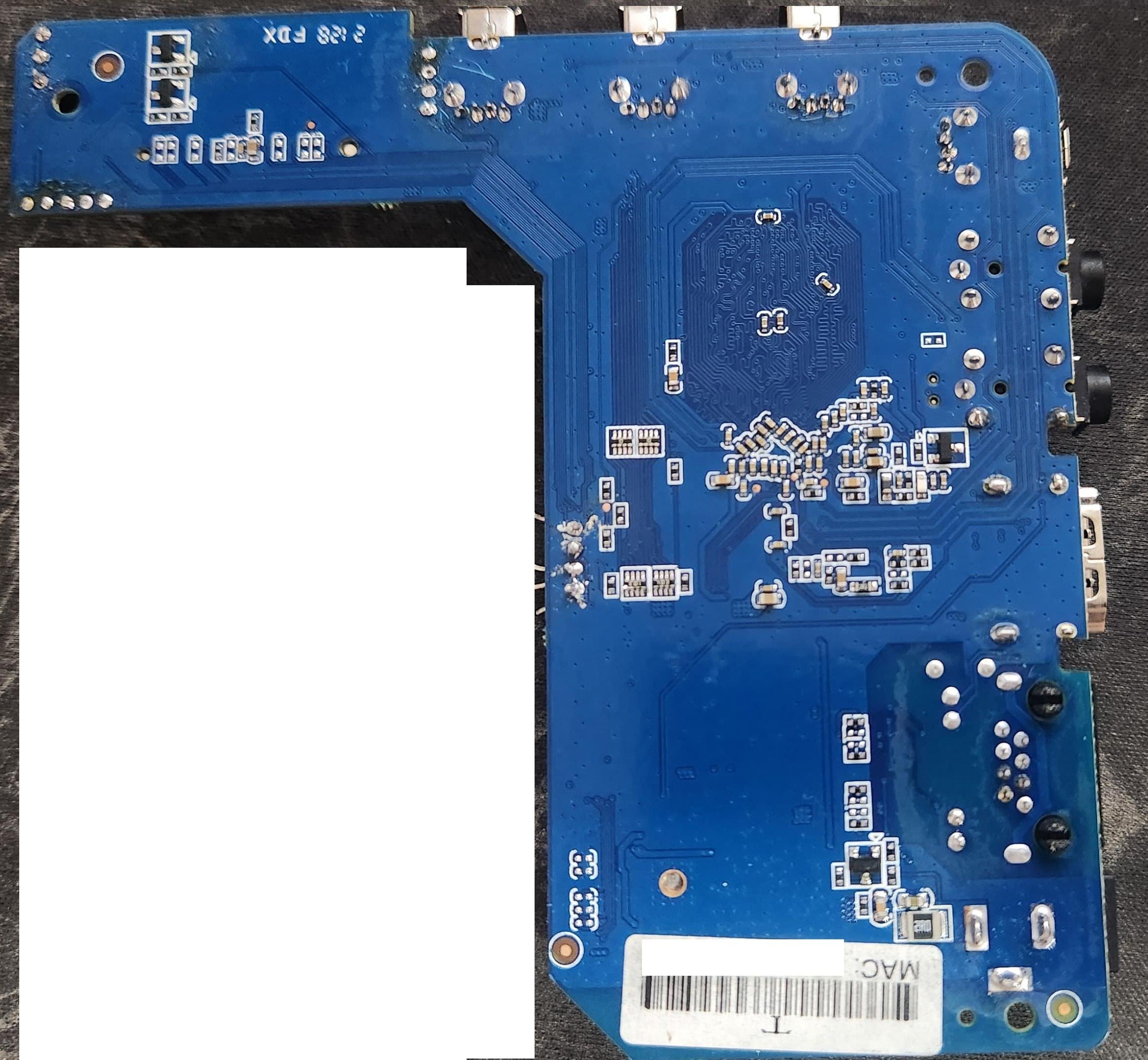
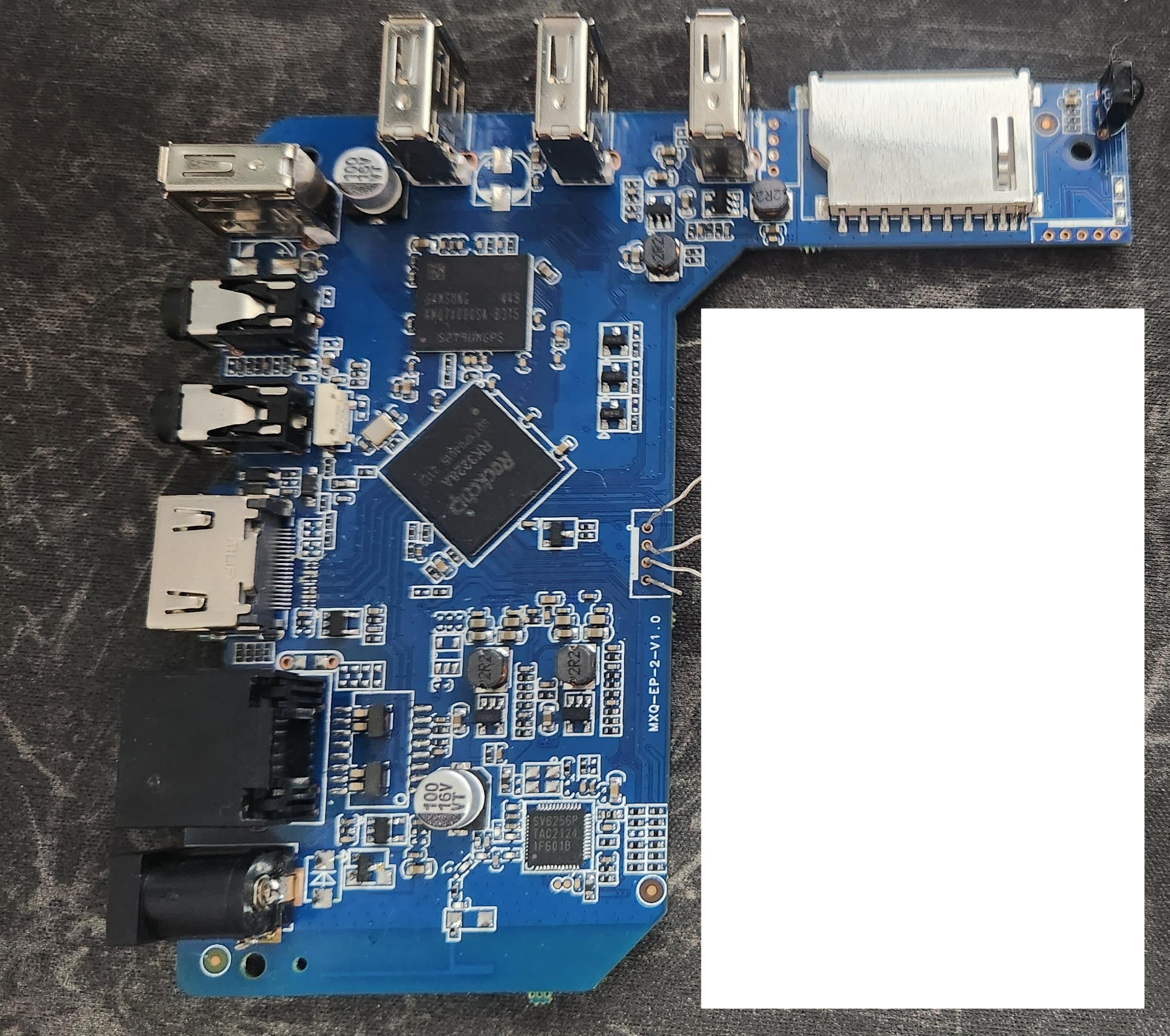
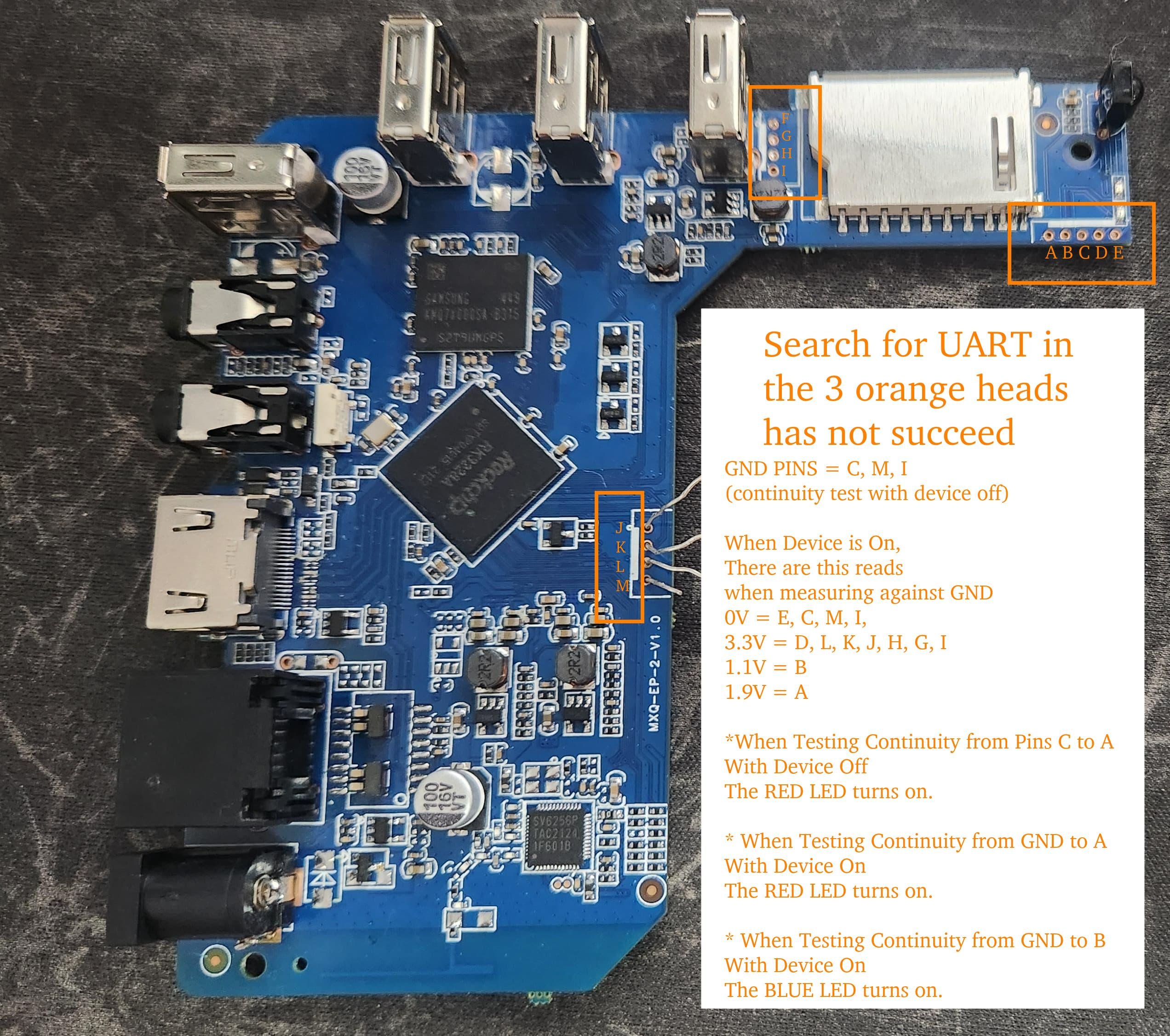
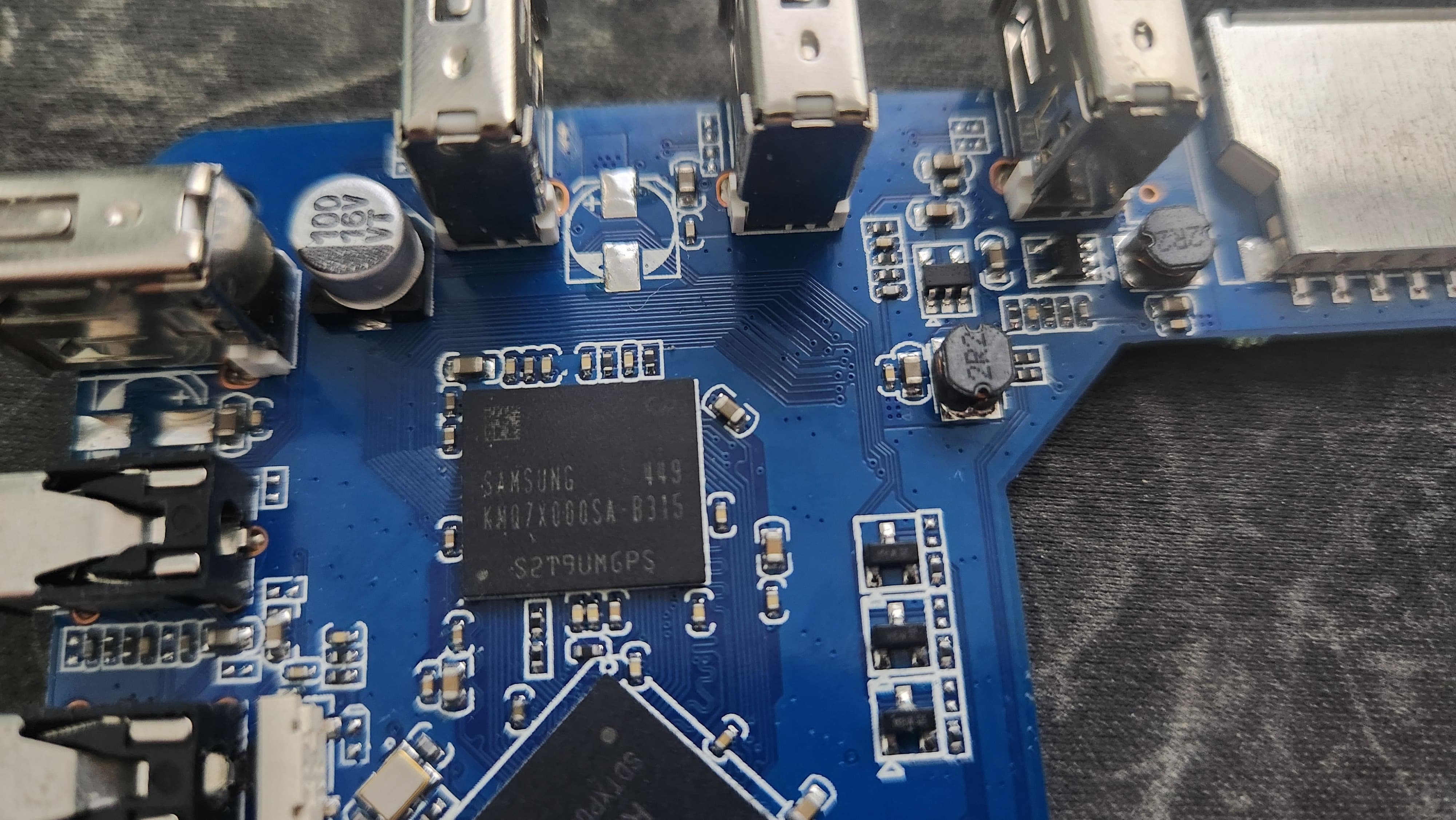
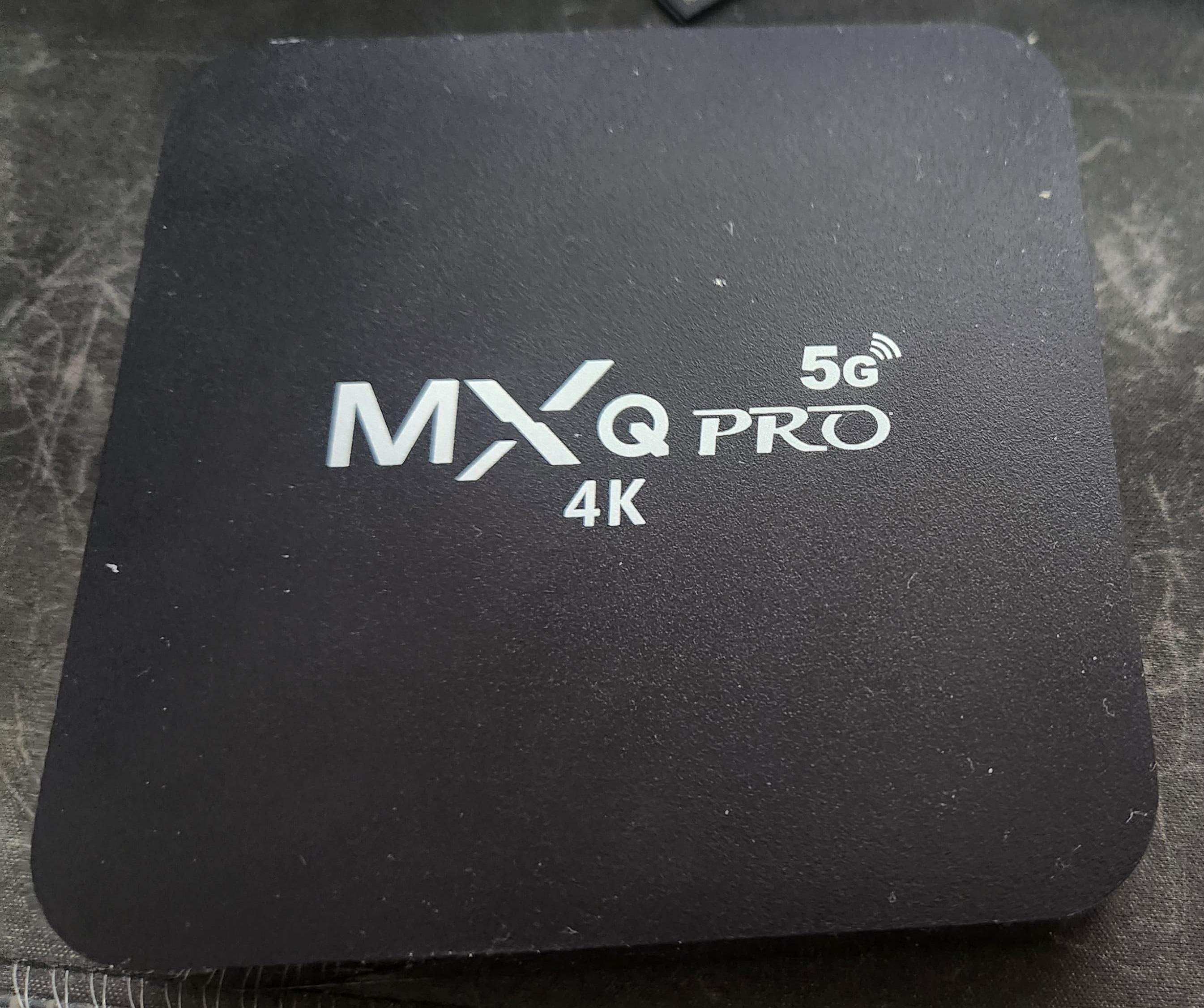
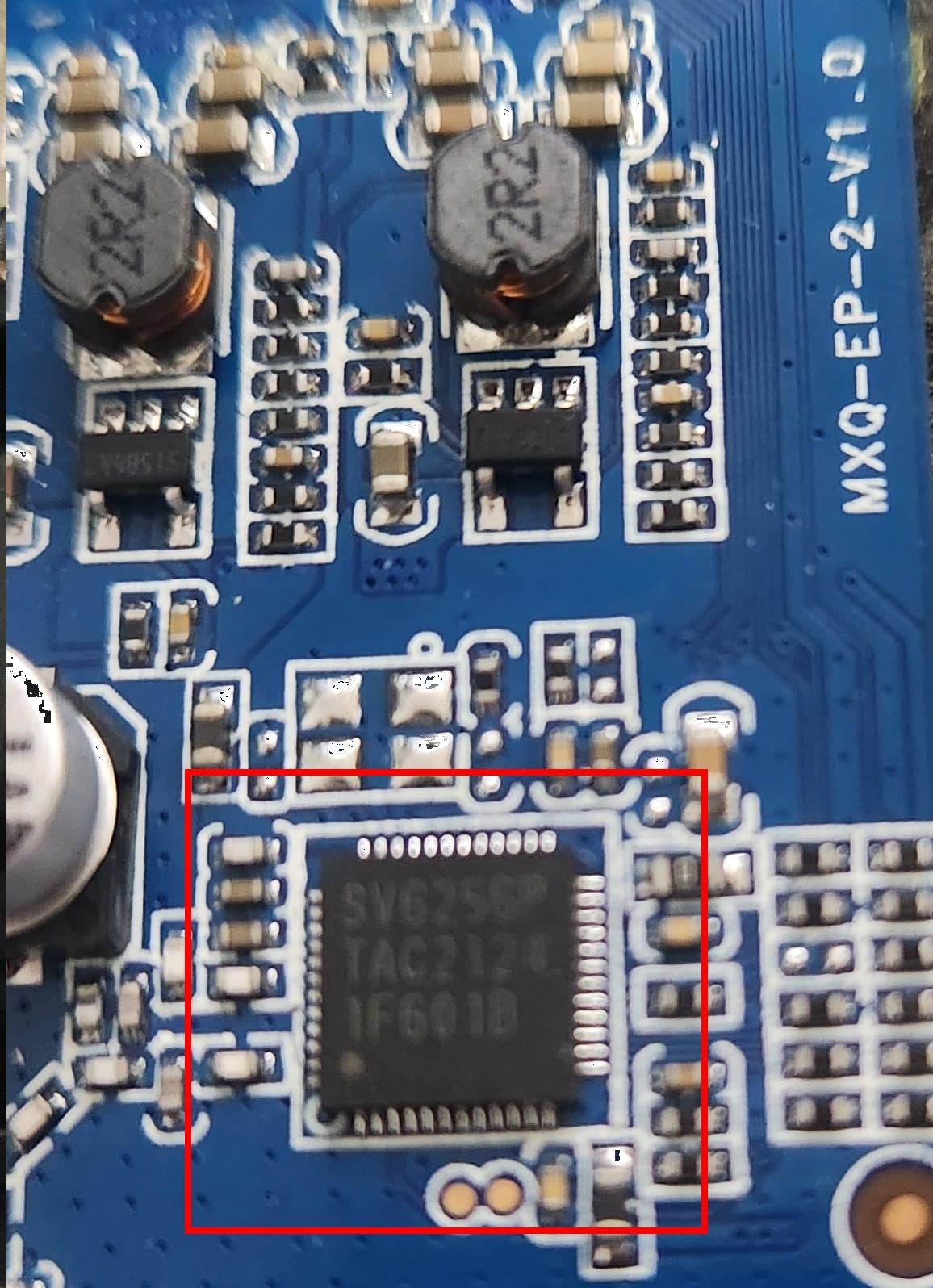
Hello Guys, This will be a long post, so I already apologize for that! I am trying to install armbian in the most generic MXQ PRO 5G 4K ever. No joking when I say it’s generic, because I have some proof that this Frankenstein monster is actually a MX9 and a MXQ 4K PRO merged together. Here are some board Details: MoBo: MXQ-EP-2-V1.0 CPU: Rockchip RK3228A Wifi: SV6256P Storage: Samsung KMQ7X000SA – B315 (Is this a ECMP 8GB+8GB or a emmc?) I call it a MXQ Frankenstein, for the following reasons: According to the info and the picture from this source, the “MX9 4K 5G” has the exactly same MoBo “MXQ-EP-2-V1.0”, but with the SV6152P wifi instead. According to this other forum post, the OP has posted pics from his "TXC2-MXQ-EP-V10” MoBo, which looks basically identical to my “MXQ-EP-2-V1.0”, but it has the SV6152p wifi like the MX9 4K 5G, but with a RK3229 CPU instead. This post was very useful for me because of the Short Pad for Mask Mode for this version is the same as mine. In this other post, we see the same “MXQ-EP-2-V1.0” Mobo, but with with a SanDisk storage chip instead. And in the same post, in the last comment we see another user with a 8GB/128GB variant with the same SV6152p wifi from the above “TXC2-MXQ-EP-V10” So including my version, it seems we have at least 5 different versions of this horrendous Frankenstein device, for the “lowering cost reasons” we already know…. Despite many tentatives, I am not able to make the “multitool” (or amrbian directly) to boot, from any method. Tried many times from SD, from USB and even after it is copied directly to the eMMC, all following the guides from the 1st page from this post, but also from other internet sources. Simply I’ve got a black screen output whenever the SD Card with multitool or armbian in inserted, with no leds turned at all. Unfortunately I have not done the backup from my original ROM before I have tried to write armbian directly to the emmc, because I did not know that was possible back then, and now I’m also not able to find my original ROM. I have tried many (10+) different ROMs, flashing from Linux and Windows, but I ending up having the same behavior as booting armbian, with no Video and no LEDs, until I finally came across to the ROM called “MXQ-EP-2-V1.0_SV6152P_OK By: (Zer013)” from this site. With said ROM, I was able at least to get the HDMI video and LED’s blinking, but I got stuck at a boot animation loop forever. For some reason, only when I flash it from Windows using BatchTool or RKDevTools it works. At least I was able to test different Loaders, and with this ROM, I have tested successfully all the loaders below, either flashing by Linux or Windows. (Remember: The device gave video and LEDs, but I still got stucked at ROM’s boot screen): RK322XMiniLoaderAll_V2.47_spectek_en_ddr2_rd_odt_171209.bin – This was extracted from the above ROM image that give me workin LEDS and HDMI Video rk322x_loader_v1.10.238_256 from a 2020 comment on this thread from a guy trying to overclock his ddr memory. rk322x_loader_v1.10.238_256.bin from first page, from the “Installation (without SD card, board with eMMC)” section I was trying to flash different loaders in hope that some of them would make my armbian to boot from the SD card, but without any luck unfortunately. I have also tried to erase the flash completely to force the SD Card boot, but I have got the same no-screen / no-leds behavior. If anybody has any ideas on how to go further to install armbian in this board, I would appreciate a lot! I don’t need the wifi for the purpose I intend to use it, so minimal installation is more than enough for me. I’ve been turning it on mostly with just the USB cable in the OTG port, so at least I can check the device status with lsusb in linux. Sometimes I do some tests with the power cable turned on, and I have noticed the same behavior as well. Does it make any different to turn it on by USB or Power Connector? I’m still not able to find the Serial UART pins, even after I have tried soldering my USB-TTL in different points of the Board as there is no printed info, so this also adds to the overall complexity. Despite my efforts with the multimeter, I was not able to identify them yet. Since I’m afraid to burn another USB-TLS adapter, I’m being cautious and only using the GND and RX pins from the adapter. So far, I have found 2 interesting pins, but they only give me gibberish text, despite trying different baud rates (I have tried them all). Most promissing PIN for now is the pin labeled “K” in the pic below, as it is the one that gives me more output when the device is booting, almost in the same time as a normal system boot… So my “guess” is that the Pink K is the board TX pin… Attached there are all the photos of the mentioned components from my board.