NicoD
-
Posts
1431 -
Joined
-
Last visited
Content Type
Forums
Store
Crowdfunding
Applications
Events
Raffles
Community Map
Everything posted by NicoD
-

Orange Pi 5 Plus cant boot and screen goes flicker
NicoD replied to Pocax Xacop's topic in Orange Pi 5 Plus
What is the display it's default resolution? WIth displays other than 1080p/1440p/4k you can have problems. Example 1,366 × 768. Or with VGA to HDMI adapters there can be problems. Also I'd try another HDMI cable if using HDMI. What image are you using? For the plus you need to use these. https://xogium.performanceservers.nl/dl/orangepi5-plus/archive/ Debugging with UART would be helpful to see what's happening. -
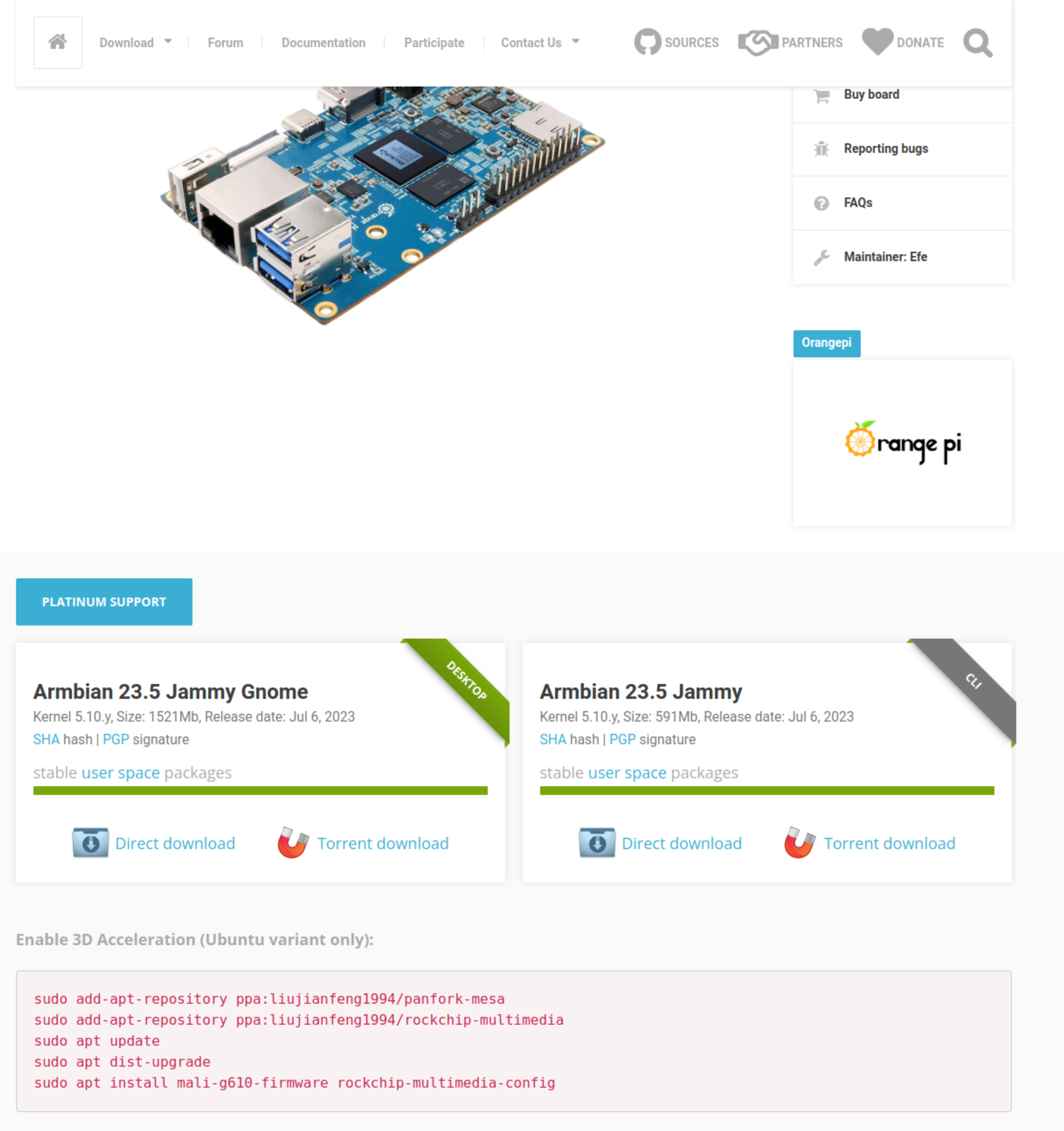
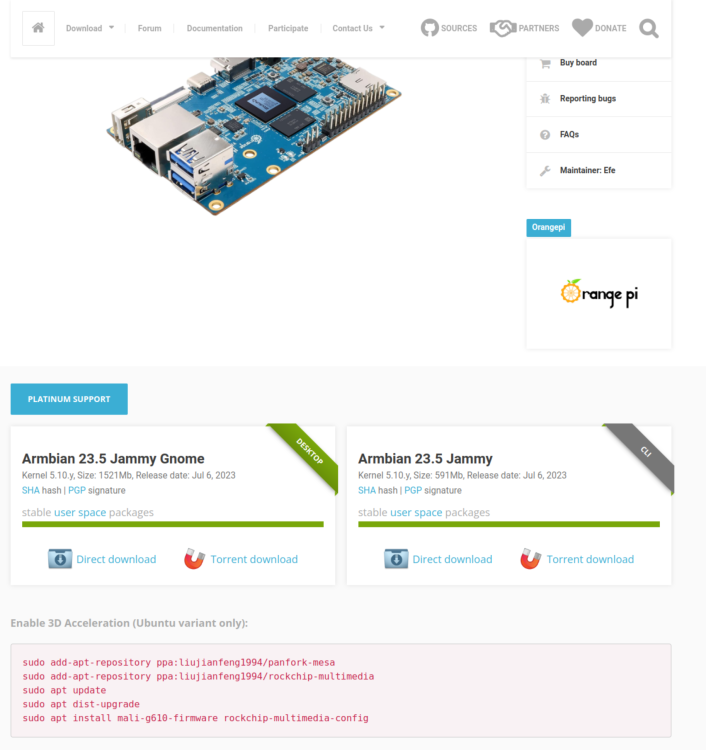
1. Download balerna Etcher and install it on a compatible machine(pc) 2. Write the image to sd-card 3. Boot sd-card, go to "sudo armbian-install" choose "install to eMMC, system on eMMC" or something like that. 4. See screenshot Save yourself some time and use Monka his images that have VPU and GPU pre-installed together with some other tools like nicod-armbian-gaming. https://monka.systemonachip.net/opi5-plus/
-
Why not buy an Armbian supported SBC? Most TV-Boxes are crap. Overheating and low-quality. For better quality you also pay a lot more. So then why not buy a good SBC? RK3399 ain't that expensive and has great IO. RK3588 is high end so cost more, but it's future proof. OrangePi5+ should be best value. I don't have it, so can't say much about it. NanoPi R6S/R6C isn't that expensive. The C has NVMe and USB3, and very fast CPU. If you want to use full sized HDD's then look at the Odroid HC4. It has the S905X3. As powerful as RPi4(when not OC) and 2 SATA for full sized HDDs. But no USB3 or other IO. It does have HDMI. RK3568 is also a SoC that has great IO and not too expensive. Not sure if there are Armbian supported boards with it. RK3566 less IO but still better than any RPi. I only had one ok TV-Box from a bunch. The Mecool KM6 with S905X4, but that doesn't have Armbian support. S905X3 should have better support. But you are never certain all hardware will work. TV-box manufactures ofter use different components for the same model TV box. So some people might have wifi working, but others don't.
-
I'll start with an old one. I'd like to see it in the backgrounds folder replacing the one now because the one used now isn't correct. I am submitting my **original artwork** for the Armbian Wallpaper Contest. **Artwork Details:** - **Title:** [Armbian in 3D of 2019] - **Description:** [Blender render of 3D tux smooth in original background style] I hereby confirm and certify that this artwork is an original piece created solely by me. By submitting this artwork to the Armbian Wallpaper Contest, I agree to release it under the [Creative Commons Zero (CC0) license](https://creativecommons.org/publicdomain/zero/1.0/legalcode) (CC0 1.0).
-
What desktop are you using? You can disable wifi on gnome and xfce. But it's simple to turn it on again. If there's no wifi device found xfce4 will not show anything about wifi. Try 'lshw -C network' and see if it's still there. Output of 'armbianmonitor -u' could help too.
-
You mean GPU acceleration? Show the output of "glxinfo -B" And would help if you'd do "armbianmonitor -u" and give the result. The ppa responsible for Panfork on RK3588 is from @amazingfate Might be something broke. I hope not.
-
Could you explain a bit more about your procedures? SSH is something basic that should just work. Are you using wifi or ethernet? Is the guest device on windows, linux or OSX? What software are you using? Can you try an image from the archive to see if it's better? https://armbian.hosthatch.com/archive/ Are you sure the OPi0 is booted? It might be power cycling if you've got a bad PSU. Best way to debug would be to use uart. You could also use your router its webpage to see if it's on, and what IP address is used. Maybe it's switching ip? To do that use "ip a" on linux or "ipconfig" on windows to see the default gateway. Then type that in a browser. Look on your router if there's a username and password. Many reasons I could think of, but without enough info there's no way to know. Good luck.
-
Hi all. I made a new video about Armbian on the Khadas VIM3. Both standard Armbian and Monka his Widevine and Gaming image. Here it is :
-
Orange Pi 3 (no LTS nor Pi 3B) ARMBIAN image
NicoD replied to Pierre Lemmet's topic in Allwinner sunxi
You can try images from the archive. https://xogium.performanceservers.nl/archive/orangepi3/archive/ Might be possible these images didn't build. @IgorIs there any reason for this? Or bug in build automation? -
Hi all. Here my review video about the Mixtile Blade 3. An RK3588 ARM SBC with a special connector to make it possible to connect multiple of these boards in a cluster. But it can also be used well as desktop or server device. It has all the bells and whistle's an RK3588 can have like dual 2.5GbE, m-PCIe, NVMe, HDMI-out + 2 x DP on USB-C and HMDI-in, ... Here is my video : Greetings, NicoD
-
Should work. What fan is it and what pins did you use? You need to connect the ground to ground and vcc to 5V. So for the OPi4LTS it would be ground in pin3 from top left and vcc pin2 or pin1 from top left. Not sure if it's the same for OPi4 or OPi4B...
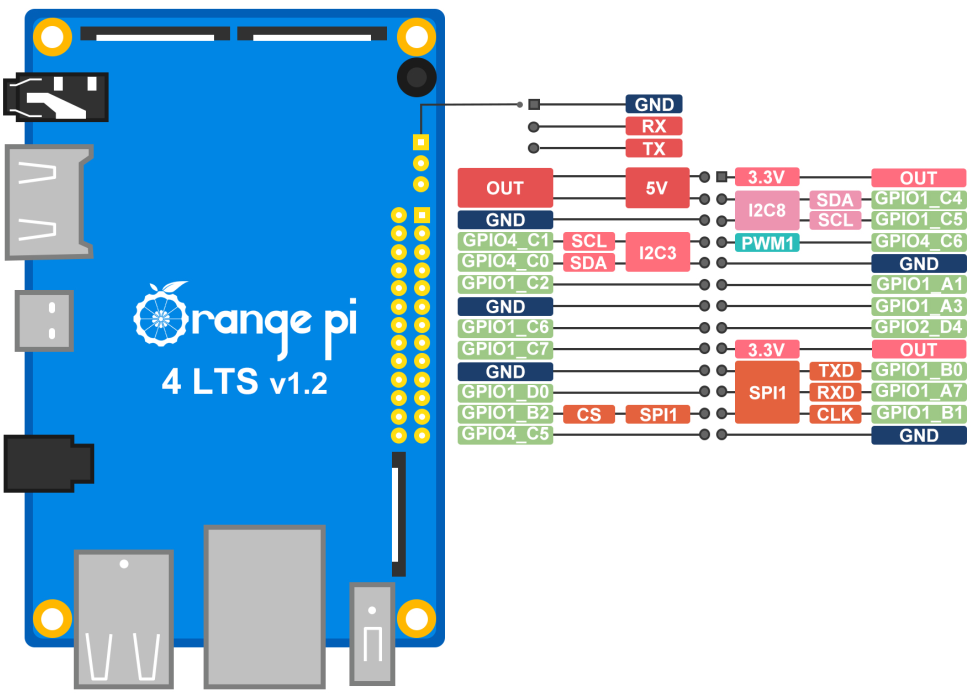
-
Trouble installing Armbian on the NVMe drive on the Orange Pi 5 plus.
NicoD replied to Björn Eiríksson's topic in Beginners
@Björn EiríkssonYou need to create a partition on the NVMe for it to work. I think that might be the issue. -
Hi all. I've done a lot of tests with different desktop environments on Armbian. I wanted an as light as possible desktop environment so I'd have enough ram left to do video rendering with the NanoPi M4(2GB) I had to try a lot of things to get things working fine. So I wanted to save others that hassle. Setting up Display Manager First we need a Display Manager. NODM is installed by default. I tried lightdm but couldn't get it to work. So I went for LXDM. With NODM installed I had problems, so I also removed NODM. To be sure lxdm is configured right, I also manually configure it. sudo apt install lxdm sudo apt remove nodm sudo dpkg-reconfigure lxdm Install LXDE Desktop Next step is to install the desktop environment you want. There is a problem with some Desktop Environments and LXDM what makes you can't login to some DE's out of the box. That we will resolve later. Easiest is to install lxdm first to be able to configure the others well. And reboot. sudo apt install lxde sudo reboot Once booted you should be greeted by the Login screen. Here you can choose your different Desktop Environment. Choose LXDE and login. If you'd try xfce4, then you'd see it doesn't work. To fix this we need to change the file /usr/share/xsessions/xfce.desktop. Use your favorite text editor. I use geany. sudo geany /usr/share/xsessions/xfce.desktop Somewhere at the top of the file you'll see "Name=Xfce Session". Replace that space with a hyphen to "Name=Xfce-Session" and save the file. Now you can also login to the default XFCE4 Desktop. With other desktops this can be the same. Go the the same directory and open the file with the desktop name that doesn't work. Again replace the space with a hyphen Installing different Desktop Environments. For the Mate desktop I also needed to install the applets, else I got errors at login because of these missing applets sudo apt install mate-desktop-environment mate-applets For KDE-Plasma sudo apt install kde-full For Gnome. Modify the file sudo geany /usr/share/xsessions/gnome... sudo apt install gnome-session sudo update-alternatives --config gdm3.css I also tried LXQT. But this one didn't work. You can try others too. Remove Desktop Environment To remove a desktop environment you don't want anymore you do the remove instead of install. sudo apt remove kde-full sudo apt remove mate-desktop-environment . . . Please let me know if there's mistakes made, or if you've got advice. Source for changing the name to make them work @IgorS : Greetings, NicoD