
All Activity
- Past hour
-
 Tested on Nanpi R2S with fresh Armbian Trixie image: Works like charm. Make sure to do apt update + apt upgrade before you start.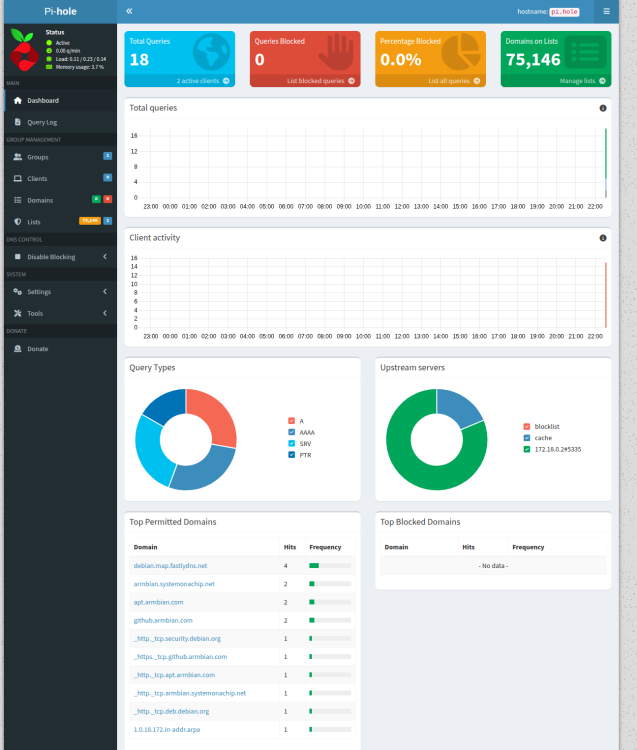
-
Did you used most up2date armbian-config? Few days ago some critical bugs were fixed - i tested it several times and it worked ...
- Today
-

CSC Armbian for RK3318/RK3328 TV box boards
SuzSinclair replied to jock's topic in Rockchip CPU Boxes
can someone please help thanks -
Mine is M1, no plus, so no WiFi. I used the following 2 years ago when I got the SBC: https://fi.mirror.armbian.de/oldarchive/bananapi/archive/Armbian_23.11.1_Bananapi_bookworm_current_6.1.63.img.txt
-
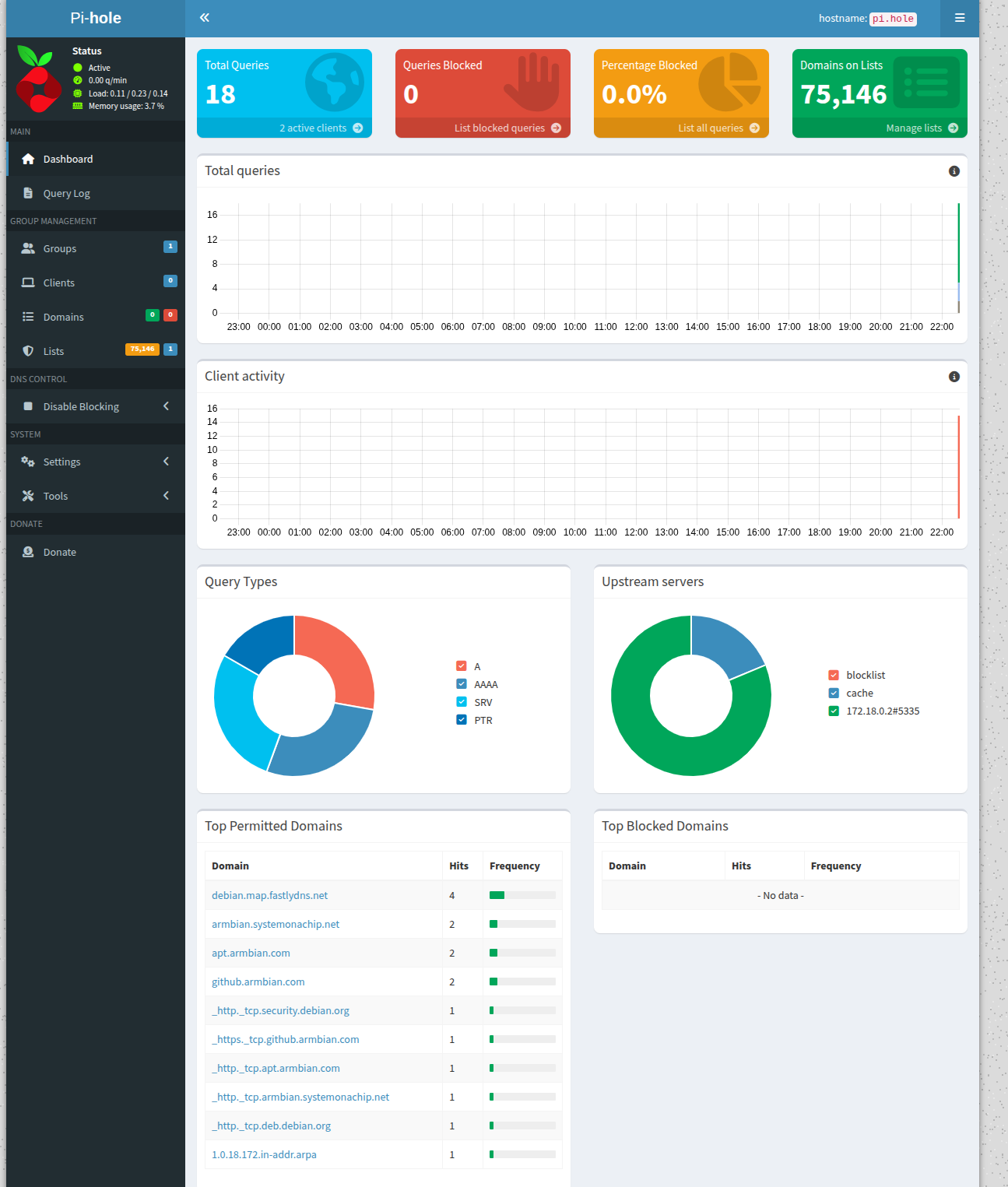
 I installed pihole and unbound with Armbian's ready-made config installation, but I can't access the interface of the pihole.
 -
Okay, that explains why the SATA connection works on the BPI M3 but not on the BPI M1+. So, does anyone know of an image that supports the SATA connection on the BPI M1+ and is newer than Ubuntu 16.04, which is currently running on my BPI M1+?
-
What is this topic about? M3 - it has Allwinner A83T and no SATA on the SoC but added via USB2 see https://banana-pi.org/en/banana-pi-sbcs/51.html M1(+) - it has Allwinner A20 and SATA on the SoC see https://banana-pi.org/en/banana-pi-sbcs/10.html Mine is the latter.
-
@kvvvp I don't have any issues building from branch v20250306. Do you have docker installed?
-
Hello I've now tested the image: Armbian_community_26.2.0-trunk.332_Bananapim3_forky_current_6.12.67_minimal.img on the BPI M3 and I'm happy... SATA works really well. Maybe this will help.
-
@Nguyễn Lân The HK6334Q Wi-Fi/BT chip uses the brcmfmac4334 firmware. If your Wi-Fi chip is detected by the kernel, the dmesg log will show the names of the .bin and .txt files it is looking for.
-
Just to note some more: I use none of those images, instead is it in-place upgraded Armbian, originally: root@banlipi:/tmp# grep VERSION /etc/armbian-image-release VERSION=23.11.1 Now Trixie: root@banlipi:/tmp# cat /etc/os-release PRETTY_NAME="Armbian 25.8.1 trixie" NAME="Debian GNU/Linux" VERSION_ID="13" VERSION="13 (trixie)" VERSION_CODENAME=trixie DEBIAN_VERSION_FULL=13.0 ID=debian HOME_URL="https://www.armbian.com/" SUPPORT_URL="https://forum.armbian.com" BUG_REPORT_URL="https://www.armbian.com/bugs" ARMBIAN_PRETTY_NAME="Armbian 25.8.1 trixie" I log some stuff to terminal in my backup script; I see: U-Boot SPL 2024.01-armbian-2024.01-S866c-P7738-Hb9d3-Vf23c-Bb703-R448a (Jun 21 2025 - 02:53:13 +0000) Maybe also good to know, I use extlinux on real HW, grub on KVM root@banlipi:/boot/efi/extlinux# cat extlinux.conf menu title Select the kernel variant DEFAULT default TIMEOUT 80 LABEL default KERNEL zImage INITRD uInitrd FDT sun7i-a20-bananapi.dtb FDTOVERLAYS sun7i-a20-analog-codec.dtbo APPEND root=LABEL=armbianrfs rootwait rw earlyprintk console=ttyS0,115200 But I am not sure how valid the release info is, will need to look at lists files etc and also run update to it is latest Debian 13.3 I think. I just ran apt update && apt full-upgrade and now it is 'latest debian trixie' but I use apt pinning and I see it is too strict and also an error, so os-release not changed It is essentially Debian Trixie armhf up to date with manually written U-Boot and manually copied sunxi kernel.
-
I have this SBC and it is still nice one as it includes LiPo charging/operation and SATA. I changed Armbian OS drastically, such that the raw SD-card as blockdevice/image also runs as KVM on my ROCK3A or RPi4 for example as standard UEFI machine. I have not tested that yet, but done several similar for NanoPi-NEO and some RPi3. Last thing done was use kernel 6.18 as default. Had not tested/connected a SATA recently, so good time to do it now; It works, see below: root@banlipi:~# lsblk NAME MAJ:MIN RM SIZE RO TYPE MOUNTPOINTS sda 8:0 0 119.2G 0 disk ├─sda1 8:1 0 512M 0 part └─sda2 8:2 0 118.7G 0 part mmcblk0 179:0 0 59.6G 0 disk ├─mmcblk0p1 179:1 0 256M 0 part /boot/efi ├─mmcblk0p2 179:2 0 6G 0 part /.snapshots │ /local/fsroot │ / ├─mmcblk0p3 179:3 0 1G 0 part [SWAP] └─mmcblk0p4 179:4 0 52.4G 0 part /local/sdata root@banlipi:~# dmesg | grep ata [ 0.000000] CPU: PIPT / VIPT nonaliasing data cache, VIPT aliasing instruction cache [ 0.000000] Memory policy: Data cache writealloc [ 0.000000] printk: log buffer data + meta data: 131072 + 409600 = 540672 bytes [ 0.045731] Memory: 859656K/1015868K available (11264K kernel code, 1761K rwdata, 9604K rodata, 1024K init, 377K bss, 53644K reserved, 98304K cma-r eserved, 229436K highmem) [ 0.742930] libata version 3.00 loaded. [ 1.268996] ahci-sunxi 1c18000.sata: supply ahci not found, using dummy regulator [ 1.269351] ahci-sunxi 1c18000.sata: supply phy not found, using dummy regulator [ 1.269470] ahci-sunxi 1c18000.sata: supply target not found, using dummy regulator [ 1.311601] ahci-sunxi 1c18000.sata: controller can't do PMP, turning off CAP_PMP [ 1.311632] ahci-sunxi 1c18000.sata: forcing PORTS_IMPL to 0x1 [ 1.311727] ahci-sunxi 1c18000.sata: AHCI vers 0001.0100, 32 command slots, 3 Gbps, platform mode [ 1.311748] ahci-sunxi 1c18000.sata: 1/1 ports implemented (port mask 0x1) [ 1.311762] ahci-sunxi 1c18000.sata: flags: ncq sntf pm led clo only pio slum part ccc [ 1.316206] ata1: SATA max UDMA/133 mmio [mem 0x01c18000-0x01c18fff] port 0x100 irq 34 lpm-pol 0 [ 1.630949] ata1: SATA link up 3.0 Gbps (SStatus 123 SControl 300) [ 1.632905] ata1.00: ATA-9: SanDisk SDSSDP128G, 1.0.0, max UDMA/133 [ 1.632934] ata1.00: 250069680 sectors, multi 1: LBA48 NCQ (depth 32) [ 1.633567] ata1.00: configured for UDMA/133 [ 11.515496] systemd[1]: Expecting device dev-disk-by\x2dlabel-sdata.device - /dev/disk/by-label/sdata... [ 22.764093] BTRFS: device label sdata devid 1 transid 36 /dev/mmcblk0p4 (179:4) scanned by mount (378) [ 23.002238] FAT-fs (mmcblk0p1): Volume was not properly unmounted. Some data may be corrupt. Please run fsck. root@banlipi:~# uname -a Linux banlipi 6.18.2-edge-sunxi #1 SMP Thu Dec 18 13:03:43 UTC 2025 armv7l GNU/Linux root@banlipi:~# cd /tmp root@banlipi:/tmp# mkdir 1 2 root@banlipi:/tmp# mount /dev/sda1 1 root@banlipi:/tmp# mount /dev/sda2 2 -osubvolid=0 root@banlipi:/tmp# ddrescue -f /dev/sda /dev/null GNU ddrescue 1.29 Press Ctrl-C to interrupt ipos: 1731 MB, non-trimmed: 0 B, current rate: 75366 kB/s opos: 1731 MB, non-scraped: 0 B, average rate: 133 MB/s non-tried: 126304 MB, bad-sector: 0 B, error rate: 0 B/s rescued: 1731 MB, bad areas: 0, run time: 12s pct rescued: 1.35%, read errors: 0, remaining time: 15m time since last successful read: n/a Copying non-tried blocks... Pass 1 (forwards)^C Interrupted by user So I can browse the filesystems on the SSD, seems I had used it for conversion of RPi Trixie Ext4 to Btrfs. Raw speed is fine I see. So I still can use it also with large 3.5inch HDDs, that is what I prepared the surrounding 12V powersupply for.
-
Probably, my guess, issue with a boot loader - fail to / disabled by mistake power SATA port? We don't have anyone actively maintaining this kind of (10+years) hardware anymore. Support is "community / upstream" maintained "as is". But this forum / community can provide assistance to fix this. I gave a tip - where I think is the problem. Not working feature on particular hardware is not Armbian problem. This is custom hardware world and our work is tooling https://github.com/armbian/build and best effort hardware maintenance on this principle https://docs.armbian.com/User-Guide_Board-Support-Rules/ If we try to fix everything, everyone would be long burned out ...
-
OK so how can I help to fix this issue?
-
fdisk -l Disk /dev/ram0: 4 MiB, 4194304 bytes, 8192 sectors Units: sectors of 1 * 512 = 512 bytes Sector size (logical/physical): 512 bytes / 4096 bytes I/O size (minimum/optimal): 4096 bytes / 4096 bytes Disk /dev/ram1: 4 MiB, 4194304 bytes, 8192 sectors Units: sectors of 1 * 512 = 512 bytes Sector size (logical/physical): 512 bytes / 4096 bytes I/O size (minimum/optimal): 4096 bytes / 4096 bytes Disk /dev/ram2: 4 MiB, 4194304 bytes, 8192 sectors Units: sectors of 1 * 512 = 512 bytes Sector size (logical/physical): 512 bytes / 4096 bytes I/O size (minimum/optimal): 4096 bytes / 4096 bytes Disk /dev/ram3: 4 MiB, 4194304 bytes, 8192 sectors Units: sectors of 1 * 512 = 512 bytes Sector size (logical/physical): 512 bytes / 4096 bytes I/O size (minimum/optimal): 4096 bytes / 4096 bytes Disk /dev/mmcblk0: 14.84 GiB, 15931539456 bytes, 31116288 sectors Units: sectors of 1 * 512 = 512 bytes Sector size (logical/physical): 512 bytes / 512 bytes I/O size (minimum/optimal): 512 bytes / 512 bytes Disklabel type: dos Disk identifier: 0x4c58faaa Device Boot Start End Sectors Size Id Type /dev/mmcblk0p1 8192 30801920 30793729 14.7G 83 Linux Disk /dev/zram0: 483.1 MiB, 506564608 bytes, 123673 sectors Units: sectors of 1 * 4096 = 4096 bytes Sector size (logical/physical): 4096 bytes / 4096 bytes I/O size (minimum/optimal): 4096 bytes / 4096 bytes Disk /dev/zram1: 50 MiB, 52428800 bytes, 12800 sectors Units: sectors of 1 * 4096 = 4096 bytes Sector size (logical/physical): 4096 bytes / 4096 bytes I/O size (minimum/optimal): 4096 bytes / 4096 bytes Out of desperation, I plugged in an SSD via USB adapter, and it is recognized as: /dev/sda: Detected One might think the SATA connection is defective, but when I boot with the Ubuntu 16.04 image without changing anything, the SATA SSD is recognized! So the SATA connection on the BPI M1+ works, and so does the SSD. It's definitely the Armbian image that's the problem, but where exactly is it?
-
Userspace has nothing to do with hardware features. I don't know what is the case for A20, but for many others, OTG functionality is driven with overlays. If there are no overlays, you need to edit device tree and change its role. If that doesn't help, it is more complex problem. More complex, perhaps days / weeks to debug and fix. Most of (Armbian) kernel developers are long gone from this 10+ years old platform and users can't help. Also look into previous builds. Finding out when this broke is half of the solution https://fi.mirror.armbian.de/oldarchive/ or by finding a kernel that works https://docs.armbian.com/User-Guide_Armbian-Config/System/#alternative-kernels With any userspace (trixie/noble/jammy ...) Probably all A10 and A20 boards share this problem.
-
BPI M1+ tested with: Armbian_23.8.1_Bananapim1plus_jammy Armbian_24.11.1_Bananapi_noble Armbian_26.2.0-trunk.342_Bananapi_noble and the SATA interface doesn't work on any of the three. Does nobody use a BPI M1+ with an Armbian image where the SATA interface works?
-
For your information, I have a BPI M1 BPI M1+ BPI M3 All three are currently running Ubuntu 16.04, where SATA works, but it's a very old version. All tests with Armbian were performed using the BPI M1+, although SATA did not work.
-
Feature regressions are sadly something that happens all the time. There are many variants out there and (part of) Armbian OS is different for every board ... First resolve confusion - do you have M1 (we call it just bananapi) or M3. You mention M3 in the text, while title says M1+. Those are totally different boards. Proceed from older images and find out when this feature stopped working: https://fi.mirror.armbian.de/archive/ https://fi.mirror.armbian.de/oldarchive/
-
Good morning I have a BPI M1 and M1+ currently running an image from https://banana-pi.org/. Everything works, except it's Ubuntu 16.04. Since yesterday, I've been testing the Armbian images, which are great and up-to-date, but none of them recognize the SATA connection on my SSD. ` fdisk -l ` shows no SATA SSD. Since I absolutely need this connection, I'm stuck. What am I doing wrong, or where do I need to activate the SATA connection? The SATA connection is what makes the BPI M1+ unique. With Ubuntu 16.04, the SATA connection is recognized with both SSD and HDD on the BPI M3. Can someone please help me? I'm completely lost. Regards, Henry
- Yesterday
-

Installation Instructions for TV Boxes with Amlogic CPUs
gustavoppw replied to SteeMan's topic in FAQ
Some boxes with unmodified bls might accept reboot update on shell and boot via the sdcard that way, worked for me on both coreelec and now worked with armbian (I formatted via os and installed termux and typed su, then reboot update), way too useful for boxes with no buttons (yes, they exist) -
I am trtying to keep my pcduino 3 nano alive. It has been working perfectly under a debian bullseye distro from Johan Gunarsson for 4 years and now I can't get the OTG to work under any release (bullseye, bookworm or trixie) I have explored many avenues, but even a plain manual setup of g_mass_storage doesn't work in a workable way. The drive appears in Windows Explorer after several minutes, and any copy or delete to that gadget drive takes ages (3+ minutes for a 12kb file) before it fails or succeeds silently. I am looking for a forum where pcduino users can help each other. Thank you, Gaetano.
-

Rupa X88 Pro 13 - RK3528 board with images
Joao Cordeiro replied to fedes_gl's topic in Rockchip CPU Boxes
@shexplorer Control +c should have worked after: U-Boot SPL board init U-Boot SPL 2017.09_armbian-2017.09-S93fe-Pe5fd-Hbdb5-Va5b2-Bbf55-R448a (Nov 06 2025 - 16:35:49) SPL Hotkey: ctrl+c Make sure that USB TX is well connected to RX and try to spam it. Or use another terminal emulator, like putty instead of screen on a bash terminal. Maybe control is being intercepted. -

Rupa X88 Pro 13 - RK3528 board with images
shexplorer replied to fedes_gl's topic in Rockchip CPU Boxes
Hi, first of all thank you for your support. Unfortunately, I could not get it to work. I just don't want to boot anything I store on the SD card. Also, the CTRL+C method won't work. I have to reset the board manually after every try and when powering on while holding CTRL+C the only thing I see in the console is "SPL Hotkey: ctrl+c" as additional line. Maybe the only option is to get into Mask Mode and flash the emmc over USB. But the onboard button won't work to enable it at boot. Maybe I can short some pads but without labeling I dont know which. I attached some output logs and photos of the board. boot_with_armbian_sd_insert.log boot_with_ctrl_c.txt boot_without_sd_insert.log.thumb.jpg.ae3b0306ed908aa67bb89ff653dbeafb.jpg)
.thumb.jpg.5c029536d92cbabd94f60e0d33e735a2.jpg)
-
@Harleyyyu my 2 cents thought ..... We are talking about a 10 dollars soc . Is already a great milestone it is " just working" Anyway.. If you achieve any good result let's us know





.jpg.a9c771a210dfd840e739b9d059b97ba0.jpg)
.jpg.2ec24f2d712fb1b01bd298b9d79b32d9.jpg)
