All Activity
- Past hour
-

Gaming experience with Orange Pi 5 (RK3588) on Armbian
xiboliyadongtu replied to KhanhDTP's topic in Orange Pi 5
Sry, it is too late so i go sleep. But i found the method to fix this. I use box64 and wine staging succeed run the luancher by edit the file. “To fix the white or black launcher: Go in Documents\BlackDeser\GameOptionLauncher.txt and change these value to 0 launcherGpu = 0 launcherOffScreen = 0 This should fix the launcher once for all” https://www.codeweavers.com/compatibility/crossover/forum/black-desert-online?srsltid=AfmBOoomxtE1rM4fxkwr05vZXqg7N30pyVeyxG9wztivOZNf4rmiFs9W;msg=319137 By the way, this game must boot by luancher. - Today
-
 With the help of AI, dts writing (kernel 5.10) has been achieved. It's basically error-free. Only applicable to shutuo v8 version Results: Wired network is normal Wireless network is normal USB interface is normal rk3288-shutuo-v8.dtb rk3288-shutuo-v8.dts
 -
I see there's an overlay for the R4S called rk3399-dwc3-0-host, but it already seems to be in host mode by default. I can't figure out how to set it to peripheral mode so I can have some usb-gadget love. Anyone figured out a fix?
-
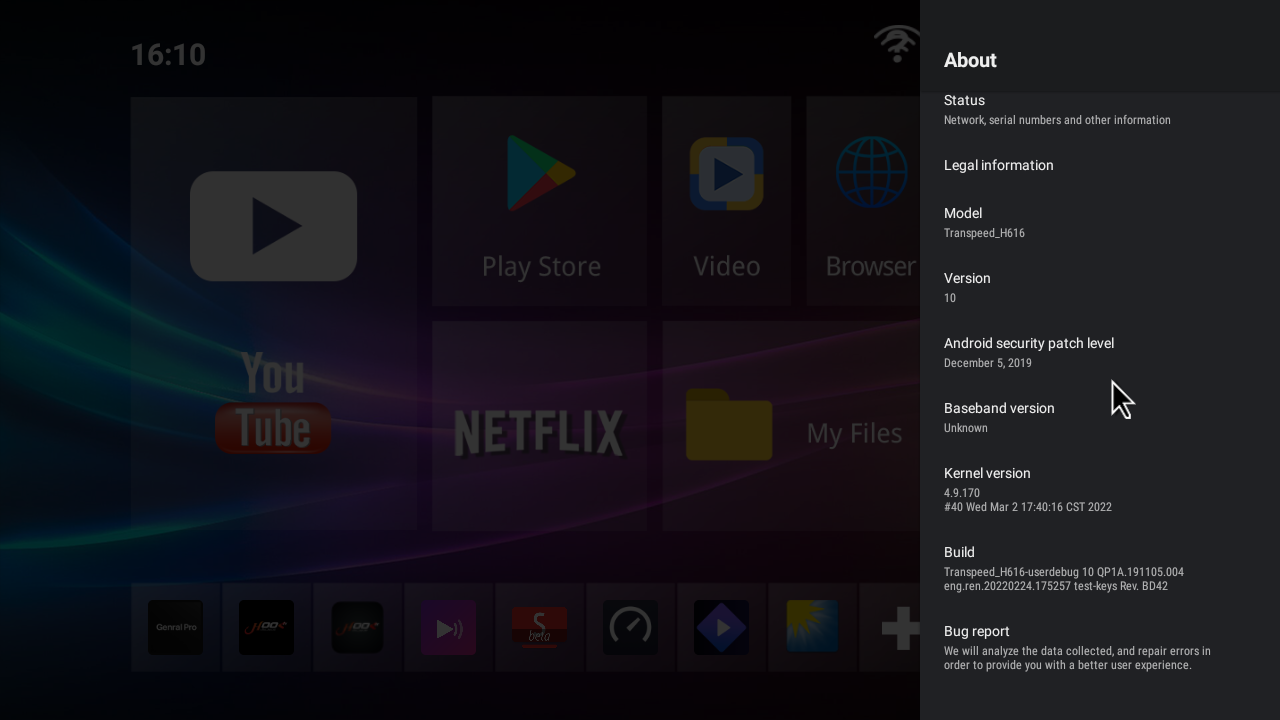
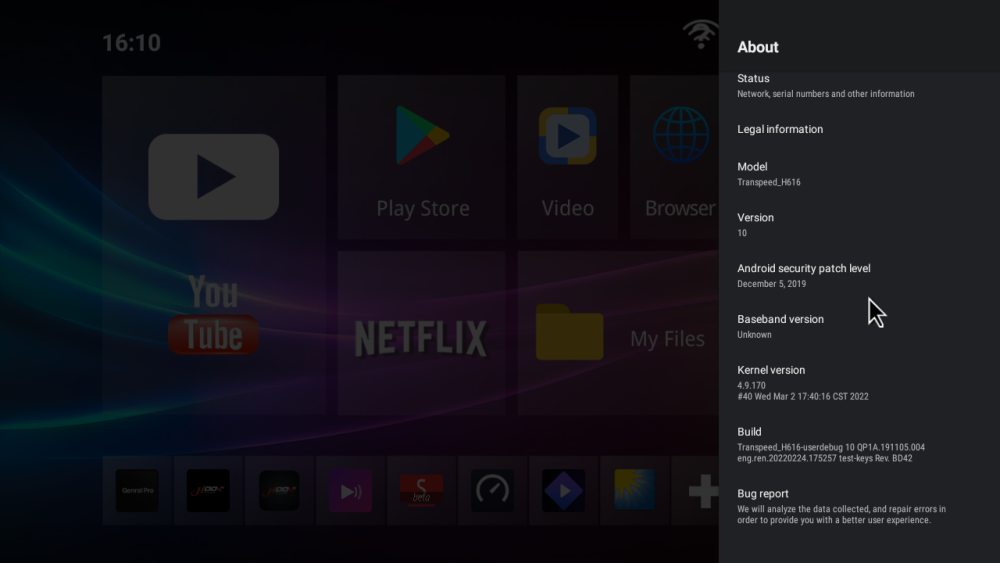
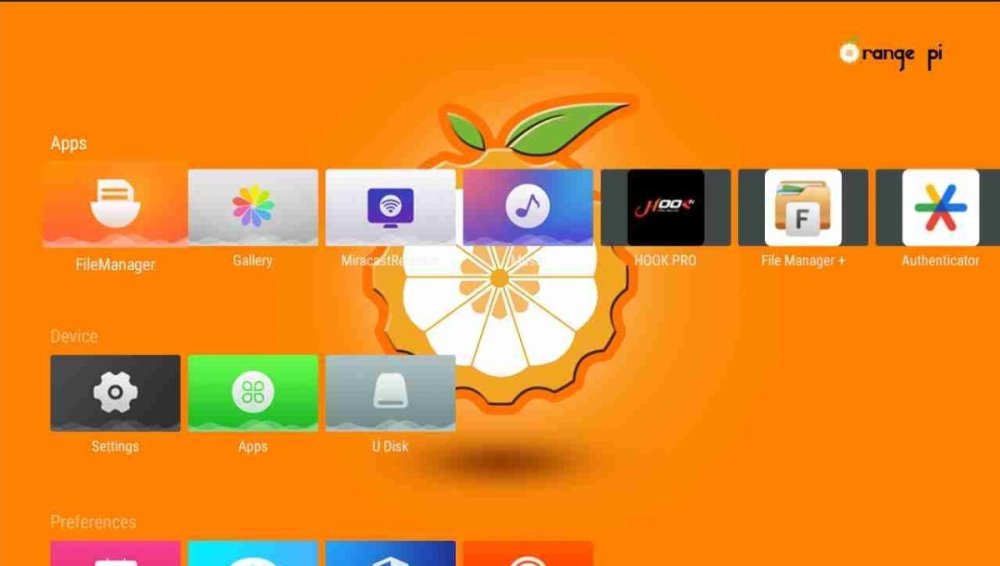
Good morning I have big problem I have tv box Transpeed-H616_ I update with orange pi But i can't back to old firmware
- Yesterday
-
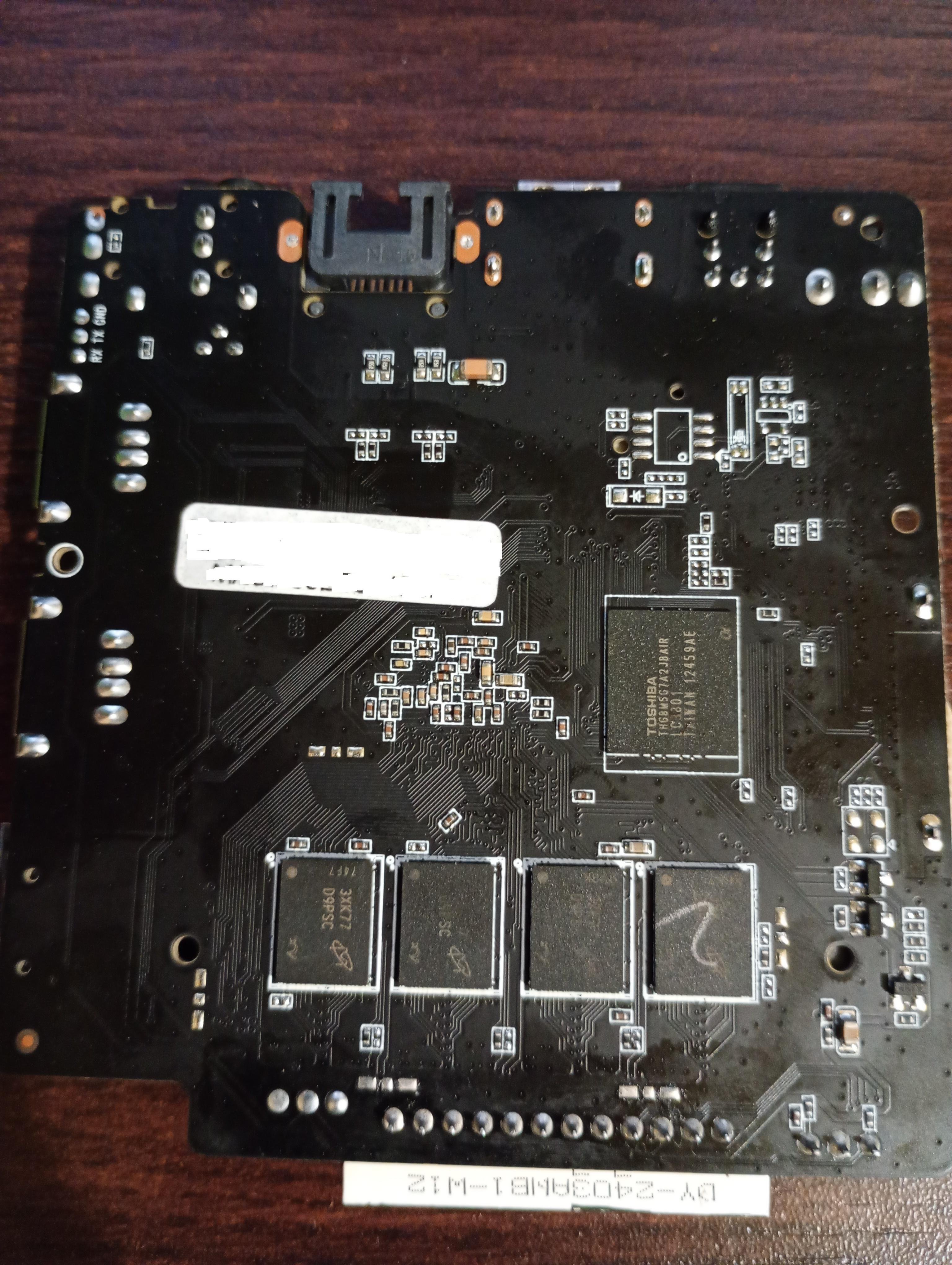
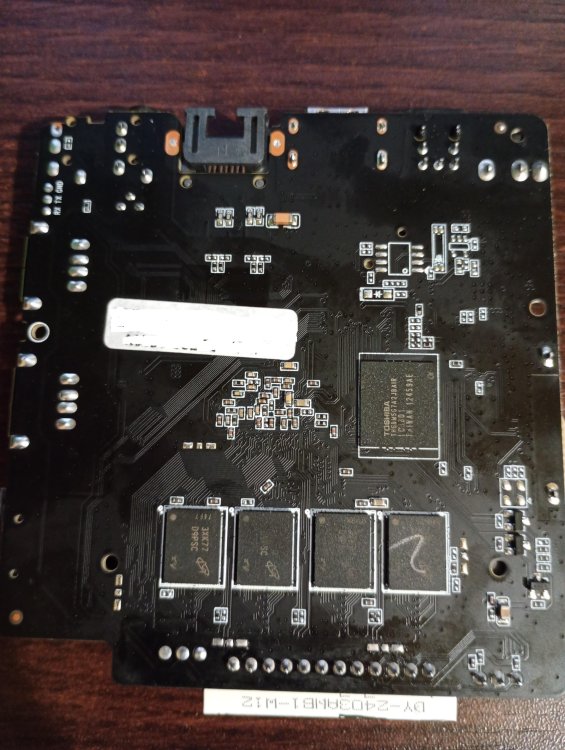
Hello! I had motherboard BA839_141 V2.0 21021 with this type hardware on the photos. Allwinner H313, 8x D9PSC, Toshiba THGBM5G7A2JBAIR And i want use it only with non graphical linux, can someone help me, because i don't see anywhere images for this one, and the other ones only give me black screen. Device won't start with microSD card.
-
Managed to edit the MMC by booting from USB, mounting the MMC. The R2S is now up and running, with the mainline armbian. However, the CPU still spins in the kernel and generates a lot of heat. Idle load average is 2.02.
-
Youtube did not work with the Trixie image for me before or after the script. The Noble image did a decent job at 720p., would not work at 1080. I have the RV2 with 8GB of memory. Very nice progress!
-
@sven-ola thanks for your job, much appreciated. However, are there any chances for the GPU driver to be ported to forky-based Armbian to get both GPU acceleration support and fresher software (except for older patched mesa, of course)? For example, there is lxqt-wayland-session but starting from 2.1.0 version of lxqt while Ubuntu-based Armbian and Bianbu provide 1.4.0 version only. I happened to test it with kwin_wayland as the compositor with one of your previous images and it kind of works but it can suddenly freeze the whole system. I also tested your last image with Gnome but I started it from tty (the command is "XDG_SESSION_TYPE=wayland gnome-shell") and I got a bit higher score of 440-ish in glmark2-es2-wayland.
-
 The problem was in the dtb which comes with the Armbian image, added the fix, now it is working as expected. Attaching the fixed dtb file, just replace it with this one and enjoy! Rename the attached file to k3-am67a-beagley-ai.dtb and copy it to your /boot/dtb/ti/ path and reboot. k3-am67a-beagley-ai.dtb_armbian_fixed
 -
I ran into some trouble. I managed to boot the USB and then used armbian-config to flash the image to internal eMMC. However the script copied the USB UUID instead of the MMC UUID so now the MMC won't boot. I need to edit the MMC and change the UUID.
-
Thanks for the script @sven-ola. I got the R2S booted from USB. I had to tweak a few minor things. Where did you get the Ubuntu boot.cmd? usb start setenv devtype usb setenv devnum 0:1 setenv prefix boot/ setenv fdtfile dtb-6.6.99-legacy-spacemit/spacemit/x1_orangepi-r2s.dtb #setenv fdtfile spacemit/k1-orangepi-rv2.dtb setenv bootargs "console=ttyS0,115200 root=/dev/sda1" ls ${devtype} ${devnum} ${prefix} load ${devtype} ${devnum} ${ramdisk_addr_r} ${prefix}uInitrd load ${devtype} ${devnum} ${kernel_addr_r} ${prefix}Image load ${devtype} ${devnum} ${fdt_addr_r} ${prefix}/${fdtfile} booti ${kernel_addr_r} ${ramdisk_addr_r} ${fdt_addr_r}
-
Wrote a script to change an Armbian desktop system for Spacemit GPU drivers and Chromium (attached). Tested with the two pre-installed Gnome images on my site (see https://privat-in.de/ goto Downloads). Some testing results: Spacemit offers Ubuntu noble and Debian trixie *.deb from their Bianbu site http://archive.spacemit.com/ For us, main diff here is Noble=chromium (Spacemit customized version) and Trixie=chromium-browser-stable (older and not customized). We need Wayland for the GPU, X11 does not work. With lightdm, each Wayland login freezes. Thus use gdm3. With gdm3, Xfce4 exits immediately, Kde-plasma shows drawing errors, Cinnamon works to some extend, e.g has video placing and window sizing problems. So the only useable GUI is Gnome. With Chromium under Gnome we can watch Youtube with 1080p (video / audio sync should stablize after some seconds). When doing this, CPU temperature is up to 75°C from the ususal 65°C, power is 4 Watts from the ususal 3 Watts. Script should work on other Spacemit K1 boards as well. If you miss some package from Bianbu, write a wishlist or make an PR on https://codeberg.org/sven-ola/spacemit-mirror spacemit-gpu-addon.sh
-
 Thanks, gabriel_altoe for your advice. I'm abble to boot from the image you pointed. I have the same board. I success boot with minimal image too from this link: https://github.com/sicXnull/armbian-build/releases/download/v24.8.0-trunk.425/Armbian-unofficial_26.02.0-trunk_X96q-v1-3_bookworm_current_6.12.64_minimal.img.xz
 -

Gaming experience with Orange Pi 5 (RK3588) on Armbian
MiStar replied to KhanhDTP's topic in Orange Pi 5
Hello! I'll take the topic a little away from the main direction, but the question will be in the framework of game testing: is running games through the ps2 emulator (aethersx2) a dead end? When you turn on the MALI-610 on aethersx2 (need for speed underground), the video loads well (60fps, 100%), but there is braking on the screensavers, the sound also stutters and the control is noticeably delayed. When switching to Open GL, the screensavers load quickly, the sound does not stutter, the controls are clear without delay, but the video goes with slight drawdowns, the picture and sound twitch, but very rarely (while the video has an average of 55-60 fps with a percentage of 70-90%).I tested everything on the armbian 26 installed on the sd. -

Gaming experience with Orange Pi 5 (RK3588) on Armbian
KhanhDTP replied to KhanhDTP's topic in Orange Pi 5
@xiboliyadongtu How was it going? -
Addon for @maxsub and the bricked R2S: I tested USB boot from u-boot cmdline on my RV2, and it works. Here's how: usb start setenv devtype usb setenv devnum 0:1 setenv prefix boot/ #setenv fdtfile spacemit/x1_orangepi-r2s.dtb setenv fdtfile spacemit/k1-orangepi-rv2.dtb setenv bootargs "console=ttyS0,115200 root=/dev/sda1" ls ${devtype} ${devnum} ${prefix} load ${devtype} ${devnum} ${ramdisk_addr_r} ${prefix}uInitrd load ${devtype} ${devnum} ${kernel_addr_r} ${prefix}Image load ${devtype} ${devnum} ${fdt_addr_r} ${prefix}dtb/${fdtfile} booti ${kernel_addr_r} ${ramdisk_addr_r} ${fdt_addr_r} In case you have a blank u-boot-env, here's mine attached // HTH printenv.cap
-
@maxsub You mean the boot.cmd (source for boot.scr) from the Xunlong Ubuntu image for R2S? I'll attach it below // HTH boot.cmd
-
OK, so that went reasonably fast and produced the 4 kernel debs. The linux-libc-dev-edge-rockchip64 didn't install due to conflict with the (current/stable) linux-libc-dev package - I think this is expected - but the rest of the kernel packages have been succesfully installed and the dkms error seems resolved.
-
Eh, I can try the 7.0 rc package and see how they behave, as long as it's 6.19 or later is fine. Thanks for the pointers.
-
No. edge will give you 7.0-rc3 since it was bumped recently. You can try to revert this commit to get 6.19. No guarantee it works, nor any support will be given. https://github.com/armbian/build/pull/9445
-
If I'm building the .deb file manually, is there a way to build with kernel 6.19 for the OrangePi5 ? Can I use the edge branch (instead of current) for this ? While I don't mind waiting for the package to build, if I can build the bsp/kernel/headers for 6.19 I can give it a try. EDITED for formatting.
-
Yes, they seem to be missing in repo. As a quick fix I'd suggest to use the build framework to create yourself a set of deb files containing all necessary packages code { font-family: Consolas,"courier new"; color: crimson; background-color: rgba(0, 0, 0, 0.2); padding: 2px; font-size: 105%; } ./compile.sh BOARD=orangepi5 BRANCH=current kernel code { font-family: Consolas,"courier new"; color: crimson; background-color: rgba(0, 0, 0, 0.2); padding: 2px; font-size: 105%; } copy the packages from output/debs to your board and use dpkg to install them.
-
Hello, I have installed the minimal Trixie based image for Orange Pi5 (the image named Armbian_26.2.1_Orangepi5_trixie_current_6.18.8_minimal) and then attempted to build an out-of-tree kernel module. Having installed dkms and build-essentials, plus the kernel headers through armbian-config, I found the headers package hasn't been fully set-up, the build symlink in /lib/modules/<KVER> is missing and dkms complains that the kernel headers for the kernel are not installed. The kernel headers are installed though, but it looks like they're from a previous release (25.11.2 instead of 26.2.1). # dpkg -l | grep rockchip ii linux-dtb-current-rockchip64 26.2.1 arm64 Armbian Linux current DTBs in /boot/dtb-6.18.8-current-rockchip64 ii linux-headers-current-rockchip64 25.11.2 arm64 Armbian Linux current headers 6.12.58-current-rockchip64 ii linux-image-current-rockchip64 26.2.1 arm64 Armbian Linux current kernel image 6.18.8-current-rockchip64 It the headers package still pending packaging ? Shouldn't armbian-config provide an error in this case and not install the old kernel headers ? EDIT: armbianmonitor ouput - https://paste.armbian.com/oliyalebeq
-
 Hello everyone, I'm trying to locate a specific older Armbian build for an RK3318 TV box and hoping someone in the community might have it archived. I'm looking for: Version: Armbian 22.05.1 (or similar from that era) Kernel: Legacy 4.4.213 Base: Debian Buster Desktop: XFCE (or even a CLI version is fine) The original download link from users.armbian.com/balbes150/ is now a 404. I understand this is a very old "Community Maintained" build and that RK3318 support has moved to newer kernels . I'm specifically seeking this kernel version for a project. If anyone has this image file or a similar legacy build (kernel 4.4.x) for the RK3318 stashed away, could you please share it or point me to an alternative source? Any help would be greatly appreciated! Hardware: (e.g., H96 Max RK3318 - please specify your exact box model) Thank you
 - Last week
-
Thank you. R2S has a built in eMMC and USB. The only way to get a new image is to boot from USB but it seems like I have to manually load the image in u-boot. Is the u-boot script (boot.txt) for the build somewhere in GitHub?