All Activity
- Today
-
Hi @maxsub, no, thats a normal image. Hacking is the looong filename: Armbian-unofficial_26.02.0-trunk_Orangepirv2_trixie_edge_6.18.8_minimal+Orangepirv2_1.0.0_ubuntu_noble_desktop_gnome_linux6.6.63.img.xz
- Yesterday
-
In your downloads site, does this one have the GPU hack? Armbian-unofficial_26.02.0-trunk_Orangepirv2_trixie_current_6.6.99_minimal.img. I can do some testing. Thank you.
-
Continued GPU hacks. I uploaded a medley from Armbian (uboot,kernel) plus OrangePi-Ubuntu-Noble (userspace) from downloaded Xunlong image to my https://privat-in.de site (-> Downloads, grab Armbian+OrangePi.img.xz). Root PW is "orangepi" and it has 3 scripts /boot/boot-6.x.x to switch kernels between 6.6.36-ky, 6.6.99 and 6.18.x (both from Armbian). While the original "ky" kernel has GPU support (instantly visible with the Gnome GUI reacting < 2 seconds), the Armbian kernels have no GPU. Turns out: the kernel DRM driver name needs to be "rvdisplay" instead of "spacemit". This works at least with Armbian-Stable-6.6.99, while Armbian-Edge-6.18.x probably needs further kicking. The Armbian kernels have the following (prelim) change: --- a/drivers/gpu/drm/spacemit/spacemit_drm.c +++ b/drivers/gpu/drm/spacemit/spacemit_drm.c @@ -24,7 +24,7 @@ #include "spacemit_dmmu.h" #include "spacemit_gem.h" -#define DRIVER_NAME "spacemit" +#define DRIVER_NAME "rvdisplay" #define DRIVER_DESC "Spacemit SoCs' DRM Driver" #define DRIVER_MAJOR 1 #define DRIVER_MINOR 0 Note, that Xorg has no GPU, the GPU stuff only works with Wayland (gnome-shell + mutter). Also: no luck with that Bianbu-Linux. It's damn slow Gnome (slower that OrangePi with Software rendering) and none of the kernels brings the GPU to live (even the original Bianbu kernel with a orangepirv2 DTB does not work). @c0rnelius Bananapi R3 and Musepi Pro have working GPU? HTH // Sven-Ola
-
See here:
-

ZeroPi booting with 25.5.0-trunk.256, but not newer images
MichaIng replied to TimoA's topic in Allwinner sunxi
The raised U-Boot version here is the culprit: https://github.com/armbian/build/commit/b8844c9 Maybe done by accident, since the commit/PR message does not mention the ZeroPi at all, or that it has been successfully tested on that board. Removing those two lines BOOTBRANCH="tag:v2025.04" BOOTPATCHDIR="v2025-sunxi" , reverting to U-Boot v2024.01 and respective patch dir, solves it for us. Of course, if someone finds time, it would be interesting to find out which missing patches or changes in upstream U-Boot are causing the issue. What I see in our logs is that the last starting and never finishing service is one which calls "udevadm settle", hence waits for udev rules to be processed, endlessly. The NanoPi NEO image boots on the board, but using the NanoPi NEO device tree on the ZeroPi image does not boot, which left only the bootloader as culprit. Maybe it puts some device into a bad state which causes the kernel/udev hang. Duplicate topic: -
pq eu não consigo boot com os versoes recentes a melhor para o meu projeto seria esse mesmo. sabes como posso boot com os versoes desta pagina por exemplo esta imagem Armbian_5.37_S9xxx_Ubuntu_xenial_3.14.29_server_20171226.img.xz boot tranquilo mas ubuntu 18 não da para o projeto, esta imagem Armbian_23.11.1_Aml-s9xx-box_jammy_current_6.1.63_minimal.img.xz seria perfeita mas não consigo boot, fica travado tela beelink preta. pode me ajudar? CAIXA BEELINK GT1 ULTIMATE 3GB/32GB
-
 My recent RK3588 kernel adventure: - dual-core H.265 (HEVC) encoding working live at full 4K@60 on armbian-build edge kernel (6.19-rc8) for Rock 5B[+] and Orange Pi 5 Ultra. - fix for setting HDMIRX EDID (this didn't work in mainline on any of my tested hardware) This is out-of-tree (practical focus over upstream goals), but it's stable and producing clean bitstreams. Repo: https://github.com/rcawston/rockchip-rk3588-mainline-patches Feedback welcome.
 -
@zcrself Your board might be missing some components for UART to work properly. Have you tested your TTL to USB adaptor on other boards to see if it works?
-
@Almir Oliveira why are you looking for a build that is over three years old and includes a Linux kernal that is no longer supported? Why not download the latest build from the Armbian downloads page?
-
@maxsub: There are some LLVM changes that are fixed with later Mesa, just cherry pick the top 3 commits from https://codeberg.org/sven-ola/mesa-spacemit-k1/commits/branch/spacemit-k1 HTH // Sven-Ola
-
@c0rnelius I uploaded /etc/apt and /usr/share/keyrings for you on my Opi3z Nextcloud for you, go to https://opi3-3.privat-in.de/index.php/s/by9XnGDbntaDz35, sha256sum is is 9d2a2380f7791630d1303c07e889b77d1acf0789b180f2a6b9157fa3fdf20685
-
You can change the kernel config for your needs with "kernel-config" argument, or for example ./compile.sh CPUTHREADS=$(nproc) BOARD=orangepirv2 BRANCH=edge RELEASE=trixie KERNEL_CONFIGURE=yes KERNEL_GIT=shallow BUILD_MINIMAL=yes will start a menuconfig before compiling an image.
-
I started a build of mesa-spacemit-kt from source on the RV2 and ran into only a couple of issues: ../src/amd/llvm/ac_llvm_helper.cpp:102:10: error: no matching function for call to ‘unwrap(LLVMOpaqueModule*&)’ 102 | unwrap(module)->setTargetTriple(TM->getTargetTriple().getTriple()); | ~~~~~~^~~~~~~~ In file included from /usr/include/llvm-19/llvm/IR/Type.h:18, from /usr/include/llvm-19/llvm/IR/DerivedTypes.h:23, from /usr/include/llvm-19/llvm/IR/InstrTypes.h:26, from /usr/include/llvm-19/llvm/Analysis/TargetLibraryInfo.h:14, from ../src/amd/llvm/ac_llvm_helper.cpp:8:
-
Please help. Hello everyone, please help me out. I urgently need to enable secure boot on my Allwinner H3 Nanopi neo core. I tried following the instructions from the forum https://forum.armbian.com/topic/3033-h3-soc-boot-rom-security-e-fuse/#findComment-84051 . But I couldn't burn the E-Fuse. At stage 5, when loading ./sunxi-fel -v -p write 0x2000 of the compiled code and checking whether the changes were applied, sunxi-fel sid/list/version doesn't work. I have to reboot the board, and then I see no result. Please help me solve this problem and burn it so that the bootloader signature is present and it is impossible to boot from the SD card using third-party means. Please, if you have any information, help me.
-
Download please!!!!! Armbian_22.08.0_Aml-s9xx-box_jammy_current_5.10.125.img.xz
-
@marcosdsdba the only driver that works is from kernel 4.4. Unless someone figures out a way to port this to a modern kernel, your only option is to use a usb wifi adapter.
-
There is probs away to pull in those apt sources from Bianbu, but I haven't messed with it yet. Types: deb URIs: http://archive.spacemit.com/bianbu/ Suites: noble/snapshots/v2.2 noble-security/snapshots/v2.2 noble-porting/snapshots/v2.2 noble-customization/snapshots/v2.2 noble-updates/snapshots/v2.2 bianbu-v2.2-updates Components: main universe restricted multiverse Signed-By: /usr/share/keyrings/bianbu-archive-keyring.gpg Would need to go on gitee or mount one of their imgs and get that *-keyring.gpg
-
so i am testing your edge build of 6.18 kernel and it works great. but one of the things i would like to do is to enable the intel and amd graphics drivers for testing(ive got an external intel gpu on the nvme slot). on normal debian i just download the kernel do a make menuconfig and specify, im new to armbian and see it uses a compile.sh script. i didnt see a branch on your github for the edge kernel, just saw rv2 and rv2-ky. so im kind of curious as to where i clone from to get your edge kernel branch.
-
Yes, I more or less thought about that orangepi.org Ubuntu from their downloads. At least this Ubuntu image shows some OpenGL capabilities with the preinstalled glmark2. I also tried that "Bianbu" image from Spacemit with my kernel, but that Gnome3/Wayland is slower than a slug probably because in case you want to play with that: I've uploaded that image to https://privat-in.de as a playground, root password is "bianbu" and you may need to resize the root partition to your SD card or so. Also I've overlooked that there is a "bianbu 3.0.1" so this is 3.0
-
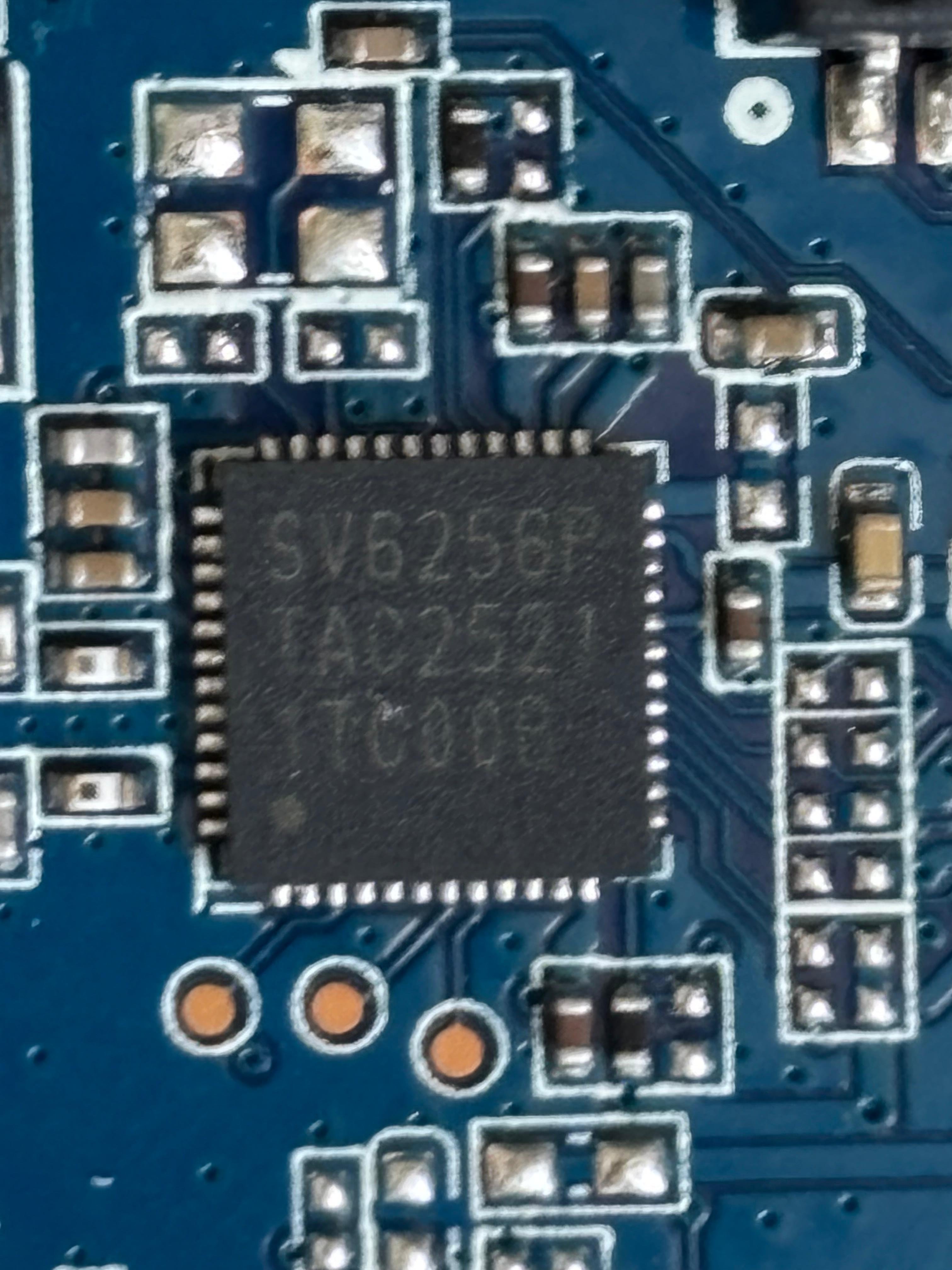
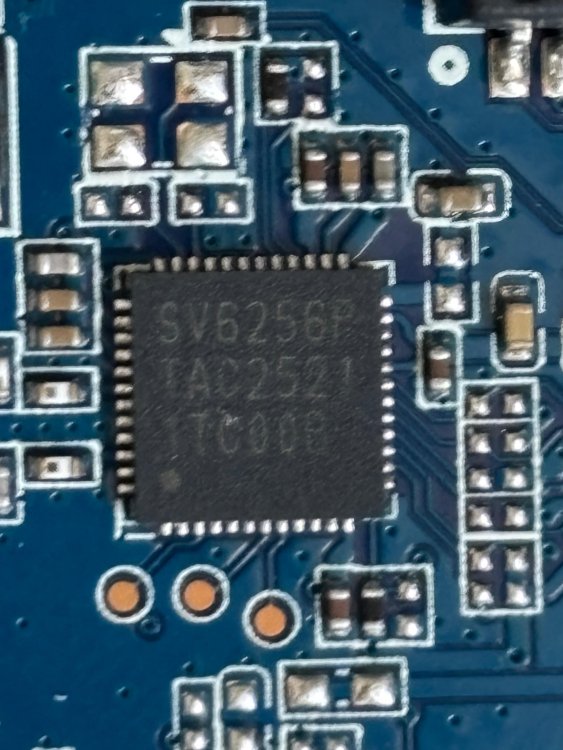
@Nick A Wi-fi chip is SV6256P
-
Thank you for such a detailed answer! I'll try to explain a little why I need this. I use OpiRV2 not only as a server for my applications (and, in a sense, for testing some add-ons for automating my home), but also to use OpiRV2 to install Kodi for viewing my home server tvheadend (as they say, to use 2 in 1 to the fullest). But this is impossible without hardware video decoding. I use Kodi without running the Mate and XFCE desktops - because from experience, to use hardware video decoding, you need to run Kodi with the /usr/bin/kodi-standalone --windowing=gbm parameter on single-board motherboards. This works fine on OpiZero3, etc., but here it's a pain in the ass 🙂 Even SD video is completely slow because software codecs are used. I understand that you don't need this and are not interested in it, so I'll just say - thank you for the great work you've done. PS: Regarding Ubuntu-Noble, which can be downloaded from Xunlong - which image are you talking about? If it's from here - http://www.orangepi.org/html/hardWare/computerAndMicrocontrollers/service-and-support/Orange-Pi-RV2.html , then it's terrible - nothing works there, including HDMI audio.
-
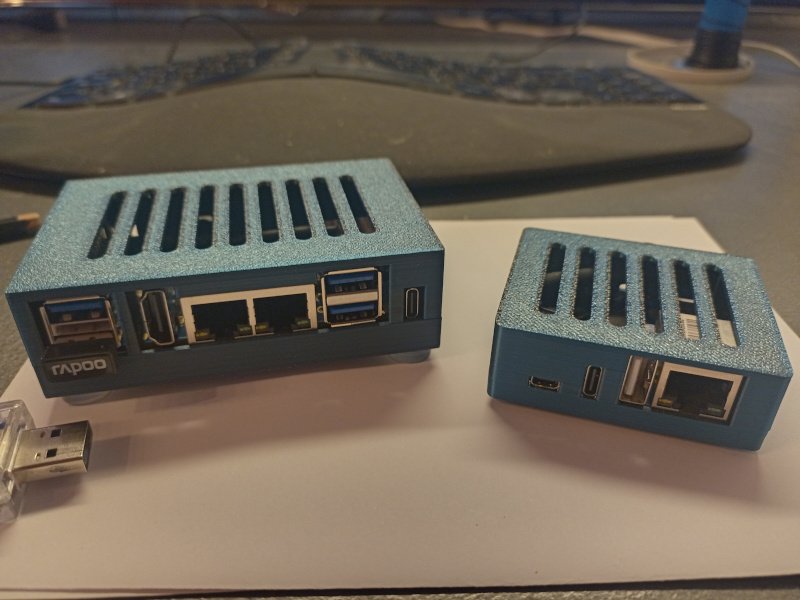
Hello @Malay, et.al, the motivation behind my attempt to include Armbian support for OpiRV2 is to have a better device for my Nextcloud-for-private-persons project. For this, I need a device that can be run at home with a current kernel and headless, but with decent storage. I already have a device (Orange Pi Zero 3, right on the photo), but Orange Pi RV2 (to the left) offers two(!) m.2 slots for NVMEs, some Wifi and Eth as well as decent computing power. Also, both have some extra NOR flash to store LUKS keys and decent pricing. Also that RiscV64 has some appeal, admitted 😉 Without GPU support, you can run Mate, LXDE, and XFCE for a GUI, which should be OK for some management tasks. I doubt that RV2 will ever make a good Youtube player, however that may be archived by replacing the Armbian userspace with that Ubuntu-Noble userspace that you can download from Xunlong. This Ubunut also comes with a RiscV64 port of Chromium which is also needed for Youtube and not avail from Debian, but source code *.dsc seems to be offered in the Bianbu pool so that may work out. Anyhow - that GPU porting attempt was based on the PowerVR addons offered as code drop on git@gitee.com:spacemit-buildroot/mesa3d.git. Our Chinese friends grabbed mesa 22.3.5, added their IMG BXE-2-32 this+that to the sources, cherry-picked their way up to mesa 24.0.1 and throw the result over the fence. At least without inking the code via Windows notepad, so no white-space chaos this time. Now, porting this with the closed binary *.so as heavy baggage is all about stable API. Large internal API change -> end of party. I am no graphics specialist, so take this with a pinch of salt. Debian offers mesa since 24.3 with an additional package: mesa-libgallium, you need this for the GPU desktops (Cinnamon, and probably Gnome / KDE). OK - someone or something needs the API from the Mesa internal Gallium driver suite, this needs to be compiled (a *.a is there). So I started to bring that code drop from 24.0 to 24.3, only to stumble over internal API changes. Concrete: we previously have some numeric constants __DRI_IMAGE_COMPONENTS_this+that 0xabcde in Mesa describing image formats (RGB32, BGRA24, 656-16, and so on). The code drop adds a couple of formats probably specific for PowerVR, but the Mesa project completely removed those constants ("nobody uses this"). At that point I thought: this is pointless, I'll pass... HTH // Sven-Ola
-

How you can help test upcoming Armbian 26.02 images?
Igor replied to Igor's topic in Advanced users - Development
Once board is tested, its moved to its final destination https://www.armbian.com/nanopi-m4-v2/ I tested it KDE was enabled "as is" / at last moment. I am not familiar with KDE much, so I don't know what to enable. I know that there could be issues between Neon and Ubuntu packages, so we kept this minimal. https://github.com/armbian/build/blob/main/config/desktop/noble/environments/kde-neon/config_base/packages Tested boards are moving to /dl Thank you for help. -
I don't see it specifically listed, but does Armbian run on the Beaglebone black?
-
Community support is fine for me, thanks for your job! Are there system packages I shouldn't upgrade with apt to not break OS in my case? Maybe kernel or hardware-specific tools...).