Energokom
-
Posts
109 -
Joined
-
Last visited
Content Type
Forums
Store
Crowdfunding
Applications
Events
Raffles
Community Map
Everything posted by Energokom
-
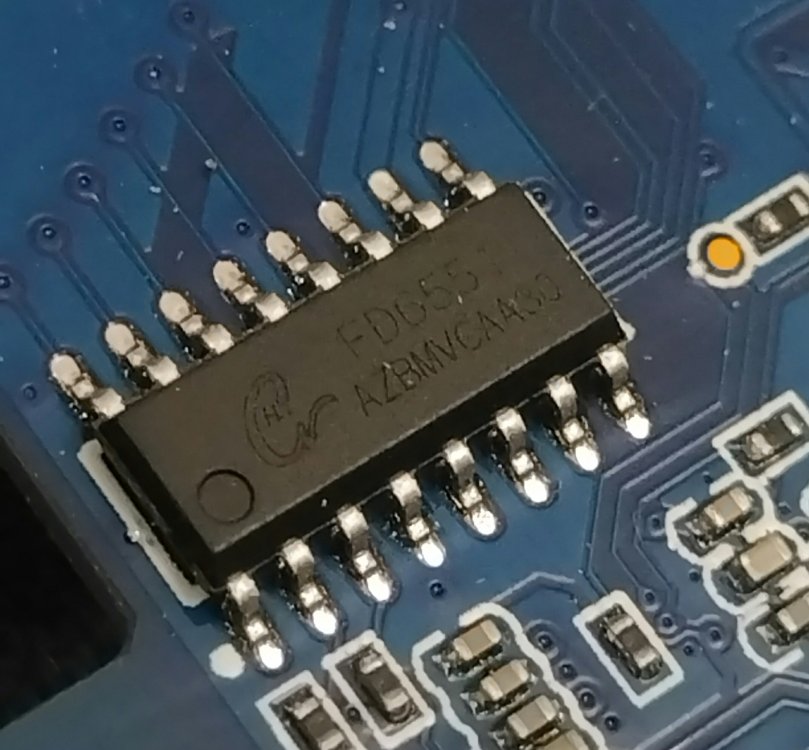
@jockneed your help. I used your experimental Armbian images (5.19.15 kernel and libreelec patch). Of all, it works best with frequency DDR frequency of 666MHZ, but it still freezes. The idbloader.img firmware with a frequency of 333MHZ does not allow the TV Box to boot, and the reverse firmware of idbloader.img with a frequency of 666MHZ does not work either. (apparently you used rk3328_miniloader of a different version when creating idbloader.img). I saved the bootloader from the your experimental Armbian image (5.19.15 kernel and libreelec patch) and recorded the ROOFS from Diet pi - TV box got off to a great start (with your DDR 666MHZ bootloader) but as soon as I connect the LAN cable, the box freezes. Tell me what could be the problem? Why do you think the LAN connection leads to a hang-up? I tried to increase the voltage of vdd_log - but it doesn't help. My RAM = D9PQL Which version of rk3328_miniloader did you use in your Armbian images (5.19.15 kernel and libreelec patch)? - it work best with my DDR 666MHZ box I want to understand how these boxes can be made to work at a frequency of DDR 666MHZ. Can the LED control chip FD6551 affect the operation and cause it to hang?
-
The overclocked processor at a frequency of 1.4Mhz works stably - it ran stress tests and memory tests (DDR frequency 533 MHz). It works stably for 40 hours @jock Can you advise which frequency between 533 and 666 can still be used? I tried 600MHz, but for some reason the TV box does not start at the DDR frequency of 600 MHz. In order not to get a kernel panic when starting at a frequency of 666 MHz, do I need to reduce the CPU voltage?
-
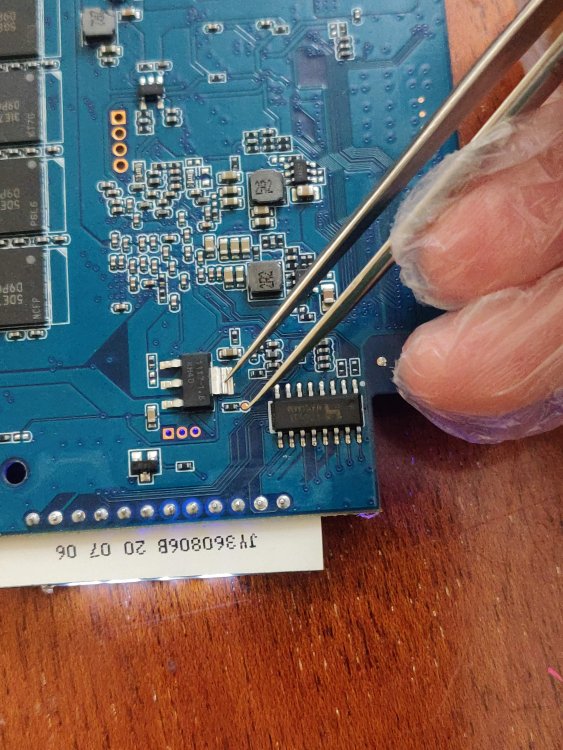
I overclocked the CPU to 1.4MHZ using the voltage 0x1437c8, governor = conservative. opp-1200000000 { opp-hz = <0x00 0x47868c00>; opp-microvolt = <0x13d620>; clock-latency-ns = <0x9c40>; status = "okay"; }; opp-1296000000 { opp-hz = <0x00 0x4d3f6400>; opp-microvolt = <0x137478>; clock-latency-ns = <0x9c40>; status = "okay"; }; opp-1392000000 { opp-hz = <0x00 0x52f83c00>; opp-microvolt = <0x1437c8>; clock-latency-ns = <0x9c40>; status = "okay"; }; The system has been working steadily for several hours and the browser is working faster. Earlier I tried to overclock to 1.4 using the voltage 0x1312d0, but the system received errors almost immediately as soon as I started the browser. My DDR is still 533MHZ. I want to raise the frequency to 600 - 660MHZ. As I said earlier, I use a radiator with a fan Just in case, a photo test point for RK3318 v.1.4 to launch a TV box in the maskrom mode
-
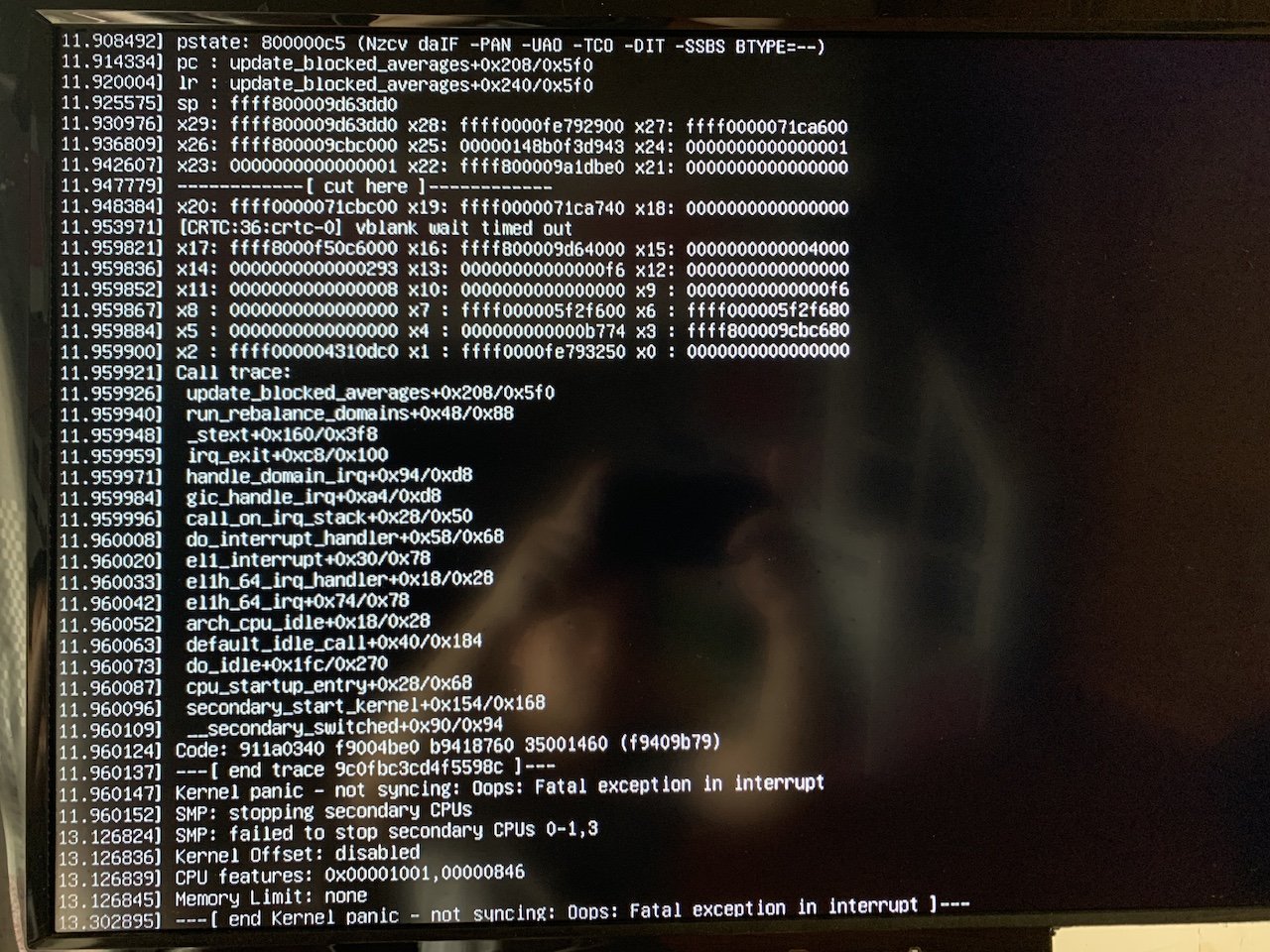
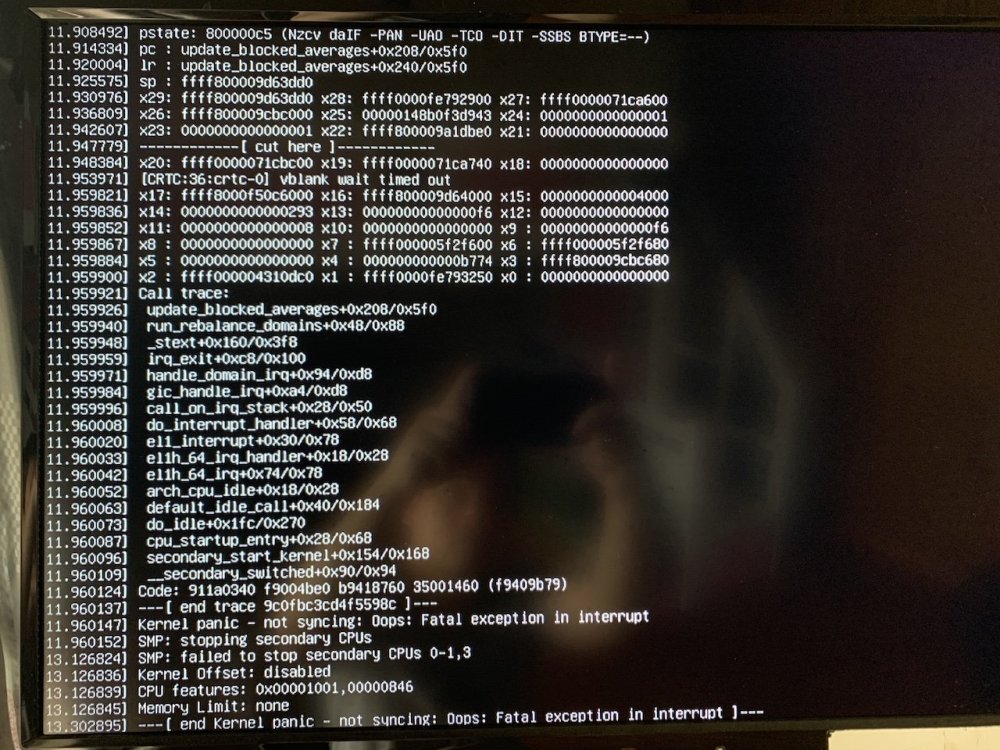
I tried the DDR 660MHZ frequency, the box started and worked fine, even the desktop started... but as soon as I connected the LAN cable, it immediately froze. And if I run without LAN it works fine. But as soon as I connect the LAN cable, it immediately freezes and an error comes out. What other frequencies do you know in the range from 533 to 660 MHZ on which you can try? My TV box H96 MAX+ looks the same
-
I created idbloader666.img , but my TV box RK3188 freezes literally a couple of minutes after loading with a frequency of 666MHz idbloader666.img At a frequency of DDR 333MHZ, it works for months. Using the HEX editor, I created rk3318_ddr_400Mhz_v1.16.bin and collected idbloader400.img with a DDR frequency of 400MHZ.idbloader400.img The CPU operates at a frequency of 1.3 MHZ - it has been working stably for an hour. Now I have launched memtester 512M After a successful memory test, I continued experimenting with the HEX editor and increased the DDR frequency to 533MHZ and my TV Box started Now I'm restarting the memory test idbloader533.img
-
Does anyone have an idbloader.img with a DDR frequency of 666MHZ? I reread the entire forum thread, but I didn't find it. If, I boot from an SD card, I need idbloader.img to upload to dd if=idbloader.img of=xxSDCARDxx seek=64 or on emmc?
-
Where can I download a binary file using ddrbin with a frequency of 667 MHz? My soc RK3318. Boot from SD Card kernel 5.15.93-rockchip64
-
Bookworm 6.1.30 - wi-fi don't work.
-
I use Armbian_23.5.1_Orangepi3-lts_bookworm_current_6.1.30. I'm trying to download in armbian-config kernel headers, but linux-headers-5.15.93-sunxi64 are downloaded. How to download kernel headers 6.1.30.?