Search the Community
Showing results for 'gpio'.
-
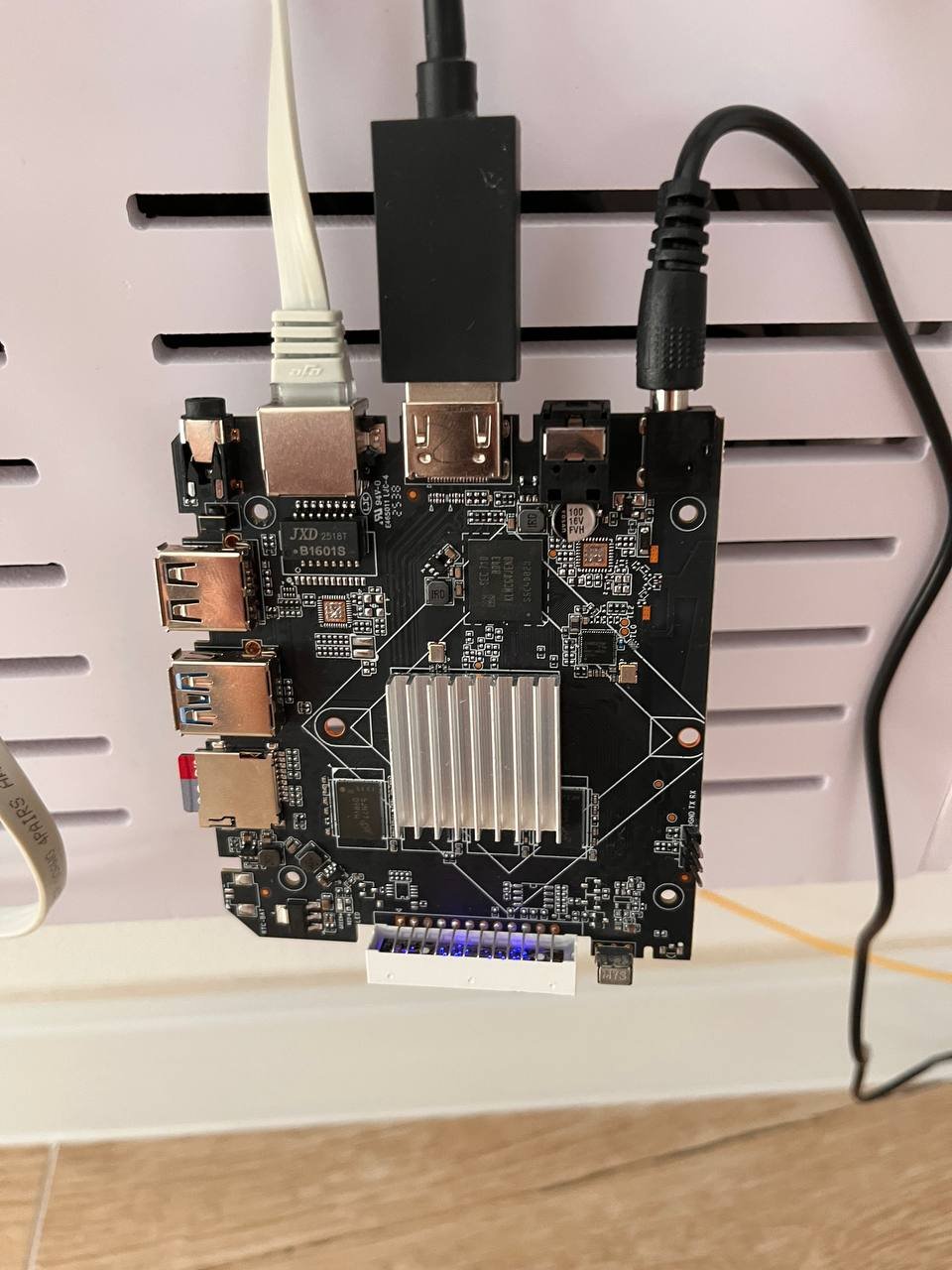
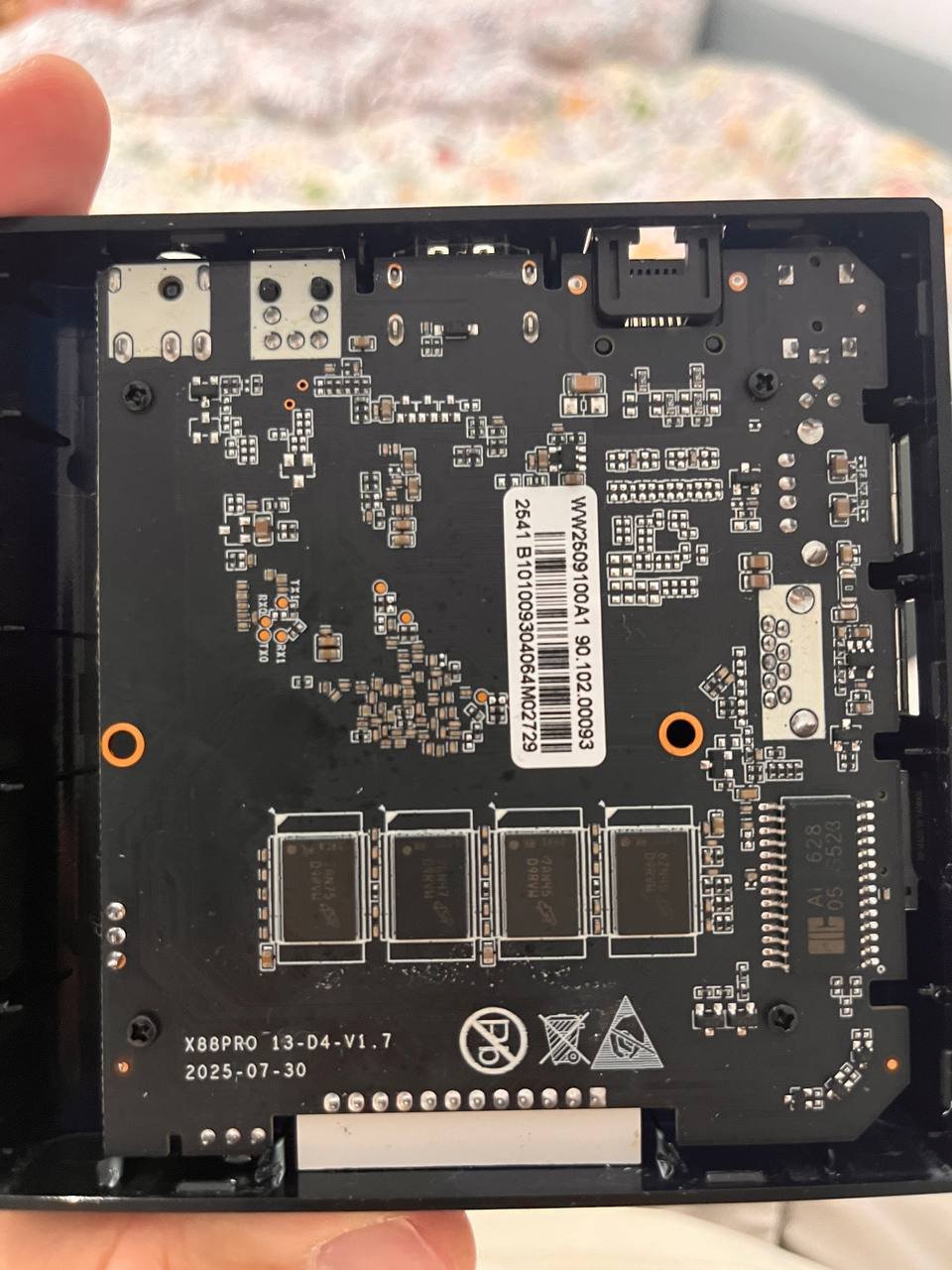
This week's updates center on new hardware enablement, a broad U-Boot v2026.07 modernization, and build system hardening for toolchain and infrastructure changes. Board support expanded across multiple SoC families, including the X88 PRO RK3566 TV box, Avnet MaaXBoard 8ULP (i.MX8ULP), EASY EAI Nano (RV1126), and the AYN Odin3. The Youyeetoo R1 v3 was promoted to standard support with named audio outputs, while the Radxa Dragon Q8B gained an edge kernel (7.1) target. Rockchip work included RK3588 CAN support for kernels 6.18/7.1/7.2, HDMI-RX fixes on the OrangePi 5 Ultra, and Mixtile Blade3 refinements on the 7.2 bleeding edge. A coordinated U-Boot bump to v2026.07 landed across Helios4, Odroid HC4/M1, Turing RK1, Radxa E52C, Qidi X6, Mekotronics R58X-Pro, and the Espressobin/Macchiatobin (paired with TF-A 2.14.0). This surfaced toolchain issues on Trixie, addressed through SWIG 4.3 pylibfdt compatibility, demotion of gcc 14 int-conversion and implicit-declaration errors to warnings, and related pin cleanups. Infrastructure work strengthened build reliability and CI. The rootfs stage gained DNS fallback and apt retry hardening for chroot operations, armbian-firstlogin received power-loss recovery with atomic writes, and armbian-install now reports bootloader write failures explicitly. Docker framework updates enable native riscv64 image generation on trixie and noble runners, while new extensions introduce sysrq serial trigger, kernel-debug tiers, ram-boot via rkusbboot, and generic SATA park-on-shutdown enabled by default on the Odroid HC4. #Armbian #EmbeddedLinux #UBoot #Rockchip #RISCV ChangesAdd support for X88 PRO RK3566 TV box. by @Ovaday in armbian/linux-rockchip#500Add AI-driven README updater (central, cross-repo). by @igorpecovnik in armbian/armbian.github.io#359Add Avnet MaaXBoard 8ULP (i.MX8ULP) support. by @govindsi in armbian/build#9991Add AYN Odin3 firmware. by @kasimling in armbian/firmware#136Add ayn-odin3 board image. by @kasimling in armbian/armbian.github.io#358Add board: EASY EAI Nano RV1126. by @hqnicolas in armbian/build#10154Add minimal SWT6621S firmware support for KICKPI K3B. by @retro98boy in armbian/firmware#134armbian-firstlogin: power-loss recovery and atomic writes. by @mingzhangqun in armbian/build#9954armbian-install: report bootloader write failures instead of "Done.". by @iav in armbian/build#10204artifact-rootfs: surface git-log failure when computing configng hash. by @igorpecovnik in armbian/build#9849board: aml-c400-plus: Fix eMMC boot format and partition layout. by @jomadeto in armbian/build#9911boards/easy-eai-nano: enable usb and brcm wifi. by @hqnicolas in armbian/build#10177brcm: add brcmfmac firmware aliases for easy-eai nano (rv1126). by @igorpecovnik in armbian/firmware#133bsp: generic SATA park-on-shutdown (HDD_PARK_ON_SHUTDOWN), enable on Odroid HC4. by @igorpecovnik in armbian/build#10191bsp: use kernel version argument in ABL postinst scripts (fixes #10108). by @rorystandley in armbian/build#10109can: rockchip: add RK3588 CAN support (for kernel v6.18 / v7.1 / v7.2). by @lch08 in armbian/build#10184ci(board-assets): don't check out fork head under pull_request_target. by @igorpecovnik in armbian/build#10194cix-acpi: bump edge to 7.1.y. by @EvilOlaf in armbian/build#10167Cleanup patches. by @EvilOlaf in armbian/build#10174csc board: NORCO EMB-3531: Do not reset LTE moden. by @retro98boy in armbian/build#10222docker/framework: build riscv64 images on native runners (trixie, noble). by @igorpecovnik in armbian/docker-armbian-build#34docker/framework: generate riscv64 images (trixie, noble, resolute). by @igorpecovnik in armbian/docker-armbian-build#33docker/riscv64: fix cross-compiler availability for generate-dockerfile. by @igorpecovnik in armbian/build#9589docker: allow overriding host_arch for foreign-arch Dockerfile generation. by @igorpecovnik in armbian/build#10211docs: refresh README (AI-assisted). by @igorpecovnik in armbian/ci#29Enable memory compaction and RK630 PHY on Rockchip vendor kernels . by @lukaszsobala in armbian/build#10175Enable pwm gpio. by @frank-f in armbian/build#10238extensions/nvidia: per-distro version detection + runtime auto-disable on no-GPU hosts. by @igorpecovnik in armbian/build#9845extensions/radxa-aic8800: use local dir as download cache. by @rpardini in armbian/build#10156extensions/rkusbboot: easy ramboot mainline u-boot on Rockchip devices. by @rpardini in armbian/build#10158feat(extensions): sysrq-serial-trigger + kernel-debug-tiers (on-device kernel debugging via serial console). by @iav in armbian/build#9776feat(flash): keep the success screen when verification is cancelled. by @SuperKali in armbian/imager#166Fix build for Linux 7.1. by @EvilOlaf in armbian/bcmdhd-dkms#7fix hdmi rx on orangepi5 ultra by adding hpd-gpios. by @pdapandapda in armbian/build#10172fix Radxa U-Boot ITB dependency. by @yisding in armbian/build#10196Fix sata2 target-supply for Orange Pi 3B and Station M2. by @dust-7 in armbian/build#10137fix the hdmirx HPD patch against kernel6.18 & kernel 7.1. by @pdapandapda in armbian/build#10180fix(offline): honor OFFLINE_WORK in git-ref2info and memoize TTL. by @iav in armbian/build#9797gha: disable build cronjobs (moved to armbian/ci). by @igorpecovnik in armbian/os#482git: match safe.directory literally, not as a regex. by @igorpecovnik in armbian/build#10223git: silence spurious SUBSHELL error annotation from safe.directory check. by @igorpecovnik in armbian/build#10225helios4: bump u-boot to v2026.07. by @iav in armbian/build#10183helios4: drop stale u-boot patch dir v2025.10/board_helios4. by @iav in armbian/build#10189input: remotectl: rockchip-pwm: prefer dedicated channel-3 IRQ. by @rpardini in armbian/linux-rockchip#503k3: sk-am62-lp: shrink R5 SPL to fit SRAM + silence k3 cp noise. by @igorpecovnik in armbian/build#10230luckfox-lyra-ultra-w: Add spidev overlay with 2 CS. by @vidplace7 in armbian/linux-rockchip#505mainline: bump bleedingedge to v7.2-rc3. by @EvilOlaf in armbian/build#10181mekotronics-r58x-pro: u-boot: bump to v2026.07. by @rpardini in armbian/build#10232mixtile-blade3: edge: u-boot: fancy it up (lwIP, mbedTLS, efi, btrfs, etc). by @rpardini in armbian/build#10234mvebu64: modernize EspressoBin/MacchiatoBin firmware (u-boot 2026.07 + TF-A 2.14.0 + A3720 fixes). by @igorpecovnik in armbian/build#10213odroidhc4: u-boot: bump to v2026.07, drop upstreamed patch. by @rpardini in armbian/build#10233odroidm1: bump u-boot to v2026.07. by @iav in armbian/build#10201Qidi X6: update to u-boot 2026.07. by @Shadowrom2020 in armbian/build#10228radxa-dragon-q8b: add edge kernel (7.1) target. by @SuperKali in armbian/build#10215radxa-e52c: bump uboot to v2026.07. by @okrc in armbian/build#10135Rk3588 es8388 codec silence log. by @CT1IQI in armbian/build#10198rockchip64-6.18: rework rk3588-0010-fix-clk-divisions to avoid patching include/linux/math.h. by @rpardini in armbian/build#10207rockchip64-7.2: bleedingedge: enable REALTEK_PHY_HWMON. by @rpardini in armbian/build#10206rockchip64-7.2: rk3588-mixtile-blade3, many fixes and additions. by @rpardini in armbian/build#10203rootfs-image: move pre_install_distribution_specific inside install_distribution_specific(). by @rpardini in armbian/build#10157rootfs: DNS fallback for build-time chroot resolv.conf. by @igorpecovnik in armbian/build#10205rootfs: harden chroot apt against transient fetch failures (retries + fail-fast update). by @igorpecovnik in armbian/build#10202rootfs: pin tar for resolute kernel deb install (all families). by @igorpecovnik in armbian/build#10187rootfs: revert resolute tar pin (#10187) — fixed upstream. by @igorpecovnik in armbian/build#10209runner-clean: drop stale amlogic FIP source caches. by @igorpecovnik in armbian/actions#28runner-clean: ensure tree is installed on the host. by @igorpecovnik in armbian/actions#27runner-clean: register qemu binfmt handlers on the host. by @igorpecovnik in armbian/actions#26sc8280xp: fix wrong LINUXCONFIG name for the sc8280xp branch. by @igorpecovnik in armbian/build#10227SpacemiT: Defconfig: Enable CONFIG_PWM_PXA. by @fkpwolf in armbian/build#10182sun55iw3-syterkit: skip TF-A build (SyterKit is self-contained). by @igorpecovnik in armbian/build#10214targets: drop resolute from riscv64 userspace builds (RVA23 vs RV64GC). by @igorpecovnik in armbian/ci#27turing-rk1: bump u-boot v2024.04 → v2026.07 (fix SWIG 4.3 build break on trixie). by @igorpecovnik in armbian/build#10216u-boot: bump 2026.07-rc4/rc5 pins to final v2026.07. by @igorpecovnik in armbian/build#10186u-boot: don't error on implicit declarations (gcc ≥ 14 / trixie). by @igorpecovnik in armbian/build#10221u-boot: fix old pylibfdt build against SWIG ≥ 4.3 (trixie). by @igorpecovnik in armbian/build#10217u-boot: sync btrfs zstd short-extent fix into shadowed board/pool copies. by @iav in armbian/build#10208uboot: demote int-conversion & incompatible-pointer-types to warnings (gcc 14). by @igorpecovnik in armbian/build#10224Up rtw8822b to v30.20.0. by @farwayer in armbian/firmware#135update Helios4 BSP postinst. by @leggewie in armbian/build#9065workflows: add Delete Old Releases (copied from os). by @igorpecovnik in armbian/ci#26workflows: enable build cronjobs (taking over from armbian/os). by @igorpecovnik in armbian/ci#25youyeetoo-r1-v3: bump mainline u-boot to v2026.04. by @SuperKali in armbian/build#10219youyeetoo-r1-v3: promote to standard support and name audio outputs. by @SuperKali in armbian/build#10220View the full article
-
This week's updates center on new hardware enablement, a broad U-Boot v2026.07 modernization, and build system hardening for toolchain and infrastructure changes. Board support expanded across multiple SoC families, including the X88 PRO RK3566 TV box, Avnet MaaXBoard 8ULP (i.MX8ULP), EASY EAI Nano (RV1126), and the AYN Odin3. The Youyeetoo R1 v3 was promoted to standard support with named audio outputs, while the Radxa Dragon Q8B gained an edge kernel (7.1) target. Rockchip work included RK3588 CAN support for kernels 6.18/7.1/7.2, HDMI-RX fixes on the OrangePi 5 Ultra, and Mixtile Blade3 refinements on the 7.2 bleeding edge. A coordinated U-Boot bump to v2026.07 landed across Helios4, Odroid HC4/M1, Turing RK1, Radxa E52C, Qidi X6, Mekotronics R58X-Pro, and the Espressobin/Macchiatobin (paired with TF-A 2.14.0). This surfaced toolchain issues on Trixie, addressed through SWIG 4.3 pylibfdt compatibility, demotion of gcc 14 int-conversion and implicit-declaration errors to warnings, and related pin cleanups. Infrastructure work strengthened build reliability and CI. The rootfs stage gained DNS fallback and apt retry hardening for chroot operations, armbian-firstlogin received power-loss recovery with atomic writes, and armbian-install now reports bootloader write failures explicitly. Docker framework updates enable native riscv64 image generation on trixie and noble runners, while new extensions introduce sysrq serial trigger, kernel-debug tiers, ram-boot via rkusbboot, and generic SATA park-on-shutdown enabled by default on the Odroid HC4. #Armbian #EmbeddedLinux #UBoot #Rockchip #RISCV ChangesAdd support for X88 PRO RK3566 TV box. by @Ovaday in armbian/linux-rockchip#500Add AI-driven README updater (central, cross-repo). by @igorpecovnik in armbian/armbian.github.io#359Add Avnet MaaXBoard 8ULP (i.MX8ULP) support. by @govindsi in armbian/build#9991Add AYN Odin3 firmware. by @kasimling in armbian/firmware#136Add ayn-odin3 board image. by @kasimling in armbian/armbian.github.io#358Add board: EASY EAI Nano RV1126. by @hqnicolas in armbian/build#10154Add minimal SWT6621S firmware support for KICKPI K3B. by @retro98boy in armbian/firmware#134armbian-firstlogin: power-loss recovery and atomic writes. by @mingzhangqun in armbian/build#9954armbian-install: report bootloader write failures instead of "Done.". by @iav in armbian/build#10204artifact-rootfs: surface git-log failure when computing configng hash. by @igorpecovnik in armbian/build#9849board: aml-c400-plus: Fix eMMC boot format and partition layout. by @jomadeto in armbian/build#9911boards/easy-eai-nano: enable usb and brcm wifi. by @hqnicolas in armbian/build#10177brcm: add brcmfmac firmware aliases for easy-eai nano (rv1126). by @igorpecovnik in armbian/firmware#133bsp: generic SATA park-on-shutdown (HDD_PARK_ON_SHUTDOWN), enable on Odroid HC4. by @igorpecovnik in armbian/build#10191bsp: use kernel version argument in ABL postinst scripts (fixes #10108). by @rorystandley in armbian/build#10109can: rockchip: add RK3588 CAN support (for kernel v6.18 / v7.1 / v7.2). by @lch08 in armbian/build#10184ci(board-assets): don't check out fork head under pull_request_target. by @igorpecovnik in armbian/build#10194cix-acpi: bump edge to 7.1.y. by @EvilOlaf in armbian/build#10167Cleanup patches. by @EvilOlaf in armbian/build#10174csc board: NORCO EMB-3531: Do not reset LTE moden. by @retro98boy in armbian/build#10222docker/framework: build riscv64 images on native runners (trixie, noble). by @igorpecovnik in armbian/docker-armbian-build#34docker/framework: generate riscv64 images (trixie, noble, resolute). by @igorpecovnik in armbian/docker-armbian-build#33docker/riscv64: fix cross-compiler availability for generate-dockerfile. by @igorpecovnik in armbian/build#9589docker: allow overriding host_arch for foreign-arch Dockerfile generation. by @igorpecovnik in armbian/build#10211docs: refresh README (AI-assisted). by @igorpecovnik in armbian/ci#29Enable memory compaction and RK630 PHY on Rockchip vendor kernels . by @lukaszsobala in armbian/build#10175Enable pwm gpio. by @frank-f in armbian/build#10238extensions/nvidia: per-distro version detection + runtime auto-disable on no-GPU hosts. by @igorpecovnik in armbian/build#9845extensions/radxa-aic8800: use local dir as download cache. by @rpardini in armbian/build#10156extensions/rkusbboot: easy ramboot mainline u-boot on Rockchip devices. by @rpardini in armbian/build#10158feat(extensions): sysrq-serial-trigger + kernel-debug-tiers (on-device kernel debugging via serial console). by @iav in armbian/build#9776feat(flash): keep the success screen when verification is cancelled. by @SuperKali in armbian/imager#166Fix build for Linux 7.1. by @EvilOlaf in armbian/bcmdhd-dkms#7fix hdmi rx on orangepi5 ultra by adding hpd-gpios. by @pdapandapda in armbian/build#10172fix Radxa U-Boot ITB dependency. by @yisding in armbian/build#10196Fix sata2 target-supply for Orange Pi 3B and Station M2. by @dust-7 in armbian/build#10137fix the hdmirx HPD patch against kernel6.18 & kernel 7.1. by @pdapandapda in armbian/build#10180fix(offline): honor OFFLINE_WORK in git-ref2info and memoize TTL. by @iav in armbian/build#9797gha: disable build cronjobs (moved to armbian/ci). by @igorpecovnik in armbian/os#482git: match safe.directory literally, not as a regex. by @igorpecovnik in armbian/build#10223git: silence spurious SUBSHELL error annotation from safe.directory check. by @igorpecovnik in armbian/build#10225helios4: bump u-boot to v2026.07. by @iav in armbian/build#10183helios4: drop stale u-boot patch dir v2025.10/board_helios4. by @iav in armbian/build#10189input: remotectl: rockchip-pwm: prefer dedicated channel-3 IRQ. by @rpardini in armbian/linux-rockchip#503k3: sk-am62-lp: shrink R5 SPL to fit SRAM + silence k3 cp noise. by @igorpecovnik in armbian/build#10230luckfox-lyra-ultra-w: Add spidev overlay with 2 CS. by @vidplace7 in armbian/linux-rockchip#505mainline: bump bleedingedge to v7.2-rc3. by @EvilOlaf in armbian/build#10181mekotronics-r58x-pro: u-boot: bump to v2026.07. by @rpardini in armbian/build#10232mixtile-blade3: edge: u-boot: fancy it up (lwIP, mbedTLS, efi, btrfs, etc). by @rpardini in armbian/build#10234mvebu64: modernize EspressoBin/MacchiatoBin firmware (u-boot 2026.07 + TF-A 2.14.0 + A3720 fixes). by @igorpecovnik in armbian/build#10213odroidhc4: u-boot: bump to v2026.07, drop upstreamed patch. by @rpardini in armbian/build#10233odroidm1: bump u-boot to v2026.07. by @iav in armbian/build#10201Qidi X6: update to u-boot 2026.07. by @Shadowrom2020 in armbian/build#10228radxa-dragon-q8b: add edge kernel (7.1) target. by @SuperKali in armbian/build#10215radxa-e52c: bump uboot to v2026.07. by @okrc in armbian/build#10135Rk3588 es8388 codec silence log. by @CT1IQI in armbian/build#10198rockchip64-6.18: rework rk3588-0010-fix-clk-divisions to avoid patching include/linux/math.h. by @rpardini in armbian/build#10207rockchip64-7.2: bleedingedge: enable REALTEK_PHY_HWMON. by @rpardini in armbian/build#10206rockchip64-7.2: rk3588-mixtile-blade3, many fixes and additions. by @rpardini in armbian/build#10203rootfs-image: move pre_install_distribution_specific inside install_distribution_specific(). by @rpardini in armbian/build#10157rootfs: DNS fallback for build-time chroot resolv.conf. by @igorpecovnik in armbian/build#10205rootfs: harden chroot apt against transient fetch failures (retries + fail-fast update). by @igorpecovnik in armbian/build#10202rootfs: pin tar for resolute kernel deb install (all families). by @igorpecovnik in armbian/build#10187rootfs: revert resolute tar pin (#10187) — fixed upstream. by @igorpecovnik in armbian/build#10209runner-clean: drop stale amlogic FIP source caches. by @igorpecovnik in armbian/actions#28runner-clean: ensure tree is installed on the host. by @igorpecovnik in armbian/actions#27runner-clean: register qemu binfmt handlers on the host. by @igorpecovnik in armbian/actions#26sc8280xp: fix wrong LINUXCONFIG name for the sc8280xp branch. by @igorpecovnik in armbian/build#10227SpacemiT: Defconfig: Enable CONFIG_PWM_PXA. by @fkpwolf in armbian/build#10182sun55iw3-syterkit: skip TF-A build (SyterKit is self-contained). by @igorpecovnik in armbian/build#10214targets: drop resolute from riscv64 userspace builds (RVA23 vs RV64GC). by @igorpecovnik in armbian/ci#27turing-rk1: bump u-boot v2024.04 → v2026.07 (fix SWIG 4.3 build break on trixie). by @igorpecovnik in armbian/build#10216u-boot: bump 2026.07-rc4/rc5 pins to final v2026.07. by @igorpecovnik in armbian/build#10186u-boot: don't error on implicit declarations (gcc ≥ 14 / trixie). by @igorpecovnik in armbian/build#10221u-boot: fix old pylibfdt build against SWIG ≥ 4.3 (trixie). by @igorpecovnik in armbian/build#10217u-boot: sync btrfs zstd short-extent fix into shadowed board/pool copies. by @iav in armbian/build#10208uboot: demote int-conversion & incompatible-pointer-types to warnings (gcc 14). by @igorpecovnik in armbian/build#10224Up rtw8822b to v30.20.0. by @farwayer in armbian/firmware#135update Helios4 BSP postinst. by @leggewie in armbian/build#9065workflows: add Delete Old Releases (copied from os). by @igorpecovnik in armbian/ci#26workflows: enable build cronjobs (taking over from armbian/os). by @igorpecovnik in armbian/ci#25youyeetoo-r1-v3: bump mainline u-boot to v2026.04. by @SuperKali in armbian/build#10219youyeetoo-r1-v3: promote to standard support and name audio outputs. by @SuperKali in armbian/build#10220View the full article
-
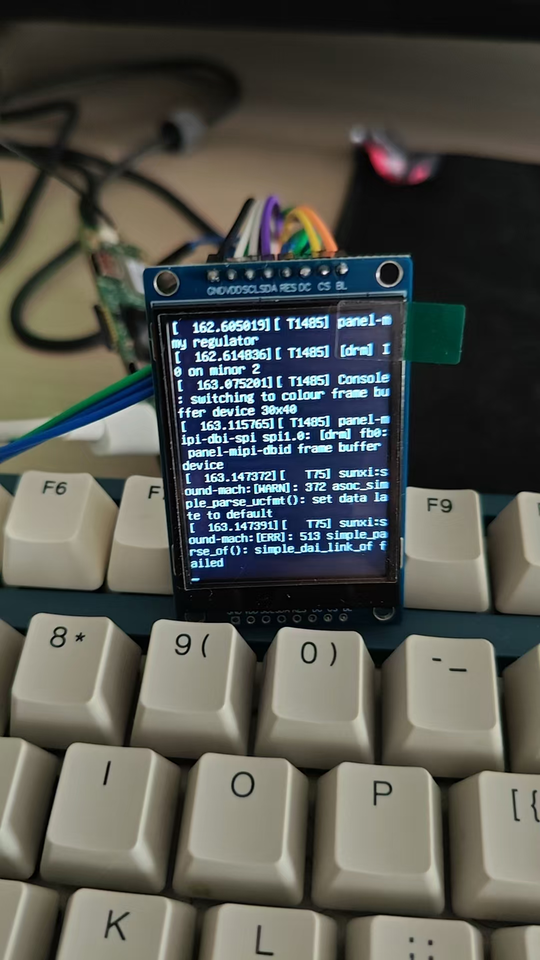
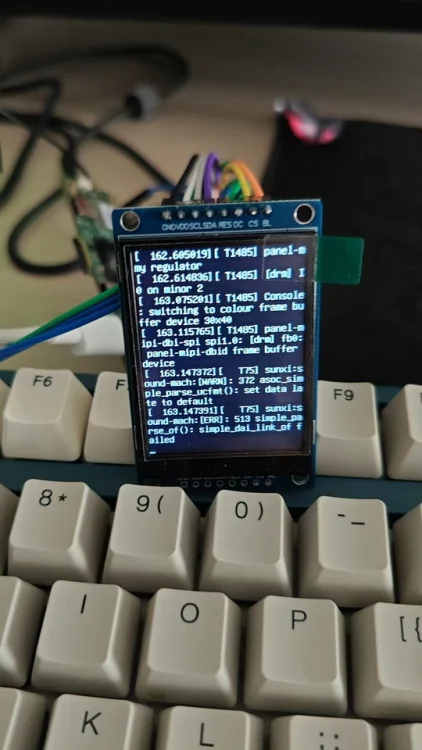
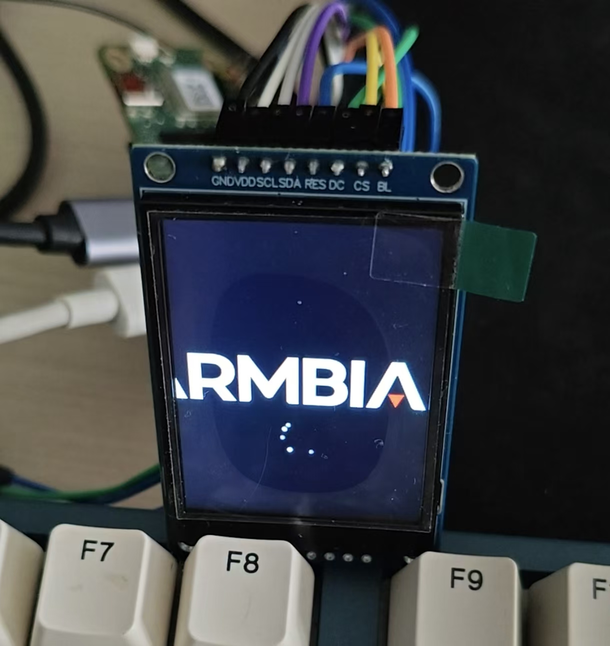
Thanks for the great work Nick. I recently bought a SPI screen and managed to drive it with panel-mipi-dbi in the newer kernel (apparently this module didn't exist in Radxa's official image with kernel 5.15). The panel was a ST7789V 240*320 TFT LCD and I have a A7Z, with the `Radxa-cubie-A7a-a7z-v0.6.4` server image installed. And I have put the work on [Github](https://github.com/parker-int64/sun60i-a733-dtoverlays). During the experiment, I discovered that the PWM (used for display backlight) in the allwinner BSP seems to have a bug. The Allwinner Sunxi PWM driver may incorrectly reverts the PWM pin to GPIO input immediately after switching the pinctrl state. Thus I can control the PWM with the file nodes but can't attached it to related pins. For example, I'm using the `sun60i-a733-pwm1-7.dtso` overlay, which is supposed to enable the PJ25. After enabling the overlay, I noticed that the PWM nodes were created and I can controll these nodes. But the pinctrl suggest that it was unclamied: $ cat /sys/kernel/debug/pinctrl/2000000.pinctrl/pinmux- pins | grep PJ25 pin 313 (PJ25): UNCLAIMED Later on, AI found out that the `devm_pinctrl_put(pctl);` in bsp/drivers/pwm/pwm-sunxi.c may have been incorrectly called on the clean stage of the `sunxi_pwm_pin_set_state`: 520 static int sunxi_pwm_pin_set_state(struct device *dev, char *name) 521 { 522 struct pinctrl *pctl; 523 struct pinctrl_state *state = NULL; 524 int err; 525 526 pctl = devm_pinctrl_get(dev); 527 if (IS_ERR(pctl)) { 528 sunxi_err(dev, "pinctrl_get failed\n"); 529 err = PTR_ERR(pctl); 530 return err; 531 } 532 533 state = pinctrl_lookup_state(pctl, name); 534 if (IS_ERR(state)) { 535 sunxi_err(dev, "pinctrl_lookup_state(%s) failed\n", name); 536 err = PTR_ERR(state); 537 goto exit; 538 } 539 540 err = pinctrl_select_state(pctl, state); 541 if (err) { 542 sunxi_err(dev, "pinctrl_select_state(%s) failed\n", name); 543 goto exit; 544 } 545 546 exit: 547 /* 548 * devm_pinctrl_put() releases the last pinctrl reference, 549 * causing pinmux_disable_setting() to restore the pin to 550 * its default GPIO function. The devres framework will 551 * release this resource automatically when the device is 552 * destroyed. 553 */ 554 devm_pinctrl_put(pctl); 555 return err; 556 557 } Also it gives me a workaround `sunxi-pwm-child-pinctrl.c`, introduces an additional pinctrl reference, preventing `devm_pinctrl_put()` from reducing the reference count to zero. Both the patch file and the workaround source is available on Github. However I only tried the workaround since I have some trouble compile the full kernel at the moment, will try some time later and update more details on Github. And at last the pwm-backlight worked as expected and my LCD light up.
-
thanks. The image has been launched. I will try to test gpio and mipi camera. mipi csi camera not vorking ( need drivers
-
Using the KDE image on eMMC storage, this is how far the boot process get. The results or from the serial port. [217]HELLO! BOOT0 is starting! [220]BOOT0 commit : 595900dccf [224]periph0 has been enabled [227]set pll end [229]PL gpio voltage : 3.3V [233][pmu]: bus read error [236]PMU: AXP2202 [241]PMU: AXP1530 [245]power mode:33, sys_vol:920 [249]vaild para:1 select dram para0 [253]dram_para[0]:0x4b0 [255]dram_para[1]:0x8 [258]dram_para[2]:0x7070707 [261]dram_para[3]:0xd0d0d0d [264]dram_para[4]:0xe0e [266]dram_para[5]:0x84848484 [269]dram_para[6]:0x310a [272]dram_para[7]:0x8000000 [275]dram_para[8]:0x0 [277]dram_para[9]:0x34 [280]dram_para[10]:0x1b [282]dram_para[11]:0x33 [285]dram_para[12]:0x3 [287]dram_para[13]:0x0 [290]dram_para[14]:0x0 [292]dram_para[15]:0x4 [295]dram_para[16]:0x72 [297]dram_para[17]:0x0 [300]dram_para[18]:0x8 [302]dram_para[19]:0x0 [305]dram_para[20]:0x0 [307]dram_para[21]:0x26 [310]dram_para[22]:0x80808080 [313]dram_para[23]:0x6060606 [316]dram_para[24]:0x0 [318]dram_para[25]:0x74000000 [322]dram_para[26]:0x38000000 [325]dram_para[27]:0x802f3333 [328]dram_para[28]:0xc7c5c4c2 [331]dram_para[29]:0x3533302f [335]dram_para[30]:0xc60 [337]dram_para[31]:0x48484848 [340]board init ok [363]enable_jtag [365]card no is 0 [367]sdcard 0 line count 4 [370][mmc]: mmc driver ver 2023-03-24 16:23 [380][mmc]: Wrong media type 0x0 [383][mmc]: ***Try SD card 0*** [405][mmc]: HSSDR52/SDR25 4 bit [408][mmc]: 50000000 Hz [411][mmc]: 30436 MB [413][mmc]: ***SD/MMC 0 init OK!!!*** [425]boot param - magic error [428]DRAM BOOT DRIVE INFO: V0.67 [432]DRAM_VCC set to 1160 mv [559]DRAM retraining ten [577][AUTO DEBUG]32bit,2 ranks training success! [606]Soft Training Version: T2.0 [7410][SOFT TRAINING] CLK=1200M Stable memtest pass [7415]DRAM CLK =1200 MHZ [7418]DRAM Type =8 (3:DDR3,4:DDR4,7:LPDDR3,8:LPDDR4) [7428]DRAM SIZE =4096 MBytes, para1 = 310a, para2 = 10001000, tpr13 = 6461 [7459]DRAM simple test OK. [7462]dram size =4096 [7469]nsi init 2023-2-23 [7605]Loading boot-pkg Succeed(index=0). [7609]Entry_name = u-boot [7619]Entry_name = monitor [7623]Entry_name = scp [7626]Entry_name = dtb [7631]mmc not para [7632]Jump to second Boot. NOTICE: BL31: v2.5(debug):20a8ac62a NOTICE: BL31: Built : 17:17:28, Jan 22 2024 NOTICE: BL31: No DTB found. nsi init ok 2022-11-08 ERROR: Error initializing runtime service opteed_fast
-
@Nick_Sl @bickns — the headless build is up (146 MB, pure Debian 13, mainline 6.18.38, SSH from first boot): https://github.com/ut-slayer/orangepi-4a-mainline/releases/tag/v0.2 If either of you gives it a spin, I'd love a short report — what works, what doesn't. No rush and no obligation; even "booted, nothing broke" is useful. @Nick_Sl — you offered to test, so I'm taking you up on it 🙂. Most useful gaps right now: NVMe / M.2 SSD, suspend, and the GPIO header (eMMC and the 4 GB variant were just confirmed by another tester). @bickns — if the board ever leaves the drawer: the analog codec driver works, but mic capture is the one bit I couldn't bench-test (no onboard mic here). With your outdoor-audio project, you'd be the only one who could close that gap. Zero pressure either way. And if you don't mind, I'll add you to the thanks in the repo — testers get named there (JamesCL is already in for confirming the eMMC and the 4 GB variant). Also, early days and no promises: the VPU (hardware video decode) is something I've now started digging into. Thanks both.
-
This week's updates center on expanded board support, Rockchip and Qualcomm platform maturation, and build system refinements. New hardware coverage grew across multiple SoC families, with the Lubancat 5IO (RK3588), KickPi K3B, Mellow Fly C5 3D printer board, and community support for the Orange Pi Zero 3W (Allwinner A733). The Arduino UNO Q advanced to mainline 7.1 on the edge kernel and gained desktop hardware acceleration via Mesa pinned to Trixie backports, while the BeagleY-AI received ISP, IMX219, and VPAC patches. Companion fixes addressed NVMe/SD boot conflicts on the NanoPi M6, Ethernet on the BigTreeTech CB1, and AIC8800 UART Bluetooth on Orange Pi A733 hardware. Rockchip work concentrated on the YY3588 and CM3588-NAS platforms, with device tree cleanups, a corrected HDMI-RX detect GPIO, and quieter DRM logging for dw-hdmi-qp and dw-dp bridges. Newer bl31, bl32, and DDR blobs landed for RK3576, and stale U-Boot was refreshed fleet-wide to resolve a SWIG build break. On the Qualcomm side, SC8280XP was refactored from a board to a family configuration, and the Radxa Dragon Q8B gained UFS image provisioning, QDL flashing support via the imager, and a mainline 7.1 edge target for the Q6A variant. Build and tooling improvements included a new show-extensions CLI command, a switch from the adduser suite to useradd/groupadd during first login, non-interactive Dpkg conffile handling in chroot, and clang compatibility fixes for carried Rockchip64 patches and SpacemiT RTL8852BS builds. The mainline kernel target advanced to 7.2-rc2, and MGLRU was enabled across sunxi, sunxi64, and sun60iw2 kernel configurations. #Armbian #EmbeddedLinux #Rockchip #Qualcomm #SBC ChangesAdd board: Lubancat 5IO (RK3588). by @lch08 in armbian/build#10029Add kickpi-k3b board and KICKPI vendor image. by @retro98boy in armbian/armbian.github.io#355Arduino UNO Q: bump edge kernel to mainline 7.1. by @SuperKali in armbian/build#10171arduino-uno-q: add BOARD_MAINTAINER, INTRODUCED, KERNEL_TEST_TARGET. by @igorpecovnik in armbian/build#10161arduino-uno-q: enable desktop hardware acceleration in Debian Trixie by pinning Mesa to trixie-backports. by @sdeleeuw in armbian/build#10160arm64: dts: rockchip: fix dynamic dclk for CM3588-NAS. by @rpardini in armbian/linux-rockchip#502arm64: dts: rockchip: overlay: yy3588: disable eDP overlay temporarily. by @SuperKali in armbian/linux-rockchip#509arm64: dts: rockchip: yy3588: drop non-existent SPI NOR flash. by @SuperKali in armbian/linux-rockchip#512arm64: dts: rockchip: yy3588: drop unused wifi_disable regulator. by @SuperKali in armbian/linux-rockchip#510BeagleY-AI Add Patches for ISP + IMX219 & VPAC. by @Grippy98 in armbian/build#10129Bigtreetech CB2: bump u-boot to 2026.04. by @JohnTheCoolingFan in armbian/build#10144boards/youyeetoo-yy3588: name audio outputs on pipewire too. by @SuperKali in armbian/build#10146cli: add show-extensions command to list extension hook points. by @iav in armbian/build#10023config: build and expose q8b UFS images on the debian:trixie base. by @SuperKali in armbian/os#478config: drop radxa-dragon-q6a from apps and community trixie base. by @SuperKali in armbian/os#479desktops: add libspa-0.2-bluetooth for OOB Bluetooth headphone audio. by @igorpecovnik in armbian/configng#948drm/bridge: dw-hdmi-qp: limit DDC i2c retries on NACK. by @SuperKali in armbian/linux-rockchip#513drm/rockchip: dw-dp: ratelimit AUX timeout logging. by @SuperKali in armbian/linux-rockchip#514feat(qdl): serve the board registry from the API. by @SuperKali in armbian/imager#163Feat: Add support for the Mellow Fly C5 3D Printer board. by @deece in armbian/build#9584feat: flash locally-built UFS images over QDL. by @SuperKali in armbian/imager#164firstlogin: use useradd/groupadd instead of the adduser suite. by @igorpecovnik in armbian/build#10127Fix ethernet on BigTreeTech CB1. by @JohnTheCoolingFan in armbian/build#10155fix(chroot): add Dpkg conffile options to prevent interactive prompts. by @Grippy98 in armbian/build#10134fix: stop setting LC_ALL in armbian-lang.sh. by @saschabuehrle in armbian/build#10132generate-build-lists: only gate manual runs on team membership. by @igorpecovnik in armbian/armbian.github.io#353jethome: fix jethub-burn extension: add BETA=yes support. by @adeepn in armbian/build#10152k3-beagle: fix malformed csi0-imx219 overlay patch (bad hunk count). by @igorpecovnik in armbian/build#10136kde-neon: switch to resolute base, then disable (broken). by @igorpecovnik in armbian/configng#949kickpik2b: Change vendor from SoC-level to board-level (KICKPI). by @retro98boy in armbian/build#10143mainline: bump to 7.2-rc2. by @EvilOlaf in armbian/build#10150Makena: add SC8280XP firehose and Radxa Dragon Q8B UFS provisioning. by @SuperKali in armbian/qcombin#3media: rockchip: hdmirx: quiet signal-not-lock polling spam. by @SuperKali in armbian/linux-rockchip#515Meson64: Update Waveshare CM4-IO-BASE-B DTS and add emc2305 fixups for driver to BLEEDINGEDGE branch. by @pyavitz in armbian/build#10169nanopi-m6: fix nvme prevents sd card from booting. by @efectn in armbian/build#10170orangepizero3w: Add community support for Orange Pi Zero 3W (Allwinner A733). by @shkolnik in armbian/build#10103Radxa Dragon Q6A: add mainline 7.1 edge kernel target. by @SuperKali in armbian/build#10162release-targets: add radxa-dragon-q8b with ufs extension. by @SuperKali in armbian/armbian.github.io#354rk3576: newer blobs bl31/bl32/ddr. by @rpardini in armbian/rkbin#49rockchip64: fix clang -Wincompatible-pointer-types-discards-qualifiers in carried patches. by @iav in armbian/build#10140rockchip64: yy3588: fix HDMI-RX detect GPIO to GPIO1_D5. by @SuperKali in armbian/build#10151rockchip: bump stale u-boot to fix the SWIG build break (fleet). by @igorpecovnik in armbian/build#10107SC8280XP: Initial refactor from board to family config. by @HeyMeco in armbian/build#9818SpacemiT: Add a current branch to the K3 and update K1 current kernel source URL. by @pyavitz in armbian/build#10138spacemit: rtl8852bs: guard GCC-only warning flags for clang builds. by @iav in armbian/build#10139sun60iw2: bring up AIC8800 UART Bluetooth on the Orange Pi A733 boards. by @shkolnik in armbian/build#10149sunxi, sunxi64, sun60iw2: enable MGLRU in kernel config. by @ValdikSS in armbian/build#10133sunxi: mellowflyc5: port U-Boot to v2026.07 & enable network boot. by @deece in armbian/build#10165Use relative symbolic links for some BSP files. by @retro98boy in armbian/build#10145View the full article
-
This week's updates center on expanded board support, Rockchip and Qualcomm platform maturation, and build system refinements. New hardware coverage grew across multiple SoC families, with the Lubancat 5IO (RK3588), KickPi K3B, Mellow Fly C5 3D printer board, and community support for the Orange Pi Zero 3W (Allwinner A733). The Arduino UNO Q advanced to mainline 7.1 on the edge kernel and gained desktop hardware acceleration via Mesa pinned to Trixie backports, while the BeagleY-AI received ISP, IMX219, and VPAC patches. Companion fixes addressed NVMe/SD boot conflicts on the NanoPi M6, Ethernet on the BigTreeTech CB1, and AIC8800 UART Bluetooth on Orange Pi A733 hardware. Rockchip work concentrated on the YY3588 and CM3588-NAS platforms, with device tree cleanups, a corrected HDMI-RX detect GPIO, and quieter DRM logging for dw-hdmi-qp and dw-dp bridges. Newer bl31, bl32, and DDR blobs landed for RK3576, and stale U-Boot was refreshed fleet-wide to resolve a SWIG build break. On the Qualcomm side, SC8280XP was refactored from a board to a family configuration, and the Radxa Dragon Q8B gained UFS image provisioning, QDL flashing support via the imager, and a mainline 7.1 edge target for the Q6A variant. Build and tooling improvements included a new show-extensions CLI command, a switch from the adduser suite to useradd/groupadd during first login, non-interactive Dpkg conffile handling in chroot, and clang compatibility fixes for carried Rockchip64 patches and SpacemiT RTL8852BS builds. The mainline kernel target advanced to 7.2-rc2, and MGLRU was enabled across sunxi, sunxi64, and sun60iw2 kernel configurations. #Armbian #EmbeddedLinux #Rockchip #Qualcomm #SBC ChangesAdd board: Lubancat 5IO (RK3588). by @lch08 in armbian/build#10029Add kickpi-k3b board and KICKPI vendor image. by @retro98boy in armbian/armbian.github.io#355Arduino UNO Q: bump edge kernel to mainline 7.1. by @SuperKali in armbian/build#10171arduino-uno-q: add BOARD_MAINTAINER, INTRODUCED, KERNEL_TEST_TARGET. by @igorpecovnik in armbian/build#10161arduino-uno-q: enable desktop hardware acceleration in Debian Trixie by pinning Mesa to trixie-backports. by @sdeleeuw in armbian/build#10160arm64: dts: rockchip: fix dynamic dclk for CM3588-NAS. by @rpardini in armbian/linux-rockchip#502arm64: dts: rockchip: overlay: yy3588: disable eDP overlay temporarily. by @SuperKali in armbian/linux-rockchip#509arm64: dts: rockchip: yy3588: drop non-existent SPI NOR flash. by @SuperKali in armbian/linux-rockchip#512arm64: dts: rockchip: yy3588: drop unused wifi_disable regulator. by @SuperKali in armbian/linux-rockchip#510BeagleY-AI Add Patches for ISP + IMX219 & VPAC. by @Grippy98 in armbian/build#10129Bigtreetech CB2: bump u-boot to 2026.04. by @JohnTheCoolingFan in armbian/build#10144boards/youyeetoo-yy3588: name audio outputs on pipewire too. by @SuperKali in armbian/build#10146cli: add show-extensions command to list extension hook points. by @iav in armbian/build#10023config: build and expose q8b UFS images on the debian:trixie base. by @SuperKali in armbian/os#478config: drop radxa-dragon-q6a from apps and community trixie base. by @SuperKali in armbian/os#479desktops: add libspa-0.2-bluetooth for OOB Bluetooth headphone audio. by @igorpecovnik in armbian/configng#948drm/bridge: dw-hdmi-qp: limit DDC i2c retries on NACK. by @SuperKali in armbian/linux-rockchip#513drm/rockchip: dw-dp: ratelimit AUX timeout logging. by @SuperKali in armbian/linux-rockchip#514feat(qdl): serve the board registry from the API. by @SuperKali in armbian/imager#163Feat: Add support for the Mellow Fly C5 3D Printer board. by @deece in armbian/build#9584feat: flash locally-built UFS images over QDL. by @SuperKali in armbian/imager#164firstlogin: use useradd/groupadd instead of the adduser suite. by @igorpecovnik in armbian/build#10127Fix ethernet on BigTreeTech CB1. by @JohnTheCoolingFan in armbian/build#10155fix(chroot): add Dpkg conffile options to prevent interactive prompts. by @Grippy98 in armbian/build#10134fix: stop setting LC_ALL in armbian-lang.sh. by @saschabuehrle in armbian/build#10132generate-build-lists: only gate manual runs on team membership. by @igorpecovnik in armbian/armbian.github.io#353jethome: fix jethub-burn extension: add BETA=yes support. by @adeepn in armbian/build#10152k3-beagle: fix malformed csi0-imx219 overlay patch (bad hunk count). by @igorpecovnik in armbian/build#10136kde-neon: switch to resolute base, then disable (broken). by @igorpecovnik in armbian/configng#949kickpik2b: Change vendor from SoC-level to board-level (KICKPI). by @retro98boy in armbian/build#10143mainline: bump to 7.2-rc2. by @EvilOlaf in armbian/build#10150Makena: add SC8280XP firehose and Radxa Dragon Q8B UFS provisioning. by @SuperKali in armbian/qcombin#3media: rockchip: hdmirx: quiet signal-not-lock polling spam. by @SuperKali in armbian/linux-rockchip#515Meson64: Update Waveshare CM4-IO-BASE-B DTS and add emc2305 fixups for driver to BLEEDINGEDGE branch. by @pyavitz in armbian/build#10169nanopi-m6: fix nvme prevents sd card from booting. by @efectn in armbian/build#10170orangepizero3w: Add community support for Orange Pi Zero 3W (Allwinner A733). by @shkolnik in armbian/build#10103Radxa Dragon Q6A: add mainline 7.1 edge kernel target. by @SuperKali in armbian/build#10162release-targets: add radxa-dragon-q8b with ufs extension. by @SuperKali in armbian/armbian.github.io#354rk3576: newer blobs bl31/bl32/ddr. by @rpardini in armbian/rkbin#49rockchip64: fix clang -Wincompatible-pointer-types-discards-qualifiers in carried patches. by @iav in armbian/build#10140rockchip64: yy3588: fix HDMI-RX detect GPIO to GPIO1_D5. by @SuperKali in armbian/build#10151rockchip: bump stale u-boot to fix the SWIG build break (fleet). by @igorpecovnik in armbian/build#10107SC8280XP: Initial refactor from board to family config. by @HeyMeco in armbian/build#9818SpacemiT: Add a current branch to the K3 and update K1 current kernel source URL. by @pyavitz in armbian/build#10138spacemit: rtl8852bs: guard GCC-only warning flags for clang builds. by @iav in armbian/build#10139sun60iw2: bring up AIC8800 UART Bluetooth on the Orange Pi A733 boards. by @shkolnik in armbian/build#10149sunxi, sunxi64, sun60iw2: enable MGLRU in kernel config. by @ValdikSS in armbian/build#10133sunxi: mellowflyc5: port U-Boot to v2026.07 & enable network boot. by @deece in armbian/build#10165Use relative symbolic links for some BSP files. by @retro98boy in armbian/build#10145View the full article
-
Hello to regular contributors and everybody who are interested in this issue! I am late to the thread, as I had to decommission my production setup based on Espressobin V5 before trying everything out. Finally I've completed Physical-to-Virtual migration using QEMU and made board available for this new experience. @bschnei made a great job and his developments are community available. It was also worth for me making my findings accessible for general public thus improving Espressobin support. I forked @bschnei repo https://github.com/bschnei/ebu-bootloader to my Github https://github.com/quiseleve/espressobin-bootloader and made several changes to build bootloaders for Espressobin V5 and V7. Here are the final changes brought to @bschnei repo : root@nanopi-r5s:/mnt/nvmep2/espressobin/ebu-bootloader# git remote add upstream https://github.com/bschnei/ebu-bootloader.git root@nanopi-r5s:/mnt/nvmep2/espressobin/ebu-bootloader# git fetch upstream From https://github.com/bschnei/ebu-bootloader * [new branch] main -> upstream/main root@nanopi-r5s:/mnt/nvmep2/espressobin/ebu-bootloader# git diff --stat upstream/main...main .github/workflows/build.yml | 92 ++++++++++++++++++++++++++++++++++++++++++--------------------------------- Makefile | 2 ++ patches/0001-fix-tfa-fip-build-behavior.patch | 36 +++++++++++++++++++++++++++++ 3 files changed, 90 insertions(+), 40 deletions(-) This allowed building bootload firmware directly in Github's Workflow and trying them out over UART 1st before flashing it to onboard SPi. ./mox-imager -D /dev/ttyUSB0 -b 3000000 -E flash-image-v5_2GB.CPU_1000_DDR_800.bin Although Workflow run builds both v5 and v7 variants, I tested 2Gb RAM v5 board, as my 1Gb v7 is currently in production, but there is a high confidence level, that v7 works as well. DDR_TOPOLOGY variable used for my specific v5 motherboard : Memory Type: DDR3 Total Capacity: 2 GB Bus Width: 16-bit Chip Selects (CS): 2 (Dual CS) It is worth saying that I built initially the 1.2GHz bootloader, but it appeared worthless, as my physical silicon turned out to be limited to 1GHz only. I found it by retrieving a 32-bit hex string for v5 board : => md 0xd0012604 1 d0012604: 19896301 .c.. => This hex string gives us the definitive answers we need. In the Marvell Armada 3720 architecture, this specific register reads from the factory OTP (One-Time Programmable) fuses. The lower bits define the chip's official Speed Bin Index: 0 = 800 MHz Maximum 1 = 1000 MHz (1.0 GHz) Maximum 2 = 1200 MHz (1.2 GHz) Maximum Because my board register ends in 01, my specific SoC is officially rated by the factory for a maximum clock speed of 1000 MHz (1.0 GHz). This completely explains why the WTMI secure firmware threw the invalid voltage error when I forced a 1.2 GHz build. The chip physically lacks the factory-fused voltage calibration profile for the 1.2 GHz tier because it wasn't born as a 1.2 GHz chip. Thus I decided changing the Build Target to 1.0 GHz. More discussions could be found here as well : I've also built Armbian-unofficial 26.5.2 sid image to assess overall compatibility. Here is an excerpt from initial boot logs directly from the bootloader initiation : TIM-1.0 mv_ddr-devel-g7bcb9dc DDR3 16b 2GB 2CS WTMI-devel-18.12.1-f423ac6 WTMI: system early-init SVC REV: 3, CPU VDD voltage: 1.155V Setting clocks: CPU 1000 MHz, DDR 800 MHz CZ.NIC's Armada 3720 Secure Firmware v2024.04.15 (Jul 9 2026 20:33:31) Running on ESPRESSObin NOTICE: Booting Trusted Firmware NOTICE: BL1: v2.14.0(release):sandbox/v2.14 NOTICE: BL1: Built : 20:33:33, Jul 9 2026 NOTICE: BL1: Booting BL2 NOTICE: BL2: v2.14.0(release):sandbox/v2.14 NOTICE: BL2: Built : 20:33:35, Jul 9 2026 NOTICE: BL1: Booting BL31 NOTICE: BL31: v2.14.0(release):sandbox/v2.14 NOTICE: BL31: Built : 20:33:36, Jul 9 2026 U-Boot 2026.04-dirty (Jul 09 2026 - 20:32:03 +0000) DRAM: 2 GiB Core: 48 devices, 24 uclasses, devicetree: separate WDT: Not starting watchdog@8300 Comphy chip #0: Comphy-0: USB3_HOST0 5 Gbps Comphy-1: PEX0 5 Gbps Comphy-2: SATA0 6 Gbps SATA link 0 timeout. AHCI 0001.0300 32 slots 1 ports 6 Gbps 0x1 impl SATA mode flags: ncq led only pmp fbss pio slum part sxs PCIe: Link down MMC: sdhci@d0000: 0, sdhci@d8000: 1 Loading Environment from SPIFlash... SF: Detected w25q32dw with page size 256 Bytes, erase size 4 KiB, total 4 MiB OK Model: Globalscale Marvell ESPRESSOBin Board Net: eth0: ethernet@30000 Hit any key to stop autoboot: 0 MMC Device 1 not found no mmc device at slot 1 switch to partitions #0, OK mmc0 is current device Scanning mmc 0:1... Found U-Boot script /boot/boot.scr 1664 bytes read in 25 ms (64.5 KiB/s) ## Executing script at 06d00000 144 bytes read in 19 ms (6.8 KiB/s) 28134196 bytes read in 1702 ms (15.8 MiB/s) Wrong Image Type for bootm command ERROR -91: can't get kernel image! 37059072 bytes read in 2231 ms (15.8 MiB/s) 18537158 bytes read in 1121 ms (15.8 MiB/s) 12062 bytes read in 35 ms (335.9 KiB/s) ## Loading init Ramdisk from Legacy Image at 0a000000 ... Image Name: uInitrd Image Type: AArch64 Linux RAMDisk Image (gzip compressed) Data Size: 18537094 Bytes = 17.7 MiB Load Address: 00000000 Entry Point: 00000000 Verifying Checksum ... OK ## Flattened Device Tree blob at 06f00000 Booting using the fdt blob at 0x6f00000 Working FDT set to 6f00000 Loading Ramdisk to 7d940000, end 7eaeda86 ... OK Loading Device Tree to 000000007d93a000, end 000000007d93ff1d ... OK Working FDT set to 7d93a000 Starting kernel ... Loading, please wait... Starting systemd-udevd version 261.1-2 Begin: Loading essential drivers ... done. Begin: Running /scripts/init-premount ... done. Begin: Mounting root file system ... Begin: Running /scripts/local-top ... done. Begin: Running /scripts/local-premount ... Scanning for Btrfs filesystems done. Begin: Will now check root file system ... fsck from util-linux 2.42.2 [/sbin/fsck.ext4 (1) -- /dev/mmcblk0p1] fsck.ext4 -a -C0 /dev/mmcblk0p1 armbi_root: clean, 28918/949664 files, 425190/3849216 blocks done. done. Begin: Running /scripts/local-bottom ... done. Begin: Running /scripts/init-bottom ... done. Welcome to Armbian-unofficial 26.5.2 sid! [ OK ] Created slice system-getty.slice - Slice /system/getty. [ OK ] Created slice system-modprobe.slice - Slice /system/modprobe. [ OK ] Created slice system-serial\x2dgetty.slice - Slice /system/serial-getty. [ OK ] Created slice user.slice - User and Session Slice. [ OK ] Started systemd-ask-password-console.path - Dispatch Password Requests to Console Directory Watch. [ OK ] Started systemd-ask-password-wall.path - Forward Password Requests to Wall Directory Watch. [ OK ] Set up automount proc-sys-fs-binfmt_misc.automount - Arbitrary Executable File Formats File System Automount Point. Expecting device dev-ttyMV0.device - /dev/ttyMV0... [ OK ] Reached target imports.target - Image Downloads. [ OK ] Reached target remote-fs.target - Remote File Systems. [ OK ] Reached target slices.target - Slice Units. [ OK ] Reached target swap.target - Swaps. [ OK ] Listening on syslog.socket - Syslog Socket. [ OK ] Listening on systemd-ask-password.socket - Query the User Interactively for a Password. [ OK ] Listening on systemd-creds.socket - Credential Encryption/Decryption. [ OK ] Listening on systemd-factory-reset.socket - Factory Reset Management. [ OK ] Listening on systemd-hostnamed.socket - Hostname Service Socket. -- Boot 3e598d120dc346829e12f836344429a1 -- Jul 11 00:11:05 espressobin kernel: Booting Linux on physical CPU 0x0000000000 [0x410fd034] Jul 11 00:11:05 espressobin kernel: Linux version 6.12.95-current-mvebu64 (build@armbian) (aarch64-linux-gnu-gcc (Ubuntu 13.3.0> Jul 11 00:11:05 espressobin kernel: 5:185m5:185mKASLR disabled due to lack of seed Jul 11 00:11:05 espressobin kernel: Machine model: Globalscale Marvell ESPRESSOBin Board Jul 11 00:11:05 espressobin kernel: efi: UEFI not found. .. Jul 11 00:11:05 espressobin kernel: armada_37xx_wdt d0008300.watchdog: Initial timeout 120 sec Jul 11 00:11:05 espressobin kernel: advk-pcie d0070000.pcie: host bridge /soc/pcie@d0070000 ranges: Jul 11 00:11:05 espressobin kernel: advk-pcie d0070000.pcie: MEM 0x00e8000000..0x00efefffff -> 0x00e8000000 Jul 11 00:11:05 espressobin kernel: advk-pcie d0070000.pcie: IO 0x00efff0000..0x00efffffff -> 0x0000000000 Jul 11 00:11:05 espressobin kernel: advk-pcie d0070000.pcie: issuing PERST via reset GPIO for 10ms Jul 11 00:11:05 espressobin kernel: mvneta d0030000.ethernet end0: renamed from eth0 .... This bootloader seems to deliver many if not all of its promises to name few of them: cpu frequency scaling is operational : root@espressobin:~# cpupower frequency-info analyzing CPU 1: driver: cpufreq-dt CPUs which run at the same hardware frequency: 0 1 CPUs which need to have their frequency coordinated by software: 0 1 maximum transition latency: 1000 us hardware limits: 200 MHz - 1000 MHz available frequency steps: 200 MHz, 250 MHz, 500 MHz, 1000 MHz available cpufreq governors: conservative ondemand userspace powersave performance schedutil current policy: frequency should be within 200 MHz and 1000 MHz. The governor "ondemand" may decide which speed to use within this range. current CPU frequency: 250 MHz (asserted by call to kernel) Entropy and random number generation (RNG) issue seems to have been resolved as bschnei's ebu-bootloader fork explicitly includes patches to fix this. The ebu-bootloader patches bypass the OS entirely and tackle the problem before Linux even starts. When Linux kernel boots, it immediately detects this perfect cryptographic seed provided by U-Boot and uses it to instantly initialize the OS-level Cryptographic Random Number Generator (CRNG). Here are my kernel ring buffer timestamps: root@espressobin:~# dmesg | grep -E "crng|random" [ 11.785705] systemd[1]: Starting systemd-random-seed.service - Load/Save OS Random Seed... [ 13.071384] random: crng init done [ 13.398576] systemd[1]: Finished systemd-random-seed.service - Load/Save OS Random Seed. The bootloader and kernel working together fixed the entropy pool in exactly 13.07 seconds from the moment the Linux kernel started executing. Because crng init done happened before the systemd service even finished writing to the disk, it proves the kernel didn't just rely on slow user-space disk jitter. The hardware security engine initialized almost immediately. Because the ebu-bootloader fork compiled correctly patches, the underlying Trusted Firmware-A (TF-A) and the secure processor (WTMI-devel), the hardware crypto mailboxes are wide open and working perfectly the moment Linux asks for them. You don't even need haveged or any software workarounds. Your hardware is resolving its own entropy natively in just over a second from user-space initialization! U-Boot UEFI Support is out of the box as well. I am booting seemlessly both legacy OS (from my old production setup) as well as a new OS build which I used for this testbed root@espressobin:~# cat /etc/debian_version forky/sid root@espressobin:~# uname -a Linux espressobinv5 6.12.95-current-mvebu64 #1 SMP PREEMPT Sat Jul 4 11:43:36 UTC 2026 aarch64 GNU/Linux
-
As far as my experience is, there is no difference in final result if you do manual 'install' like you did. It runs the usual (user) setup scripts. It is even the same when you start an image as container, done that many times for various platforms. In fact writing SPI-flash is non-automatic, is manual as can be quite invasive. With modern ARM64 SBC like ROCK5B also people might threat it like a PC, with difference that PC comes with a motherboard that has already firmware/bootloader/UEFI/BIOS written by the manufacturer. Although some motherbaords also can use open source, like coreboot I think, but guessing. What to do as further tuning and customization depends on what you want to do with the ROCK5B. There is 1.5 decades between the single core ARMv6 based RaspberryPi1 and the current high-end SBC's that are 100x faster and can be treated like an Intel/AMD PC. I actually have no NVME for x86-64 (is still SATA SSD although also M.2 slot as well), but use my 500GB Samsung 970 EVO+ in the ROCK5B. I use Btrfs and compress-force=zstd for almost all Linux rootfs, so always create an extra swap partition, although a swapfile also works nowadays with special create options. I rather not use the (currently very expensive) RAM for swap when 4-lane PCIE v3 NVME is there. But that is also because my ROCK5B acts as a server, containers and KVM etc and also I use the RAM and NVME for caching a large HDD. So in terms of wear of flash storage, that caching is just way more demanding than what happens on a decade old SD-card only SBC. But NVME/SATA SSD's have perfectly readable stats and many good brands can write more TeraBytes than the specs mention from manufacturer. SD-cards can be very poorly design internally, and have no stats. So you simply don't know when they will break. If the SBC only does some simple things like camera streaming or some sensor's on GPIO pins, it makes sense to keep as much as possible in RAM. So then just keep it like it is. Or even disable journal to non-volatile storage if never any issues and only enable if troubles. One problem I had with zram swap is that on a 256MiB NanoPi-NEO, it failed when media streaming under memory pressure. mp3 or opus or h264 etc don't compress and can still buffer a lot, so the OOM killer started acting. I was not able to change the whole media stuff so stopped zram swap and put swap on normal extra swap partition.
-
This week's cycle emphasizes broad U-Boot modernization, new board and SoC enablement, and kernel and wireless driver consolidation. A large-scale U-Boot bump moves sunxi 32-bit and 64-bit targets from v2024.01 to v2026.07-rc4, with follow-on updates for self-pinned H616/H618 boards (Zero2W, Zero3, Longan Pi 3H), Mixtile Edge2, NanoPi R5S (now patch-less), and the Youyeetoo YY3588 switching to mainline v2026.04. The imx6 line (UDOO, Cubox-i) was modernized to U-Boot v2026.07 with legacy 6.12, current 6.18, and edge 7.1 kernels. Related toolchain work fixes ODROID-C1, ODROID-XU4, Recore, and X96Q builds under Trixie's GCC 14, and resolves errexit failures on Rockchip SPI boards. Platform expansion introduces community support for the Allwinner A733-based Radxa Cubie A7Z and Orange Pi Zero 3W, Rockchip Graperain G3568 v2, and Anbernic RG Vita Pro and Lubancat-5IO image entries. BeagleY-AI gained USB, PCIe, ISP + IMX219, and VPAC patches on the vendor kernel, alongside GPU acceleration fixes for TI K3 targets and TI Wave5 VPU firmware. Rockchip RV1106 support was split into distinct RV1103G and RV1103B families, and new SPI/NVMe boot and Maskrom recovery paths were added. On the kernel and driver side, sunxi received an H3/H5 DVFS RCU-stall fix, MMC/I2C PM deadlock resolution, MGLRU enablement, and LTE modem USB serial support. Meson64 gained a GPIO pinctrl cansleep series and v7.2-rc1 via bleedingedge, while SpacemiT K1 was updated to linux-7.2.y. The RTL8189ES, RTL8189FS, and RTL8192EU wireless drivers were migrated to dedicated forks with 7.2 compatibility and patch cleanup, and an RTW88 SDIO interrupt storm was addressed. User-visible improvements include swapfile creation fixes, useradd-based first-login provisioning, and video-group access to Rockchip MPP codec devices. #Armbian #EmbeddedLinux #UBoot #Rockchip #Allwinner Changesboard: visionfive2: optimize config for modern U-Boot and single-partition booting. by @zevlaoxie2010 in armbian/build#10097Add Anbernic RG Vita Pro board image. by @crackerjacques in armbian/armbian.github.io#351Add Lubancat-5IO board image and vendor logo. by @lch08 in armbian/armbian.github.io#348Add TI Wave5 VPU firmware. by @Grippy98 in armbian/firmware#132beaglebadge: drop vendor-edge u-boot target (not in ti-u-boot-2026.01). by @igorpecovnik in armbian/build#10126BeagleY-AI Add Patches for ISP + IMX219 & VPAC. by @Grippy98 in armbian/build#10129board: anbernic-rg-ds: make OTG-C port dual-role so USB hubs work. by @crackerjacques in armbian/build#10124Build-Switches: document KERNEL_DO_STUBBLE. by @iav in armbian/documentation#928Bump/rk uboot swig fleet mkspi 2. by @redrathnure in armbian/build#10122chore(deps): patch vulnerable transitive deps. by @SuperKali in armbian/website#33ci(docs-preview): skip publish/comment steps on fork PRs. by @iav in armbian/documentation#934ci: auto-regenerate build lists when image-info.json changes. by @igorpecovnik in armbian/armbian.github.io#349ci: bump image build cap 30m → 45m. by @igorpecovnik in armbian/os-ci-test#24ci: widen auto-retry budget and the systemic-failure threshold. by @igorpecovnik in armbian/os-ci-test#23clk: sunxi-ng: ccu_common: Replace ktime-dependent lock wait loop with udelay. by @deece in armbian/build#10119config: rockpi-e: change rkbin repository and use spl-blobs. by @chenxmqqqq in armbian/build#10027cubie-a7z: Add community support for Radxa Cubie A7Z (Allwinner A733). by @shkolnik in armbian/build#10036docs: add Datacenter access section (Netbird VPN + board access). by @igorpecovnik in armbian/documentation#936docs: document PREFER_NATIVE_ARMHF and enrich arm64-compat-vdso entry. by @iav in armbian/documentation#921docs: exclude docs/README.md from mkdocs build. by @iav in armbian/documentation#933docs: use unpinned python3-dev in setup instructions. by @igorpecovnik in armbian/documentation#935Drop testing-wireless-performance-test.yml. by @igorpecovnik in armbian/armbian.github.io#350Enable USB and PCIe on BeagleY-AI vendor kernel. by @Grippy98 in armbian/build#10115fake-ubuntu-advantage-tools: provide ubuntu-pro-client. by @Grippy98 in armbian/build#10116family-rv1106: Split RV1103G and RV1103B, cleanup overrides. by @vidplace7 in armbian/build#10011feat(api): serve QDL board metadata and proxy-cache firehose assets. by @SuperKali in armbian/website#31feat(qdl): serve the board registry from the API. by @SuperKali in armbian/imager#163firstlogin: use useradd/groupadd instead of the adduser suite. by @igorpecovnik in armbian/build#10127Fix swapfile creation. by @pierg75 in armbian/build#10065Fix TI K3 Suite Matching for Ubuntu Hosts and Enable GPU Acceleration for BeagleBoards. by @Grippy98 in armbian/build#10112fix: stop setting LC_ALL in armbian-lang.sh. by @saschabuehrle in armbian/build#10132Guard config-disabled static helpers to silence -Wunused-function. by @iav in armbian/wifi-rtl8852bs#9Import long-carried armbian/build regd-init fix, with authorship. by @iav in armbian/wifi-rtl8852bs#8imx6 modernization: udoo + cubox-i u-boot v2026.07 + kernel (legacy 6.12 / current 6.18 / edge 7.1). by @igorpecovnik in armbian/build#10098kernel-rust: ship prebuilt Rust crate artifacts in linux-headers. by @iav in armbian/build#10117Makena: add SC8280XP firehose and Radxa Dragon Q8B UFS provisioning. by @SuperKali in armbian/qcombin#3meson64: add GPIO shared-proxy/pinctrl cansleep series (upstream v3). by @adeepn in armbian/build#10090meson64: enable v7.2-rc1 via bleedingedge. by @EvilOlaf in armbian/build#10079mixtile-edge2: u-boot: main: bump (generic) u-boot to v2026.07-rc5. by @rpardini in armbian/build#10071nanopi-r5s: u-boot: main: bump u-boot to v2026.07-rc5 + make it patch-less. by @rpardini in armbian/build#10072odroidc1: fix u-boot build on trixie (GCC 14) via config.mk -fpermissive. by @igorpecovnik in armbian/build#10111odroidxu4: fix u-boot build on trixie (GCC 14 implicit-decl errors). by @igorpecovnik in armbian/build#10110orangepizero3w: Add community support for Orange Pi Zero 3W (Allwinner A733). by @shkolnik in armbian/build#10103recore: fix ATF v2.8.0 build - drop -Wl, prefix from LD flag. by @igorpecovnik in armbian/build#10100refactor(api): drop min_imager_version from QDL enrichment. by @SuperKali in armbian/website#32rockchip64: fix errexit build failure on SPI boards (undefined hook). by @igorpecovnik in armbian/build#10101rockchip64_common: add board_uboot postprocess hooks. by @mingzhangqun in armbian/build#10031rockchip: add support for Graperain G3568 v2. by @rbqvq in armbian/build#10056rockchip: udev: grant video group access to MPP codec devices and DMA-heaps. by @yisding in armbian/build#10085rtl8189es: switch fork, clean up patches, bump to 7.2. by @EvilOlaf in armbian/build#10086rtl8189fs: switch to own fork, add 7.2 compatibility, drop patches from misc. by @EvilOlaf in armbian/build#10092rtl8192eu: switch to own fork, add 7.2 compat, remove integrated patches from misc. by @EvilOlaf in armbian/build#10095shellfmt: run lib/tools/shellfmt.sh, no changes. by @rpardini in armbian/build#10087SpacemiT K1: Update EDGE to linux-7.2.y. by @pyavitz in armbian/build#10123sunxi (32+64-bit): bump u-boot v2024.01 -> v2026.07-rc4. by @igorpecovnik in armbian/build#10089sunxi, sunxi64, sun60iw2: enable MGLRU in kernel config. by @ValdikSS in armbian/build#10133sunxi-6.18: fix H3/H5 RCU stall / CPU hang during DVFS (current kernel). by @igorpecovnik in armbian/build#10083sunxi64: bump self-pinned H616/H618 boards to v2026.07 (zero2w, zero3, longanpi-3h). by @igorpecovnik in armbian/build#10102sunxi64: enable USB_SERIAL_OPTION (module) for GSM/UMTS/LTE modem support. by @pumuckly in armbian/build#10050sunxi: pin mmc and i2c controllers to active to break circular PM deadlock. by @deece in armbian/build#10120uboot: add SPI/NVMe boot support and Maskrom SD-card/flash fixes. by @mingzhangqun in armbian/build#10030wifi: rtw88: sdio: Fix unhandled RX request interrupt storm. by @deece in armbian/build#10121WifiPerformance: update infrastructure section to autotests framework. by @igorpecovnik in armbian/documentation#931x96q: fix u-boot build hang — add missing CONFIG_DRAM_SUNXI_TPR6. by @igorpecovnik in armbian/build#10114youyeetoo-yy3588: switch to mainline U-Boot v2026.04. by @SuperKali in armbian/build#10125youyeetoo: fix 7" touch with TPC2059 config, add YY3588 display overlays. by @SuperKali in armbian/linux-rockchip#507yy3588: fix eDP video port and timing, document panel requirement. by @SuperKali in armbian/linux-rockchip#508View the full article
-
This week's cycle emphasizes broad U-Boot modernization, new board and SoC enablement, and kernel and wireless driver consolidation. A large-scale U-Boot bump moves sunxi 32-bit and 64-bit targets from v2024.01 to v2026.07-rc4, with follow-on updates for self-pinned H616/H618 boards (Zero2W, Zero3, Longan Pi 3H), Mixtile Edge2, NanoPi R5S (now patch-less), and the Youyeetoo YY3588 switching to mainline v2026.04. The imx6 line (UDOO, Cubox-i) was modernized to U-Boot v2026.07 with legacy 6.12, current 6.18, and edge 7.1 kernels. Related toolchain work fixes ODROID-C1, ODROID-XU4, Recore, and X96Q builds under Trixie's GCC 14, and resolves errexit failures on Rockchip SPI boards. Platform expansion introduces community support for the Allwinner A733-based Radxa Cubie A7Z and Orange Pi Zero 3W, Rockchip Graperain G3568 v2, and Anbernic RG Vita Pro and Lubancat-5IO image entries. BeagleY-AI gained USB, PCIe, ISP + IMX219, and VPAC patches on the vendor kernel, alongside GPU acceleration fixes for TI K3 targets and TI Wave5 VPU firmware. Rockchip RV1106 support was split into distinct RV1103G and RV1103B families, and new SPI/NVMe boot and Maskrom recovery paths were added. On the kernel and driver side, sunxi received an H3/H5 DVFS RCU-stall fix, MMC/I2C PM deadlock resolution, MGLRU enablement, and LTE modem USB serial support. Meson64 gained a GPIO pinctrl cansleep series and v7.2-rc1 via bleedingedge, while SpacemiT K1 was updated to linux-7.2.y. The RTL8189ES, RTL8189FS, and RTL8192EU wireless drivers were migrated to dedicated forks with 7.2 compatibility and patch cleanup, and an RTW88 SDIO interrupt storm was addressed. User-visible improvements include swapfile creation fixes, useradd-based first-login provisioning, and video-group access to Rockchip MPP codec devices. #Armbian #EmbeddedLinux #UBoot #Rockchip #Allwinner Changesboard: visionfive2: optimize config for modern U-Boot and single-partition booting. by @zevlaoxie2010 in armbian/build#10097Add Anbernic RG Vita Pro board image. by @crackerjacques in armbian/armbian.github.io#351Add Lubancat-5IO board image and vendor logo. by @lch08 in armbian/armbian.github.io#348Add TI Wave5 VPU firmware. by @Grippy98 in armbian/firmware#132beaglebadge: drop vendor-edge u-boot target (not in ti-u-boot-2026.01). by @igorpecovnik in armbian/build#10126BeagleY-AI Add Patches for ISP + IMX219 & VPAC. by @Grippy98 in armbian/build#10129board: anbernic-rg-ds: make OTG-C port dual-role so USB hubs work. by @crackerjacques in armbian/build#10124Build-Switches: document KERNEL_DO_STUBBLE. by @iav in armbian/documentation#928Bump/rk uboot swig fleet mkspi 2. by @redrathnure in armbian/build#10122chore(deps): patch vulnerable transitive deps. by @SuperKali in armbian/website#33ci(docs-preview): skip publish/comment steps on fork PRs. by @iav in armbian/documentation#934ci: auto-regenerate build lists when image-info.json changes. by @igorpecovnik in armbian/armbian.github.io#349ci: bump image build cap 30m → 45m. by @igorpecovnik in armbian/os-ci-test#24ci: widen auto-retry budget and the systemic-failure threshold. by @igorpecovnik in armbian/os-ci-test#23clk: sunxi-ng: ccu_common: Replace ktime-dependent lock wait loop with udelay. by @deece in armbian/build#10119config: rockpi-e: change rkbin repository and use spl-blobs. by @chenxmqqqq in armbian/build#10027cubie-a7z: Add community support for Radxa Cubie A7Z (Allwinner A733). by @shkolnik in armbian/build#10036docs: add Datacenter access section (Netbird VPN + board access). by @igorpecovnik in armbian/documentation#936docs: document PREFER_NATIVE_ARMHF and enrich arm64-compat-vdso entry. by @iav in armbian/documentation#921docs: exclude docs/README.md from mkdocs build. by @iav in armbian/documentation#933docs: use unpinned python3-dev in setup instructions. by @igorpecovnik in armbian/documentation#935Drop testing-wireless-performance-test.yml. by @igorpecovnik in armbian/armbian.github.io#350Enable USB and PCIe on BeagleY-AI vendor kernel. by @Grippy98 in armbian/build#10115fake-ubuntu-advantage-tools: provide ubuntu-pro-client. by @Grippy98 in armbian/build#10116family-rv1106: Split RV1103G and RV1103B, cleanup overrides. by @vidplace7 in armbian/build#10011feat(api): serve QDL board metadata and proxy-cache firehose assets. by @SuperKali in armbian/website#31feat(qdl): serve the board registry from the API. by @SuperKali in armbian/imager#163firstlogin: use useradd/groupadd instead of the adduser suite. by @igorpecovnik in armbian/build#10127Fix swapfile creation. by @pierg75 in armbian/build#10065Fix TI K3 Suite Matching for Ubuntu Hosts and Enable GPU Acceleration for BeagleBoards. by @Grippy98 in armbian/build#10112fix: stop setting LC_ALL in armbian-lang.sh. by @saschabuehrle in armbian/build#10132Guard config-disabled static helpers to silence -Wunused-function. by @iav in armbian/wifi-rtl8852bs#9Import long-carried armbian/build regd-init fix, with authorship. by @iav in armbian/wifi-rtl8852bs#8imx6 modernization: udoo + cubox-i u-boot v2026.07 + kernel (legacy 6.12 / current 6.18 / edge 7.1). by @igorpecovnik in armbian/build#10098kernel-rust: ship prebuilt Rust crate artifacts in linux-headers. by @iav in armbian/build#10117Makena: add SC8280XP firehose and Radxa Dragon Q8B UFS provisioning. by @SuperKali in armbian/qcombin#3meson64: add GPIO shared-proxy/pinctrl cansleep series (upstream v3). by @adeepn in armbian/build#10090meson64: enable v7.2-rc1 via bleedingedge. by @EvilOlaf in armbian/build#10079mixtile-edge2: u-boot: main: bump (generic) u-boot to v2026.07-rc5. by @rpardini in armbian/build#10071nanopi-r5s: u-boot: main: bump u-boot to v2026.07-rc5 + make it patch-less. by @rpardini in armbian/build#10072odroidc1: fix u-boot build on trixie (GCC 14) via config.mk -fpermissive. by @igorpecovnik in armbian/build#10111odroidxu4: fix u-boot build on trixie (GCC 14 implicit-decl errors). by @igorpecovnik in armbian/build#10110orangepizero3w: Add community support for Orange Pi Zero 3W (Allwinner A733). by @shkolnik in armbian/build#10103recore: fix ATF v2.8.0 build - drop -Wl, prefix from LD flag. by @igorpecovnik in armbian/build#10100refactor(api): drop min_imager_version from QDL enrichment. by @SuperKali in armbian/website#32rockchip64: fix errexit build failure on SPI boards (undefined hook). by @igorpecovnik in armbian/build#10101rockchip64_common: add board_uboot postprocess hooks. by @mingzhangqun in armbian/build#10031rockchip: add support for Graperain G3568 v2. by @rbqvq in armbian/build#10056rockchip: udev: grant video group access to MPP codec devices and DMA-heaps. by @yisding in armbian/build#10085rtl8189es: switch fork, clean up patches, bump to 7.2. by @EvilOlaf in armbian/build#10086rtl8189fs: switch to own fork, add 7.2 compatibility, drop patches from misc. by @EvilOlaf in armbian/build#10092rtl8192eu: switch to own fork, add 7.2 compat, remove integrated patches from misc. by @EvilOlaf in armbian/build#10095shellfmt: run lib/tools/shellfmt.sh, no changes. by @rpardini in armbian/build#10087SpacemiT K1: Update EDGE to linux-7.2.y. by @pyavitz in armbian/build#10123sunxi (32+64-bit): bump u-boot v2024.01 -> v2026.07-rc4. by @igorpecovnik in armbian/build#10089sunxi, sunxi64, sun60iw2: enable MGLRU in kernel config. by @ValdikSS in armbian/build#10133sunxi-6.18: fix H3/H5 RCU stall / CPU hang during DVFS (current kernel). by @igorpecovnik in armbian/build#10083sunxi64: bump self-pinned H616/H618 boards to v2026.07 (zero2w, zero3, longanpi-3h). by @igorpecovnik in armbian/build#10102sunxi64: enable USB_SERIAL_OPTION (module) for GSM/UMTS/LTE modem support. by @pumuckly in armbian/build#10050sunxi: pin mmc and i2c controllers to active to break circular PM deadlock. by @deece in armbian/build#10120uboot: add SPI/NVMe boot support and Maskrom SD-card/flash fixes. by @mingzhangqun in armbian/build#10030wifi: rtw88: sdio: Fix unhandled RX request interrupt storm. by @deece in armbian/build#10121WifiPerformance: update infrastructure section to autotests framework. by @igorpecovnik in armbian/documentation#931x96q: fix u-boot build hang — add missing CONFIG_DRAM_SUNXI_TPR6. by @igorpecovnik in armbian/build#10114youyeetoo-yy3588: switch to mainline U-Boot v2026.04. by @SuperKali in armbian/build#10125youyeetoo: fix 7" touch with TPC2059 config, add YY3588 display overlays. by @SuperKali in armbian/linux-rockchip#507yy3588: fix eDP video port and timing, document panel requirement. by @SuperKali in armbian/linux-rockchip#508View the full article
-
This week's work centers on a comprehensive CI pipeline overhaul, expanded board and SoC support, and notable U-Boot and kernel modernization across Rockchip platforms. A substantial portion of the changes target CI infrastructure hardening in the new os-ci-test repository, including self-contained release handling, GHCR authentication via builtin tokens, watchdog-based auto-retry for stalled runs, proxy normalization, and sane build timeouts (60m packages, 30m/60m images). Related fixes in armbian/actions resolve datacenter runner proxy issues, while a rootfs change strips mmdebstrap's apt proxy from shipped images. Codeowners pruning of inactive maintainers and a Docker per-build image tag for parallel builds round out the developer-experience work. On the platform side, new board and SoC enablement continues with cix-p1 support, Orange Pi 4 Pro (Allwinner A733) community files, and Radxa Dragon Q6A audio, Chromium, and libbpf fixes. RK3506 and RK3506B are now split with proper ROCKUSB_BLOB handling, and Helios4 gains dual-PWM fan control on 6.18. Kernel configurations enable ATH9K_HTC, NFS client across all three kernels, and REALTEK_PHY_HWMON on rockchip64, while an RK3588 I2S MCLK regression is corrected. U-Boot modernization is broad: rk3308 boards (Rock Pi S, Rock S0) move from v2024.10 to v2026.07 with booti FDT fixes, Khadas VIM3 jumps to v2026.04, and VIM1/VIM2 receive khadas-uboot 0.17.3. The MediaTek Genio and NIO-12L platforms transition to pure mainline v7.1.y with loadaddr fixes for large kernels and initrds, and UEFI builds bump to v7.1 with Phytium dwmac rework. #Armbian #EmbeddedLinux #Rockchip #UBoot #CI Changes(#9400 P2b) Replace echo|pipe subshells with here-strings/parameter expansion. by @iav in armbian/build#9947Add AX210 firmware a0-72. by @ginkage in armbian/firmware#130Add cix-p1 support. by @EvilOlaf in armbian/build#9854add firmware for xiaomi-sheng. by @code002-2 in armbian/firmware#131boards: fix ayn child boards dropped from build matrix (inventory can't follow source). by @igorpecovnik in armbian/build#10054ci(build-all): drop dispatch inputs, always run with fixed defaults. by @igorpecovnik in armbian/os-ci-test#6ci(nightly): expose only branch + version override on dispatch. by @igorpecovnik in armbian/os-ci-test#4ci(watchdog): manual trigger to re-run a run's failed jobs. by @igorpecovnik in armbian/os-ci-test#15ci: blank ambient http(s)_proxy so the runner map is authoritative. by @igorpecovnik in armbian/os-ci-test#18ci: bump build retry attempts 3 → 8. by @igorpecovnik in armbian/os-ci-test#13ci: bump softprops/action-gh-release v2 -> v3 (Node 24). by @igorpecovnik in armbian/os-ci-test#2ci: cosmetic — 'Build' job label, one-line matrix job name. by @igorpecovnik in armbian/os-ci-test#12ci: create + read releases in this repo (self-contained test CI). by @igorpecovnik in armbian/os-ci-test#1ci: DOCKER_SKIP_UPDATE=no (pull & rebuild image, safer). by @igorpecovnik in armbian/os-ci-test#21ci: drop "(cronjob)" suffix from build workflow names. by @igorpecovnik in armbian/os-ci-test#7ci: drop build retry attempts 8 -> 3. by @igorpecovnik in armbian/os-ci-test#19ci: drop the version-only assets-for-download artifact. by @igorpecovnik in armbian/os-ci-test#10ci: expose Framework build branch input on build-all. by @igorpecovnik in armbian/os-ci-test#20ci: ghcr login with builtin GITHUB_TOKEN, mirroring armbian/os. by @igorpecovnik in armbian/os-ci-test#9ci: label chunk jobs with hash-free matrix.name. by @igorpecovnik in armbian/os-ci-test#17ci: probe apt proxy before exporting it (drop stale entries). by @igorpecovnik in armbian/os-ci-test#16ci: push artifacts to org ghcr via ACCESS_TOKEN. by @igorpecovnik in armbian/os-ci-test#5ci: push OCI artifacts to armbian/os via ACCESS_TOKEN. by @igorpecovnik in armbian/os-ci-test#11ci: sane build timeouts (packages 60m, images 30m compute / 60m job). by @igorpecovnik in armbian/os-ci-test#22ci: watchdog to auto-retry runner-stalled runs. by @igorpecovnik in armbian/os-ci-test#14codeowners: drop inactive maintainers (>=365d) from PR pings. by @igorpecovnik in armbian/build#10044Enable 1 GHz frequency for Panthor. by @ginkage in armbian/build#10067Enable 1 GHz frequency for Panthor on mainline. by @ginkage in armbian/build#10035family-rockchip: Split RK3506 / RK3506B. Add ROCKUSB_BLOB. Cleanup overrides. by @vidplace7 in armbian/build#10017firmware: download kernel before removing old (anti-brick) + repo menu badge fix. by @igorpecovnik in armbian/configng#947Fix led trigger for nanopi 5s led-lan2. by @ruabmbua in armbian/build#10028fix(cache): show UFS as its own badge in the cache manager. by @SuperKali in armbian/imager#161fix(ci): cache real build/cache/* dirs so OCI memoization persists. by @igorpecovnik in armbian/os-ci-test#8fix(devices): hide internal/system disks from flash targets (#159). by @SuperKali in armbian/imager#160fix(docker): unique per-build image tag for parallel builds on a shared daemon. by @igorpecovnik in armbian/build#9878genio, nio-12l: bump to pure mainline v7.1.y + loadaddr fixes. by @rpardini in armbian/build#10034genio: u-boot: mt8195 (nio-12l): update addr's map patch for large kernels/initrds. by @rpardini in armbian/build#10039gha-matrix: add short hash-free name to matrix items for job labels. by @igorpecovnik in armbian/build#10053gha: DOCKER_SKIP_UPDATE=no. by @rpardini in armbian/os#476git-ref2info: support gitproxy (git_cdn) source for Makefile version fetch. by @igorpecovnik in armbian/build#10066HOTFIX runner-clean: only clear proxy env, never set it to acng (fixes datacenter runners). by @igorpecovnik in armbian/actions#25kernel configs: enable CONFIG_ATH9K_HTC (Atheros USB wifi), DEBUGFS off. by @igorpecovnik in armbian/build#10032kernel configs: enable NFS client on the 3 kernels that lacked it (NFS rootfs). by @igorpecovnik in armbian/build#10042kernel/rockchip64: fix RK3588 I2S MCLK clk_disable_unused regression. by @SuperKali in armbian/build#10049khadas-vim1 / khadas-vim2: bump prebuilt u-boot blob to khadas-uboot 0.17.3. by @igorpecovnik in armbian/build#9994khadas-vim3: bump mainline u-boot to v2026.04. by @igorpecovnik in armbian/build#10013maint: rewrite various patchsets. by @EvilOlaf in armbian/build#10012mvebu: drive both PWM fans on Helios4 (dual PWM per GPIO bank, 6.18). by @iav in armbian/build#10021mvebu: fix some dmesg warnings for Helios4 . by @neheb in armbian/build#10024orangepi4pro: Add community support for Orange Pi 4 Pro (Allwinner A733) [new files only]. by @shkolnik in armbian/build#9967radxa-cubie-a7z: add board image. by @shkolnik in armbian/armbian.github.io#346radxa-dragon-q6a: fix audio UCM bump, Chromium zink gate, libbpf build. by @SuperKali in armbian/build#10019Rename radxa-cubie-a7z to cubie-a7z for naming consistency. by @shkolnik in armbian/armbian.github.io#347Revert "Enable 1 GHz frequency for Panthor on mainline". by @EvilOlaf in armbian/build#10048rk3308 (rockpi-s, rock-s0): u-boot v2024.10 -> v2026.07 + fix booti FDT. by @igorpecovnik in armbian/build#10062rock-s0: drop u-boot v1.1 MMC patch that can't apply to v2026.07. by @igorpecovnik in armbian/build#10068rockchip64-7.0: drop deprecated patchset. by @EvilOlaf in armbian/build#10038rockchip64: current/edge: enable REALTEK_PHY_HWMON. by @rpardini in armbian/build#10052rockchip64: enable v7.2-rc1 via bleedingedge . by @EvilOlaf in armbian/build#10073rockchip64_common: collapse line-continued expansion exec to single line. by @rpardini in armbian/build#10059rootfs: strip mmdebstrap's apt proxy so it doesn't ship in the image. by @igorpecovnik in armbian/build#10058runner-clean: normalize http(s)_proxy to runner's advertised apt proxy. by @igorpecovnik in armbian/actions#24scripts: fix js-yaml ESM default-import break in actions report. by @igorpecovnik in armbian/armbian.github.io#343stubble: add host dependencies. by @amazingfate in armbian/build#10020stubble: only add host deps when KERNEL_DO_STUBBLE=yes. by @igorpecovnik in armbian/build#10022u-boot/legacy/u-boot-radxa-rk35xx: change a file here to force all rk vendor u-boots to rebuild. by @rpardini in armbian/build#10070u-boot: debug produced binaries with dumpimage -l as well as binwalk. by @rpardini in armbian/build#10063u-boot: v2026.04: own rk3588 blueberry & mixtile DTs (drop kernel symlinks). by @igorpecovnik in armbian/build#10041uefi: bump to v7.1 + arm64:phytium-dwmac rework + x86:applet2. by @rpardini in armbian/build#10033View the full article
-
This week's work centers on a comprehensive CI pipeline overhaul, expanded board and SoC support, and notable U-Boot and kernel modernization across Rockchip platforms. A substantial portion of the changes target CI infrastructure hardening in the new os-ci-test repository, including self-contained release handling, GHCR authentication via builtin tokens, watchdog-based auto-retry for stalled runs, proxy normalization, and sane build timeouts (60m packages, 30m/60m images). Related fixes in armbian/actions resolve datacenter runner proxy issues, while a rootfs change strips mmdebstrap's apt proxy from shipped images. Codeowners pruning of inactive maintainers and a Docker per-build image tag for parallel builds round out the developer-experience work. On the platform side, new board and SoC enablement continues with cix-p1 support, Orange Pi 4 Pro (Allwinner A733) community files, and Radxa Dragon Q6A audio, Chromium, and libbpf fixes. RK3506 and RK3506B are now split with proper ROCKUSB_BLOB handling, and Helios4 gains dual-PWM fan control on 6.18. Kernel configurations enable ATH9K_HTC, NFS client across all three kernels, and REALTEK_PHY_HWMON on rockchip64, while an RK3588 I2S MCLK regression is corrected. U-Boot modernization is broad: rk3308 boards (Rock Pi S, Rock S0) move from v2024.10 to v2026.07 with booti FDT fixes, Khadas VIM3 jumps to v2026.04, and VIM1/VIM2 receive khadas-uboot 0.17.3. The MediaTek Genio and NIO-12L platforms transition to pure mainline v7.1.y with loadaddr fixes for large kernels and initrds, and UEFI builds bump to v7.1 with Phytium dwmac rework. #Armbian #EmbeddedLinux #Rockchip #UBoot #CI Changes(#9400 P2b) Replace echo|pipe subshells with here-strings/parameter expansion. by @iav in armbian/build#9947Add AX210 firmware a0-72. by @ginkage in armbian/firmware#130Add cix-p1 support. by @EvilOlaf in armbian/build#9854add firmware for xiaomi-sheng. by @code002-2 in armbian/firmware#131boards: fix ayn child boards dropped from build matrix (inventory can't follow source). by @igorpecovnik in armbian/build#10054ci(build-all): drop dispatch inputs, always run with fixed defaults. by @igorpecovnik in armbian/os-ci-test#6ci(nightly): expose only branch + version override on dispatch. by @igorpecovnik in armbian/os-ci-test#4ci(watchdog): manual trigger to re-run a run's failed jobs. by @igorpecovnik in armbian/os-ci-test#15ci: blank ambient http(s)_proxy so the runner map is authoritative. by @igorpecovnik in armbian/os-ci-test#18ci: bump build retry attempts 3 → 8. by @igorpecovnik in armbian/os-ci-test#13ci: bump softprops/action-gh-release v2 -> v3 (Node 24). by @igorpecovnik in armbian/os-ci-test#2ci: cosmetic — 'Build' job label, one-line matrix job name. by @igorpecovnik in armbian/os-ci-test#12ci: create + read releases in this repo (self-contained test CI). by @igorpecovnik in armbian/os-ci-test#1ci: DOCKER_SKIP_UPDATE=no (pull & rebuild image, safer). by @igorpecovnik in armbian/os-ci-test#21ci: drop "(cronjob)" suffix from build workflow names. by @igorpecovnik in armbian/os-ci-test#7ci: drop build retry attempts 8 -> 3. by @igorpecovnik in armbian/os-ci-test#19ci: drop the version-only assets-for-download artifact. by @igorpecovnik in armbian/os-ci-test#10ci: expose Framework build branch input on build-all. by @igorpecovnik in armbian/os-ci-test#20ci: ghcr login with builtin GITHUB_TOKEN, mirroring armbian/os. by @igorpecovnik in armbian/os-ci-test#9ci: label chunk jobs with hash-free matrix.name. by @igorpecovnik in armbian/os-ci-test#17ci: probe apt proxy before exporting it (drop stale entries). by @igorpecovnik in armbian/os-ci-test#16ci: push artifacts to org ghcr via ACCESS_TOKEN. by @igorpecovnik in armbian/os-ci-test#5ci: push OCI artifacts to armbian/os via ACCESS_TOKEN. by @igorpecovnik in armbian/os-ci-test#11ci: sane build timeouts (packages 60m, images 30m compute / 60m job). by @igorpecovnik in armbian/os-ci-test#22ci: watchdog to auto-retry runner-stalled runs. by @igorpecovnik in armbian/os-ci-test#14codeowners: drop inactive maintainers (>=365d) from PR pings. by @igorpecovnik in armbian/build#10044Enable 1 GHz frequency for Panthor. by @ginkage in armbian/build#10067Enable 1 GHz frequency for Panthor on mainline. by @ginkage in armbian/build#10035family-rockchip: Split RK3506 / RK3506B. Add ROCKUSB_BLOB. Cleanup overrides. by @vidplace7 in armbian/build#10017firmware: download kernel before removing old (anti-brick) + repo menu badge fix. by @igorpecovnik in armbian/configng#947Fix led trigger for nanopi 5s led-lan2. by @ruabmbua in armbian/build#10028fix(cache): show UFS as its own badge in the cache manager. by @SuperKali in armbian/imager#161fix(ci): cache real build/cache/* dirs so OCI memoization persists. by @igorpecovnik in armbian/os-ci-test#8fix(devices): hide internal/system disks from flash targets (#159). by @SuperKali in armbian/imager#160fix(docker): unique per-build image tag for parallel builds on a shared daemon. by @igorpecovnik in armbian/build#9878genio, nio-12l: bump to pure mainline v7.1.y + loadaddr fixes. by @rpardini in armbian/build#10034genio: u-boot: mt8195 (nio-12l): update addr's map patch for large kernels/initrds. by @rpardini in armbian/build#10039gha-matrix: add short hash-free name to matrix items for job labels. by @igorpecovnik in armbian/build#10053gha: DOCKER_SKIP_UPDATE=no. by @rpardini in armbian/os#476git-ref2info: support gitproxy (git_cdn) source for Makefile version fetch. by @igorpecovnik in armbian/build#10066HOTFIX runner-clean: only clear proxy env, never set it to acng (fixes datacenter runners). by @igorpecovnik in armbian/actions#25kernel configs: enable CONFIG_ATH9K_HTC (Atheros USB wifi), DEBUGFS off. by @igorpecovnik in armbian/build#10032kernel configs: enable NFS client on the 3 kernels that lacked it (NFS rootfs). by @igorpecovnik in armbian/build#10042kernel/rockchip64: fix RK3588 I2S MCLK clk_disable_unused regression. by @SuperKali in armbian/build#10049khadas-vim1 / khadas-vim2: bump prebuilt u-boot blob to khadas-uboot 0.17.3. by @igorpecovnik in armbian/build#9994khadas-vim3: bump mainline u-boot to v2026.04. by @igorpecovnik in armbian/build#10013maint: rewrite various patchsets. by @EvilOlaf in armbian/build#10012mvebu: drive both PWM fans on Helios4 (dual PWM per GPIO bank, 6.18). by @iav in armbian/build#10021mvebu: fix some dmesg warnings for Helios4 . by @neheb in armbian/build#10024orangepi4pro: Add community support for Orange Pi 4 Pro (Allwinner A733) [new files only]. by @shkolnik in armbian/build#9967radxa-cubie-a7z: add board image. by @shkolnik in armbian/armbian.github.io#346radxa-dragon-q6a: fix audio UCM bump, Chromium zink gate, libbpf build. by @SuperKali in armbian/build#10019Rename radxa-cubie-a7z to cubie-a7z for naming consistency. by @shkolnik in armbian/armbian.github.io#347Revert "Enable 1 GHz frequency for Panthor on mainline". by @EvilOlaf in armbian/build#10048rk3308 (rockpi-s, rock-s0): u-boot v2024.10 -> v2026.07 + fix booti FDT. by @igorpecovnik in armbian/build#10062rock-s0: drop u-boot v1.1 MMC patch that can't apply to v2026.07. by @igorpecovnik in armbian/build#10068rockchip64-7.0: drop deprecated patchset. by @EvilOlaf in armbian/build#10038rockchip64: current/edge: enable REALTEK_PHY_HWMON. by @rpardini in armbian/build#10052rockchip64: enable v7.2-rc1 via bleedingedge . by @EvilOlaf in armbian/build#10073rockchip64_common: collapse line-continued expansion exec to single line. by @rpardini in armbian/build#10059rootfs: strip mmdebstrap's apt proxy so it doesn't ship in the image. by @igorpecovnik in armbian/build#10058runner-clean: normalize http(s)_proxy to runner's advertised apt proxy. by @igorpecovnik in armbian/actions#24scripts: fix js-yaml ESM default-import break in actions report. by @igorpecovnik in armbian/armbian.github.io#343stubble: add host dependencies. by @amazingfate in armbian/build#10020stubble: only add host deps when KERNEL_DO_STUBBLE=yes. by @igorpecovnik in armbian/build#10022u-boot/legacy/u-boot-radxa-rk35xx: change a file here to force all rk vendor u-boots to rebuild. by @rpardini in armbian/build#10070u-boot: debug produced binaries with dumpimage -l as well as binwalk. by @rpardini in armbian/build#10063u-boot: v2026.04: own rk3588 blueberry & mixtile DTs (drop kernel symlinks). by @igorpecovnik in armbian/build#10041uefi: bump to v7.1 + arm64:phytium-dwmac rework + x86:applet2. by @rpardini in armbian/build#10033View the full article
-
In one post here I saw a "please buy hardware we recommend" quote, and I appreciate that, but I wasn't able to find a recommended boards list - is there even one? Or should I just use the standard/platinum support filtering on the main page? Anyway, I could also use some help / recommendation for a general purpose SBC as I ... didn't by one for years. I'm looking for a more recent SBC to run a small, low power server (think pihole, homeassistant, zigbee, etc). I don't have specific requirements, but I'd like the board to have some kind of "long term support" and I'd also like to choose something that the armbian team would recommend, maybe from a manufacturer that supports armbian directly, or at least provides good documentation. Headless install, may use GPIO, at least 3 USB ports, built-in ethernet + wifi + BT (not sure if there's an SBC that would support zigbee natively?). And also, avoid using an SD card. Ability to use eMMC or SSD would be important. Where I'm coming from: I still run two first-gen Raspberry Pis as webcams + dataloggers (the 26 pin GPIO ones with 256 and 512 MB RAM respectively) and I used OrangePi One and Lite as two surprisingly stable servers for years (one a small postfix mailserver + datalogger, the other even running 4 docker containers). I like using low-level hardware to its limits🙂 I have recently upgraded to an already outdated OrangePi PC+ that I found in the drawer - at least it has 1 GB of RAM and I was starting running into limits with the 512 MB ones. So yeah - I don't need the top of the range SBC but something ... reasonably priced (think ~40 €) that will run well for years to come. I heard good stuff about the Radxa boards with Rockchip SoCs but I have no experience as I haven't bought new SBCs in ... years. Thanks in advance 🙂
-
Thanks for your input, I never really use gpio lib and i don't know if gpio over i2c is userland playable or there are reserved to the kernel. The fact on the schematic is VSYS_3V3_EXP is the first rail powering up because it's supply I2Cs bus and the GPIO over I2C to switch ON or reseting thing. VCC5V0_DEVICE_S0 For FAN & HDMI & USB & TYPE-C, USB HUB (Total: 3A) switch on by RK806S over I2C (PMIC_PWR_CTRL2) VSYS_3V3_EXP For CSI & DSI & RPi 40Pin (Total: 4A) <======== I2Cs GPIO (LTE RESET), Minipcie is supplied here! , switch on by RK3576 gpio (VSYS_3V3_EXP_EN) VCC3V3_PCIE For PCIE-M.2 (nvme), switch on by RK3576 gpio (PCIE_PWREN_H_GPIO0B5) The design flaw is here : you need I2C up to put LTE modem (already on by the same I2C power supply) in reset state before switch on USB PHY, then release LTE_RESET. Why they didn't put LTE modem supply, triggering a 3.3vcc mosfet from USB 5V rail ready signal after usb init like normal usb device, too easy?
-
My thinking is that with a standard example tool from libgpiod (gpioset) it should be possible to toggle a GPIO line. I see 'P05' that seems a pad number of the RK3576. I remember I had to dig deep in internet fora for something similar for BananaPi M1 to see what to put in armbianEnv.txt. Or NanoPi-NEO. The later I use with those example gpioset to toggle a GPIO to switch some own electronics on/off. You could also use lgpio (rpigpio successor or any other that can toggle pin states). Note that formally, you need to threat a GPIO line like a file, claim, open, close etc. After that state is undefined, but most SBC kernels keep the state, but formally undefined. See many many discussions on wiringpi etc. W.r.t. this combPHY: the RK3576/RK3588: those can act as several SerDes, it is sort of multiplexed, so cannot be all at the same time. But you need to look in schematics. I use the SATA<> PCIE2x1 swap (on E-key slot on ROCK5B and ROCK3A) but it very much depends on what firmware/bootloader and DTB(O) and kernel. For the ROCK3A for example, I still don't have it working according to I wish with mainline based U-Boot+kernel. Only vendor 6.1 and legacy U-Boot. I see on the SeeedStudio page: preloaded with Armbian, so this topics is a sort of test-case IMO: is that claim with mainline based or vendor/legacy Rockchip; I guess the latter, so maybe list versions of various system software. 'Forky' is not released, so a moving target or rolling release, others don't know what versions you use so not possible to reproduce the issue(s).
-
Maybe it's just relative to reset pin on the LTE modem, locking down all the shared USB BUS. On the dts, we can activate LTE_RESET : &i2c4 { status = "okay"; pinctrl-0 = <&i2c4m3_xfer>; gpio_xten: gpio_xten@21 { compatible = "nxp,pca9535"; reg = <0x21>; gpio-controller; #gpio-cells = <2>; interrupt-controller; gpio-line-names = "MIPI_DPHY_CSI0_IO1" ,"USB_USB30_PWREN_H", "USB_HOST_PWREN_H" ,"BRD_ID_WP", "LTE_RESET" ,"P05", "P06" ,"LoRaWan_sx1262_CS", "USER_LED_R" ,"USER_LED_B", "USER_LED_G" ,"P13", "P14" ,"P15", "P16" ,"P17"; gpio-line-offsets = <0>, <1>, <2>, <3>, <4>, <5>, <6>, <7>, <8>, <9>, <10>, <11>, <12>, <13>, <14>, <15>; }; On the LTE modem manual, reset is active when LTE_RESET is low, and pullup to vcc in normal operation. If LTE_RESET stay low with onboard modem connected, LTE modem may lock all USB ports. How can I define LTE_RESET to 1 at the boot?
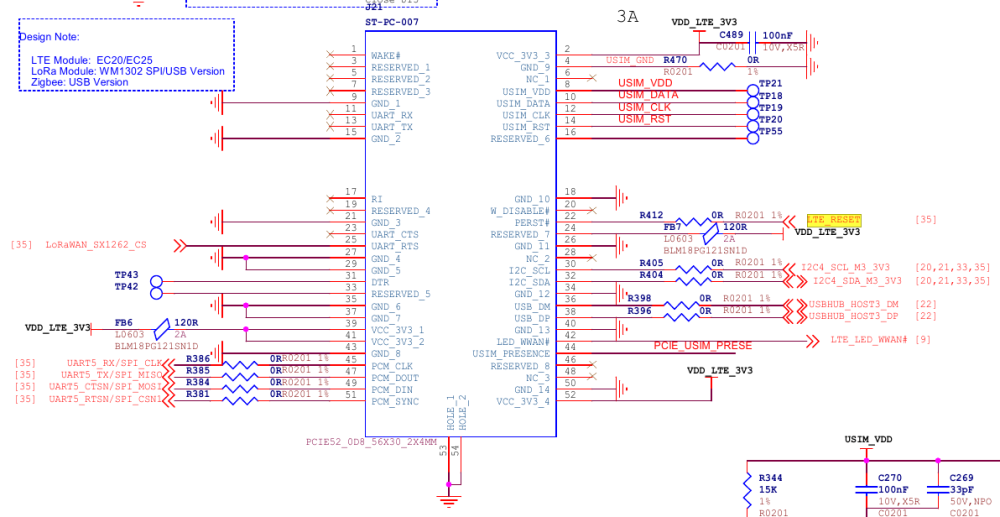
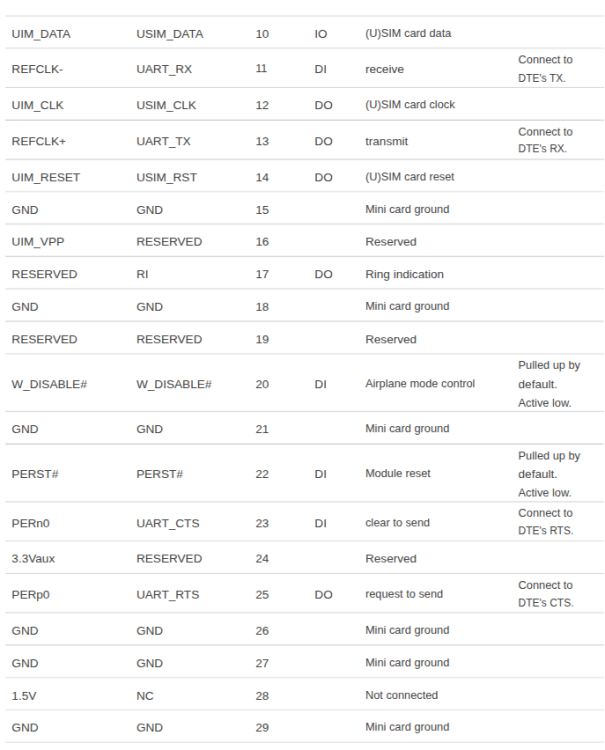
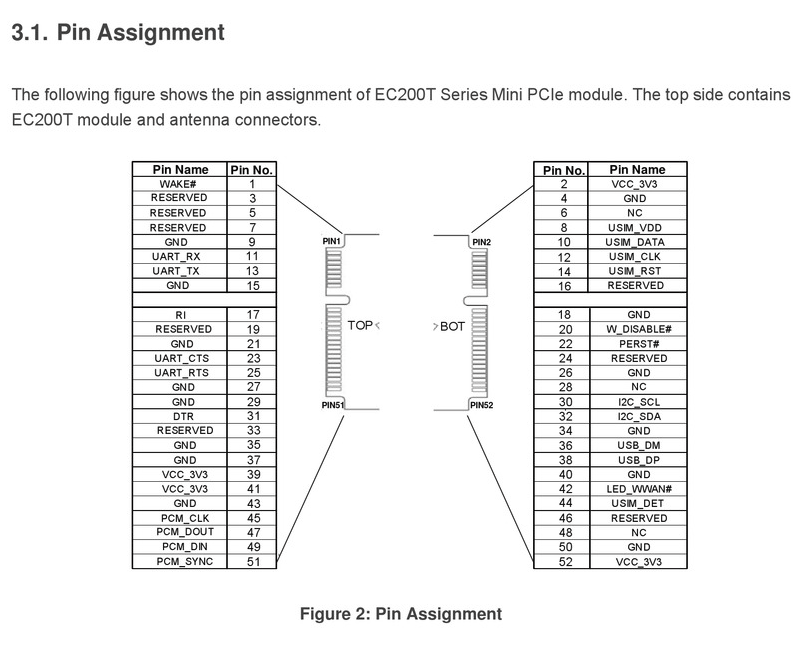
-
Greetings - just investigating an issue with the opi-4a Armbian 26.8.0 minimal (edge 7.0.12) build - not getting past starting kernel. The board has a T527 - Hopefully this information is useful ? ### [Bug Report] Orange Pi 4A - Silent Hang at 'Starting kernel ...' (Trixie Minimal) **Board:** Orange Pi 4A (Allwinner A523/T527) **Image used:** Debian Trixie Minimal (Built via armbian-imager) **Installation Media:** SD Card (Class 10) **Log Type:** UART Serial Console Output (115200 baud) --- #### Description of Issue The recent community build of Debian Trixie Minimal for the Orange Pi 4A successfully clears the U-Boot / SPL stages, loads the Ramdisk and DTB from the SD card, but hangs completely silently immediately after hitting `Starting kernel ...`. The onboard status LED remains solid red with no flashing activity. #### The Technical Root Cause Looking closely at the UART initialization text, there appears to be a mismatch between the SoC detected by the low-level firmware and the Device Tree Blob (DTB) loaded by the Armbian boot script: 1. **Firmware/U-Boot Chip Detection:** TF-A and U-Boot explicitly identify the SoC as an **Allwinner A523**: ```text NOTICE: BL31: Detected Allwinner A523 SoC (1890) CPU: Allwinner A523 (SUN55I) ``` 2. **Script DTB Selection:** Immediately afterward, the automated script loads a **T527 DTB** profile: ```text Load fdt: /dtb/allwinner/sun55i-t527-orangepi-4a.dtb ``` Because the kernel tries to initialize the primary power rails and clock gates using a T527 map on an A523 layout, the CPU locks up silently at the execution handoff. --- #### Complete Boot Log (Up to the Hang) ```text U-Boot SPL 2026.01_armbian-2026.01-S127a-P60fe-Hc6a9-Vf757-Bd0d2-R448a (May 30 2026 - 05:53:33 +0000) DRAM: 2048 MiB Trying to boot from MMC1 NOTICE: BL31: v2.13.0(debug):armbian NOTICE: BL31: Built : 05:52:43, May 30 2026 NOTICE: BL31: Detected Allwinner A523 SoC (1890) NOTICE: BL31: Found U-Boot DTB at 0xa0b8ac0, model: OrangePi 4A INFO: Configuring SPC Controller INFO: BL31: Platform setup done INFO: GICv3 without legacy support detected. INFO: ARM GICv3 driver initialized in EL3 INFO: Maximum SPI INTID supported: 287 INFO: BL31: Initializing runtime services INFO: BL31: cortex_a55: CPU workaround for erratum 1530923 was applied INFO: PSCI: Suspend is unavailable INFO: BL31: Preparing for EL3 exit to normal world INFO: Entry point address = 0x4a000000 INFO: SPSR = 0x3c9 U-Boot 2026.01_armbian-2026.01-S127a-P60fe-Hc6a9-Vf757-Bd0d2-R448a (May 30 2026 - 05:53:33 +0000) Allwinner Technology CPU: Allwinner A523 (SUN55I) Model: OrangePi 4A DRAM: 2 GiB sunxi_set_gate: (CLK#35) unhandled Core: 94 devices, 24 uclasses, devicetree: separate WDT: Not starting watchdog@2050000 MMC: mmc@4020000: 0, mmc@4021000: 2, mmc@4022000: 1 Loading Environment from FAT... Unable to read "uboot.env" from mmc0:1... In: serial@2500000 Out: serial@2500000 Err: serial@2500000 Net: No ethernet found. starting USB... USB EHCI 1.00 USB OHCI 1.0 USB EHCI 1.00 USB OHCI 1.0 Bus usb@4101000: 1 USB Device(s) found Bus usb@4101400: 1 USB Device(s) found Bus usb@4200000: 2 USB Device(s) found Bus usb@4200400: 1 USB Device(s) found scanning usb for storage devices... 0 Storage Device(s) found Hit any key to stop autoboot: 0 PCIe: Acquiring resources... PCIe: Failed to get switch-sel GPIO: -2 PCIe: Hardware init failed with error -2 Device 0: unknown device switch to partitions #0, OK mmc0 is current device Scanning mmc 0:1... Found U-Boot script /boot.scr 4641 bytes read in 2 ms (2.2 MiB/s) ## Executing script at 4fc00000 U-boot loaded from SD Boot script loaded from mmc 249 bytes read in 2 ms (121.1 KiB/s) Load fdt: /dtb/allwinner/sun55i-t527-orangepi-4a.dtb 33383 bytes read in 7 ms (4.5 MiB/s) Working FDT set to 4fa00000 Failed to load '/dtb/allwinner/overlay/sun55i-t527-fixup.scr' 16748327 bytes read in 814 ms (19.6 MiB/s) 41171456 bytes read in 1707 ms (23 MiB/s) Moving Image from 0x40080000 to 0x40200000, end=0x42a30000 ## Loading init Ramdisk from Legacy Image at 4ff00000 ... Image Name: uInitrd Image Type: AArch64 Linux RAMDisk Image (gzip compressed) Data Size: 16748263 Bytes = 16 MiB Load Address: 00000000 Entry Point: 00000000 Verifying Checksum ... OK ## Flattened Device Tree blob at 4fa00000 Booting using the fdt blob at 0x4fa00000 Working FDT set to 4fa00000 Loading Ramdisk to 49007000, end 49fffee7 ... OK Loading Device Tree to 0000000048f96000, end 0000000049006fff ... OK Working FDT set to 48f96000 Starting kernel ... ```
-
I tried different overlays, reduced max-frequency, set rx-(-tx)-bus-width and different mode settings indepently. Is it perhaps driven by gpio regulator instead of fixed 3v3? With a vcc-supply property one line (warning) goes away.
-
Good day to you))) I have a TV BOX TX9Pro. Chassis (Main Board): H616/H313mini84 V2.0 kernel 4.9.170 I would like to run one of the armbian builds on it. But I can’t figure out how to do this, here are the logs when starting the console... Is there support for this device? tell me what to do and how... Thanks in advance. U-Boot SPL 2021.04 (May 25 2023 - 13:03:46 +0200) DRAM:This DRAM setup is currently not supported. resetting ... [70]HELLO! BOOT0 is starting! [73]BOOT0 commit : 803d783 [75]set pll start [78]periph0 has been enabled [81]set pll end [83]unknow PMU [84]unknow PMU [86]PMU: AXP1530 [88]dram return write ok [90]board init ok [92]DRAM BOOT DRIVE INFO: V0.645 [96]the chip id is 0x5d00 [98]chip id check OK [103]DRAM_VCC set to 1500 mv [106]DRAM CLK =600 MHZ [108]DRAM Type =3 (3:DDR3,4:DDR4,7:LPDDR3,8:LPDDR4) [116]Actual DRAM SIZE =1024 M [118]DRAM SIZE =1024 MBytes, para1 = 30eb, para2 = 4000000, dram_tpr13 = 6041 [132]DRAM simple test OK. [134]rtc standby flag is 0x0, super standby flag is 0x0 [140]dram size =1024 [143]card no is 2 [145]sdcard 2 line count 8 [147][mmc]: mmc driver ver 2020-09-10 15:32 [157][mmc]: Wrong media type 0x0, but host sdc2, try mmc first [163][mmc]: ***Try MMC card 2*** [202][mmc]: RMCA OK! [204][mmc]: bias 4 [207][mmc]: MMC 5.0 [209][mmc]: HSSDR52/SDR25 8 bit [212][mmc]: 50000000 Hz [214][mmc]: 7456 MB [216][mmc]: ***SD/MMC 2 init OK!!!*** [291]Loading boot-pkg Succeed(index=0). [294]Entry_name = u-boot [304]Entry_name = monitor [307]Entry_name = dtbo [310]Entry_name = dtb [314]tunning data addr:0x4a0003e8 [317]Jump to second Boot. NOTICE: BL3-1: v1.0(debug):a0d3abd NOTICE: BL3-1: Built : 17:32:02, 2020-10-20 NOTICE: BL3-1 commit: 8 ERROR: Error initializing runtime service tspd_fast NOTICE: BL3-1: Preparing for EL3 exit to normal world NOTICE: BL3-1: Next image address = 0x4a000000 NOTICE: BL3-1: Next image spsr = 0x1d3 U-Boot 2018.05 (Feb 15 2023 - 17:22:04 +0800) Allwinner Technology [00.391]CPU: Allwinner Family [00.394]Model: sun50iw9 I2C: ready [00.398]DRAM: 1 GiB [00.401]Relocation Offset is: 35ebf000 [00.442]secure enable bit: 0 [00.444]pmu_axp152_probe pmic_bus_read fail [00.448]PMU: AXP1530 [00.454]CPU=1008 MHz,PLL6=600 Mhz,AHB=200 Mhz, APB1=100Mhz MBus=400Mhz [00.462]drv_disp_init [00.492]__clk_enable: clk is null. [00.497]drv_disp_init finish [00.500]gic: sec monitor mode [00.522]flash init start [00.524]workmode = 0,storage type = 2 [00.528]MMC: 2 [00.529][mmc]: mmc driver ver uboot2018:2021-07-19 14:09:00 [00.535][mmc]: get sdc_type fail and use default host:tm4. [00.546][mmc]: SUNXI SDMMC Controller Version:0x40502 [00.590][mmc]: Best spd md: 4-HS400, freq: 3-100000000, Bus width: 8 [00.596]sunxi flash init ok [00.600]Loading Environment from SUNXI_FLASH... OK [00.609]usb burn from boot delay time 0 weak:otg_phy_config [00.623]usb prepare ok [01.426]overtime [01.430]do_burn_from_boot usb : no usb exist [01.434]boot_gui_init:start FAT: Misaligned buffer address (7be7be58) 32 bytes read in 4 ms (7.8 KiB/s) tcon_de_attach:de=0,tcon=2[01.567]boot_gui_init:finish [01.570]bmp_name=bootlogo.bmp 2764854 bytes read in 40 ms (65.9 MiB/s) [01.633]update dts ** Unrecognized filesystem type ** [01.642]load file(ULI/factory/rootwait init.txt) error. ** Unrecognized filesystem type ** [01.655]load file(ULI/factory/snum.txt) error. [01.659]name in map mac ** Unrecognized filesystem type ** [01.668]load file(ULI/factory/wifi_mac.txt) error. ** Unrecognized filesystem type ** [01.680]load file(ULI/factory/bt_mac.txt) error. ** Unrecognized filesystem type ** [01.692]load file(ULI/factory/selinux.txt) error. ** Unrecognized filesystem type ** [01.704]load file(ULI/factory/specialstr.txt) error. [01.713]update part info [01.738]update bootcmd [01.740]No ethernet found. Hit any key to stop autoboot: 0 [02.050]Starting kernel ... [02.053][mmc]: mmc exit start [02.101][mmc]: mmc 2 exit ok [ 0.000000] Booting Linux on physical CPU 0x0 [ 0.000000] Linux version 4.9.170 (akrd6@R740XD) (gcc version 5.3.1 20160412(Linaro GCC 5.3-2016.05) ) #80 SMP PREEMPT Wed Feb 15 17:22:30 CST 2023 [ 0.000000] Boot CPU: AArch64 Processor [410fd034] [ 0.000000] bootconsole [earlycon0] enabled [ 0.027874] BOOTEVENT: 27.858249: ON [ 0.242175] sunxi_i2c_probe()2209 - [i2c3] warning: failed to get regulator d [ 0.243164] sunxi_i2c_probe()2209 - [i2c5] warning: failed to get regulator d [ 0.244517] axp2101-regulator axp2101-regulator.0: Setting DCDC frequency fo unsupported AXP variant [ 0.244601] axp2101-regulator axp2101-regulator.0: Error setting dcdc frequecy: -22 [ 0.279245] [ac200] get ave_regulator_name failed! [ 0.279751] [ac200] pwm enable [ 0.363211] gpio_pin_4(229) gpio_request fail [ ▒[ 0.369727] uart uart1: get regulator failed [ 0.402346] [NAND][NE] Not found valid nand node on dts [ 0.411005] sunxi-wlan soc@03000000:wlan: get gpio chip_en failed [ 0.417894] sunxi-wlan soc@03000000:wlan: get gpio power_en failed [ 0.550010] hci: request ohci1-controller gpio:232 [ 0.742282] axp2101_pek: axp2101-pek can not register without irq [ 0.752785] sunxi_ir_startup: get ir protocol failed [ 0.761135] VE: get debugfs_mpp_root is NULL, please check mpp [ 0.761135] [ 0.769395] VE: sunxi ve debug register driver failed! [ 0.769395] [ 0.784659] mmc:failed to get gpios [ 0.865627] mmc:failed to get gpios [ 0.901895] FD655: ==fd655_driver_probe==================== [ 0.908284] FD655: : (null) [ 0.909038] sunxi-mmc sdc1: smc 2 p1 err, cmd 52, RTO !! [ 0.912260] sunxi-mmc sdc1: smc 2 p1 err, cmd 52, RTO !! [ 0.926757] FD655: : (null) [ 0.929915] sunxi-mmc sdc1: smc 2 p1 err, cmd 5, RTO !! [ 0.935814] sunxi-mmc sdc1: smc 2 p1 err, cmd 5, RTO !! [ 0.941713] sunxi-mmc sdc1: smc 2 p1 err, cmd 5, RTO !! [ 0.947606] sunxi-mmc sdc1: smc 2 p1 err, cmd 5, RTO !! [ 0.953859] FD655: register_fd655_driver: Successed to add fd655 module [ 0.973520] failed get gpio-spdif gpio from dts,spdif_gpio:-2 [ 0.983217] [audio-codec]dachpf_cfg configurations missing or invalid. [ 0.990865] lineout_vol:26, linein_gain:3, fmin_gain:3, digital_vol:0, adcdr_cfg:0, adchpf_cfg:0, dacdrc_cfg:0, dachpf_cfg:0, ramp_func_used:1, pa_msleep_tme:160, pa_ctl_level:0, gpio-spk:0 [ 1.014903] sndhdmi sndhdmi: ASoC: CPU DAI (null) not registered [ 1.021698] sndhdmi sndhdmi: snd_soc_register_card() failed: -517 [ 1.035293] sunxi-ahub-cpudai 5097000.cpudai3-controller: ahub cpudai id invlid [ 1.068733] ERROR: pinctrl_get for HDMI2.0 DDC fail [ 1.078344] tv_probe()1435 - of_property_read_string tv_power failed! [ 1.174637] cpu cpu1: opp_list_debug_create_link: Failed to create link [ 1.182156] cpu cpu1: _add_opp_dev: Failed to register opp debugfs (-12) [ 1.189771] cpu cpu2: opp_list_debug_create_link: Failed to create link [ 1.197234] cpu cpu2: _add_opp_dev: Failed to register opp debugfs (-12) [ 1.204828] cpu cpu3: opp_list_debug_create_link: Failed to create link [ 1.212279] cpu cpu3: _add_opp_dev: Failed to register opp debugfs (-12) [ 1.684491] selinux: avc: denied { set } for scontext=u:r:vendor_init:s0 context=u:object_r:default_prop:s0 tclass=property_service permissive=1 [ 1.684491] [ 1.702686] selinux: avc: denied { set } for scontext=u:r:vendor_init:s0 context=u:object_r:dalvik_prop:s0 tclass=property_service permissive=1 [ 1.702686] [ 2.576915] FAT-fs (mmcblk0p15): bogus number of reserved sectors console:/ $ [ 8.720978] apexd: Failed to walk /product/apex : Can't open /prduct/apex for reading : No such file or directory ^C 130|console:/ $ [ 22.711942] sunxi-mmc sdc1: smc 2 p1 err, cmd 52, RTO !! [ 22.913822] SSV6XXX_SDIO mmc2:0001:1: vendor = 0x3030 device = 0x3030 [ 22.947618] SSV6XXX_SDIO mmc2:0001:1: dataIOPort 0x10000 regIOPort 0x10020 [ 22.958352] sunxi-mmc sdc1: smc 2 p1 err, cmd 52, RE RCE !! [ 23.030814] SSV6XXX_SDIO mmc2:0001:1: dataIOPort 0x10000 regIOPort 0x10020 [ 23.057388] SSV6XXX HCI TX Task started. [ 23.135876] Enable HCI TX aggregation [ 24.042450] SSV WLAN driver SSV6006C: Set new macaddr [ 24.060821] SSV WLAN driver SSV6006C: VIF 08:1a:1e:fd:85:e4 of type 2 is added. [ 25.361805] SSV WLAN driver SSV6006C: Set new macaddr [ 25.386662] SSV WLAN driver SSV6006C: VIF 08:1a:1e:fd:85:e5 of type 2 is added. [ 27.173711] selinux: avc: denied { set } for property=sys.config.rootservice pid=2978 uid=0 gid=0 scontext=u:r:rootservice:s0 tcontext=u:object_r:system_prop:s0 tclass=property_service permissive=1 [ 27.173711] [ 27.207603] audit: rate limit exceeded [ 30.214797] apexd: Can't open /product/apex for reading : No such file or directory U-Boot SPL 2021.04 (May 25 2023 - 13:03:46 +0200) /system/bin/sh: syntax error: unexpected '(' 1|console:/ $ DRAM:This DRAM setup is currently not supported. /system/bin/sh: DRAM:This: inaccessible or not found 127|console:/ $ [ 34.750480] selinux: avc: denied { set } for property=supolicy.loaded pid=3902 uid=0 gid=0 scontext=u:r:toolbox:s0 tcontext=u:object_r:default_prop:s0 tclass=property_service permissive=1 [ 34.750480] U-Boot SPL 2021.04 (May 25 2023 - 13:03:46 +0200) /system/bin/sh: syntax error: unexpected '(' 1|console:/ $ DRAM:This DRAM setup is currently not supported. /system/bin/sh: DRAM:This: inaccessible or not found 127|console:/ $
-

Rupa X88 Pro 13 - RK3528 board with images
serovan replied to fedes_gl's topic in Rockchip CPU Boxes
Hi, I have X88 Pro 13 hardware revision 1.7 and tested both Armbian releases v0.6 and v0.7 from the repository. Unfortunately, neither WiFi nor USB 3.0 are working. Hardware info: Device: X88 Pro 13 (Rev 1.7) WiFi chip: AIC8800 (device ID 0x6621, SDIO) Tested images: v0.6 and v0.7 What I tried: USB 3.0: DTB already has maximum-speed = "super-speed" configured USB 3.0 controller exists (Bus 002, 5000M) But only USB 2.0 PHY available (usb2-phy only, no usb3-phy) All USB devices connect to Bus 001/003 (480M) instead of Bus 002 USB Ethernet adapter limited to 100 Mbps Result: USB 3.0 not functional (no PHY in RK3528?) WiFi (AIC8800): Firmware present in /lib/firmware/aic8800/ Drivers load: aic8800_bsp_sdio, aic8800_fdrv_sdio SDIO device detected: mmc2:0001:1, device 0x6621 Error: aicbsp_platform_power_on fails with "fail to set AIC_WIFI power state to 1" No wlan0 interface appears Tried manual GPIO reset (GPIO1_6 = pin 38) - no effect WiFi (EA6621q/SKW drivers): Applied DTB patches from user 8lall0 (GPIO remapping for seekwcn_boot) Built ea6621q DKMS drivers successfully DTB patches verified correct: gpio_chip_en = GPIO1_6 Error: Kernel segmentation fault when loading/unloading SKW modules SDIO scan timeout: "wait scan card time out" Current status: ✅ Armbian boots successfully from SD card ✅ Ethernet via USB adapter works (100 Mbps) ❌ WiFi not working (power-on failure) ❌ USB 3.0 not working (no PHY available) Questions: Is Rev 1.7 supported? Are there different GPIO configurations needed? Does RK3528 actually have USB 3.0 PHY or only controller? Any suggestions for WiFi power issue with AIC8800? Thanks for any help!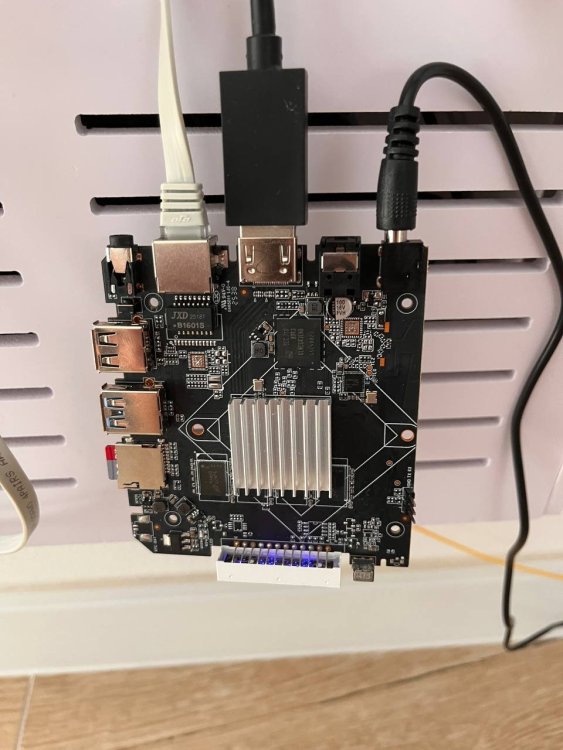
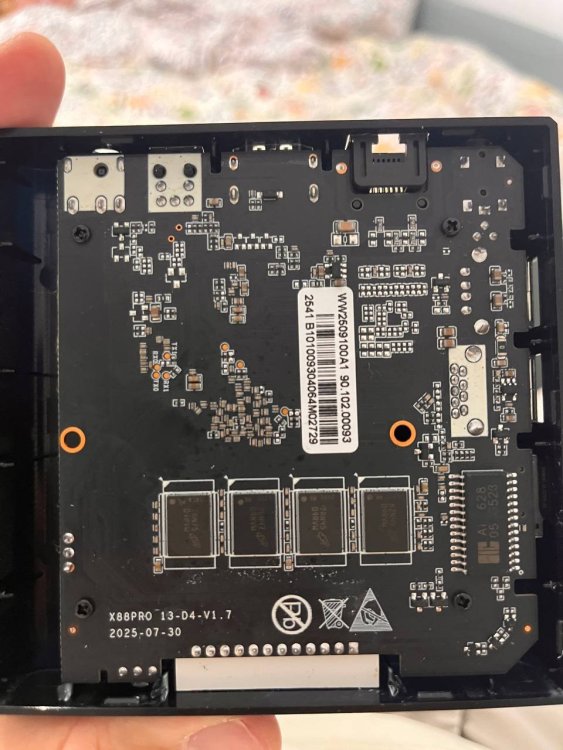
-
This week's work centers on kernel and board enablement, CI infrastructure and caching, and user-facing tooling improvements across the imager and configuration utilities. On the kernel and board front, Rockchip edge moved to 7.1 and mainline was bumped to 7.1-rc7, while the Raspberry Pi 4B legacy target was re-enabled after a brief revert of the BCM2711 kernel bumps. New board support landed for BeagleBadge and TMDS64EVM (AM64x) on the TI platform, the Anbernic RG DS RK3568 handheld as CSC, and the Youyeetoo YY3588 received a mainline DTS rework with ES8388 audio routing. Several long-standing fixes were merged, including a meson64 GPIO can_sleep regression breaking 1-Wire, JMicron JMB582/JMB585 32-bit DMA forcing, and QRB2210 U-Boot load address corrections. A substantial CI and caching effort introduces a new git_cdn module providing a GitHub caching git+http proxy, an apt-cacher-ng configng module, and multi-arch Docker images for both. GitHub Actions runners now export per-runner apt, ghcr, ccache, and proxy environments from the NetBox registry, with added retry guards, SSH/rsync timeouts, and workspace ownership reconciliation between jobs. The rootfs builder now routes mmdebstrap through APT_PROXY_ADDR when configured. User-facing changes focus on the Armbian Imager and first-run experience. The imager gained marquee scrolling for long board names, a "Create new profile" shortcut, accurate progress-phase reporting, and surfaced flash write failures in place of blank error screens. The first-login flow now runs automatically on freshly-flashed boards, and armbian-firstrun uses atomic writes for armbianEnv.txt MAC randomization to prevent corruption. #Armbian #EmbeddedLinux #Rockchip #CICD #SBC ChangesAdd images for new board and missing images for existing boards. by @jonaswood01 in armbian/armbian.github.io#329Add module_aptcacherng: apt-cacher-ng caching proxy. by @igorpecovnik in armbian/configng#935add multi-arch git_cdn image build. by @igorpecovnik in armbian/docker-armbian-build#29Add new target boards for uefi arm64/x86 edge branch. by @igorpecovnik in armbian/armbian.github.io#327add usbip support to missing current 6.18.y configs. by @EvilOlaf in armbian/build#9971add usbip to more kernels. by @EvilOlaf in armbian/build#9973arm64: dts: rockchip: yy3588: bind ES8388 codec via es8328 driver. by @SuperKali in armbian/linux-rockchip#499armbian-firstrun: use atomic write for armbianEnv.txt MAC randomization. by @mingzhangqun in armbian/build#9937ata: ahci: force 32-bit DMA for JMicron JMB582/JMB585. by @HeyMeco in armbian/linux-rockchip#504Auto-run first-login on freshly-flashed boards. by @igorpecovnik in armbian/autotests#6ayn-thor: fix fused kernel args in LinuxLoader.cfg cmdline, add rw rootwait. by @eldandaman in armbian/build#9969bcm2711: bump kernels — legacy 6.18, current 7.0, edge 7.1. by @igorpecovnik in armbian/build#9964board: add Anbernic RG DS (RK3568 dual 4" 640x480 handheld) as CSC. by @crackerjacques in armbian/build#9934bootscript: rk35xx: simplify armbianEnv.txt corruption detection. by @mingzhangqun in armbian/build#9953bump mainline to 7.1-rc7. by @EvilOlaf in armbian/build#9950ci: build current apt-cacher-ng image (trixie/3.7.x). by @igorpecovnik in armbian/docker-armbian-build#28ci: cache GitHub runners from NetBox to github-runners.jq. by @igorpecovnik in armbian/armbian.github.io#328docs(git_cdn): add GCDN001 help header/footer markdown. by @igorpecovnik in armbian/configng#939docs: document gitproxy GITHUB_MIRROR and GITPROXY_ADDRESS. by @igorpecovnik in armbian/documentation#925feat(boards): scroll long board names with marquee. by @SuperKali in armbian/imager#146feat(flash): show only the progress phases that will actually run. by @SuperKali in armbian/imager#148feat(profiles): add "Create new profile" shortcut to the flash picker. by @SuperKali in armbian/imager#147Fix auto-firstlogin in CI: ssh-dut 1234 fallback + reconcile trigger. by @igorpecovnik in armbian/autotests#7fix(extensions/lvm): Fix support for non-ext filesystems. by @ojafuenf in armbian/build#9889fix(interactive): parse case alternatives in get_kernel_info_for_branch. by @iav in armbian/build#9798fix(mvebu-6.18): drop SysRq-via-BREAK patch, fixed upstream in 6.18.35. by @iav in armbian/build#9958fix(rockchip64-7.0): drop SysRq-via-BREAK patch, fixed upstream in 7.0.12. by @igorpecovnik in armbian/build#9956fix(rootfs/qemu-static): use direct armhf exec probe instead of broken arch-test gate. by @iav in armbian/build#9820fix(ui): keep marquee text aligned while scrolling. by @SuperKali in armbian/imager#149Fix: EasePi-A2 Boot & Ethernet on Vendor Kernel. by @ifroncy01 in armbian/build#9946gha/chunks: export per-runner apt/ghcr/ccache env from runner registry. by @igorpecovnik in armbian/os#471gha/chunks: export per-runner caches in images job. by @igorpecovnik in armbian/os#472gha: add retry and empty-result guard to NetBox server list step. by @igorpecovnik in armbian/os#469gha: add ssh/rsync timeouts to image upload so dead servers fail fast. by @igorpecovnik in armbian/os#473image/compress-checksum: cap compression threads (default 32). by @igorpecovnik in armbian/build#9949meson64: fix GPIO can_sleep regression that breaks w1-gpio (1-Wire). by @adeepn in armbian/build#9959module_aptcacherng: use current ghcr.io/armbian image. by @igorpecovnik in armbian/configng#937orangepi4pro: Add Orange Pi 4 Pro board photo. by @shkolnik in armbian/armbian.github.io#330qrb2210: fix U-Boot load addresses and root partition for 2GB variant. by @govindsi in armbian/build#9925README: document full image catalog (framework, automation, caching proxies). by @igorpecovnik in armbian/docker-armbian-build#31Revert "bcm2711: bump kernels — legacy 6.18, current 7.0, edge 7.1". by @EvilOlaf in armbian/build#9965rk35: add rk3568 DDR 1056MHz v1.23 and BL31 v1.45. by @crackerjacques in armbian/rkbin#45rockchip: bump edge kernel to 7.1. by @paolosabatino in armbian/build#9955rootfs: route mmdebstrap through APT_PROXY_ADDR when set. by @igorpecovnik in armbian/build#9961rpi4b: re-enable legacy target. by @EvilOlaf in armbian/build#9968rtl8192eu: fix -Wmissing-prototypes for 121 functions. by @iav in armbian/build#9963runner-clean: export per-runner proxy env and route git via git_cdn. by @igorpecovnik in armbian/actions#20runner-clean: export per-runner xz memory cap (IMAGE_XZ_MEMLIMIT). by @igorpecovnik in armbian/actions#22runner-clean: normalize git_proxy to one trailing slash. by @igorpecovnik in armbian/actions#21runner-clean: selectively chown root-owned workspace files before checkout. by @igorpecovnik in armbian/actions#23runner-cleanup: chown workspace after each job via JOB_COMPLETED hook. by @igorpecovnik in armbian/configng#944runner-cleanup: give job-completed hook a .sh extension. by @igorpecovnik in armbian/configng#945runner-cleanup: keep Armbian build images, stop wiping build cache hourly. by @igorpecovnik in armbian/configng#943runners: derive host from github_label custom field. by @igorpecovnik in armbian/armbian.github.io#331runners: make remove work via --api with named params and a range. by @igorpecovnik in armbian/configng#942software: add git_cdn module (GitHub caching git+http proxy). by @igorpecovnik in armbian/configng#938sunxi: patch maint. by @EvilOlaf in armbian/build#9957Surface flash write failures instead of a blank error screen. by @SuperKali in armbian/imager#150ti: configs: boards: Add initial BeagleBadge board support. by @jonaswood01 in armbian/build#9935ti: configs: boards: Add TMDS64EVM (AM64x SoC) board support. by @jonaswood01 in armbian/build#9962uwe5622: fix -Wmissing-prototypes warnings (155 -> 2). by @iav in armbian/build#9970Wifi: enable, connect every board, and record interfaces + IPs in NetBox. by @igorpecovnik in armbian/autotests#9youyeetoo-yy3588: rework DTS for mainline and switch audio to ES8388. by @SuperKali in armbian/build#9960View the full article
-
This week's work centers on kernel and board enablement, CI infrastructure and caching, and user-facing tooling improvements across the imager and configuration utilities. On the kernel and board front, Rockchip edge moved to 7.1 and mainline was bumped to 7.1-rc7, while the Raspberry Pi 4B legacy target was re-enabled after a brief revert of the BCM2711 kernel bumps. New board support landed for BeagleBadge and TMDS64EVM (AM64x) on the TI platform, the Anbernic RG DS RK3568 handheld as CSC, and the Youyeetoo YY3588 received a mainline DTS rework with ES8388 audio routing. Several long-standing fixes were merged, including a meson64 GPIO can_sleep regression breaking 1-Wire, JMicron JMB582/JMB585 32-bit DMA forcing, and QRB2210 U-Boot load address corrections. A substantial CI and caching effort introduces a new git_cdn module providing a GitHub caching git+http proxy, an apt-cacher-ng configng module, and multi-arch Docker images for both. GitHub Actions runners now export per-runner apt, ghcr, ccache, and proxy environments from the NetBox registry, with added retry guards, SSH/rsync timeouts, and workspace ownership reconciliation between jobs. The rootfs builder now routes mmdebstrap through APT_PROXY_ADDR when configured. User-facing changes focus on the Armbian Imager and first-run experience. The imager gained marquee scrolling for long board names, a "Create new profile" shortcut, accurate progress-phase reporting, and surfaced flash write failures in place of blank error screens. The first-login flow now runs automatically on freshly-flashed boards, and armbian-firstrun uses atomic writes for armbianEnv.txt MAC randomization to prevent corruption. #Armbian #EmbeddedLinux #Rockchip #CICD #SBC ChangesAdd images for new board and missing images for existing boards. by @jonaswood01 in armbian/armbian.github.io#329Add module_aptcacherng: apt-cacher-ng caching proxy. by @igorpecovnik in armbian/configng#935add multi-arch git_cdn image build. by @igorpecovnik in armbian/docker-armbian-build#29Add new target boards for uefi arm64/x86 edge branch. by @igorpecovnik in armbian/armbian.github.io#327add usbip support to missing current 6.18.y configs. by @EvilOlaf in armbian/build#9971add usbip to more kernels. by @EvilOlaf in armbian/build#9973arm64: dts: rockchip: yy3588: bind ES8388 codec via es8328 driver. by @SuperKali in armbian/linux-rockchip#499armbian-firstrun: use atomic write for armbianEnv.txt MAC randomization. by @mingzhangqun in armbian/build#9937ata: ahci: force 32-bit DMA for JMicron JMB582/JMB585. by @HeyMeco in armbian/linux-rockchip#504Auto-run first-login on freshly-flashed boards. by @igorpecovnik in armbian/autotests#6ayn-thor: fix fused kernel args in LinuxLoader.cfg cmdline, add rw rootwait. by @eldandaman in armbian/build#9969bcm2711: bump kernels — legacy 6.18, current 7.0, edge 7.1. by @igorpecovnik in armbian/build#9964board: add Anbernic RG DS (RK3568 dual 4" 640x480 handheld) as CSC. by @crackerjacques in armbian/build#9934bootscript: rk35xx: simplify armbianEnv.txt corruption detection. by @mingzhangqun in armbian/build#9953bump mainline to 7.1-rc7. by @EvilOlaf in armbian/build#9950ci: build current apt-cacher-ng image (trixie/3.7.x). by @igorpecovnik in armbian/docker-armbian-build#28ci: cache GitHub runners from NetBox to github-runners.jq. by @igorpecovnik in armbian/armbian.github.io#328docs(git_cdn): add GCDN001 help header/footer markdown. by @igorpecovnik in armbian/configng#939docs: document gitproxy GITHUB_MIRROR and GITPROXY_ADDRESS. by @igorpecovnik in armbian/documentation#925feat(boards): scroll long board names with marquee. by @SuperKali in armbian/imager#146feat(flash): show only the progress phases that will actually run. by @SuperKali in armbian/imager#148feat(profiles): add "Create new profile" shortcut to the flash picker. by @SuperKali in armbian/imager#147Fix auto-firstlogin in CI: ssh-dut 1234 fallback + reconcile trigger. by @igorpecovnik in armbian/autotests#7fix(extensions/lvm): Fix support for non-ext filesystems. by @ojafuenf in armbian/build#9889fix(interactive): parse case alternatives in get_kernel_info_for_branch. by @iav in armbian/build#9798fix(mvebu-6.18): drop SysRq-via-BREAK patch, fixed upstream in 6.18.35. by @iav in armbian/build#9958fix(rockchip64-7.0): drop SysRq-via-BREAK patch, fixed upstream in 7.0.12. by @igorpecovnik in armbian/build#9956fix(rootfs/qemu-static): use direct armhf exec probe instead of broken arch-test gate. by @iav in armbian/build#9820fix(ui): keep marquee text aligned while scrolling. by @SuperKali in armbian/imager#149Fix: EasePi-A2 Boot & Ethernet on Vendor Kernel. by @ifroncy01 in armbian/build#9946gha/chunks: export per-runner apt/ghcr/ccache env from runner registry. by @igorpecovnik in armbian/os#471gha/chunks: export per-runner caches in images job. by @igorpecovnik in armbian/os#472gha: add retry and empty-result guard to NetBox server list step. by @igorpecovnik in armbian/os#469gha: add ssh/rsync timeouts to image upload so dead servers fail fast. by @igorpecovnik in armbian/os#473image/compress-checksum: cap compression threads (default 32). by @igorpecovnik in armbian/build#9949meson64: fix GPIO can_sleep regression that breaks w1-gpio (1-Wire). by @adeepn in armbian/build#9959module_aptcacherng: use current ghcr.io/armbian image. by @igorpecovnik in armbian/configng#937orangepi4pro: Add Orange Pi 4 Pro board photo. by @shkolnik in armbian/armbian.github.io#330qrb2210: fix U-Boot load addresses and root partition for 2GB variant. by @govindsi in armbian/build#9925README: document full image catalog (framework, automation, caching proxies). by @igorpecovnik in armbian/docker-armbian-build#31Revert "bcm2711: bump kernels — legacy 6.18, current 7.0, edge 7.1". by @EvilOlaf in armbian/build#9965rk35: add rk3568 DDR 1056MHz v1.23 and BL31 v1.45. by @crackerjacques in armbian/rkbin#45rockchip: bump edge kernel to 7.1. by @paolosabatino in armbian/build#9955rootfs: route mmdebstrap through APT_PROXY_ADDR when set. by @igorpecovnik in armbian/build#9961rpi4b: re-enable legacy target. by @EvilOlaf in armbian/build#9968rtl8192eu: fix -Wmissing-prototypes for 121 functions. by @iav in armbian/build#9963runner-clean: export per-runner proxy env and route git via git_cdn. by @igorpecovnik in armbian/actions#20runner-clean: export per-runner xz memory cap (IMAGE_XZ_MEMLIMIT). by @igorpecovnik in armbian/actions#22runner-clean: normalize git_proxy to one trailing slash. by @igorpecovnik in armbian/actions#21runner-clean: selectively chown root-owned workspace files before checkout. by @igorpecovnik in armbian/actions#23runner-cleanup: chown workspace after each job via JOB_COMPLETED hook. by @igorpecovnik in armbian/configng#944runner-cleanup: give job-completed hook a .sh extension. by @igorpecovnik in armbian/configng#945runner-cleanup: keep Armbian build images, stop wiping build cache hourly. by @igorpecovnik in armbian/configng#943runners: derive host from github_label custom field. by @igorpecovnik in armbian/armbian.github.io#331runners: make remove work via --api with named params and a range. by @igorpecovnik in armbian/configng#942software: add git_cdn module (GitHub caching git+http proxy). by @igorpecovnik in armbian/configng#938sunxi: patch maint. by @EvilOlaf in armbian/build#9957Surface flash write failures instead of a blank error screen. by @SuperKali in armbian/imager#150ti: configs: boards: Add initial BeagleBadge board support. by @jonaswood01 in armbian/build#9935ti: configs: boards: Add TMDS64EVM (AM64x SoC) board support. by @jonaswood01 in armbian/build#9962uwe5622: fix -Wmissing-prototypes warnings (155 -> 2). by @iav in armbian/build#9970Wifi: enable, connect every board, and record interfaces + IPs in NetBox. by @igorpecovnik in armbian/autotests#9youyeetoo-yy3588: rework DTS for mainline and switch audio to ES8388. by @SuperKali in armbian/build#9960View the full article
-
Orange pi 5 (i dont find way hot to make it in orange pi 5 section) English is not my native, i hope you understand and sorry for mistakes I spend like 3 days on this problem and i think i am stuck I tested offisial image and Josua and there i can use my wifi normally Setup orange pi 5 v1.3.2 clened spi (i got problem like here) armbian 26.5.1 vendor 6.1.115 (from armbian imager on windows) sandisk extreme 64gb sd card after boot i runs sudo apt update sudo apt upgrade -y armbian-config (choose orange pi 5 ap6275p overlay) /boot/armbianEnv.txt verbosity=1 bootlogo=false console=both extraargs=cma=256M overlay_prefix=rockchip-rk3588 fdtfile=rockchip/rk3588s-orangepi-5.dtb rootdev=UUID=... rootfstype=ext4 overlays=orangepi-5-ap6275p usbstoragequirks=0x2537:0x1066:u,0x2537:0x1068:u But after reboot wifi module do not works as expected ip a lspci do not show any device As i think now it is some dtbo files problems and i think key is somthing around line: [ 121.023832] rk-pcie fe190000.pcie: PCIe Link Fail, LTSSM is 0x3, hw_retries=1 there is a guy figures same error but the lines he added already included for me wifi and pcie dmesg greps (by the way armbian takes too long to boot and i fond sombody figures same problem and he syas that time depends on size of sd card) root@orangepi5:~# dmesg | grep wifi [ 116.704296] [WLAN_RFKILL]: wlan_platdata_parse_dt: wifi_chip_type = ap6275p [ 116.704300] [WLAN_RFKILL]: wlan_platdata_parse_dt: enable wifi power control. [ 116.704303] [WLAN_RFKILL]: wlan_platdata_parse_dt: wifi power controled by gpio. [ 116.704340] [WLAN_RFKILL]: wlan_platdata_parse_dt: The ref_wifi_clk not found ! [ 116.704348] [WLAN_RFKILL]: rfkill_set_wifi_bt_power: 1 root@orangepi5:~# dmesg | grep pcie [ 19.019616] reg-fixed-voltage vcc3v3-pcie2x1l2: Looking up vin-supply from device tree [ 19.020209] vcc3v3_pcie2x1l2: supplied by vcc5v0_sys [ 19.079124] vcc3v3_pcie2x1l2: 1800 mV, enabled [ 19.085641] reg-fixed-voltage vcc3v3-pcie2x1l2: vcc3v3_pcie2x1l2 supplying 1800000uV [ 115.377859] dw-pcie fe190000.pcie: invalid resource [ 115.378688] dw-pcie fe190000.pcie: Failed to initialize host [ 115.378975] dw-pcie: probe of fe190000.pcie failed with error -22 [ 115.405440] rk-pcie fe190000.pcie: invalid prsnt-gpios property in node [ 115.405658] rk-pcie fe190000.pcie: Looking up vpcie3v3-supply from device tree [ 115.407223] rk-pcie fe190000.pcie: can't get current limit. [ 115.409940] rk-pcie fe190000.pcie: host bridge /pcie@fe190000 ranges: [ 115.410471] rk-pcie fe190000.pcie: IO 0x00f4100000..0x00f41fffff -> 0x00f4100000 [ 115.410659] rk-pcie fe190000.pcie: MEM 0x00f4200000..0x00f4ffffff -> 0x00f4200000 [ 115.410757] rk-pcie fe190000.pcie: MEM 0x0a00000000..0x0a3fffffff -> 0x0a00000000 [ 115.410961] rk-pcie fe190000.pcie: iATU unroll: enabled [ 115.410983] rk-pcie fe190000.pcie: iATU regions: 8 ob, 8 ib, align 64K, limit 8G [ 115.613333] rk-pcie fe190000.pcie: PCIe Linking... LTSSM is 0x3 [ 115.634444] rk-pcie fe190000.pcie: PCIe Linking... LTSSM is 0x3 [ 115.655522] rk-pcie fe190000.pcie: PCIe Linking... LTSSM is 0x3 [ 115.676607] rk-pcie fe190000.pcie: PCIe Linking... LTSSM is 0x3 [ 115.697683] rk-pcie fe190000.pcie: PCIe Linking... LTSSM is 0x3 [ 115.718758] rk-pcie fe190000.pcie: PCIe Linking... LTSSM is 0x3 [ 115.739838] rk-pcie fe190000.pcie: PCIe Linking... LTSSM is 0x3 [ 115.760912] rk-pcie fe190000.pcie: PCIe Linking... LTSSM is 0x3 [ 115.781986] rk-pcie fe190000.pcie: PCIe Linking... LTSSM is 0x3 [ 115.803060] rk-pcie fe190000.pcie: PCIe Linking... LTSSM is 0x3 [ 116.912753] rockchip-pm-domain fd8d8000.power-management:power-controller: Looking up pcie-supply from device tree [ 116.912767] rockchip-pm-domain fd8d8000.power-management:power-controller: Looking up pcie-supply property in node /power-management@fd8d8000/power-controller failed [ 117.713882] rk-pcie fe190000.pcie: PCIe Link Fail, LTSSM is 0x3, hw_retries=0 [ 120.627876] rk_pcie_establish_link: 171 callbacks suppressed [ 120.627888] rk-pcie fe190000.pcie: PCIe Linking... LTSSM is 0x3 [ 120.648138] rk-pcie fe190000.pcie: PCIe Linking... LTSSM is 0x3 [ 120.668247] rk-pcie fe190000.pcie: PCIe Linking... LTSSM is 0x3 [ 120.689287] rk-pcie fe190000.pcie: PCIe Linking... LTSSM is 0x3 [ 120.710332] rk-pcie fe190000.pcie: PCIe Linking... LTSSM is 0x3 [ 120.731354] rk-pcie fe190000.pcie: PCIe Linking... LTSSM is 0x3 [ 120.751458] rk-pcie fe190000.pcie: PCIe Linking... LTSSM is 0x3 [ 120.772474] rk-pcie fe190000.pcie: PCIe Linking... LTSSM is 0x3 [ 120.793551] rk-pcie fe190000.pcie: PCIe Linking... LTSSM is 0x3 [ 120.814586] rk-pcie fe190000.pcie: PCIe Linking... LTSSM is 0x3 [ 121.023832] rk-pcie fe190000.pcie: PCIe Link Fail, LTSSM is 0x3, hw_retries=1 [ 122.034993] rk-pcie fe190000.pcie: failed to initialize host Context about long boot: On 19 sec [ 19.315369] NetLabel: Initializing [ 19.315574] NetLabel: domain hash size = 128 [ 19.315819] NetLabel: protocols = UNLABELED CIPSOv4 CALIPSO [ 19.318283] NetLabel: unlabeled traffic allowed by default [ 19.328104] vgaarb: loaded [ 19.365221] clocksource: Switched to clocksource arch_sys_counter [ 69.713069] VFS: Disk quotas dquot_6.6.0 [ 69.715555] VFS: Dquot-cache hash table entries: 512 (order 0, 4096 bytes) [ 69.734240] AppArmor: AppArmor Filesystem Enabled And on 73 sec [ 73.253310] NET: Registered PF_ALG protocol family [ 73.253416] Key type asymmetric registered [ 73.253451] Asymmetric key parser 'x509' registered [ 113.848019] Freeing initrd memory: 15860K [ 114.505595] alg: self-tests for CTR-KDF (hmac(sha256)) passed [ 114.508695] Block layer SCSI generic (bsg) driver version 0.4 loaded (major 241) [ 114.512435] io scheduler mq-deadline registered So i do not know reason and where i need to look. Maybe it is broken dtbo or i need to load spesial spi because i am not spesialist at this point and i cand find sombody figured same problem. I also got full dmesg for orange pi os (where wifi works) and armbian boot with and without wifi configured if any body needs it