Search the Community
Showing results for 'octoprint'.
Found 20 results
-
I've got an Pine64 a that was one of the Kickstarter models. For a couple of years I've been running OctoPrint on it to run my Qidi i-mates 3d printer. Recently I decided to update from jammy to noble, before I did that I made a backup of my OctoPrint settings and files through the OctoPrint GUI in case of problems. I got a really messed inconsistent with all sorts of dependencies errors because the apt dist-upgrade seemed to freeze and after several hours of no movement I rebooted. As expected it was the mess. I spent about an hour on fixing dependencies but decided it just wasn't worth it as the only thing running is OctoPrint. When I went to restore OctoPrint, I got an error message about not enough space. When I did a df -m , I had plenty of space on the main partition, I posted on the OctoPrint forum and it was pointed out that my /tmp was tiny. Would anyone have any ideas of what is going on and what I can do to fix it? Here's the OctoPrint Error: Uploading backup, this can take a while. Please wait... Restoring from backup... Unpacking backup to /tmp/tmpf_d22xwu...Removing temporary unpacked folderError while running restoreTraceback (most recent call last): File "/home/ageoffri/OctoPrint/lib/python3.12/site-packages/octoprint/plugins/backup/__init__.py", line 1243, in _restore_backup zip.extract(member, temp) File "/usr/lib/python3.12/zipfile/__init__.py", line 1726, in extract return self._extract_member(member, path, pwd) ^^^^^^^^^^^^^^^^^^^^^^^^^^^^^^^^^^^^^^^ File "/usr/lib/python3.12/zipfile/__init__.py", line 1802, in _extract_member shutil.copyfileobj(source, target) File "/usr/lib/python3.12/shutil.py", line 204, in copyfileobj fdst_write(buf)OSError: [Errno 28] No space left on device Restore failed! Chec And here's the df -m : Filesystem 1M-blocks Used Available Use% Mounted on tmpfs 198 4 195 2% /run /dev/mmcblk0p1 59861 3078 56137 6% / tmpfs 988 1 988 1% /dev/shm tmpfs 5 0 5 0% /run/lock tmpfs 988 0 988 0% /tmp /dev/zram1 47 3 41 6% /var/log tmpfs 198 1 198 1% /run/user/1000
-
Hi, I installed on my Orange Pi Zero (not plus) armbian and using armbian-config I am trying to install Octoprint to control my 3d printer. I got an error: docker: Error response from daemon: error gathering device information while adding custom device "/dev/video0": no such file or directory I have no webcam attached and I am not planning to use it for now, Can I disable this check?
-
Hello, I have two Orange Pi Zero 2 for two years, I didn't know what to do with it. Yesterday I have installed Armbian_25.5.1_Orangepizero2_noble_current_6.12.23. The serial was a bit buggy during installation (display + key press), I have used option -L with screen: screen -L /dev/ttyUSB0 115200 Thank you for your great work !
-
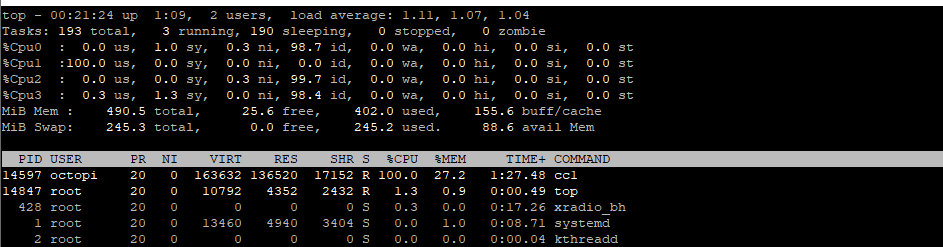
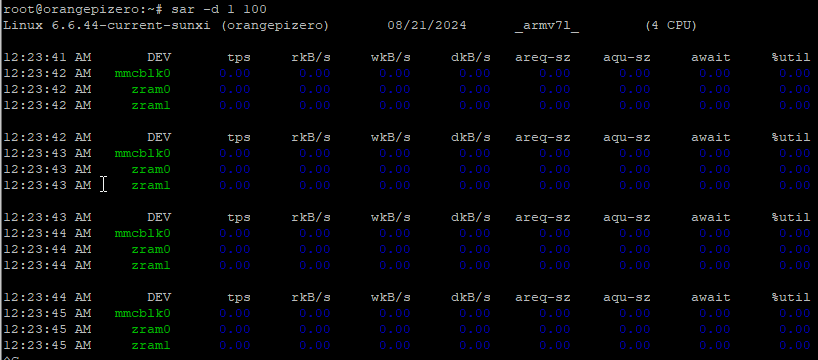
hi all, i installed a new build Armbian_community_24.8.0-trunk.596_Orangepizero_noble_current_6.6.44.img.xz into a new SD card i upgraded the OS and all was fine. but during the Octoprint install this phase freezed: Building wheels for collected packages: zeroconf, regex, MarkupSafe, argon2-cffi-bindings, sgmllib3k Building wheel for zeroconf (pyproject.toml) ... \ also the other two ssh terminal was freezed but the IP address (wired and wlan) was reachable, no toher SSH sessions was possible. i powered off the board and restarted i tried to reinstall octoprint ( OctoPrint/bin/pip install OctoPrint ) but it is very very slow during compiling phase always here during Building wheels for collected packages: zeroconf, regex, MarkupSafe, argon2-cffi-bindings, sgmllib3k Building wheel for zeroconf (pyproject.toml) ... \ i restarted again, same issue, i tried to swapoff the virtual memory , the ccl process use one core at 100% root@orangepizero:~# armbianmonitor -m Stop monitoring using [ctrl]-[c] Time CPU load %cpu %sys %usr %nice %io %irq Tcpu C.St. 00:20:24 1296 MHz 1.11 26% 1% 24% 0% 0% 0% 54.0 °C 0/7 00:20:29 1296 MHz 1.10 25% 0% 25% 0% 0% 0% 54.4 °C 0/7 yesterday with the old version buster the installation taken 10 minutes more or less today one hour is gone and it continues to build..... can anyone help me ? the bash shell is responsive, apt also. the SD card seems to sleep...... here there are the logs https://paste.armbian.com/zenupusire bye
-
Hi there, I ran octoprint and klipper on a orangepi zero (not at the same time). Octoprint from docker and klipper I cannot remember. Octoprint ran fine but it did have some issues when the CPU got overloaded with loading a new gcode file while printing for example. If you do things one by one it should be OKish. Btw i ran octoprint in a 512MB version, not on the 256MB one. Groetjes,
-
Make sure that the octoprint project still supports 32 bit CPUs For low ram sbc's, I suggest doing a classic installation, instead of Docker You can skip the webcam portion installation, and give you no problems. I had my opiz LTS (512MB) running octoprint last year, and the webcam function works well... but I only used octoprint-Docker when I had 2GB of RAM server.
-
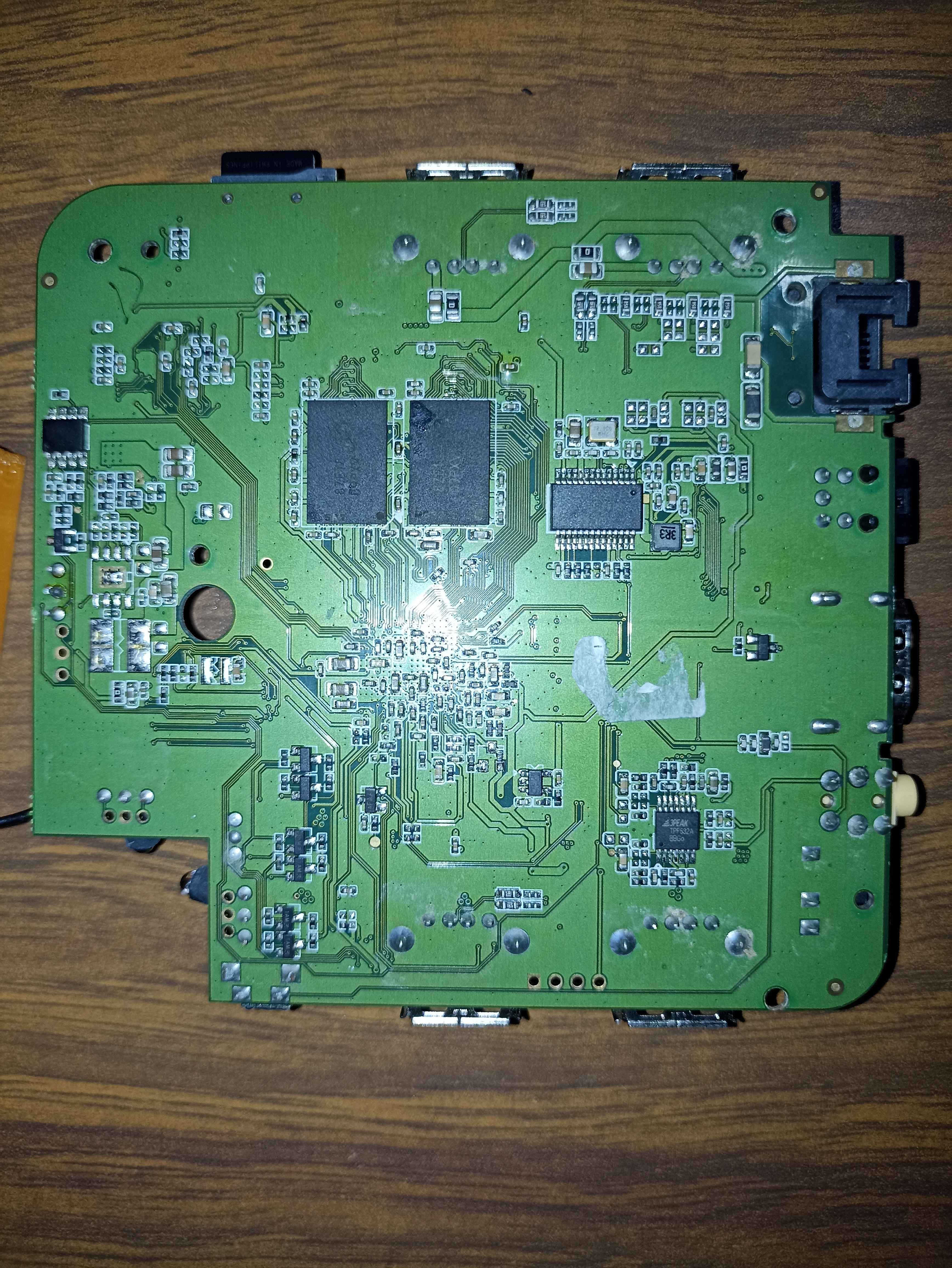
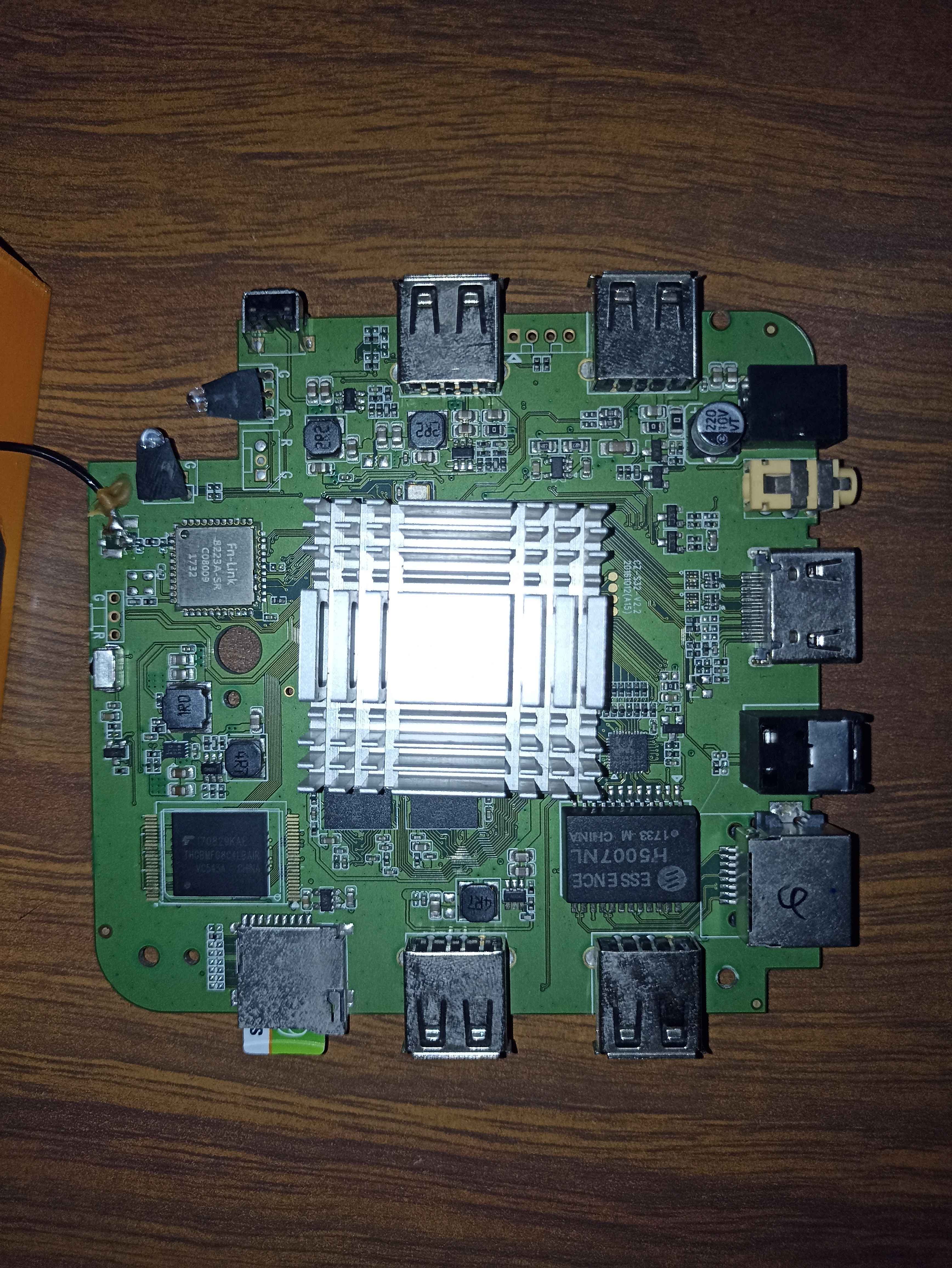
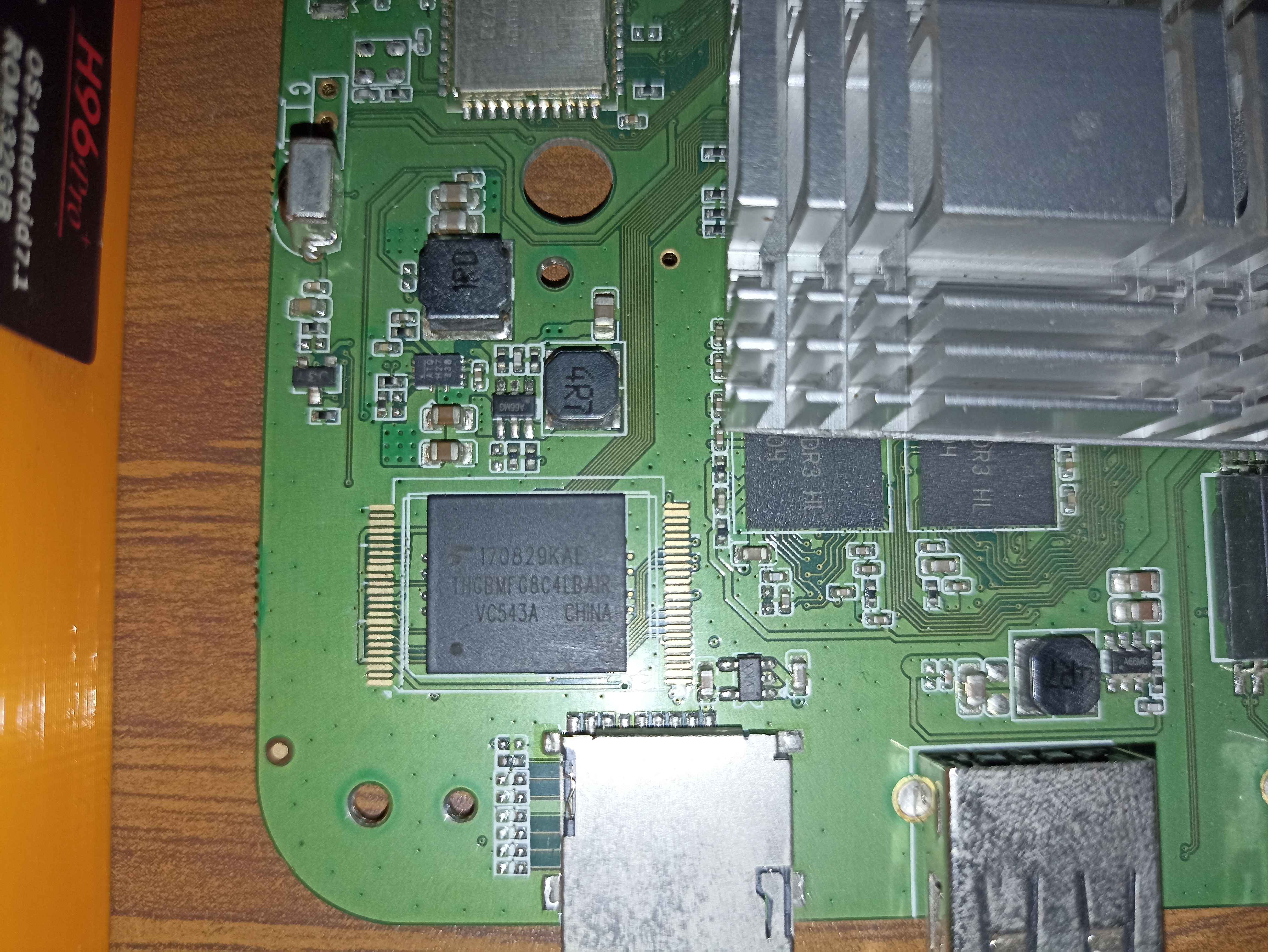
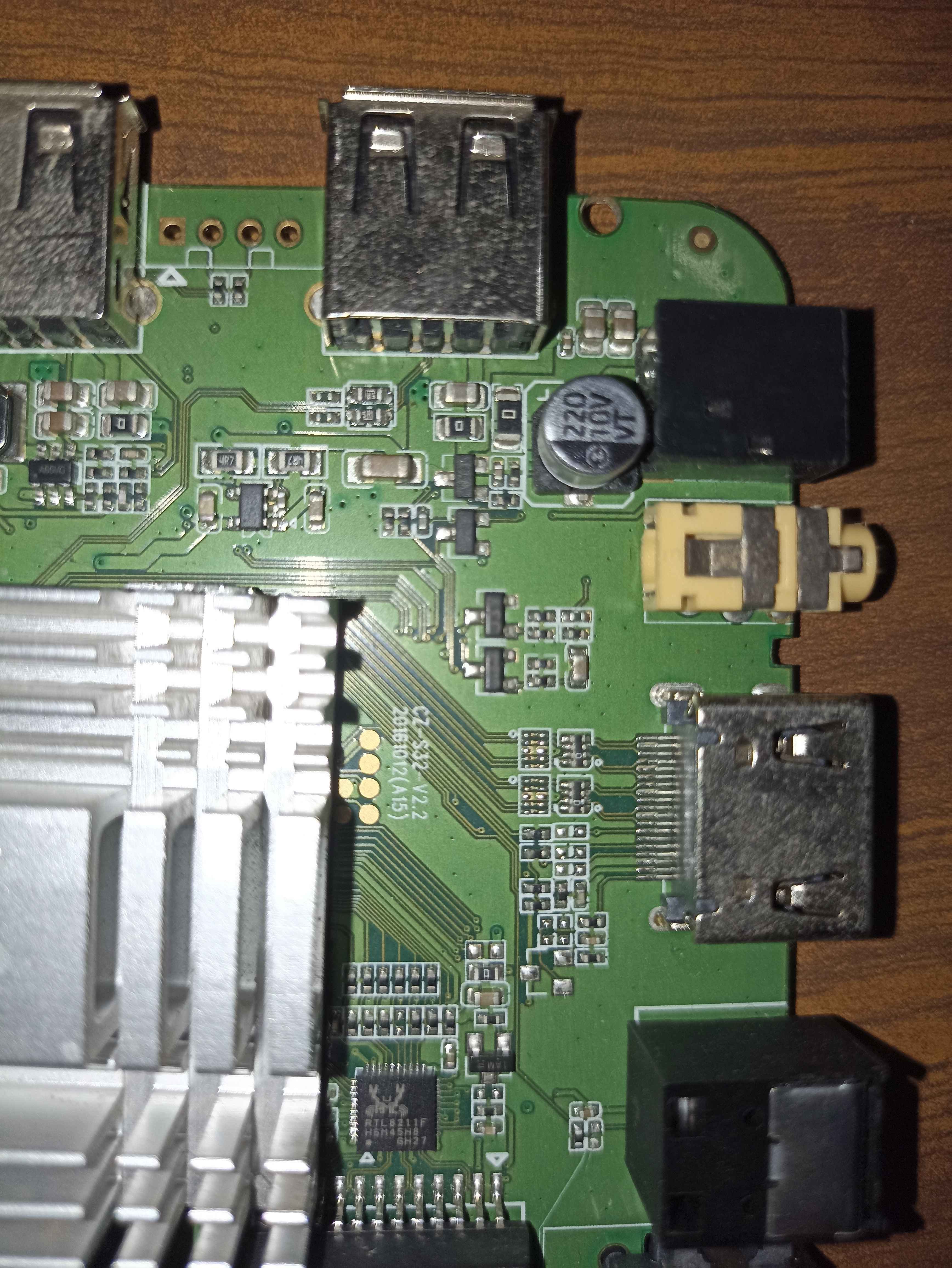
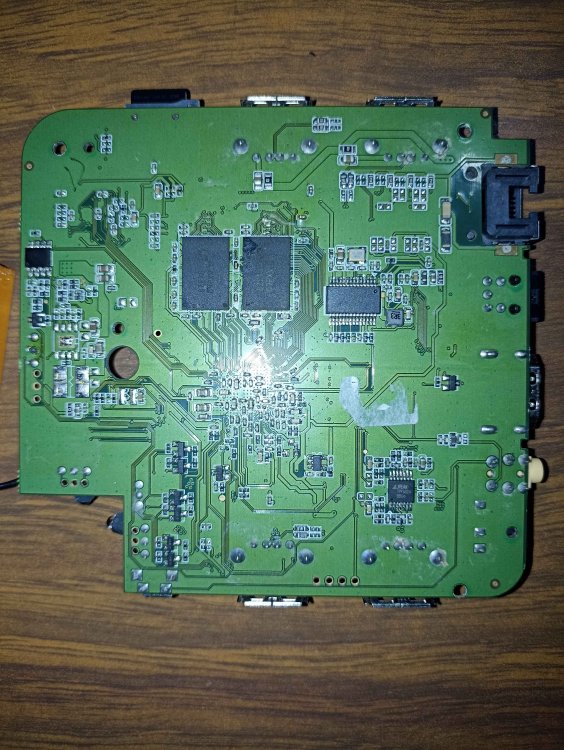
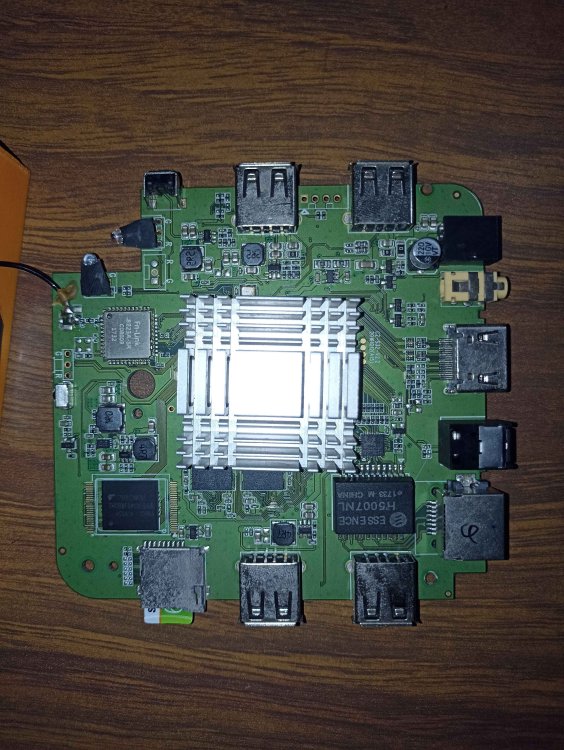
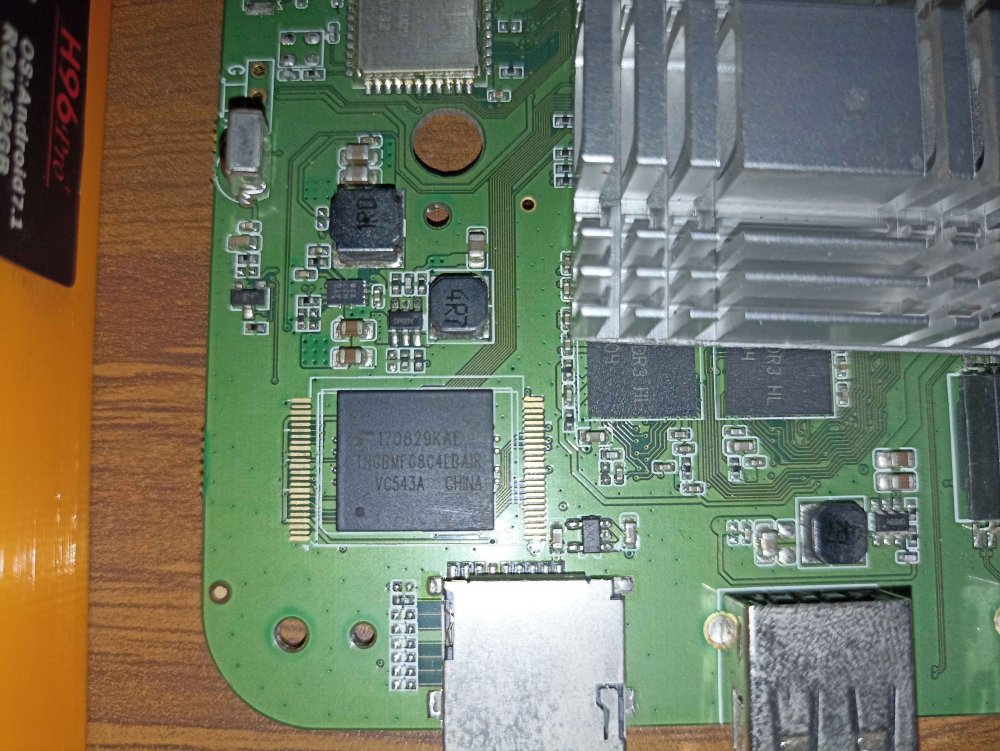
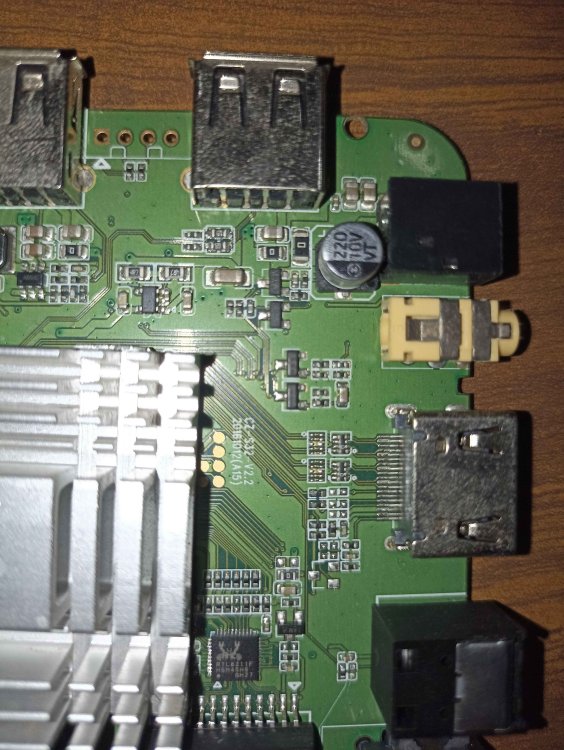
Hello, i think i bricked my H96 Pro Plus, like a year ago i installed Armbian on it. Today i flashed a SD with a new version, reinstalled octoprint etc and finally tried to burn it to the emmc using "./install-aml.sh" it seemed to work the process ended and i powered it off, removed the SD and tried to boot it up. The only thing i see is the H96 Pro+ Logo and thats it. I tried to boot from the SD Card again but it didn't work. I reflashed the SD card, changed the dtb file etc, just to make sure it would boot normally but nothing. Im at that point where i think its bricked and i need to do some maskrom magic but i have no idea what to bridge Any help would be much appreciated. I was following This guide Model: H96 Pro+ Motherboard: cz-s32-v2.2 EMMC: thgbmfg8c4lbair ???
-
Hello - Very new to this all and trying to learn my way around. I have an OPi4a which I was previously using for octoprint, etc. Was able to get it going using OrangePi's provided Ubuntu22.04 Jammy image, but am needing to reconfigure and was interested in armbian as the official images from OrangePi can be hard to access at times (site seems to intermittently go down / time out?), and from what I've seen there's very limited support from the manufacturer. Anyways - for the uninitiated, what is the status of the image for the 4a? Seeing the most recent post - does the backport being merged mean that it is possible to build from armbian main? Which target board should be selected? I am not seeing an option for the 4a, or any with the T527 chip. Alternatively, the most recent image I'm seeing is from @JuanEsf - to get this to work do I just need to use something like balena and flash from URL? Very new to all this, any help is appreciated.
-
I decided to klipperize an old 3d printer and found some of my orange pi boards dead, so i ended up selecting my XU4 for the task. Fast forward 24 hours and i'm fighting MCU timeouts. Klipper doesn't know what happened just that the mcu stopped responding. And their knowledge base article is basically "gosh it could be anything". One seat of the pants observation i made was that the XU4 idles along at 600mhz with a load average of about 0.1 and it seemed like the load average increased maybe before the mcu stopped responding. The MCU in question is an SKR Pico, aka rp2040 with a usb connection. The mcu is not receiving power from the xu4 (there's a jumper) - I've tried both usb3 and usb2 ports on the XU4 with no difference. I recall that many years ago i resolved a similar issue with an H2+ based board and Octoprint by switching the cpufreq governor to "performance" which of course just pegs it at the top speed. But on that board, armbian-config lets me select what that maximum speed is, so as to avoid overheating. My XU4 is equipped with the flat little fan. I do have some large heatsinks and thermal adhesive. I'm a little worried that it might run too hot if it's at 1.4ghz all the time. sysfs tells me there are a ton of scaling frequencies available, but it appears that i can't just, select one. Any hints?
-
Most likely USB OTG unless there are any USB related errors in the kernel log. In the case of OTG, there should be auto detection via the ID pin which sets the device role but I have never known this to work. Fortunately it is possible to set the mode manually to host in the device tree. I tend to use the following device tree overlay: /dts-v1/; /plugin/; /{ compatible = "allwinner,sun4i-a10", "allwinner,sun7i-a20"; fragment@0{ target = <&usb_otg>; __overlay__{ dr_mode = "host"; }; }; }; just connect via serial or ssh, once logged in use nano and paste in the text above. Save it as something like sun4i-usb-host.dts. Then run armbian-add-overlay sun4i-usb-host.dts. This automatically compiles the overlay and places it /boot/dtb/overlay-user/ The RAM may just need fine tuning slightly. As far as I know it is not possible to adjust the RAM frequency in uboot once compiled, only check clock rate via sudo cat /sys/kernel/debug/clk/pll-ddr/clk_rate. I might have to try that on my pcDuino2, I didn't think the A10 would be powerful enough to run Octoprint. All the best Ryzer
-
So yes, HDMI does work on the archived image. Interestingly, USB does not work. I tried to connect a keyboard and a mouse but that did not work. So, on the HDMI terminal I successfully reach the login screen but can't go past that. But through ssh/serial I can work on the system. I tried memtester and it does show some issues with the memory, but overall, this archived image has worked without issues. I was able to use octoprint_deploy to install Octoprint, but again since USB does not work couldn't connect the printer itself. To replace the dts file easily I need input devices to work, I will try and see if I can do that over serial. And the next thing to try is to compile using an edge kernel and report back. Thanks, Shivam
-
I confirm that the current version of Armbian, as downloaded, is completely useless unless you have a serial console, because it doesn't do DHCP successfully on either interface, so you can't SSH into it to fix the network problems. And I can see errors in the logs that you can click to view to see that the release was "tested". A loopback test needs to be part of the standard test. Turn on both NICs, give them IP addresses, and verify that they can communicate with each other. As it currently stands, Armbian is shipping releases that claim to be "tested", but in practice, can't be used by the vast majority of people who will download them, and that's a rather serious quality control fail. Additionally, Armbian should do something like what the OctoPrint firmware does — have a small FAT32 volume that contains wpa_supplicant. That way, you could at least bring up the Wi-Fi network if Ethernet doesn't work. Without any USB or HDMI output, the Ethernet drivers are effectively a single point of failure in this distro, and that's a bad situation to be in, particularly when there's apparently zero testing of that critical driver before shipping a build. I'd file a bug, but the bug reporting form won't let me unless I have serial console hardware, even though the problem is entirely obvious without it. 🙄 Downloading an older build now. Ugh.
-
Hello...I successfully installed Trixie on the BBAI-64. It is a beagleboard.org board from earlier in the 2020s. https://www.beagleboard.org/blog/2025-04-18-armbian-support-is-here Anyway, I was wondering if there was some way to handle installing and configuring Wifi access to the BBAI-64 that anyone around here knew of currently. Ethernet works. I can get online. Also, there is a set up in `armbian-config` that may allow OctoPrint to be installed. It seems one needs to add support for Docker first. The Docker install from Trixie is not available on kernel 6.6.x so far. Seth P.S. Um, I understand that some people now are short handed on replies and adding additional support without compensation. I understand completely. Things are not free in life. Maybe just a couple ideas and/or placements of ideas directing could help. For instance, is there a particular SS (subsystem) in Linux where I would need to gather specific files to handle the available configuration on the e-key M2 that makes Wifi available on the BBAI-64? Any and all ideas are welcomed.
-
Happy New Year from the Armbian Team! As we step into this exciting new year, we at Armbian would like to extend our warmest wishes for a Happy New Year to our amazing community! Thank you for your continued support and contributions that make Armbian what it is today. Together, we look forward to achieving great things and exploring new possibilities in Linux and open-source innovation. Armbian Updates Summary Week 1 (v25.2.0-trunk.274): What’s Changed in the Past Week Armbian continues to push the boundaries of Linux performance and hardware compatibility with its rolling release updates. The latest changes in version v25.2.0-trunk.274 bring exciting enhancements in camera module support, board features, and software tools, all while maintaining a focus on stability and innovation. Key Highlights Camera Module Support Armbian now supports the Raspberry Pi Camera Modules on certain Rockchip hardware, expanding its capabilities for embedded systems and IoT applications: OV5647 (Camera Module 1): Enables integration with various Raspberry Pi projects and beyond. Commit by @bmx666. IMX219 (Camera Module 2): Advanced camera support for high-resolution capture in compact setups. Commit by @bmx666. Board Enhancements NanoPi M6: SPI NOR flash overlay added, providing improved boot options and storage flexibility for this versatile board. Commit by @efectn. OnePlus Kebab: Type-C support introduced, enhancing connectivity for modern peripherals and high-speed data transfers. Commit by @amazingfate. FriendlyElec CM3588: HDMI RX configuration added, optimizing display performance and making it easier to connect external monitors. Commit by @timsurber. Software Enhancements Sandboxed and Containerized SSH Server: A cutting-edge security measure, this new feature isolates SSH server operations to enhance safety and protect against vulnerabilities. Commit by @igorpecovnik. Wireguard VPN Server: Enables quick and easy VPN configuration, offering secure remote access to your systems. View commit. Grafana Monitoring Dashboards: Provides detailed insights into performance and resource usage, allowing users to visualize and monitor their setups effectively. View commit. OctoPrint: Streamlines 3D printing management, offering a robust web-based interface for monitoring and controlling 3D printers. View commit. These updates reflect Armbian’s dedication to delivering user-friendly, powerful tools for a seamless experience. U-Boot Improvements Refinements in U-Boot build processes ensure better stability and clearer configurations for developers: Addressed whitespace and newlines in UBOOT_TARGET_MAP. Commits by @rpardini. Introduced clean builds for each U-Boot target, ensuring consistent and error-free deployment. Commit by @rpardini. Kernel Updates Changing full kernel config into defconfig Commit by @rpardini Trusted Firmware: Updated Arm Trusted Firmware to version 2.12, improving security and compatibility for Rockchip64 platforms. Commit by @timsurber. Contributors Armbian’s progress is made possible by the contributions of its dedicated developers. A big thank you to @rpardini, @bmx666, @amazingfate, @igorpecovnik, @efectn, and @timsurber for their hard work! Looking Ahead The Armbian team is excited about the year ahead, aiming to introduce even more innovative features and improvements. With the support of a growing community, Armbian will continue to lead in providing a robust Linux experience for single-board computers. Together, let’s achieve new milestones and explore endless possibilities! Stay updated by visiting the Armbian releases page. The post Happy New Year 2025! Armbian Weekly Highlights first appeared on Armbian. View the full article
-
it is possible to install octoprint in a more powerful ARM (32bit) SBC, then move the project folder with its VENV folder, to a smaller ARM (32bit) SBC, fix something and then run it https://dev.to/geekypandey/copy-venv-from-one-folder-to-another-and-still-be-able-to-use-it-3m49 https://www.youtube.com/watch?v=iZlgLrWed1I
-
disabling swap it is fine now. i compiled wheels and installed octoprint in 10 minutes more or less.....
-
i apology but for some misteryous issue i lost completly the network, using nmtui i added only the IP gateway on my wired connection and after that i lost completly the network, i also mounted the SD on a ubuntu but all seems fine. but no network. after that i reimaged a new SD card with last armbian/noble release , and wifi connection works. i need to reinstall all OctoPrint sw. without IP gateway i cannot install armbianmonitor. i think we can close this thread if i cannot resume at least the wired connection. the next steps could be to disable Network Manager , can any one has a guide to perform this task using the SD mounted on a another machine ? bye
-
rcu: INFO: rcu_sched self-detected stall on CPU rcu: 0-....: (5249 ticks this GP) idle=5ec4/1/0x40000002 softirq=471875/471875 fqs=2602 rcu: (t=5250 jiffies g=738401 q=352 ncpus=4) CPU: 0 PID: 14211 Comm: octoprint Tainted: G C 6.6.16-current-sunxi #1 Hardware name: Allwinner sun8i Family PC is at stmmac_get_stats64+0x24/0x128 LR is at 0xc32bb000 pc : [<c078c5cc>] lr : [<c32bb000>] psr: a0010033 sp : e1fed990 ip : c32b8000 fp : 00000001 r10: 00000000 r9 : c95dee40 r8 : 00000000 r7 : 00000000 r6 : 00000001 r5 : 00000000 r4 : 80000000 r3 : 0093d4a3 r2 : c32bae48 r1 : c50ba6b8 r0 : c32b8000 Flags: NzCv IRQs on FIQs on Mode SVC_32 ISA Thumb Segment none Control: 50c5387d Table: 497a006a DAC: 00000051 stmmac_get_stats64 from dev_get_stats+0x27/0xd0 dev_get_stats from rtnl_fill_stats+0x25/0xb0 rtnl_fill_stats from rtnl_fill_ifinfo+0x4cd/0xde0 rtnl_fill_ifinfo from rtnl_dump_ifinfo+0x1ff/0x49c rtnl_dump_ifinfo from netlink_dump+0xcd/0x270 netlink_dump from __netlink_dump_start+0x15b/0x1ec __netlink_dump_start from rtnetlink_rcv_msg+0x177/0x25c rtnetlink_rcv_msg from netlink_rcv_skb+0x75/0xb0 netlink_rcv_skb from netlink_unicast+0x1c1/0x204 netlink_unicast from netlink_sendmsg+0x185/0x354 netlink_sendmsg from __sock_sendmsg+0x27/0x48 __sock_sendmsg from __sys_sendto+0x7f/0xac __sys_sendto from ret_fast_syscall+0x1/0x5c Exception stack(0xe1fedfa8 to 0xe1fedff0) dfa0: aa039794 0000000c 00000029 aa0397b0 00000014 00000000 dfc0: aa039794 0000000c aa03b920 00000122 00000000 00000029 00000014 00000000 dfe0: 00000122 aa038738 b6dd4325 b6d3db06 Same issue here. I am using Orange pi one. Problem afer installing 6.6.16-current-sunxi Huge utylization of CPU / system freze, I also using, mjpg_streamer, I am metionig about this, because I can only make it working/unfreze only after getting feed from camera on that hardware. I know weird, but it is how it is.
-
Everything is OK, strange but working solution. Now when the box does not turns off I was able to add overlays in armbianEnv.txt ( emmc-hs200 and ddr3-800) and armbian booted at first time. Now I have armbian on internal flash and can install octoprint server. Big thanks @jock
-
Hello everyone! I am trying to set up a CSI camera for my Orange Pi win plus (A64). The camera is GC2035 and I have already seen it not easy with latest versions. New versions of Armbian have not CSI support and do not have drivers gc2035 and vfe_v4l2. I found you can somehow compile the driver but honestly.....I do not understand how. I know the process of ./compile.sh but no idea how to use this https://github.com/avafinger/gc2035 It says is for H3, probably not for A64 right? Looking for the oldest version of Armbian I could use, I found out on the archive this one: Armbian_5.59_Orangepiwin_Ubuntu_xenial_default_..> 21-Aug-2018 18:33 195340151 that following this tutorial https://www.cnx-software.com/2015/09/26/how-to-use-orange-pi-camera-in-linux-with-motion/# I manage to make the camera work! but system is so old that I can barely install anything useful (EJ: Octoprint) So...shall I abandon it? is there any way I could put the drivers and compile? is there any other Armbian version I could use that still has gc2035 drivers? Thanks in advance