All Activity
- Past hour
-
 @MMGen yeah, that's where mbr keeps its stuff. I guess my question is why skip copying the first 32KiB even if it's empty? In form of time saving, we are talking microseconds. Even if it were to be mbr that you convert into gpt, the conversion would remove the first 32KiB turning it into zeroes and put the gpt partition table on the last 34 x 512k blocks... Is there any other reason to skip it? Is it due to the encryption? Would this process not work if I don't skip the first 64x512 blocks?
 - Today
-
 Well I don't know what is that firmware and I'm not going to touch it even with a 6 meters stick, sorry. Random software from the internet is not a wise idea, even more if it is a software you are going to install onto a computer laying in your private network. About the serial adapter, I don't know, you should post logs or something useful to give you sensible guidance; giving you blind instructions won't help. If you're a newbie, probably it is better to wait for someone telling you a way to get maskrom mode on your board. I just want to ask you if you tried to put the multitool on a sdcard and boot the board with it.
 -

Efforts to develop firmware for H96 MAX V56 RK3566 8G/64G
magixx256 replied to Hqnicolas's topic in Rockchip CPU Boxes
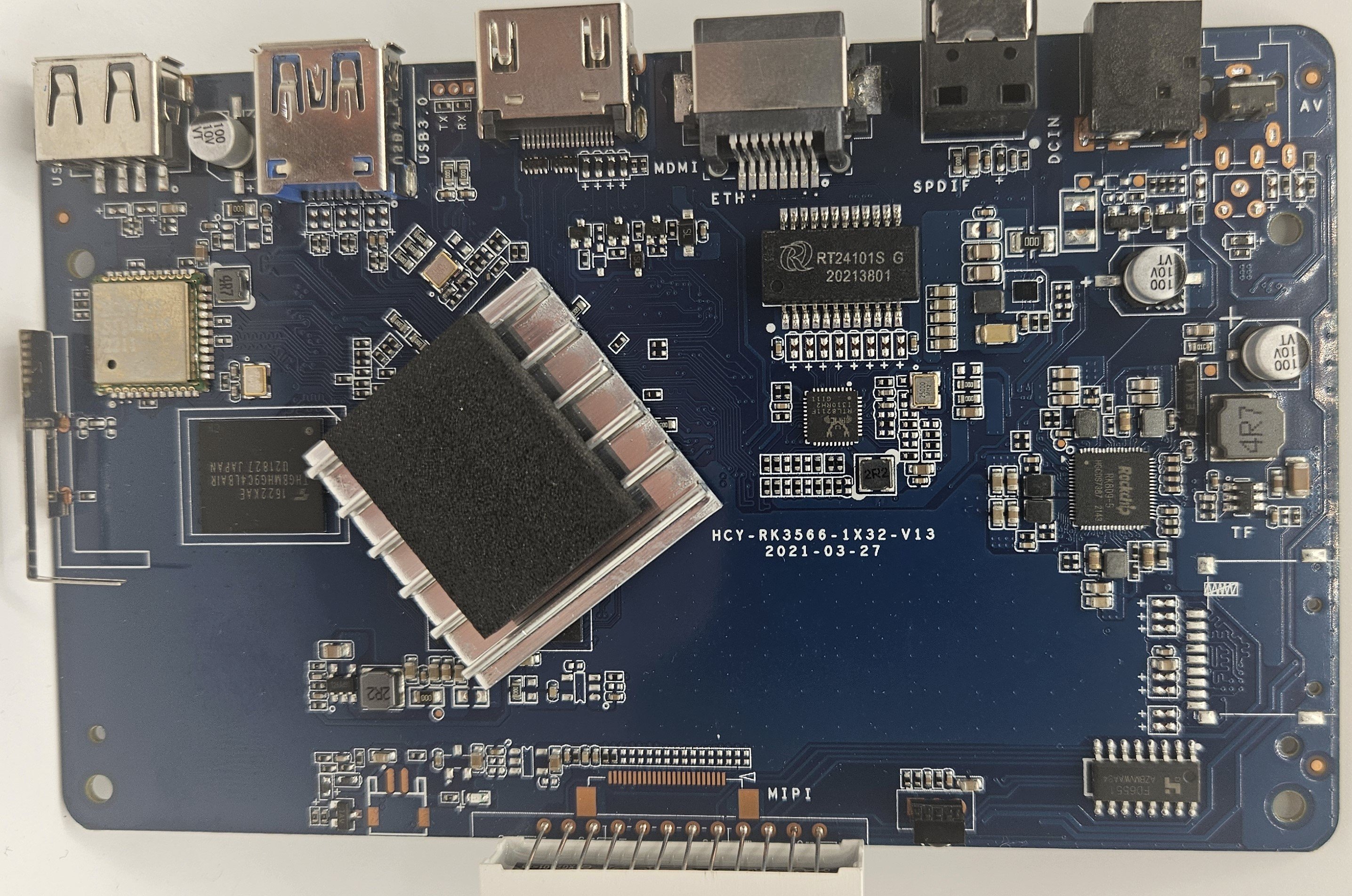
I just installed Armbian_community_26.8.0-trunk.170_H96-tvbox-3566_resolute_edge_7.0.12_gnome_desktop on an original board HCY-RK3566-1X32-V13 2021-03-27 I wanted to confirm the WiFi chip visually but could not do so as pulling the shield off the HCY6335 was not possible, it's very likely actually soldered so don't try. With this image out of the box: What works: LAN Display What doesn't work: WiFi Bluetooth Unknown: SPDIF Hardware video decoding Afterwards, I installed brcmfmac4335-sdio.bin and brcmfmac4335-sdio.txt from https://github.com/LibreELEC/brcmfmac_sdio-firmware/tree/master to /lib/firmware/brcm/ as per https://green.bug-eyed.monster/armbian-on-the-h96-max-v56-android-tv-box/ but I don't think you need any symlinking. This made Bluetooth and WiFi work but the speed it gets is very poor (20mb/s) so I recommend using wired connection which did get ~500mb/s. I started looking to into hardware video acceleration and this seems to be a bit of a mess. AFAICT MPP (Media Process Platform) and RGA (2D Raster Graphic Acceleration) are needed for this to work. The two options I saw were ffmpeg-rockchip and jellyfin-ffmpeg but both mention needing Rockchip BSP/vendor kernel. Does anyone have any experience here as I was hoping to turn this into a media PC? Given component costs now an that I originally paid ~$42 for the 8GB model I do think this board + armbian runs quite smoothly.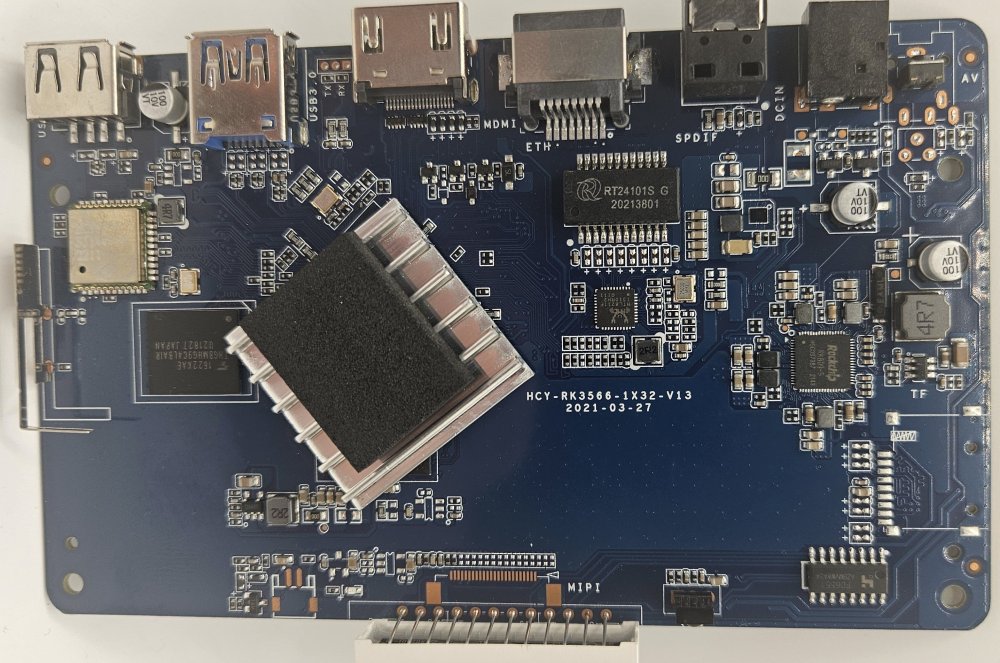
-
Hah. I switched to using the cheapest one I had and that worked. But thank you for the validation. This was indeed the correct strategem.
-
I would suggest using a better SD card. G12B:BL:6e7c85:2a3b91;FEAT:E0F83180:402000;POC:F;RCY:0;EMMC:0;READ:0;0. bl2_stage_init 0x01 bl2_stage_init 0x81 hw id: 0x0000 - pwm id 0x01 bl2_stage_init 0xc1 bl2_stage_init 0x02 L0:00000000 L1:20000703 L2:00008067 L3:14000000 B2:00402000 B1:e0f83180 TE: 53694 BL2 Built : 19:23:21, Sep 18 2020. g12b g9fde858 - gongwei.chen@droid11-sz Board ID = 12 Set A53 clk to 24M Set A73 clk to 24M Set clk81 to 24M A53 clk: 1200 MHz A73 clk: 1200 MHz CLK81: 166.6M smccc: 00011aa2 eMMC boot @ 0 sw8 s board id: 12 Load FIP HDR DDR from eMMC, src: 0x00010200, des: 0xfffd0000, size: 0x00004000, part: 0 Get wrong ddr fw magic! Error!! fw parse done PIEI prepare done 00000000 emmc switch 1 ok 00000000 emmc switch 2 ok NO find ddr boot_info from eMMC fastboot data verify result: 255 Cfg max: 12, cur: 1. Board id: 255. Force loop cfg LPDDR4 probe LPDDR4_PHY_V_0_1_22-Built : 14:57:26, Sep 1 2020. g12b g3c95fed - gongwei.chen@droid11-sz ddr clk to 1608MHz 00000000 emmc switch 0 ok dmc_version 0001 Check phy result INFO : End of CA training INFO : End of initialization INFO : Training has run successfully! Check phy result INFO : End of initialization INFO : End of read enable training INFO : End of fine write leveling INFO : End of read dq deskew training INFO : End of MPR read delay center optimization INFO : End of Write leveling coarse delay INFO : End of read delay center optimization INFO : Training has run successfully! Check phy result INFO : End of initialization INFO : End of MPR read delay center optimization INFO : End of write delay center optimization INFO : End of read delay center optimization INFO : End of max read latency training INFO : Training has run successfully! 1D training succeed Check phy result INFO : End of initialization INFO : End of 2D read delay Voltage center optimization INFO : End of 2D read delay Voltage center optimization INFO : End of 2D write delay Voltage center optimization INFO : End of 2D write delay Voltage center optimization INFO : Training has run successfully! soc_vref_reg_value 0x 0000001d 0000001c 0000001b 0000001e 0000001c 0000001c 0000001d 0000001c 0000001c 0000001a 0000001a 0000001b 00000019 0000001f 0000001b 0000001c 0000001b 0000001e 0000001c 0000001e 0000001a 0000001c 0000001c 0000001b 0000001c 0000001c 0000001b 0000001d 0000001d 0000001c 0000001b 0000001c dwc_ddrphy_apb_wr((0<<20)|(2<<16)|(0<<12)|(0xb0):0004 dram_vref_reg_value 0x 0000004d 2D training succeed auto size-- 65535DDR cs0 size: 2048MB DDR cs1 size: 2048MB DMC_DDR_CTRL: 00e00024DDR size: 3928MB cs0 DataBus test pass cs1 DataBus test pass cs0 AddrBus test pass cs1 AddrBus test pass non-sec scramble use zero key ddr scramble enabled 100bdlr_step_size ps== 403 result report boot times 0Enable ddr reg access 00000000 emmc switch 3 ok Authentication key not yet programmed get rpmb counter error 0x00000007 00000000 emmc switch 0 ok Load FIP HDR from eMMC, src: 0x00010200, des: 0x01700000, size: 0x00004000, part: 0 Load BL3X from eMMC, src: 0x00078200, des: 0x01768000, size: 0x000bea00, part: 0 0.0;M3 CHK:0;cm4_sp_mode 0 MVN_1=0x00000000 MVN_2=0x00000000 [Image: g12b_v1.1.3390-6ac5299 2019-09-26 14:10:05 luan.yuan@droid15-sz] OPS=0x10 ring efuse init chipver efuse init 29 0b 10 00 01 25 0c 00 00 0c 37 32 34 54 31 50 [0.778675 Inits done] secure task start! high task start! low task start! run into bl31 NOTICE: BL31: v1.3(release):4fc40b1 NOTICE: BL31: Built : 15:58:17, May 22 2019 NOTICE: BL31: G12A normal boot! NOTICE: BL31: BL33 decompress pass ERROR: Error initializing runtime service opteed_fast <debug_uart> U-Boot 2026.01 (Jan 15 2026 - 07:25:48 -0500) bpi-m2s Model: BananaPi M2S SoC: Amlogic Meson G12B (A311D) Revision 29:b (10:2) DRAM: 2 GiB (total 3.8 GiB) Core: 401 devices, 31 uclasses, devicetree: separate MMC: mmc@ffe05000: 0, mmc@ffe07000: 1 Loading Environment from nowhere... OK PCIE-0: Link up (Gen1-x1, Bus0) In: usbkbd,serial Out: vidconsole,serial Err: vidconsole,serial Net: eth0: ethernet@ff3f0000 starting USB... Starting the controller USB XHCI 1.10 Bus usb@ff500000: 1 USB Device(s) found scanning usb for storage devices... 0 Storage Device(s) found Hit any key to stop autoboot: 0 switch to partitions #0, OK mmc0 is current device Scanning mmc 0:1... Found U-Boot script /boot/boot.scr 8133 bytes read in 2 ms (3.9 MiB/s) ## Executing script at 08000000 U-boot default fdtfile: amlogic/meson-g12b-a311d-bananapi-m2s.dtb Current variant: 211 bytes read in 1 ms (206.1 KiB/s) Current fdtfile after armbianEnv: amlogic/meson-g12b-a311d-bananapi-m2s.dtb Mainline bootargs: root=UUID=45e1ab7d-9528-4d3b-8b8e-27c59e112250 rootwait rootfstype=ext4 splash=verbose console=ttyAML0,115200 console=tty1 consoleblank=0 coherent_pool=2M loglevel=1 ubootpart=fe959640-01 libata.force=noncq usb-storage.quirks=0x2537:0x1066:u,0x2537:0x1068:u cgroup_enable=memory 25338901 bytes read in 1073 ms (22.5 MiB/s) 42338816 bytes read in 1792 ms (22.5 MiB/s) 80849 bytes read in 6 ms (12.8 MiB/s) Working FDT set to 4080000 232 bytes read in 5 ms (44.9 KiB/s) Applying kernel provided DT fixup script (meson-fixup.scr) ## Executing script at 32000000 ## Loading init Ramdisk from Legacy Image at 13000000 ... Image Name: uInitrd Image Type: AArch64 Linux RAMDisk Image (gzip compressed) Data Size: 25338837 Bytes = 24.2 MiB Load Address: 00000000 Entry Point: 00000000 Verifying Checksum ... OK ## Flattened Device Tree blob at 04080000 Booting using the fdt blob at 0x4080000 Working FDT set to 4080000 Loading Ramdisk to 7e7d5000, end 7ffff3d5 ... OK Loading Device Tree to 000000007e758000, end 000000007e7d4fff ... OK Working FDT set to 7e758000 Starting kernel ... Armbian 26.2.1 Trixie ttyAML0 bananapim2s login: root Password: _ _ _ /_\ _ _ _ __ | |__(_)__ _ _ _ / _ \| '_| ' \| '_ \ / _` | ' \ /_/ \_\_| |_|_|_|_.__/_\__,_|_||_| v26.2.1 for Banana Pi M2S running Armbian Linux 6.18.15-current-meson64 Packages: Debian stable (trixie) Performance: Load: 12% Uptime: 1m Memory usage: 5% of 3.68G CPU temp: 44°C Usage of /: 5% of 29G Commands: Configuration: armbian-config Monitoring : htop root@bananapim2s:~#
-

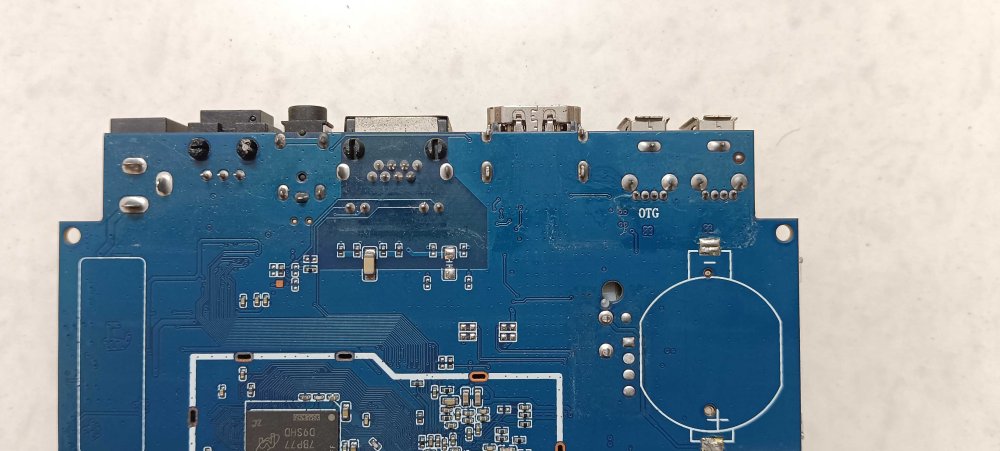
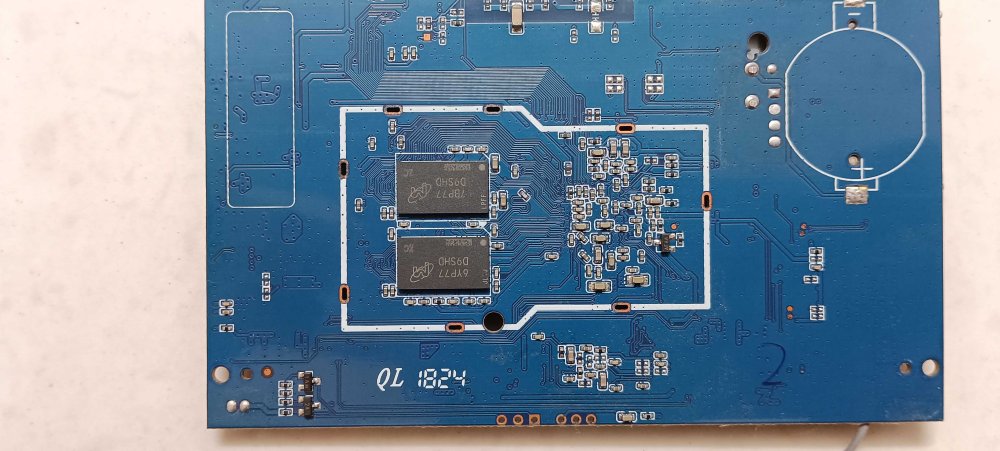
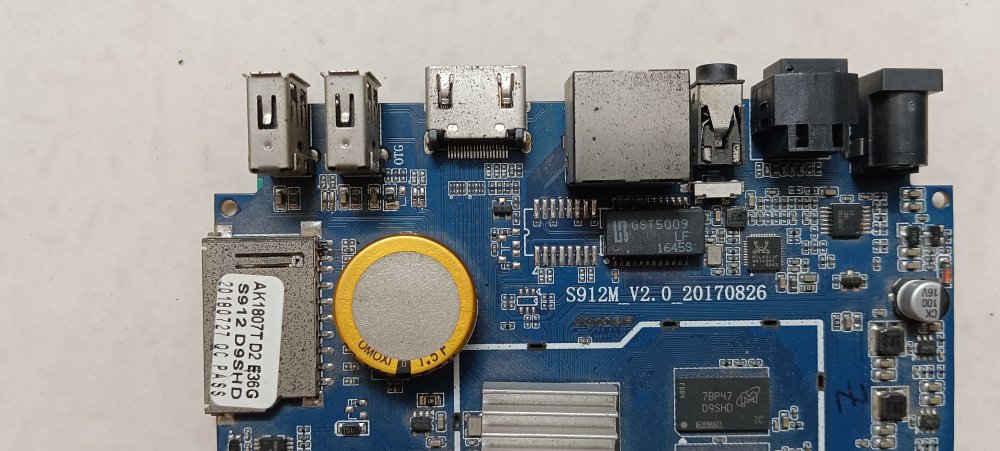
Two S912 android boxes that are partially dead/bricked
BLAINZEKO posted a topic in Amlogic CPU Boxes
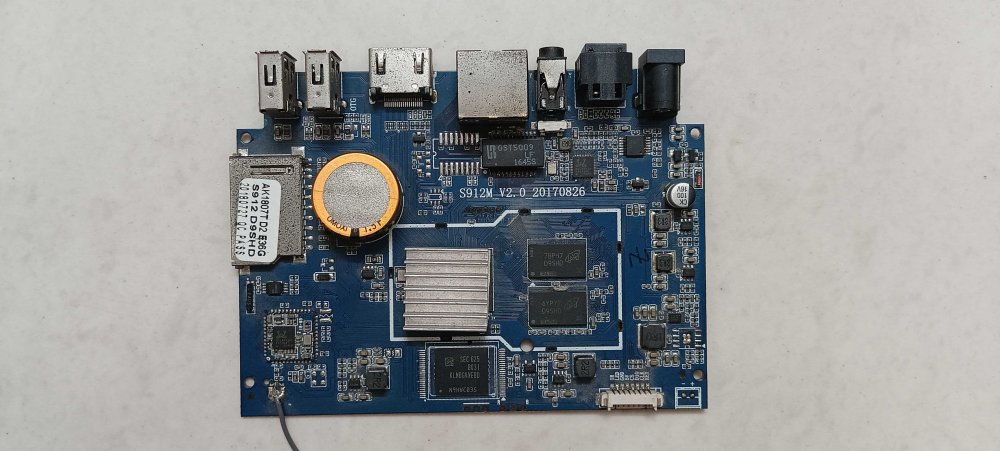
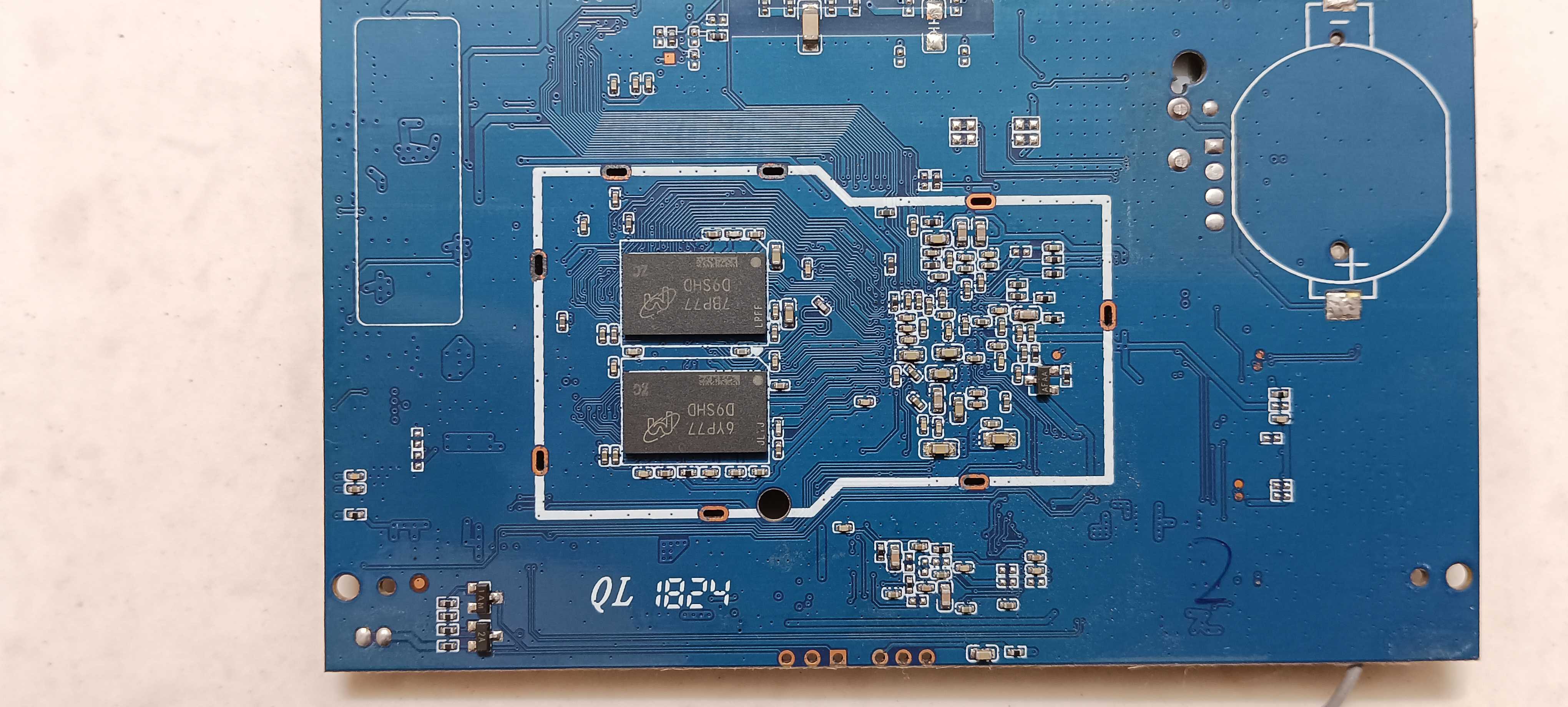
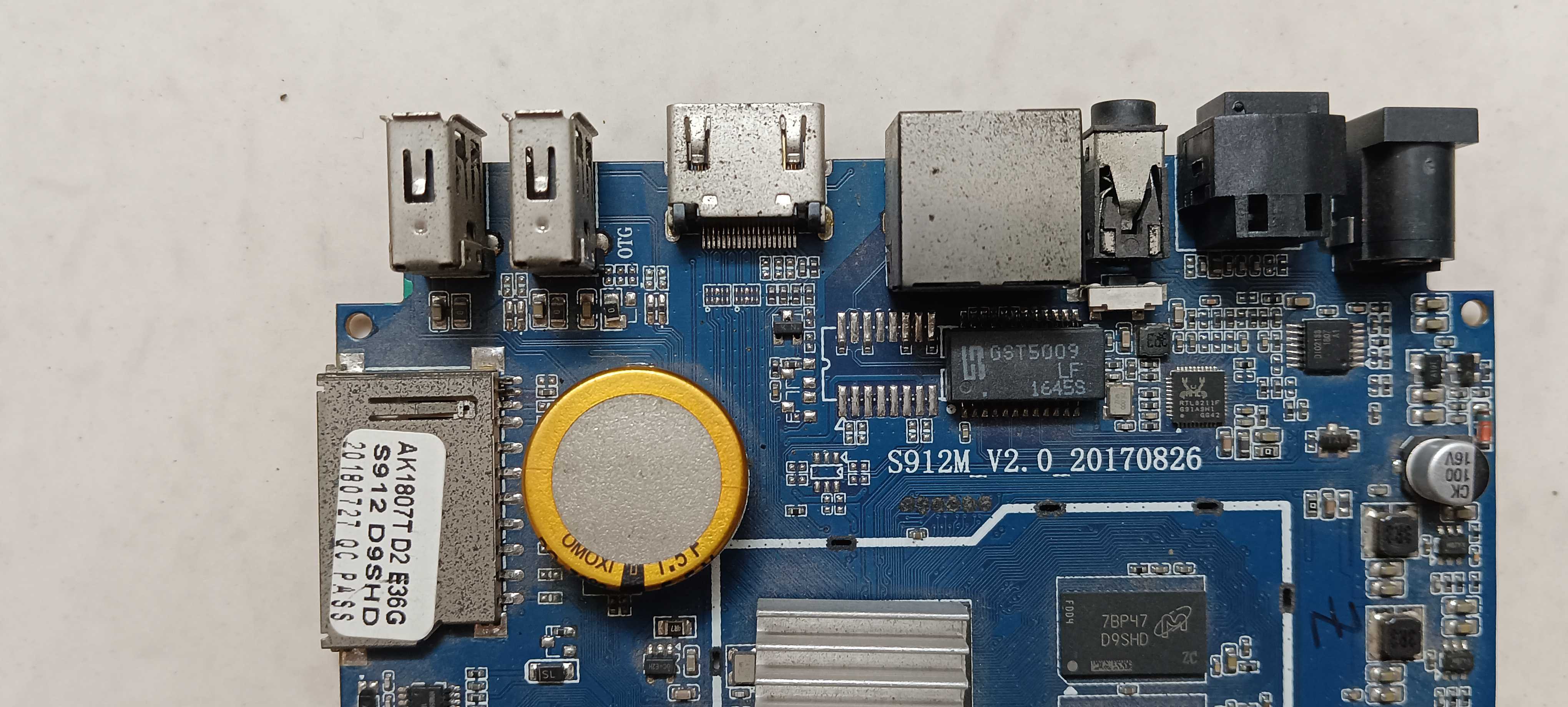
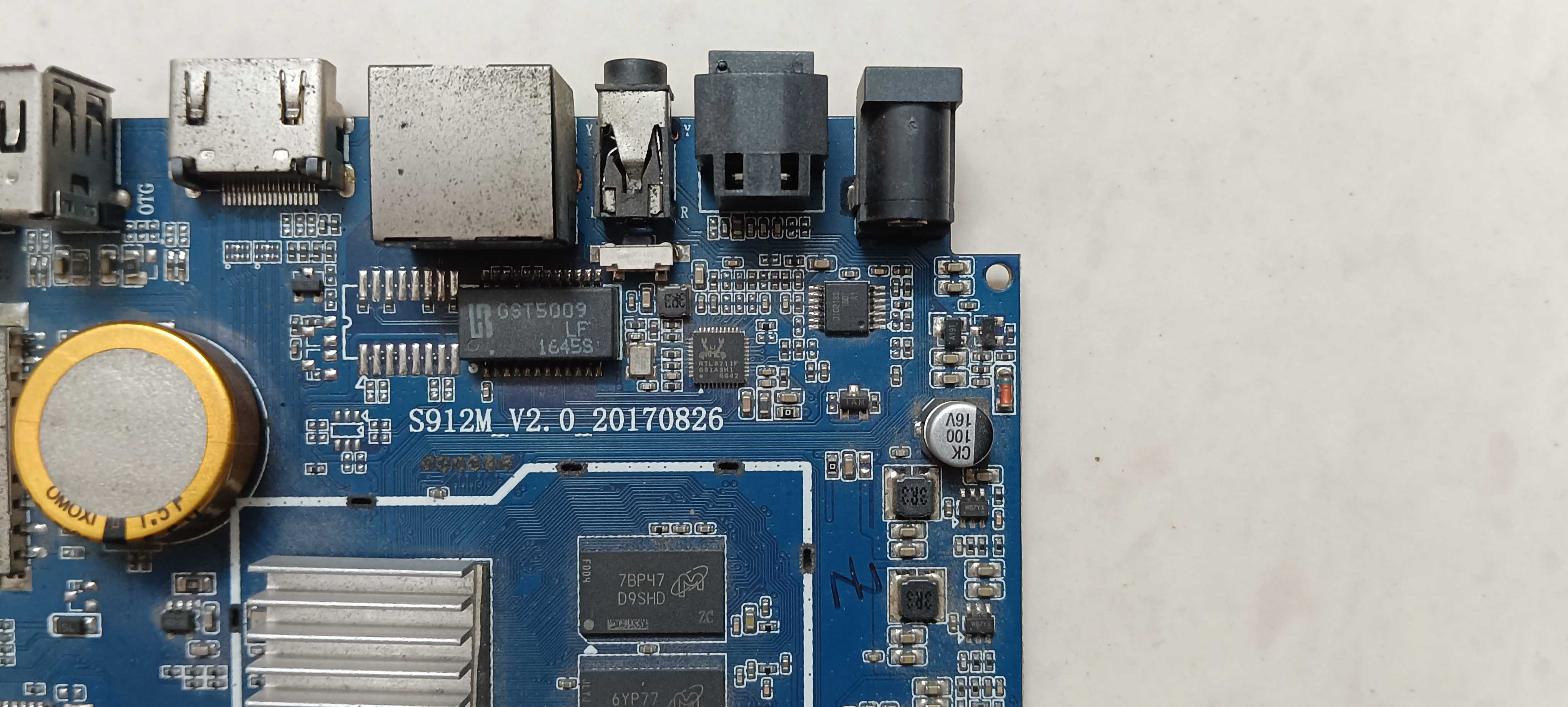
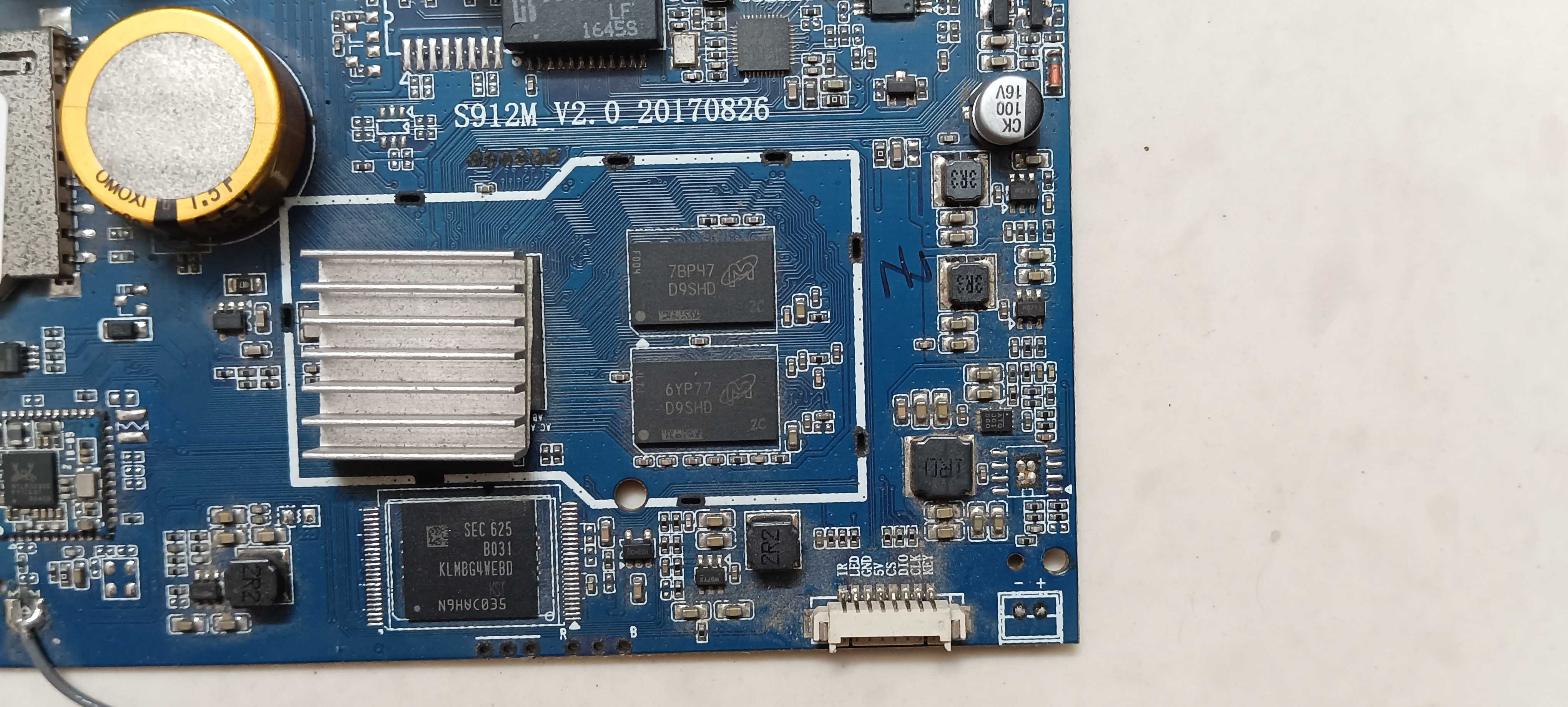
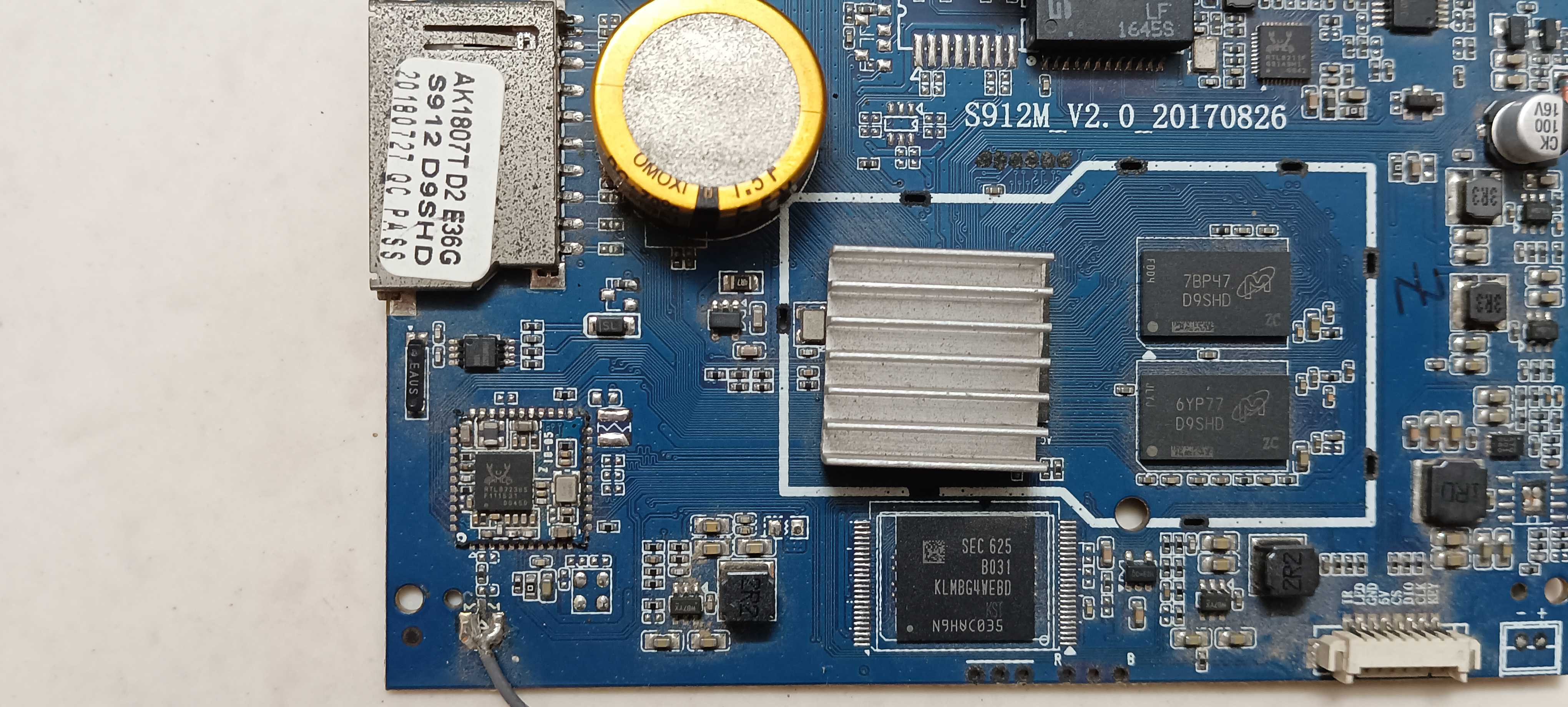
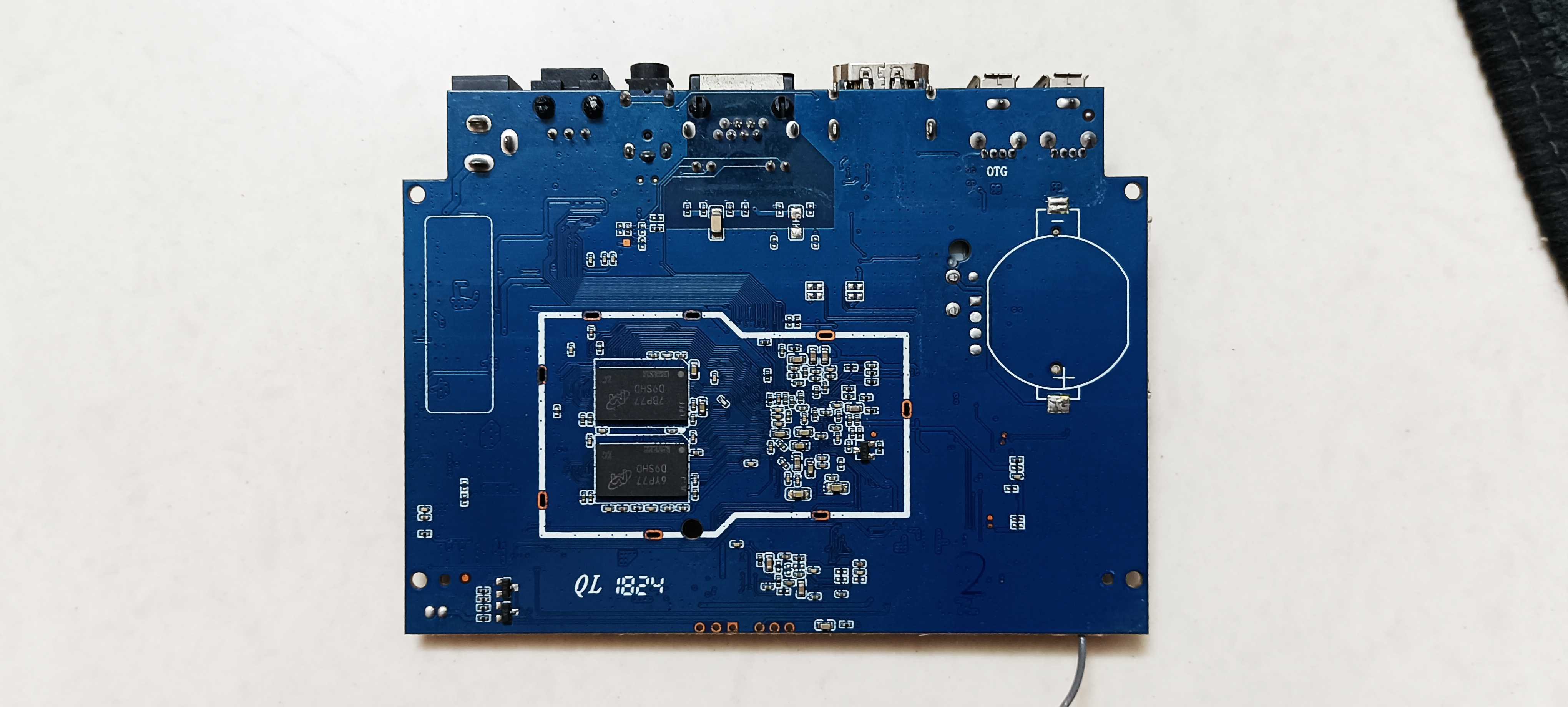
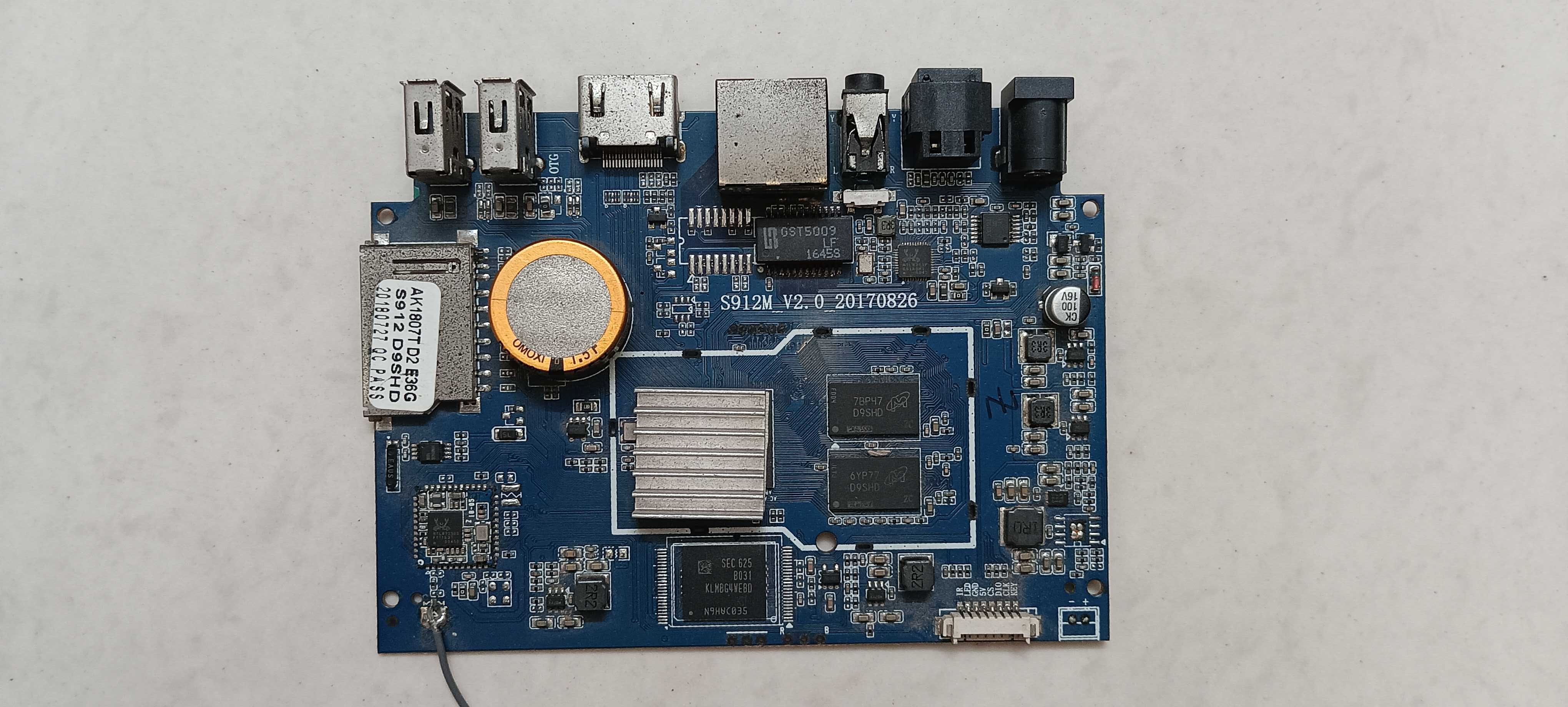
So I've got two of these old android tv boxes, both running the S912 chipset, and both are pretty much dead at this point. Trying to figure out if it's worth the effort to revive them or if I should just toss them already. On both boxes: no display through hdmi at all, not even a logo or flicker. Tried the toothpick trick for recovery screen with power plugged in, no reaction. Keyboard and mouse don't get picked up when connected. And when I hook them up to my laptop with a usb to usb cable, the boot light does turn on so they're clearly getting power, but the box itself never shows up anywhere on the laptop, not even in device manager after installing the usb burning tool drivers (one does shows up, but says USB device not recognized). Also tried the SD card method, used the correct armbian image on it, still didn't worked. Basically all I get is that one led lighting up and that's it. No video output, no usb enumeration, nothing responds. Attaching some pics of the boards and ports in case it helps spot anything obvious. Before I give up on these completely, does anyone know if there's still a way to force them into burn mode, because i know for certain that it's not a hardware related issue. Software is stopping them going into burn mode. Hardware is completely fine and working. So i wanna force them to go into burn mode so i can use armbian image on them. If there really is no option, i'm tossing them out. But there has to be a way. Any help would work. Thanks in advance.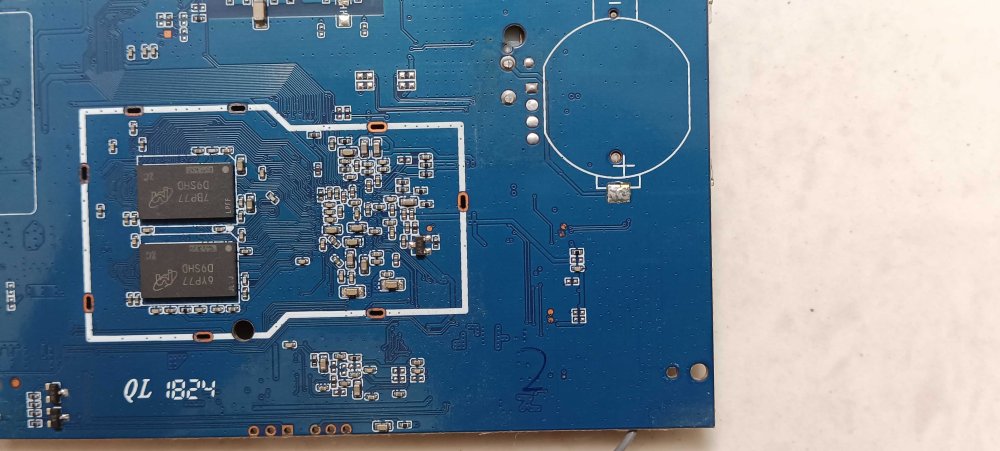
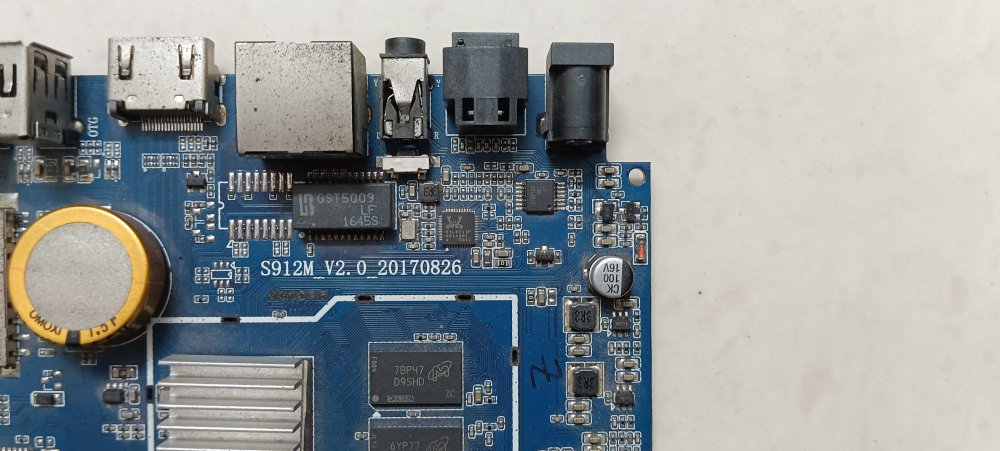
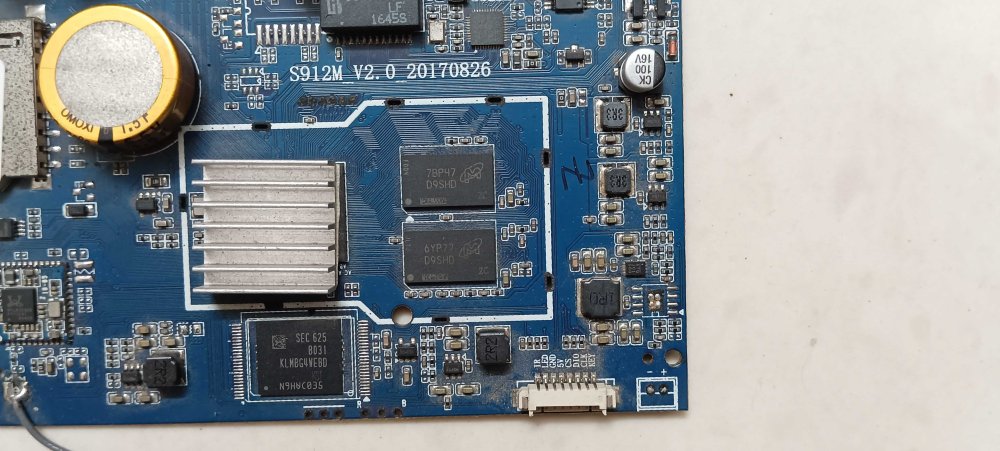
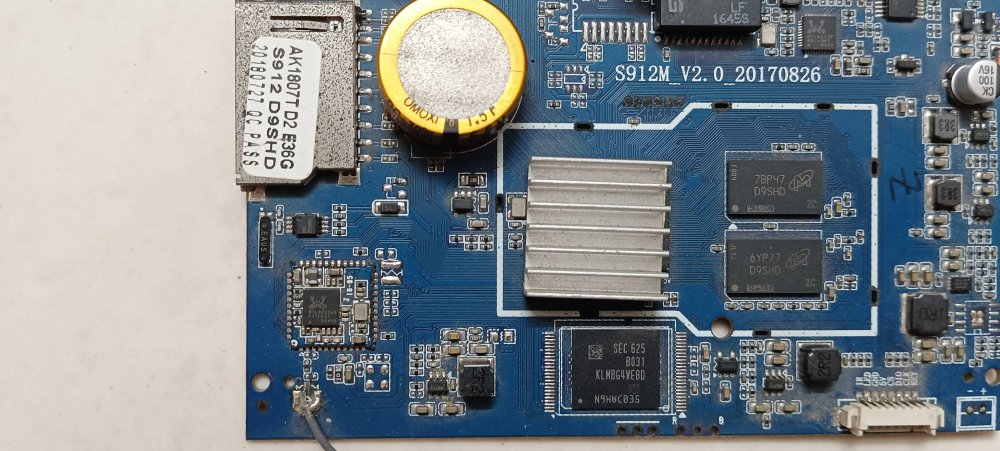
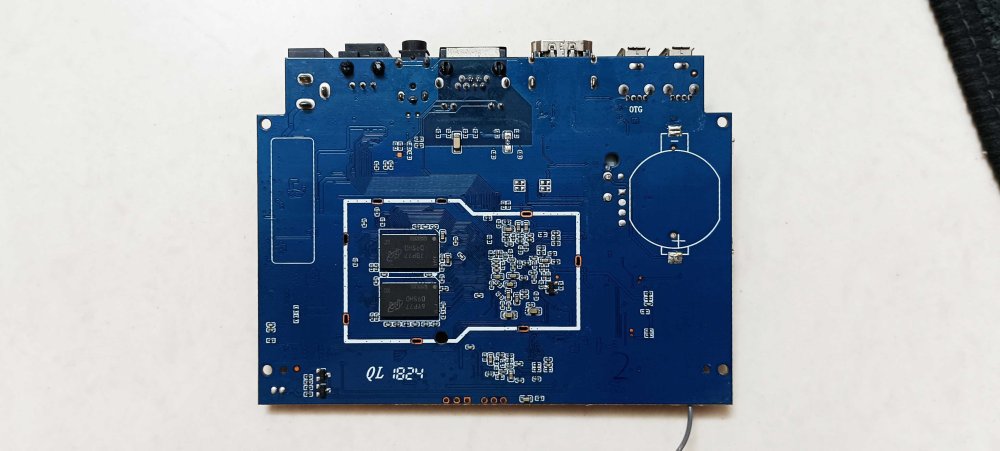
-
I mean, I've verified that the image is correctly written to the SD card on my PC. So it's not that, unless the M2S itself is not reading reliably. The frustrating part is that U-Boot appears to read the image correctly enough to get going but the kernel that boots does not. Ah well. I was hoping that there was some documented problem but this forum is a ghost town, and even finding old images to try is a struggle. I'm using an old, legit Lexar 16GB SD card, so I really don't think it's a legitimacy-of-SD-card issue. Two PCs and an Android phone both tell me there's no problem with the written data here. When I set this computer up three years ago, there was no hint of any of this. It was just plug and play and all was golden.
-
 Hello jock, Thank you for your guidance and for clarifying that my device isn't truly hard-bricked. Regarding your question about the firmware, I used the image from this link: https://mega.nz/folder/v2IEEJqK#WR2o_RwAvS0XWd3pBmnp7Q. Could you please advise on the next steps, or if there is a specific way to use the UART adapter to diagnose or recover the device based on this specific firmware? Thank you for your help Sorry if I ask a lot of questions because I'm a beginner.
 -
 @bedna: Sixty-four 512-byte blocks is the same as eight 4k blocks from dd's perspective. In the GPT partition scheme, the first eight 4k blocks are blank.
 -
Providing logs with armbianmonitor -u helps with troubleshooting and significantly raises chances that issue gets addressed.
-
Hello, I'm running Armbian Community 26.8.0 / kernel 6.18.35-current-rockchip64 CPU is quite hot, 56-60 C even when idling; it used to be around 43-45 C on the BSP image. I have a passive cooler mounted. So I added a fan and connected to the FAN header, but it does not spin. I seem to remember a "fan control" overlay within armbian-config for other boards, but it's not present here. Any suggestion? It's a nice board but it's too hot with Armbian 😕 Thanks!
-

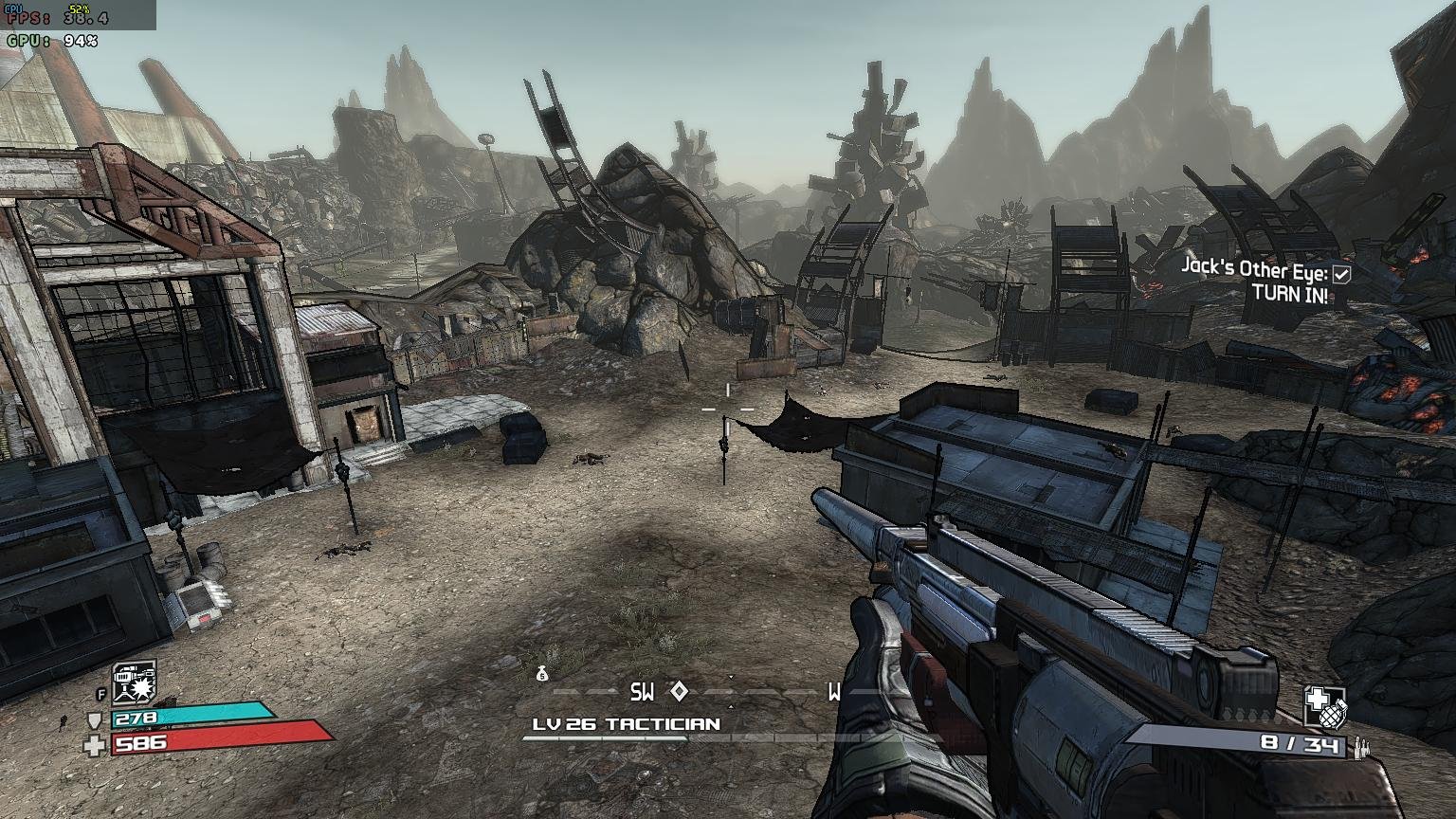
Gaming experience with Orange Pi 5 (RK3588) on Armbian
KhanhDTP replied to KhanhDTP's topic in Orange Pi 5
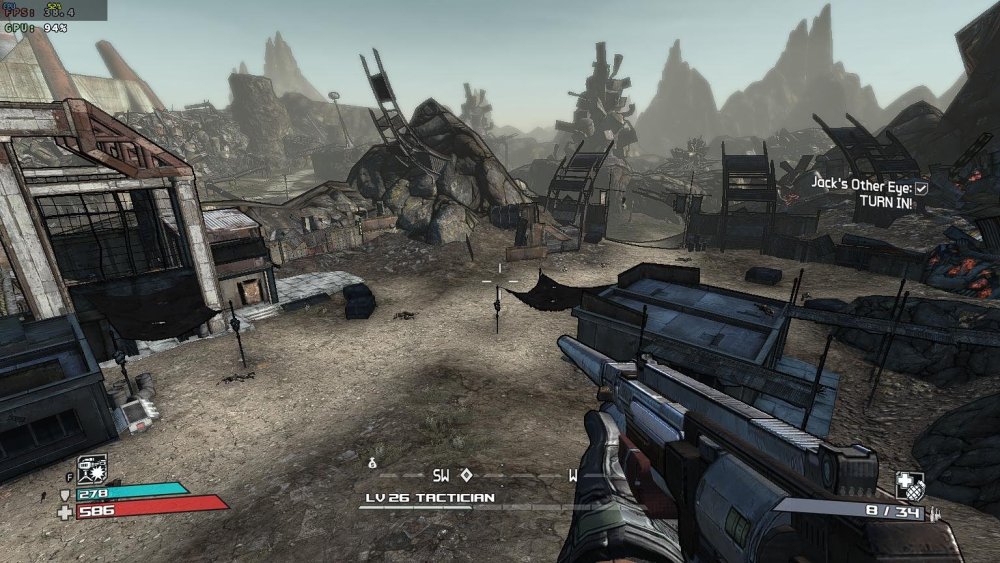
Armbian 26.2.1 Noble XFCE (BSP Kernel: 6.1.115) + PanVk - 26.2.0~git2605212123.7b286abe336 (https://launchpad.net/~ernstp/+archive/ubuntu/mesaaco) + Box64 arm64 v0.4.3 42ae8b818 (https://ryanfortner.github.io/box64-debs/) + wine-proton-11.0-beta1-amd64-wow64 (https://github.com/Kron4ek/Wine-Builds/releases/download/proton-11.0-beta1/wine-proton-11.0-beta1-amd64-wow64.tar.xz) + DXVK-stripped v1.7.3 ~40fps@1536x864 Borderlands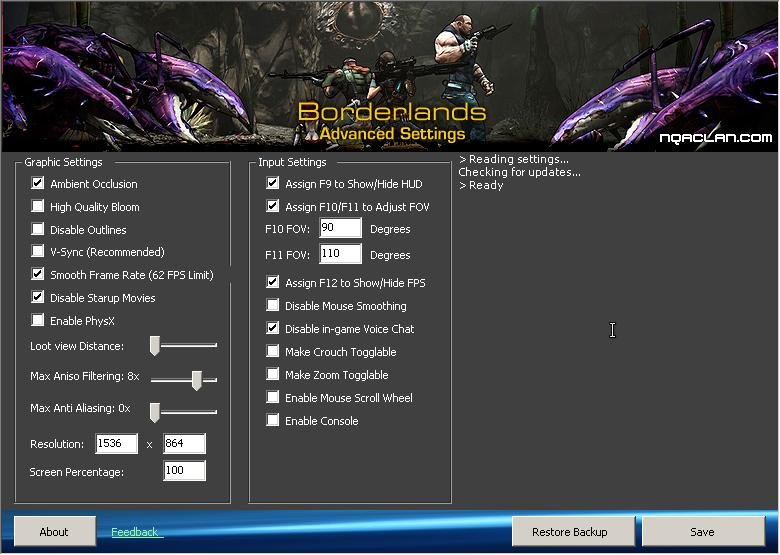
-
If 2 images don't work, I start thinking that the images are OK, but something goes wrong after extracting/decompressing, writing to SD-card, and reading at power by the bootROM/maskROM and U-Boot. I have various images downloaded and checked the past months, only for topics like this and I remember only 1 being wrong (there was no rootfs, only bootloader). I do not have a BPI-M2S, so cannot really test on hardware. And hardware might be the issue. Quite often nowadays it is fake or counterfeit SD-card. Those should work OK for writing the image and even verifying, but after that all sorts of strange errors and corruption can happen. It might be something with MBR or GPT failing, but this is rare. You simply need to check much more, check the SD-card in other Linux computer with fdisk etc. And connect serial console cable, so you can seen U-Boot and kernel logs and also interrupt U-Boot and do manual scan commands. Ultimately, you might need to build an image yourself and use Btrfs instead of Ext4. Might also make U-Boot understand Btrfs. Then any block-level corruption will be detected as Btrfs has checksums on all storage blocks. I use it for more than a decade and it really helps catching issues, even after years the same Btrfs root filesystem. And bad SD-cards are easily detected. Note that there is also btrfs-convert, allows converting existing images or SD-cards, but is a bit tricky as you need to do a few other things w.r.t. bootloader.
- Yesterday
-

Games Compatible With Armbian on Pinebook Pro
Bruno Piras replied to Katsujinken's topic in Pinebook Pro
Oh man, every Armbian install to Pinbook Pro's eMMC I heard of always ended up failing. Which steps did you do to successfully install Armbian to your eMMC? Would really appreciate it! -
Hard bricking is not compatible with the led flashing alternatively: you did not hard bricked the device, you're just having difficulties in changing the firmware. The maskrom pin may help, but also a serial adapter attached to the uart may let you solve the issue without maskrom. You could also tell us what is the bad firmware that makes your leds blink alternatively.
-
Hello! I recently ran updates on the old M2S I won from here, and that appeared to break my OS, so I went back to try reinstall. And that's where I hit a snag. For some reason, after booting, the kernels refuse to see the partitions on the SD card. /dev/mmcblk0 exists, but none of the subpartitions, and so the boot process cannot find the partition it's supposed to boot from. Neither Armbian_25.5.1_Bananapim2s_trixie_current_6.12.32_minimal.img.xz nor Armbian_26.2.1_Bananapim2s_trixie_current_6.18.15_minimal.img.xz get me past this issue. I've tried changing the power supply, debug with LLMs, but nothing appears to be working. Any suggestions?
-
Join us on June 18 for our low-latency ML video analytics demo on the Ryzen AI Max 300 Series at the AMD Embedded Computing Summit! View the full article
-
Linux kernel 7.1 brings improvements across filesystems, networking, scheduling, graphics, Rust, and hardware enablement, with Collabora contributing 65 patches from 16 engineers across Panthor, DRM, Rockchip, MediaTek, and driver fixes across the kernel. View the full article
-
Hi, could someone please give me a backup of the MXQ PRO 4K (5G version) WiFi EA6521QF? I need it for my Android TV box. Thanks.
-
https://forum.armbian.com/terms
-
 Hi everyone, I'm running a small application on an Armbian-based SBC and need a reliable SMTP Service Provider for sending notifications and transactional emails. I've been comparing a few options, including iDealSMTP, Mailgun, and SMTP2GO. For those hosting services on Armbian devices, which provider has worked best in terms of deliverability and ease of configuration? Any tips or experiences would be appreciated. Thanks!
 -

Hardware video acceleration with recent armbian/mainline kernel (Kodi)
xsetiadi replied to XXXBold's topic in Orange Pi 5
anyone able to build https://code.ffmpeg.org/Kwiboo/FFmpeg/src/branch/v4l2request-v3 on their opi5? i try to build on my opi5 with today current-kernel 6.18.35 and got error: ERROR: v4l2_request requested, but not all dependencies are satisfied: linux_media_h v4l2_timeval_to_ns v4l2_m2m_hold_capture_buf libdrm libudev try edge kernel 7.1 also got the same error. any idea? - Last week
-
@johlnx i try img cant booting, i think X88PRO13 use ddr4 of ram. how to build for rk5328 with ddr3 of ram ? device : h96 max 8k ultra hd .dtb .dts file ⬇️ rk3528-evb2-ddr3-v10.dtb rk3528-evb2-ddr3-v10.dts
-
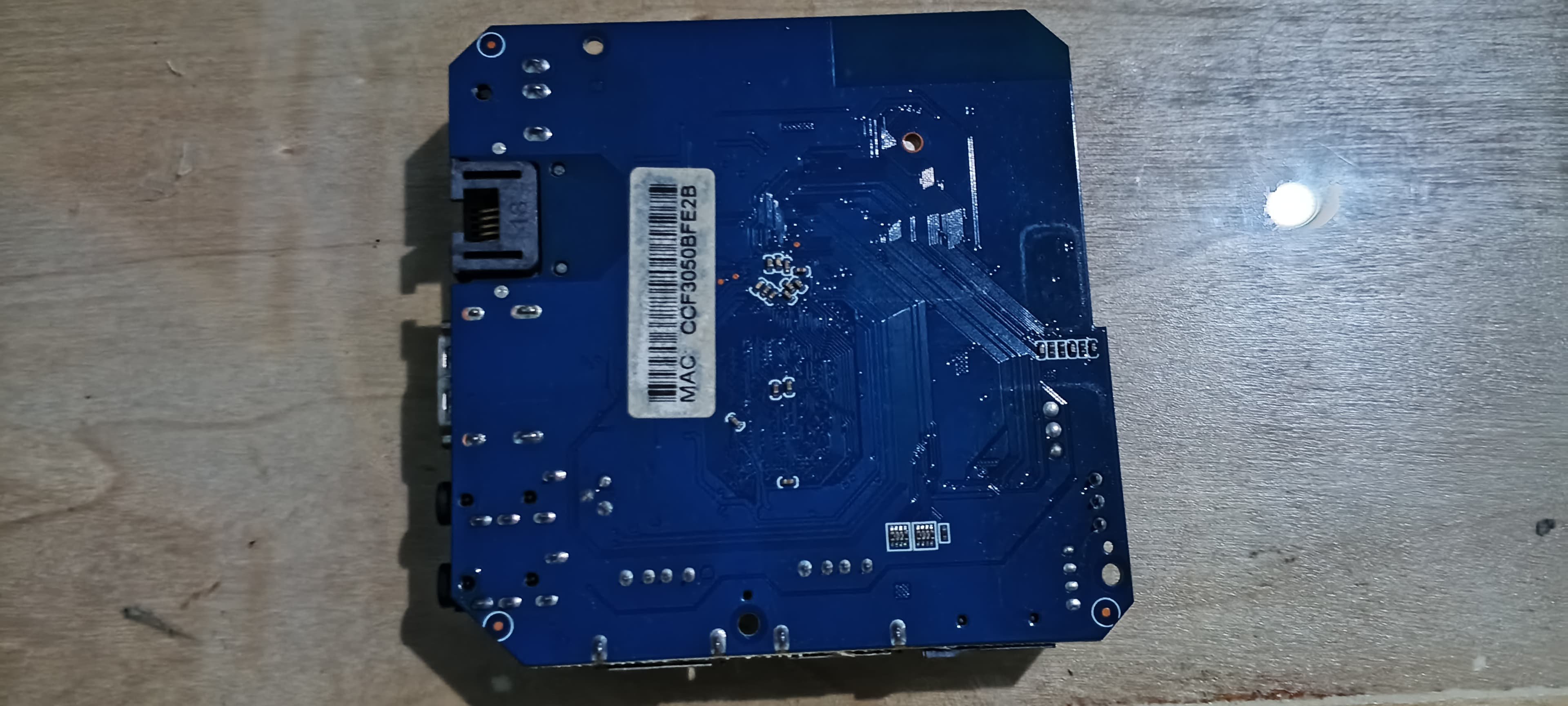
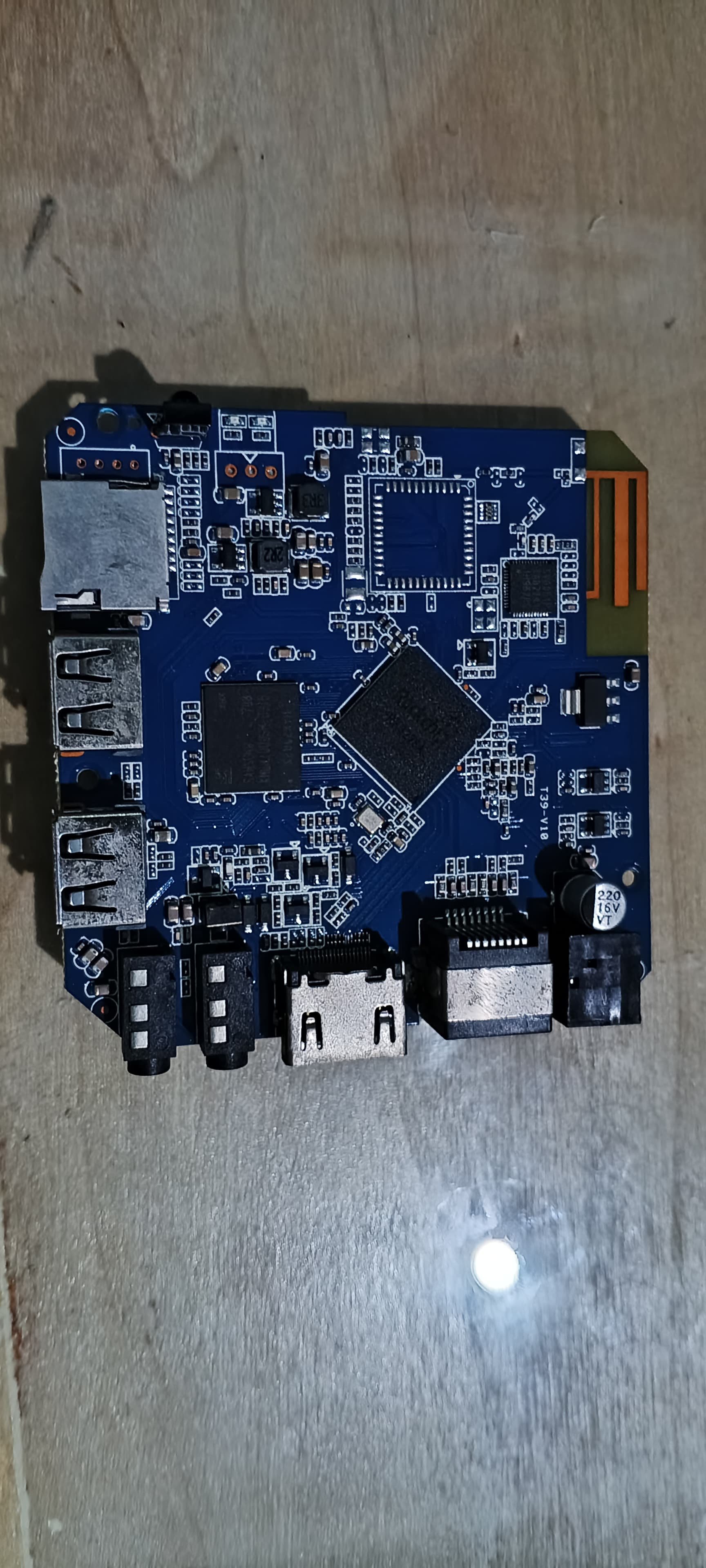
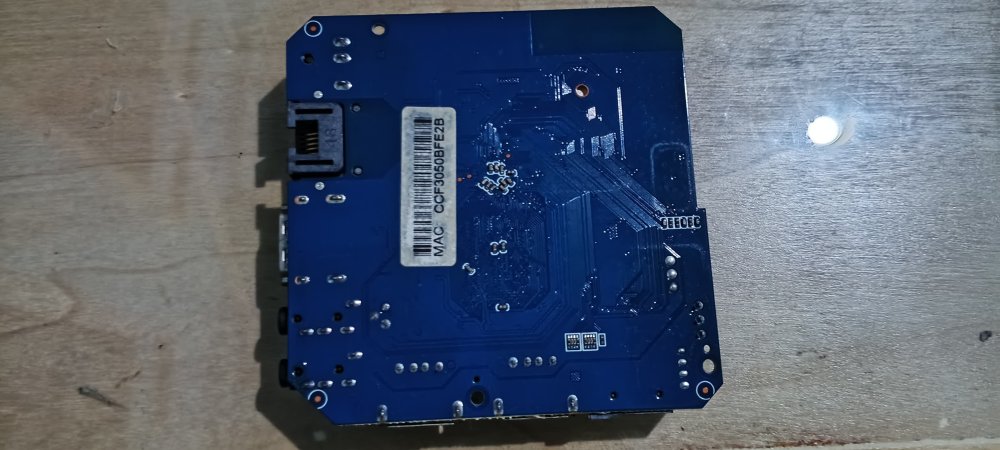
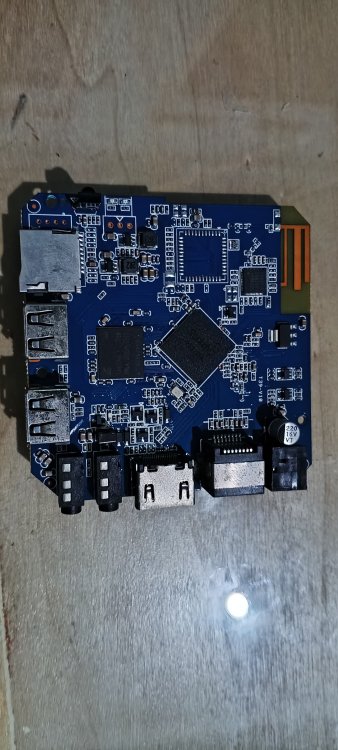
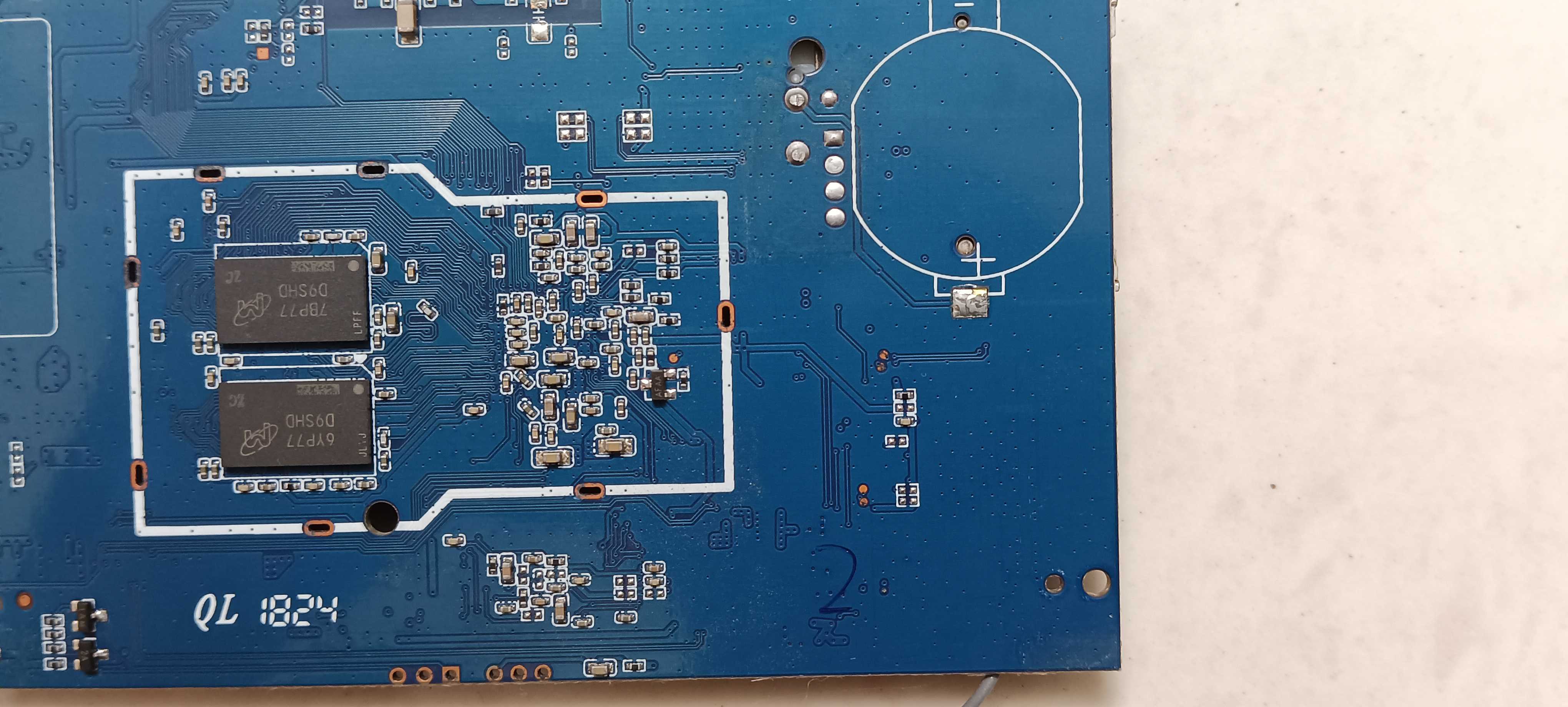
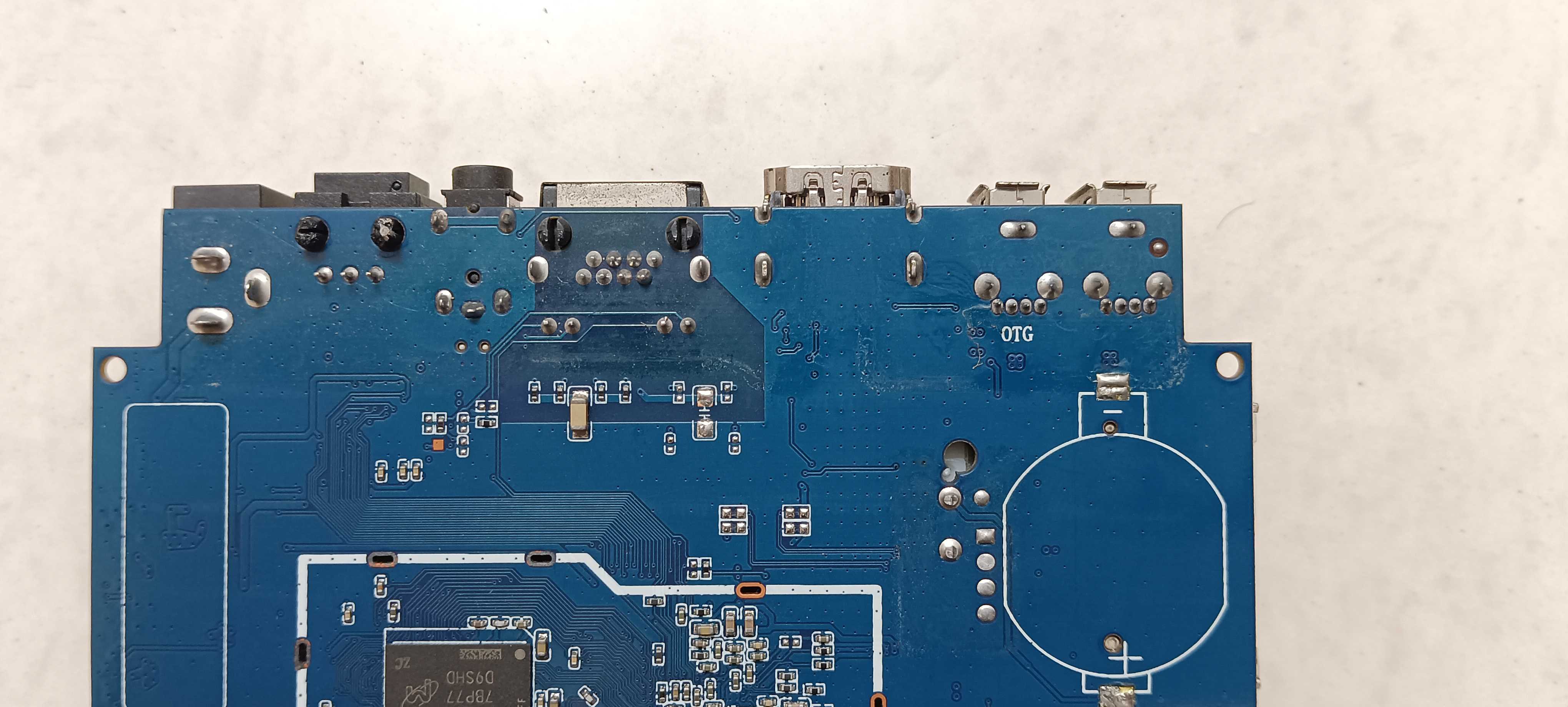
Hello everyone, I am trying to install Armbian on my Android TV Box, but unfortunately, I flashed an incorrect firmware. Now the device is hard-bricked: the red and blue LEDs are blinking alternately, there is no HDMI output (black screen), and the physical reset button is not working properly. I already have an SD card loaded with the multitool to install Armbian, but I need to force the SoC into Maskrom Mode first so it can bypass the corrupted eMMC and boot from the SD card. Device Specifications: SoC: Rockchip RK3228A Board ID: T39-V1.0 Storage: eMMC (BGA type) I have attached the front and back photos of my PCB board (IMG-20260607-WA0027.jpg and IMG-20260607-WA0031.jpg) for reference. Could anyone help me identify the exact and safe test points (CLK to GND shorting points) for this specific T39-V1.0 board layout? Thank you so much for your help!


.thumb.jpg.20ed26dd68aaee94a94b227bf670a8eb.jpg)