All Activity
- Past hour
-
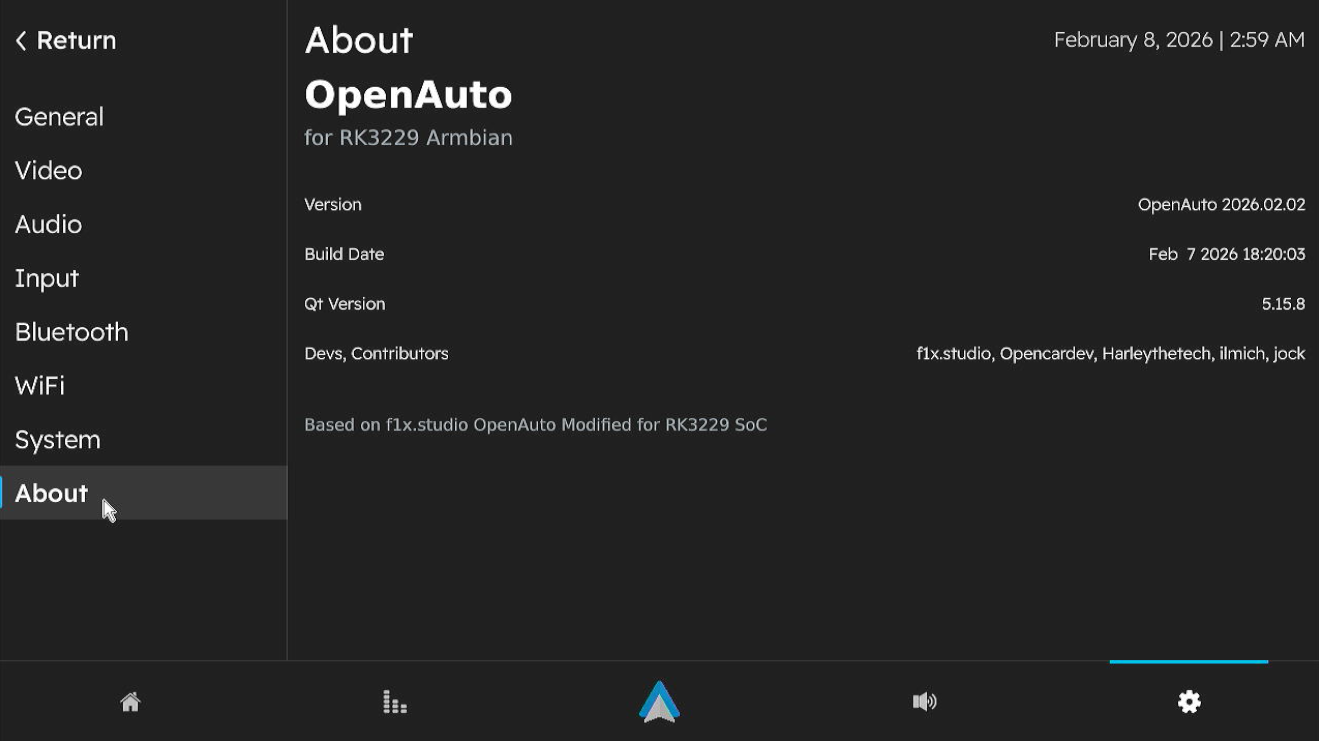
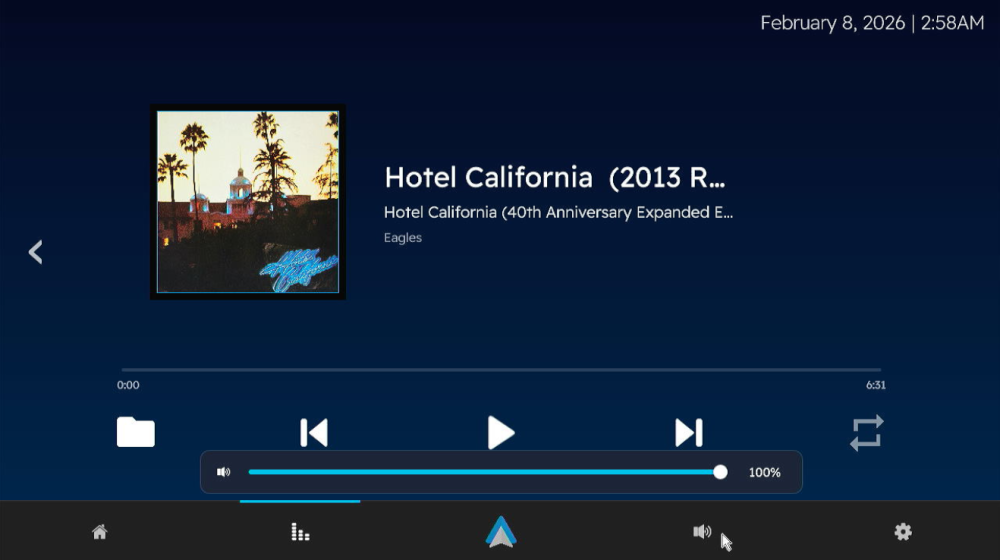
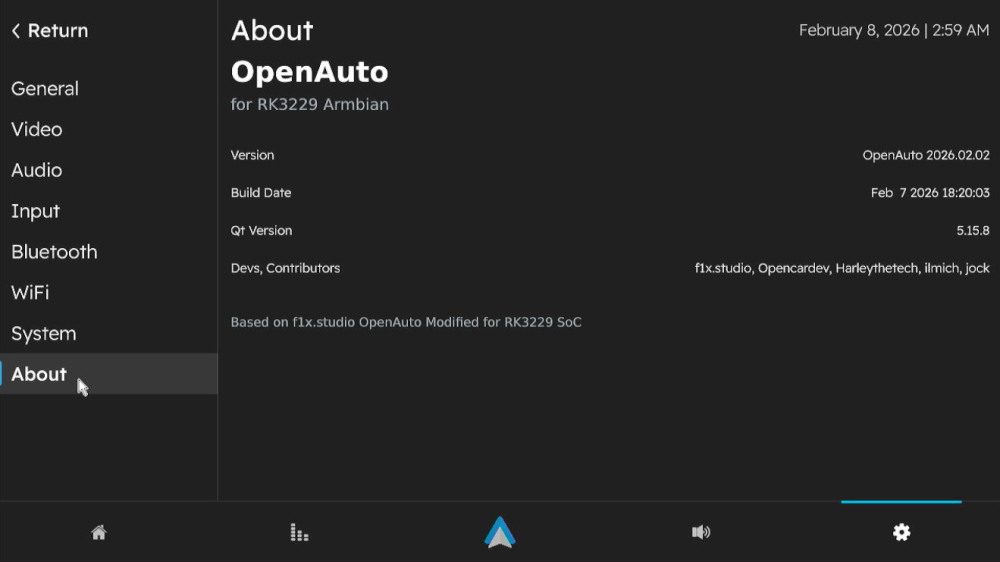
 Version 3.1.0 Has been released! I won't be going into details like last time, this build also includes the fixes for "known issues" from version 3 Alpha build. Bugs Found? Open a ticket in https://github.com/Harleythetech/openauto-rk3229-armbian/issues Download: Github: OpenAuto RK322x - oark322x-3.1.0-beta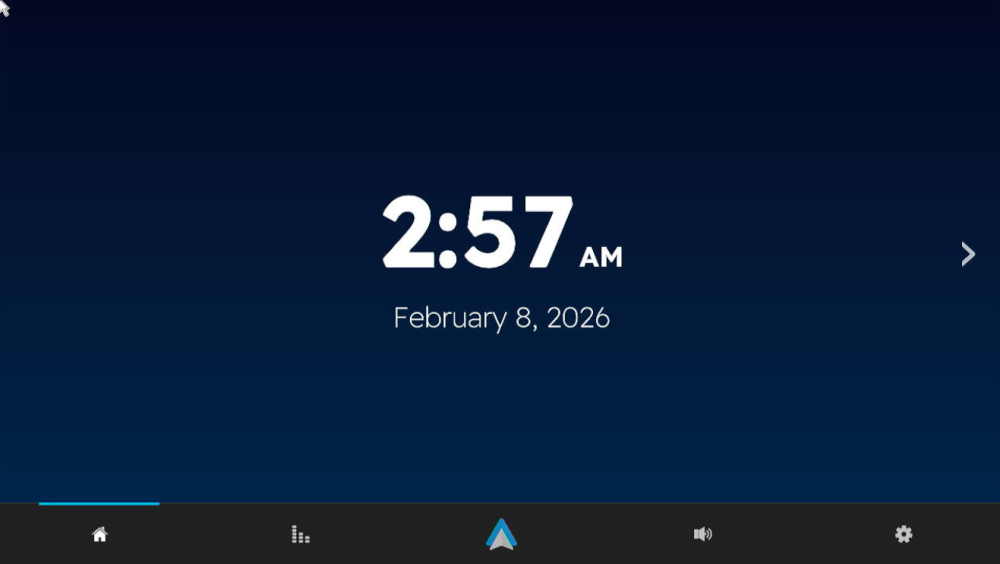
-
@Bones558 I made custom u-boot to fix the boot splash on a7z. You'll need to clone my latest build.
- Today
-
Two addons: I compiled on another notebook and stumbled over a RAM error message from Armbian compile.sh. Notebook has 8GB, so I added the recommended KERNEL_BTF=no to the ./compile.sh args. A dkms status says, the bcmdhd is built and active. Also, I started an experient to port the Spacemit PVR code drop (GPU) mentioned earlier. This is really untested, but at least builds on my board: https://codeberg.org/sven-ola/mesa-spacemit-k1/releases. Now trying to spice up some cinnamon, but may need a cooking recipe for the binary shared libs...
-
@maxsub: I have not really analyzed Armbian build caching until now. Maybe a previous build for another spacemit board prevents the DKMS from being included? Anyhow, re-installing / updating a kernel image should trigger any active DKMS modules to rebuild for the new kernel on the board, so this looks correct. LG // Sven-Ola
-
The bcmdhd dkms is getting built and the debs are being updated if I use SKIP_ARMBIAN_REPO=yes. [🐳|🔨] Building for 6.18.9-edge-spacemit [🐳|🔨] [🐳|🔨] Building initial module bcmdhd-spacemit-sdio/101.10.591.84.37-4 for 6.18.9-edge-spacemit [🐳|🔨] The kernel is built without module signing facility, modules won't be signed [🐳|🔨] [🐳|🔨] Building module(s)............................... done. [🐳|🔨] Installing /lib/modules/6.18.9-edge-spacemit/updates/dkms/bcmdhd.ko.xz [🐳|🔨] Installing /lib/modules/6.18.9-edge-spacemit/updates/dkms/dhd_static_buf.ko.xz [🐳|🔨] Running depmod.... done. [🐳|🔨] Processing triggers for man-db (2.13.1-1) ... When installing the image deb the previous dkms gets deleted. Preparing to unpack linux-image-edge-spacemit_26.02.0-trunk_riscv64__6.18.9-S3aec-D0000-P87b2-C50afHfe35-HK01ba-Vc222-B052a-R448a.deb ... Armbian 'linux-image-edge-spacemit' for '6.18.9-edge-spacemit': 'prerm' starting. dkms: removing module bcmdhd-spacemit-sdio/101.10.591.84.37-4 for kernel 6.18.9-edge-spacemit (riscv64) Module bcmdhd-spacemit-sdio/101.10.591.84.37-4 for kernel 6.18.9-edge-spacemit (riscv64): Before uninstall, this module version was ACTIVE on this kernel. Deleting /lib/modules/6.18.9-edge-spacemit/updates/dkms/bcmdhd.ko.xz Deleting /lib/modules/6.18.9-edge-spacemit/updates/dkms/dhd_static_buf.ko.xz ......... It gets built during install of the image deb: Autoinstall of module bcmdhd-spacemit-sdio/101.10.591.84.37-4 for kernel 6.18.9-edge-spacemit (riscv64) Building module(s).............................................. Installing /lib/modules/6.18.9-edge-spacemit/updates/dkms/bcmdhd.ko.xz Installing /lib/modules/6.18.9-edge-spacemit/updates/dkms/dhd_static_buf.ko.xz Running depmod.....
-
@marcosdsdba Can you take a picture or just tell us the Wi-Fi chip you have on your board?
-
@Rodrigo Campos The 20251226 build uses a newer kernel, but audio through the A/V out port is currently broken. I haven't had time to fix it yet, so if you don't need that port, feel free to use this version.
-
If you can pull the factory DTB from that board that would be great. I need it to get Wifi working
-
Hi dear @Nick A, I need your help to understand the branch to use in your repository, the main one is 20250306, but there are several branches that looks like more recent, like 20251226. May you explains what is more recent/better to use for an Transpeed M98?
-

Super console cube X3 seems can't boot.
gnutux landia replied to gnutux landia's topic in Amlogic CPU Boxes
I buy a different USB uart Usbuart Maybe I can do what you suggest. I need to wait to the item arrives at my home. When It arrives I post here to the device read uart method. -
@sven-ola The dkms did not get installed by the build. I manually installed it and the wifi works. I am trying the build with SKIP_ARMBIAN_REPO now as I did not have that before.
-
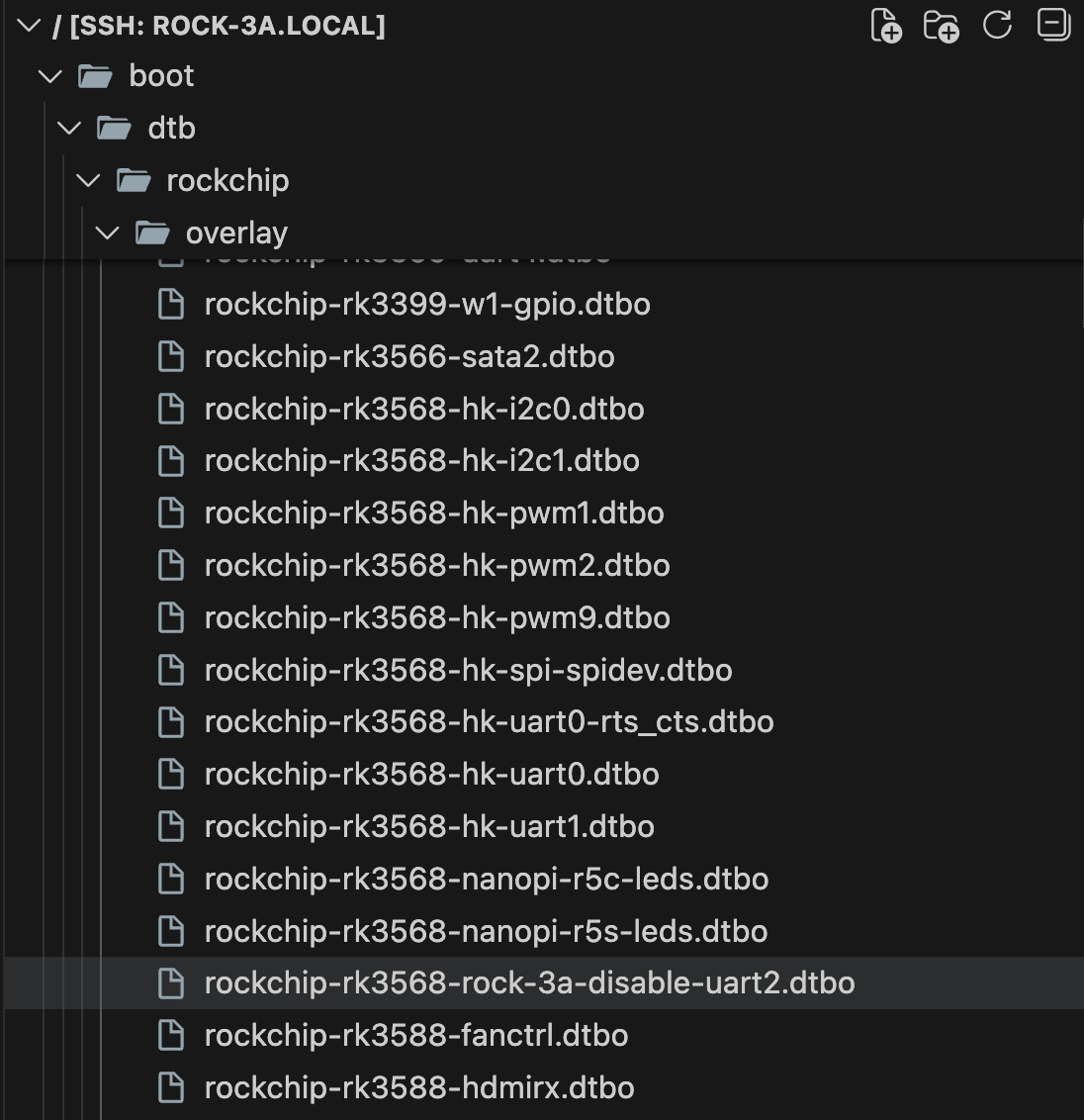
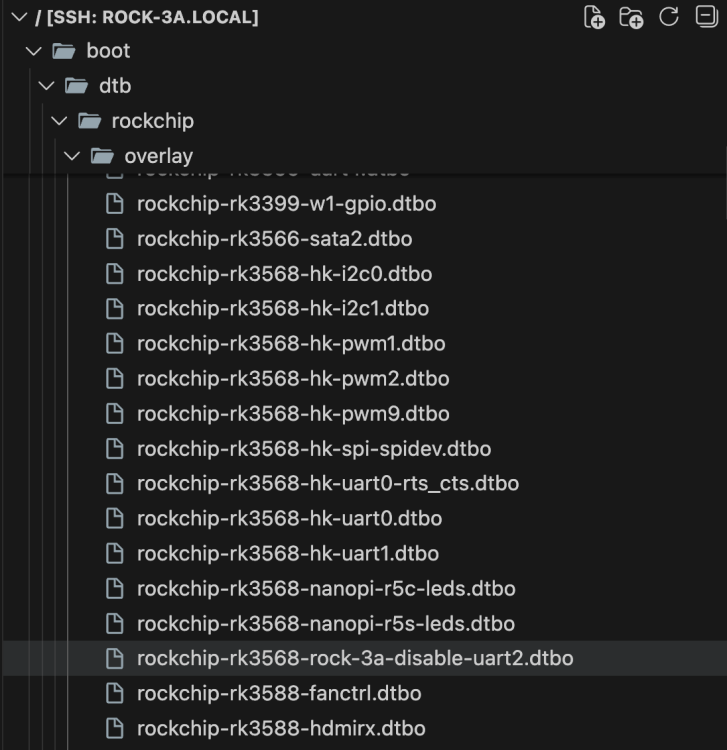
I am trying to setup Raxda Display 8 HD with Radxa ROCK 3A. On official Radxa OS, I used Rsetup tool to setup overlay for `Radxa Display 8 HD' using official guide. How can I do same on Dedicated applications images with Armbian Linux v6.12 ( Home Assistant ) ? I have read Device Tree overlays guide on armbian docs but I can't find overlay for lcd display in files:
-
Thank you! That worked like a charm
-
@Robin Hoo I don't have UFS so I can't test it. But I think if you add enable_extension "ufs" to https://raw.githubusercontent.com/NickAlilovic/build/refs/heads/Radxa-A7A/config/boards/radxa-cubie-a7a.csc it might work. git clone https://github.com/NickAlilovic/build.git --branch Radxa-A7A cd build echo 'enable_extension "ufs" ' >> config/boards/radxa-cubie-a7a.csc or echo 'enable_extension "ufs" ' >> config/boards/radxa-cubie-a7z.csc ./compile.sh
-
Tried this? https://gist.github.com/c0m4r/b3fea6342bcf5a1b25b608fc36100d68#pwm-fan-control Ie: download the script and systemd service, edit the script to your liking (or try default) and activate the service. As default It configures to user_space and checks temps every 10s. https://raw.githubusercontent.com/c0m4r/radxa_rock5c_lite/refs/heads/main/usr/local/bin/rock5c_fan_pwm ########################################################## # Radxa Rock 5C fan PWM control script # Author: https:///github.com/c0m4r # License: Public Domain ########################################################## # PWM control path PWM_PATH="/sys/devices/platform/pwm-fan/hwmon" # Configuration INTERVAL=10 # Temperature check interval (seconds) FAN_OFF=1 # 1 = turn off fan below MIN_TEMP after cooldown, 0 = keep at min RPM COOLDOWN=300 # time to wait before turning off the fan when FAN_OFF=1 # Critical temp protection POWEROFF_ON_CRIT=1 # 1 = shutdown when the temperature reaches a critical value, 0 = disable CRITICAL_TEMP=70 # Critical temperature (shutdown) # PWM Values (proper) SAFE_PWM_MIN=105 # Safe minimum PWM to keep fan spinning PWM_LOW=125 # 45–50°C (~50% speed) PWM_MID=165 # 50–55°C (~65% speed) PWM_HIGH=200 # 55–60°C (~80% speed) PWM_MAX=255 # >60°C (100% speed) # PWM Values (temporary - use these instead of proper if the fan spins at max all the time) #SAFE_PWM_MIN=50 # Safe minimum PWM to keep fan spinning #PWM_LOW=60 # 45–50°C (~50% speed) #PWM_MID=70 # 50–55°C (~65% speed) #PWM_HIGH=80 # 55–60°C (~80% speed) #PWM_MAX=255 # >60°C (100% speed) # Constants (requires also changes in code) MIN_TEMP=47 # Minimum temperature (PWM_MIN) MAX_TEMP=60 # Maximum temperature (PWM_MAX) # Set thermal policy thermal_zones=$(ls -1 /sys/class/thermal | grep thermal_zone) if [[ "$thermal_zones" ]]; then for i in /sys/class/thermal/thermal_zone*/policy ; do echo "user_space" > "$i" done else echo "No sensors found, check kernel support, setting fan to high for now!" echo $PWM_HIGH > ${PWM_PATH}/hwmon*/pwm1 exit 1 fi # Set PWM_MIN based on FAN_OFF mode if [ "$FAN_OFF" -eq 1 ]; then PWM_MIN=0 # Allow fan to turn off after cooldown else PWM_MIN=$SAFE_PWM_MIN # Keep fan at minimal safe RPM all the time fi # Validate PWM path if [ ! -d "$PWM_PATH" ]; then echo "Error: PWM control file not found: $PWM_PATH" exit 1 fi # Initialize variables current_pwm=$(cat ${PWM_PATH}/hwmon*/pwm1) # Start at current PWM last_high_temp_time=0 # Track last high temp for cooldown echo "Initializing fan at PWM $current_pwm" echo "$current_pwm" > ${PWM_PATH}/hwmon*/pwm1 # Main loop while true; do for i in /sys/class/thermal/thermal_zone*/policy ; do echo "user_space" > "$i" done <snip>
-

CSC Armbian for RK3318/RK3328 TV box boards
SuzSinclair replied to jock's topic in Rockchip CPU Boxes
Thanks for the feedback , i have finally downloaded this version and burn into sd card , put in sd card then reconnect power, the system normal boot i cant see armbian screen, the blue light is on, and nothing on screen or dark screen can someone point me please what is happening.
-
 The drm_prime error is somehow "normal": AFAIR mpv was trying each hardware decoder in turn and, if it does not support the codec, prints the error and tries the next hardware decoder in line. If you try to decode h.265, perhaps it first picks an hardware decoder which does not support such codec with such parameters and prints the error, then tries another decoder which is capable and everything works. Usually rockchip devices have two hardware decoders, Hantro and rkvdec; Hantro does not support h.265 at all on older chips, but rkvdec does.
 -
@ArturHey you did a lot of experimentation, but actually I think you are stuck on something different. GPT partition error message is something you can totally ignore, either because stock firmware usually don't provide a GPT partition, and armbian images neither do. The rockchip miniloader supports GPT partition table, but it is not mandatory to work. If there's a GPT partition, the miniloader searches for "uboot" and "trust" partitions to use them as hints for the base addresses. If there's no GPT partition, it will just use default base addresses and look for the LOADER and TRUST signatures. Anyway, armbian does not use anything from that: there is no rockchip miniloader, neither are GPT partitions or other proprietary code, except for the Trust OS, which is embedded into u-boot. The boot process is totally different on armbian. Now, the issue you have with flash not being recognized by rkdeveloptool makes me think about three possibile situations: a bug in rkdeveloptool you are still in maskrom mode and did not upload the usbplug firmware with rkdeveloptool db (ie: the board is not yet initialized) a broken flash in the eMCP part You can, for example, refer to the procedure Installation (without SD card, board with eMMC) described in the first post of this thread if you want to write a raw image in the flash memory but I always suggest to erase the flash memory and test the image via sdcard first, rather than installing the image immediately, because you can softbrick the board. About the non-booting multitool, you should post some logs from the serial uart, but probably the main issue is related to the trust os which freezes the board after few seconds.
-
I now found a workaround, basically adding the following to the top of /boot/boot.cmd setenv usbstoragequirks "0x2537:0x1066:u,0x2537:0x1068:u" and running mkimage -C none -A arm -T script -d /boot/boot.cmd /boot/boot.scr (as shown at the bottom of /boot/boot.cmd However this is not sustainable, and it would still be preferable if the inclusion of armbianEnv.txt could be fixed, ESPECIALLY considering that the download page https://www.armbian.com/odroid-n2/ gives the following (useless due to this issue) advise: On modern kernels adding “video=HDMI-A-1:1920x1080M@60D” to boot /boot/armbianEnv.txt (extraargs=) should force HDMI to 1080p instead of the 4K native resolution.
-
Probably because nobody had use for those until today. Feel free to send a PR adding whats missing.
-
 https://www.armbian.com/download/ https://github.com/armbian/os/releases https://github.com/armbian/community/releases
 -
 Hey, Where can I find the latest images for the Odroid HC1 and ZeroPi? https://www.armbian.com/odroid-xu4/ https://www.armbian.com/zero-pi/ I understand that both SBCs are quite old and probably long forgotten by Armbian users, but I need a clean install on both and am looking for the latest existing images. I tried looking at https://armbian.lv.auroradev.org/archive, but it seems not everything is there. Thanks in advance for any help. PS Anyone still using these SBCs? Are there any alternatives in 2026 at reasonable prices?
 -
Thanks @Sanjay, are you running Trixie? I was trying new driver (r8152) the other days as well, I tried your approach on a fresh install and still having the same issue (I can write to an OMV share with around 220MB, but reading back crashes the 2.5 interface); as far as I read some additional network & power management settings are needed, just didn’t find the right combination so far. Out of curiosity I dusted off the old SD card that still had my initial setup on buster, booted from it and on the same tests I get around 180MB write and 220MB read without any crash. Will spend some more time on it and if not I’ll just leave it as is, I can use the 1g network with no issue, the nas will not be running 24x7 anyway, it’s just for some backups every now and then. Just that my OCD wants the 2.5 interface to be there as well.
-
@ArturHey Try flashing the TrustOS at 0x2000 since that's where your board is looking for TOS, then flash U-Boot at 0x4000. Basically swapping them out. if anything different happens, let us know.
-
why edge kernels missing the dvb modules?