All Activity
- Today
-
Addon for @maxsub and the bricked R2S: I tested USB boot from u-boot cmdline on my RV2, and it works. Here's how: usb start setenv devtype usb setenv devnum 0:1 setenv prefix boot/ #setenv fdtfile spacemit/x1_orangepi-r2s.dtb setenv fdtfile spacemit/k1-orangepi-rv2.dtb setenv bootargs "console=ttyS0,115200 root=/dev/sda1" ls ${devtype} ${devnum} ${prefix} load ${devtype} ${devnum} ${ramdisk_addr_r} ${prefix}uInitrd load ${devtype} ${devnum} ${kernel_addr_r} ${prefix}Image load ${devtype} ${devnum} ${fdt_addr_r} ${prefix}dtb/${fdtfile} booti ${kernel_addr_r} ${ramdisk_addr_r} ${fdt_addr_r} In case you have a blank u-boot-env, here's mine attached // HTH printenv.cap
-
@maxsub You mean the boot.cmd (source for boot.scr) from the Xunlong Ubuntu image for R2S? I'll attach it below // HTH boot.cmd
-
OK, so that went reasonably fast and produced the 4 kernel debs. The linux-libc-dev-edge-rockchip64 didn't install due to conflict with the (current/stable) linux-libc-dev package - I think this is expected - but the rest of the kernel packages have been succesfully installed and the dkms error seems resolved.
-
Eh, I can try the 7.0 rc package and see how they behave, as long as it's 6.19 or later is fine. Thanks for the pointers.
-
No. edge will give you 7.0-rc3 since it was bumped recently. You can try to revert this commit to get 6.19. No guarantee it works, nor any support will be given. https://github.com/armbian/build/pull/9445
-
If I'm building the .deb file manually, is there a way to build with kernel 6.19 for the OrangePi5 ? Can I use the edge branch (instead of current) for this ? While I don't mind waiting for the package to build, if I can build the bsp/kernel/headers for 6.19 I can give it a try. EDITED for formatting.
-
Yes, they seem to be missing in repo. As a quick fix I'd suggest to use the build framework to create yourself a set of deb files containing all necessary packages code { font-family: Consolas,"courier new"; color: crimson; background-color: rgba(0, 0, 0, 0.2); padding: 2px; font-size: 105%; } ./compile.sh BOARD=orangepi5 BRANCH=current kernel code { font-family: Consolas,"courier new"; color: crimson; background-color: rgba(0, 0, 0, 0.2); padding: 2px; font-size: 105%; } copy the packages from output/debs to your board and use dpkg to install them.
-
Hello, I have installed the minimal Trixie based image for Orange Pi5 (the image named Armbian_26.2.1_Orangepi5_trixie_current_6.18.8_minimal) and then attempted to build an out-of-tree kernel module. Having installed dkms and build-essentials, plus the kernel headers through armbian-config, I found the headers package hasn't been fully set-up, the build symlink in /lib/modules/<KVER> is missing and dkms complains that the kernel headers for the kernel are not installed. The kernel headers are installed though, but it looks like they're from a previous release (25.11.2 instead of 26.2.1). # dpkg -l | grep rockchip ii linux-dtb-current-rockchip64 26.2.1 arm64 Armbian Linux current DTBs in /boot/dtb-6.18.8-current-rockchip64 ii linux-headers-current-rockchip64 25.11.2 arm64 Armbian Linux current headers 6.12.58-current-rockchip64 ii linux-image-current-rockchip64 26.2.1 arm64 Armbian Linux current kernel image 6.18.8-current-rockchip64 It the headers package still pending packaging ? Shouldn't armbian-config provide an error in this case and not install the old kernel headers ? EDIT: armbianmonitor ouput - https://paste.armbian.com/oliyalebeq
-
 Hello everyone, I'm trying to locate a specific older Armbian build for an RK3318 TV box and hoping someone in the community might have it archived. I'm looking for: Version: Armbian 22.05.1 (or similar from that era) Kernel: Legacy 4.4.213 Base: Debian Buster Desktop: XFCE (or even a CLI version is fine) The original download link from users.armbian.com/balbes150/ is now a 404. I understand this is a very old "Community Maintained" build and that RK3318 support has moved to newer kernels . I'm specifically seeking this kernel version for a project. If anyone has this image file or a similar legacy build (kernel 4.4.x) for the RK3318 stashed away, could you please share it or point me to an alternative source? Any help would be greatly appreciated! Hardware: (e.g., H96 Max RK3318 - please specify your exact box model) Thank you
 - Yesterday
-
Thank you. R2S has a built in eMMC and USB. The only way to get a new image is to boot from USB but it seems like I have to manually load the image in u-boot. Is the u-boot script (boot.txt) for the build somewhere in GitHub?
-
Have you tried all of the gxm dtb files? Per the instructions (https://forum.armbian.com/topic/33676-installation-instructions-for-tv-boxes-with-amlogic-cpus)
-
@maxsub I was not even aware, that boot from USB is a thing. The RV2 boots from SD via extlinux, here is the relevant uboot output. HTH [ 3.458] Retrieving file: /boot/extlinux/extlinux.conf [ 3.490] 1: Armbian-unofficial [ 3.490] Retrieving file: /boot/uInitrd [ 4.772] Retrieving file: /boot/Image [ 5.767] append: root=UUID=c79489b6-9fea-4a53-a334-d91a0f30843a earlycon=sbi console=tty1 console=ttyS0,115200 logleve l=1 rw no_console_suspend consoleblank=0 fsck.fix=yes fsck.repair=yes net.ifnames=0 splash plymouth.ignore-serial-consol es [ 5.785] Retrieving file: /boot/dtb/spacemit/k1-orangepi-rv2.dtb [ 5.838] Uncompressing Kernel Image [ 6.218] Moving Image from 0x10000000 to 0x200000, end=2c90000 [ 6.245] ## Loading init Ramdisk from Legacy Image at 21000000 ... [ 6.248] Image Name: uInitrd [ 6.251] Image Type: RISC-V Linux RAMDisk Image (gzip compressed) [ 6.258] Data Size: 20347839 Bytes = 19.4 MiB [ 6.263] Load Address: 00000000 [ 6.266] Entry Point: 00000000 Verifying Checksum ... OK [ 6.363] ## Flattened Device Tree blob at 31000000 [ 6.365] Booting using the fdt blob at 0x31000000 [ 6.370] Loading Ramdisk to 7ca0b000, end 7dd72bbf ... OK [ 6.391] Loading Device Tree to 000000007c9eb000, end 000000007ca0a097 ... OK Starting kernel ...
-
i am trying to install armbian on a vorke z6 plus s912 amlogic box. As there is no S912 dtb, i tried using /dtb/amlogic/meson-gxm-t95z-plus.dtb with this iamge: Armbian_26.02.0_amlogic_s912-t95z-plus_trixie_6.18.15_server_2026.03.01.img.gz renamed u-boot-s905x-s912.bin to u-boot.ext After inserting and pressing the reset button, before applying power, i get into the recovery menu What dtb file or image can i use to get armbian running?
-

Boot errors on Orange Pi 3 LTS with Armbian 26.2.1 Minimal / IoT
Werner replied to yc yb's topic in Allwinner sunxi
Depends on the image you are using. The image for 3 LTS should work for the 3 LTS. The image for the 3 (without lts) will not. -
Without uart hard to tell.
-
I ran into a problem. Flashed the nightly build to the eMMC on the R2S and now it won’t boot from USB. I can see the usb drive in u-boot and kernel.img and dtb. What’s the default address to load the kernel and dtb on these boards? thank you.
-
I followed the instructions and have OpenGL ES 3 working now. I wasn't able to build Yamagi Quake 2 because of a version issue with one of the packages. I copied a build from the Muse Pi Pro and now I can run it at 1080p, and sometimes it even hits 60fps!
-
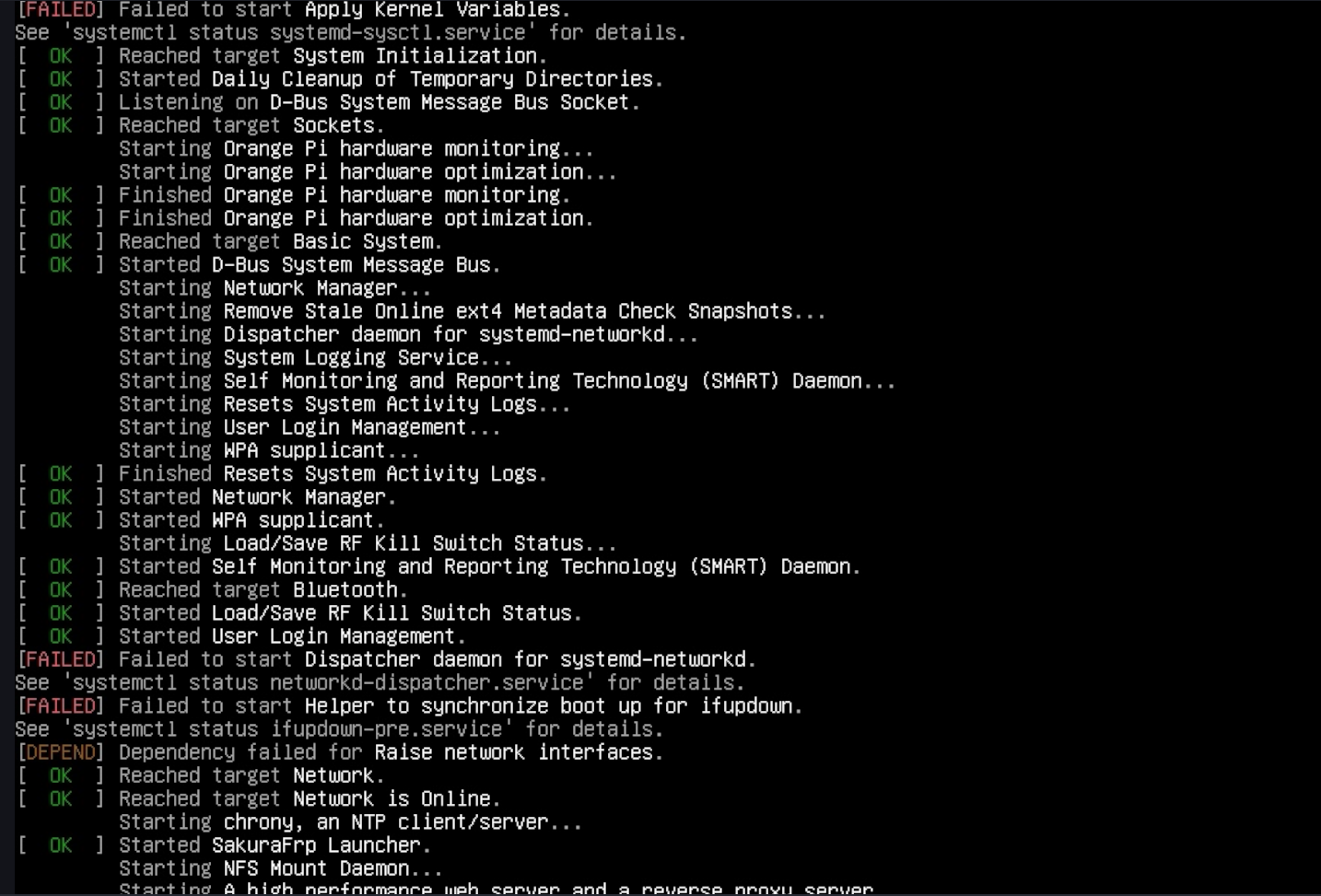
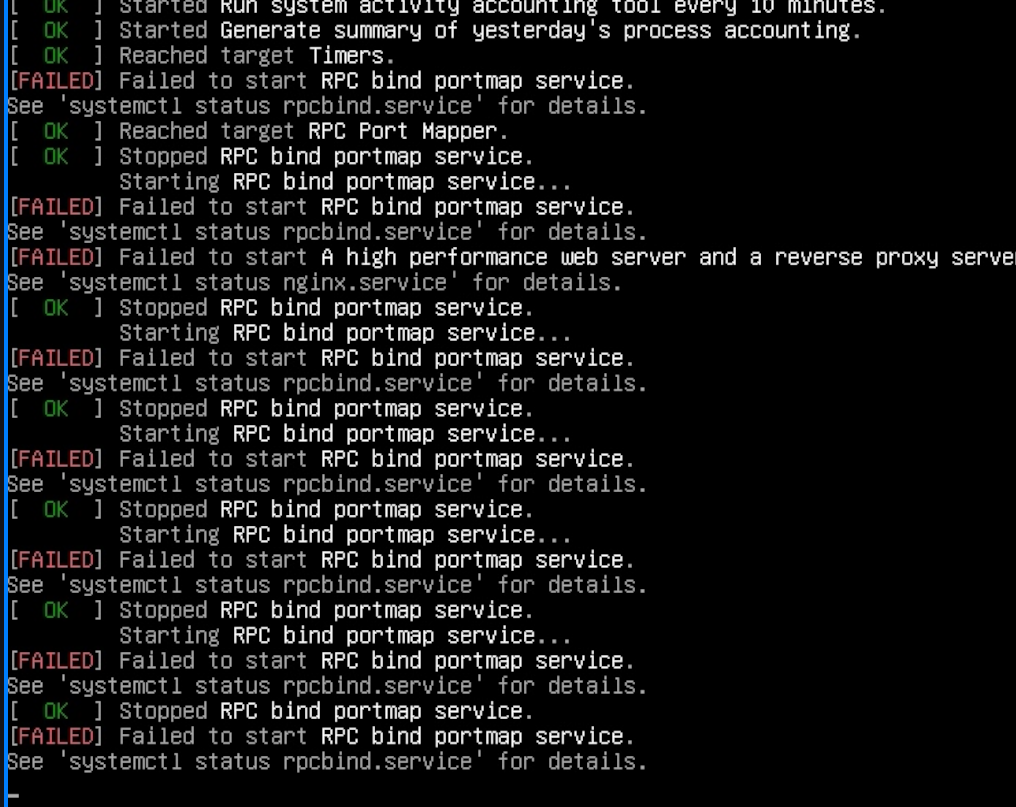
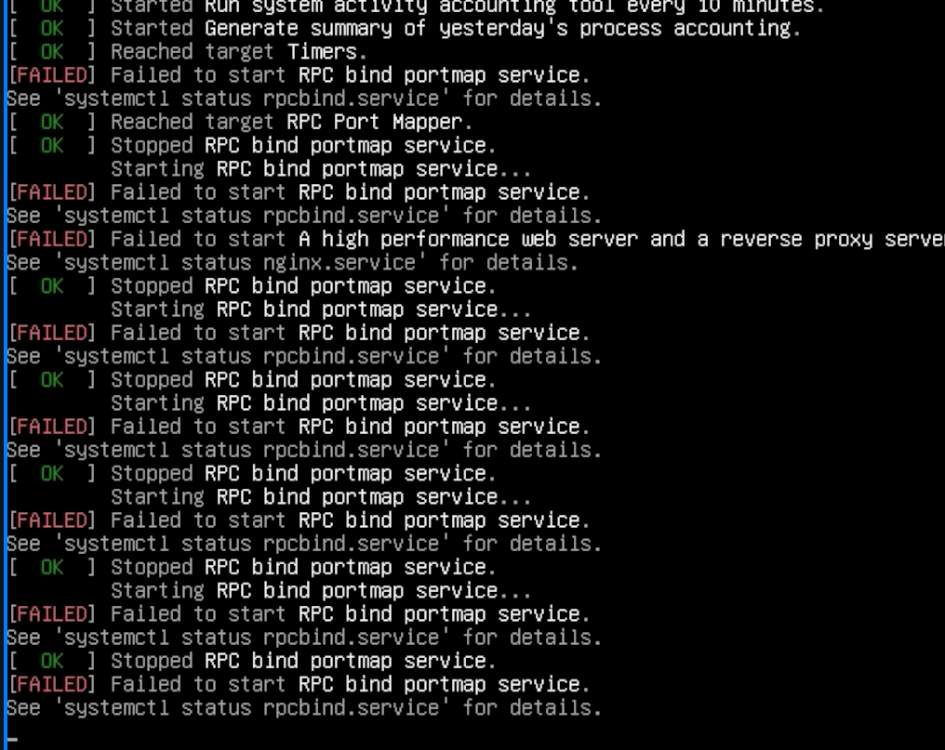
 Hello, I am trying to run Armbian on my Orange Pi 3 LTS. The official Orange Pi image works normally: Orangepi3-lts_3.0.8_debian_bullseye_server_linux5.16.17 However, when I flash the Armbian image: Armbian 26.2.1 Minimal / IoT I get several boot errors during startup: [FAILED] Failed to start Apply Kernel Variables. [FAILED] Failed to start Dispatcher daemon for systemd-networkd. [FAILED] Failed to start Helper to synchronize boot up for ifupdown. [DEPEND] Dependency failed for Raise network interfaces. The system continues booting, but these errors appear every time. Hardware: Board: Orange Pi 3 LTS Image: Armbian 26.2.1 Minimal / IoT Storage: TF card Questions: Are these errors expected on this board? Is there a configuration issue with network initialization? Is this image fully supported for Orange Pi 3 LTS? Thank you.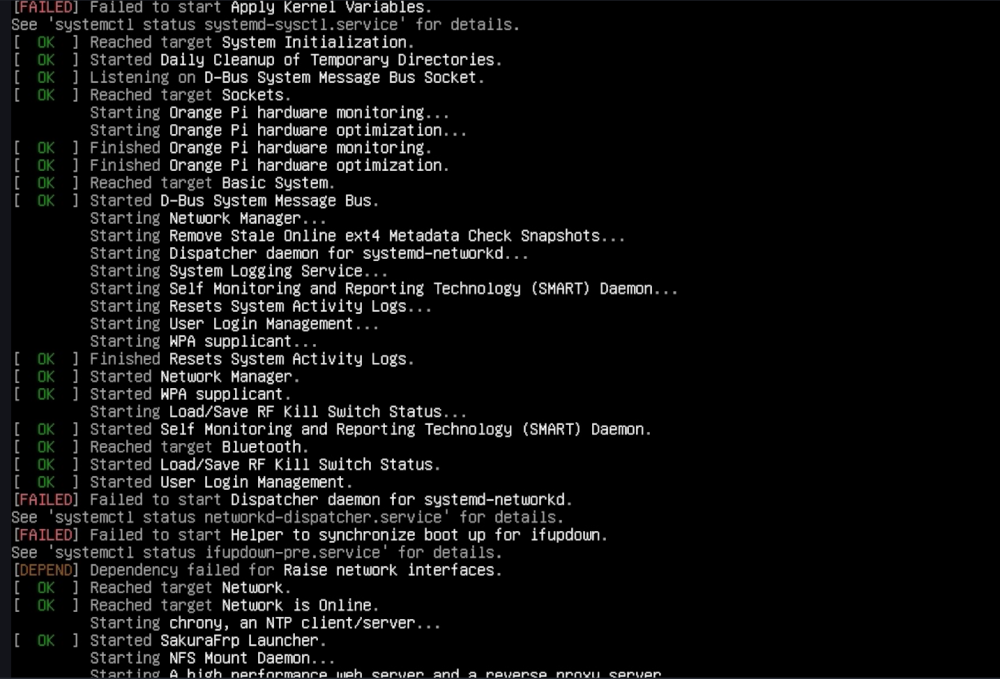
-

Gaming experience with Orange Pi 5 (RK3588) on Armbian
KhanhDTP replied to KhanhDTP's topic in Orange Pi 5
@xiboliyadongtu Then copy x64/d3d11.dll, x64/dxgi.dll files to the same folder as blackdesert64.exe and try to run it without the launcher. -
 Hi everyone, I'm facing an issue with Armbian installation on Rock 5B Plus. Hardware Board: Radxa ROCK 5B+ (RK3588) Storage: NVMe #1 (system): 256 GB, in M.2 slot 1 NVMe #2 (backup): 128 GB, in M.2 slot 2 Boot: MTD flash + NVMe Power supply: both POE+ HAT 25W and official power supply 30W Software Armbian: 25.11.2 Desktop ubuntu Kernel: 6.1.115-vendor-rk35xx Boot configured via armbian-install → “Boot from MTD Flash, system on NVMe” Initial install steps Wrote Armbian image to microSD and booted from SD. Used armbian-install to install: Boot from MTD Flash, system on NVMe #1 Powered off, removed SD, left only NVMe #1 installed. Board boots fine from SPI+NVMe #1: blue LED, OS comes up, Green LED, everything OK. Power off the board and plug NVME #2 (preformatted ext4 with gparted and empty, the disk works because I tried the procedure the other way around, using the second disk as the main one) Power on. Solid blue light, no OS, no HDMI output (I don't have UART) lsblk -f with microSD plugged: mtdblock0 mmcblk1 └─mmcblk1p1 ext4 1.0 armbi_root 2e67f233-22a9-46c9-90a7-8f0e0f2d3154 21.7G 22% /var/log.hdd / zram0 [SWAP] zram1 36M 16% /var/log zram2 nvme1n1 ├─nvme1n1p1 ext4 1.0 cacf66ca-ea9b-4dc4-b7b3-185f18e7c64f 100G 6% /mnt/main └─nvme1n1p2 ext4 1.0 data a7d6675c-3ca6-4a87-85cf-7d91856fd79c nvme0n1 └─nvme0n1p1 ext4 1.0 armbi_backup 5aadc790-715a-4f48-bbbc-ce4bfd2717bd 110.8G 0% /mnt/backup /boot/armbianEnv.txt looks correct verbosity=1 bootlogo=true console=both extraargs=cma=256M overlay_prefix=rockchip-rk3588 overlays=panthor-gpu fdtfile=rockchip/rk3588-rock-5b-plus.dtb rootdev=UUID=cacf66ca-ea9b-4dc4-b7b3-185f18e7c64f rootfstype=ext4 usbstoragequirks=0x2537:0x1066:u,0x2537:0x1068:u /etc/fstab looks correct # <file system> <mount point> <type> <options> <dump> <pass> tmpfs /tmp tmpfs defaults,nosuid 0 0 UUID=cacf66ca-ea9b-4dc4-b7b3-185f18e7c64f / ext4 defaults,noatime,commit=120,errors=remount-ro,x-gvfs-hide 0 1 UUID=5aadc790-715a-4f48-bbbc-ce4bfd2717bd /mnt/backup ext4 defaults,nofail 0 2 <--- also tried without this line I've also tried by "forcing" the mount of NMVE #2 by adding it to /etc/fstab of NVME #1 but nothing changes. Could you please help me understand if this is an issue related to my configuration or could be a bug? Thanks
 -

Gaming experience with Orange Pi 5 (RK3588) on Armbian
xiboliyadongtu replied to KhanhDTP's topic in Orange Pi 5
this game do have a file named blackdesert64.exe -
Gaming experience with Orange Pi 5 (RK3588) on Armbian
xiboliyadongtu replied to KhanhDTP's topic in Orange Pi 5
i just delete the default file named umu-defalut. and i try to start the launcher, but it still crash. Did i got right things? log -
Gaming experience with Orange Pi 5 (RK3588) on Armbian
xiboliyadongtu replied to KhanhDTP's topic in Orange Pi 5
This game cant start without the launcher, I will try these options -
Gaming experience with Orange Pi 5 (RK3588) on Armbian
KhanhDTP replied to KhanhDTP's topic in Orange Pi 5
@xiboliyadongtu Can this game be started without a launcher? Is there an executable file besides BlackDesertLauncher.exe (like BlackDesert.exe)? The BlackDesertLauncher.exe is definitely a 32-bit file. So, you might need to run it with GE-Proton10-32 in WoW64 mode. Delete the created GE-Proton10-32's prefix to make sure. Then start it again with envs If everything is right, you will see the Dxvk output log with something like below: -
Gaming experience with Orange Pi 5 (RK3588) on Armbian
xiboliyadongtu replied to KhanhDTP's topic in Orange Pi 5
i delete the previous 64-bit version of DXVK, copy the 32-bit version DXVK, and tried to luanch the game; the game dispalyed a logo and then disappeared. Maybe it have crashed. log-dxvk log-zink