All Activity
- Today
-
 Yep Already tried that:- "chatgpt+gemini have given lots of ideas like patches, hooks, extensions but none of them work. (grrrrrr!)." Didn't work probably because the source is not an ASCII text file but a large CPIO binary. But....I am just running a make right now which looks like it might work..... don't want to jinx it....
 -

OZPI v1 new image with Armbian v26.2 Debian stable (trixie)
tutralex replied to TRay's topic in Allwinner sunxi
I have no complaints about the developers, it’s enough for me to just know that this is not a client-side problem and that someone is working on a solution. -
 I suggest to try kernel-patch build command. Your changes then are compiled into a patch which is then applied to the kernel source before building.
 -
yes i have CONFIG_INITRAMFS_SOURCE working on my server no drama. i was hoping to be able to roll my own initrd on armbian as well. LONG ANSWER: the problem is that the armbian build system does housecleaning before the kernel make starts. part of this is to delete any folder thats not part of the source tree. so the questions are: 1) where do i put it so its visible to the make? 2) how do i stop the build from deleting it? chatgpt+gemini have given lots of ideas like patches, hooks, extensions but none of them work. (grrrrrr!).
-

Armbian for H313 X96-Q LPDDR3 TV-Box
Maurizio Finesso replied to sicxnull's topic in Allwinner CPU Boxes
Hi @sicxnull @Nick A, as mentioned by @ventara X96Q vs 5.1 image of sicxnull has direct ethernet port and wireless working fine instead the Nick A 'Armbian-unofficial_25.05.0-trunk_X96q-ddr3-v5-1_bookworm_edge_6.12.11_xfce_desktop.img' has no ethernet or wifi working. I'm totally a newbie on these things, but thanks to the comunity I was able to use an mxq mini (S905X) working with Armbian and home assistant (of course i just used an image with armbian and after I load HA and tailscale. Now I would like to use the X96Q vs 5.1 for the other house. I know that the image of sicxnull works but I prefer to use Nick A. because armbian config as well most of the things are like the one on the other working tv box instead on the sicxnull image there is mate and a lot of commands or gui function are so different. I tried to understand what is different between the two images and github repository to be able to fix almost the ethernet port problem but I do not have enough acknowledge. My unix experience was with the AT&T unix system 5 and Solaris so very old OS and many years ago. Only now I'm coming back to unix world and I don't know anything about git, patch and so on. I read in a post that someone was able applying a patch but it is not clear to me how and where to apply patch, I have already installed Ubuntu in a Virtualbox and prepare everything to compile Armbian and tested that initial script start, ask me for board and other staff but after I stopped because I realized that I didn't understand what I'm doing. Probably with a standard sbc was easier. I promise that I will go ahead studying but it is hard and confused at the moment. If I can do something to help of course when I'm at home I will do it. Please, when you have free time give me some info on how to fix at least the direct ethernet port. armbianEnv.txt and boot.cmd looks same file. In both dtb folder there are same namefile.dtb include the 5.1 where armbianEnv point out but I don't know if they are same file in both distribution or are different? Wifi chip is the XR819 like I saw in other image with the v 5,1 Thanks for the great job you and the comunity are doing! -

OZPI v1 new image with Armbian v26.2 Debian stable (trixie)
Igor replied to TRay's topic in Allwinner sunxi
Sure, no worries. You will notice once its fixed. as this is not something you should adjust on the APT client side. You didn't and won't loose anything except current updating mechanism is broken. -
Thanks Nick. In the meanwhile, would dtbo overlay, setting up CSI taken from radxa's github a733, work with kernel/u-boot of your image? Is there a way I can manually alter boot files to get this dtbo loaded? This is of course for the experiment - radxa's a733 image seems to still have a problem with ISP processor (or dtbo file affecting data formatting), as the resulting picture from the camera seems to be in a wrong color space (by the look, but I'm not an expert). I've reported the issue at https://forum.radxa.com/t/radxa-cubie-a7a-radxa-13m-214-camera/29717/7 for anyone interested.
-
duplicate
-

OZPI v1 new image with Armbian v26.2 Debian stable (trixie)
TRay replied to TRay's topic in Allwinner sunxi
Igor, I understand the issue is complex, as you say, but for now I can only report that this didn't work. However, if I manage to resolve it, please let me know what we should do next, as I don't want to lose the work I've done on the image I downloaded. I also understand that these are BETA test images. -
OZPI v1 new image with Armbian v26.2 Debian stable (trixie)
TRay replied to TRay's topic in Allwinner sunxi
Today when I run: apt clean and rm -rf /var/lib/apt/lists/* apt update Ign:10 http://beta.armbian.com trixie/trixie-utils all Packages Err:8 http://beta.armbian.com trixie/trixie-utils armhf Packages File has unexpected size (10351 != 8303). Mirror sync in progress? [IP: 23.186.113.5 80] Ign:11 http://beta.armbian.com trixie/trixie-desktop armhf Packages 0% [7 InRelease 30.1 kB/47.3 kB 64%]Error: Transaction http://beta.armbian.com/dists/trixie/InRelease was already aborted and is aborted again Err:10 http://beta.armbian.com trixie/trixie-utils all Packages File has unexpected size (3562 != 3343). Mirror sync in progress? [IP: 23.186.113.5 80] Get:12 http://deb.debian.org/debian trixie-backports InRelease [54.0 kB] Get:13 http://deb.debian.org/debian trixie/main armhf Packages [12.7 MB] Get:14 http://deb.debian.org/debian trixie/non-free armhf Packages [69.9 kB] Get:15 http://deb.debian.org/debian trixie/non-free-firmware armhf Packages [6,685 B] Get:16 http://deb.debian.org/debian trixie/contrib armhf Packages [50.6 kB] Get:17 http://deb.debian.org/debian trixie-updates/main armhf Packages [5,144 B] Get:18 http://deb.debian.org/debian trixie-backports/non-free-firmware armhf Packages [3,856 B] Get:19 http://deb.debian.org/debian trixie-backports/non-free armhf Packages [1,520 B] Get:20 http://deb.debian.org/debian trixie-backports/main armhf Packages [132 kB] Get:21 http://deb.debian.org/debian trixie-backports/contrib armhf Packages [4,364 B] Error: Transaction http://beta.armbian.com/dists/trixie/InRelease was already aborted and is aborted again -
OZPI v1 new image with Armbian v26.2 Debian stable (trixie)
Igor replied to TRay's topic in Allwinner sunxi
I spent practically whole holidays to rework repository management and there are still some problems, even it was tested on and on before going into production. But beta repository, which you are having troubles with, was never tested. Only stable. Motive: https://github.com/armbian/build/pull/9150 Affected: https://github.com/armbian/armbian.github.io/blob/main/.github/workflows/infrastructure-repository-update.yml https://github.com/armbian/armbian.github.io/blob/main/.github/workflows/infrastructure-download-external.yml https://github.com/armbian/armbian.github.io/blob/main/scripts/sync-repository.sh https://github.com/armbian/armbian.github.io/blob/main/scripts/copy-kernel-packages.sh https://github.com/armbian/build/blob/main/tools/repository/extract-repo.sh https://github.com/armbian/build/blob/main/tools/repository/repo.sh ... so you might get an idea on the problem complexity -
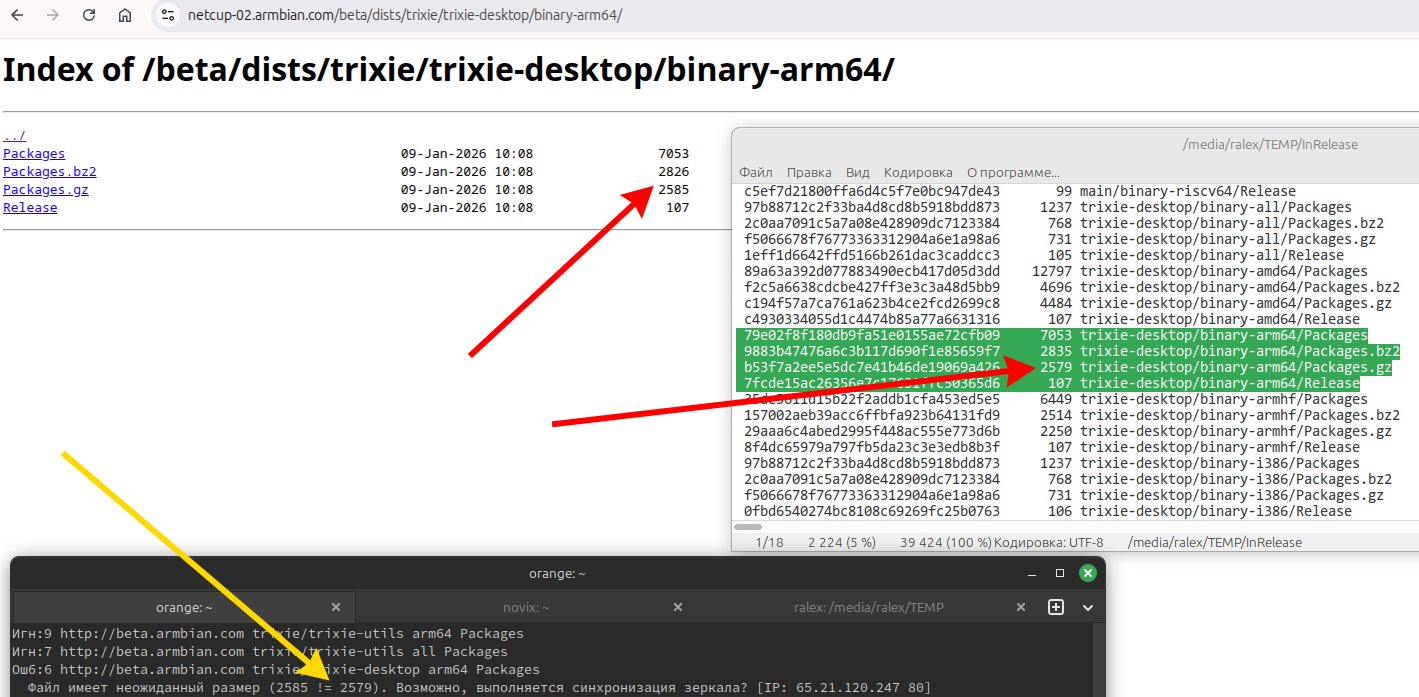
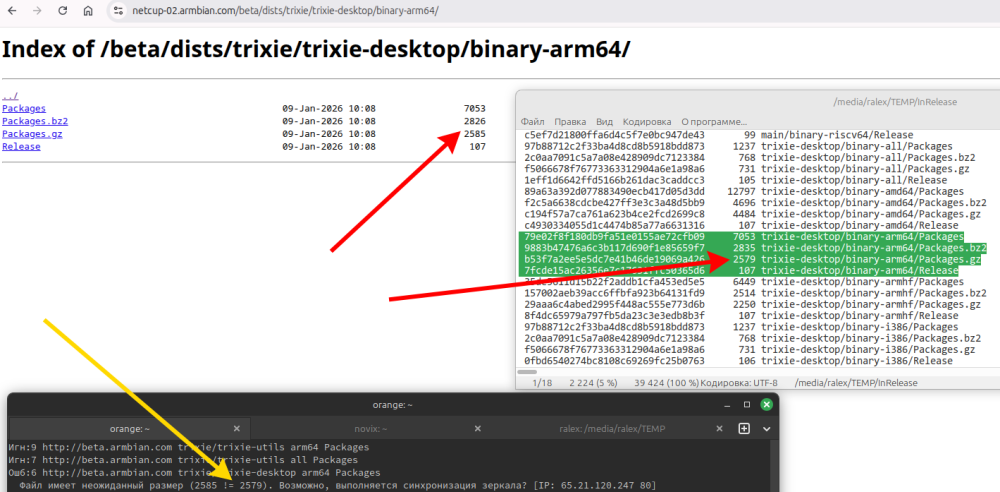
The update from the "armbian.com/beta" repository has not been working for quite some time now. Repositories are broken, sizes in InRelease do not match sizes in subbranches. Mirror synchronization has been going on for about a week now?!
-
OZPI v1 new image with Armbian v26.2 Debian stable (trixie)
tutralex replied to TRay's topic in Allwinner sunxi
I confirm that the update has not been working for several days. Your repositories are broken, sizes in InRelease do not match sizes in subbranches. The file has an unexpected size (10351 != 8303). Perhaps the mirror is synchronizing? [IP: 65.21.120.247 80] Mirror synchronization has been going on for about a week now!?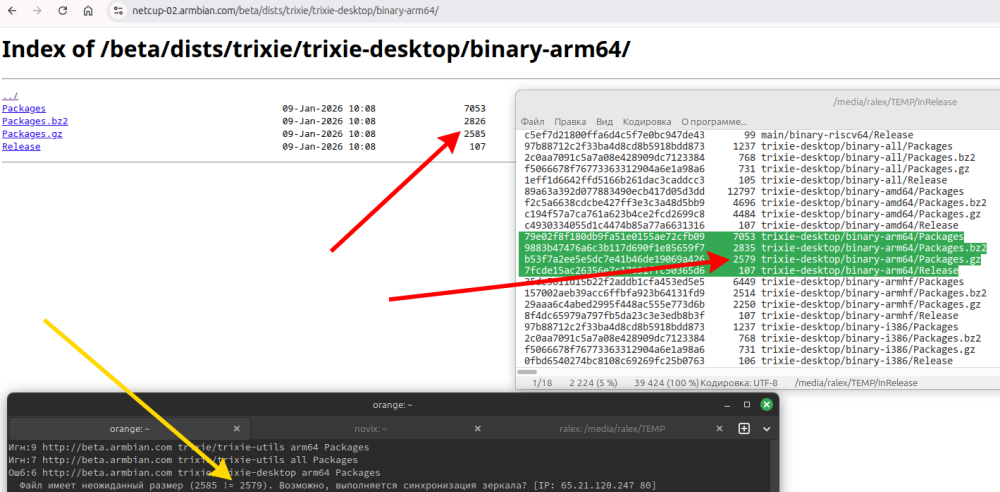
-
This isn't a DMA problem. There are too many inconsistencies in the audio driver. The driver needs to be fixed first.
-

[Bug]: Ethernet rarely connecting successfully in Orange Pi 3 LTS
iMagz replied to iMagz's topic in Allwinner sunxi
Unfortunately, after multiple tries the image provided didn't work. Here is the outputs of the commands asked to be runned with there respective tested images: dmesg | grep -iE "stmmac|sun8i|dwmac|emac|phy|mdio|motorcomm|yt8531" dmesg | grep -i "registered.*phy\|phy.*connect" ls -l /sys/bus/mdio_bus/devices/ cat /sys/bus/mdio_bus/*/phy_id 2>/dev/null find /sys/class/net -name "end0" -o -name "eth0" | head -1 | xargs -I {} cat {}/phys_switch_id 2>/dev/null ls /sys/firmware/devicetree/base/soc/ethernet*/mdio/ Armbian_community_25.11.0-trunk.437_Orangepi3-lts_trixie_current_6.12.47_minimal.img [NOT WORKING] https://pastebin.com/v4bqxkeU Armbian_community_26.2.0-trunk.100_Orangepi3-lts_trixie_current_6.12.63_minimal.img [NOT WORKING] https://pastebin.com/fG0YKepz Armbian_community_26.2.0-trunk.151_Orangepi3-lts_trixie_current_6.12.63_minimal.img [NOT WORKING] https://pastebin.com/4eEC9mMg Armbian-unofficial_26.02.0-trunk_Orangepi3-lts_trixie_current_6.12.63_minimal_phy-io-supply.img [NOT WORKING] https://pastebin.com/DnRgP4k5 Armbian-unofficial_26.02.0-trunk_Orangepi3-lts_trixie_edge_6.18.2_minimal.img [WORKING] https://pastebin.com/8qp2X9wC armbianmonitor -U Armbian_community_25.11.0-trunk.437_Orangepi3-lts_trixie_current_6.12.47_minimal.img [NOT WORKING] https://pastebin.com/iUKFu1u0 Armbian_community_26.2.0-trunk.100_Orangepi3-lts_trixie_current_6.12.63_minimal.img [NOT WORKING] https://pastebin.com/SUDx7yme Armbian_community_26.2.0-trunk.151_Orangepi3-lts_trixie_current_6.12.63_minimal.img [NOT WORKING] https://pastebin.com/QVU9q2La Armbian-unofficial_26.02.0-trunk_Orangepi3-lts_trixie_current_6.12.63_minimal_phy-io-supply.img [NOT WORKING] https://pastebin.com/qiE4u2PQ Armbian-unofficial_26.02.0-trunk_Orangepi3-lts_trixie_edge_6.18.2_minimal.img [WORKING] https://pastebin.com/2iWbYgqK For some reason, Armbian_community_25.11.0-trunk.437_Orangepi3-lts_trixie_current_6.12.47_minimal.img stopped working when it did before. I tested it 5 times, and none of those boots worked. I don't know if the times I tested it before worked because of the small chance of booting with an ethernet connection, but it stopped working after booting. Anyway, I just want to clarify the inconsistency, but Armbian-unofficial_26.02.0-trunk_Orangepi3-lts_trixie_edge_6.18.2_minimal.img is still consistently working after numerous boots. Also, while testing the images to provide the outputs, I realized something interesting, which for some reason I didn't notice before. After booting for the first time, the images downloaded from the official place, https://www.armbian.com/orangepi3-lts/, showed a message that explains that the image used is a “Developer Preview Build” and that it should not be used for production. I don't know if this is expected or is a mistake in publicizing the incorrect images, but now that I realized it, I felt that I needed to disclose it. Maybe that is the reason the Ethernet connection is not working. Armbian_community_26.2.0-trunk.151_Orangepi3-lts_trixie_current_6.12.63_minimal.img Welcome to Armbian_community! Documentation: https://docs.armbian.com | Community support: https://community.armbian.com/ IP address: Network connection timeout! Create root password: **** Repeat root password: **** Developer Preview Build This Armbian image was generated automatically for development and testing purpose. It may include unfinished features or unstable components. If you are not here to report issues or just test it, please do not use this image in production. Expect things to change - or even break - as improvements are made. Creating a new user account. Press <Ctrl-C> to abort Please provide a username (eg. your first name):_ Armbian_community_25.11.0-trunk.437_Orangepi3-lts_trixie_current_6.12.47_minimal.img Welcome to Armbian_community! Documentation: https://docs.armbian.com | Community support: https://community.armbian.com/ IP address: Network connection timeout! Create root password: **** Repeat root password: **** WARNING! You are using an automated build meant only for developers to provide construtive feedback to improve build system, OS settings or UX. If this does not apply to you, STOP NOW! Especially don't use this image for production since things might not work as expected or at all. They may break anytime with next update. Creating a new user account. Press <Ctrl-C> to abort Please provide a username (eg. your first name):_ -
A quite easy workaround until it's resolved up-upstream is to install and enable the Cinnamenu applet and disable the "vanilla" menu applet. Right-click on the taskbar/panel, choose "Applets" and the rest is straightforward. To place the Cinnamenu in the bottom left corner, right click on the taskbar/panel and enter Edit mode to be able to move stuff around, finish Edit mode and you're all set.
-
moved to off-topic since op is not using Armbian.
-
OZPI v1 new image with Armbian v26.2 Debian stable (trixie)
TRay replied to TRay's topic in Allwinner sunxi
I'm sorry, but I don't really understand what a microSD card has to do with the problem above to perform system updates? -
Hello, i'm trying to make Arch work on my H3, it boots to uboot, loads fine and says RAM size and reads /boot/boot.scr, but when it tries to ext4load something it gives a error of ` ** fs_devread read error - block` and ` ** No partition table - mmc 0`, everything after `321 bytes read in 24 ms (33.2 KiB/s)` loads by arrays of pixels, i never seen these before on Armbian, H3Droid or any other img file. [ EDIT ] Turns out, U-Boot defaults to 400000hz on SD card while saying its mode is SD High Speed (50MHz), i still cant fix the issue...
-
 I see that this configuration is a kernel build feature, not an armbian-developed function: https://cateee.net/lkddb/web-lkddb/INITRAMFS_SOURCE.html https://unix.stackexchange.com/questions/479415/how-does-linux-know-where-the-rootfs-is So, you can post your question in many more linux discussion places. I hope you get the answer (and share here). Have you ever got this INITRAMFS_SOURCE configuration work, outside of Armbian... for example building the kernel from source by itself?
 -
Thanks @robertoj as a matter of fact this is my own custom initial ramdisk. I've been running it as a standalone file for some time and it works great but now I want to integrate it inside the kernel itself. for this I need to set CONFIG_INITRAMFS_SOURCE during the make process.
- Yesterday
-
Also, this TVBOX contains the less known S9012P wifi chip. However on this github repository some kind of unofficial driver support is available, can this driver get the wifi chip working on Armbian ?
-
I solved the issue ! I flashed the latest armbian release raw image to the sdcard and plugged it in the TV box. It magically booted from the SDCard and now I have mmcblk2 as a block device. Now I can run armbian-install command to get everything going correctly.
-
All clear for the PCIe MSI: it is something with that Intel 7260 card. Today, I got two other M.2 Wifis: MT7922 and RTL8822ce, both seem to work on current and also on edge. Thus, I consider this as a success. Here's some screen blurb. // Sven-Ola
-
OZPI v1 new image with Armbian v26.2 Debian stable (trixie)
robertoj replied to TRay's topic in Allwinner sunxi
Try a different microSD card, and always start with a serial-USB connection to your laptop. After first boot, run htop and if you see the CPU high usage, wait until it is done. Then reboot the orange pi.