All Activity
- Past hour
-
Actually not really strange but a measure for spam prevention.
-
 We don't have intention to support this board without funding. However anyone from the community can step up and add support for it.
 -
Untuk membatalkan pinjaman di GoPay Pinjam, Anda bisa menghubungi call center Gopay di nomor/WhatsApp 085211655933
- Today
-
Hi, does this version of the S805 have HDMI and Wi-Fi? Could you explain more about this backup? Thank you.
-
 I also hope Armbian will support this board, as it offers a very good price-to-performance ratio.
 -
So.... I am the winner of a Inovato Quadra4K from a drawing at my amateur radio club meeting. Yeah! Cool! It runs a software called HamClock automagically.... BUT WAIT! There is MORE! You can exit that app and run other applications... Providing you have a mouse & keyboard (because I am a native WinWeenie) or keyboard if you are a Linux forever personage. It also has a wireless interface that I would like to configure so it doesn't have to have an Ethernet tail tied to a port on our ISP router. I would rather it was mounted to a HDMI TV or monitor. So, I need the keyboard (and because I am a longtime WinWeenie and rodent dependent) mouse to reconfigure it. I would like to have it use a USB Logitech Unifier Nano dongle with wireless keyboard/mouse. By the way, the brilliant man that came up with this computer is trudging the same path I am, fighting cancer. His fight has gotten so tough he has shut down his company. I hope he gets better. Is there already a compiled binary for this with directions,,. or do I have to master the dark arts of programming routines, subroutines, interrupts, memory fetches, writes, threads and all that then compile it into something the machine understands? Please understand I didn't even take typing in high school, so college was a real bear.... When I was in high school Jobs and Wozniak were still dumpster diving behind Xerox-Park Corporation and Radio Shack. Any takers on this one? Thanks in advance, Dave, The-Other-One
- Yesterday
-
> maybe you mean Gbit than 8Gbit = 1GByte Ram Looks ok Oh yes, forgive me, I must've been mistaken! Anywho, mind telling me what I can do about Secureboot or OPTEE you mention?
-
this looks like we mention many times that OPTEE or Secureboot interrupte the boot at diffirent time you say 128GB and 8 GB , thats not possible with rk3228 it can handle only 1GByte RAM (8Gbits) (maybe you mean Gbit than 8Gbit = 1GByte Ram Looks ok )
-
@Werner If you have the chance, please check my account too, because I don't know what the problem might be with it, but it's a bit frustrating. Edit: Did this fix itself? After my second post, it immediately became "Members". That's a bit strange...
-
Hey there forum! I've got this MXQ PRO 5G TV Box (Yes, I know It's been said the brand isn't important, but I figured I might as well say it anyways) thing a few days ago and, as you do, my first instinct was 'Let's linux it', which Is, as It turns out far more trouble than I had initially imagined. And frankly I am a little tired of slamming my head into a brick wall, repeating the same steps again and again so as a sort of last resort, I'm here to ask for your help (thanks in advance). To check which image to download and what steps to follow I've opened the box to take a peek at It's board. As the main CPU, RK3228A, for the storage 128GB of eMMC, and for the memory 8GB of RAM (which exactly type, I can't discover). Following the instructions on the first page of this topic, I downloaded an image, downloaded multitool, got my SD card. At first everything went according to the guide. Multitool flashed, the thing booted It and the partition expanded, then I shut it down and put the extracted .img into the 'images' folder, plug the card back in boot, flash, shut down once more and upon trying to boot, the LED stays off and doesn't turn on. After waiting for a solid 10 minutes I decide I'll just try booting it directly off the card. I flash It, plug it in and some images booted partially and some didn't. Some boot only to a certain point like starting a specific service (usually it got stuck after or during starting armbian-ramlog.service) and some just don't boot at all. I've tried disabling the services by manipulating the files on the card yet they just reappear again. After that I noticed that upon each boot there's a quick 'error' that happens, returning different numbers seemingly depending on the image on the card, either Internal error: Oops: 805 [#1] SMP ARM, or Oops: 80000005 SMP ARM or just Oops 5 which as far as I could find meant something related to illegal instructions (specifically interrupts). I haven't really made any progress past that. Also, If It's of any help, I can provide images of the board (from both sides) and all of It's components. Thanks in advance for all your help, friends!
-
 Hi, I learnt how to customize the image, and also found a simpler way to achieve the bootstrapping alsaloop. Here is the forked repository and a pre-built image for you to try. Supposedly, you just need to flash the image, and it should work out of the box. As the radxa zero 3w does not have the Ethernet port, so you will not accenditally connect it to some networking, I think it is fine to leave the root password as the default. However, if you plan to connect the device to some networking, remember to set up the root password. The Wifi is also working with the latest kernel release (my wifi module is broken, but I do see dmesg is trying to interact with that module).
 -
 Hi, how are you? Well, I don't know English very well, so this text will be translated using Google Translate since I'm Brazilian. Anyway. I found a way to boot the SD card with Linux on the Allwinner H3 chip, using a Chinese MXQ 4K 5G TV box. I booted Android normally and, using the remote control, pressed the power button and then confirmed. After shutting down, I booted with the remote control and Linux started normally. After that, every time I booted with the SD card, it booted perfectly. Another thing I did before, but I believe it doesn't affect this, was to enable USB0 device mode in developer mode. I hope this information helps with your Linux projects!
 -
 I really hope that Armbian will be released soon for this board. I have it, but the official ISO has an old kernel and no RT capability.
 -
your sbc has only 100mbit nic
-
Hi. My download speed is so low over ethernet. Speed must be 19Mb/sec, but real speed is 7-8Mb/sec. download speed on armbian download speed without armbian Tell me what is my problem?


-

ssh missfire on bpi-m5 noble
gene1934 replied to gene1934's topic in Software, Applications, Userspace
The puzzle seems to have resolved itself. I gave up and shut the printer off about 04:00 this morning and went to bed. Got back up, powered it on about 08:30, and its all working, updating 304 pkgs right now. It was rebooted at least 15 times as I worked last night w/o any affect. What the hell is the diff between a reboot and a full powerdown of 4+ hours??? Did dd-wrt flush its cache of MAC addresses? IDK. But w/o a global net, I was trapped, I could not DL the tools needed to troubleshoot. A very frustrating state of affairs. I do not see anyplace where I could mark this as solved. -
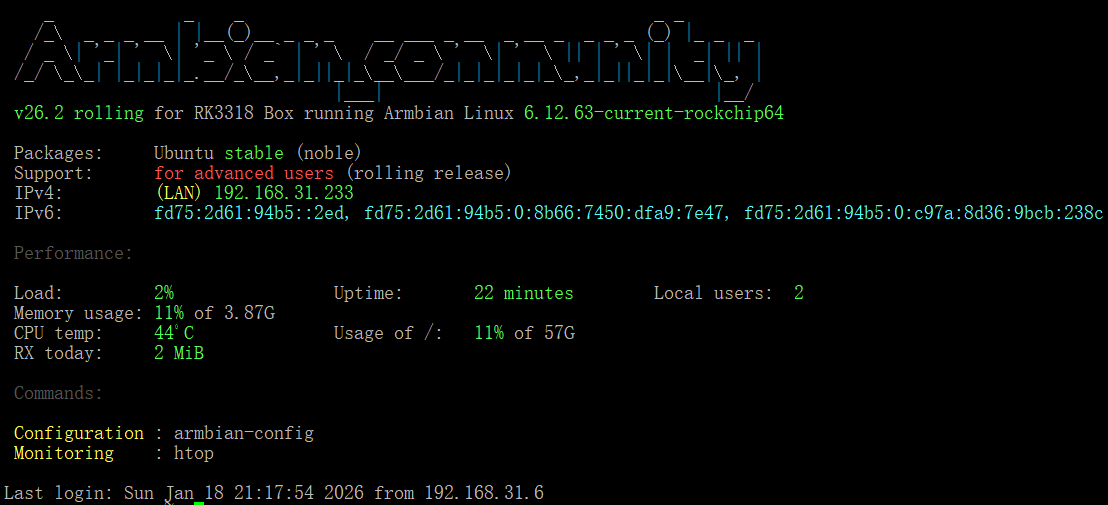
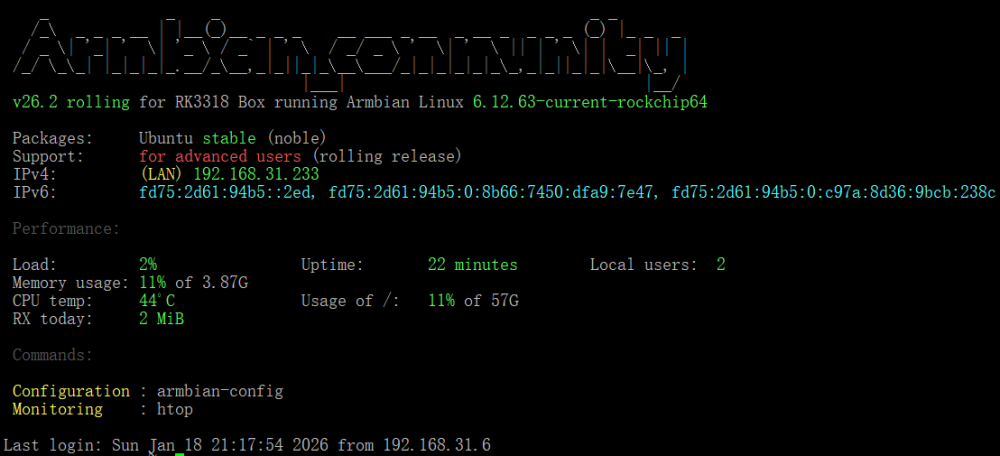
@jockNow, I've finally solved this problem. Successfully flashed the latest version of armbian, https://github.com/armbian/community/releases/download/26.2.0-trunk.151/Armbian_community_26.2.0-trunk.151_Rk3318-box_noble_current_6.12.63_gnome_ desktop.img.xz Next, I will share my problem-solving journey. I found that I couldn't enter maskrom/loader mode anyway, and when I accidentally inserted the USB flash drive into the multitool.img into the TV box and powered it directly on, I found that it actually started the system directly in the USB flash drive. So I guess that it may have changed the boot order after flashing the loader.bin before, and the armbian system I flashed in before it continued to toss before it could be configured, probably because the system files of the root partition were corrupted, causing it to not boot normally. Therefore, I simply tried to flash the firmware of the rk3188-box in the official community directly into the USB flash drive, because after these images are flashed into the USB flash drive, there is only the root partition, that is, the system. And there is no boot partition. I guess the boot partition may have been written somewhere else, and I don't need to worry about it anymore. So, I plugged the USB flash drive into the latest rk3318 firmware into the box and waited for a few minutes after powering on it directly and starting it, it obtained the IP address assigned by my router DHCP, I was so excited, I quickly connected to the rk3318-box through SSH, and made the preliminary configuration. Quickly enter the command armbian-install and select item 2, and immediately write the system on the USB flash drive to emmc. After the writing is completed, turn it off, unplug the USB flash drive, power on, wait for a few minutes, and the startup is successful. It means that I have successfully flashed the phone this time. Thank you very much for your help. @jockand @fabiobassa, You're passionate and highly skilled.
-
@jockLater, I tried to install rkdeveloptool on another Linux server and flashed the loader.bin first and then the image by entering the command. Finally successfully flashed. But tragedy is about to be born, when the flash is successful, I did not SSH to connect to the new armbian and configure the relevant configuration immediately, but shut down and prepare to re-enter maskrom mode to flash the desktop version of the image again, the result is that this time I can no longer enter maskrom mode, no matter how long I press the reset button to plug in USB 2.0 OTG or press it, the box will no longer enter maskrom mode. Along with this, it could not start the Armbian system that was flashed before. I began to wonder if it was painted into bricks, but this board shouldn't be so fragile.
-
I found the reason. (Different function of Pin 100) cm5-io: PCIe_PWR_EN rpi-cm4-io: nEXTRST used for USB hub reset With rpi-cm4-io and no pcie device, linux sets PCIe_PWR_EN=0 (turn off pcie) But rpi-cm4-io thinks that nEXTRST=0 (always reset usb hub) The temporary solution is: For the pause of compile, please turn on kernel config When kernel config appears, sudo vi ./cache/sources/linux-kernel-worktree/6.1__rk35xx__arm64/arch/arm64/boot/dts/rockchip/rk3576-armsom-cm5-rpi-cm4-io.dts Add the following fix in order to always turn on pcie vcc3v3_pcie0: vcc3v3-pcie0 { ... regulator-boot-on; regulator-always-on; enable-active-high; ... }; Because "sudo apt dist-upgrade" overwrites .dtb, make sure backup and restore. I do not know how the .dts is generated, so the patch can be made by an expert of Armbian.
-
 To be honest I don't know how to do this and even more I am not sure in correctness of of my code in term of conventions. I mean that for example I add #define-s with names ES8388_xxx to header file ES8228 and so on.
 -
 URGENT: Kernel update already applied, bootloader points to 6.12.58! Current state: - Running: 6.12.44 - Boot configured for: 6.12.58 (symlinks updated) - usr-merge still broken (duplicate files in /bin, /sbin) Questions: 1. Should I revert boot symlinks to 6.12.44 immediately? 2. ODROID HC4 specific: Which file actually boots (Image vs vmlinuz)? 3. Will 6.12.58 boot with broken usr-merge? 4. Emergency procedure if forced to reboot? NOTE: I'm NOT taking any action until getting community advice.
 -

ssh missfire on bpi-m5 noble
eselarm replied to gene1934's topic in Software, Applications, Userspace
I stopped using netplan and its extra yaml layer on top of NetworkManager or systemd-networkd. I have a handful of VLANs (and several managed switches and cables in- and outside the house and also bridges 'on top' of those VLANs and USB/4G/WiFi as well. Several ISP's also use VLANs, so a must to have that working properly. It all works fine based on only NetworkManager essentially, but if needed I would do direct setup with ip tool. I have also Opensuse, that does not use netplan, but works simply by exchanging .nmconnection files with Debian. No new study or testing for days/weeks/months. Not Ubuntu because of that netplan and it generates .nmconnection files, so overwriting your own. The problem is, NetworkManager package in Ubuntu has a dependency on netplan.io package. So if you purge netplan.io , also NetworkManager is removed. This is not the case in Debian, hence Ubuntu again after 5 years when they also introduced could-init, turns out to be a PITA and simply waste of time for me. So for example for my ROCK3A (similar to your BPI-M5), I just threw away the Armbian Noble install and cloned Armbian Bookworm from NanoPi-R6C and later upgraded in-place to Trixie. Same networking, very little effort, almost unattended. As a sort of sick joke (for experienced home Linux users at least), also RPL put netplan and cloud-init as default in their images. There are several hacks/tweaks/workarounds on that forum. Even more because also many RPi users still use ifupdown and interfaces file (and dhcpcd based although not needed for static). Maybe have a look to see what could be best for you. I basically removed/blocked additional package sources lists, so I get the same on ARM as on x86-64. But note that that is for servers based, pure client computing should work out of the box if you have standard/average/common router, like ISP's 'give you'. If not, lot's own work to do as you see, but not Armbian specific, just home networking and router maintenance. So maybe think about hostnames and IP addressing in your home. I have own router (own software, Linux based) for more than 2 decades basically, so easy to keep a list of MACaddresses/computers, although I still have a simple spreadsheet as a sort of design philosophy/overview. You can reserve/fix MACaddress+IPaddress in dd-wrt, so then all client computer DHCP based tools should be no issues. Else you get a mess as you see. I have setup some dev/test environment based on a physical PCIe with RTL chipset ethernet port for systemd-networkd in combination with managed ethernet switches, but first trial locked up a certain VLAN (something in the switch I think). That was 3 monhts ago and not sure if I continue with it. It means more reading the long systemd-networkd docs, it seems not worth the effort when I compare with NM and its nmtui tool. You might also have silently installed a firewall package. firewalld defaults to public zone, that blocks incoming ssh. I experienced that some time ago on 1 computer with rolling release Linux distro, so that overwrites things every now and then when a fundamental upgrade of a certain part, but noted/warned in changelogs. -
The boot partition presence doesn't depend directly on the Armbian version—it's determined by the board configuration. Some configs enable an extra boot partition, especially for boards using older U-Boot versions that can't boot directly from ext4. As a result, even for the same board and Armbian version, different branches (e.g., legacy, vendor, current, edge) may behave differently. Vendor branch might use an old BSP U-Boot requiring the extra partition while mainline branch uses newer U-Boot that boots straight from ext4.
-
Orange pi 5 plus issue with 3.5mm headset microphome
Werner replied to Perechesov Vladimir's topic in Orange Pi 5 Plus
would you mind sending a pr or even upstream this change? -

Gaming experience with Orange Pi 5 (RK3588) on Armbian
KhanhDTP replied to KhanhDTP's topic in Orange Pi 5
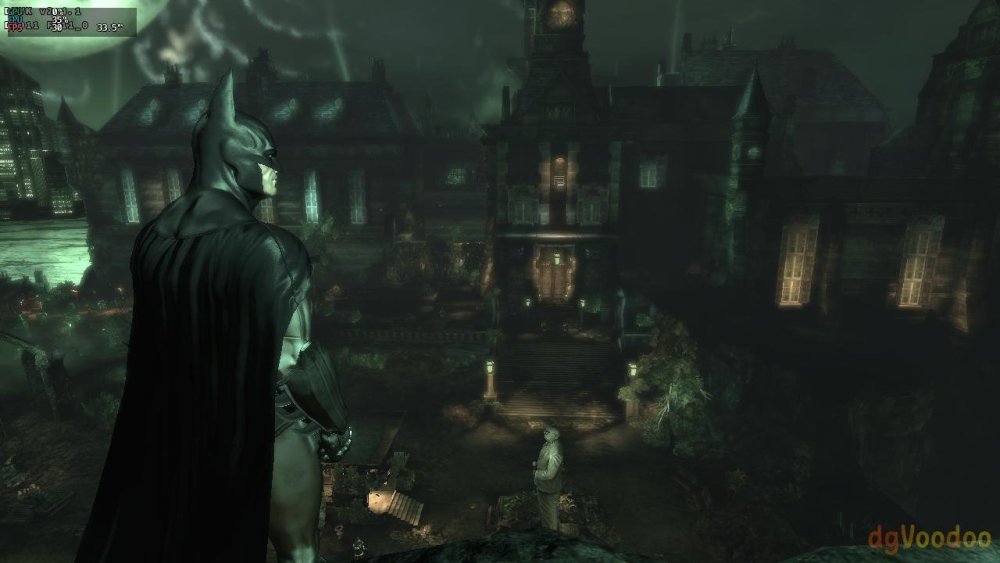
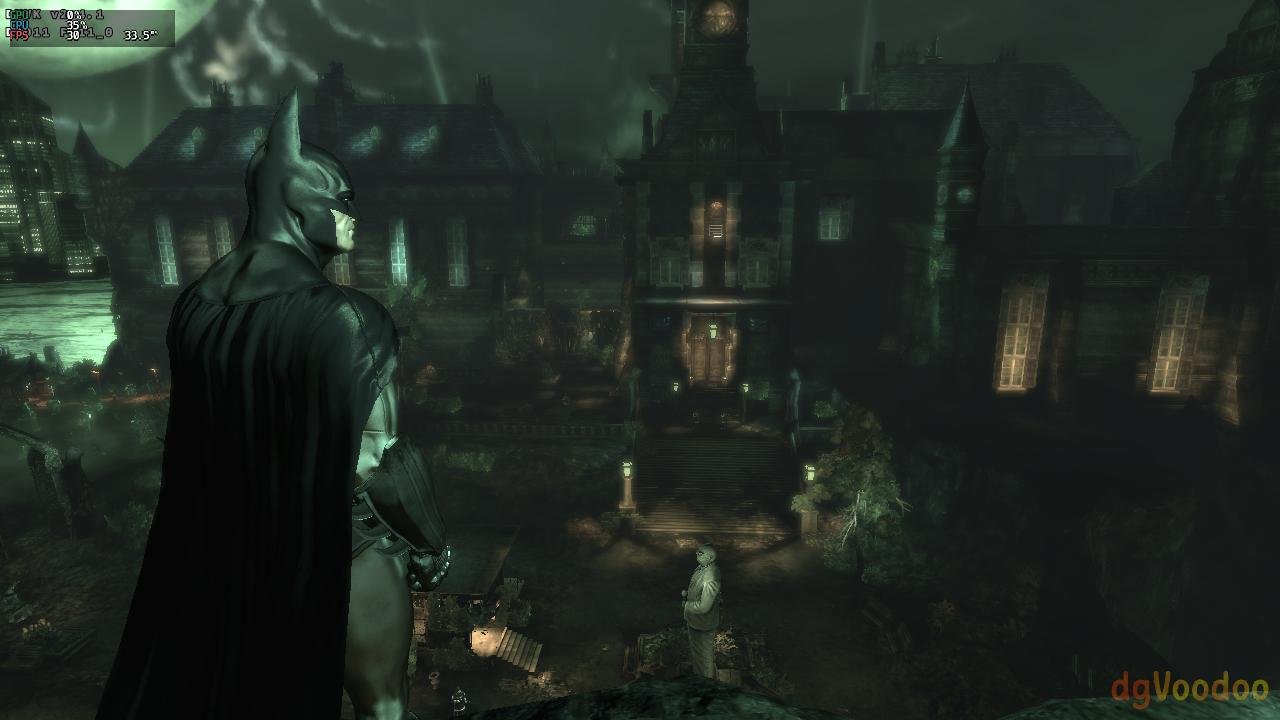
Armbian 25.11.2 Noble XFCE (BSP Kernel: 6.1.115) + PanVk - mesa 26.0 (https://launchpad.net/~ernstp/+archive/ubuntu/mesaaco) + Box64 arm64 v0.4.1 2eb2fd9cd (https://ryanfortner.github.io/box64-debs/) + proton-10.0-3-amd64-wow64 (https://github.com/Kron4ek/Wine-Builds/releases/download/proton-10.0-3/wine-proton-10.0-3-amd64-wow64.tar.xz) + dgVoodoo2 (https://github.com/dege-diosg/dgVoodoo2/releases) + DXVK-stripped v2.4.1 30~60fps@720p (medium settings) box64 environment variables: Batman Arkham Asylum GOTY