All Activity
- Past hour
-
@maxsub with a recent kernel, temp and load should be fine. The exiting question is: all 4 Ethernet ports are working?
-
Schematics-wise no - at leasts I don't see a diff in the RV2_SCH.pdf. Electrical-wise probably - other traces, so maybe more or less crosstalk, better or worse gnd and such. From a software perspective: this is PCIE-B and C (while A is unused). That PCIe active state power management seems to be a source of endless pleasure, maybe the NVME vendors all have digested the wrong specs or so. Anyhow: if it works now, it's fine probably.
-
My n2 works fine btw. https://paste.armbian.com/cocivagayi
- Today
-
@sven-ola Nightly build fixed the load problem and heat problem on R2S: linux-image-current-spacemit/now 26.2.0-trunk.574 riscv64 [installed,local] Armbian Linux current kernel image 6.18.18-current-spacemit This is my current uname -r: 6.18.18-current-spacemit
-
Setting pcie_aspm=off makes the drive work in the top slot albeit one order of magnitude slower than in the bottom slot. If I swap the kernel parameter with pcie_aspm.policy=performance, I've got a working drive and it's operating at normal speed. Thanks a bunch! Seeing that there are differences in behavior between the two M.2 slots, does that mean they're connected differently?
-
> apt search linux-headers linux-headers-6.19.6+deb14+1-common/testing 6.19.6-2 all Common header files for Linux 6.19.6+deb14+1 linux-headers-6.19.6+deb14+1-riscv64/testing 6.19.6-2 riscv64 Header files for Linux 6.19.6+deb14+1-riscv64 linux-headers-riscv64/testing 6.19.6-2 riscv64 Header files for Linux riscv64 configuration (meta-package) > uname -r 6.18.18-current-spacemit
-
I installed 6.18.18-current-spacemit from the nightly but can't find the headers package to build the GPU support. The repo has 6.19.x headers but no 6.18.x headers.
-
FT232R, CH340 or CP2104 are known to work nicely. Search for any usb uart adapter built around one of these. Don't get CP2102 because if you ever get a rockchip board it would be useless.
-
If you'd like to get the LEDs working with armbian, you can run these commands (or one of the other ones if you want different indications): run modprobe ledtrig-netdev to check if it's loading the driver properly. If not, add the file /etc/modules-load.d/ledtrig.conf add just this line: ledtrig-netdev Then, create /etc/tmpfiles.d/leds.conf and add this: w /sys/class/leds/green:lan/trigger - - - - netdev w /sys/class/leds/green:lan/device_name - - - - eth0 w /sys/class/leds/green:lan/link - - - - 1 w /sys/class/leds/green:lan/tx - - - - 1 w /sys/class/leds/green:lan/rx - - - - 1 w /sys/class/leds/green:wan/trigger - - - - netdev w /sys/class/leds/green:wan/device_name - - - - eth1 w /sys/class/leds/green:wan/link - - - - 1 w /sys/class/leds/green:wan/tx - - - - 1 w /sys/class/leds/green:wan/rx - - - - 1 w /sys/class/leds/red:power/trigger - - - - activity Note that "red:power" is actually the "green:sys" LED. I don't see a way to control the red power led (which is fine, the green:sys is what want to control anyway). I also use NetworkManager and set my ethernet names to eth0 and eth1 instead of the default names... Here's all the choices available for "triggers": none usb-gadget usb-host kbd-scrolllock kbd-numlock kbd-capslock kbd-kanalock kbd-shiftlock kbd-altgrlock kbd-ctrllock kbd-altlock kbd-shiftllock kbd-shiftrlock kbd-ctrlllock kbd-ctrlrlock disk-activity disk-read disk-write mtd nand-disk heartbeat cpu cpu0 cpu1 cpu2 cpu3 cpu4 cpu5 activity default-on panic usbport mmc1 rfkill-any rfkill-none r8169-0-100:00:link r8169-0-100:00:10Mbps r8169-0-100:00:100Mbps r8169-0-100:00:1Gbps stmmac-0:01:link stmmac-0:01:10Mbps stmmac-0:01:100Mbps stmmac-0:01:1Gbps netdev "activity" is also a good one for red:power if you prefer that to "heartbeat"
-

Gaming experience with Orange Pi 5 (RK3588) on Armbian
xiboliyadongtu replied to KhanhDTP's topic in Orange Pi 5
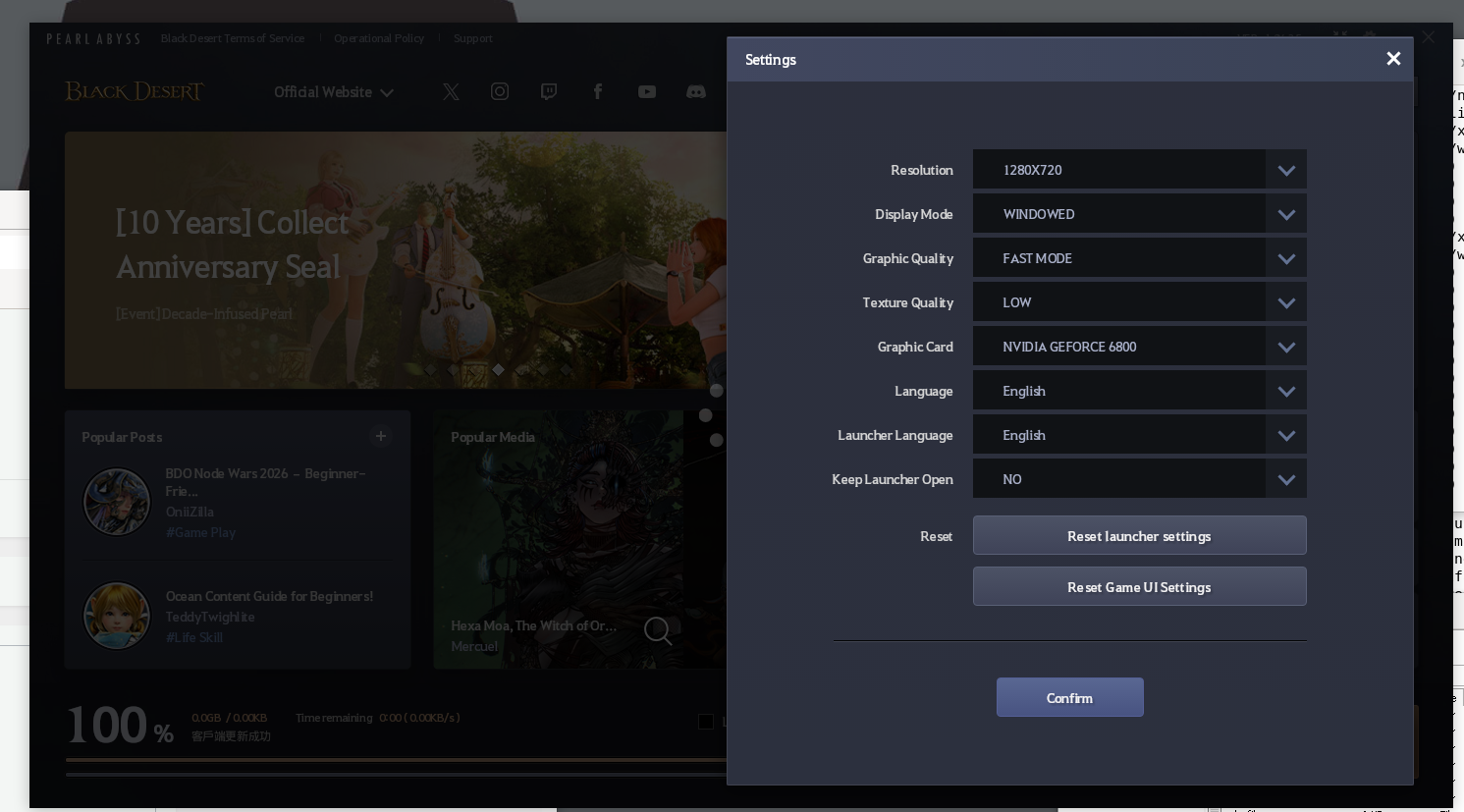
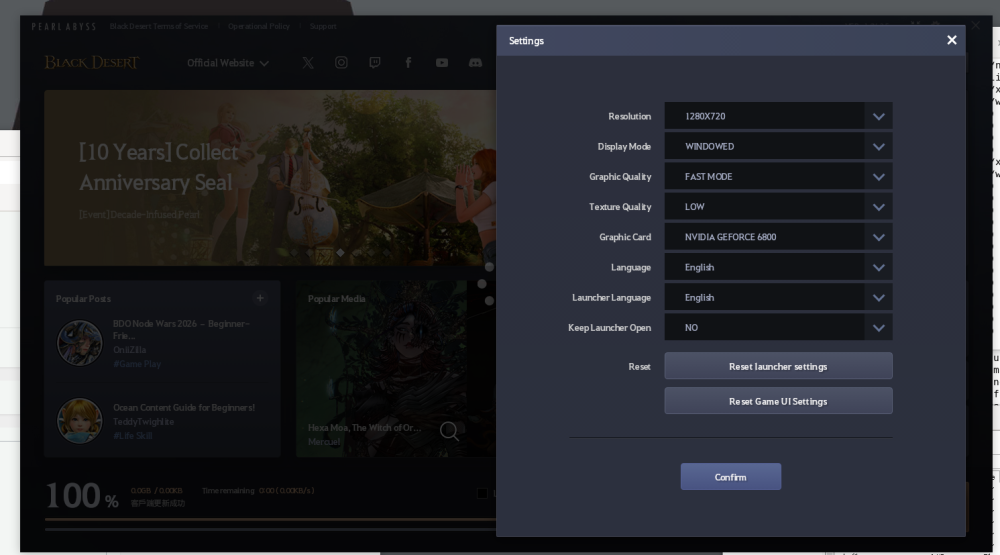
I changed the devicedesc, but game still shows same error. And the launcher shows it is another name. (Nvdia Geforce 6800).Ps: must go bed for now XD.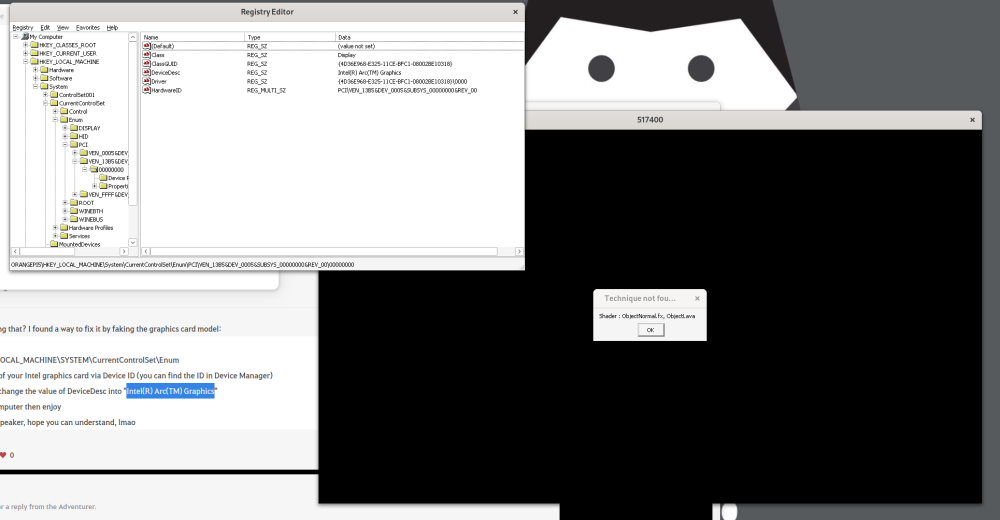
-
Not sure its related, but on the MusePi Pro I was getting odd happenings with the PCIe. Adding this to the command line resolved it my case: nvme_core.default_ps_max_latency_us=0 pcie_aspm=off pcie_port_pm=off
-
@Curvy Android I don't see meaningful differences in the kernels init msgs for top and bottom PCIe slots - besides that "Buffer I/O error" that leads to the non-working NVME. Besides that, the "faulty power saving mode" line looks familar. I have trouble with my Samsung NVME with that power saving blurb as well. Can you retry with NVME in the top slot and an additional pcie_aspm=off added to your booting SD card in the /boot/extlinux/extlinux.conf file behind append kernel params?
-

Gaming experience with Orange Pi 5 (RK3588) on Armbian
KhanhDTP replied to KhanhDTP's topic in Orange Pi 5
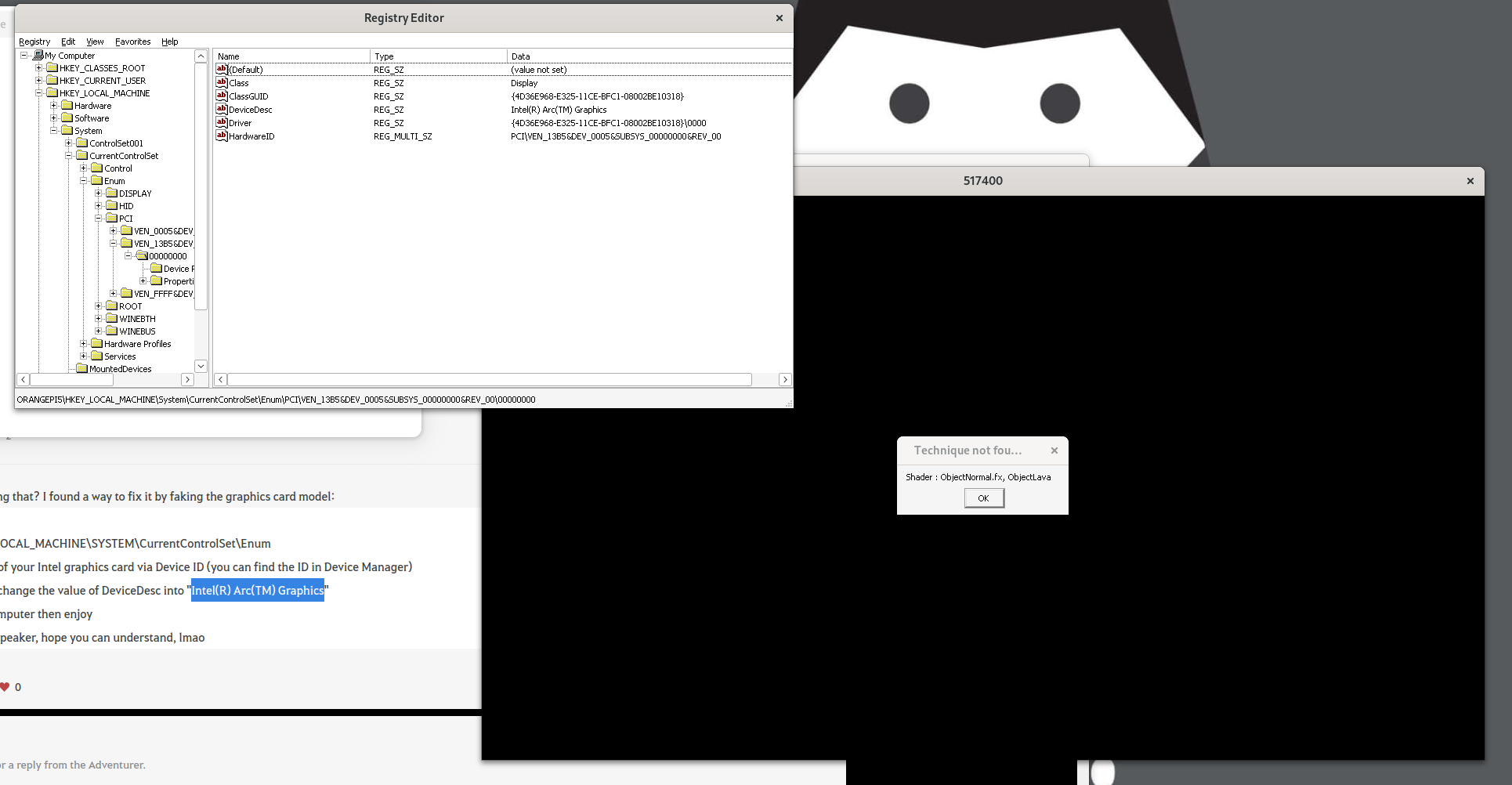
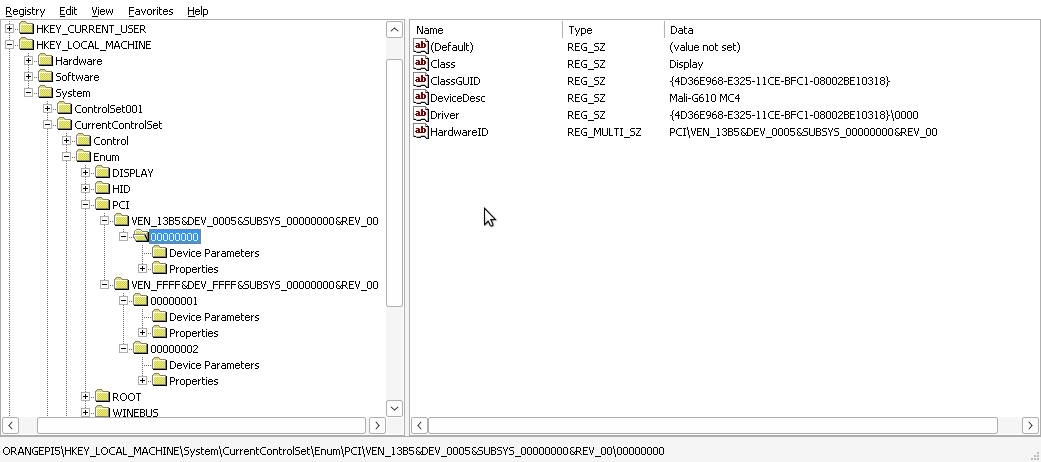
I can see it has already set: HKEY_LOCAL_MACHINE\SYSTEM\CurrentControlSet\Enum Mali-G610 MC4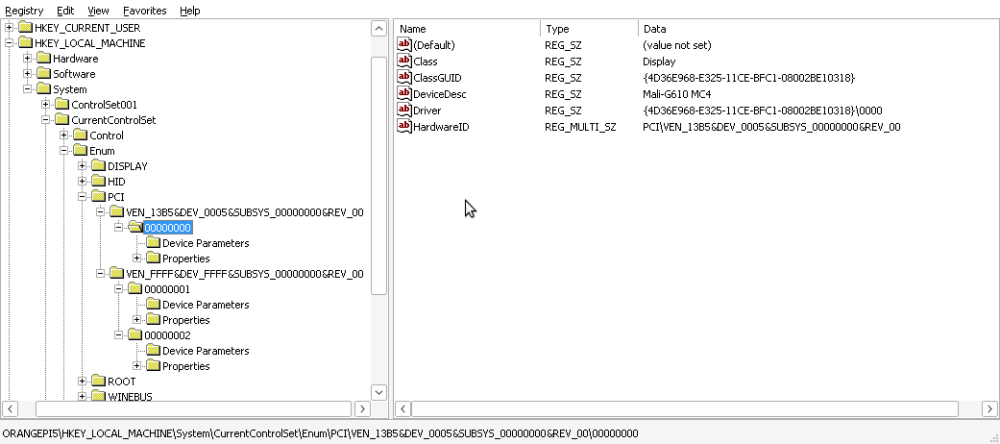
-
Gaming experience with Orange Pi 5 (RK3588) on Armbian
xiboliyadongtu replied to KhanhDTP's topic in Orange Pi 5
Maybe tomorrow, try to solve this. -
Gaming experience with Orange Pi 5 (RK3588) on Armbian
xiboliyadongtu replied to KhanhDTP's topic in Orange Pi 5
I found that if I use umu-run(protonge), the launcher will crash, but if i use wine staging (with dxvk), the launcher start is no problem but the game got a error. -
Gaming experience with Orange Pi 5 (RK3588) on Armbian
xiboliyadongtu replied to KhanhDTP's topic in Orange Pi 5
I found "https://www.naeu.playblackdesert.com/en-US/Forum/Qna/Detail?_questionNo=1122&_answerSortType=0" have same problem, but I have no idea about find the device ID. -
Gaming experience with Orange Pi 5 (RK3588) on Armbian
xiboliyadongtu replied to KhanhDTP's topic in Orange Pi 5
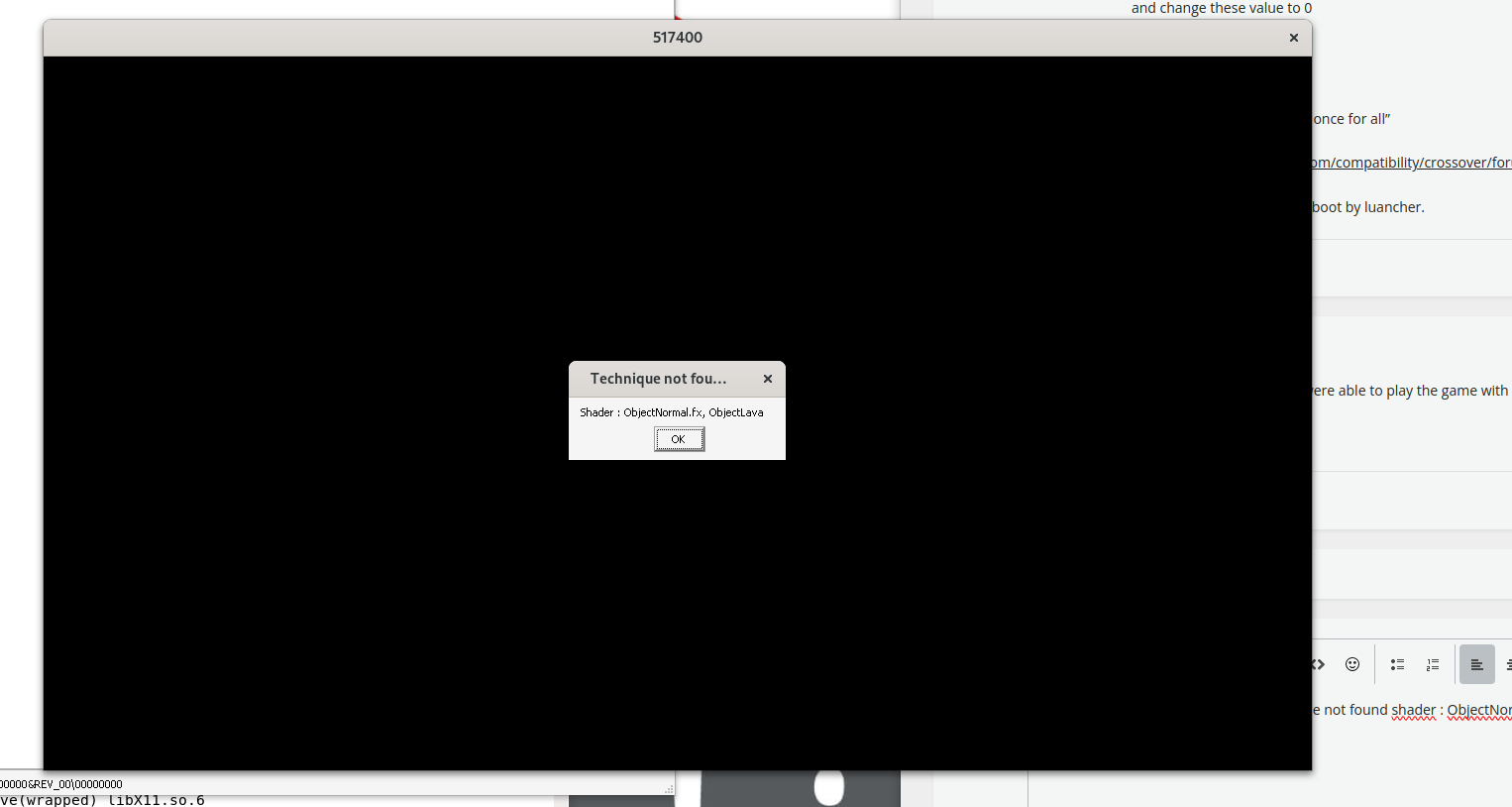
The game have not start couse "technique not found shader : ObjectNormal.fx, ObjectLava"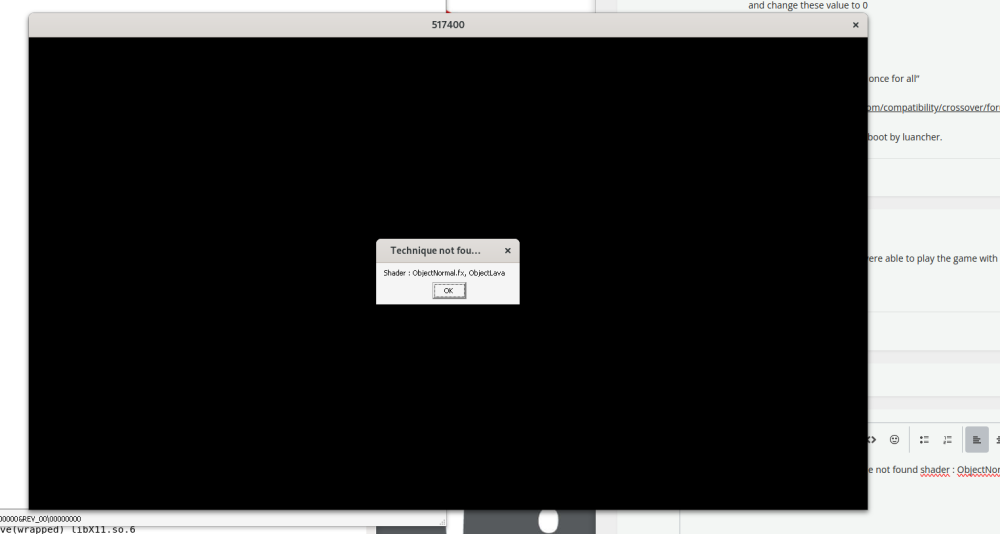
-
I don't have a device for that. Which one would you recommend getting? I might try it out later when I get time (not soon so if anyone else is able to post logs?)
-
UART logs via serial console
-
@Werner Which logs would be usefull? I have a full image from the broken state. Kern.log is empty (0 bytes) syslog only has log from the last shutdown and ends there dmesg is from last startup before the system broke
-
logs?
-
Just a warning for everyone, the new kernel update (6.18.xx I think?) absolutely wrecks the system (atleast it does on Ubuntu Noble). It doesn't boot at all anymore I needed to recover an old kernel from an old backup I had and overwrite the current kernel from rescue mode/petitboot. Kernel 6.12.xx seems to work fine(ish) Just a heads up because I don't know enough to pinpoint the exact cause. p.s. for me the kernel means the files in /boot not sure if I used proper terminology
-
https://sd-card-images.johang.se/ This is a good source of SBC images, unfortunately no image for Odroid C5 yet. The image available on the web site of Hardkernel is Ubuntu 22.4.
-
Firstly, thank you for the ongoing support for the RV2. I'm encountering an issue with the top M.2 slot. While I can boot from it, as soon as the prompt appears, an ext4 error is thrown, the root filesystem is mounted read-only, and the system fails to complete the login process. Interestingly, when I move the same disk to the bottom M.2 slot, everything works perfectly. To further investigate, I wiped the NVMe drive, created an empty ext4 partition, and booted from an SD card. Here are the results: Bottom Slot (Works as expected): The disk can be mounted and used without issues. Passes multiple `fio` write and read tests. Top Slot (Fails to mount): Unable to mount the disk: root@orangepirv2:~# mount /dev/nvme0n1p1 /mnt/test mount: /mnt/test: can't read superblock on /dev/nvme0n1p1. dmesg(1) may have more information after failed mount system call. I've checked the dmesg logs, and the only noticeable difference is that when the disk is in the bottom slot (and working), there are more Bluetooth-related lines. Does this indicate that the lines for that slot are used by multiple systems, or am I on the wrong track? Here are the relevant dmesg logs for both scenarios: Booting from SD, NVMe disk in top M.2 slot: Booting from SD, NVMe disk in bottom M.2 slot: Any insights or suggestions would be greatly appreciated.
-
Gaming experience with Orange Pi 5 (RK3588) on Armbian
KhanhDTP replied to KhanhDTP's topic in Orange Pi 5
@xiboliyadongtu So, you were able to play the game with Dxvk (or Zink) now? How is the performance I wonder?