All Activity
- Past hour
-
Hey @eselarm, Thanks for the quick answer. My goal is indeed having a more generic computer for server tasks. The version of the u-boot is: I have switched again to the orangepi5 6.18.10-current-rockchip64 kernel but still not showing nothing. Thank you.
-
Log shows nothing about PCIE when 6.19.0-edge-rockchip64, it does when 6.18.8-current-rockchip64 If you just upgraded the kernel via apt, then this might be the point where an older U-Boot is incompatible with newer kernel. This is the case for all Rockchip devices I have and not strange. It is like it is, so if you want edge or newest or even standard Debian sid/unstable/testing kernel, you will need to look at that in more detail. I have been spending a lot of time on it, it is simply what you want or need. If you want all RK3588 silicon HW support, so like video encoders, stick to vendor based U-Boot and kernel. I you want a generic computer that is good enough for server tasks and web-browsing etc, use mainline based U-Boot and kernel. Of course something else might be wrong, but reporting U-Boot version would be needed and helpful first I think.
-

Remote power button for Banana Pi M1
John Felstead replied to John Felstead's topic in Allwinner sunxi
Problem solved. Rather than using an electrical connection I overcame the issue mechanically. When the board was mounted in the box I drilled a hole directly opposite the switch and inserted an old self propelling biro which I cut down to the right length. I left the spting in place but removed the latching mechanism in the lid. Pressing the top of the biro activated the switch🤪 - Today
-
Hi everyone, I just installed Armbian on my OrangePi 5, but I can't get it to recognize the NVMe drive. I've tried the official OrangePi Ubuntu distro, and it detects the NVMe without any issues. However, when using Armbian, it simply doesn't show up. I'm not sure what to do at this point. I would really like to use Armbian, but it seems unable to detect the NVMe on this particular device. Interestingly, I have another OrangePi 5 Pro where I installed Armbian, and it recognizes the NVMe and works perfectly fine — but not on the standard OrangePi 5. Does anyone know how to fix this issue, or can you recommend a good alternative? Thank you in advance.
- Yesterday
-
 @Sergioclr Try this one next. 159-add-x96-q-lpddr3-v1.3-defconfig.patch
 -
 😳number of lines of code? My bad. Photo with details: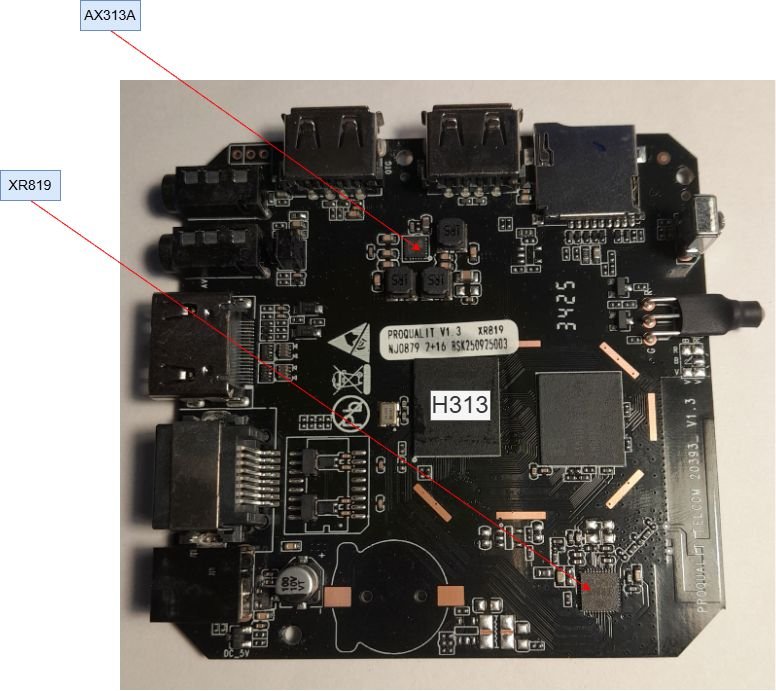
-
Looks like you are right. Did not want to modify uboot to make it understand f2fs , so i had to move /boot to ext4 and keep rest of / on f2fs. Now it boots. Thx for help.
-
 Hello, good afternoon. I'm using a translator, so I apologize if it's not clear. I have an Orange Pi 5 Plus SBC which I have Android installed on the m2 drive. I install Armbian on a microSD card. I don't remember what problem I was having, but I had to format the SPI Flash. After that, the Armbian version worked fine. Also, after formatting the SPI Flash, my microphone stopped working on Android (it works on Armbian). Could this be due to formatting the SPI Flash? Thank you.
 -
@Sergioclr can you find a AXP chip on your board? It’s safer to boot images with the same AXP chip. I haven’t bricked any of my boxes. Don’t use armbian-config’s write to emmc until you have a stable image.
-
@Sergioclryou are only adding one line of code.. so whatever it is just add one. 162 would be 163.
-
Update: I was able to compile the H98H example and write it to SD card (Armbian Imager). The SD firmware load promptly "bricked" the box! I reloaded the original (secure) image by means of PhoenixSuit software. I am considering building an image using sun50i-h313-x96q-ddr3-v5.1.dts but I don't know how to customize the "@@ -0,0 +1,162 @@" parameters. Could you help me? Thanks in advance.
-
@qq20739111 I'll add it soon. 6.18 might take awhile.
-
@Nick A Is it possible to release a system for Radxa Cubie A7S?
-

Raspberry Pi 5 missing video decode hardware acceleration in chromium
LivingLinux replied to otte's topic in Raspberry Pi
It will only work for h265, as that is the only hardware decoder available in the Pi 5. So it won't help you with for instance YouTube, as they use VP9 and AV1 (or you can force h264 with a browser plugin). You can try Firefox. https://bugzilla.mozilla.org/show_bug.cgi?id=1833354 Or change some of the flags in Chromium, but it feels as if they keep changing, so you might find other suggested flags all over the internet. You can set the mentioned flags in: chrome://flags/ https://bbs.archlinux.org/viewtopic.php?id=244031 -

Raspberry Pi 5 missing video decode hardware acceleration in chromium
geoW replied to otte's topic in Raspberry Pi
How to Change hardware configuration? Use /boot/firmware/config.txt to configure hardware settings. This is the official Raspberry Pi method. From https://www.armbian.com/rpi4b/ I assume same for your gpu settings. -
@sven-ola it works with official ubuntu image and with debian 13 image from romanrm, so this ssd is 100% works
-
 Then it should not be an issue to find somebody from the community to come up with support. From official POV we do not add new boards without some sort of funding. Our resources are simply too limited.
 -
 thank u, but I think this board will be a hit soon
 -
No official plans. However anyone from the community can step up and add support for new boards
-
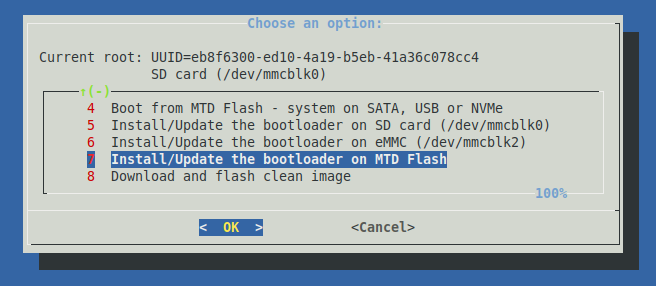
@savznkvo Besides rust, dust or wrongly inserted: that may be one of those NVMEs that needs tweaking e.g. has an ASPM issue, search for "ASPM" on page one of this thread. You may also check with lspci if there is a PCI device (beside PCIe bridges). If it does not show up as /dev/nvme?n1 in a standard PC, that may be one of those mSATA SSD with an NGFF (M.2) form factor. HTH // Sven-Ola
-
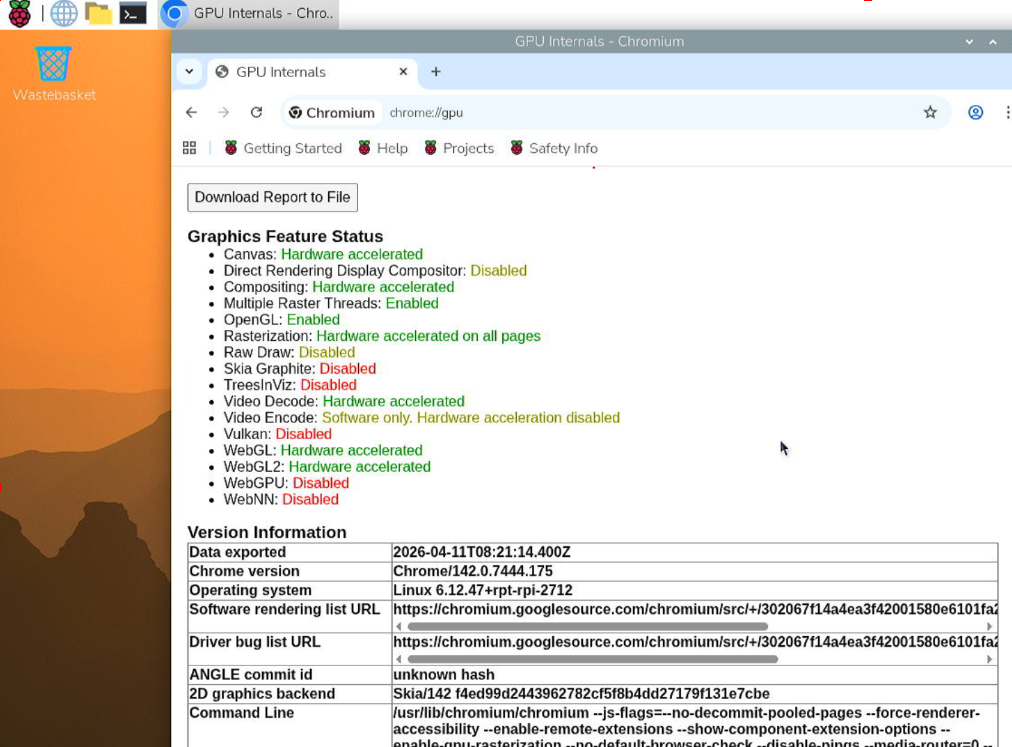
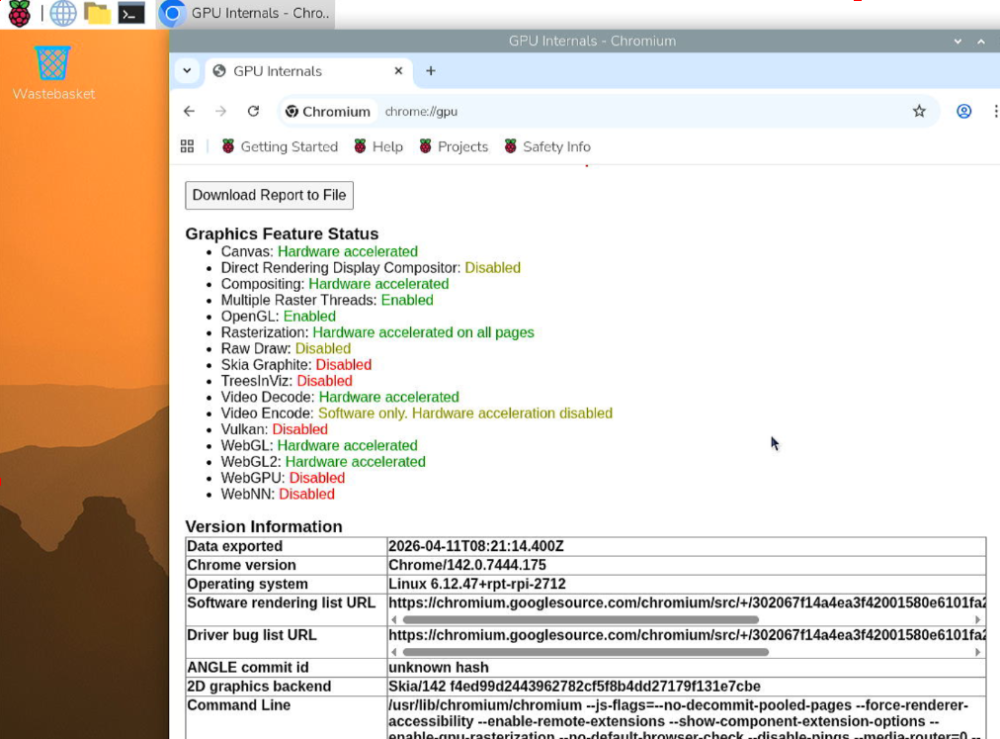
 Greetings, I installed Armbian Noble with gnome desktop, specifically "Armbian_26.2.1_Rpi4b_noble_current_6.18.9_gnome_desktop.img" on a Raspberry Pi 5. Updated system and installed chrome since I need to play some media from inside chromium browser. However, I checked to see that hardware accelerated video decode is not actually supported within Armbian currently. Previously I had official Raspberry Pi OS installed when I first had a look at the device and there it was enabled. It's kind of a minor thing but I've used different hardware with Armbian before and it would make things a lot easier for me if I can keep using Armbian on Raspberry Pi 5 as well. Only hint I've found on forum so far was a post from 2024 but it seemed to affect hardware acceleration in system overall and was a known issue, so I believe this is a new topic. Other thing I still tried was to go with a rolling release instead of Standard support, in this case "Armbian_26.2.0-trunk.679_Rpi4b_noble_current_6.18.20_gnome_desktop.img" but same issue. Any ideas on what can be done here, perhaps a setting or package I might have missed?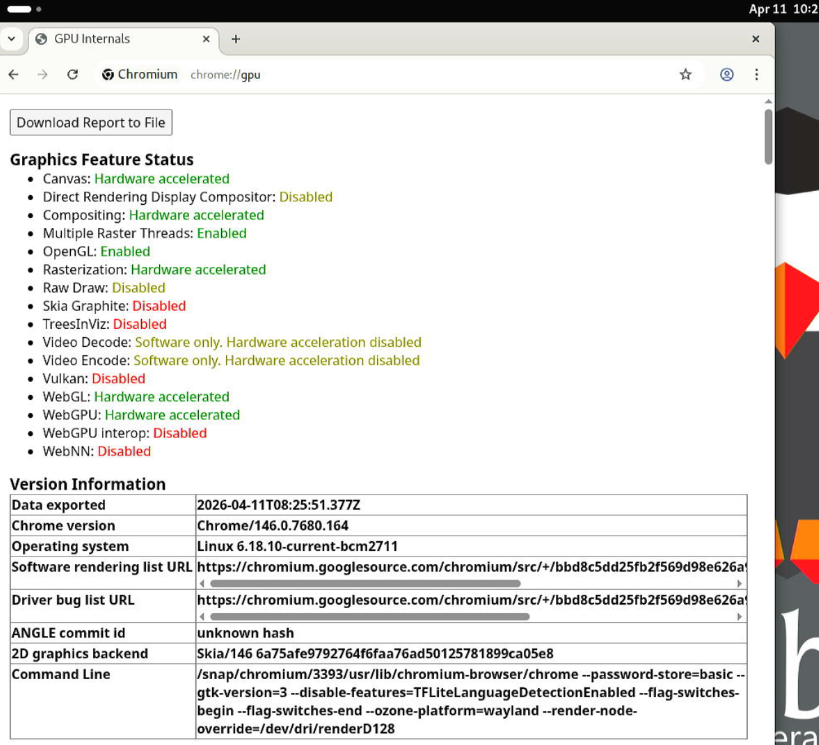
-
Are there any plans to create an Armbian image for the Radxa Cubie A7S? It's a really cute single-board computer with a powerful Allwinner A733 SoC.
-
@sven-ola I didn't get it at all about "Transfer *.img to /dev/nvme0n1, use netcat or similar", also in my case when I booted from SD card I just can't interact with my M.2 SSD, Always got Invalid Operation error.
-
hey i seem ho have same exact issues have you found any fix yet!
- Last week
-
@savznkvo if you followed my compile.sh steps from above, you should have a file Armbian-unofficial_26.05.0-trunk_Orangepirv2_trixie_current_6.18.21_minimal.img in ./output/images ready to be flashed to your SD card. Insert and boot. At this point you need TV / Kbd or UART to finish the wizard (set root PW etc). Now start armbian-install (see screen shot). Transfer *.img to /dev/nvme0n1, use netcat or similar. Then power down, remove SD and eMMC (if plugged). Restart from NVME, now you have to complete first time wizard again. Tested with current main and it works flawlessly. Addon: if you apt-get dist-upgrade, a newer kernel package from Armbian nightly builds is installed and the bcmdhd wifi kernel driver module is recompiled - which needs some time. This will DOWNGRADE from 6.18.21 to 6.18.20 currently - this works as designed. HTH // Sven-Ola