Hqnicolas
-
Posts
714 -
Joined
-
Last visited
4 Followers




-
Board Enabling PR: https://github.com/armbian/build/pull/10147
-
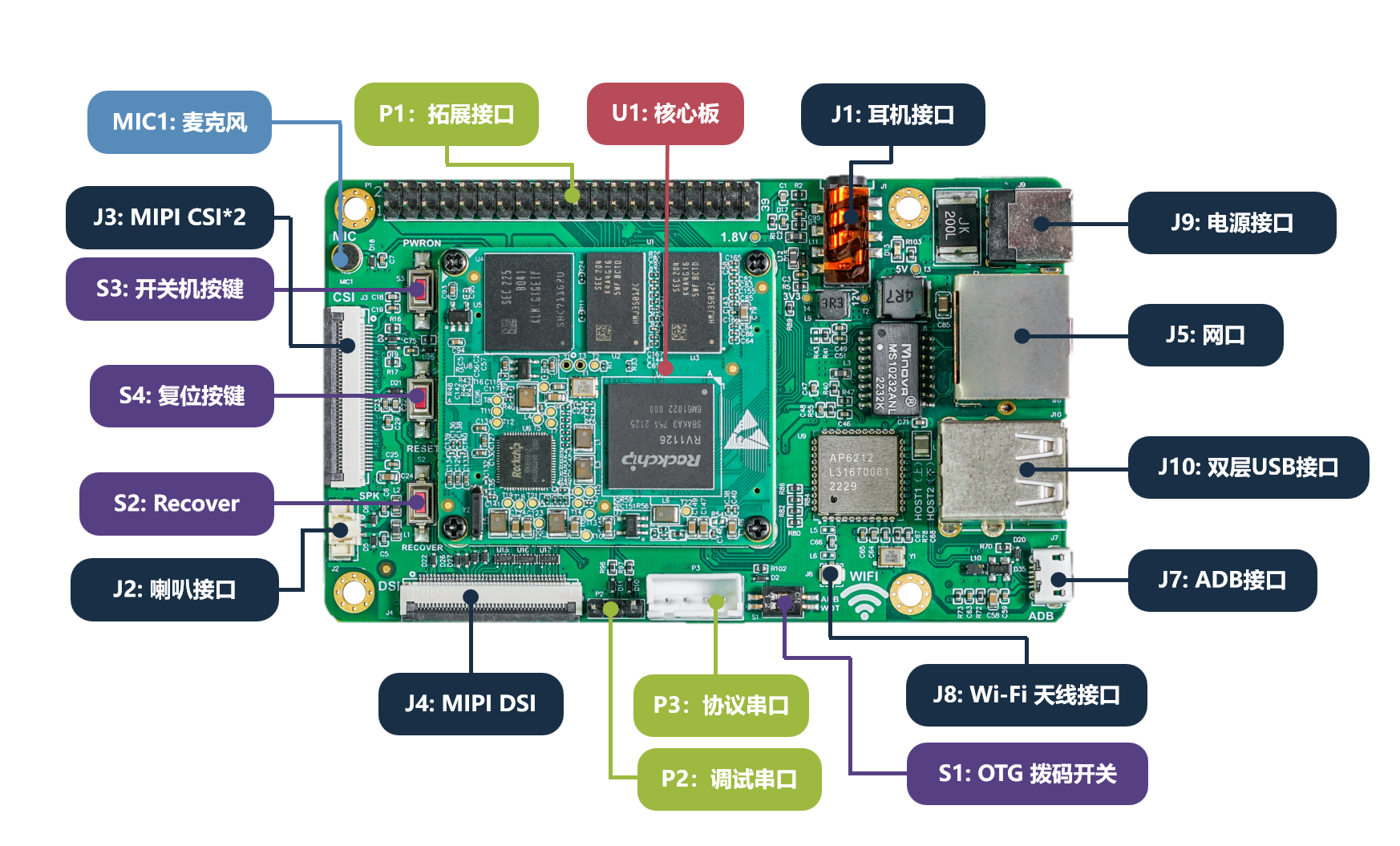
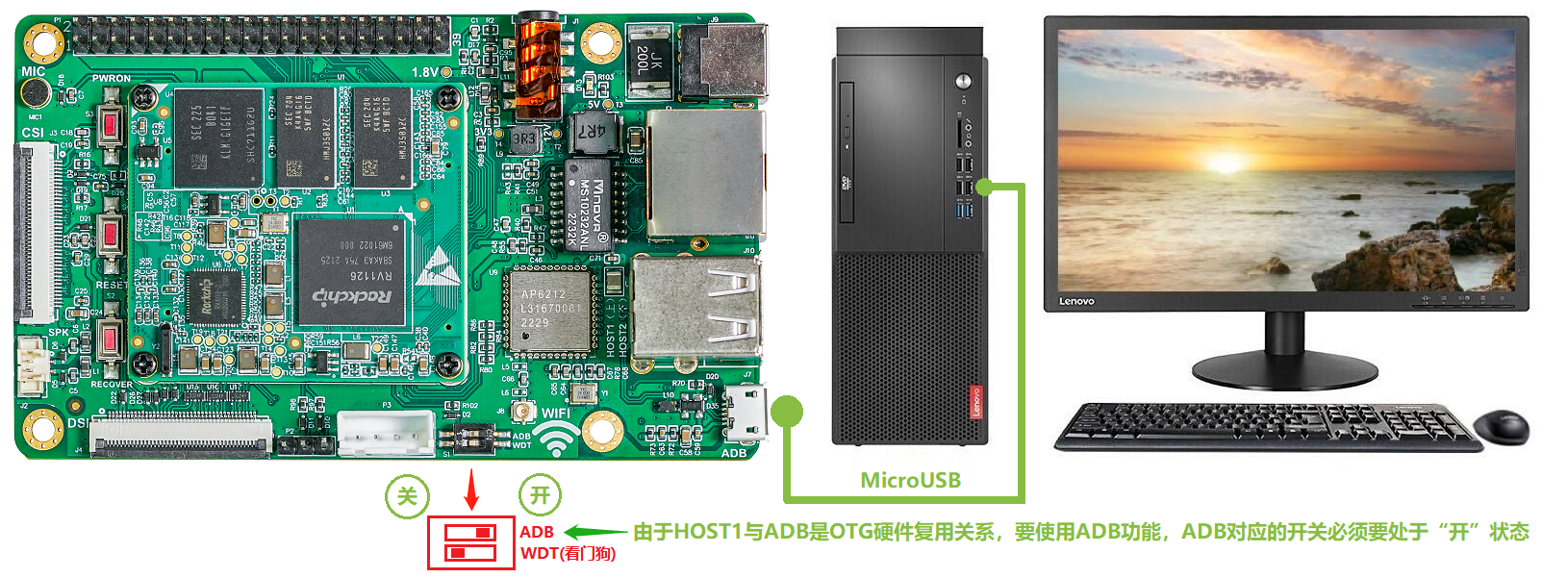
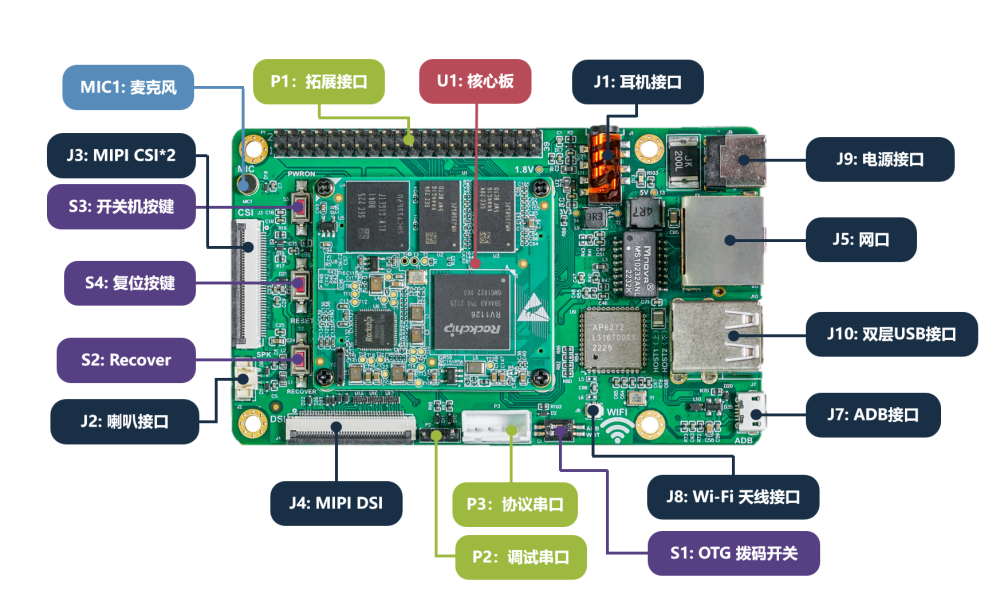
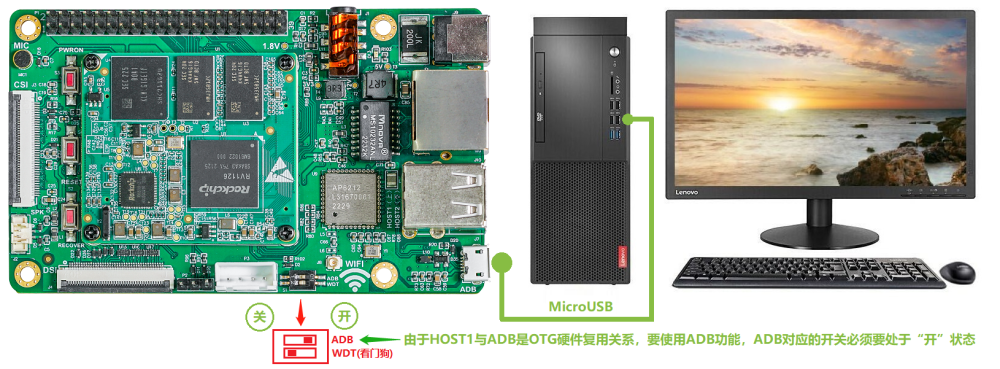
Here, I will document the efforts to get the Easy EAI RV1126 board into Armbian.
-
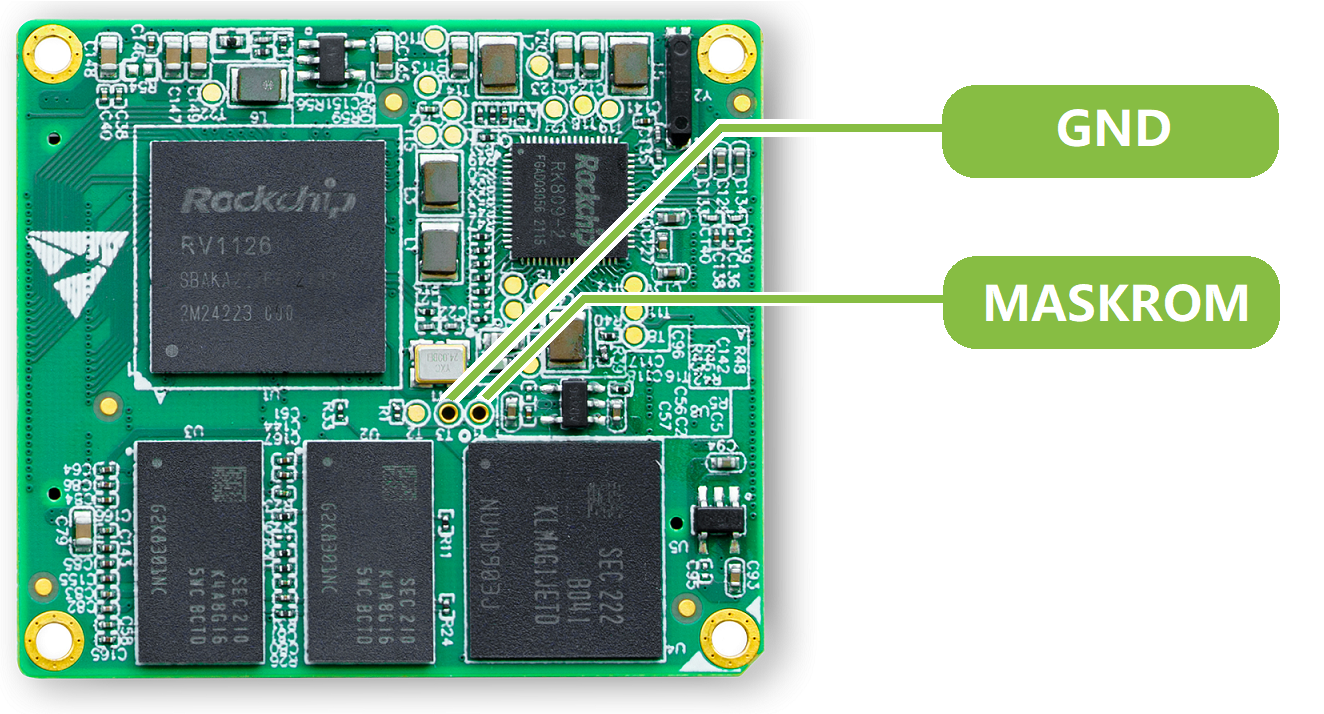
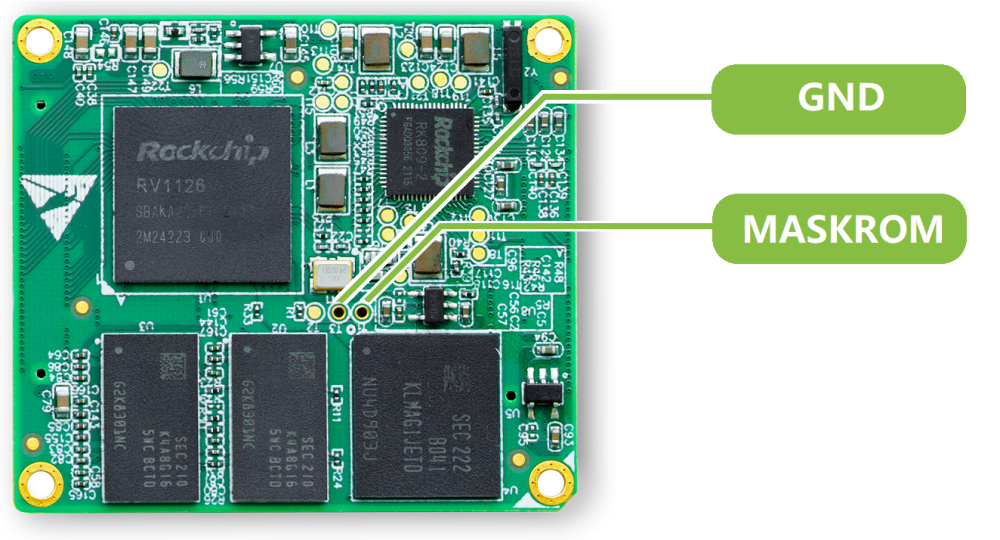
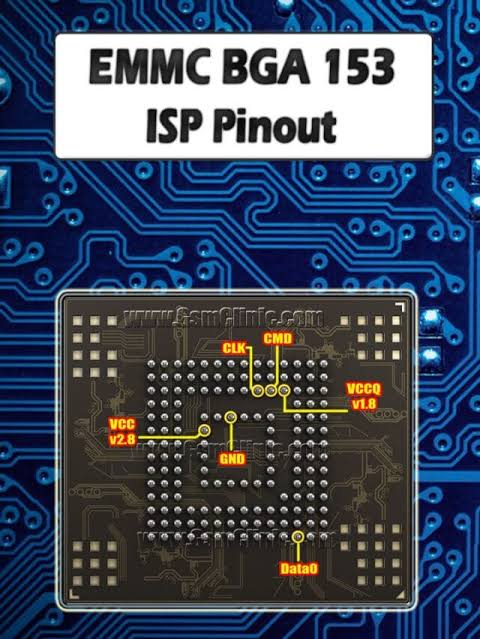
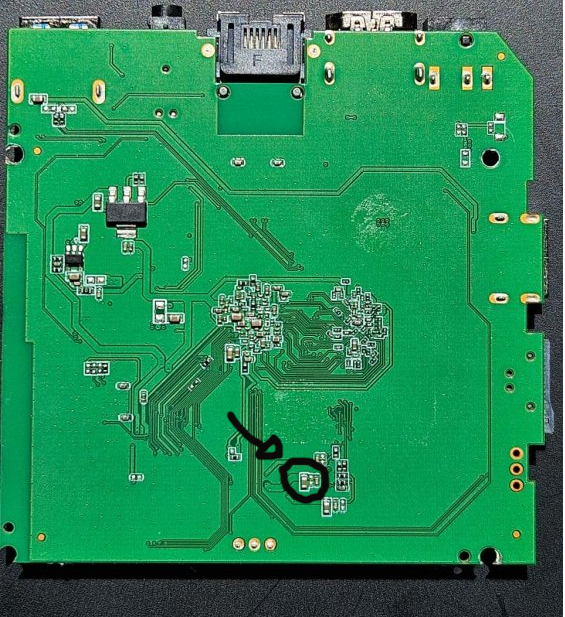
 You can try to short the EMMC that wasn't connected, to short the CLK and GND of the soldered EMMC also check this points to:
-
Efforts to develop firmware for H96 MAX V56 RK3566 8G/64G
Hqnicolas replied to Hqnicolas's topic in Rockchip CPU Boxes
Since you cannot trust this EMMC, @magixx256 Here is how to get log2ram up and running, plus a quick way to double-check your storage health. 1. Install log2ram Manually Run these commands to pull the official repository, install it, and get it running: # Download and extract the latest release curl -L https://github.com/azlux/log2ram/archive/master.tar.gz | tar zx # Move into the folder and run the installer cd log2ram-master sudo ./install.sh # Clean up the installer files cd .. && rm -rf log2ram-master Reboot to Activate It For log2ram to properly hijack the logging system and mount it into RAM, you need to reboot the machine: sudo reboot Verify It's Working Once the box boots back up, run your status command again: systemctl status log2ram You should see an active (exited) status (which is normal for this service, as it just runs a script at boot to create the RAM disk). You can also verify it's actively mounting by checking your system disks: df -h | grep log2ram You'll see a line showing /var/log mapped to log2ram with a size of about 40MB or 50MB. 2. A Quick Note on System Stability Since log2ram holds your logs in memory and only writes them to your eMMC/SD card once a day (or right before a clean shutdown), a sudden power pull means you lose the logs from that day. -
Java folder inside, please don't use it. Read before: https://github.com/DesktopECHO/T95-H616-Malware
-
Searching for testpoint for the MX10-L TVstick
Hqnicolas replied to benabed brahim's topic in Allwinner CPU Boxes
Please move to Allwinner https://forum.armbian.com/topic/56539-how-to-install-armbian-on-mx10-f3-tv-stick/ https://xdaforums.com/t/how-to-use-otg-in-twrp.3097688/ -
Mainline?
-
Efforts to develop firmware for H96 MAX V56 RK3566 8G/64G
Hqnicolas replied to Hqnicolas's topic in Rockchip CPU Boxes
Not necessary, thats the same module from legacy board. This comes from the mainline Linux support for the RK3566, not specifically from the board data. Don't trust your data under any circumstances to this EMMC. Keep your data away from this device. -
@Ovaday First of all, thank you for the initiative. This repository contains the files that will be used as example to enable your board in Armbian: https://github.com/hqnicolas/ArmBoardBringUp The example file you're referring to is this one: https://github.com/hqnicolas/ArmBoardBringUp/blob/main/config/boards/h96-tvbox-3566.tvb The boot settings you should use may vary considerably from this reference, but your device will need a configured bootloader. https://github.com/hqnicolas/ArmBoardBringUp/tree/main/patch/u-boot/v2026.04/board_h96-tvbox-3566 You will need to focus on the new kernels like: https://github.com/hqnicolas/ArmBoardBringUp/tree/main/patch/kernel/archive/rockchip64-7.1/dt The repository you need to interact with to include these files is this one: https://github.com/armbian/build You need to validate everything before publishing, so do some hard work using this compiler: https://docs.armbian.com/Developer-Guide_Overview/
-
Efforts to develop firmware for H96 MAX V56 RK3566 8G/64G
Hqnicolas replied to Hqnicolas's topic in Rockchip CPU Boxes
These Chinese people are very creative. I never imagined seeing a TV box with a SATA port. @Astlin You will need to interact with the .dts file to build a .dtb file with this capability. Before taking any action, check if your board is not from this other JP-Box project. https://github.com/armbian/build/blob/main/patch/kernel/archive/rockchip64-7.1/dt/rk3566-jp-tvbox.dts The topic you should interact with is this one here: https://forum.armbian.com/topic/31887-jianpian-rk3566-tv-box-8g32g-develop-log/#comment-175700 I don't actually have access to the JP-box @Astlin. If you are using the H96 max RK3566 firmware, the SATA port may not be enabled, but you can enable kernel changes within the Armbian compilation menu and insert your changes into the board's DTS file. https://github.com/armbian/build/blob/main/patch/kernel/archive/rockchip64-7.1/dt/rk3566-h96-tvbox.dts I believe the person responsible for this sign is @tdleiyao @ning have tested our DTB file on JianPian device https://github.com/armbian/build/blob/main/config/boards/jp-tvbox-3566.tvb If you have time, we can update the JP-box project in the correct topic. https://forum.armbian.com/topic/31887-jianpian-rk3566-tv-box-8g32g-develop-log/#comment-175700 I have maintained a sample repository with the necessary data to enable RK3566 cards in Armbian. https://github.com/hqnicolas/ArmBoardBringUp The reason JP-box isn't working is that it was enabled in kernel 6.6, and we're already on 7.1, nobody updates this since then. You can use the H96 modifications as start point. this modifications apply to the JP-box, but some functions, such as the SATA port, require customization. -
Efforts to develop firmware for H96 MAX V56 RK3566 4G/32G
Hqnicolas replied to Hqnicolas's topic in Rockchip CPU Boxes
for NPU if you can't run it on armbian using the rockchip vendor kernel, you can use the Joshua: https://github.com/hqnicolas/ubuntu-rockchip-joshua/tree/h96-max-v56-board-add -
thanks @Arthur Gu, I will test and include into a PR to armbian tested on 6.18.32-current-rockchip64 https://paste.armbian.com/ekupotacut ok, I find your PR: https://github.com/armbian/build/pull/9832 will apply the instructions to a new PR https://github.com/armbian/build/pull/9877 tested on 7.0.9-edge-rockchip64 https://paste.armbian.com/amimofemog
-
This is a work-in-progress resource for bare-metal bringup for Rockchip devices. Source code: https://github.com/petabyt/rk https://danielc.dev/rk/
-
Testing Kernel 7, Buiding new images inside docker on 24.04 ubuntu x86 sudo apt update sudo apt install -y qemu-user-static binfmt-support sudo systemctl restart systemd-binfmt update-binfmts --display qemu-aarch64 docker run --privileged --rm tonistiigi/binfmt --install all docker run --rm --platform linux/arm64 arm64v8/ubuntu uname -m git clone https://github.com/armbian/build.git cd build newgrp docker ./compile.sh docker-shell ./compile.sh BOARD=yy3568 BRANCH=current BUILD_DESKTOP=yes BUILD_MINIMAL=no DESKTOP_ENVIRONMENT=gnome DESKTOP_TIER=mid KERNEL_CONFIGURE=no RELEASE=resolute
-
Efforts to develop firmware for H96 MAX V56 RK3566 8G/64G
Hqnicolas replied to Hqnicolas's topic in Rockchip CPU Boxes
Bump to uboot 2026.04 tested with kernel 7.0.5 no mods, just pure mainline Boot Logs: https://paste.armbian.com/ujumalanuc Github Pull request: https://github.com/armbian/build/pull/9807 Tested with kernel 7.0.6 Boot Logs: https://paste.armbian.com/jabokoqusa