


NicoD
-
Posts
1431 -
Joined
-
Last visited
Content Type
Forums
Store
Crowdfunding
Applications
Events
Raffles
Community Map
Posts posted by NicoD
-
-
6 hours ago, specs said:
So far: the locales settings is really hell (I set the timezone somewhere in Europe and the system wants to set the language to local as well, even after 5 attempts I still some messages not in english and some LC_ALL error).
Don't set locales on location. Choose "no" when asked at boot. And select the locales you want.
I'm from Belgium but want English. So I choose. No, 47, 7, 6, 1
Or change locales with "sudo armbian-config"
7 hours ago, specs said:And finally after removing most armhf libraries I get a system dependency on lybcrypt1:armhf.
No idea why you have armhf packages. Did you install box86 or something else that use armhf?
-
Another update. I've tried the same 6.0.6 Jammy image on another eMMC and this boots from sd. This is I think an eMMC from Pine64. The other was from Hardkernel with "Only for C" written on it.
So with the old 4.4 (and probably old u-boot) on the Hardkernel eMMC I'm able to boot every image from SD. But with a later image I'm unable to. It didn't boot from eMMC either. This was a quick fix at a moment I didn't have time to investigate.
But the eMMC boot doesn't go well. Stops with BusyBox & initramfs. It's more than I had with my other eMMC where it didn't initiate boot and didn't get anything on display. -
So I wrote the 6.0.6 image to eMMC and as I expected the device doesn't boot anymore. Not from eMMC, not from sd.
LED turns on, nothing comes on the display.
Now I've got to screw it open again to write my old 4.4 image to eMMC.
@Wilhelm MoserWhat do you have on your eMMC? -
28 minutes ago, Igor said:
Armbian_22.08.10_Pinebook-pro_jammy_edge_6.0.6_cinnamon_desktop.img
Armbian_22.11.0-trunk_Pinebook-pro_kinetic_edge_6.0.7_xfce_desktop.img
Both also boot. Do you want me to install to eMMC to test? I can, I just hope it doesn't f up everything. I've got a non-functional image on my eMMC just for booting sd-cards. My last trip I couldn't boot the PBP anymore because of a new install. So my fix was to write this broken (4.4) image to eMMC to enable sd-boot. Bad fix... -
1 minute ago, Igor said:
Only main link works until syncing is not done.
Works sometimes. I've had it work a few minutes and then gone again.
I'm able to boot this image : Armbian_22.08.7_Pinebook-pro_jammy_edge_5.19.16_cinnamon_desktop.img
@Wilhelm MoserCan have to do with what you've got on your eMMC. I had this problem too with the wrong image on eMMC. Don't remember the details anymore. But had to write an old image to eMMC to get sd to boot. Don't want to install this image to eMMC to test, I've opened my PBP a bit too much and the screws are bad. -
@WernerImages seem to be not available here. Always either 404 or https://armbian.hosthatch.com/dl/pinebook-pro/archive/Armbian_22.08.10_Pinebook-pro_jammy_edge_6.0.6_gnome_desktop.img.xz
when I click one of the download links.

Downloading from archives image from 22/10/02. -
I can also add. There are multiple ways to install packages on Armbian(ubuntu/debian)
There is the apt way where you find most software. But if you can't find it there, you can also try snap (sudo apt install snap snapd)
There are a few nice programs there that aren't in the apt repo's. Like barrier(tool to share keyboard and mouse over different computers and operating systems)
Then there is also the possibility of flatpak. (sudo apt install flatpak) Takes up a lot of space, but if it works...
If you can't find it on any of those, then you can see if the source code can be downloaded and build for arm64/armhf. Most open-source projects allow this, and many have good instructions.
For SBC, I advice not to buy the newest shiny thing with greatest specs.
Do good research to find out what board/SoC is best supported. See if your devices work on it like wifi dongles or network adapters. Ask around.
And then buy the board you know will fit your goals.
With my first purchases I had luck that I bought the right boards for my goals. But after that I bought tons of devices expecting things that were not there.
Most devices took years to work well, and many others never worked as they should've.
I do like to tinker and try stuff till it works. But good research before buying saves you a lot of time to get things working. -
3 minutes ago, jock said:
I may build an Opi800 image with kernel 5.19 from that branch, maybe with a fully-fledged KDE, rebuild ffmpeg/mpv and give instructions for a cutting edge test if you think it is reasonable
That is more than reasonable. Would even be fantastic.
I've got a few days. I just need the video to be out before the give away stops.
5 minutes ago, jock said:It could be a nice idea to try mainline kernel with wayland based desktop environment.
That is a nice idea. I've never tried wayland on Armbian.
I am now using wayland on Edge2 and VIM4. But without xwayland with GPU acceleration there's not much fun to it. So with a well supported SoC/GPU it must be a lot more fun. -
@jock
Sorry to bother you. I'm testing the OrangePi800, and it doesn't seem to have the media framework working on balbes150 his images. Do you know more about this?
Igor directed me to this -> https://github.com/armbian/build/pull/4098
I'm no developer and have to admit I know little about this.
I used to use the media script on Bionic and after that Buster and that ran great. But had not used RK3399 in a long time for that.
I made a review video, but don't want the info to be outdated in a few days. Cheers.
-
6 hours ago, balbes150 said:
It uses the old 5.18.5 kernel
Their kernel is 5.19.15-2
I'll mention they've got the device earlier and are further ahead for now.
6 hours ago, balbes150 said:Have you tried Armbian versions with 5.18 kernel ?
I did try the 5.18.5 Sid xfce image and there was no on-board wifi and even my 5Ghz dongle didn't work with it.
5.19.5 and 6.0.6 Jammy xfce were the best images I tried. I'm using my 5Ghz dongle on it and that works. Just only 2.4Ghz with on-board wifi. I do see my 5Ghz network, but can't connect. The same with OPiOS. But works with Manjaro.6 hours ago, balbes150 said:The best system for video playback is LibreELEC. Only it has all the most advanced and best for these purposes. 😛
I tried LibreElec. OPiRK3399 version. It runs, but no on-board wifi and no sound. So not really useful.
I'm gonna make the video now. Thank you for the great work. -
Tried the 6.0.6 Jammy xfce4 image.
Wifi works, but again my 5Ghz wifi is unable to connect. 5Ghz dongle works.I tested Manjaro yesterday and there the 5Ghz works as should.
And also video playback there is perfect. It seems to have hardware accelerated video playback. No screen tearing, no reloads and perfect 1080p youtube and 1440p h264 video files.
So for me Armbian is way better for gaming since I know how to install everything here with armbian-gaming. So I'll show that with gaming.
And Manjaro is a good 2nd image for video playback and light desktop use. Tho more software works on Armbian in my experience.I hope the media framework can be brought back to life for Armbian on RK3399. I used to love working with it.
Also found out that the strange color on my vga was due to a decaying vga cable. Tried with another cable and it works as it should. Doesn't work on 6.0.6. I think you know that.
Also the on-board speaker doesn't work. But hdmi audio is working on 6.0.6 *** After reboot it's back. So seems sometimes audio devices don't wake up at boot.
Cheers.
-
I did try to build a Buster image with your script but it never finished. I tried 2 times with the same result.
[ o.k. ] Checking MD5 sum of installed packages [ debsums ]
[ error ] ERROR in function create_rootfs_cache [ functions/cli/cli-entrypoint.sh:108 -> functions/main/default-build.sh:125 -> functions/main/rootfs-image.sh:65 -> functions/rootfs/create-cache.sh:229 -> functions/logging/traps.sh:0 ]
[ error ] MD5 sums check of installed packages failed
[ o.k. ] Process terminated
[ error ] unmount_on_exit() called! [ functions/cli/cli-entrypoint.sh:108 -> functions/main/default-build.sh:125 -> functions/main/rootfs-image.sh:65 -> functions/rootfs/create-cache.sh:229 -> functions/logging/traps.sh:1 -> functions/main/rootfs-image.sh:0 ]
[ o.k. ] Unmounting [ /home/nicod/build/.tmp/rootfs-1dc2499a-f3c6-4fea-a14d-e66babedf043/ ]
[ error ] ERROR in function unmount_on_exit [ functions/cli/cli-entrypoint.sh:108 -> functions/main/default-build.sh:125 -> functions/main/rootfs-image.sh:65 -> functions/rootfs/create-cache.sh:229 -> functions/logging/traps.sh:1 -> functions/main/rootfs-image.sh:26 -> functions/logging/traps.sh:0 ]
[ error ] debootstrap-ng was interrupted
[ o.k. ] Process terminated
I'll wait for your new images.
-
1 hour ago, balbes150 said:
Check the version with kernel 5.18.
This was Linux 5.18.5-media and there was no wifi at all here. It was Sid I tried.
1 hour ago, balbes150 said:If you configure which device to use by default (for example, through the Volume Control plug-in), I have not seen any problems with switching audio and output to HDMI on all cores.
The problem is that sometimes HDMI audio isn't there to choose from. Doesn't happen that often. But sometimes it's not there and I have to reboot to have hdmi-audio back. It might be because I'm using a Elgato 4K60 HDMI capture box. I do have issue's with that thing not always working.
1 hour ago, balbes150 said:Have you checked all the images since 5.18 ? There is a difference in them. And it's better to use Ubuntu for tests.
Thank you, I'll test a more recent Ubuntu with 5.18. The Sid I tested was the oldest I could find. So there might be the problem. I tried Sid because I had seen great improvements in supertuxkart on BPiM5 with Bullseye. Didn't see that on Sid here.
1 hour ago, balbes150 said:I didn't see any problems with the VGA color. Have you tried running with VGA only ?
I will test it again, and also test on my old pentium to see if it's normal there. I didn't try having only VGA running.
1 hour ago, balbes150 said:The new 6.0.6 images (with Wi-Fi) are still in the build process and will be available on the site only tomorrow.
I will wait for those before making the video. Now my 5.19.16 Jammy xfce4 image is almost perfect. Everything is running that I want to run. Only the HDMI audio that isn't always there. But that's a minor issue.
I'll also try to build a Buster image from your build script to see if I can use the Media Framework on it. I do miss the perfect video playback on it.Thank you for the input. Helps a lot. I'll wait at least a day before making the video. Normally I was gonna make it today. Cheers.
-
Also sid 5.18.5 seems to be throttling at 70C while other images don't.
Sid
22:06:30: 1608/1416MHz  5.90  95%   1%  94%   0%   0%   0%  70.0°C
22:06:40: 1608/1416MHz  5.93  85%   1%  83%   0%   0%   0%  69.4°C
22:06:52: 1512/1416MHz  6.02  94%   0%  94%   0%   0%   0%  70.0°C
22:07:07: 1512/1416MHz  6.53  86%   2%  84%   0%   0%   0%  70.6°C
22:07:19: 1608/1416MHz  6.57  89%   1%  88%   0%   0%   0%  68.9°C
22:07:31: 1512/1416MHz  6.63  95%   2%  93%   0%   0%   0%  70.0°C
22:07:41: 1608/1416MHz  6.44  79%   1%  78%   0%   0%   0%  68.9°C
22:07:52: 1800/1416MHz  6.85  99%   2%  96%   0%   0%   0%  68.9°C
22:08:02: 1608/1416MHz  6.88  99%   2%  96%   0%   0%   0%  68.9°C
22:08:12: 1512/1416MHz  6.74  94%   1%  93%   0%   0%   0%  68.9°C
Jammy 5.19
12:15:18: 1800/1416MHz  6.95  99%   2%  95%   0%   0%   1%  68.3°C
12:15:28: 1800/1416MHz  6.95  92%   1%  89%   0%   0%   0%  71.1°C
12:15:38: 1800/1416MHz  6.75  84%   2%  81%   0%   0%   1%  70.0°C
12:15:49: 1800/1416MHz  6.79  83%   1%  81%   0%   0%   0%  72.2°C
12:16:02: 1800/1416MHz  6.98  89%   2%  86%   0%   0%   1%  71.7°C
12:16:14: 1800/1416MHz  6.73  84%   1%  82%   0%   0%   0%  70.6°C
12:16:24: 1800/1416MHz  6.85  97%   3%  92%   0%   0%   1%  71.1°C
12:16:34: 1800/1416MHz  6.88  92%   0%  90%   0%   0%   0%  72.2°C
12:16:44: 1800/1416MHz  6.61  80%   3%  76%   0%   0%   1%  70.0°C
12:16:55: 1800/1416MHz  6.82  99%   2%  95%   0%   0%   1%  69.4°C
12:17:06: 1800/1416MHz  7.07  90%   2%  86%   0%   0%   1%  72.2°C
Jammy 6.0.5 has no hdmi output.
-
@balbes150
I'm finishing my research on the OPi800. I wanted to let you know my findings before I make the video.
The best image I tried was Armbian_22.11.0-trunk_Orangepi-800_jammy_current_5.19.16_xfce_desktop.img5.19 Jammy
There I did have an issue with hdmi audio not always working. After a reboot it most of the times is back.
Also I couldn't get 5Ghz wifi working while 2.4Ghz wifi is working well.
This was the error in dmesg[ 230.032015] unisoc_wifi unisoc_wifi wlan0: sprdwl_report_connection Scarlet-Dekerf 5Ghz failed status code:1! [ 234.585036] unisoc_wifi unisoc_wifi wlan0: sprdwl_report_connection Scarlet-Dekerf 5Ghz failed status code:1! [ 239.501298] unisoc_wifi unisoc_wifi wlan0: sprdwl_report_connection Scarlet-Dekerf 5Ghz failed status code:1! [ 244.921950] unisoc_wifi unisoc_wifi wlan0: sprdwl_report_connection Scarlet-Dekerf 5Ghz failed status code:1! [ 262.054026] unisoc_wifi unisoc_wifi wlan0: sprdwl_report_connection Scarlet-Dekerf 5Ghz failed status code:1!
With Armbian_22.11.0-trunk_Orangepi-800_sid_current_5.18.5_xfce_desktop.img
There is no on-board wifi. I also noticed my 5Ghz wifi dongle drivers aren't installed or working. Works on other armbian devices. It's a realtek 802.11ac
So I again was stuck in 2.4Ghz wifi mode. But then a very old dongle that performs a lot worse than OPi800 2.4Ghz wifi.
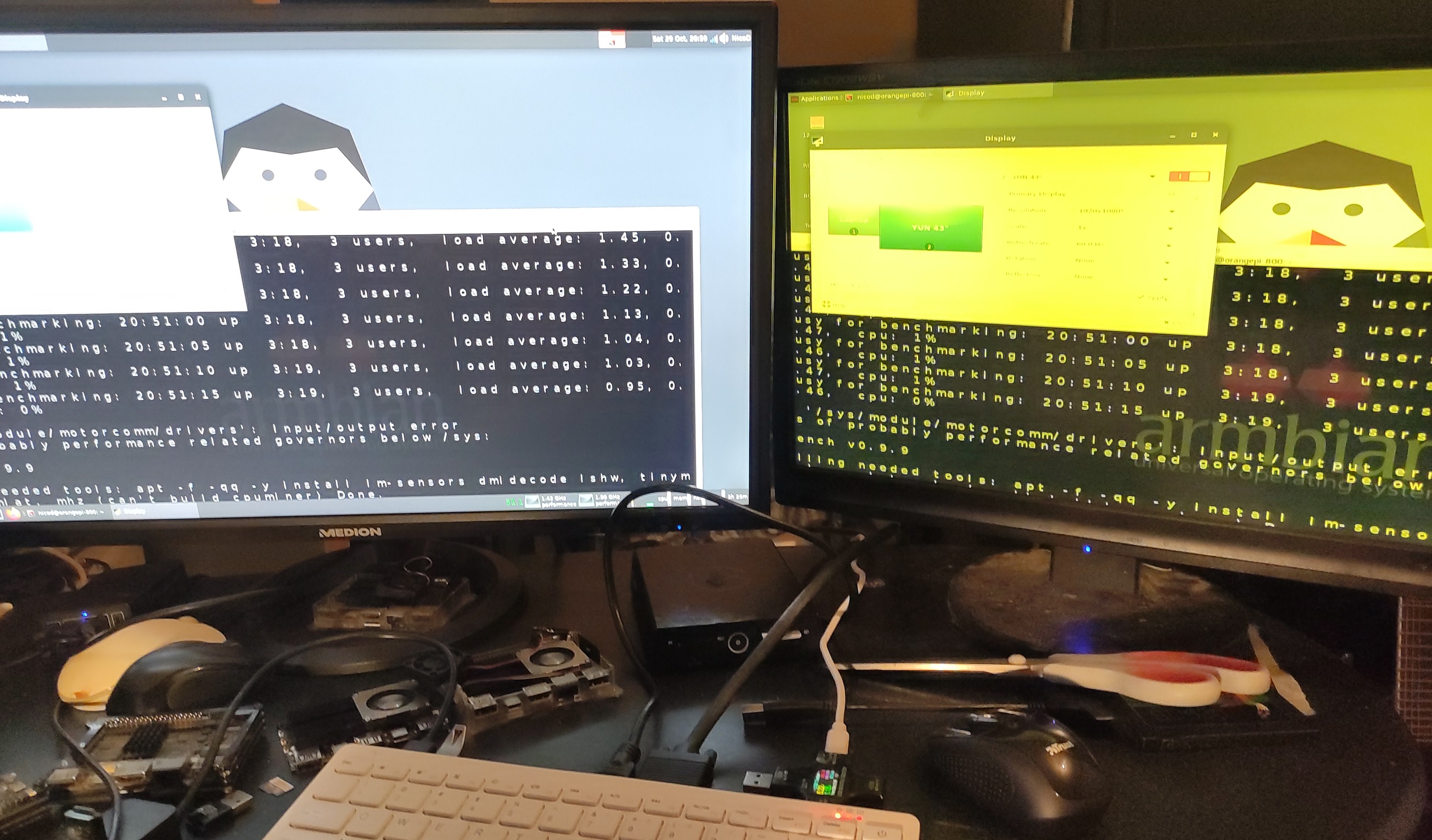
I tested the VGA port on this image. VGA does work, dual display works. But there's a problem with the VGA color. It's all yellow. I don't think it's my display, but I haven't used it in a while, so possible.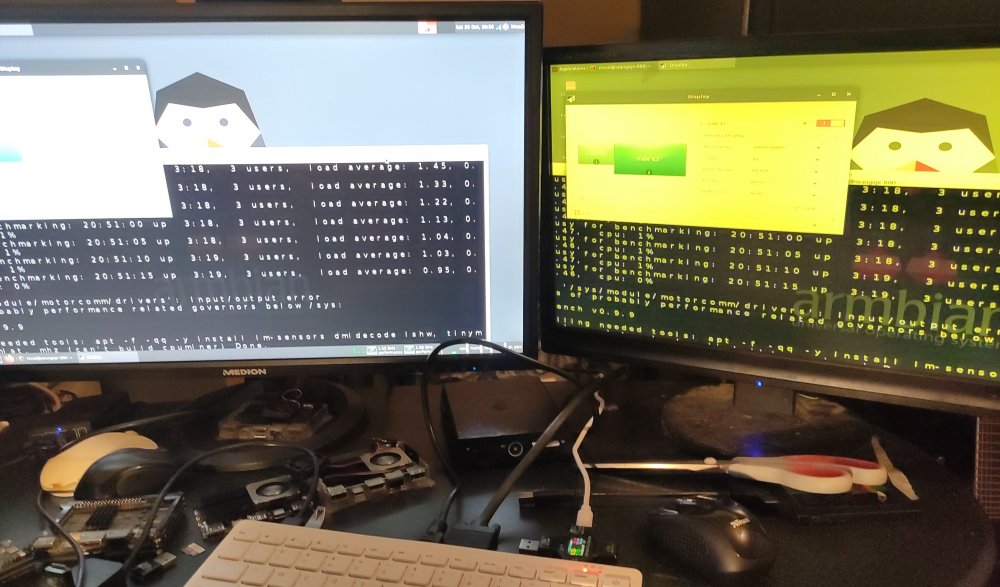
I still have to test images with kernel 6.0
Here my gathered info until now.
OPi800
------
Benchmarks
----------
Board              | OS                            | Kernel         | Clockspeeds             | 7z b all cores     | 7z b core small core    | 7z b big core   | NicoD Blender    | Supertuxkart   | Memcpy         | Memset         | SBC-Bench
OPi800               OrangeOS arch xfce4             5.18.5           1.4Ghz A53/1.8Ghz A72     7475                 1283 (core 0)             1906 (core 5)     xxx                7fps
OPi800               Armbian Jammy xfce4             5.19.16          1.4Ghz A53/1.8Ghz A72     7686                 1241 (core 0)             1841 (core 5)     10m11s             7fps                                               http://ix.io/4eiS
OPi800               Armbian Sid xfce4               5.18.5           1.4Ghz A53/1.8Ghz A72     7740                 1253 (core 0)             1844 (core 5)     xxx                7fps

File transfer rates
-------------------
                   | eMMC read   | eMMC write   | eMMC access time  | sd-read    | sd-write    | USB3 read    | USB3 write     | USB-C read    | USBC-C write
OPi800               244.3 MB/s    165.4 MB/s     0.22 msec           68.4 MB/s    35 MB/s       426.5 MB/s     150.2 MB/s


Temperatures
------------
idle          42C
maxed out     83C

Power consumption
-----------------
idle        0.55A @ 5.25V
Maxed out   1.55A @ 5.2V


Issue's
-------
Armbian Jammy 5.19   HDMI-audio doesn't always work / No VGA / Problem with 5Ghz wifi(maybe a router problem, don't have it with other devices and rebooted router) 2.4 works well
[  230.032015] unisoc_wifi unisoc_wifi wlan0: sprdwl_report_connection Scarlet-Dekerf 5Ghz failed status code:1!
[  234.585036] unisoc_wifi unisoc_wifi wlan0: sprdwl_report_connection Scarlet-Dekerf 5Ghz failed status code:1!
[  239.501298] unisoc_wifi unisoc_wifi wlan0: sprdwl_report_connection Scarlet-Dekerf 5Ghz failed status code:1!
[  244.921950] unisoc_wifi unisoc_wifi wlan0: sprdwl_report_connection Scarlet-Dekerf 5Ghz failed status code:1!
[  262.054026] unisoc_wifi unisoc_wifi wlan0: sprdwl_report_connection Scarlet-Dekerf 5Ghz failed status code:1!
Armbian Sid 5.18  on-board wifi/bt / Missing 5Ghz usb dongle drivers
Thank you for the great work. It is a nice experience with Jammy 5.19. I installed box64, box86, wine, PPSSPP and tons of games. Runs well for an RK3399. I like that they choose a VGA port instead of dual HDMI. I hope it can be fixed in the future. Cheers.
-
I added a function to build PPSSPP.
Should work on all Armbian versions with GPU drivers.
https://github.com/NicoD-SBC/armbian-gaming
These are the build steps used in the script to build PPSSPP for Ubuntu / Debian Linux.
	git clone --recurse-submodules https://github.com/hrydgard/ppsspp.git
	cd ppsspp
	git pull --rebase https://github.com/hrydgard/ppsspp.git
	git submodule update --init --recursive
	sudo apt -y install build-essential cmake libgl1-mesa-dev libsdl2-dev libvulkan-dev
	/bin/bash ./b.sh
	cd build
	make
	sudo make install
Run it with "PPSSPPSDL" (case sensitive)
-
@F3x
Power consumption radxa zero
wifi on + cpu idle : 0.3A
wifi on + cpu maxed out : 0.6A
OPi800(RK3399idle 0.55A @ 5.25V
Maxed out 1.55A @ 5.2V
Khadas Edge2(RK3588S)
Idle 12V 0.18A 2.16W
Maxed out 12V 0.65A 7.8W
Banana Pi M5 (S905x3)
hdmi + wifi + keyboard - Idle 0.45A (0.08A for wifi)
hdmi + wifi + keyboard - maxed out 0.75A
no hdmi no wifi no keyboard - idle 0.2A
no hdmi no wifi no keyboard - maxed out 0.63A
RPi400No wifi/on-board sd-card reader idle 0.45A
Wifi-on-board sd-card reader idle 2Ghz ov 6 0.5A
Wifi-on-board sd-card reader maxed out 2Ghz ov 6 1.3A
Wifi-USB3SD idle 2Ghz ov 6 0.75A-0.9A
Wifi-USB3SD idle 1.8Ghz 0.75A-0.9A
Wifi-on-board sd-card reader idle 1.8Ghz 0.5A
Wifi-on-board sd-card reader maxed out 1.8Ghz 1.1A
Wifi-USB3SD maxed out 1.8Ghz 1.3A
Khadas VIM4 (A311D2)
Idle 3W
Maxed out 7.5W (with fan)
If you want any more. See my review videos. https://www.youtube.com/c/NicoDsSBCs/videos -
@balbes150Thank you for the info.
One more thing, I don't see OC overlays. Is this possible with your images? It does run very cool. So there's headroom. Cheers. -
@balbes150Hi, I hope you're doing well. I'm gathering info for OPi800 review. I had not used RK3399 in a long time for desktop. I moved to N2+ instead.
My question. How is it now with the media kernel?
Is everything now integrated for that in all your rk3399 images/media-kernel? Or do I still need a debian image to install the media packages? I'm a bit confused.
Video playback looks good, but I haven't tried any 4k files. Youtube playback ain't perfect. I remember this being better with the media script.
Otherwise the images are pretty good. I tried the 6.0.3. There only on-board wifi wasn't working. The 5.19.6 works great. But haven't gone deep yet.
Thank you for the good work. Cheers. -
2 hours ago, Lennyz1988 said:
Hi @NicoD do you know if the NPU is working on the Vim3 using Armbian? I received my Vim3 yesterday so I still have a lot of reading to do.
I've not messed with the NPU, I should, but don't know a good use case.
The things you'll have to read are probably this https://www.khadas.com/post/npu-toolkit-v6-4-0-10-for-vim3---vim3l-released
And this https://forum.khadas.com/t/npu-demo-and-source-code/5938/13
-
I tried the 5.10 images. Both Jammy and Buster.
Both just give a black display, but the display does wake up(background LED is on)
All LED's stay on.
With sid 5.19 it boots normally. Blue LED flashes. Display works. -
Hi all.
Here my video about the MangoPi MQ-Pro.
It's not powerful, not cheap and not great at anything. But it is nice to see it works.
Everybody started out as a baby. So it now needs to grow.SpoilerMangoPi MQ-Pro 1GB ------------------ https://bret.dk/armbian-on-the-mangopi-mq-pro/ Armbian Jammy xfce4 5.19 ------------------------ Idle temp 57C Max temp 63C Blender NicoD 8h34m 7z b 573 Armbian Jammy 5.19 headless without display or usb connected with wifi ---------------------------------------------------------------------- Idle temp 47C Max temp 50C Blender NicoD 7h44m 7z b 602 sbc-bench http://ix.io/4cil Power consumption idle no USB/Display 1080p 0.2A Power consumption maxed out no USB/Display 1080p 0.3A Armbian Sid 5.19 server with display ------------------------------------ Idle temp 60C No blender 7z b 566 Armbian Sid 5.19 server headless -------------------------------- Idle temp 46C No blender 7z b 575 Power consumption idle no USB/Display 1080p 0.15A Power consumption maxed out no USB/Display 1080p 0.24A sd-read 12 MB/s sd-write 10.3 MB/s access time 1.07 msec USB read 21.8 MB/s USB write 7.6 MB/s access time 1.08 msec ***SID can't log in with display. Works headless. ***Unstable USB. Doesn't always recognize devices. Must plug multiple times until it works. ***Desktop unstable. Sometimes logs out and restarts a new desktop. ***No browser in Armbian apts ***Doesn't shut down fully The CPU integrated is the 64-bit XuanTie C906 RICS-V (up to 1GHz) Furthermore, there is a HiFi4 DSP, a VPU(4K H.265/H264) and 2D graphics acceleration to improve its computing performance. https://linuxgizmos.com/mangopi-mq-pro-a-possible-20-substitute-to-the-raspberry-pi-zero-w/ https://www.allwinnertech.com/uploads/pdf/2021070515231402.pdf Processor System: ‧SoC Allwinner D1 XuanTie C906 RISC-V processor (up to 1GHz) HiFi4 DSP G2D 2D graphics accelerator Memory/storage: 512MB (model MPi-MQ1PL)/1GB DDR3 (model MPi-MQ1PH) Networking: 2.4Ghz 802.11b/g/n Wi-Fi 4 Bluetooth 4.2 via RTL8723DS module + u.FL antenna connector Ethernet via expansion board connected to 24-pin connector Display/Audio: 1x mini HDMI 1.4 port (up to 1080p60 or 4Kp30) 20x Pin DSI/CTP/LVDS FPC connector 24x Pin DVP/RGMII connector Audio out pads Other I/O: 1x USB OTG Type-C port 1x USB host Type-C port Expansion: 40x pins Raspberry Pi compatible GPIO header Power: 5V – USB Type-C port Dimensions: 65 x 30 mm Additionally, the specifications for the Allwinner D1 processor are listed below: CPU Architecture: XuanTie C906 64bit RISC-V core (32 KB I-cache + 32 KB D-cache) DSP Architecture: HiFi4 DSP 600MH (32 KB I-cache + 32 KB D-cache, 64 KB I-ram + 64KB D-ram) Memory/Storage: 2GB DDR2/DDR3(533MHz for DDR2/800MHz for DDR3) SD 3.0, eMMC 5.0, SPI Nor/NAND Flash Networking: 10/100/1000M EMAC with RMII and RGMII interfaces Video Engine: Video decoding H.265 up to 4K@30fps/1080p@60fps H.264 up to 4K@24fps/1080p@60fps MPEG-1/2/4, JPEG, VC1 up to 1080p@60fps MJPEG up to 1080p@30fps Video encoding JPEG/MJPEG up to 1080p@60fps Supports input picture scaler up/down Video OUT: RGB LCD interface with DE/SYNC mode up to 1920 x 1080@60fps Dual link LVDS interface up to 1920 x 1080@60fps Single link LVDS interface up to 1366 x 768@60fps 4-lane MIPI DSI interface up to 1920 x 1080@60fps HDMI 1.4b output interface up to 4K x 2K video format CVBS OUT interface, supports NTSC/PAL format; 10 bits DAC output Video IN: 8-bit parallel CSI digital camera interface CVBS IN interface, supports NTSC/PAL format; 10-bit ADCs Audio: 2x DACs (16-bit and 20-bit sample resolution) 8KHz to 192KHz DAC sample rate 3x ADCs (16-bit and 20-bit sample resolution) 8KHz to 48KHz ADC sample rate Analog audio interfaces MICIN1P/N, MICIN2P/N, MICIN3P/N, FMINL/R, LINEINL/R, LINEOUTLP/N, LINEOUTRP/N, HPOUTL/R Digital audio interfaces I2S/PCM, DMIC, One Wire Audio IN/OUT Other I/O: USB2.0 OTG USB2.0 Host SDIO 3.0 2x SPI 6x UART 4x Two Wire Interface Misc: PWM (8-ch) GPADC (2-ch) LRADC (1-ch) TPADC (4-ch) IR TX/RX Package: LFBGA 337 Pins (13mm x 13mm) Price : 40euro with shipping https://nl.aliexpress.com/item/1005004157984532.html?gatewayAdapt=4itemAdapt -
Where did you find that image? Try buster server 5.10
Should work. Haven't tried in a long time.
-
My video about the updated script.

Armbian related videos / video documentation thread!
in Announcements
Posted
Armbian Jammy Cinnamon on PC.