Active threads
Showing topics posted in for the last 365 days.
- Past hour
-
Hi Igor, I recently updated to Armbian 25.11.2 bookworm aarch64 with kernel Linux odroidhc4 6.12.58-current-meson64. This should be a working version? There I still get the same connect-debounce error. Do you have any advice?
-
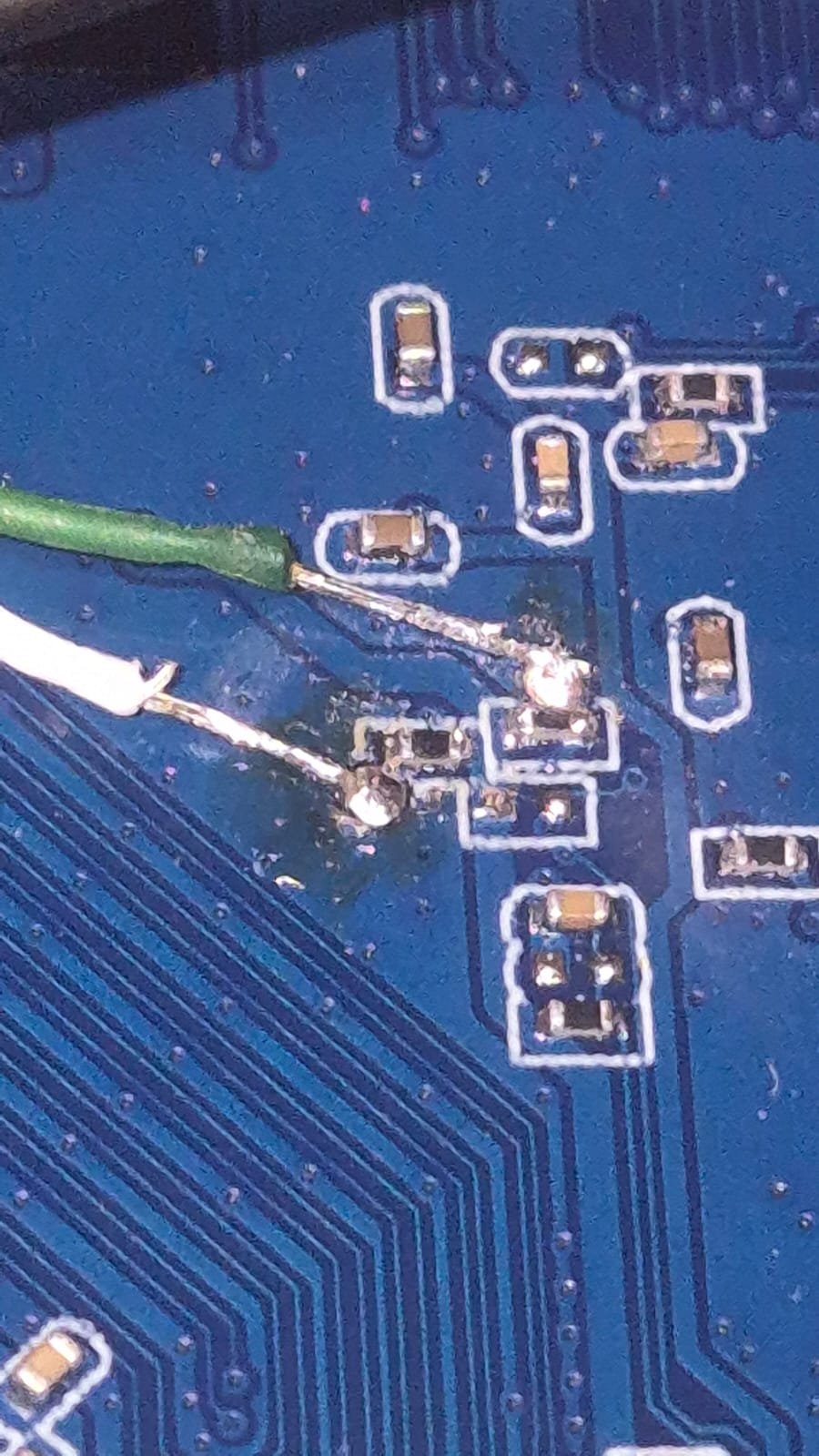
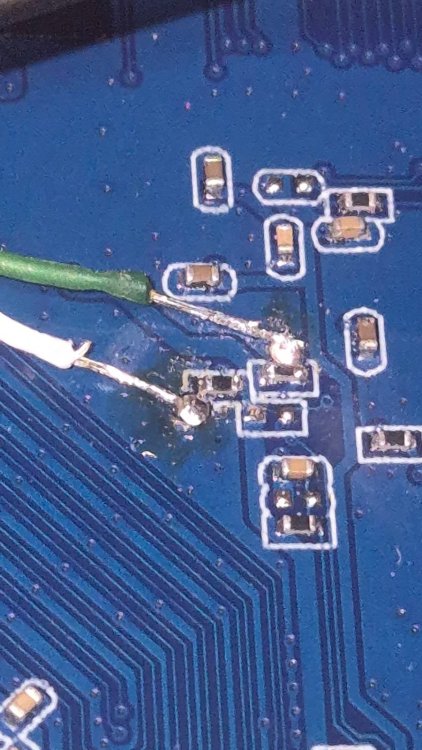
 Hi all, i've been going this forum long enough to try and root a tv box that i buyed recently, but this one is HEAVILY locked up, like nothing i have seen before. My objective here is to access 'su' so i can have access to rooting/overclocking this thing for emulators, and after that adding a heatsink, active cooling, etc. I tried ADB over all USBs (4 in total) but nothing. then i tried to see if root was available through some leftover app or vulnerability, but nothing. Then i tried following the specs from this thread (pretty similar in design to my PCB) but my UART displays nothing. (I leave the images from my setup below), i tried switching the wires, i tested the voltages and they return 3.3v, so they are ok. I tried the toothpick method to access recovery, but it has 2 buttons. 1 does nothing (AFAIK) and the other one goes directly to updating, so no menu. Any help is appreciated, as i'm out of any ideas. I leave my pictures below, and my specs: CPU: Alwinner H313 RAM: 1GB ROM: 8GB PCB: Z01S-v13.3, 2025.05.20 OS: Android 7-8 ish
.thumb.jpeg.253d5974b0e1476684eb424e20fc1be5.jpeg)
.thumb.jpeg.ce2df382b83a26cbba812d28012499a2.jpeg)

-
mxq pro 4k 5g allwinner h313 can't sd card boot
Octavio Cuatrochio replied to Ducdanh Nguyen's topic in Allwinner CPU Boxes
Well, this version of the PCB seems the most locked up of all. I tried ADB with all USBs, no dice, no root, i soldered the wires to the UART test pins (See image below) but with my setup (also see image below) i could not get any logs via TIO in Linux. Also, the toothpick method does not shows a menu, but goes straight to updating, so ALSO there is locked up, so i cannot go to recovery. Any ideas? i'm pretty out of ideas at this point. Are the wires badly soldered? both shows 3.3V, so i suppose not. Is my USB-To-TTL badly configured? Btw, my PCB is Z01S-v13.3, 2025.05.20. Any help is appreciated..thumb.jpeg.9428b2afd9e233a5b88f52a8fe5aeb87.jpeg)
.thumb.jpeg.d5a591019764dab2a65d043788ac1d97.jpeg)
-
$ grep TARGET config/boards/pine64.conf KERNEL_TARGET="current,edge,legacy" KERNEL_TEST_TARGET="current" So, you can compile either current, edge or legacy for your board. Stick the desired string in the BRANCH switch and off you go. What kernel that is depends on the board or board family and in your case you can check config/sources/families/include/sunxi64_common.inc to find that as of today edge=6.16, current=6.12 and legacy=6.6. So, 6.2 to 6.5 is not an option. But you could always go back to an earlier git state of the build framework or add your own targets. Why do you need those specific kernels?
-

Expected default graphics acceleration for RK3588?
gpupoor replied to gpupoor's topic in Orange Pi 5 Plus
Also, interesting to see your updates. I keep seeing a lot related to GStreamer, will need to look more into that. -

Compiling an LCD driver for armbian on Allwinner A33.
laibsch replied to Patrick 42's topic in Advanced users - Development
I think you are looking for the "kernel" build command. Have a look at some of the others as well like kernel-config or dts-check. - Today
-
Thank you for sharing your findings with the community!
-
thank you for your work, @Nick A Is this being pushed back to Armbian itself eventually?
-
not sure what the current state of this is, but i think megi always had a hack to make it working in their trees - maybe just try to apply the corresponding patch from the last commits of https://codeberg.org/megi/linux/commits/branch/pbp-6.18 to your kernel build and see if it works? good luck and best wishes - hexdump
-

Orange Pi Zero 3 Sound Problem(Lineout-Analog Codec)
robertoj replied to Taha YILDIRIM's topic in Allwinner sunxi
Yes. Try the latest kernel. The latest is always the one with the most corrections (unless someone discovers an error). How do you select a H616 vs H618 kernel? I always select Unsupported Board > Orange Pi Zero 3 -
Urgently go back to the previous selection of dtbos in armbian-config. Just having 1 undesired dtbo may interfere with everything else. Then try adding: overlays=analog-codec in armbianEnv.txt And check the lsmod again
-
I am lost, confused by your explanation. Are you trying to use the Orange Pi zero 3 and RED LCD ili9488? The solution is: https://forum.armbian.com/topic/47971-driving-the-ili9488-lcd-40-inch-cheap-chinese-clone/#findComment-208446 What did you mean by "booting to 16 bit"?
-
OrangePi Zero LTS ili9341 TFT LCD (and later OrangePi Zero 3)
robertoj replied to robertoj's topic in Allwinner sunxi
That photo tells me that you have the SPI and GPIO configuration right. Keep that. The completed solution for orange pi zero 3 and ili9341 is: https://forum.armbian.com/topic/44191-orangepi-zero-lts-ili9341-tft-lcd-and-later-orangepi-zero-3/#comment-204672 Copy the parts within the ili9341:ili9341@0 {} section, while keeping your gpio -
Okay, trying another HDMI cable fixed it, although on radxa's debian it worked with the same cable but thanks.
-

H5 NanoPI Neo2 IS2 ADC and DAC How?
Michael Robinson replied to Svr_electro's topic in Allwinner sunxi
I do not have your board but have you tied looking in armbian-config? -

Gaming experience with Orange Pi 5 (RK3588) on Armbian
KhanhDTP replied to KhanhDTP's topic in Orange Pi 5
Armbian 25.8.2 Noble XFCE (BSD Kernel: 6.1.115) + PanVk - mesa 26.0 (https://launchpad.net/~ernstp/+archive/ubuntu/mesaaco) + box64 3.9 (https://ryanfortner.github.io/box64-debs/) + GE-proton-10.25 (https://github.com/GloriousEggroll/proton-ge-custom) + DXVK-stripped v1.6.1 ~60fps@1080p Half Life 2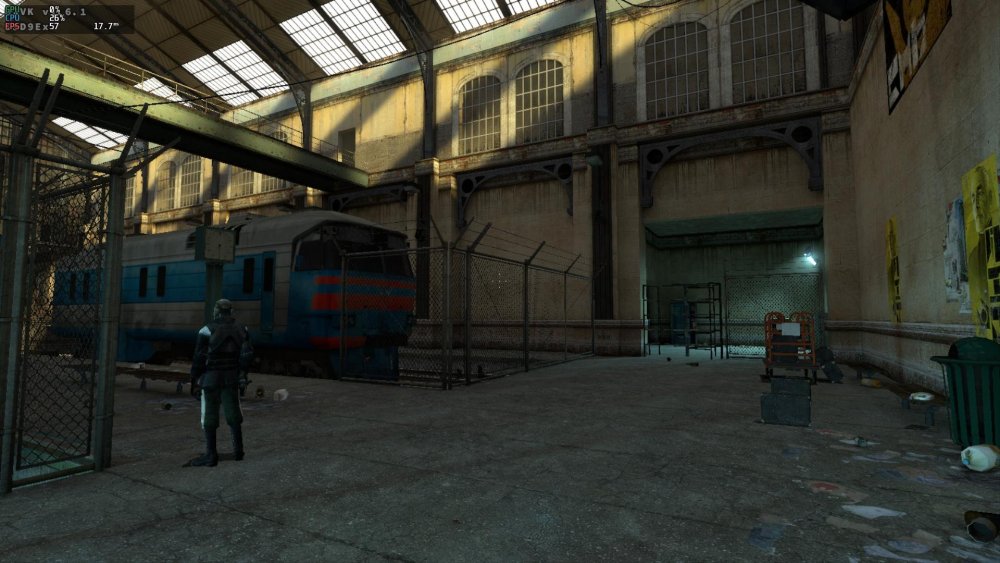
-
I ran into a similar issue, I think it was related to having the wifi usb adapter plugged in at the same time. after a second reboot with the adapter unplugged I was able to get to the first run setup screen and set the root password and create my local user account. new to armbian, replaced a failed image from the stock odroid c1+ ubuntu 18 release with the latest, was happy to get it up and running, as we used this board to drive our home 3d printer. unrelated - i did apply to be a board maintainer, happy to help if/when/where I can
-
 Hi @wolf7250, The $PWD is an environment variable that represents the current working directory. The lone period "." also represents the current working directory. $PWD has nothing to do with your password - unless your folder names are the same as your password and/or vice versa. As to your question, yes, I would think a fresh reinstall from scratch is going to be the best way forward. But I have no idea how easy that will be with transferring OMV settings from old to new etc. OMV is unbeknownst to me. On the other hand, if the workaround with the new load addresses in `armbianEnv.txt` work (and they seem to work just fine) it's more of a matter of how "correct" you want your situation to be. Things seems to be working. Groetjes,
 -
Here the link to the video. Thanks to Mike from Mekotronics. https://mekotronics.wetransfer.com/downloads/9a21fbbbd8123b75cb5119d632bb565020251208034519/a7c7d3?t_lsid=dd63b65e-c41d-4c4e-81ea-66eea92954d0&t_network=link&t_rid=YXV0aDB8NjE4ZTI0ZjkyMDYzZGYwMDY5Y2FhMmFh&t_s=download_link&t_ts=1765165519
-

Help wanted to test a new OpenVFD alternative
Jean-Francois Lessard replied to Jean-Francois Lessard's topic in Amlogic meson
@snowbody you are using an older version of the driver with the current version of the display-service. That won't work. Since you are on 6.12 kernel, start by cloning the main branch of https://github.com/jefflessard/tm16xx-display.git it already contains the line-display backport. - Yesterday
-

how to install armbian on mx10 f3 (tv stick)?
Nick A replied to Maxim Shell's topic in Allwinner CPU Boxes
Maybe this will work https://xdaforums.com/t/how-to-use-otg-in-twrp.3097688/ -
https://users.armbian.com/users.armbian.com/jock/web/rk3318/ It seems like old firmware is stored here.
-
 But if that were the case, simply leaving it powered off for a while and then turning it back on should fix it, but it doesn't. As I mentioned, I have to re-flash them from scratch with Android before I can reinstall Armbian. Additionally, the boards are completely exposed (out of the casing), with a heatsink on the SoC and proper ventilation. The power supply shouldn't be the issue either, as it is also fully ventilated.
 -
While doing various tests, also other bootloader than EDK2-UEFI v1.1 that I had in eMMC, I discovered that with 2026.01-rc2_armbian-2026.01-rc2-S365a-Pa203-He3cc-V062a-Bbf55-R448a kernel 6.18.0-rc7-edge-rockchip64 did not find/enable audio via HDMI. I moved the computer to other room where I rely on the speakers in the monitor, else I would not have discovered it as I also use networked pulseaudio. What works is 2025.01-armbian-2025.01-S6d41-Pdb4b-H2194-V062a-Bb703-R448a, so sort of last-known-good, got that via: sudo apt install linux-u-boot-nanopi-r6c-current=25.8.1 and wrote the binary with dd to eMMC Another issue is that the monitor does get out of sleep too late, so the loglevel=7 effect can only be seen on extra serial console, whereas with the UEFI bootloader, the HDMI gets always initalized properly, so before kernel is loaded. Note that this is with booting via grub. So with EDK2-UEFI v1.1 bootloader, I get a normal Debian graphical kernel selection menu, like on x86-64. With Opensuse Tumbleweed it is slightly different, as that also automatically duplicates on serial console (if 't' is pressed , from 'text'). So this is actually quite ideal. The only disadvantage is that it does not want to store boot entries (but works on ROCK5B in SPI-flash). I probably need an own build on SD-card first to see how 2026.01 (or later) can do the same as EDK2-UEFI v1.1 more or less. I should note that with EDK2-UEFI v1.1 bootloader, I do not load the DTB that comes with the kernel version. I used the setting 'vendor' or 'mainline' in the UEFI settings, that gets stored well actually. Now with the 25.8.1 U-Boot, I manually added a devitree loader line in grub.cfg, but that will be overwritten, so need to see what makes sense.
-
Forgot user/password of S9xx tv box with armbian
Michael Robinson replied to Thais Brollo's topic in Amlogic CPU Boxes
First thing backup all the configs with another linux computer. Then you can try to chroot the sd card on the other linux computer and run passwd as root.

.jpeg.e86cb82c198f7946bc7fcbd484b61f57.jpeg)
.jpeg.3fbf0f7eba712ae889a271781b9dd2bc.jpeg)

.jpeg.5799793ab475610e175b7c6b23cfede7.jpeg)
.jpeg.7f3c4fe64e99d1e06867e9794b3cfd9a.jpeg)