All Activity
- Past hour
-
@sven-ola About the issue you saw (re. UUID=63ee7593-e111-4547-ac2f-6bdb8519ce11..), what I have done is flash either of the two images at https://sven-ola.commando.de/privat-in/ to a 128GB MicroSD card using Win32DiskImager or Rufus on Windows, and then booted the RV2 with it, that's all. The RV2 has had two PCI devices connected at boot. This should not affect the boot sequence. I sent you all kinds of weird boot sequences I had especially with the Linux 7.10 Armbian image. I gave a few hours to try these Armbian images on the RV2, and ultimately it's not stable. The biggest issue is to boot from the M.2 SSD. Then, the 6.18 boots well from MicroSD but the 7.10 not. Finally my SFP+ NIC doesn't work well on the 6.18. I had more success with the testing in the beginning, e.g. I got the 7.10 image to work booted from the SSD. Could there be an issue with power supply, for example with the 5V to 3.3V converter on the PCB. For power supply I use a good 5V @ 5A USBC power supply.
- Today
-
Then wipe spi and retry. You can also pull a backup, simply via dd
-
I'm having trouble booting my Orange Pi5 off an SD Armbian_26.5.1_Orangepi5_trixie_vendor_6.1.115_minimal.img. I just get a blank screen. Older versions of Armbian do boot off an SD card, it also boots off NVME. I do have an old version of U-Boot flashed on SPI (Thanks to Joshua Riek), which I use because it is compatible with my KingSpec NVME drives, other versions of U-Boot did not recognize KingSpec NVME, including Armbian versions of U-Boot. I last tested Armbian U-Boot about 6 months ago, it failed. The Console log looks normal-ish right up to the point it just stops. Console Log --- DDR 9fffbe1e78 cym 24/02/04-10:09:20,fwver: v1.16 LPDDR4X, 2112MHz channel[0] BW=16 Col=10 Bk=8 CS0 Row=16 CS1 Row=16 CS=2 Die BW=16 Size=2048MB channel[1] BW=16 Col=10 Bk=8 CS0 Row=16 CS1 Row=16 CS=2 Die BW=16 Size=2048MB channel[2] BW=16 Col=10 Bk=8 CS0 Row=16 CS1 Row=16 CS=2 Die BW=16 Size=2048MB channel[3] BW=16 Col=10 Bk=8 CS0 Row=16 CS1 Row=16 CS=2 Die BW=16 Size=2048MB Manufacturer ID:0x1 CH0 RX Vref:28.5%, TX Vref:19.8%,20.8% CH1 RX Vref:29.3%, TX Vref:20.8%,20.8% CH2 RX Vref:28.5%, TX Vref:21.8%,21.8% CH3 RX Vref:29.7%, TX Vref:22.8%,21.8% change to F1: 528MHz change to F2: 1068MHz change to F3: 1560MHz change to F0: 2112MHz out U-Boot SPL board init U-Boot SPL 2017.09 (Aug 31 2024 - 15:22:22) unknown raw ID 41 18 20 Trying to boot from MMC2 spl: partition error Trying fit image at 0x4000 sector ## Verified-boot: 0 ## Checking atf-1 0x00040000 ... sha256(7612223b82...) + OK ## Checking u-boot 0x00800000 ... sha256(642bfeda4e...) + OK ## Checking fdt-1 0x008d6c48 ... sha256(7b2c4c6dbe...) + OK ## Checking atf-2 0x000f0000 ... sha256(b2af21b504...) + OK ## Checking atf-3 0xff100000 ... sha256(70505bb764...) + OK Jumping to U-Boot(0x00800000) via ARM Trusted Firmware(0x00040000) Total: 266.68/489.129 ms --- +
-
I have posted a new release on GitHub. Improved version. https://github.com/joilg/x88pro New: Support for Seekwave EA6521 Wifi Chip on Hardware Version 1.4 Frontdisplay shows now Systen Clock. USB3 support now SuperSpeed (5Gbps) IR Remote control implenented Target OS Ubuntu resolute 26.01 LAN is limited to 100mbps. (major advantage is the low quiescent current in standby mode. An external PHY with 1Gbps consumes a significant amount of power in Wake-on-LAN mod) Feedback welcome.
-
Hello @4A studio. The armbian-config tool may change large parts of the system configuration without a real "undo". I am not sure if I understand your situation correct: Board does not boot. You see UART output but no UART login prompt? Board is booting. But you don't see a live picture on your HDMI monitor?
-
Hey @armfan. UUID=63ee7593-e111-4547-ac2f-6bdb8519ce11 was read from /boot/extlinux/extlinux.conf which is correct for the edge/7.1.0rc3 image. However, something must be wrong with your SD card if u-boot can read UUID from extlinux.conf, but kernel does not find corresponding file system on the same boot media. This is the expected kernel startup : [ 0.000000] Booting Linux on hartid 0 [ 0.000000] Linux version 7.1.0-rc3-edge-spacemit (build@armbian) (riscv64-linux-gnu-gcc (Ubuntu 13.3.0-6ubuntu2~24.04.1) 13.3.0, GNU l [ 0.000000] Machine model: OrangePi RV2 [ 0.000000] SBI specification v1.0 detected [ 0.000000] SBI implementation ID=0x1 Version=0x10003 [ 0.000000] SBI IPI extension detected [ 0.000000] SBI RFENCE extension detected [ 0.000000] earlycon: sbi0 at I/O port 0x0 (options '') [ 0.000000] printk: legacy bootconsole [sbi0] enabled Loading, please wait... Starting systemd-udevd version 257.13-1~deb13u1 Begin: Loading essential drivers ... done. Begin: Running /scripts/init-premount ... done. Begin: Mounting root file system ... Begin: Running /scripts/local-top ... done. HTH // Sven-Ola
-

Armbian for RK3128 TVBox board
Chiều Nhạt Nắng replied to Chiều Nhạt Nắng's topic in Rockchip CPU Boxes
@hmoob What part do you need clarify? I can help you but I need more information. -
Providing logs with armbianmonitor -u helps with troubleshooting and significantly raises chances that issue gets addressed.
-
I have the same issue than @1111Windows had back in March. That's because I chose the wrong option in armbian-config. How do I revert to original (or, at least, working) u-boot? UART connection through putty is working.
-
Has anyone successfully set up a MIPI screen with their LCD ribbon connectors on Armbian? Any wisdom from someone who has done this would be appreciated.
-
@sven-olaTrying the latest RC2 and RC3 7.1 bundles at https://sven-ola.commando.de/privat-in/ by flashing it to a MicroSD card and booting from it, I get the following boot failure. Booting your 6.18 image works though. Any idea how make it work? By the way, is the U-Boot binary inside Armbian the same in your 7.1 and 6.18 versions? Perhaps I could boot the 6.18 from MicroSD card, use it to flash the SPI, and then try to boot the 7.1 from the SPI? Update: I booted the RV2 off MicroSD card via the old 6.18 version. From inside this 6.18, I did "dd if=the-7.1-version of=/dev/nvme0n1 bs=1M status=progress", powered off, took out the MicroSD, and booted, and it worked! Now a question back to you: @sven-ola Now that the boot process works, do I still need to install the latest Armbian-bundled u-boot on the SPI chip via "armbian-install"?
- Yesterday
-
That sounds like a Klipper message, not from the armbian OS. If there is new functionality in Klipper it will show this error, but you don't always need to reflash the MCU depending on if you use those functions. You can post in a more detailed error and versions in a Klipper forum for advice.
-

BTT Pi - ethernet not working after upgrade from 6.12.68 to 6.18.33
mattjm replied to ilmarietto's topic in BIGTREETECH CB1
I ran into this as well. Downgrade to kernel 6.12.58 fixed the physical interface. My board that initially had Trixie required the NetworkManager fix to get wifi working even after reverting. Something about the upgrade and/or downgrade broke netplan. -
As a data point, I had a CB1 with Trixie that was working fine with netplan until I did an apt upgrade to 26.2.1 and kernel 6.18.xx. The upgrade made my physical interface disappear, which required a kernel downgrade (to 6.12.58) to get back. But even after the downgrade my wireless interfaces still wouldn't connect. The ultimate fix was to switch this board to NetworkManager like I did with my other CB1 that was running bookworm and required the NetworkManager fix from day one.
-
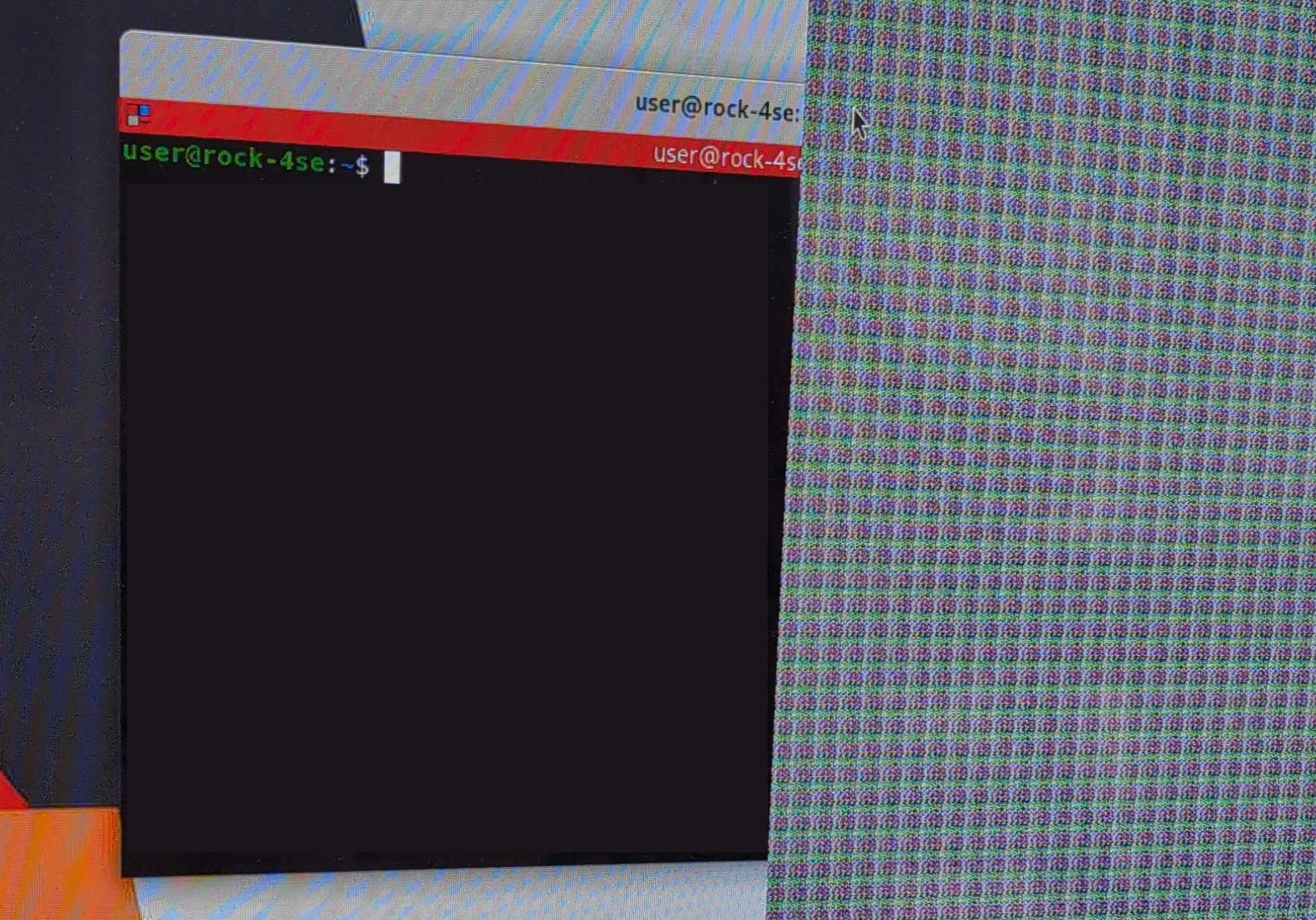
I'm getting this weird graphical artifact on a Radxa Rock 4SE connected to a TV via HDMI. It covers roughly a third of the right side of the display, note that the terminal window is covered by the artifact but the cursor is above it. I started from a Debian minimal image and added the desktop environment via armbian-config. The artifact is visible on both GNOME and KDE Plasma (with fully updated system on both rolling and stable) but not with XFCE. It also disappears with resolutions lower than 4K or switching to tty. Any idea what might be causing this?
-

How you can help test upcoming Armbian 26.05 images?
Igor replied to Igor's topic in Advanced users - Development
Tested: - Odroid C4 / HC4 - Tinkerboard - Odroid XU4 - Rockpi E -
Hi, I'm using it at the moment as a containers server, thanks for link. I not that changing kernel may run in trouble, so I still keep the 6.1.115 and wait for update. Thanks for your help Regards
-
Hi, It depends on what you want to do with your device. You should check this sheet if the features you depend on are actually available in mainline linux: https://gitlab.collabora.com/hardware-enablement/rockchip-3588/notes-for-rockchip-3588/-/blob/main/mainline-status.md Also take note that you may run into trouble booting when switching kernels. The reason is that vendor kernel images may (I don't know for this particular board) also come with (from guts feel from the stoneage) 2017 vendor uboot which may have issues booting an up to date mainline kernel. Fixing can be a bit of a pain if you don't have a second arm64 device which you could plug your microsd (via usb adapter for example) into, chroot into and fix this.
-
I'm using Armbian Orange Pi 5 Plus based on Debian 13 with vendor kernel v26.2.1 for Orange Pi 5 Plus running Armbian Linux 6.1.115-vendor-rk35xx I'm thinking about switching to Armbian based on Debian 13 with kernel current 6.18.33 because 6.1.115 is an old one => current the kernel is more recent Is that a good idea to swith to vendor kernel to current ? How can I do this ?
-
It's fixed in 7.1.0-rc6-bleedingedge-rockchip64 Cheers !
-
Hi there, I recently upgraded my Orange Pi 5 Plus to "Armbian 26.5.1" and noticed in the MOTD (on logins) that it is still showing version "26.2.1". I found differences in this 2 files, and the latter is the one used as reference for MOTD: cat /etc/os-release: PRETTY_NAME="Armbian 26.5.1 trixie" NAME="Debian GNU/Linux" VERSION_ID="13" VERSION="13 (trixie)" VERSION_CODENAME=trixie DEBIAN_VERSION_FULL=13.5 ID=debian HOME_URL="https://www.armbian.com" SUPPORT_URL="https://forum.armbian.com" BUG_REPORT_URL="https://www.armbian.com/bugs" ARMBIAN_PRETTY_NAME="Armbian 26.5.1 trixie" cat /etc/armbian-release: # PLEASE DO NOT EDIT THIS FILE BOARD=orangepi5-plus BOARD_NAME="Orange Pi 5 Plus" BOARDFAMILY=rockchip-rk3588 BUILD_REPOSITORY_URL=https://github.com/armbian/build BUILD_REPOSITORY_COMMIT=77f919f6c LINUXFAMILY=rockchip64 ARCH=arm64 BOOT_SOC=rk3588 IMAGE_TYPE=stable BOARD_TYPE=conf INITRD_ARCH=arm64 KERNEL_IMAGE_TYPE=Image KERNEL_TARGET=current,edge,vendor KERNEL_TEST_TARGET=vendor,current FORCE_BOOTSCRIPT_UPDATE= FORCE_UBOOT_UPDATE= OVERLAY_DIR="/boot/dtb/rockchip/overlay" VENDOR="Armbian" VENDORCOLOR="247;16;0" VENDORDOCS="https://docs.armbian.com" VENDORURL="https://www.armbian.com" VENDORSUPPORT="https://forum.armbian.com" VENDORBUGS="https://www.armbian.com/bugs" BOOTSCRIPT_FORCE_UPDATE="no" BOOTSCRIPT_DST="boot.cmd" VERSION=26.2.1 REVISION=26.2.1 BRANCH=edge Can somebody explain why armbian-release doesn't get properly updated? I belive this is not the first time I see this, I recall seeing this behaviour from previuos upgrades too. Thanks!
-

Efforts to develop firmware for H96 MAX V56 RK3566 8G/64G
Hqnicolas replied to Hqnicolas's topic in Rockchip CPU Boxes
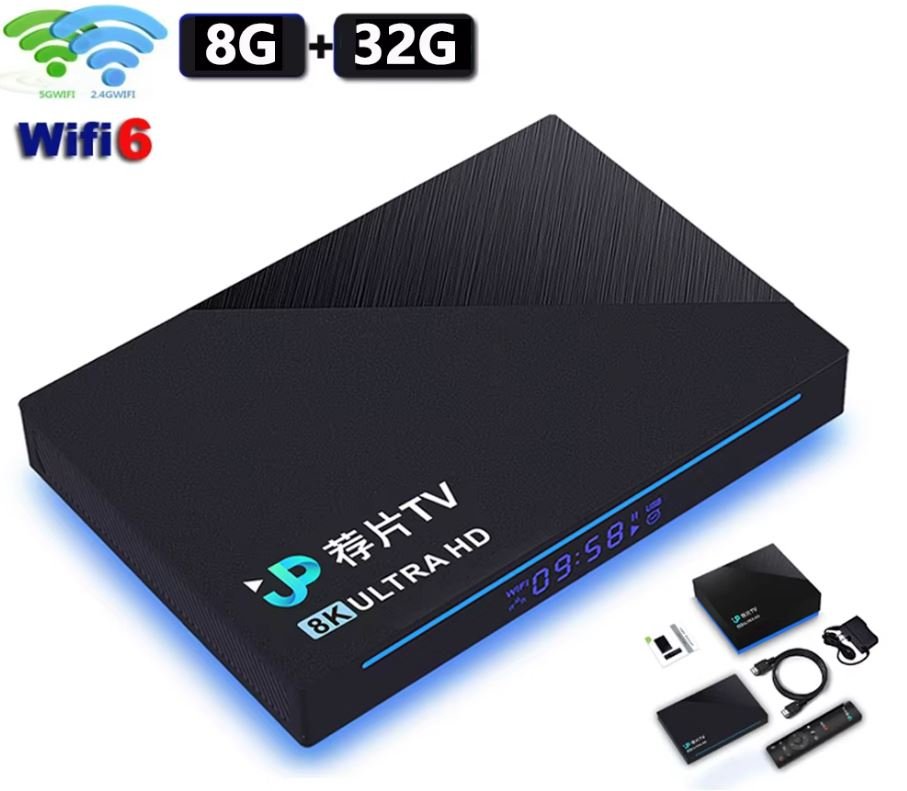
These Chinese people are very creative. I never imagined seeing a TV box with a SATA port. @Astlin You will need to interact with the .dts file to build a .dtb file with this capability. Before taking any action, check if your board is not from this other JP-Box project. https://github.com/armbian/build/blob/main/patch/kernel/archive/rockchip64-7.1/dt/rk3566-jp-tvbox.dts The topic you should interact with is this one here: https://forum.armbian.com/topic/31887-jianpian-rk3566-tv-box-8g32g-develop-log/#comment-175700 I don't actually have access to the JP-box @Astlin. If you are using the H96 max RK3566 firmware, the SATA port may not be enabled, but you can enable kernel changes within the Armbian compilation menu and insert your changes into the board's DTS file. https://github.com/armbian/build/blob/main/patch/kernel/archive/rockchip64-7.1/dt/rk3566-h96-tvbox.dts I believe the person responsible for this sign is @tdleiyao @ning have tested our DTB file on JianPian device https://github.com/armbian/build/blob/main/config/boards/jp-tvbox-3566.tvb If you have time, we can update the JP-box project in the correct topic. https://forum.armbian.com/topic/31887-jianpian-rk3566-tv-box-8g32g-develop-log/#comment-175700 I have maintained a sample repository with the necessary data to enable RK3566 cards in Armbian. https://github.com/hqnicolas/ArmBoardBringUp The reason JP-box isn't working is that it was enabled in kernel 6.6, and we're already on 7.1, nobody updates this since then. You can use the H96 modifications as start point. this modifications apply to the JP-box, but some functions, such as the SATA port, require customization. -
 Hi, my knowledge about Armbian is limited. For such a specific configuration/compilation I suggest that you open a new topic under "Allwinner sunxi". Best regards.
 -

Efforts to develop firmware for H96 MAX V56 RK3566 8G/64G
Astlin replied to Hqnicolas's topic in Rockchip CPU Boxes
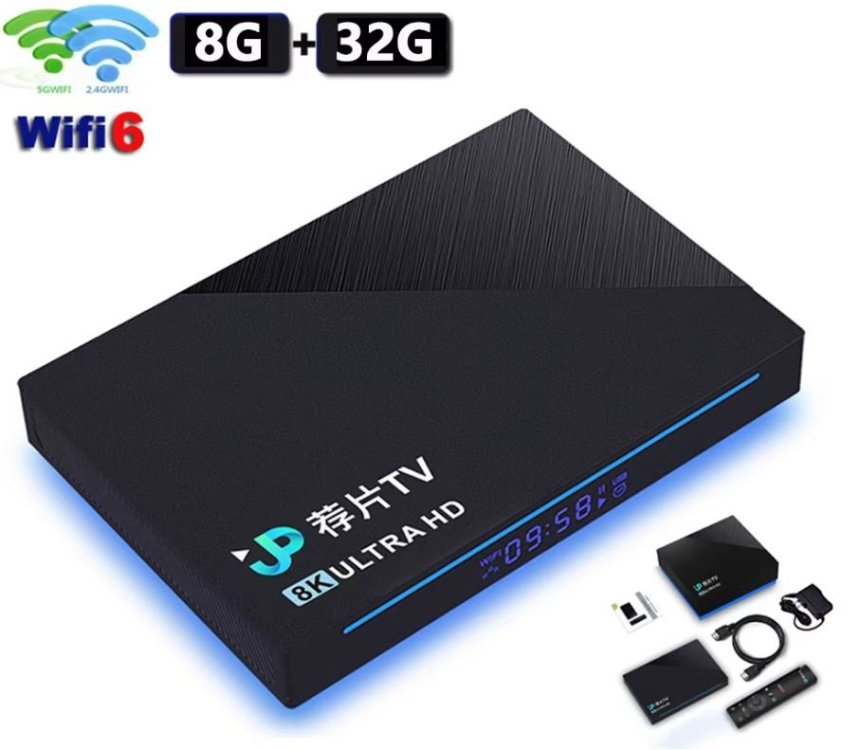
Tell me please. TV Box JPTV RK3566 8GB RAM eMMC 32GB, WIFI/BT, USB2, USB3, there is no SATA. There is no microSD connector and wiring for it on the board. (I can attach additional photos of the board). Android 11 was working fine. According to the instructions, I flashed on Armbian_community_26.2.0-trunk.904_Jp-tvbox-3566_trixie_current_6.18.29_minimal.img. When loading in the terminal, I got this error: Then I tried to flash on Armbian_community_26.2.0-trunk.904_H96-tvbox-3566_resolute_current_6.18.30_kde-plasma_desktop.img - the board started and I was able to safely run a couple of tests for the presence of a decoder/encoder through the terminal and ssh: but SATA does not work. Can you tell me why the "native" firmware for this board does not start?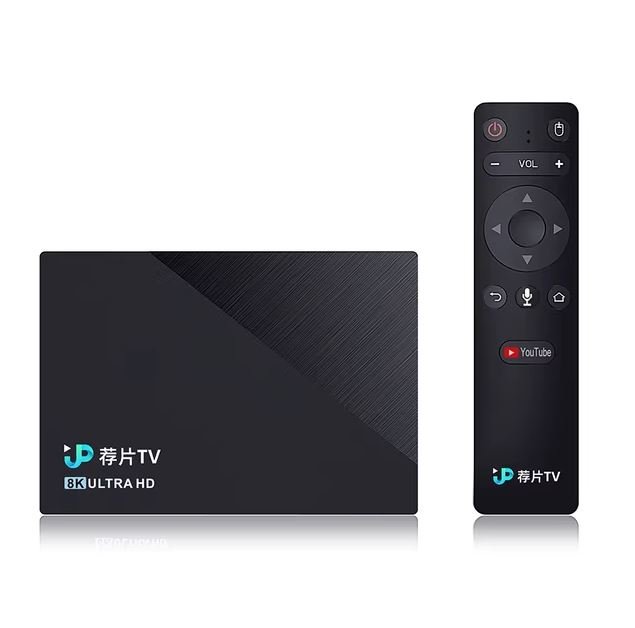
-
OK, good that you see the higher voltage selected. I have also seen it, but was on a NanoPi-R6C, although it did not work with RPi5 27W PSU, but OK with HP tablet 45W PSU. The rest is then a matter of kernel and DTB. My ROCK5B runs fine with rolling release/latest Linux kernels (Debian Sid, Opensuse Tumbleweed), currently 7.0.10 version. Don't know about NixOS (on aarch64), but maybe first get some basic stability with standard Armbian Trixie image (mainline based). It gets tricky when you mix vendor and mainline/distro based. Also vendor (6.1.115) can show various issues if you try/use various external HW. Like an mt9721u USB stick of mine causes a failure in paging on ROCK3A, so need reboot, then it works, but don't know for how long (weeks or months)